

A single 1,000-person conference can cost anywhere from 5,000 dollars to more than 100,000 dollars to run on an enterprise event platform once licenses, per-registrant fees, and implementation are added together. That spread is the first thing to understand about the best event management software for event planners. The tools in this market do not compete on the same price scale, the same buyer, or even the same definition of what event software should do.
Some platforms sell a full operating system for a corporate event program, with venue sourcing, registration, an attendee app, onsite check-in, and reporting in one contract. Others sell one sharp job, such as ticketing, registration logic, or attendee networking, and leave the rest to tools you already own. Both approaches can be right. The wrong choice is the one that charges enterprise money for a job a 39 dollar a month tool would have handled, or the one that collapses under a 5,000-person conference because it was built for ticketed social events.
This guide compares 13 platforms across registration, event websites, attendee apps, onsite operations, integrations, and total cost. Prices come from vendor pages and recent published comparisons, and they change often, so check the vendor pricing page before you sign. Test each shortlisted tool with your hardest real event, including a sold-out session, a last-minute speaker change, and a walk-in registration, because those three cases reveal more than any demo.
Why the best event management software for event planners earns its fee
An event platform earns its fee in three places. First, it fills seats faster, through event websites, registration pages, and email campaigns that convert interest into paid registrations. Second, it removes manual work, through automated confirmations, reminders, badge printing, and check-in that let a small team run a large event. Third, it proves value after the event, through attendance data, lead capture, and sponsor reporting that justify the next budget. Judge every platform on those three returns, not on its feature list alone.
The second thing to judge is fit by event type. A corporate planner running quarterly user conferences needs CRM integration, lead scoring, and multi-event reporting. A social-event planner running galas and weddings needs beautiful invitations, seating, and guest communication. A festival planner needs ticket tiers, gate scanning, and crowd flow. The best pick changes with that mix, and the tables below sort the 13 tools by those jobs before the detailed sections begin.
The 13 tools at a glance
Use this table to shortlist three tools, then read only those full sections in detail. Price notes are starting points from published sources, and the vendor pricing page is the final word.
| Tool | Main job | Starting point | Watch out for |
|---|---|---|---|
| Cvent | Enterprise event programs | Quote based, reports from about 19,550 dollars a year | Per registrant fees and implementation add up fast |
| Bizzabo | B2B conference marketing | From 17,999 dollars a year | Three user minimum on the entry tier |
| Whova | Conference apps and networking | Quote based, reports from about 2,000 dollars per event | Ticket fee of 3 percent plus 99 cents per ticket |
| Swoogo | Complex registration logic | From 11,800 dollars a year | Priced per user, so team size drives cost |
| Eventbrite | Ticketed public events | Free for free events, paid tickets 3.7 percent plus 1.79 dollars | Fees bite hardest on low priced tickets |
| EventMobi | Modular event apps and onsite | From 3,500 dollars per event or 7,900 dollars a year | Modules are priced separately |
| Stova | Enterprise portfolios | Core from 1,995 dollars plus from 3 dollars per registration | Total depends heavily on registration volume |
| RingCentral Events | Virtual and hybrid events | From 99 dollars a month in published comparisons | Formerly Hopin, check the current feature set |
| Planning Pod | Venue and event operations | Quote based in current listings | No published price, demo first |
| RSVPify | Invitations and RSVPs | From 39 dollars a month | Lighter on onsite and sponsor tools |
| Accelevents | Hybrid and virtual events | Quote based, check the vendor pricing page | Pricing is not published |
| vFairs | Virtual and hybrid expos | Quote based, check the vendor pricing page | Built for large virtual events, not small ones |
| Swapcard | Exhibitor and networking events | Quote based, check the vendor pricing page | Pricing is not published |

Best pick by job
The table below names a lead pick for each segment in this guide, with a second option worth testing. Test the lead pick on your hardest real event before signing.
| Segment | Lead pick | Also test | Why it fits |
|---|---|---|---|
| Corporate planners | Bizzabo | Cvent | CRM driven event marketing suits corporate programs |
| Social-event planners | RSVPify | Eventbrite | Invitations and ticketing suit social events |
| Festival planners | Eventbrite | Swapcard | Ticket tiers and gate scanning suit festivals |
Corporate planners live or die on pipeline. Bizzabo connects registration to CRM records, scores attendee behavior, and reports which sessions produced real leads, while Cvent adds venue sourcing and compliance depth for the largest programs. A corporate team that runs four or more events a year will feel the difference in the first quarter.
Social-event planners need a different strength. Invitations must look good, RSVPs must be effortless, and guest lists must stay accurate through the final week. RSVPify covers that at a low entry price, and Eventbrite adds discovery and ticketing when the event sells tickets to the public. Neither tool forces an enterprise workflow onto a one-night gala.
Festival planners need ticket tiers, capacity control, and fast gate scanning above all else. Eventbrite handles tiered tickets and mobile check-in at a price that scales with sales, while Swapcard adds exhibitor and networking depth for festivals with a trade or sponsor layer. The right choice depends on whether the festival is mainly a ticketed crowd or a ticketed crowd plus exhibitors.
The 13 tools in detail
Each section below judges the tool on the jobs event planners actually run, not only on registration speed, so you can see where the best event management software for event planners earns its price and where it does not.
1. Cvent
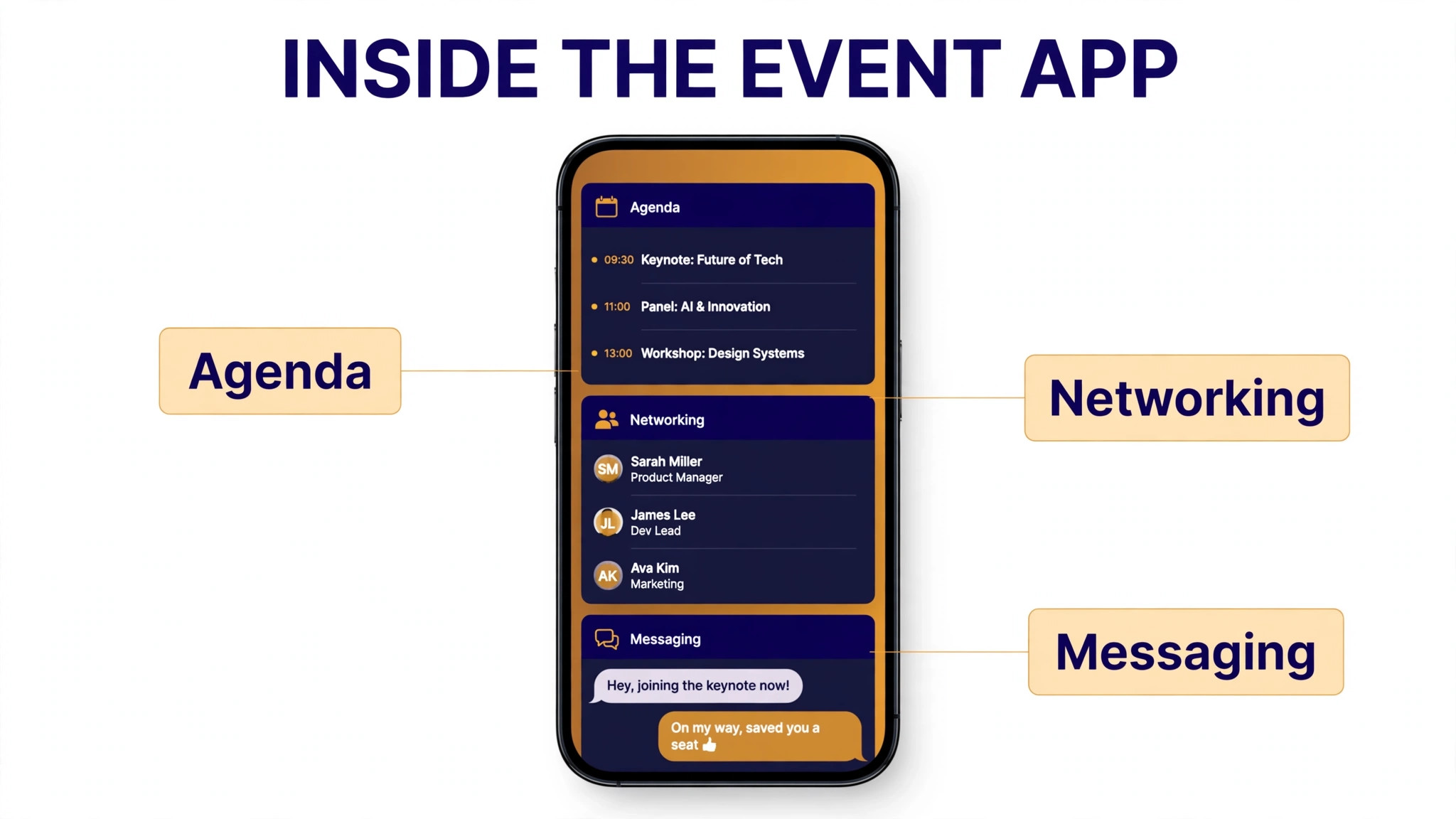
Cvent is the deepest enterprise platform in this list, covering event websites, registration, venue sourcing, onsite check-in, badge printing, an attendee app, appointments, surveys, and reporting across a whole event program. It integrates with more than 200 other systems, which matters when an event program must feed data into a CRM, a marketing automation platform, and finance at the same time. For a large organization running dozens of events a year, that breadth is the point.

Pricing is quote based, with no published list price and no free trial. Independent 2026 guides put the base license in the region of 19,550 dollars to 79,000 dollars a year, plus per-registrant fees of roughly 7 to 12 dollars per attendee per event, and first-year implementation of 5,000 to 50,000 dollars. A pay-as-you-go option is reported at 3.95 dollars per registrant plus a 1.95 percent platform fee. Cvent suits enterprise programs with procurement teams and multi-year budgets. Smaller planners should test whether a mid-market tool gives the same daily result at a fraction of the total cost.
2. Bizzabo
Bizzabo is built for B2B marketing teams that treat events as a pipeline channel. Registration, branded event websites, email marketing, a mobile app, onsite check-in, and the Klik SmartBadge system for lead capture and engagement tracking sit together in one platform. The HubSpot and Salesforce integrations are the real draw, because they push attendee behavior straight into the CRM where sales can act on it.
Pricing starts at 17,999 dollars a year, billed annually, with a three-user minimum that works out to about 499 dollars per user per month. Unlimited events and registrations are included. That price puts Bizzabo out of reach for occasional planners, but for a marketing team running a regular conference program it is a defensible mid-enterprise buy. The weakness is cost transparency on add-ons, so ask for the full quote including premium features before comparing it against Cvent.
3. Whova
Whova wins on the attendee experience. Its mobile app combines personalized agendas, networking and matchmaking, community boards, messaging, and gamification in a way attendees actually open during the event. It also handles registration, abstract and speaker management, and QR code lead retrieval, which makes it a strong fit for academic conferences, association events, and trade shows where networking is the main reason people attend.
Pricing is quote based and billed per event, with published comparisons reporting entry from about 2,000 dollars per event and totals of 5,000 to 20,000 dollars for a mid-size conference. Paid tickets carry a published fee of 3 percent plus 99 cents per ticket. Whova integrates with membership systems such as Wild Apricot and iMIS, which matters for associations. It is less suited to planners who need deep CRM-driven marketing, where Bizzabo is the stronger pick.
4. Swoogo
Swoogo is the registration specialist in this list. Its strength is conditional logic in registration forms, so a single form can route VIPs, speakers, sponsors, and general attendees down different paths with different questions, prices, and confirmation messages. It also covers event websites, hotel booking management, and reporting, with unlimited events and registrations on every plan.
Pricing is published at 11,800 dollars a year for the Professional plan, which covers one full user and one reporting user. Three users cost about 16,500 dollars a year and five users about 26,000 dollars a year in published comparisons. That per-user model is kind to a solo planner and harder on a large team, so model the price with your full team, not only the lead planner. Swoogo fits organizations whose registration logic is the hard part and who do not need a full enterprise suite around it.
5. Eventbrite
Eventbrite is the largest self-service ticketing marketplace, and for public ticketed events it is often the fastest route from idea to sold tickets. Organizers publish free events at no cost, build a branded event page, and sell tickets through a checkout buyers already trust. Built-in discovery can bring attendees who were not on your list, which is a real advantage for festivals, concerts, and community events.
Paid tickets carry a service fee of 3.7 percent plus 1.79 dollars per ticket, plus payment processing of 2.9 percent per order. On a 50 dollar ticket that is roughly 5.20 dollars in total fees, and on a 10 dollar ticket the fixed 1.79 dollar component alone is nearly 18 percent of the price. Eventbrite Pro starts at 15 dollars a month for email marketing. Eventbrite suits ticketed public events and festivals. It is a weak fit for private corporate conferences that need complex registration logic or CRM depth.
6. EventMobi
EventMobi is a modular platform, which means you buy the pieces you need rather than a fixed bundle. Event websites, registration, a mobile app, badge printing, lead retrieval, and engagement tools can be combined for a single event or bought as an annual subscription. That modularity suits professional teams that run a mix of event types and do not want to pay for modules they never open.
Published comparisons report EventMobi from 3,500 dollars per event or 7,900 dollars a year. The modular approach is both the strength and the trap, because a quote built from several modules can climb past a bundled competitor. Ask for the full module list in writing and price the exact combination your event needs. EventMobi fits mid-size professional teams that want a polished app and onsite tools without an enterprise contract.
7. Stova
Stova is the enterprise platform formerly known as Aventri, and it covers the full conference lifecycle from registration and event websites to onsite operations, exhibitor management, and reporting. It suits organizations with several operational requirements at once, such as a conference with a trade show floor, sponsor booths, and continuing education credits, where a single-purpose tool would leave gaps.
Pricing starts with a Core package reported from 1,995 dollars, plus per-registration fees from about 3 dollars each, so the total depends heavily on registration volume. That model can be cheaper than a flat annual license for a low-volume program and more expensive for a high-volume one, so model the total at your real attendee count. Stova fits enterprise portfolios that need services and depth. Smaller teams should compare Swoogo or EventMobi first, because Stova assumes a professional events operation.
8. RingCentral Events
RingCentral Events is the current name for the virtual and hybrid platform formerly known as Hopin, and it is built around online delivery. Multi-session agendas, breakout rooms, live Q and A, polling, recording, and virtual exhibitor booths cover the full online event, while hybrid features connect remote attendees to the in-person program. For a planner whose audience is spread across time zones, that virtual depth matters more than onsite badge printing.
Published comparisons report RingCentral Events from 99 to 299 dollars a month depending on attendee count and features. That price makes it one of the cheapest ways to run a professional virtual summit, and the familiar video infrastructure keeps the attendee learning curve low. The rename is worth noting when you read older reviews, because anything written about Hopin before the rebrand describes the same product line under its old name. Check the current feature list on the vendor page before relying on an old review.
9. Planning Pod
Planning Pod is a broad operations platform for venues and event teams, covering budgets, timelines, checklists, vendor and venue management, contracts, floor plans, seating charts, guest lists, and payment tracking. Its day-of timeline tool, with vendor assignments and reminders, is the standout for planners who coordinate many suppliers on event day. It also covers BEOs and catering details that pure registration tools ignore.
Pricing is quote based in current listings, with no published price on the vendor site and a demo as the main path to a quote. Older published comparisons report a range of 49 to 159 dollars a month, which conflicts with the current quote-only position, so treat any older figure as outdated and request a written quote. Planning Pod fits venue teams and planners who run the operational side of events, not only registration. Pure conference marketers will find Bizzabo or Cvent a better fit.
10. RSVPify
RSVPify is the invitation and RSVP specialist in this list. It builds beautiful event pages and invitations, manages guest lists, collects RSVPs with meal choices and plus-one rules, and handles seating charts and check-in. That focus makes it the natural pick for galas, fundraisers, weddings, and corporate social events where the guest experience starts with the invitation, not with a registration form.
Published comparisons report RSVPify from about 39 dollars a month. The entry price is low enough for a single event, and the guest management depth is stronger than anything a general ticketing tool offers. The trade-off is breadth. RSVPify does not try to be a conference platform, so planners who need sponsor management, exhibitor tools, or CRM lead scoring should pair it with another tool or choose a broader platform. For social events, that narrow focus is a strength.
11. Accelevents
Accelevents covers in-person, virtual, and hybrid events in one platform, with registration, event websites, a mobile app, onsite check-in, badge printing, and lead retrieval. Its hybrid strength is the draw, because the same event can serve an in-person audience and a remote audience without running two separate systems. Session streaming, virtual networking, and exhibitor booths sit alongside the onsite tools.
Pricing is quote based and not published on the vendor site, so request a written quote for your event size and format. Published comparisons place it in the mid-market band, below the enterprise suites and above the budget ticketing tools. Accelevents fits planners who run hybrid events regularly and want one platform for both audiences. A planner who only runs in-person events may find Swoogo or EventMobi a sharper fit for the same money.
12. vFairs
vFairs is built for large virtual and hybrid expos, with virtual booths, exhibitor halls, webinar stages, networking lounges, and detailed attendee analytics. It suits trade shows and expos that moved online, where the exhibitor experience is the product and the platform must recreate the exhibition floor in a browser. In-person features exist, but the virtual expo is where vFairs earns its place on this list.
Pricing is quote based and not published, which fits its enterprise positioning. Expect a sales conversation and a quote shaped by event size, exhibitor count, and support needs. vFairs fits large virtual expos and hybrid trade shows with serious exhibitor requirements. Smaller virtual events will get better value from RingCentral Events, and in-person conferences should compare Cvent or Bizzabo first.
13. Swapcard
Swapcard is the networking and exhibitor platform in this list. Its AI-powered matchmaking connects attendees with the right exhibitors, speakers, and peers, while the app handles agendas, meetings, lead capture, and sponsor visibility. For events where the value is in who you meet, not only what you hear, that matchmaking engine is the deciding feature.
Pricing is quote based and not published on the vendor site, so request a written quote for your event size. Swapcard fits trade shows, expos, and festivals with a strong exhibitor or sponsor layer, where networking and lead capture justify a dedicated platform. A straightforward ticketed festival with no exhibitor layer will get better value from Eventbrite, and a corporate conference with CRM-driven marketing should test Bizzabo first.
How to choose an event platform without overbuying
Start with your event calendar, because that choice filters the best event management software for event planners faster than any feature table. Count the events you run in a year, their size, and their format. A team running two galas a year needs a different tool from a team running twelve conferences, and a team running one festival needs a different tool from a team running a monthly webinar series. Write those numbers down before any demo, and score each tool against them.
Next, separate the jobs only your platform can do from the jobs your other tools already handle. If your CRM already runs email campaigns, you do not need to pay for a second email engine inside an event platform. If your ticketing already handles gate scanning, you do not need a second check-in system. The most expensive mistake in this market is buying a suite for features you already own, then paying twice for the same job every year.
Finally, price the second year, not the first event. Add per-registrant fees, ticket fees, payment processing, extra users, and any branded app or onsite support charge, and model the price at your expected attendee count. Ask about contract length, renewal increases, and data export, because switching platforms later is far harder than choosing well now. A short contract with clean data export is worth more than a small first-event discount.

What event software really costs
Event software pricing looks simple in a listing and becomes complex in a quote, because the total includes more than the subscription. Per-registrant fees, ticket fees, implementation, onboarding, onsite support, and premium add-ons can each add a meaningful amount. A platform that looks affordable on subscription alone may cost more in total than a platform with a higher subscription and no per-attendee charges.
Three pricing models dominate this market for the best event management software for event planners. Subscription pricing, used by Bizzabo, Swoogo, and RSVPify, gives a predictable annual bill. Per-event pricing, used by Whova and EventMobi, suits planners who run a few large events a year. Per-ticket pricing, used by Eventbrite, scales with sales and costs nothing when nothing sells. Compare all three models on your actual event volume, not on a headline rate, and get the total in writing before signing.
The fee math deserves a worked example. A 500-person conference with 50 dollar tickets on Eventbrite carries about 2,600 dollars in service and processing fees. The same conference on a subscription platform may cost nothing per ticket but carry an 11,800 dollar annual license. Which is cheaper depends entirely on how many events you run and how many tickets you sell, so run your own numbers rather than trusting a vendor comparison.

Setup checklist for a smooth event launch
Use this sequence when you move to the platform you chose, and do not skip the registration test.
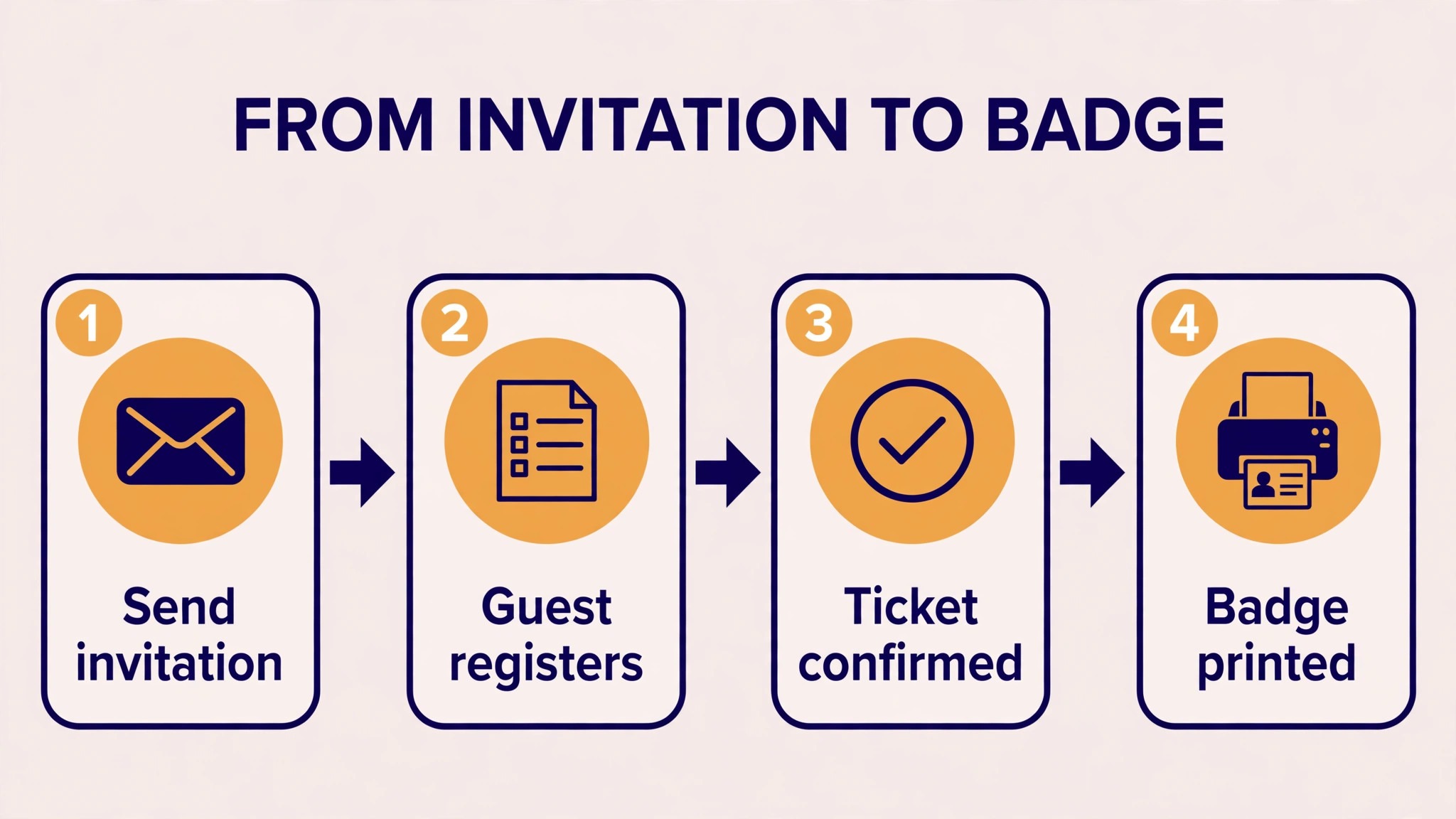
- Build the registration form with your real ticket types, prices, and discount codes, then complete a test registration on a phone for every ticket type.
- Set up the event website and check it on a phone and a desktop, because most attendees will register from a phone.
- Connect payments and run a test purchase with a real card, then refund it, to confirm the full payment flow.
- Build the attendee app with the real agenda, speakers, and sponsors, and test it with a small group of internal users.
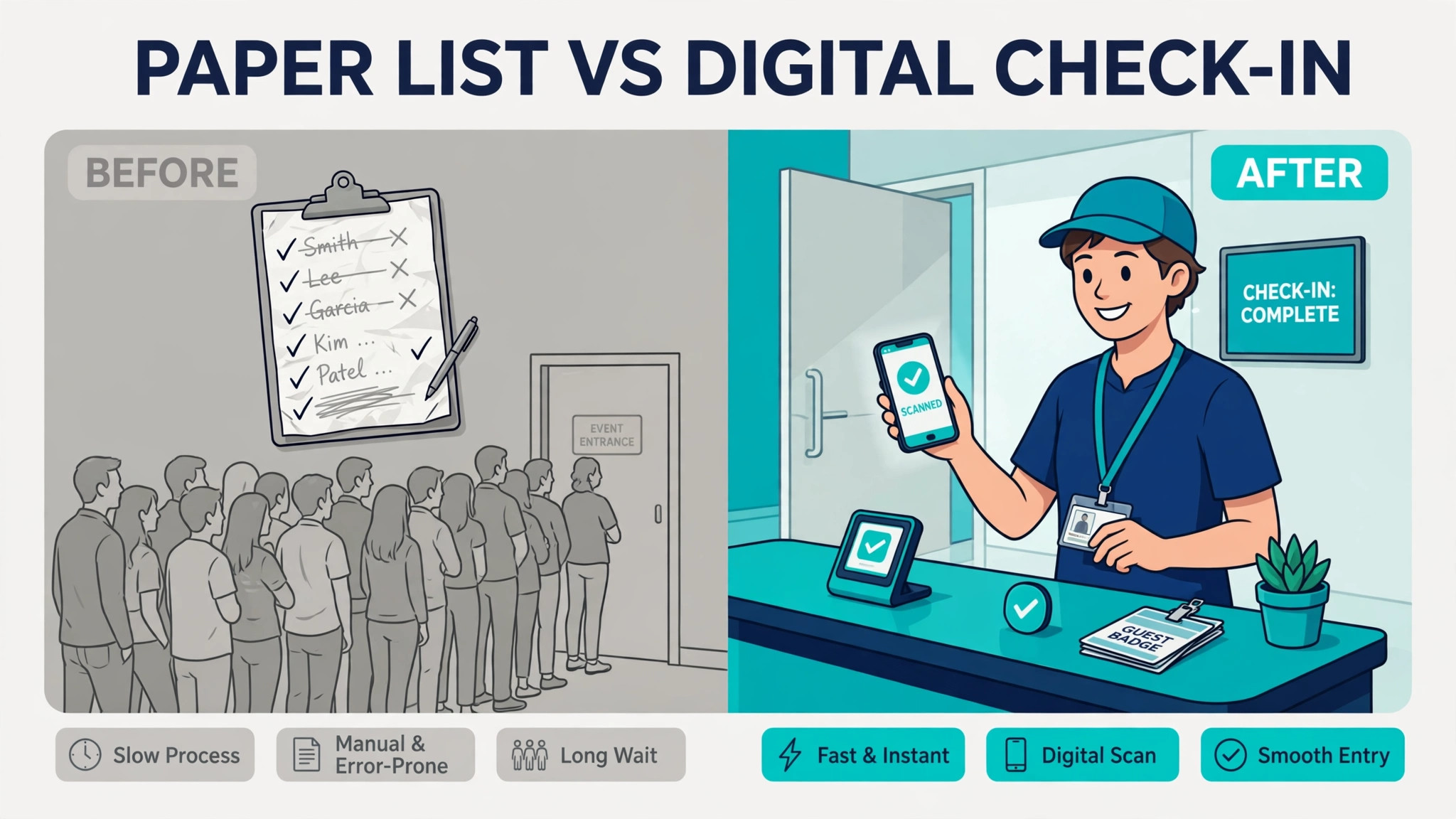
- Test onsite check-in and badge printing with a sample guest list, including a walk-in registration and a duplicate name.
- Train staff and volunteers on check-in, badge reprints, and session scanning, because those three jobs cause most event-day questions.
- Run a final data check the day before the event, including the guest list, the agenda, and the sponsor logos, and keep a printed backup list at the door.
A careful launch protects the attendee experience. Attendees forgive a plain event page quickly if registration works and check-in is fast. They do not forgive a payment error, a missing badge, or a session that does not appear in the app. Test registration and check-in twice, and launch only when both are clean.
Mistakes that cost event planners money
The first mistake is buying for the biggest event you might run instead of the events you actually run. An enterprise platform bought for one annual conference will sit mostly unused for eleven months, while a mid-market tool would have handled the same conference at a third of the cost. Buy for your typical event, and rent or upgrade for the outlier.
The second mistake is ignoring the per-attendee math. A platform with a low subscription and a 7 dollar per-registrant fee can cost more than a flat annual license once attendance passes a few thousand. Model the total at your real attendee count, including every event in the year, before comparing headline prices.
The third mistake is skipping the onsite test. A registration flow that works perfectly on a laptop can fail at the door when the venue WiFi drops, the badge printer jams, or a walk-in needs to register in under a minute. Test check-in offline if the platform supports it, test badge printing with your real printer, and rehearse the walk-in flow before event day.
The fourth mistake is forgetting the sponsor promise, and it is the one that quietly damages the best event management software for event planners buy. Sponsors pay for lead capture, brand visibility, and post-event reporting, and a platform that cannot deliver those three things will cost you renewals. Check lead retrieval, sponsor analytics, and the post-event report during the trial, not after the sponsor has already complained.
Related Guides
Keep exploring with these guides on Stratilyze:
- Best Project Management Software for Event Planners (12 Tools)
- Best Event Management Software for Wedding Planners (12 Tools)
- Use AI for Event Venue Booking Management
Frequently Asked Questions
How much does the best event management software for event planners cost
It ranges from free for free events on Eventbrite to more than 100,000 dollars a year for a full enterprise Cvent program with implementation and per-registrant fees. Mid-market tools sit between about 39 dollars a month and 17,999 dollars a year. Price the total for your event volume, including per-registrant and ticket fees, not the headline subscription rate.
Can one platform handle in-person, virtual, and hybrid events
Yes, but not every platform does all three well. Cvent, Bizzabo, Accelevents, and vFairs cover hybrid delivery, while RingCentral Events is strongest for virtual-first programs and Eventbrite is strongest for in-person ticketed events. Choose on the format you run most often, and test the other format during the trial before assuming it works.
What is the difference between event management software and ticketing software
Ticketing software sells tickets and manages entry. Event management software adds registration logic, event websites, attendee apps, onsite operations, exhibitor tools, and reporting. A festival that mainly sells tickets can run on ticketing software alone. A conference with sessions, sponsors, and exhibitors needs the wider platform.
Should a small planner buy an enterprise platform
Not usually. Enterprise platforms such as Cvent and Bizzabo are built for teams running many events a year with CRM, compliance, and multi-event reporting needs. A small planner running a few events a year will get better value from RSVPify, Eventbrite, or Swoogo, and can move up when event volume or reporting needs force the change.
How long does it take to set up event software
A ticketing tool such as Eventbrite can be live in a day. A mid-market platform such as Swoogo or EventMobi usually takes two to four weeks including registration setup, website building, and staff training. An enterprise platform such as Cvent can take eight to sixteen weeks including implementation, integrations, and data migration. Start earlier than you think you need to, especially for the first event on a new platform.
Do I need an attendee app for my event
You need one when attendees must navigate a multi-session agenda, network with each other, or interact with exhibitors. Whova and Swapcard earn their place on the strength of the app experience. For a single-session gala or a small workshop, a good event page and email reminders are enough, and an app adds cost without adding value.
What event planners should book first
Corporate planners should test Bizzabo first, with Cvent as the deeper enterprise alternative, because that pairing covers the widest range of the best event management software for event planners needs. Social-event planners should test RSVPify first, with Eventbrite as the ticketing alternative. Festival planners should test Eventbrite first, with Swapcard as the exhibitor alternative. In every case, the deciding test is a real registration, a real payment, and a real check-in, plus a post-event report your sponsors will actually read. The platform that handles that chain cleanly, at a written total cost you can defend, is the right buy for your events.