
A lean course recorded on a phone and a decent microphone can reach students for under 500 dollars in upfront gear and software, while a polished multi-module course with hired editing, custom design and an all-in-one platform can pass 12,000 dollars before the first sale. Both can teach well. The difference is rarely the camera. It is the amount of paid help, the platform fee structure and the launch spend wrapped around the same lessons. Understanding the cost of online course creation means pricing those three layers separately, because a cheap platform with a high fee can cost more than an expensive platform once sales arrive, and a beautiful studio setup cannot rescue a course that was never outlined properly.
This guide breaks the full bill into line items you can actually check, covering planning time, recording gear, editing software, platform fees, marketplace shares, launch marketing and ongoing costs. Prices reflect publicly listed figures and comparison checks from October 2026. Vendors change plan names, limits and fees without much warning, so treat every figure as a planning range and confirm it at checkout before you pay.
The Short Answer, Then the Line Items
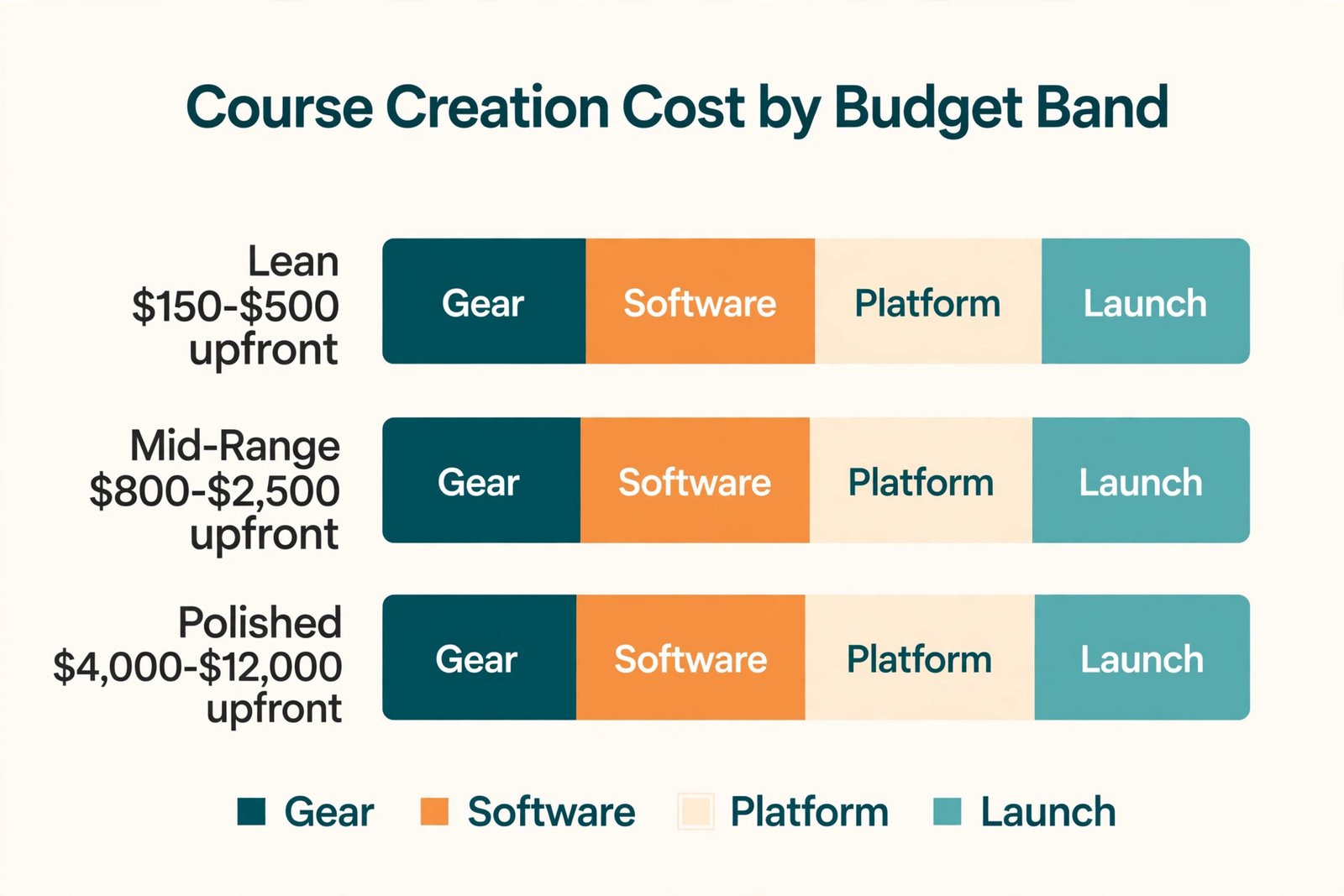
Most first courses fall into one of three budget bands. The lean band tests an idea with gear you already own plus one good microphone. The mid-range band buys better audio, lighting and editing help so the course looks and sounds professional without a studio. The polished band hires specialists for most production and design work and uses a platform that handles marketing as well as delivery.
| Budget band | Upfront production | First year platform and tools | Best for |
|---|---|---|---|
| Lean test | 150 dollars to 500 dollars | 350 dollars to 700 dollars | Validating one idea with a small audience |
| Mid-range professional | 800 dollars to 2,500 dollars | 900 dollars to 2,000 dollars | A flagship course meant to sell for a year or more |
| Polished and outsourced | 4,000 dollars to 12,000 dollars | 2,000 dollars to 4,500 dollars | A premium course, a school or a team product |
Those totals exclude your own time, which is often the largest input, and they exclude paid advertising, which can dwarf every other line if it is not capped. When you total the cost of online course creation for your own course, work through the line items below to match your course length, audience size and sales goal.
What the Cost of Online Course Creation Includes That Most Budgets Miss
A common first budget lists a microphone, a platform subscription and a launch week. It misses the quiet costs that arrive in between. Captions take time or money. Slide design takes time or money. Student questions, refund handling, platform upgrades when a student cap is hit and a second recording round after early feedback all cost something. A budget that only prices the happy path will look accurate on day one and wrong by week six.
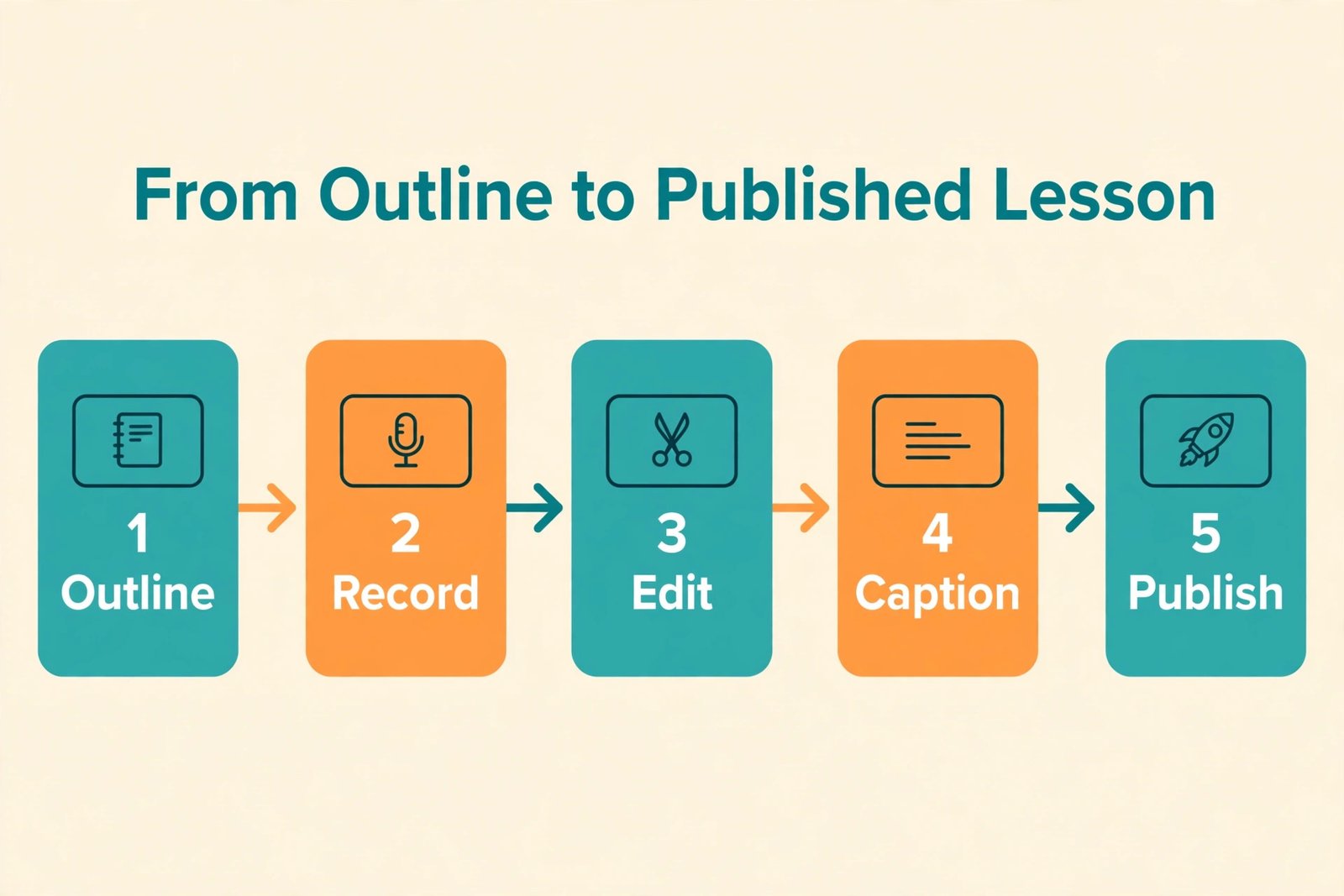
Start by listing every job, not every purchase. Planning, scripting, slide design, recording, editing, captioning, quiz writing, sales copy, email writing, tech setup, student support and updates are separate jobs even when one person does them all. For each job, decide whether you will do it yourself, use software or pay someone else. That decision is the budget.
Planning, Scripting and Curriculum Design
Planning is the cheapest line in cash and the most expensive line in time. A short course of 60 to 90 minutes of finished video often needs 15 to 30 hours of planning, scripting and slide work when the creator already knows the subject. A longer course of four to six hours can need 60 to 120 hours before recording starts. Those hours are not padding. They cover learning outcomes, lesson order, examples, exercises, common mistakes and the checks that prove a student understood each step.
Freelance instructional designers commonly charge 50 dollars to 150 dollars per hour, and a full outline with script review is often quoted at 2,000 dollars to 5,000 dollars. For a first course, hire a reviewer for a few hours instead of handing over the whole outline, and ask that reviewer to mark every lesson where the next step is unclear.
Recording Gear. Audio First, Camera Second
Students forgive a plain background. They rarely forgive muffled, echoing or uneven audio, because bad audio makes every lesson feel harder than it is. That is why the smartest gear order is microphone first, lighting second and camera last. A phone camera from the last few years already records sharp enough video for most courses, while a laptop built-in microphone rarely sounds good enough to sell.
A good USB microphone is the highest value purchase in the whole budget. Models such as the Samson Q2U and the Blue Yeti are commonly listed in the 60 dollar to 120 dollar range, and either one lifts a recording from thin laptop sound to clear speech. Add a pop filter and boom arm for roughly 20 dollars to 40 dollars if your setup needs them.
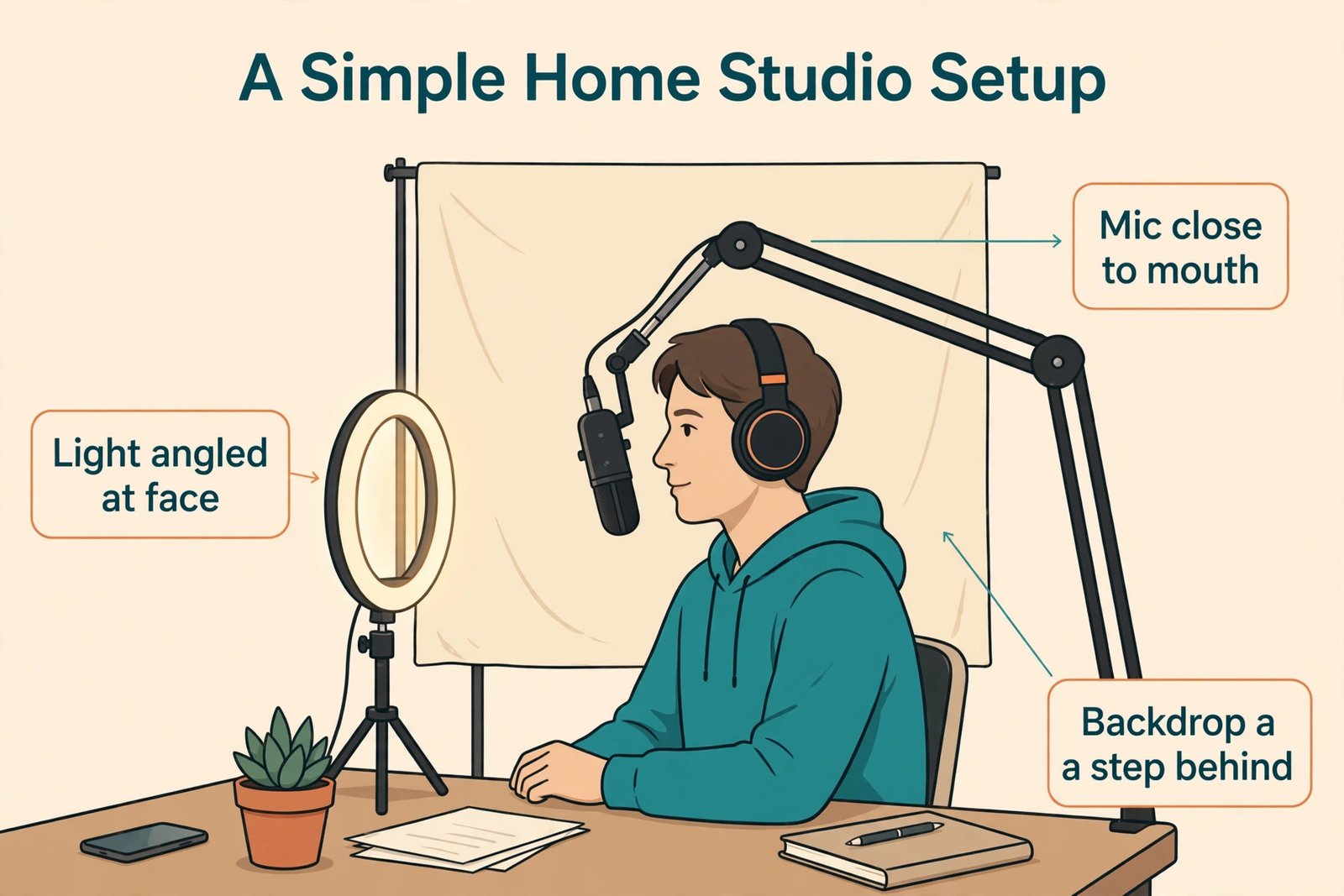
Lighting is the next best spend. Sit facing a window in daylight when you can, and add a ring light or small softbox kit for roughly 30 dollars to 80 dollars for evening recording. A plain wall or tidy desk background costs nothing and looks better than a busy room.
Cameras follow the same lean logic, and this is a place where the cost of online course creation often inflates without improving learning. Use your phone or a decent webcam first. A widely used 1080p webcam such as the Logitech C920 is commonly listed near 60 dollars. Move to a mirrorless camera only when you record on camera for hours each week, because lens, tripod, cards and batteries can push that line past 800 dollars quickly.
| Recording item | Lean option | Mid-range option | Notes |
|---|---|---|---|
| Microphone | Phone or laptop mic at 0 dollars, then a USB mic at 60 dollars to 120 dollars | USB mic plus arm and filter at 100 dollars to 180 dollars | Audio quality drives perceived quality |
| Camera | Phone or existing webcam at 0 dollars | 1080p webcam near 60 dollars, or phone on a tripod | Upgrade only when on-camera hours justify it |
| Lighting | Window light at 0 dollars | Ring light or softbox kit at 30 dollars to 80 dollars | Face the light, not the window behind you |
| Tripod and stand | Books or a phone holder at 0 dollars to 25 dollars | Tripod at 50 dollars to 100 dollars | Stability matters more than brand |
| Room treatment | Soft furnishings and a closed door at 0 dollars | Portable panels or a blanket setup at 50 dollars to 150 dollars | Test echo before buying panels |
Editing, Slides, Captions and Design Software
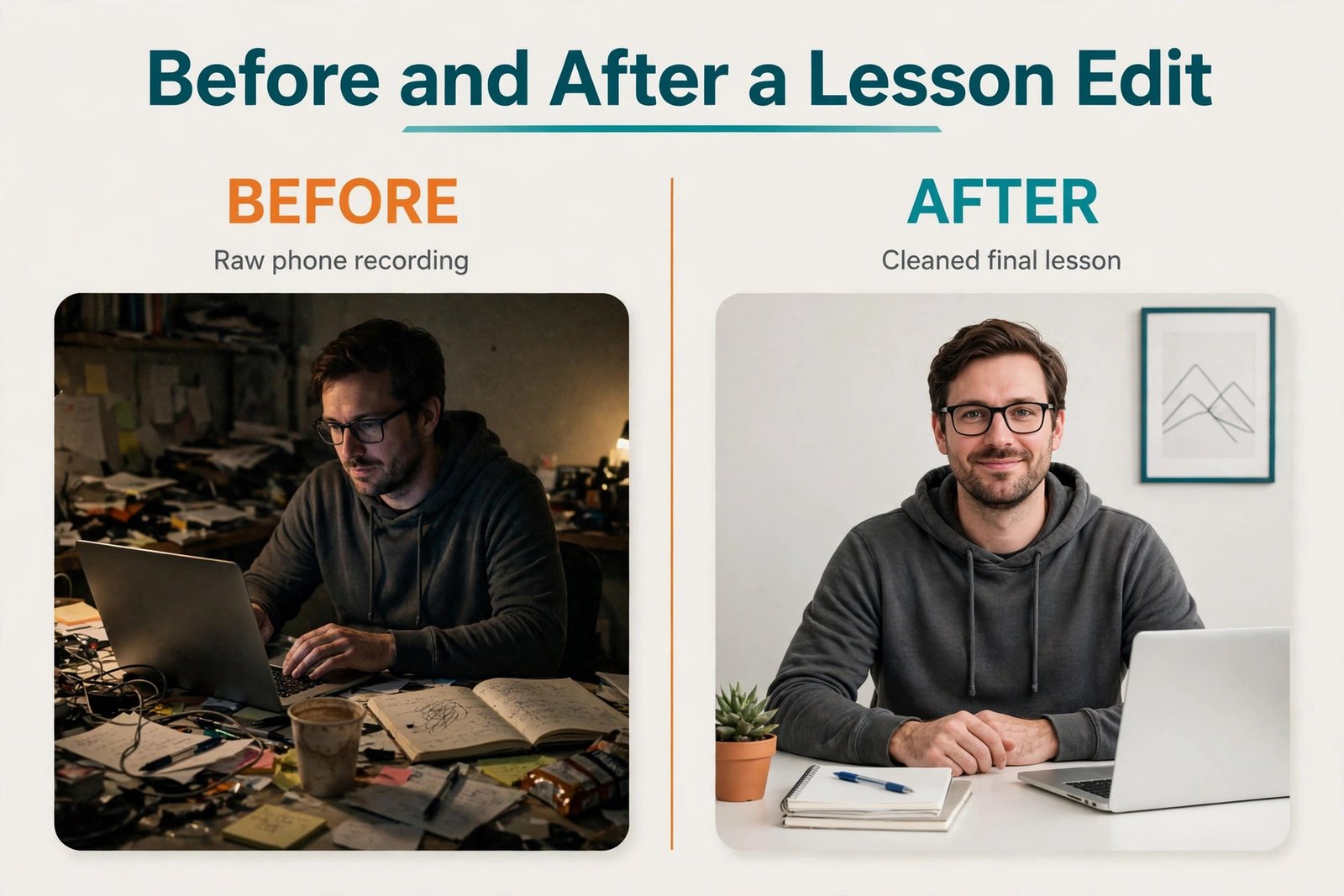
Editing is where a course either feels tight or feels like a long meeting. Free tools can carry a lean course. DaVinci Resolve edits video, OBS Studio records screens and Audacity edits audio, all free, although each needs a few hours of learning. Paid editors save time when you edit weekly. Adobe Premiere Pro is commonly listed near 21 dollars per month, Camtasia near 250 dollars as a one-time purchase and Final Cut Pro near 300 dollars as a one-time purchase.
Slide design is a separate cost that creators often forget. Canva offers a free tier and a paid Pro tier commonly listed near 13 dollars per month on annual billing. Use one slide template, one title style and one body style for the whole course. Consistency looks professional and cuts design time sharply.
Captions deserve a real budget line. Auto captions still need a review pass for names, terms and numbers, and paid captioning by the minute can cost several hundred dollars for a four hour course. Generate a draft automatically, correct it while you review the edit and publish the corrected file.
A freelance editor commonly charges 25 dollars to 75 dollars per hour for straightforward cuts, and more for motion graphics or complex screen work. Always agree on deliverables before work starts, including lesson count, revision rounds, caption format and export settings. A vague brief is how a 500 dollar edit becomes a 1,500 dollar edit.
Platform Subscriptions and the Fee That Matters More
Platform choice is where the cost of online course creation stops being a shopping list and starts being a business model. A platform subscription is visible and easy to compare. A transaction fee is quiet, it scales with sales and it can erase the saving from a cheap plan. Always price both together for your expected monthly sales, not just for month one.
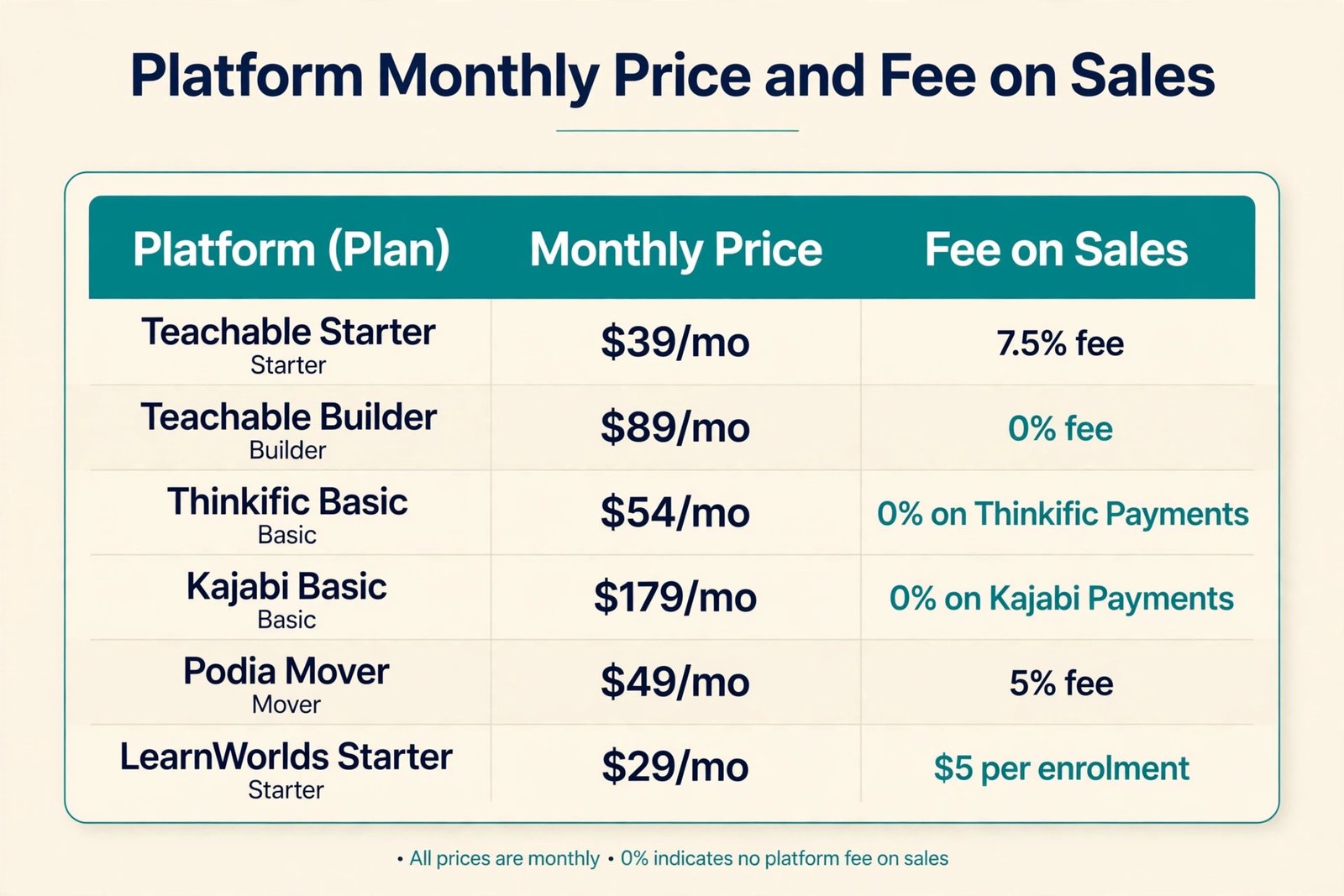
Teachable Starter is listed at 39 dollars per month, or 29 dollars per month on annual billing, with a 7.5 percent transaction fee. Teachable Builder is listed at 89 dollars per month, or 69 dollars per month on annual billing, with no platform fee. At 100 dollars per sale, the Starter fee is 7 dollars and 50 cents, so Builder pays for itself once monthly sales pass roughly 533 dollars, or about six sales at 100 dollars each.
Thinkific Basic is listed at 54 dollars per month on monthly billing, with no platform fee when you use Thinkific Payments, while a fee applies on some plans when you route sales through your own Stripe or PayPal gateway. Thinkific Start is listed near 82 dollars per month on annual billing and adds stronger course features, certificates and assessments. Kajabi Basic is listed at 179 dollars per month, or 143 dollars per month on annual billing, with no platform fee on Kajabi Payments and a 2 percent fee via a third-party gateway. Its case only works when you actually use the bundled email, landing pages, funnels, website and community instead of paying for those tools separately.
Podia Mover is listed at 49 dollars per month, or 42 dollars per month on annual billing, with a 5 percent transaction fee. Podia Shaker is listed at 99 dollars per month, or 84 dollars per month on annual billing, with no transaction fee and fuller email marketing and community features. LearnWorlds Starter is listed at 29 dollars per month, or 24 dollars per month on annual billing, with a 5 dollar fee per paid enrolment instead of a percentage fee. LearnWorlds Pro Trainer is listed at 99 dollars per month, or 79 dollars per month on annual billing, with no enrolment fee.
A flat per-enrolment fee favours high priced courses and punishes low priced, high volume courses, so do the maths on your price point before you choose it.
Card processing sits on top of every platform fee above. Stripe and PayPal commonly charge about 2.9 percent plus 30 cents per card transaction in the United States, whether the platform fee is zero or not. A platform that advertises zero fees means zero platform cut, not free selling.
| Platform and entry plan | Monthly price | Annual price per month | Platform fee on sales | Watch out for |
|---|---|---|---|---|
| Teachable Starter | 39 dollars | 29 dollars | 7.5 percent | Student and product caps on the entry tier |
| Teachable Builder | 89 dollars | 69 dollars | 0 percent | Email features are basic, not a full marketing suite |
| Thinkific Basic | 54 dollars | About 40 dollars in US comparisons | 0 percent on Thinkific Payments | Gateway fee can apply with your own Stripe or PayPal |
| Kajabi Basic | 179 dollars | 143 dollars | 0 percent on Kajabi Payments, 2 percent via third-party gateway | Contact caps and unused bundled tools |
| Podia Mover | 49 dollars | 42 dollars | 5 percent | Email subscriber and product limits |
| Podia Shaker | 99 dollars | 84 dollars | 0 percent | Still check subscriber limits as your list grows |
| LearnWorlds Starter | 29 dollars | 24 dollars | 5 dollars per paid enrolment | Low priced courses pay the flat fee on every sale |
| LearnWorlds Pro Trainer | 99 dollars | 79 dollars | 0 percent | Monthly active learner cap on this tier |
All figures above are planning ranges from October 2026 comparison checks. Confirm the plan, the fee, the student cap and the checkout total on the vendor pricing page before you commit, because plan names and limits have changed several times in the last two years.
Selling on a marketplace such as Udemy flips the cost model. Publishing is free, hosting is free and the marketplace brings traffic, but you give up control of pricing and a large share of each sale. Udemy instructors keep 97 percent of sales made through their own coupon or referral link, 37 percent of organic marketplace sales and 25 percent of sales driven by paid acquisition, with shares calculated on the net amount after taxes and app store fees. That split explains why two instructors with the same number of sales can earn very different amounts. The instructor with an email list who drives coupon sales keeps most of the revenue.
The instructor who relies on marketplace discovery keeps just over a third.
Marketplace pricing also shapes the course itself. Frequent discounting means a course listed at 100 dollars may often sell for 13 dollars to 20 dollars. A course that took 80 hours to make and sells for 15 dollars through organic discovery returns about 5 dollars and 55 cents per sale before other costs, so marketplace courses work best as a discovery channel or a low priced entry product.
Self-hosted WordPress options sit between marketplaces and hosted platforms. A learning plugin commonly costs 150 dollars to 260 dollars per year, plus hosting, a domain and private video hosting, with one comparison putting those fixed costs near 191 dollars per year. The attraction is control and zero platform fees. The cost is maintenance, since updates, backups, security and payment setup become your jobs.
Launch Costs. Email, Sales Pages and Paid Traffic
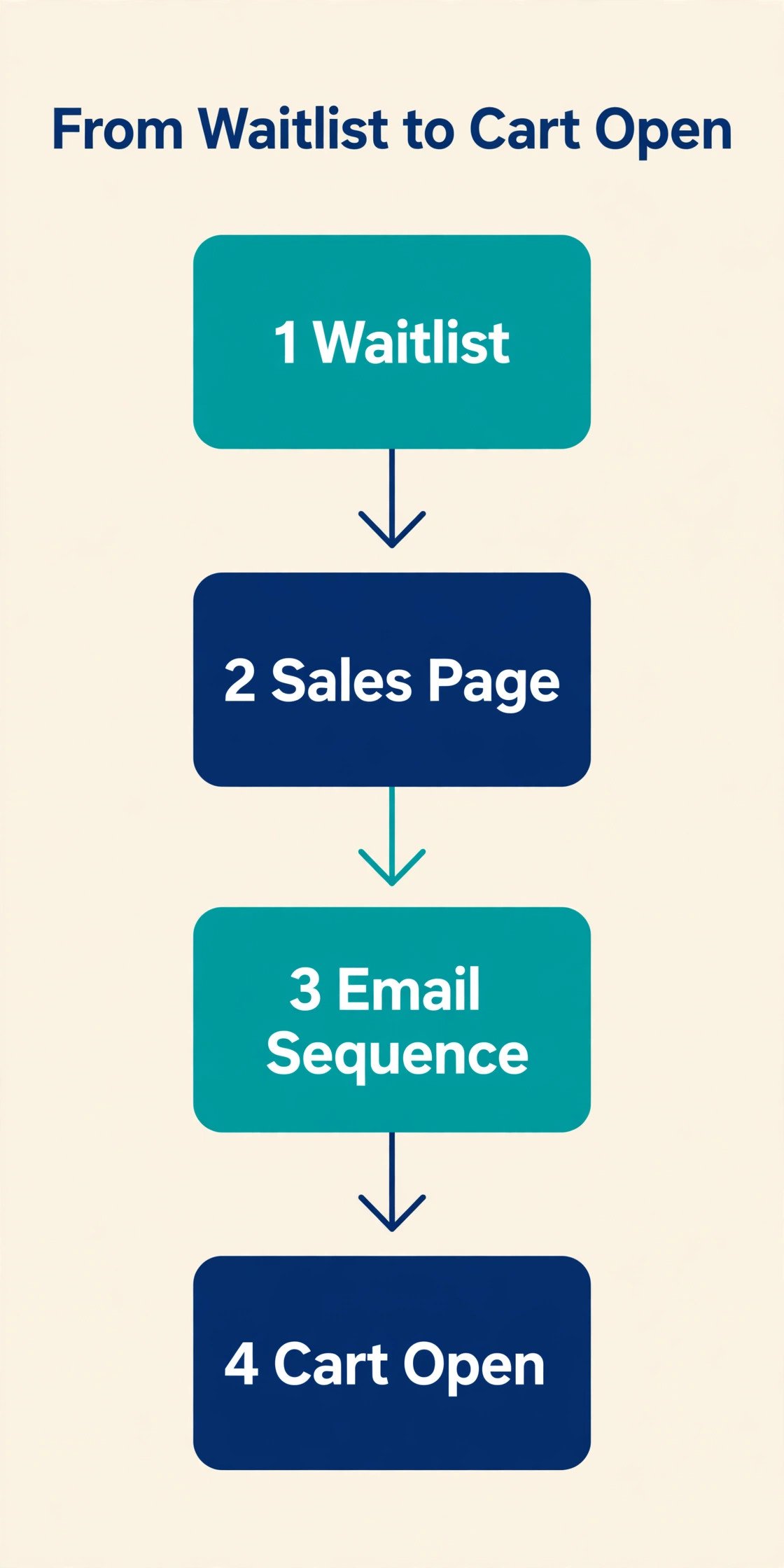
Launch costs are the most underestimated part of many course budgets, because they feel optional until launch week arrives. A sales page, an email sequence, a waitlist, a checkout test and student onboarding all take time or money, and paid traffic can scale without warning if no cap is set.
Email is usually the first launch tool to price. Many email platforms start free up to a small limit, then charge by list size. All-in-one platforms include email in the subscription, while course-only platforms offer limited native email, so add the email subscription to the course-only option before you declare it cheaper.
A domain name commonly costs 10 dollars to 20 dollars per year, and it is worth buying even when a hosted platform gives you a free subdomain. If you use a hosted course platform, you may not need separate hosting at all, which is another saving to count when you compare the cost of online course creation across platforms.
Paid advertising should be treated as a test budget, not a launch requirement. Set a fixed test amount of 200 dollars to 500 dollars, run it to a waitlist first and only scale it when you know the cost per lead and conversion rate. Organic channels such as guest posts, podcast interviews, a free workshop and partner emails cost time instead of cash.
Affiliates add a further cost line that is easy to miss. A typical commission of 20 percent to 40 percent can be worth it when a partner brings buyers you could not reach, but model it into the margin alongside platform fees and processing before you promise a rate.
| Launch item | Lean cost | Mid-range cost | Notes |
|---|---|---|---|
| Domain | 10 dollars to 20 dollars per year | 10 dollars to 20 dollars per year | Buy it even on a hosted platform |
| Email tool | 0 dollars to 30 dollars per month at small list sizes | 30 dollars to 80 dollars per month as the list grows | Included in some all-in-one plans |
| Sales page design | Platform template at 0 dollars extra | Template plus freelance polish at 200 dollars to 600 dollars | Copy matters more than graphics |
| Launch video or trailer | Phone edit at 0 dollars | Edited trailer at 150 dollars to 400 dollars | Keep it under two minutes |
| Paid ad test | 0 dollars, organic only | 200 dollars to 500 dollars capped test | Scale only after conversion is proven |
| Affiliate commission | 0 percent if no affiliates | 20 percent to 40 percent per referred sale | Model it into the margin first |
Three Worked Budgets You Can Copy
The budgets below show three complete models for the cost of online course creation for a course of about three hours of finished video, with eight to twelve lessons, a workbook and a quiz. They are planning models, not quotes, and your numbers will shift with course length, local prices and how much work you outsource.
The lean budget assumes you own a phone and a laptop, you record at home, you edit with free tools and you sell on an entry plan for seven months including launch month. Gear is a USB microphone, a ring light and a tripod. Platform cost is seven months of Teachable Starter on annual billing at 29 dollars per month, which is 203 dollars, plus transaction fees on early sales. Total cash before launch lands near 550 dollars to 750 dollars, plus 40 to 70 hours of your time.
The mid-range budget assumes better audio and lighting, a freelance editor for final cuts and a platform tier without a transaction fee. Editing is 10 hours of freelance help at 40 dollars per hour, which is 400 dollars, and design help is 250 dollars. Platform cost is seven months near 69 dollars to 84 dollars per month, which is 483 dollars to 588 dollars. Domain, email and a capped ad test add 300 dollars to 600 dollars. Total cash lands near 1,800 dollars to 2,800 dollars, plus 30 to 50 hours of your time.
The polished budget assumes hired video help, custom design, professional captions and an all-in-one platform. Production help alone can run 3,000 dollars to 8,000 dollars. Design and captions add 800 dollars to 1,500 dollars, and platform tools for a year run 1,700 dollars to 2,500 dollars. Total cash lands near 6,000 dollars to 12,000 dollars. This budget only makes sense when price and volume can repay it. A 50 dollar course needs 240 sales to repay 12,000 dollars before fees, while a 300 dollar course needs 40 sales.
The Time Cost Nobody Puts in the Spreadsheet
Cash budgets hide the largest input, which is time. A useful way to price it is to value your hour at the rate you could earn doing client work or at your current salary divided by working hours, then multiply by the hours each phase needs. If your hour is worth 50 dollars and the course takes 80 hours, the time investment is 4,000 dollars even when cash spend is only 600 dollars. That does not mean you should not make the course. It means you should compare the course against other uses of those 80 hours, such as client work, a different product or a job search.
Time also explains why outsourcing sometimes saves money even when the invoice looks high. An editor who cuts a lesson in one hour that would take you four hours has saved you three hours. Outsource jobs that are slow for you, such as audio clean-up or motion graphics. Keep jobs that carry your voice, such as scripting and student support. A lean course can go from outline to launch in four to six weeks at ten hours per week, while a mid-range course often needs eight to twelve weeks.
How to Choose a Budget Without Overspending
Choosing a budget for the cost of online course creation starts with the sales goal, not the gear catalogue. Work backwards from price and volume. If you plan to sell at 79 dollars and you expect 100 sales in year one, gross revenue is 7,900 dollars. After processing at about 2.9 percent plus 30 cents per sale, platform fees and any affiliate commission, net revenue may be closer to 6,500 dollars to 7,000 dollars. A 6,000 dollar production budget would leave almost nothing. A 1,500 dollar budget leaves room for updates, support and a second launch.
If you plan to sell at 299 dollars to 30 students, gross revenue is 8,970 dollars, and a larger production budget can still leave a healthy margin. The same course at two different prices needs two different budgets.
Next, match the platform to sales volume, not to the feature list. Entry plans with fees suit low volume testing, mid-tier plans without fees suit steady sales, and all-in-one plans suit creators who will actually use email, funnels and community tools every week.
Also match production quality to the promise. A coding course needs crisp audio and clear screen capture more than studio lighting, while a presentation course needs good lighting and framing because delivery is part of the lesson. Spend where students will notice the difference. Finally, reserve 10 percent to 15 percent of the production budget for first year updates, since tools change and student questions reveal lessons that need re-recording.
Mistakes That Inflate the Bill
The first mistake is buying gear before outlining the course. Outline first, record a test lesson with existing gear, watch it on a phone and fix audio and framing, then buy only the item that solves a problem you actually saw.
The second mistake is choosing a platform on subscription price alone. An entry plan with a 7.5 percent fee looks cheap at 29 dollars per month, but it becomes expensive once sales pass a few hundred dollars per month. Run the crossover maths for your price point before you sign an annual plan.
The third mistake is paying for a full production before validating demand. Validate with a waitlist, a free workshop, a short paid mini course or pre-sales to a small list. If validation is weak, a lean course or a different topic is a better use of the same money.
The fourth mistake is forgetting student support. Answering questions, fixing login issues and handling refunds takes hours each week after launch. Budget support time, write a clear FAQ inside the course and set a response window you can actually keep.
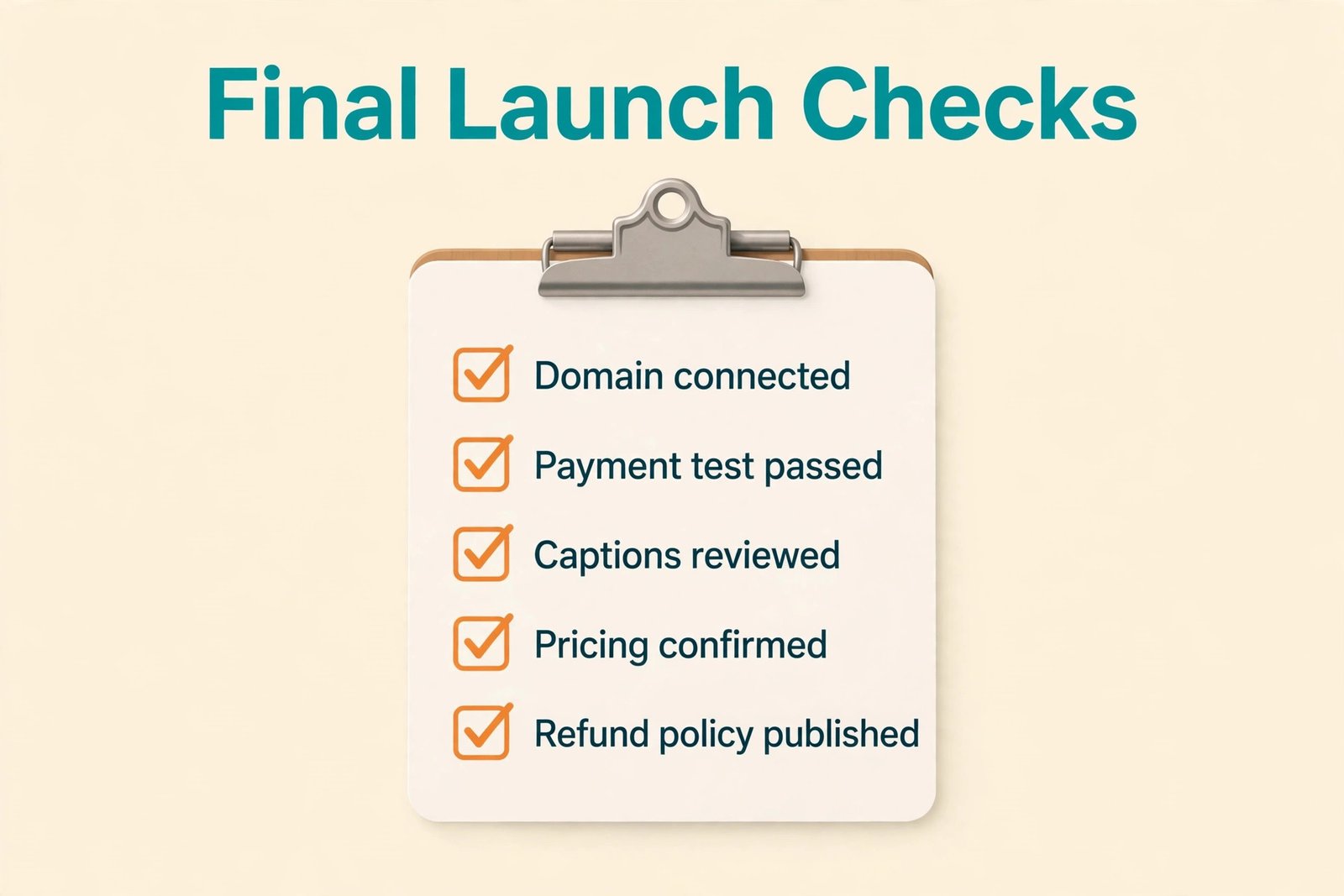
The fifth mistake is launching without a checkout test. Buy your own course with a test payment, check the receipt, login email, lesson access and refund path, and test on a phone as well as a desktop. A broken checkout on launch day costs sales and trust that no advertising budget can repair.
For creators weighing tools beyond course platforms, related reading includes best AI tools for course creators for production and planning options, kajabi vs teachable for a closer platform comparison, and best AI video editing tools for editing help that can cut post-production time. If you also teach through video, best AI tools for YouTubers covers recording and publishing workflows that transfer well to course lessons.
Frequently Asked Questions
How much does it cost to create an online course for the first time?
A first course commonly costs 500 dollars to 2,500 dollars in cash when you record at home, use a good USB microphone and sell on a hosted platform, plus 40 to 80 hours of your time. A lean test can be lower, near 350 dollars to 750 dollars for gear and a first platform period, while a polished course with hired editing and design can pass 6,000 dollars. The right figure depends on course length, price and expected sales, not on a single average.
Is it cheaper to sell on Udemy or on your own platform?
Udemy is cheaper to start because publishing and hosting are free, but it keeps 63 percent of organic sales and 75 percent of paid acquisition sales, leaving you 37 percent and 25 percent respectively. Your own platform costs a monthly subscription plus processing, but you keep the sale price minus those fees and any platform cut. Udemy wins for discovery with no upfront cost. Your own platform wins once you have an audience or a higher price point.
Which platform fee should I watch most closely?
Watch the transaction fee on the entry plan, because it scales with every sale, and watch student, product and email subscriber caps, because hitting a cap forces an upgrade mid-launch. A 5 percent or 7.5 percent fee looks small on one sale and becomes hundreds of dollars per month at steady volume. Compare the total of subscription plus fees plus processing at your expected monthly sales, not the subscription alone.
Do I need an expensive camera to make a good course?
No, for most courses. A recent phone or a decent 1080p webcam records sharp enough video, provided audio is clear and lighting is even. Spend on a USB microphone first and on lighting second. Upgrade the camera only when you record on camera for many hours each week, you need a specific studio look or your subject depends on visual detail that a phone cannot capture cleanly.
How long does it take to create a course, and what does that time cost?
A short course often takes 40 to 70 hours from outline to launch, while a multi-module flagship course can take 100 to 200 hours including recording, editing and platform setup. Valued at a freelance or salary equivalent rate, that time is often worth more than the cash budget. Price it honestly, then decide which jobs to outsource based on what is slow for you and what carries your teaching voice.
Should I pay for ads to launch my course?
Ads are optional for a first launch and risky before the sales page is proven. Start with organic channels, a waitlist and a free workshop or mini lesson, and use a capped test budget of 200 dollars to 500 dollars only when you can measure cost per lead and conversion. Scale advertising after you know the numbers, not before, so ad spend follows proof rather than hope.
The Budget That Buys a Finished Course, Not a Studio
A finished course that students complete is worth more than a studio full of gear and an unfinished outline, and that is the test to apply to every line in the cost of online course creation. Start with clear audio, a tight outline and a platform fee structure that still leaves a margin at your real sales volume. Test the idea lean, upgrade the pieces students actually notice and keep a reserve for updates and support. That discipline is what turns course creation from an open-ended spend into a product with a price, a margin and a second launch.
Run your numbers before you buy anything else. List each job, price subscription plus fees plus processing at expected monthly sales and set a cap for launch marketing. If the margin works at modest sales, the budget is sound. If it only works at optimistic sales, cut scope, choose a lower fee tier or raise the price to match the value.