
Verdict first. Most new freelance designers can start properly for about $1,500 to $3,500 in the first year if they already own a usable computer, and for about $3,500 to $7,000 if they need a new machine as well. That range covers the real cost of freelance graphic design business setup, meaning software, a portfolio site, contracts, invoicing, a tax reserve and a modest client pipeline, not just an Adobe subscription. Designers who spend far more in month one usually buy gear before they have clients to pay for them, while designers who spend almost nothing often pay later, in lost files, unpaid invoices or missed tax deadlines.
This guide breaks down every cost that actually shows up in year one, with current public prices where they can be checked and ranges where prices vary by region or plan. It separates one-off startup costs from monthly running costs and gives you a monthly budget you can copy and adjust. Prices change often, so check checkout before you pay for any tool mentioned here. Tax figures focus on the United States, but the same budgeting habit applies everywhere. Set money aside for tax on every payment and keep your business account separate from personal spending from day one.
The Cost of Freelance Graphic Design Business in Year One
The total cost of freelance graphic design business setup is best understood as three buckets. Tools you need to do the work, the cost of finding and keeping clients, and tax, insurance and admin, the bucket most beginners forget until it hurts. A designer who budgets only for tools will feel rich in January and broke in April, when quarterly tax payments and a slow month arrive together.
Start with a simple year-one target. If you plan to earn $30,000 to $50,000 in your first full year, a sensible total spend on tools, marketing and admin is roughly 10 to 20 percent of revenue, or $3,000 to $10,000 depending on hardware. Spend below it and you may be cutting corners on backups or contracts. Spend far above it and you need to ask whether each purchase will bring in work or only make the desk look good.
Income timing matters as much as totals. The first two or three months often bring small jobs and a lot of outreach with no reply, so budget for at least three months of lean income before you count on steady work. A monthly plan you can cancel beats a yearly plan you regret, even when the yearly plan looks cheaper per month.
One-Off Startup Costs Most Beginners Miss
One-off costs are the easiest to underestimate because they arrive scattered across the first month. Business registration is first, and it varies widely. In the United States, registering as a sole proprietor often costs nothing beyond local requirements, while forming a limited liability company commonly costs $50 to $500 in state filing fees. Do not pay for an expensive company structure before you know whether you need its liability protection. Many designers start as sole proprietors and revisit the question when income and risk grow.
A domain name and a portfolio site come next. A domain typically costs about $10 to $20 per year, and basic hosting or a portfolio builder plan typically costs $5 to $30 per month. A simple portfolio can be live in a weekend, and that speed matters more than a perfect custom site in month one. Keep the site to a homepage, a work gallery, a services page with starting prices, and a contact form. Add case notes to each project, explaining the client problem, what you made and what changed, because that context turns pretty images into proof.
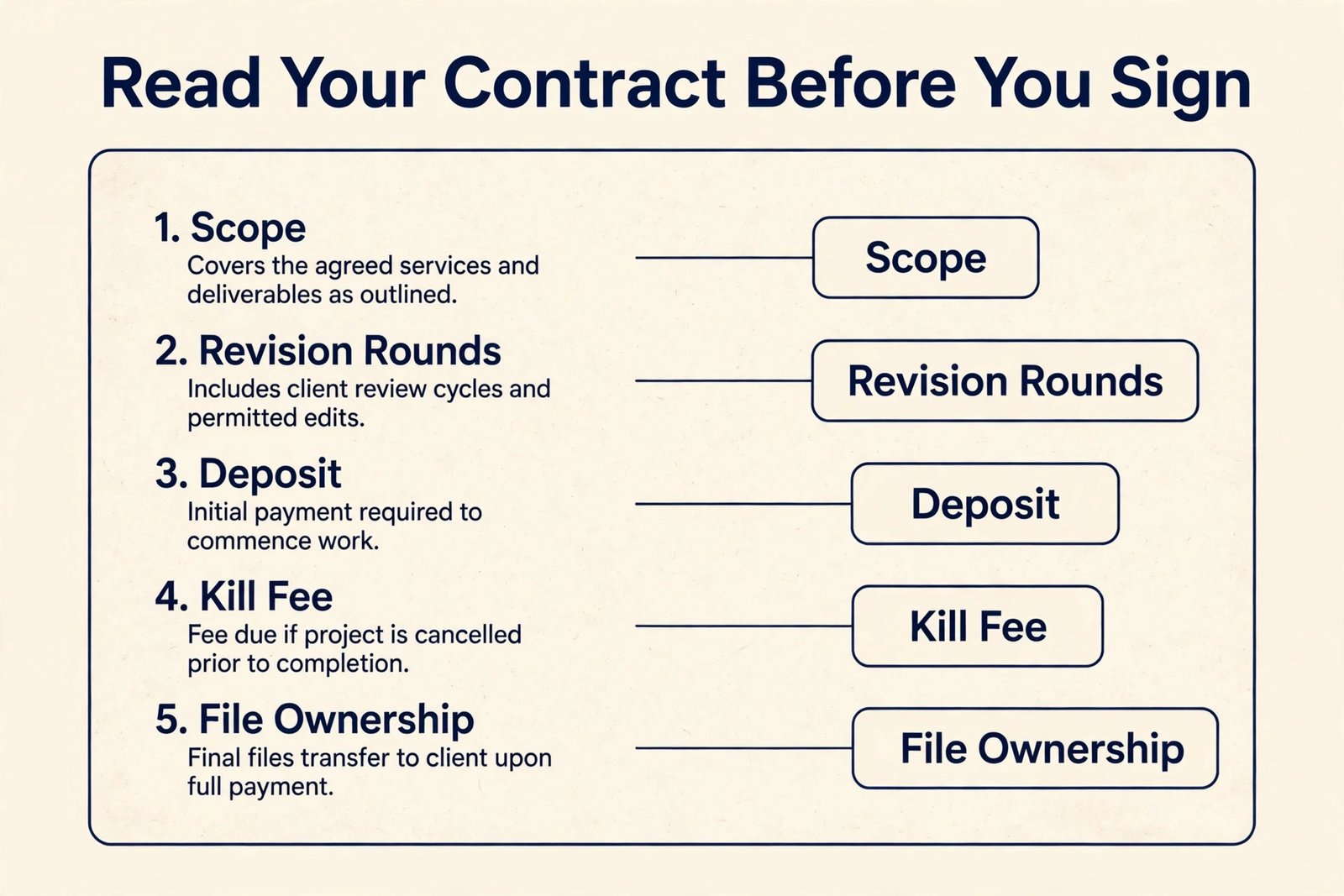
Contracts and templates are a small cost with a large payoff. A contract template pack typically costs $50 to $200 as a one-off purchase, and a short review by a local lawyer can cost $150 to $400. A contract should cover scope, deliverables, revision rounds, payment schedule, kill fees, file ownership and licensing, and late payment terms. Designers who skip this step often discover the gap on the one project that goes wrong.
Other one-off items add up quietly. A business bank account is often free or low cost, but check for monthly fees and minimum balance rules before opening one. Brand assets for your own business, meaning a logo and proposal templates, can be made by you at no cash cost. Your own brand needs to be clear and consistent enough that a client trusts you with theirs.
Design Software. The Biggest Monthly Line Item
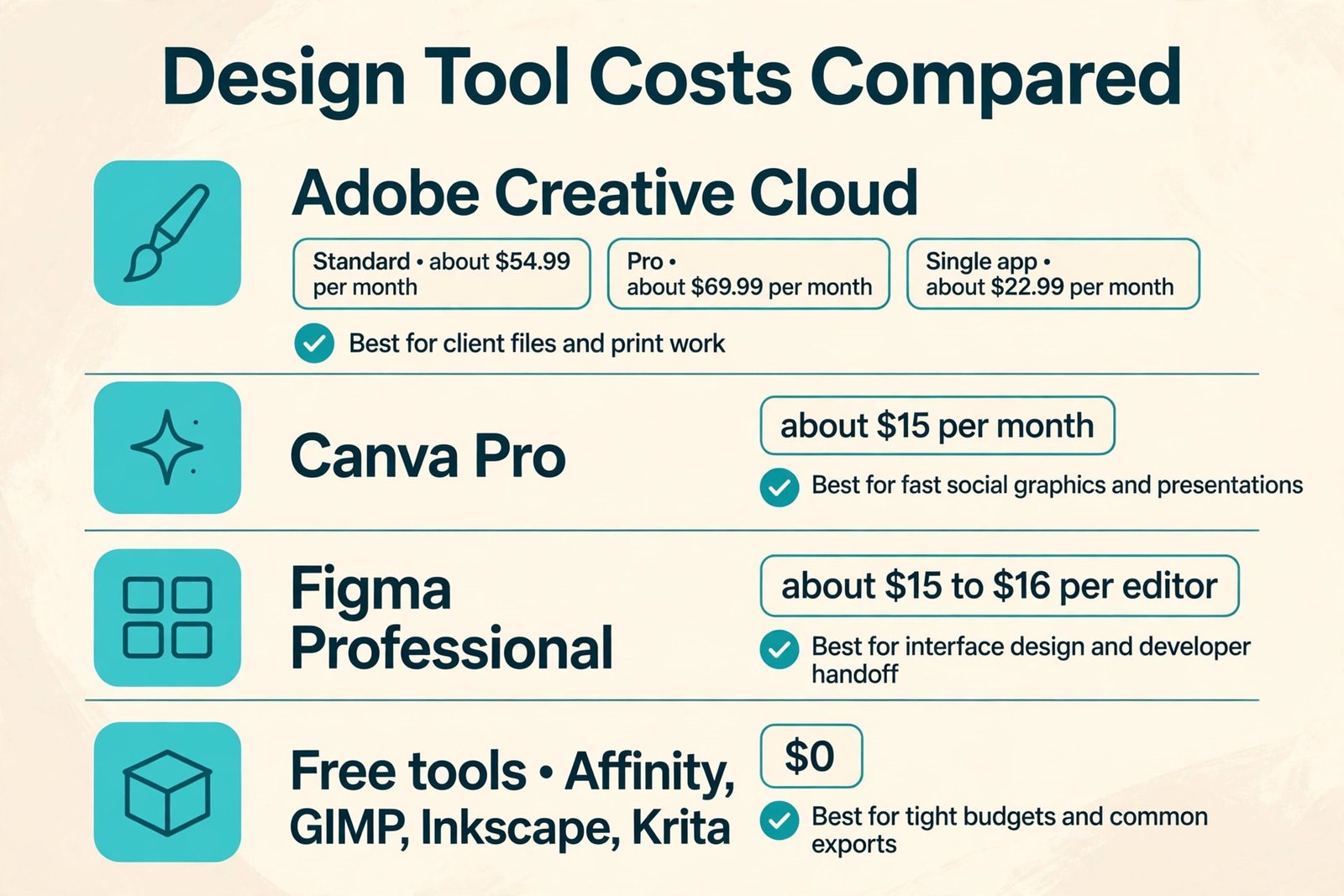
Software is where most cost guides go wrong, because they list one subscription and stop. In practice, a working designer usually pays for a core design app, a presentation tool, file delivery and a few small utilities. The table below compares the main routes, with prices drawn from publicly listed October 2026 figures. Check checkout before buying, because vendors change plans and renewal rates.
Adobe remains the industry default for client work, and that default has a price. Adobe Creative Cloud Standard for individuals is listed at about $54.99 per month on annual billing, billed monthly, while Creative Cloud Pro is listed at about $69.99 per month on the same basis. A single app, such as Illustrator alone, is listed at about $22.99 per month. Many beginners pay for the full bundle while using only two apps, so check whether two single apps cost less in your region. The bundle wins once you regularly use three or more apps, including InDesign and Acrobat. Check the official Adobe pricing page at checkout, because promotional first-period prices and renewal prices differ.
Canva and Figma cover different jobs, and many freelancers use one alongside Adobe rather than instead of it. Canva Pro is commonly listed at about $15 per month, or about $120 per year when billed annually, and it suits fast social graphics and presentations. Figma Professional is commonly listed at about $15 to $16 per editor per month on annual billing, with a free Starter plan limited to a small number of files, and it suits interface design and developer handoff. Neither replaces Illustrator for print-ready vector work, but both can pay for themselves if they shorten turnaround on work you actually sell.
Free tools change the maths for beginners. Affinity apps, now part of Canva, have been offered free following the acquisition, making them a serious option for vector, photo and layout work at zero subscription cost. Open source tools such as GIMP, Inkscape and Krita also cost nothing, though they take more setup. A practical beginner stack is often one paid core tool plus free tools for the rest, upgrading only when a paying client asks for a format the free tool cannot deliver.
| Tool group | Typical route | Indicative monthly cost | When it pays for itself |
|---|---|---|---|
| Core design suite | Adobe Creative Cloud Standard or Pro | About $55 to $70 | When clients send or require Adobe files weekly |
| Single Adobe app | Illustrator or Photoshop alone | About $23 | When you use one Adobe app heavily and little else |
| Fast graphics and templates | Canva Pro | About $15, or about $10 effective on annual billing | When social and presentation work is a weekly job |
| Interface and prototyping | Figma Professional | About $15 to $16 per editor | When UI work or developer handoff is a core service |
| Low cost or free stack | Affinity apps, GIMP, Inkscape, Krita | $0 for the apps themselves | When budget is tight and clients accept common export formats |
| Fonts and stock | Google Fonts plus a stock plan or pay per asset | $0 to $30 | When client work needs licensed photos or premium type |
| File delivery and storage | Cloud storage included with a suite, or a separate plan | $0 to $20 | When project files exceed free storage or clients need large transfers |
Stock photos, fonts and plugins deserve their own budget line, because they are easy to buy project by project and hard to track. A stock subscription commonly costs $30 to $100 per month for a small plan, while pay-per-image pricing suits designers who need stock only a few times a year. Licensed fonts can cost $20 to $100 per family, and some projects require an extended licence, so confirm who pays before you buy. Review subscriptions every quarter and cancel anything unused for two months. That habit alone can save several hundred dollars a year.
Check official Adobe, Canva and Figma pricing pages before checkout. Trial a tool on a real client job before committing to a yearly plan, because a yearly contract turns a bad fit into a sunk cost.
Hardware, Workspace and the Computer Question
Hardware is the largest single cost for many beginners, and it is also the easiest to overspend on. If you already own a computer that runs your design apps without constant lag, start with it. A new laptop or desktop capable of professional design work commonly costs $1,000 to $2,500. A second monitor, commonly $150 to $350, is often a better first upgrade than a faster machine.
Peripherals are smaller but real. A drawing tablet commonly costs $60 to $400, a colour calibration tool commonly costs $100 to $200, and a backup drive commonly costs $80 to $200. Backup is not optional, since losing a client project costs far more than the drive.
A reliable broadband connection is a necessity for large uploads, video calls and cloud collaboration. A coworking space commonly costs $100 to $400 per month, while a day pass a few times a month can give most of the benefit at a fraction of that price.
Upgrade when a specific job is slow or impossible, not when a new model appears, and spend on the bottleneck, usually memory or storage first. Keep a hardware replacement fund, even $50 per month, so a dead laptop becomes an inconvenience rather than an emergency. That discipline is part of controlling the cost of freelance graphic design business hardware over time.
Finding Clients. The Cost Nobody Puts in the Budget
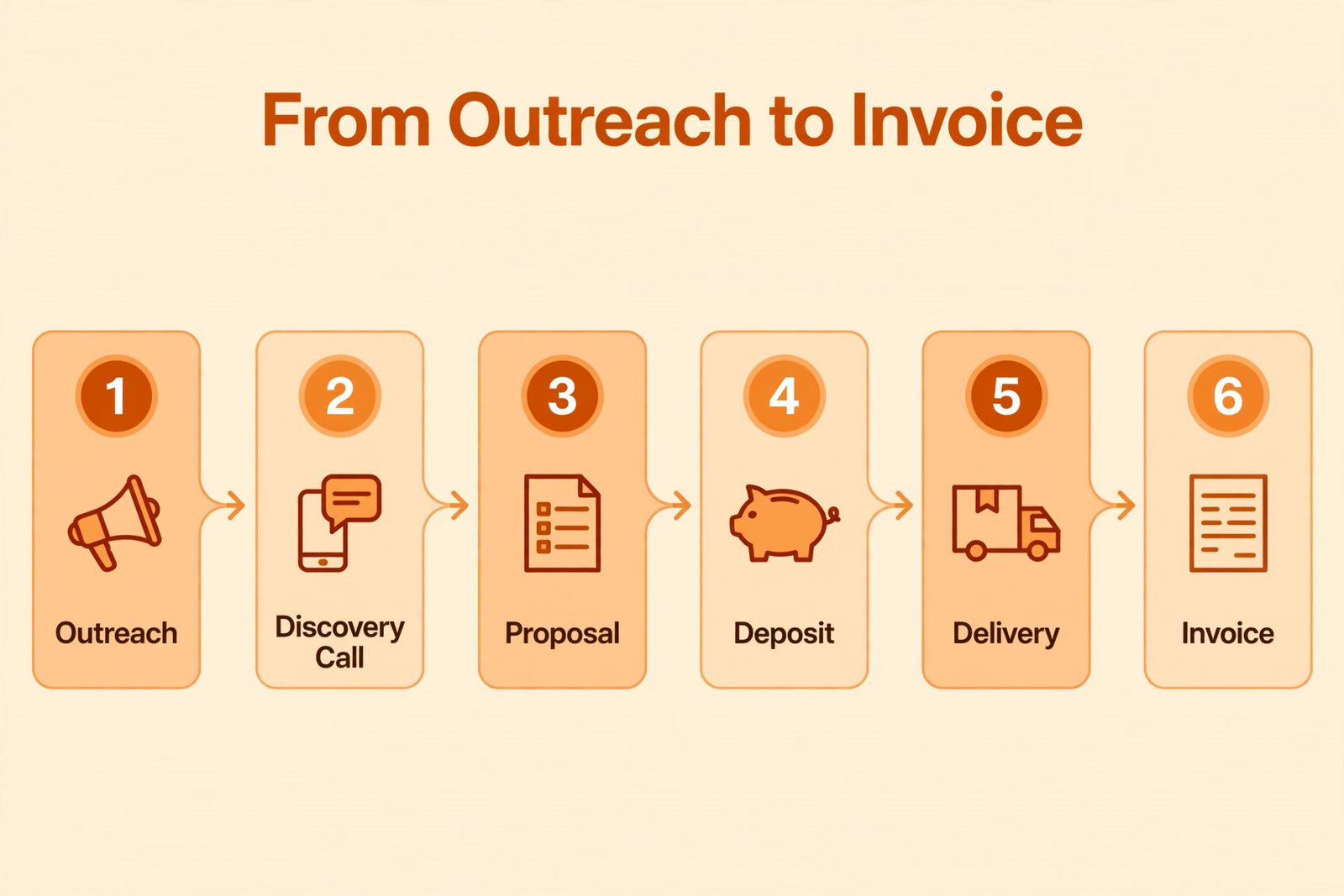
Client acquisition is the most underestimated part of the cost of freelance graphic design business planning, because much of it is paid in time rather than cash. Outreach, portfolio updates, proposal writing and follow-ups can take 10 to 20 hours a week in the early months. A designer who charges $50 per hour and spends 15 unpaid hours a week on outreach is effectively investing $750 a week in pipeline building, and that only pays off if outreach is targeted and followed up properly.
Cash costs for finding clients are modest but worth listing. A freelance marketplace profile is usually free to create, but platforms take a service fee, commonly 10 to 20 percent of project value, which must be built into your price. Paid advertising is rarely worth it for a new designer, while a strong portfolio piece shared in the right community can bring enquiries for free.
Proposal costs hide in software and time. A proposal tool can cost $0 to $30 per month, and lead tracking can be free at small scale. Qualify clients early with a short call about budget, timeline and decision maker before you write a full proposal. Three well-qualified proposals a week will earn more than ten generic ones.
Referrals change the maths over time. A satisfied client who recommends you is the cheapest acquisition channel available. Deliver on time, communicate clearly, and ask for a testimonial and a referral at the end of a good project. One returning client who gives you four projects a year can replace months of cold outreach.
For a fuller look at winning work, how to get clients as a freelancer with AI covers outreach and lead systems, and best AI tools for graphic designers can help you shortlist tools before you spend.
Pricing Your Work So Costs Are Covered
Costs only matter in relation to price. A designer who charges $25 per hour and pays $150 per month for subscriptions needs about six billable hours a month just to cover them, before tax, hardware or unpaid admin time. That sounds easy until you add tax, slow months and hours spent finding the next job. A healthier way to price is to work backwards from a target income, add costs and tax, then divide by realistic billable hours.
Try a worked example. Suppose you want $48,000 a year before tax, you expect $6,000 a year in business costs, and you can bill about 20 hours a week for 48 weeks, which is 960 billable hours. Add income target and costs to get $54,000, then divide by 960, and you get about $56 per hour as a break-even rate before income tax. That is the floor, not the price. A sustainable price adds a margin for slow months and a tax reserve, which pushes the rate toward $65 to $80 per hour for that example.
Project pricing needs the same discipline. Estimate hours honestly, including revisions, communication and file preparation, then multiply by your rate and add licence or stock costs as a separate line. A logo project that takes 12 hours at $70 per hour is $840 before licences and rush fees. If a client budget is $300 for that job, the honest answer is a smaller scope, such as one concept and one revision round, or a polite decline.
Payment terms are part of pricing too. Ask for a deposit, commonly 30 to 50 percent upfront, with the balance due on delivery or on agreed milestones. Include a late fee clause in your contract, invoice the same day a milestone is delivered, and use a tool that sends reminders automatically.
Taxes, Insurance and Admin. The Bill That Surprises Beginners
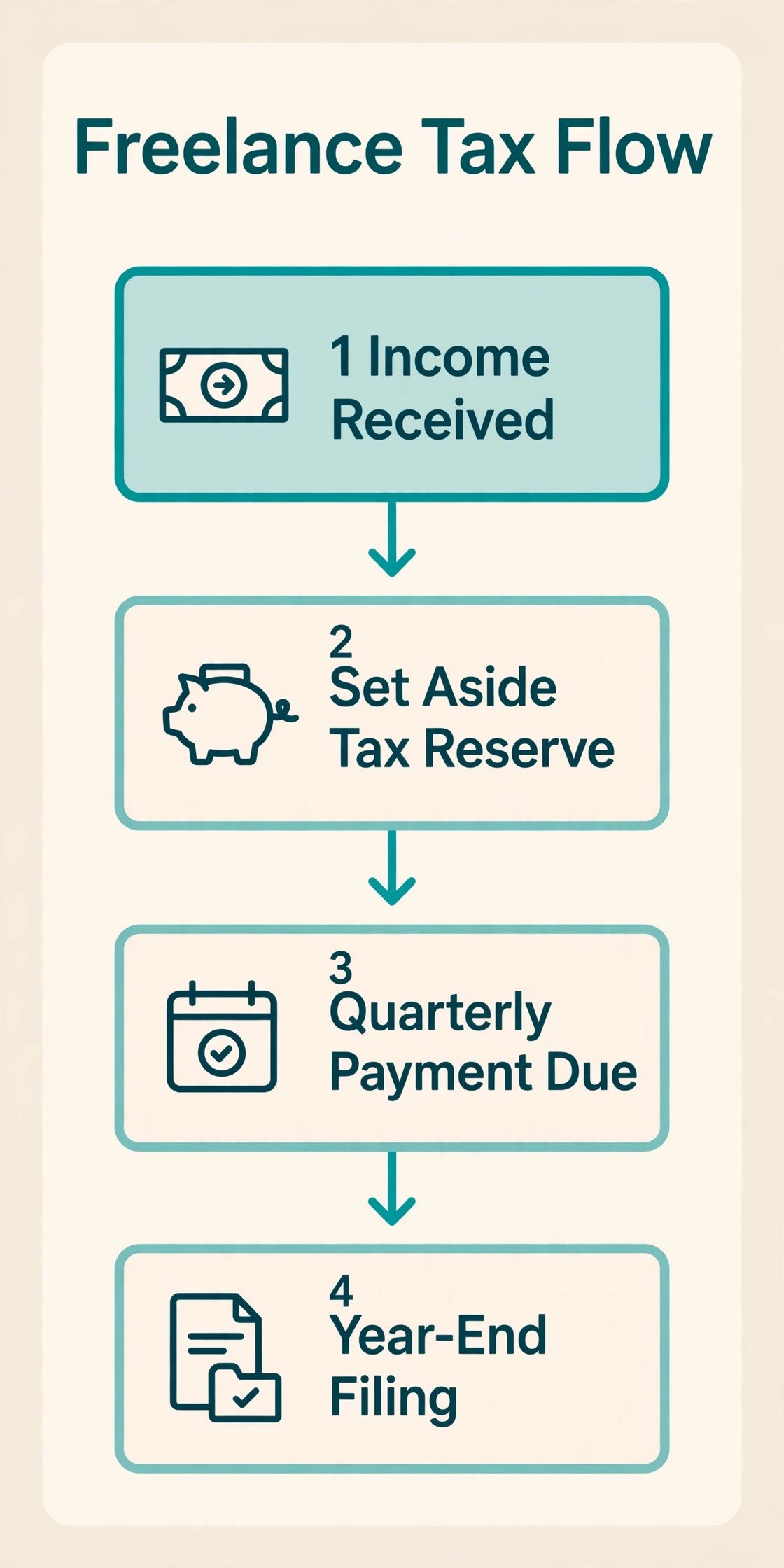
Tax is where the cost of freelance graphic design business planning most often fails, because no employer withholds it for you. In the United States, self-employment tax, which covers Social Security and Medicare, is 15.3 percent of net self-employment earnings, made up of 12.4 percent for Social Security on earnings up to the annual wage base limit plus 2.9 percent for Medicare on all net earnings. That sits on top of federal and state income tax, so a common rule is to set aside 25 to 30 percent of every payment for tax. Move the money to a separate account the day a payment arrives, not at month end when it has already been spent.
Quarterly estimated tax payments are the mechanism, and missing them brings penalties and interest. If you expect to owe $1,000 or more in federal tax for the year, quarterly payments are generally expected, with 2026 federal due dates of April 15, June 15, September 15 and January 15 of the following year. Treat the January payment with extra care, because it is the most commonly missed. This guide is not tax advice for your situation, and a short consultation with an accountant can save far more than it costs in the first year.
Deductible expenses reduce taxable profit, but only if you track them. Common deductions include software, a home office share where it qualifies, business internet and phone costs, professional development and a portion of hardware. Keep receipts and a simple expense log. The roundup of best accounting software for small business compares options for solo operators, and best AI invoice generators covers tools that cut invoicing time.
Insurance is a smaller line, but it protects against a large loss. Professional indemnity insurance commonly costs $300 to $800 per year for a solo designer, and some larger clients require proof of insurance before signing, so a policy can also win work. Health insurance varies so widely that it belongs in your personal budget rather than a generic business estimate.
Admin time itself is a cost. Bookkeeping, invoicing, tax preparation and file organisation can take three to six hours a week. An accountant for year-end filing commonly costs $300 to $1,000 for a straightforward solo return, more if records are messy. Keeping records weekly is cheaper than reconstructing them in April.
Monthly Budget Tables. Lean, Mid-Range and Growth
The table below turns the sections above into numbers you can use. All figures are indicative ranges for a solo designer, excluding personal living costs and health insurance, and excluding tax, which is handled as a reserve on income rather than a fixed monthly bill.
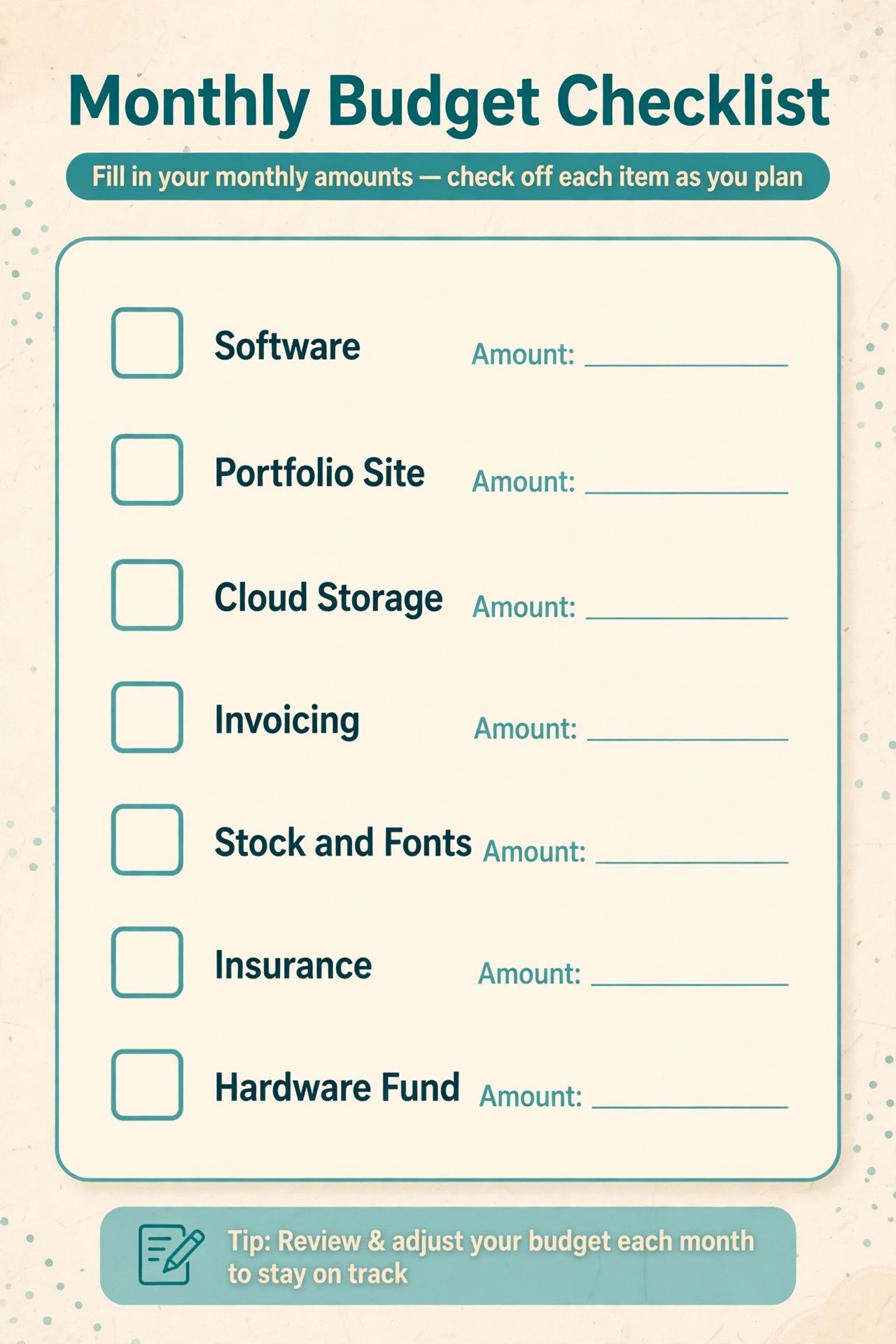
| Cost category | Lean monthly | Mid-range monthly | Notes |
|---|---|---|---|
| Core design software | $0 to $23 | $55 to $70 | Free tools or one app at lean level, full suite at mid-range |
| Extra design and template tools | $0 to $15 | $15 to $30 | Canva or Figma added when the work justifies it |
| Portfolio site and domain | $5 to $15 | $15 to $30 | Domain cost spread monthly, plus hosting or builder plan |
| Cloud storage and backup | $0 to $10 | $10 to $20 | Free tier first, paid plan when files grow |
| Invoicing and accounting | $0 to $15 | $15 to $35 | Spreadsheet first, paid tool when volume grows |
| Stock, fonts and plugins | $0 to $20 | $20 to $50 | Buy per project where possible, subscription only with steady need |
| Phone and internet share | $0 to $30 | $20 to $50 | Business share of an existing home connection |
| Marketing and lead tools | $0 to $20 | $20 to $50 | Proposal tools, lead tracking, occasional event costs |
| Insurance reserve | $0 to $30 | $25 to $65 | Professional cover spread monthly, once in place |
| Hardware replacement fund | $25 to $50 | $50 to $100 | Small monthly saving beats a sudden $2,000 bill |
| Monthly total excluding tax | About $30 to $230 | About $245 to $500 | Tax reserve of 25 to 30 percent of income sits on top |
A lean month at $30 to $230 is achievable only if you already own a computer, use free or single-app software, and handle admin yourself. A mid-range month at $245 to $500 reflects a professional setup with a full suite, a paid site, accounting tools and an insurance reserve. Growth budgets above $500 usually mean a second tool seat, admin help or a coworking membership.
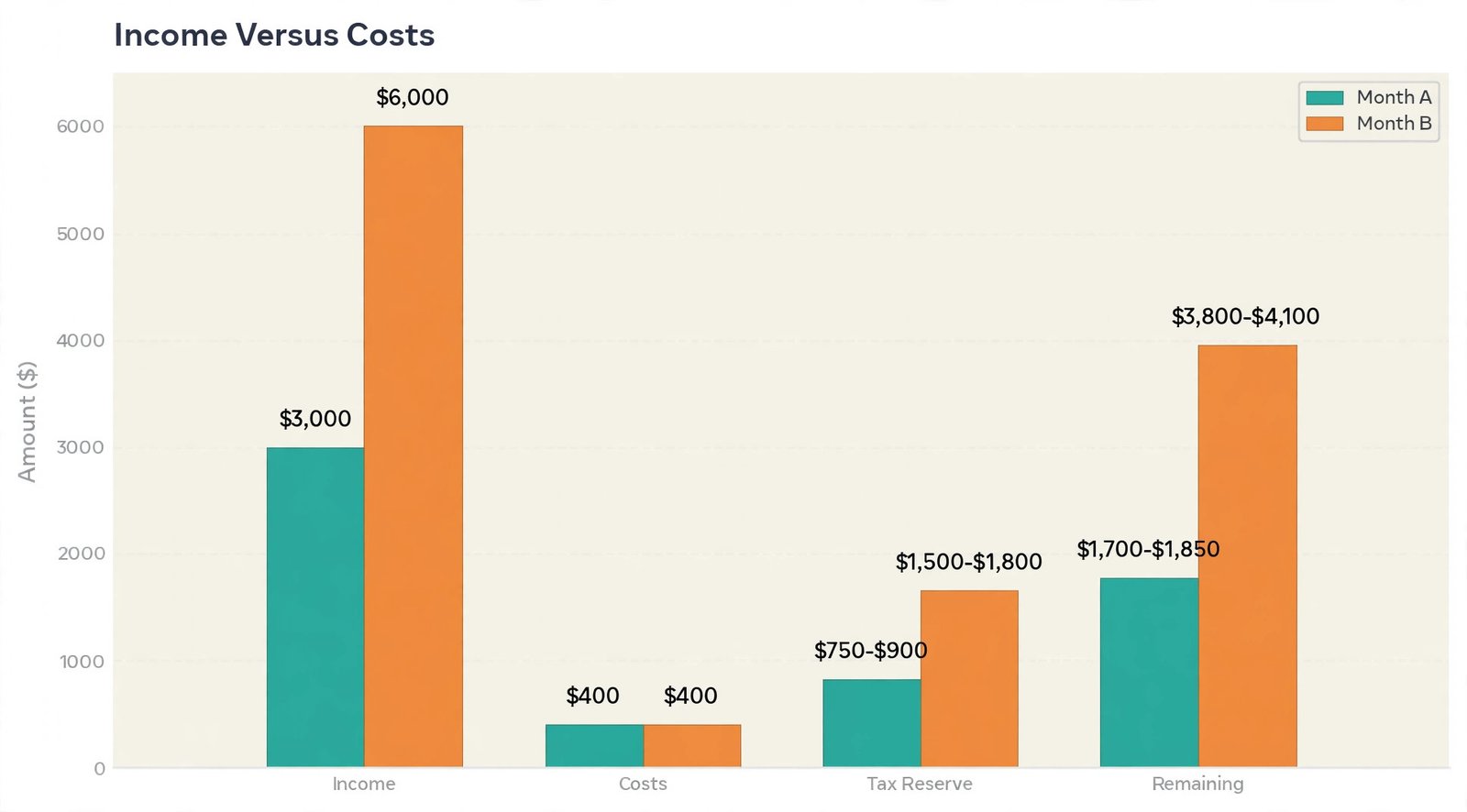
Now put those figures beside income. A designer earning $3,000 in a month with mid-range costs of about $400 keeps $2,600 before tax, sets aside about $750 to $900 for tax, and leaves about $1,700 to $1,850 for living costs and savings. A designer earning $6,000 keeps $5,600 before tax, sets aside $1,500 to $1,800, and leaves $3,800 to $4,100.
How to Choose Your Starting Stack Without Overspending
Choosing tools is easier with a decision rule, and every upgrade should be judged against the cost of freelance graphic design business tools already in use. Start from the work you will sell in the next 90 days, not the work you hope to sell next year. Logo work points to a strong vector tool, social graphics point to Canva plus a photo editor, and interface work points to Figma. Buy for the next quarter, review at the end of it, and let client demand pull upgrades rather than letting a sale push them.
Trial discipline saves money. Use free trials on real work and judge the tool on three questions. Did it save time. Did it produce files the client could use without fixes. Would you miss it if it disappeared tomorrow. A tool that passes all three is worth paying for. Cancel trials before they renew, because forgotten renewals are a common leak in a freelancer budget.
Watch for bundle traps. A bundle looks cheaper per app, but only if you use enough apps in it. Count the apps you opened in the last 30 days. If the answer is two, price two single apps before renewing a bundle. Monthly billing for the first three months, then switching to annual billing once the tool has proved itself, is often cheapest in practice.
Collaboration needs also affect the choice. If clients send Adobe files or require print-ready output, Adobe compatibility is a business requirement, not a preference. If clients only need final PNG, PDF or web files, a lower cost stack can deliver the same result. Ask new clients what formats they need before you buy.
Mistakes That Inflate the Cost of a Freelance Design Business
The first mistake is buying the full professional setup before the first client. A new computer, a full software bundle, a premium portfolio theme and a coworking membership can easily pass $4,000 before any income exists. Together they create pressure to take any work at any price, which leads to the second mistake, underpricing. Start lean, earn, then upgrade from profit, not from savings or debt.
The second mistake is pricing by what competitors advertise, without knowing their costs or scope. A competitor advertising a $100 logo may deliver one concept, no revisions and no source files. Price your scope, not their headline. State what is included, how many revision rounds apply and what costs extra.
The third mistake is ignoring tax until filing season. Open a separate savings account, move 25 to 30 percent of each payment there immediately, and pay quarterly estimates on time. Keep a simple income and expense sheet updated weekly, so quarterly estimates are a calculation, not a guess.
The fourth mistake is letting subscriptions pile up. Audit every subscription each quarter, and cancel anything unused for two months. This review takes under an hour and often recovers $30 to $100 per month, which is $360 to $1,200 a year.
The fifth mistake is no contract, no deposit and no scope limit. Use a contract on every project, collect a deposit before starting, and put revision rounds and extra work rates in writing. Proposal tools, including those in best AI proposal software, can make this faster, but the discipline matters more than the tool.
The sixth mistake is treating all hours as billable. If you bill 20 hours a week but work 40, your effective hourly rate is half your headline rate. Price with that gap in mind, and track time for a month to find where unpaid hours leak away.
A Realistic First-Year Timeline and Cash Flow
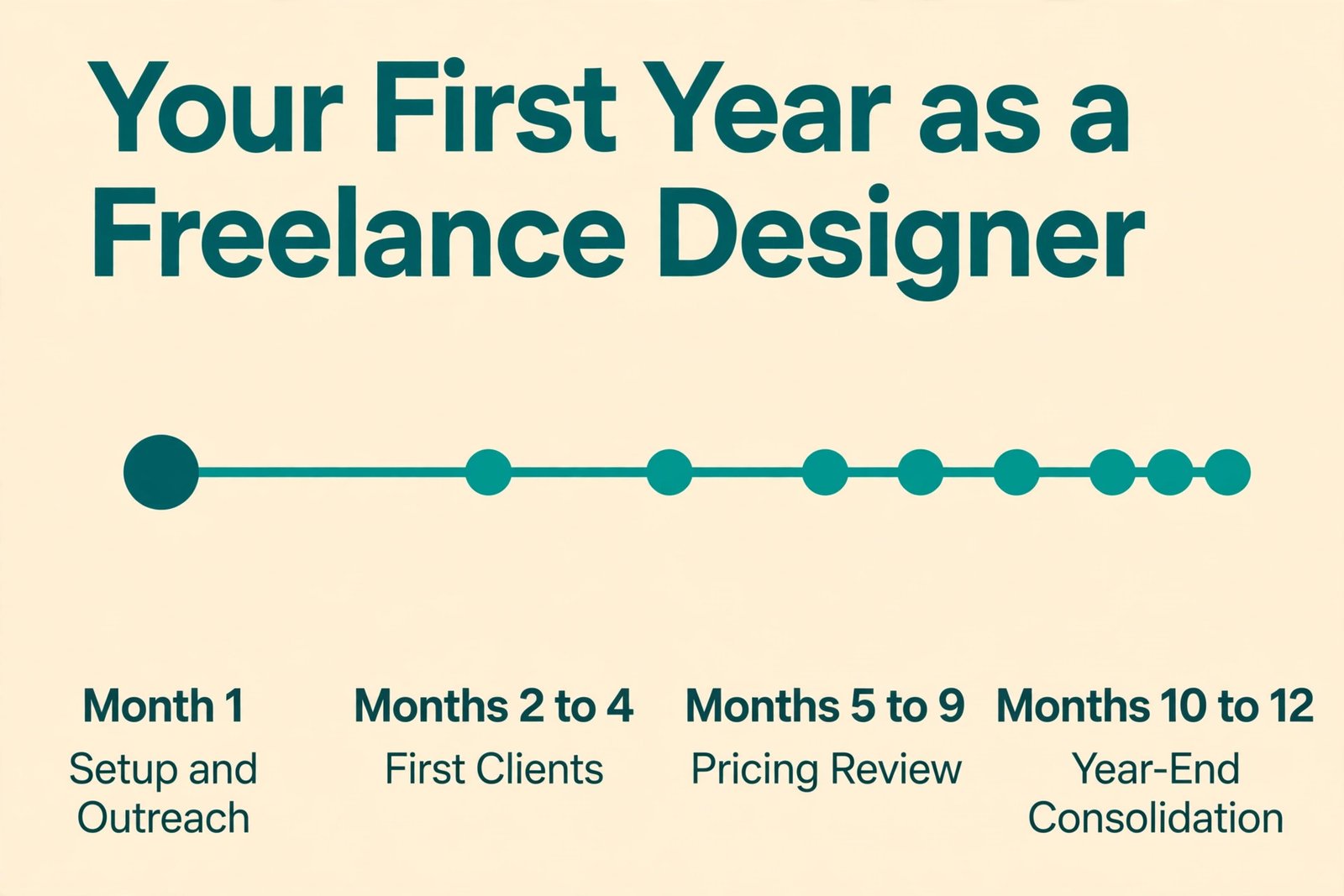
Month one is mostly setup and outreach. Expect setup costs of $200 to $800 if you already own a computer. Income is often low, sometimes zero, and that is normal provided outreach is happening daily. Set a target for qualified conversations per week, rather than a revenue target you cannot control yet.
Months two to four usually bring the first paying projects, often small and often through personal contacts or local businesses. Cash flow will be uneven, so hold a buffer, invoice on delivery, and keep outreach going even in a busy week, because the pipeline you neglect during a busy week becomes the quiet month that follows.
Months five to nine are where pricing starts to pay off. Repeat clients appear, referrals begin, and you can raise prices for new clients. Review your stack, rates and tax reserve at the six-month mark. A mid-year rate increase of 10 to 20 percent for new clients is normal as skills and demand grow.
Months ten to twelve are for consolidation. Review total income, total costs, tax paid, hours billed and projects by client source. That review tells you which services to keep and which to drop. If social graphics brought steady income and print work brought low margins, next year plan can shift toward the profitable work. Profit, not prestige, funds year two.
For a comparable startup cost pattern in a neighbouring field, see how to start a freelance writing business with AI, and best AI tools for freelance writers covers shared admin tools that also apply to design work.
Frequently Asked Questions
How much does it cost to start a freelance graphic design business with no computer?
If you need a new computer, add about $1,000 to $2,500 to the lean startup range, bringing a realistic first-year total to about $3,500 to $7,000 including software, a site, contracts and a tax reserve habit. Buy a capable mid-range machine first, add a second monitor and a backup drive, and upgrade other gear only when a specific job demands it.
Can I start a freelance design business for under $500?
Yes, if you already own a usable computer and use free or low-cost tools. A domain, basic hosting, a single low-cost app or free design tools, and a contract template can fit under $500 in cash costs for the first months. The hidden cost is time, plus a tax reserve on every payment once income starts.
Do I need Adobe Creative Cloud to freelance as a designer?
Not always, but it helps greatly for client work that involves Adobe files, print production or agency collaboration. If clients send Adobe files or require them back, Creative Cloud Standard at about $54.99 per month or Pro at about $69.99 per month on annual billing is worth paying. If clients only need final exports, a lower cost stack can work, provided you test file compatibility first.
How much should I set aside for taxes as a freelance designer?
A common starting rule in the United States is 25 to 30 percent of every payment, covering self-employment tax at 15.3 percent plus income tax, depending on your bracket, deductions and state tax. Move the reserve to a separate account on receipt, pay quarterly estimates on time, and adjust after your first full tax year.
Is an LLC worth the cost for a new freelance designer?
An LLC can be worth it for liability protection, with state filing fees commonly $50 to $500, but it does not by itself change federal tax for a single owner. Many designers start as sole proprietors, get insurance, use contracts, and form an LLC later when income, risk or client requirements justify it. Check your state rules and get local advice before deciding.
How do I keep monthly costs low in the first year?
Start with tools you already own or free tools, add paid tools only when a paying job requires them, bill monthly for the first three months before switching to annual plans, and audit subscriptions every quarter. Price work to cover costs and tax, collect a deposit on every project, and keep a hardware replacement fund.
Start Lean, Price Like a Business, Keep the Receipts
The real cost of freelance graphic design business setup is not a single number to fear. It is a set of choices you can control. Start with a computer that works, one core design tool that matches your first services, a clear portfolio, a contract and a tax reserve habit. Add tools, insurance and upgrades as paying work proves they are needed, not before. Price from your real costs and billable hours, collect deposits, invoice promptly, and review subscriptions, rates and tax every quarter.
That discipline separates a hobby that sometimes pays from a business that lasts. Begin with the monthly budget table in this guide and revisit it each quarter.