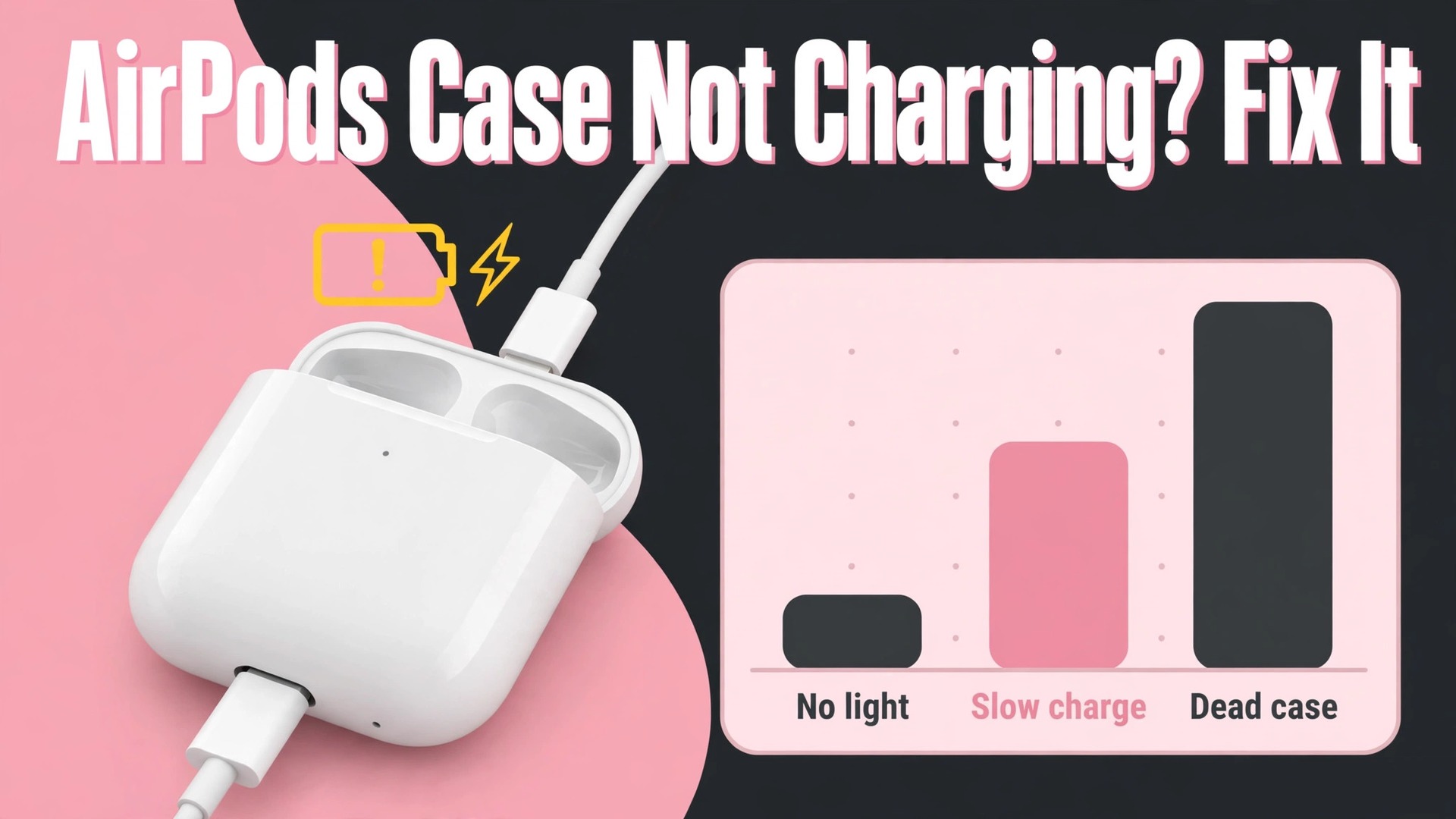
Fifteen minutes is the number Apple gives for a first charging test, and it is a useful starting point because it separates a truly dead case from one that simply needs time to recover. A case that has been fully drained, left unused for weeks, or exposed to cold can show no light at all for several minutes after being plugged in, and many owners conclude it is broken before the battery has had a chance to accept charge. That does not mean every silent case will recover with patience, because to fix AirPods case not charging you must also rule out a damaged cable, a lint blocked port, or a failed battery.
To fix AirPods case not charging problems, you need to test the power path step by step, from the wall outlet to the cable to the port to the battery, and to read the status light correctly at each stage. This guide gives you that order, so you do not replace a case that only needed a clean port, and you do not waste days charging a case whose battery has already failed.
Reading the Status Light and the Charge Levels
The status light is the case diagnostic display, and misreading it causes many wrong conclusions. On most cases the light sits on the front, while on some wired only cases it sits inside the lid between the AirPods. When you plug in a cable, the light should turn on for several seconds and then turn off while charging continues, which surprises owners who expect the light to stay on. A light that never appears may mean no power is reaching the case, or it may mean the case battery is so drained that the light circuit itself has no power yet.
A light that flashes amber can mean a pairing or reset state, depending on context, and a light that stays green means the case is charged, not that it is currently charging. Open the case near a paired iPhone to see the charge levels for the case and for each AirPod, because that popup gives more information than the light alone, showing whether the case holds charge, whether each AirPod charges, and whether the levels change over time.
Check the charge levels over time rather than at a single moment. Plug the case in, note the case percentage in the popup, leave it for fifteen minutes, and check again. A case percentage that rises, even slowly, proves power is flowing and the battery accepts charge, and the fault may be a slow charger, a weak adapter, or a case that needs longer than expected. A percentage that never moves after an hour on a known good charger points to the cable, port, or battery. A case that charges but does not charge the AirPods inside it points to dirty contacts or poorly seated AirPods, which is a different fault from a case that will not charge itself.
Keeping these three faults separate, case not charging, AirPods not charging inside a charged case, and case charging slowly, prevents you from applying the wrong fix to the right symptom.
| Symptom pattern | Likely cause | First action to try |
|---|---|---|
| No light at all when plugged in | No power reaching case or fully drained battery | Try known good cable, adapter, and outlet for 15 minutes |
| Light turns on then off, percentage never rises | Faulty cable, adapter, or port blockage | Clean port and test another cable and adapter |
| Case charges but AirPods do not charge inside | Dirty contacts or AirPods not seated | Clean contacts and reseat both AirPods firmly |
| Only one AirPod charges inside the case | Dirty contact on one side or one faulty AirPod | Swap AirPods between sides and clean both contacts |
| Wireless charging fails but cable charging works | Pad alignment, case position, or pad fault | Reposition case with light facing up and test cable |
| Cable charging fails but wireless works | Port blockage or port damage | Clean port gently and test another cable |
| Case charges slowly or stops partway | Weak adapter, TV USB port, or heat | Use wall adapter and charge at room temperature |
| Case drains quickly after a full charge | Aged battery or background drain | Test overnight drain and check battery health pattern |
Fix AirPods Case Not Charging With This Ordered Checklist
Work through this checklist in order, testing after each group. Do not reset the AirPods until cable, port, and adapter tests have failed, because a reset forces a fresh pairing and costs setup time without fixing a power fault.
1. AirPods Case Power Source, Cable, and Adapter Tests
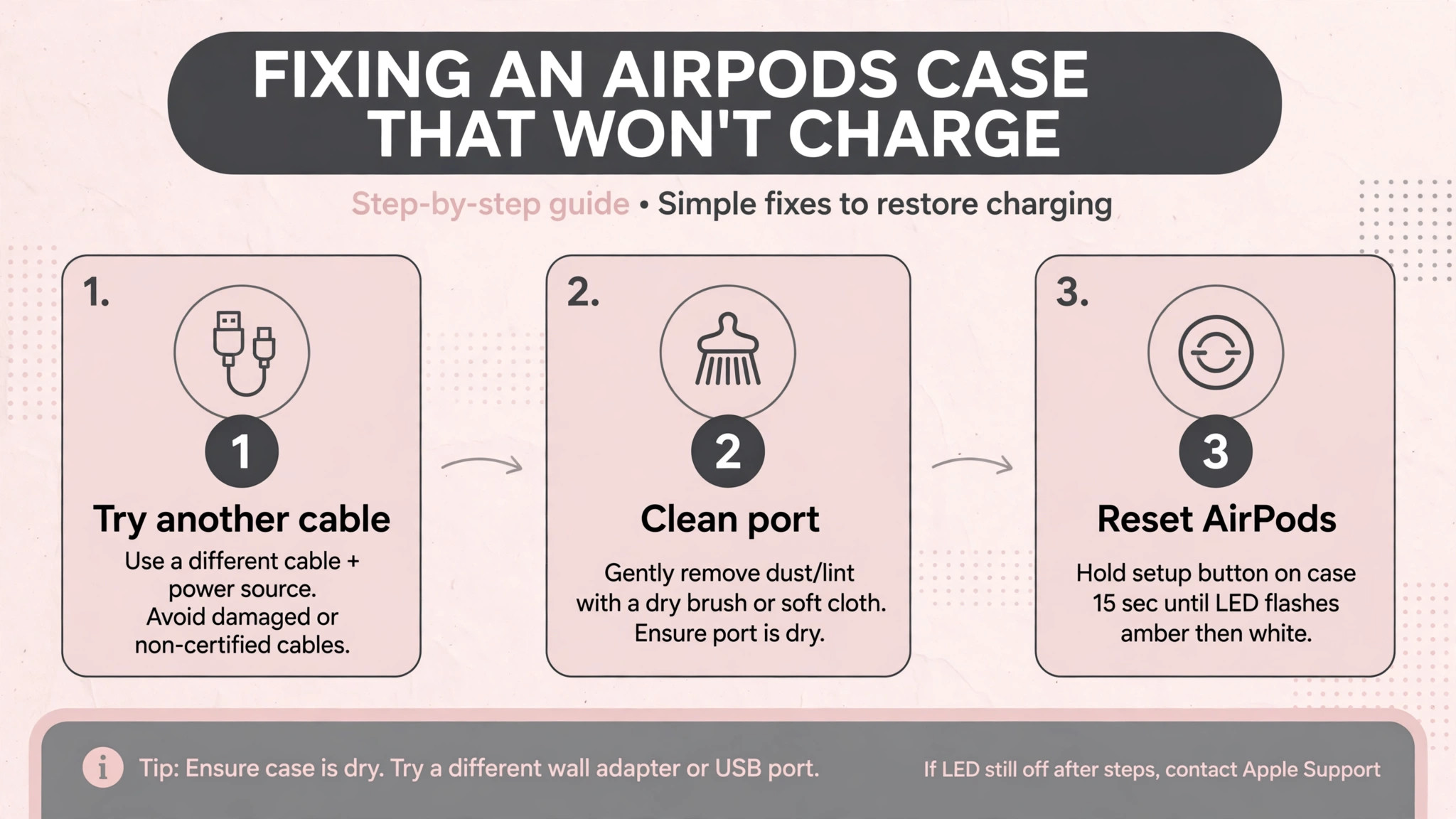
Start at the wall, not at the case. Plug the adapter into a different outlet that you know works, because an outlet controlled by a wall switch, a power strip that is off, or a faulty socket can silently cut power. Test the adapter with another device, such as a phone, to confirm it delivers power at all. Then test the case with a different cable, preferably an Apple cable or a certified cable that you know works with another device. Many charging failures trace to a cable that charges a phone intermittently but fails with the smaller AirPods case connector, because the case connector is more sensitive to wear and to plug thickness.
Try two cables and two adapters before concluding the case is at fault, since that combination test eliminates the two most common external causes in minutes.
Avoid weak power sources for testing. A television USB port, a computer USB port in sleep mode, or a low power hub may deliver too little power for reliable case charging, and a case that appears dead on such a source may charge normally on a wall adapter. Use a wall adapter that delivers at least the standard phone charging power, plug the case directly into it, and leave it for at least fifteen minutes before judging the result. Note whether the cable sits flush in the case port, because a cable that protrudes or wobbles is not fully seated, often due to lint in the port, and that seating problem is addressed in the next section.
If a known good cable and adapter on a known good outlet still produce no light after fifteen minutes, the fault lies in the port, the contacts, or the battery, and you should move on with that knowledge rather than buying another cable.
2. AirPods Case Port Cleaning and Contact Cleaning
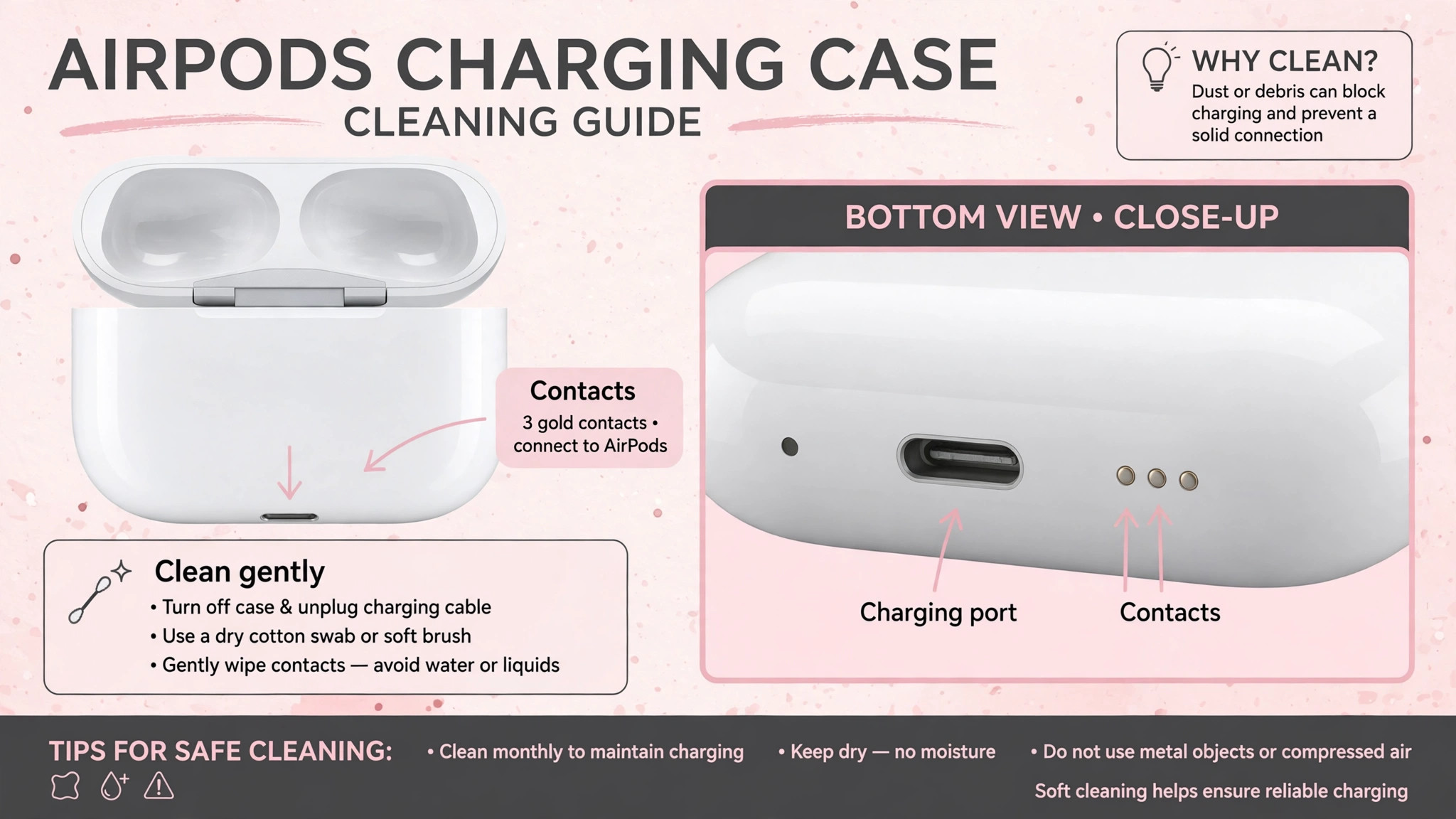
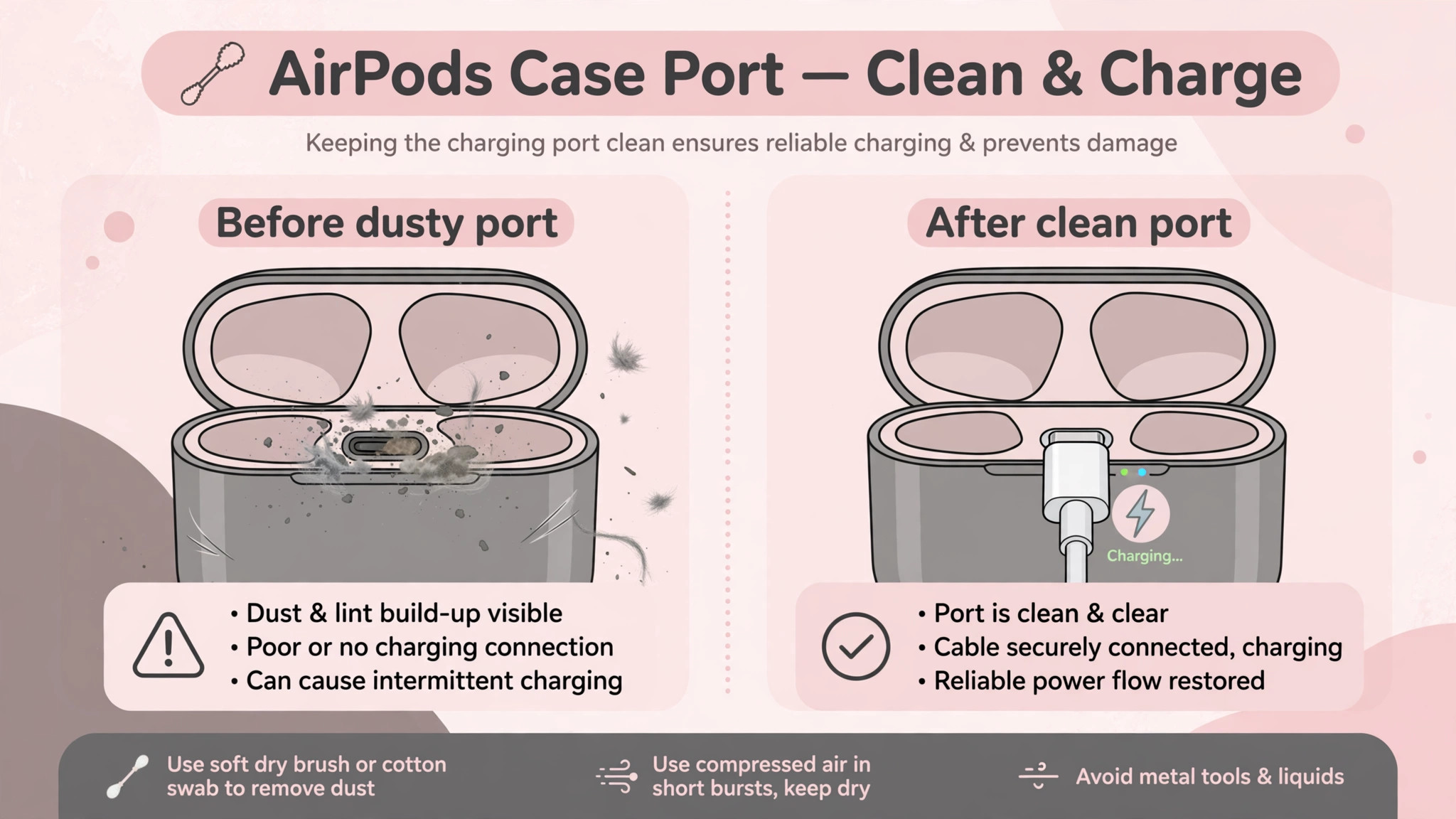
Lint and pocket debris are the most underrated cause of case charging failure, because the case lives in pockets and bags where lint accumulates invisibly inside the charging port. Look into the port with a bright light and, if possible, a magnifier. If you see lint, use a dry soft bristled brush or a wooden toothpick to loosen and lift it gently, working carefully to avoid bending the pins inside. Do not use metal picks, do not use liquids, and do not blast compressed air straight into the connector, because those methods can bend pins or force debris deeper.
After cleaning, test with a known good cable and confirm the plug now sits flush, since a flush fit is the visible sign that the blockage is cleared.
Clean the charging contacts inside the case and on the AirPods themselves as well. The metal contacts at the bottom of each AirPod well and on the stem of each AirPod must meet cleanly for the AirPods to charge from the case, and even a thin film of dirt can interrupt that connection. Wipe the contacts gently with a dry lint free cloth, and use a soft brush for debris in the wells. Reseat both AirPods firmly, pressing them down until they sit fully in the wells, and check the iPhone popup to see whether each AirPod charge level rises.
A slightly lifted AirPod will not charge, and it can look like a case fault when the case itself is healthy. When you need to fix AirPods case not charging trouble that involves the AirPods themselves, contact cleaning and firm reseating resolve a surprising share of cases without any reset or repair.
3. AirPods Case Wireless Charging Alignment and Pad Tests
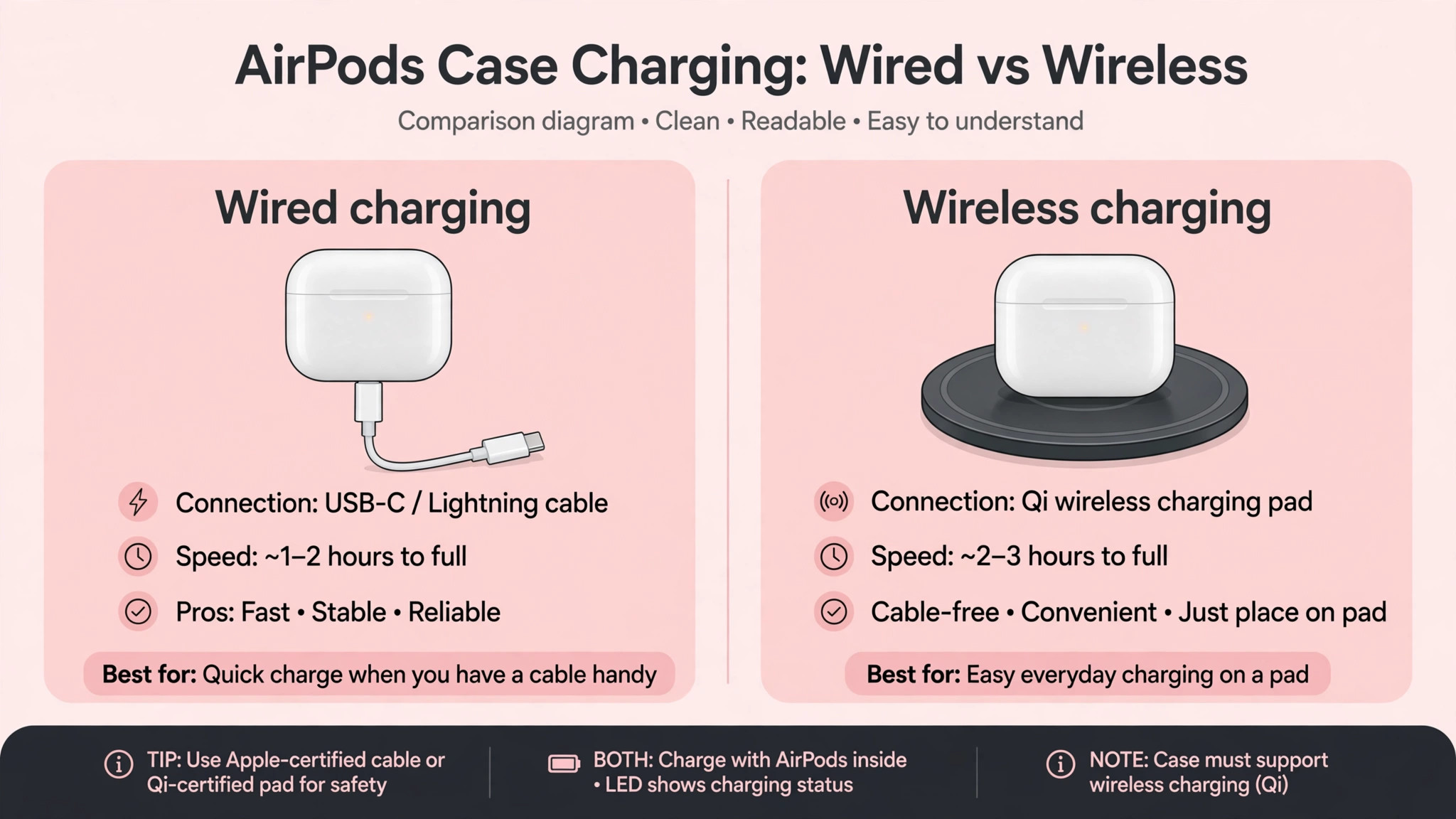
If your case supports wireless charging, test wireless and wired charging separately, because they use different power paths and a failure in one does not prove failure in the other. For wireless charging, place the case on the pad with the status light facing up, as Apple advises, and reposition the case if the light does not turn on. Wireless pads have a sweet spot, and a case placed slightly off centre may receive no power while appearing to be charging. Remove thick cases or covers from the AirPods case before testing wireless charging, because extra thickness can push the case beyond the pad effective range.
Test with a different wireless pad if one is available, and test the pad with another device to confirm the pad itself works.
If wireless charging works but cable charging does not, the port is the suspect, and the cleaning section above becomes the priority. If cable charging works but wireless does not, alignment, pad compatibility, or a wireless coil fault is the suspect, and cable charging remains a reliable workaround while you decide whether wireless matters enough to seek service. Note that some third party pads deliver less power or use a coil layout that suits phones better than small cases, so a pad that charges a phone may still fail with an AirPods case. Testing with a pad known to work with AirPods, where possible, separates a pad compatibility fault from a case fault.
Keep both charging methods in mind as fallbacks for each other, because a case that charges by one method is usable while the other method is investigated.
4. AirPods Case Reset and Re-pairing Steps
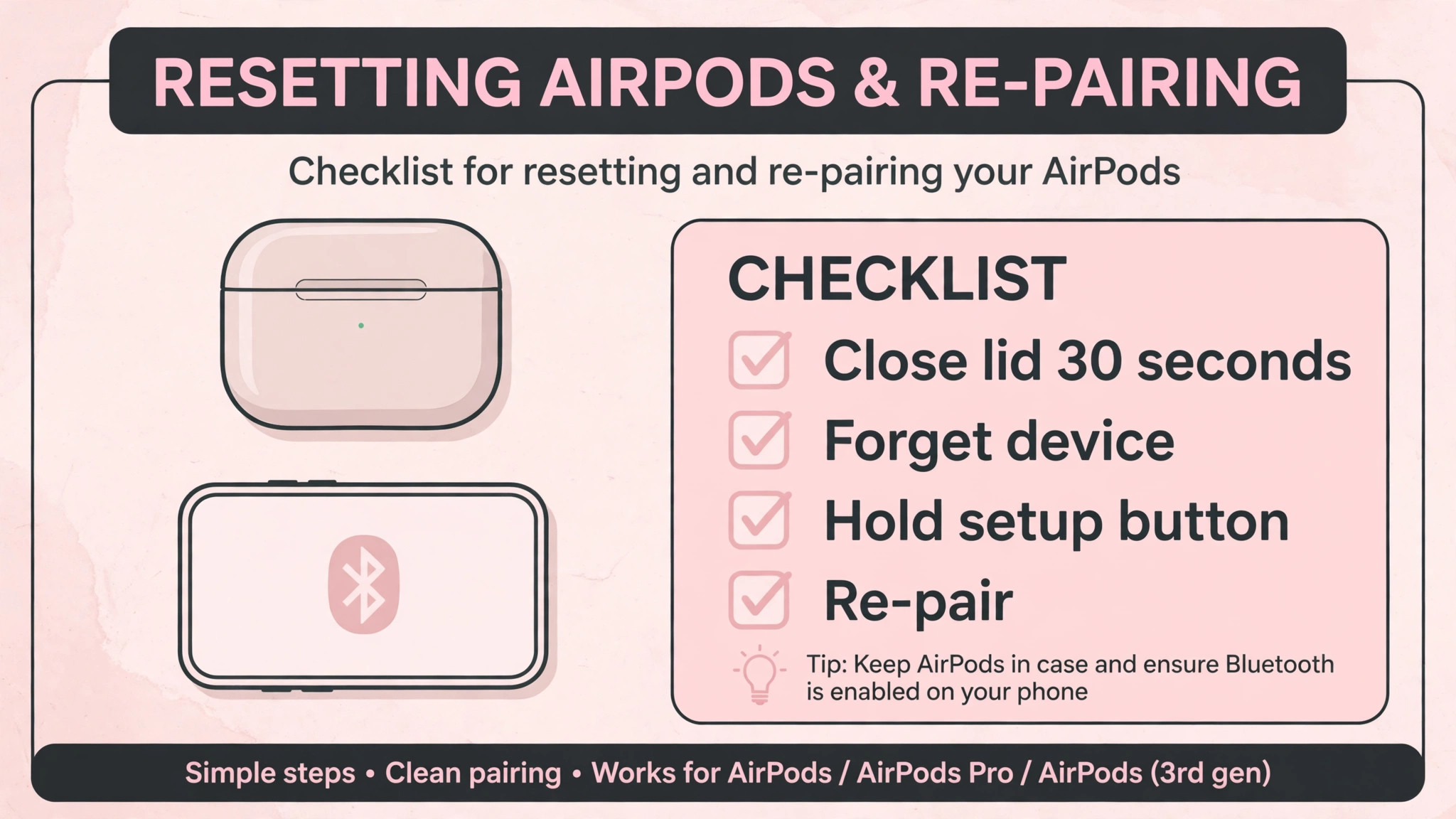
Only reset after power and cleaning tests have failed, because a reset addresses software and pairing faults, not power faults. To reset most AirPods models, place both AirPods in the case, close the lid, and wait about thirty seconds. Open the lid, then on the iPhone open Settings, open Bluetooth, tap the information icon next to the AirPods, and choose Forget This Device. With the lid still open, press and hold the setup button on the back of the case for about fifteen seconds, until the status light flashes amber and then white. That sequence clears the pairing and resets the case software state.
Newer models without a physical setup button use a different gesture, such as double tapping the front of the case, so check the instructions for your exact model if no button is present.
After the reset, place the case near the iPhone with the lid open and follow the on screen steps to reconnect. Test charging before and after re-pairing, noting whether the case percentage rises on a known good charger. If charging worked before the reset and fails after it, the reset itself is unlikely to be the cause, and you should return to cable and port tests rather than resetting repeatedly. Repeated resets do not fix power faults, and they cost pairing time with every device that used the AirPods. A single careful reset, done once after power tests, is the correct use of this step.
To fix AirPods case not charging faults that are truly software related, one reset is usually enough, and a second reset rarely adds information.
5. AirPods Case Battery Age, Heat, and Drain Diagnosis
Batteries age, and an AirPods case battery that has endured hundreds of charge cycles will hold less charge and may eventually fail to charge at all. Signs of an aged battery include a case that charges to full quickly but drains within hours without use, a case that shows a full charge and then drops sharply, and a case that only works while plugged in. Test overnight drain deliberately by charging the case fully, removing the cable, leaving the AirPods inside, and checking the percentage the next morning. A large overnight drop without use points to battery wear or a background drain, while a stable overnight percentage points to a charging path fault rather than a battery fault.
Heat also affects charging. A case left in a hot car, charged in direct sunlight, or charged while covered by thick material may stop charging to protect the battery, and it will resume when it cools to room temperature. Charge at room temperature, uncovered, and away from heat sources for testing, so heat protection does not mask the result. Also check for swelling, unusual warmth, or a case lid that no longer closes properly, because those signs indicate a battery fault that needs service rather than further home troubleshooting. Do not attempt to open the case or replace its battery yourself, since AirPods cases are not designed for user battery replacement and opening them risks damage and injury.
When battery age or swelling is the diagnosis, the correct next step is service or replacement, not another cable test.
6. AirPods Case Service Decisions and Replacement Options
Contact Apple support when the case shows no charging after known good cable, adapter, outlet, cleaning, and reset tests, or when only one AirPod consistently fails to charge after cleaning and swapping sides. Apple can run diagnostics, check warranty and AppleCare coverage, and offer a case replacement or battery service where applicable. Note that Apple does not replace the charging port alone in most cases, so a damaged port usually means a case replacement rather than a port repair, and knowing that in advance helps you judge whether service is worthwhile for an older case.
Ask about replacement cost before committing, especially for older models, because a replacement case for a very old AirPods generation may cost a significant fraction of a new set, and upgrading may be better value.
Before seeking service, gather the evidence from your tests, noting which cables and adapters you tried, whether wireless charging worked, whether each AirPod charged, and what the status light did. That evidence speeds up the service conversation and prevents support from asking you to repeat tests you have already completed. If the case is out of warranty and replacement cost is high, consider whether cable charging alone, if it works, meets your needs, or whether a new set with a fresh battery offers better long term value.
A case that charges by cable but not wirelessly, or a case that charges slowly but still holds a useful charge, may remain usable for months while you decide, whereas a case that holds no charge at all needs a decision promptly. To fix AirPods case not charging trouble at the service stage, the question changes from which setting to change to whether repair or replacement gives better value, and your test evidence answers that question.
AirPods Case Charging Across Different Models
Charging details differ by model, and using the wrong expectation for your model causes false alarms. Older cases use a Lightning connector, newer cases use USB-C, and some cases support wireless charging while others do not. Check your model before testing wireless charging, because a wired only case will never charge on a pad, and that is normal rather than a fault. AirPods Max follow different rules entirely, charging with a cable and entering a low power mode in their Smart Case, and they should not be judged by the same fifteen minute case test as in ear AirPods.
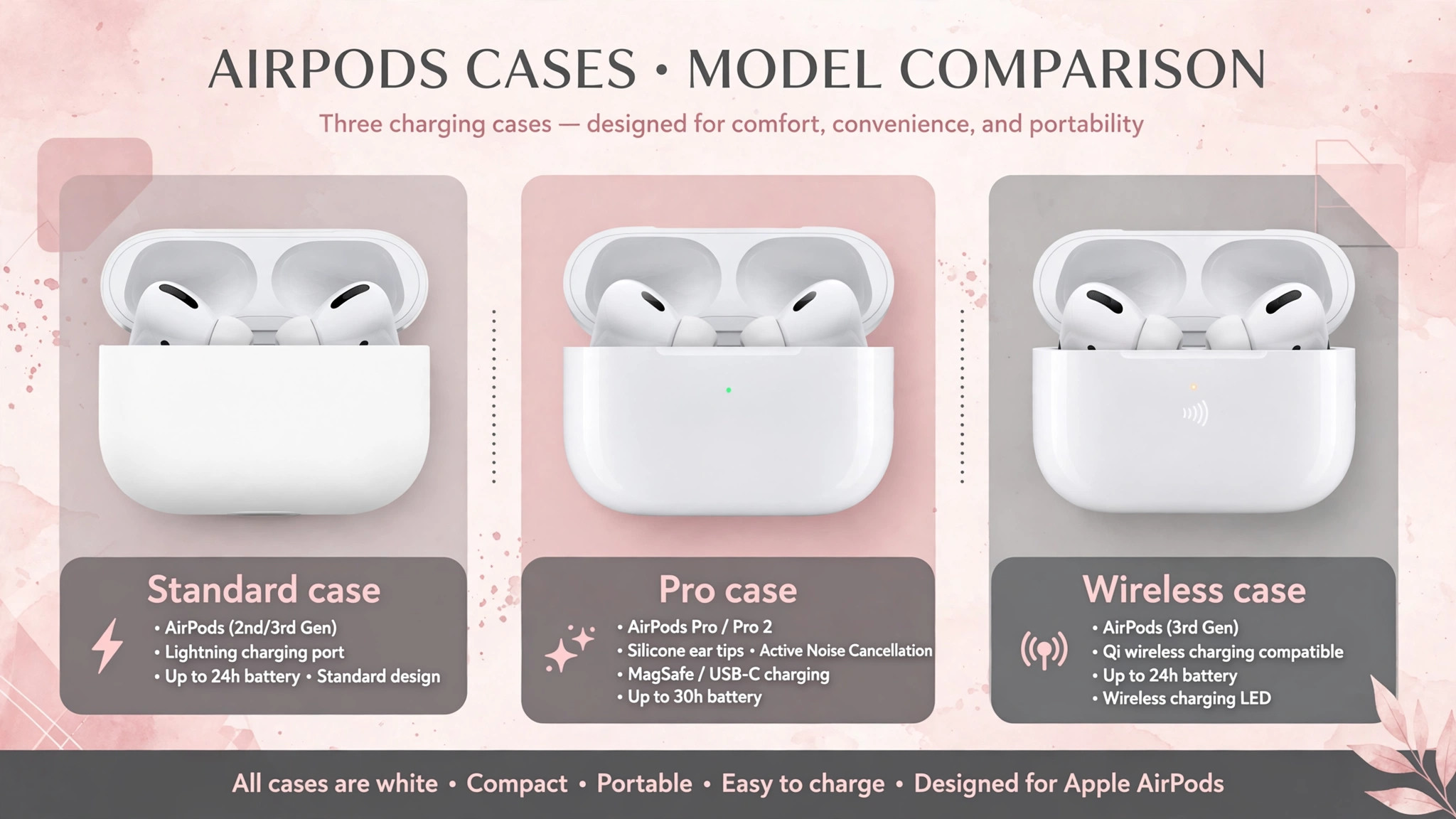
AirPods Pro models may include an optimised charging feature that limits charging in some conditions to preserve battery health, and that feature can make a case appear to stop charging before it reaches full, when it is actually protecting the battery.
Model differences also affect reset gestures and status light positions. Some newer models replace the physical setup button with a touch gesture on the case front, and some place the status light inside the lid rather than on the front. If you cannot find a setup button, check the model specific instructions rather than assuming the case lacks a reset function. Similarly, if the status light seems missing, open the lid and look inside, since the light position varies.
These model details matter because a troubleshooting step that works perfectly for one generation can appear to fail on another for purely physical reasons, and the fix is to use the correct gesture for your model rather than to conclude the case is broken.
Keeping an AirPods Case Charging Reliably
Once charging works again, protect it with simple habits. Keep the case out of lint filled pockets where possible, or clean the port and contacts regularly with a dry soft brush, especially if you carry the case loose in a pocket daily. Use certified cables and avoid cables with damaged connectors, because a worn plug can damage the port over time and create the seating problem that started the fault. Charge the case on a wall adapter for the main charge, and use wireless pads as a convenience rather than the only method, so you always have a fallback path if one method fails.
Avoid letting the case sit fully drained for weeks, since deeply drained lithium batteries recover more slowly and may appear dead on first charge, and top up the case periodically even when the AirPods are not in daily use.
Store the case at room temperature and avoid charging it in extreme heat or cold, because temperature extremes reduce battery life and can trigger protective charging pauses that look like faults. If you notice charging becoming slower over months, check cable and port cleanliness first, then consider battery age, since gradual slowing is more often wear than sudden failure. A case that receives regular cleaning, certified cables, and room temperature charging will usually outlast a case that is charged on random low power ports with worn cables, and the difference shows up as years of reliable service rather than months of intermittent faults.
When you need to fix AirPods case not charging trouble again, start by checking which of these habits slipped, because the cause is often a lint filled port or a worn cable that accumulated quietly over time.
When Only the Case Lid or Hinge Seems at Fault
A case lid that does not close properly can interrupt charging in a way that looks like a power fault, because AirPods must sit correctly and the lid sensor must register closure for some charging and pairing behaviours to work normally. Check whether the lid closes fully, whether debris in the hinge prevents closure, and whether the AirPods sit too high because of dirt in the wells. Clean the hinge area gently with a dry soft brush and remove any visible debris, then test whether charging behaviour changes with the lid fully closed.
When you need to fix AirPods case not charging trouble and the lid is part of the story, a hinge or seating problem is worth checking before any service decision, because a case that charges with the lid held closed has a mechanical fault rather than a battery fault, and that distinction changes the service conversation. If the hinge is cracked, the lid is loose, or the case shows physical damage from a drop, note that damage when contacting support, since physical damage affects warranty coverage and repair options.
A mechanically damaged case may still be replaceable, but the cost and coverage differ from a battery fault, so an honest description of the damage helps support give an accurate answer quickly.
More Reading on Stratilyze
AirPods charging faults usually sit next to a connection or audio fault on the same earbuds, so readers often check the neighbouring AirPods guides next. The guide to AirPods that will not connect to an iPhone covers the pairing checks that also fail when the case battery is low, the guide to an AirPods microphone that will not work explains the mic-side version of the same earbud fault, and the guide to an iPad that will not charge walks through the cable, port and adapter checks that apply to Apple devices generally.
Frequently Asked Questions
Why does my AirPods case show no light when I plug it in
No light usually means no power is reaching the case, or the battery is so drained that the light circuit has no power yet. Try a known good cable and wall adapter on a known good outlet, and leave the case plugged in for at least fifteen minutes before judging. Clean the port gently if the cable does not sit flush. If no light appears after an hour on a known good setup, the port, cable path, or battery is likely at fault, and service becomes the next step.
Why does my case charge but my AirPods do not charge inside it
That pattern points to dirty contacts or AirPods that are not seated firmly, rather than to a case charging fault. Clean the metal contacts inside the case wells and on the AirPods stems with a dry lint free cloth, reseat both AirPods firmly, and check the iPhone popup for each AirPod level. Swap the AirPods between sides to see whether the fault follows one AirPod or stays with one well, since that test separates an AirPod fault from a case well fault.
Why does wireless charging fail while cable charging works
Wireless failure with working cable charging points to alignment, pad compatibility, or a wireless coil fault, not to a general case failure. Place the case with the status light facing up, reposition it on the pad until the light appears, remove any thick cover, and test a different pad. Cable charging remains a reliable fallback, and a case that charges by cable is usable while you decide whether wireless charging matters enough to seek service.
Why does my AirPods case drain overnight without use
Overnight drain without use usually means battery wear, although a background connection or a case left open can contribute. Charge the case fully, close the lid, leave it overnight without use, and check the percentage in the morning. A small drop is normal, while a large drop points to an aged battery. If the case also charges quickly to full and then drops sharply, battery wear is the likely explanation, and service or replacement becomes the sensible decision.
Can I replace the battery in my AirPods case myself
AirPods cases are not designed for user battery replacement, and opening the case risks damage to the small internal components and to the battery itself. Apple offers case replacement or battery service where applicable, and the cost should be compared with the cost of a new set, especially for older models. Do not attempt to open a swollen case, since a swollen battery needs professional handling. For most owners, official service or a replacement case is safer and more reliable than any home battery attempt.
How long should I charge a fully drained AirPods case before giving up
Leave a fully drained case on a known good wall charger for at least fifteen minutes before judging, and allow up to an hour for a case that has been unused for weeks. Check the percentage in the iPhone popup over time, since a rising percentage proves power is flowing even if the light behaves unexpectedly. If the percentage never moves after an hour on a known good setup, and cleaning and cable tests have failed, the fault is likely port or battery related, and further charging time is unlikely to change the result.
When you need to fix AirPods case not charging trouble that survives an hour of known good charging, service is the next step rather than longer waiting.
A Final Check Before You Pay for Service
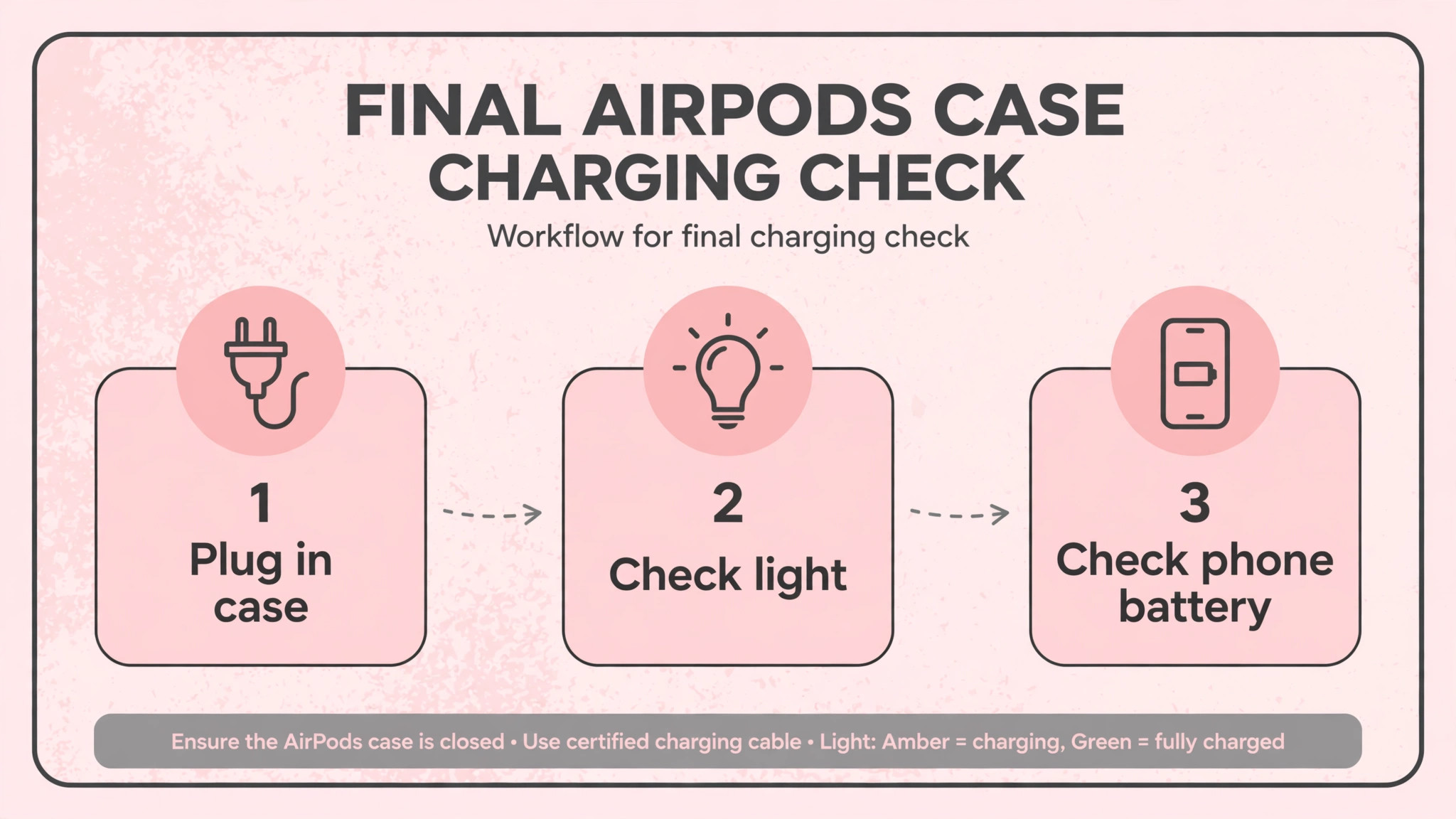
Before you pay for a replacement case, run one final sequence with fresh eyes. Try a different outlet, a different certified cable, and a different wall adapter, clean the port and contacts, leave the case charging for fifteen minutes, and check the iPhone popup for a rising percentage. Test wireless charging separately if your model supports it, and test each AirPod separately inside the case. If any of those tests shows life, the case is not fully dead, and the fault is narrower than it first appeared. If every test shows nothing, you have strong evidence for service, and you can present that evidence confidently instead of wondering whether a simple fix was missed.
That final sequence costs little and it prevents the most expensive troubleshooting mistake, which is replacing a case that only needed a clean port or a better cable.