
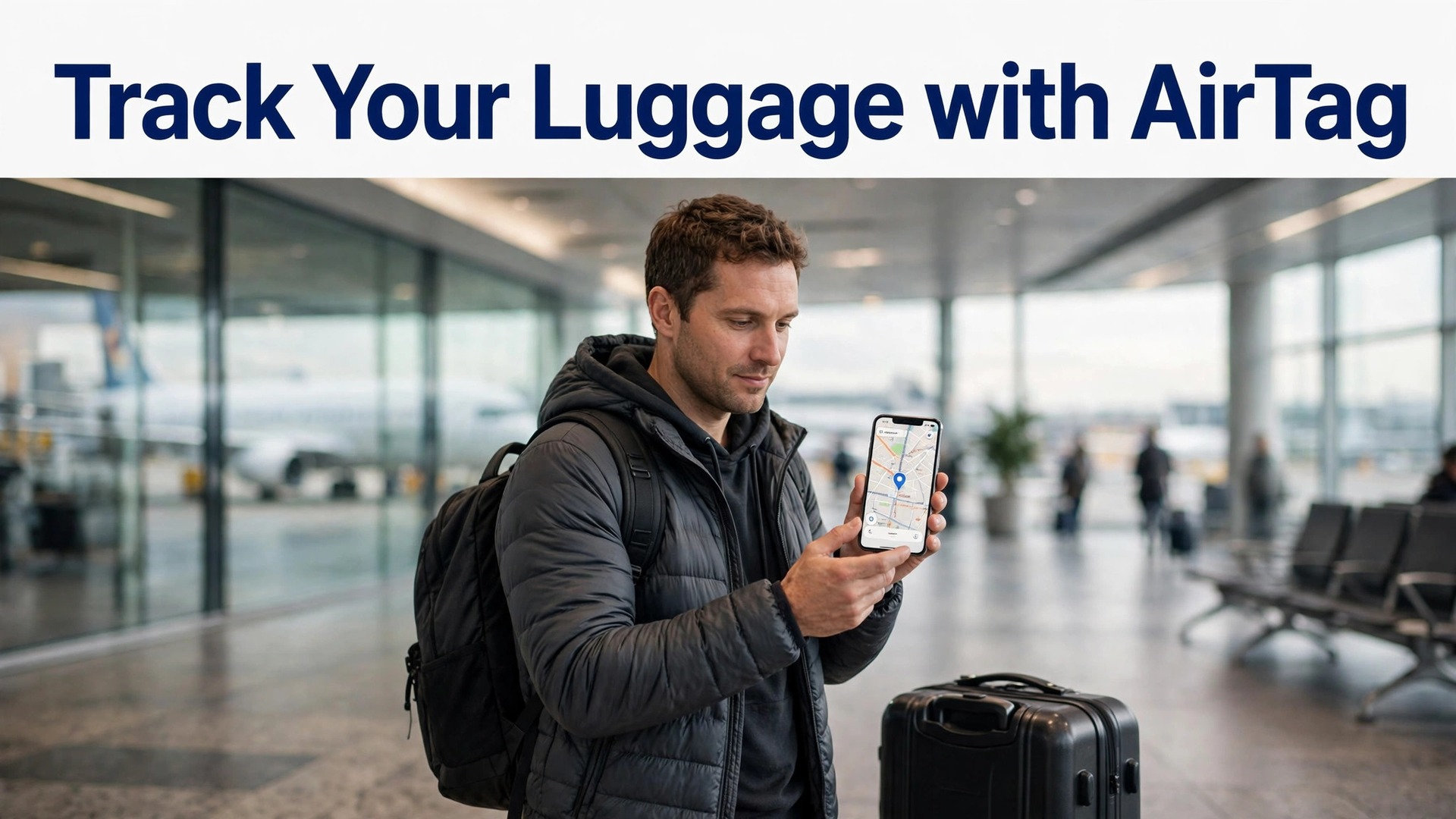
Compare two travellers whose bags miss a connection. One stands at the baggage desk describing a black suitcase, with no idea which airport holds it, waiting for a phone call that may take days. The other opens a phone, sees the bag sitting at the transfer airport, and gives the desk an exact location to work from. The difference is a coin sized tracker tucked inside the bag, set up before the trip, and that difference is why luggage tracking has become a standard part of packing for frequent flyers. This guide explains how to set up AirTag for luggage tracking properly, from pairing and placement to the lost bag workflow that turns a location dot into a recovered suitcase.
An AirTag is a small, battery powered tracker from Apple that uses the Find My network, meaning nearby Apple devices detect its Bluetooth signal and report its location anonymously to your phone. It does not need Wi-Fi, mobile signal, or a subscription on the tag itself, and its battery lasts about a year before a simple coin cell replacement. It is not a GPS tracker, and it does not show live second by second movement, but for luggage, where the question is usually which airport or which carousel area holds the bag, its updates are frequent enough to be genuinely useful.
What You Need and the Limits to Know First
You need an iPhone or iPad running a recent version of iOS or iPadOS, since AirTag setup and tracking happen in the Find My app on Apple devices. Android phones cannot set up or actively track an AirTag, though a finder with an NFC capable Android phone can tap a lost AirTag to see contact details you shared in Lost Mode. If your household uses Android, a cross platform tracker from another maker suits you better, and buying an AirTag without an iPhone is a purchase to avoid, since the tag cannot be set up at all without Apple hardware.
You also need an Apple ID with two factor authentication and Find My enabled on your iPhone, since the tag links to your account and its location appears alongside your other devices in Find My. Check that Location Services and Bluetooth are on before setup, and that the phone has a stable internet connection for account verification, since pairing can stall when any of those are off. A phone that is low on battery during setup is another avoidable stall, so charge the phone first or pair the tag at home the night before travel, not at the airport gate.
Know the limits before you rely on the tag. An AirTag location updates when a nearby Apple device passes within Bluetooth range and reports it, so a bag sitting in a busy airport updates often, while a bag in a remote warehouse with few Apple devices nearby updates rarely. Precision Finding, the feature that shows an arrow and distance to a nearby tag, works only on iPhones with Ultra Wideband, meaning iPhone 11 and later models, and only when you are close to the bag. An AirTag does not prevent a bag being lost, it does not open locked airline systems, and it does not replace a baggage claim report, which remains the official route to recovery.
Used with those limits understood, it is a powerful aid. Used as a magic solution, it disappoints.
Buy the right accessories before packing. An AirTag has no hole or loop of its own, so it needs a holder, key ring, or loop to attach to a bag, or a secure pocket inside the case if you prefer it hidden. For checked luggage, an interior pocket holder or a holder sewn into a lining pocket keeps the tag discreet and protected, while a loop on an exterior handle is easier to find for battery changes but more visible to others.
Buy a holder that closes securely, since a holder that pops open in transit leaves a loose tag rattling in the case, and a loose tag is a tag that can fall out when the case is opened for inspection.
How to set up AirTag for luggage tracking
Pairing takes about five minutes per tag, and the steps below cover a single tag for a checked bag, with notes for adding more tags for cabin bags and personal items. Pair at home, in a quiet room, with the phone nearby, since airport pairing under time pressure is where mistakes happen. To set up AirTag for luggage tracking well, name the tag by its bag before you pack it, because a tag named AirTag in a list of four identical tags helps nobody at a baggage carousel.
- Wake the tag. Remove the plastic tab from a new AirTag, or press the steel back until you hear a chime if the tag was already used, which activates the battery and makes the tag discoverable. Hold the tag near your iPhone, and a setup card should appear on the phone screen within seconds.
- Tap Connect on the setup card. If the card does not appear, check Bluetooth and Wi-Fi are on, move the tag closer to the phone, and open the Find My app manually, choosing Items, then Add Item, then AirTag, which starts the same pairing flow from inside the app.
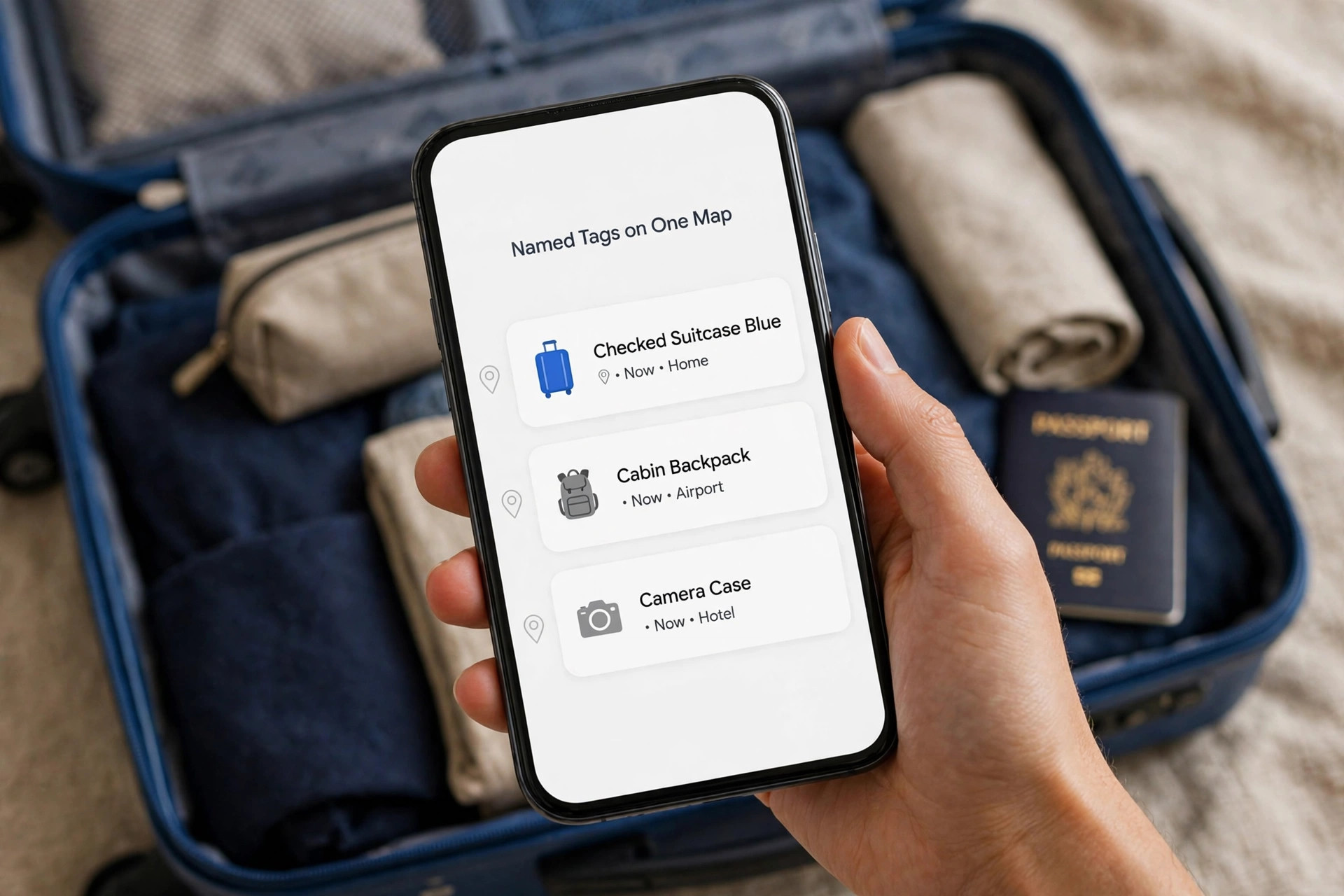
- Name the tag by its bag. Choose a clear name such as Checked Suitcase Blue, Cabin Backpack, or Camera Case, rather than accepting a generic name. A clear name matters when several tags appear on one map, and it matters even more when you share a tag location with an airline, since the airline agent needs to know which bag the dot represents.
- Assign an emoji or icon if offered, and register the tag to your Apple ID. The registration step links the tag to your account, which is what allows only you to see its location and to put it in Lost Mode later. Confirm the Apple ID shown is yours, especially on a shared family device, since a tag registered to the wrong account cannot be tracked from your phone.
- Test the location immediately. Walk to another room with the tag, open Find My, choose Items, select the tag, and confirm the location updates and that you can play a sound on the tag. A tag that pairs but never updates location usually has a phone setting problem, such as Location Services off, and finding that now beats finding it at the airport.
- Place the tag in the bag and test again. Put the tag in its holder or pocket, close the bag, and check Find My once more from a few metres away, confirming the bag location still updates through the case material. Most suitcases, backpacks, and soft cases pass Bluetooth well, but a metal hard case or a bag lined with metal foil can weaken the signal, and testing through the closed bag reveals that before travel.
- Set up sharing if travelling as a family. AirTags can be shared with up to five people, so a partner or family member travelling with you can also see the bag location and play a sound on it. Share from the tag details in Find My, choosing the family member, and confirm they can see the tag before departure, since sharing set up at the airport wastes time better spent at the gate.
Once pairing, naming, and placement tests pass, the tag is ready, but the trip preparation is not complete until the pre trip checklist in the next section is done. A paired tag in an unpacked bag helps nobody, and a tag whose battery is old, whose name is vague, or whose sharing is untested will fail at the moment it matters most. To set up AirTag for luggage tracking in full, pairing is the first half, and pre trip preparation is the second half, and both deserve the same care.
Pre Trip Setup Checklist
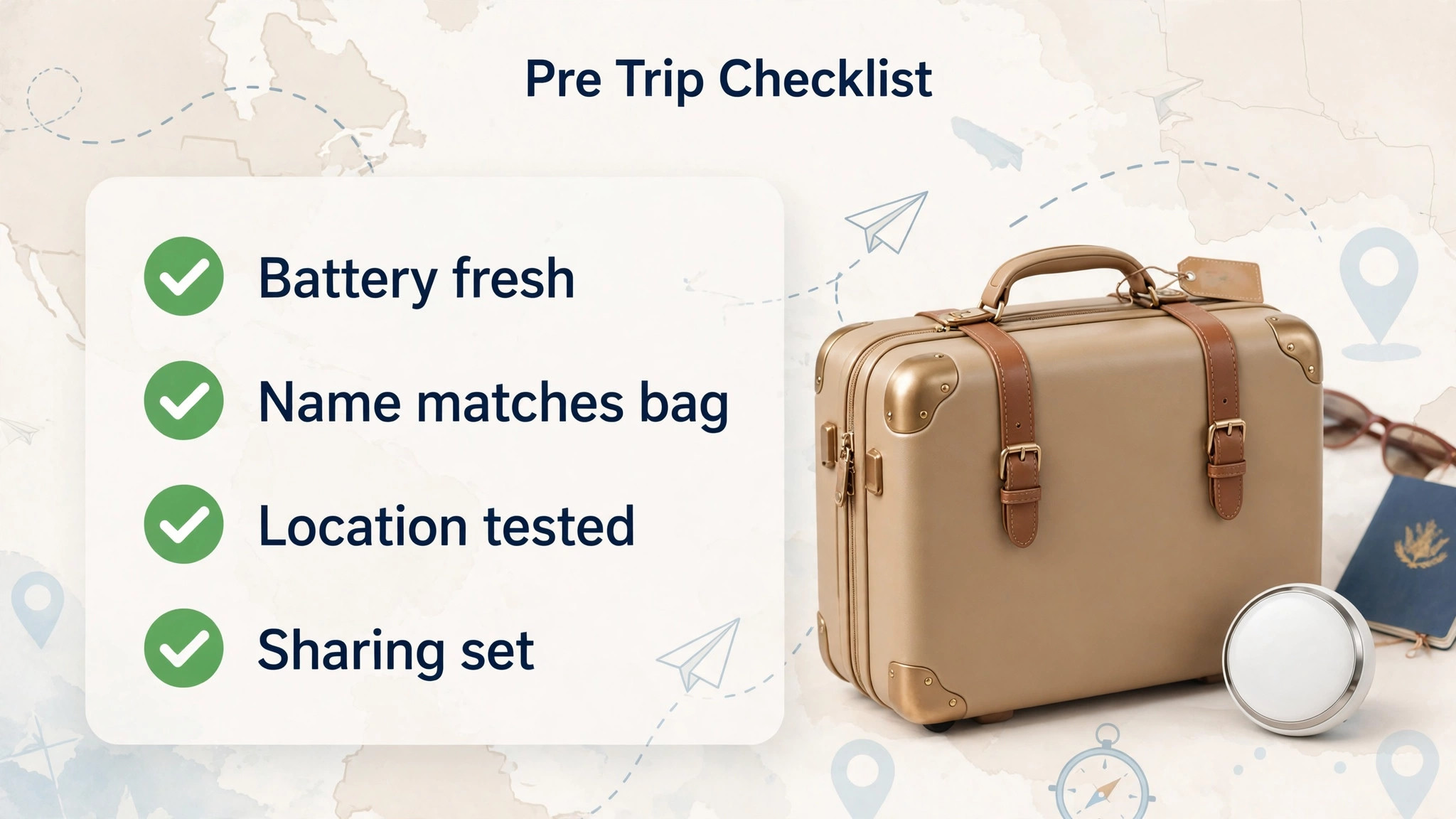
The checklist below is the overview proof companion to the lost bag workflow later, and it should be run the night before every trip, not just the first time you use the tag. A tag that worked last year may have a flat battery this year, and a bag that was checked last time may be a different bag this time, so a short recheck before each trip prevents stale setup from failing silently.
- Confirm each tag battery is fresh, by checking battery status in Find My and replacing any coin cell that shows low, since a tag that dies mid trip stops updating at the worst moment.
- Confirm each tag name matches the bag it sits in, by opening the bag and checking the tag, not by trusting memory, since bags get swapped between trips.
- Confirm Find My shows a current location for each tag, by checking from another room and playing a sound, proving the tag, phone, and network all work together.
- Confirm sharing is set for travelling companions, so a partner can also track the bag if your phone dies or is lost during the trip.
- Confirm Lost Mode contact details are ready, meaning a phone number you can answer while travelling, not a home landline nobody answers during a trip.
- Confirm the airline app and booking reference are on your phone, since a location dot helps most when paired with a claim filed promptly at the baggage desk.
- Photograph each bag, inside and out, including the tag holder position, so a description to airline staff is specific rather than a vague colour and size.
- Pack a spare coin cell battery in hand luggage, in a small case, so a tag that dies on a long trip can be revived without hunting for a battery in an unfamiliar city.
Battery replacement itself is simple and worth practising once at home, and it is a skill worth learning when you set up AirTag for luggage tracking, since a traveller who can swap a cell in two minutes never has to choose between a dead tag and a delayed flight. Press and twist the steel back of the tag counterclockwise, lift it off, replace the CR2032 coin cell with the positive side up, and press the back on until it clicks, listening for the chime that confirms the new battery works. Keep the old battery away from children and pets, since coin cells are a swallowing hazard, and dispose of it properly rather than leaving it in a travel bag.
A tag battery typically lasts about a year with normal use, but a tag that plays sounds often or sits in extreme cold may drain faster, so a pre trip check matters more than a calendar reminder.
Placement Inside Different Bags
Placement is a trade off between signal, security, and access, and the best spot differs by bag type. For a checked suitcase, an interior zip pocket near the top of the case works well, since it keeps the tag hidden, protected from handling, and accessible for battery changes without unpacking the whole case. Avoid placing the tag in an exterior pocket that can be unzipped by others, and avoid burying it under dense metal objects such as a laptop in a metal sleeve, since metal weakens Bluetooth and can delay location updates.
For a cabin backpack, an interior pocket near the top or a small pocket on the inside lid gives good signal and keeps the tag out of sight, while a key ring loop on an interior clip adds security against the tag shifting during travel. For a camera case or equipment bag, place the tag in a padded pocket away from metal lens bodies where possible, and test the location through the closed case, since equipment cases often contain metal frames that affect signal more than a soft suitcase does.
For a handbag or personal item, a slim holder in an interior pocket works, though a personal item that stays with you rarely needs tracking as urgently as checked luggage does.
Multiple tags need a system, not just more tags. Name each tag by bag and colour, as in the pairing section, and consider a simple list in your phone notes matching tag names to bags, since a map showing four dots is confusing without that list. When travelling with family, share only the tags that person needs to track, rather than sharing every tag with everyone, since a shared list cluttered with other people’s bags slows down the moment when speed matters. Test the full set together before departure, checking that every tag updates, since a set test reveals a flat battery or a misnamed tag that a single tag test would miss.
Test placement on a short domestic trip before relying on it internationally, since a placement that updates well through a soft cabin bag may update slowly through a metal framed hard case, and learning that difference on a short trip costs little. A quick test also confirms that the holder stays closed during handling, that the tag survives baggage loading without shifting, and that the battery still shows healthy after the journey. That small rehearsal is part of how you set up AirTag for luggage tracking for real travel, not just for a pairing screen at home. Security thinking belongs here too.
An AirTag inside a bag is discreet, which is good, but it also means a thief who opens the bag may find and discard it, so a tag is not a theft prevention device and should not be relied on for high value items alone. For valuable equipment, combine tracking with insurance, photographs, and a record of serial numbers, since recovery of a stolen item needs more than a location dot. Also respect privacy rules, since an AirTag must only track your own property with the knowledge of people travelling with you, and placing a tag in someone else bag without consent is misuse, not clever packing.

Lost Bag Recovery Workflow
When a bag does not arrive, the workflow below turns panic into a sequence, and the order matters, since airline staff can act faster with a location and a claim number than with either alone. Stay calm, work the steps, and keep notes of times, names, and reference numbers, since a lost bag case can last days and memory fades faster than the case does.
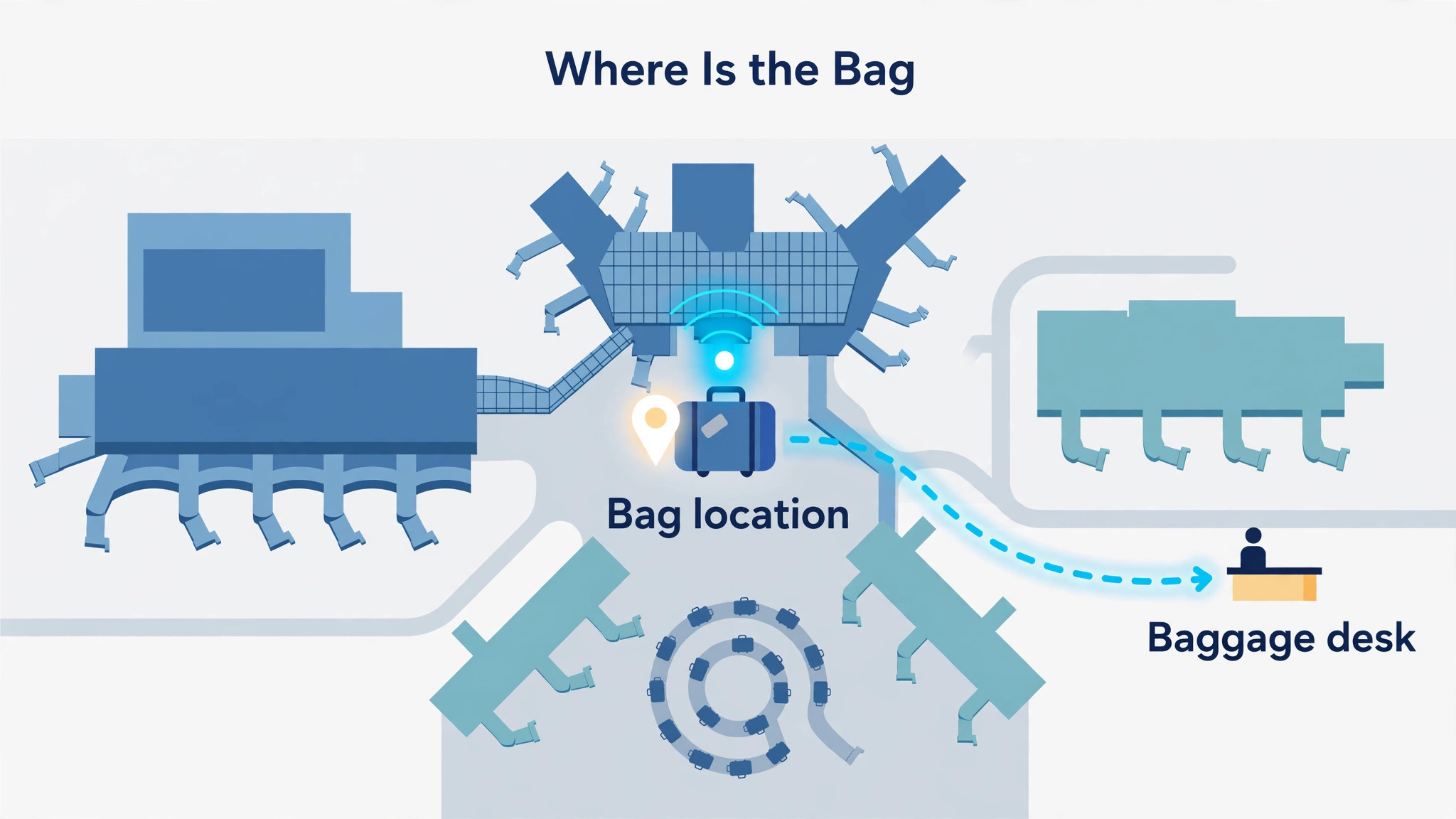
First, check Find My before leaving the baggage hall, and note the bag last known location, the time of that update, and whether the location is moving or static. A bag showing at your arrival airport, even in a staff area, is likely to appear on a later carousel or be delivered, while a bag showing at the departure or transfer airport has missed a connection and needs routing. Screenshot the location and time, since the map updates and a screenshot preserves the evidence of where the bag was when you first checked.
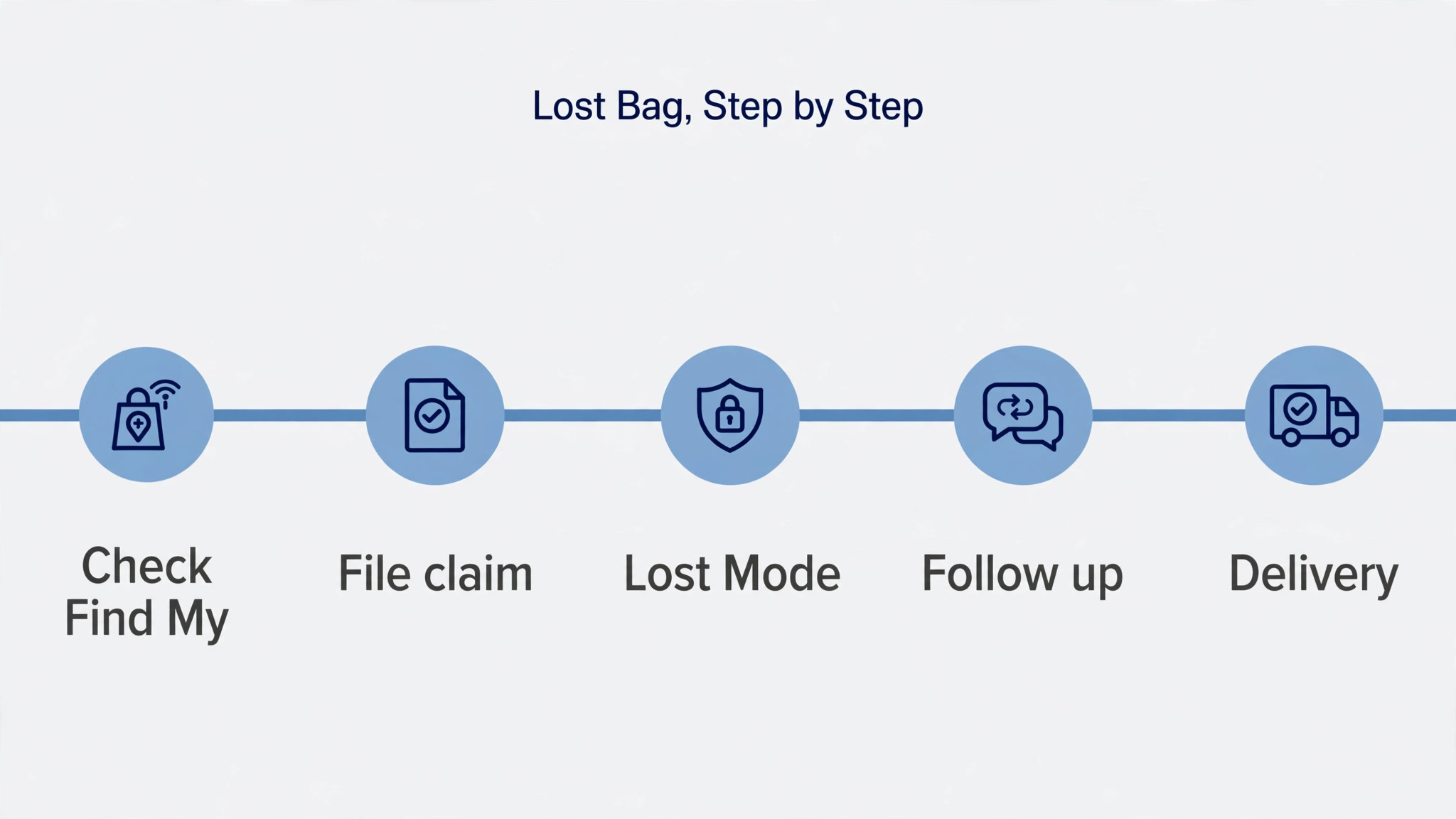
Second, go to the airline baggage desk before leaving the airport, and file a Property Irregularity Report, giving the bag description, photographs, and the AirTag location you just noted. Ask the agent to record the location in the report, and ask for the reference number and a phone number or web link for updates, since a report without a reference is hard to chase. If the airline supports sharing an AirTag location link, generate a Share Item Location link in Find My and share it as the airline directs, noting that such links typically expire after a set period, often seven days, so share promptly rather than waiting until the next day.
Third, enable Lost Mode in Find My for the missing bag tag, adding a phone number you can answer while travelling and a short message asking the finder to contact you. Lost Mode also sends you a notification when the tag is detected by the Find My network, which is useful for overnight updates when you are not watching the map. Do not share your home address in the Lost Mode message, and use a travel phone number or a number that reaches you on the trip, since a finder contacting a home number while you are abroad helps nobody.
Fourth, follow up with the airline using the reference number, checking the bag location yourself each morning and evening, and passing new locations to the airline when the bag moves. If the bag moves to a new airport, tell the airline promptly, since routing decisions happen on current location, and a bag that moved yesterday may already be on a new flight by the time an agent checks an old location. Keep every update polite and specific, with times and locations, since a clear update gets action faster than a frustrated call without details.
Fifth, when the bag is found, confirm delivery details and check contents promptly on receipt, noting any damage or missing items before signing for delivery if possible. Remove Lost Mode once the bag is back, check the tag battery after a long ordeal, since frequent location updates and sound plays drain it faster, and store the claim reference until any compensation or expense claim is settled. A bag recovered quickly still deserves a post trip review, since the same routing fault may affect your next trip on the same route.
Return journeys deserve the same checklist as outbound journeys, because bags are repacked, tags move between bags, and batteries age during a trip. Run the pre trip checklist again before the return flight, checking names, batteries, and locations, and repack tags into the bags they belong to rather than leaving a tag in a bag that stays at the hotel. A tag left in a hotel room bag tracks the hotel, not your luggage, and that confusion at the airport is entirely avoidable with a two minute recheck.
At home, AirTags earn their keep beyond travel, tracking keys, wallets, backpacks, and camera bags in daily life, and the same naming and sharing habits apply. A tag on a key ring that is shared with a partner helps both people find keys, while a tag in a backpack helps a student or commuter track a bag left on a train. The habit of checking battery status monthly, rather than only before trips, keeps home tags reliable too, and a tag that works daily is a tag you trust on a trip.
Battery and safety habits round out home use. Store spare coin cells safely away from children, replace batteries promptly when Find My warns of low charge, and wipe tags occasionally, since a tag in a bag pocket collects dust and lint that can affect the speaker sound. If a tag is damaged, cracked, or swollen, stop using it and replace it, since a damaged coin cell device should not travel in checked luggage. These habits are small, but they keep a simple device simple, which is the whole point of choosing an AirTag over a more complex tracker.
When you set up AirTag for luggage tracking with return journeys included, the system becomes a habit rather than a one trip project. A traveller who rechecks tags on the return leg also catches the tag that was moved to a different bag during the trip, the battery that faded in cold cargo holds, and the sharing permission that expired when a companion changed phones, all small faults that a single outbound check would miss. Pack, check, fly, recover if needed, recheck, and repeat, and the tag fades into the background of travel, appearing only when it matters, which is exactly how good travel gear should behave.

More Reading on Stratilyze
More Reading on Stratilyze. Travel gear setup continues beyond tracking, so the guides on Apple Watch for family safety and Bluetooth speakers for outdoor movies cover other devices travellers pack, and the guide on home Wi-Fi mesh networks for a small house helps when Find My syncing feels slow at home. Read the family safety guide first if children travel with you, since shared tracking for family devices uses similar sharing habits.
Frequently Asked Questions
Does an AirTag need a subscription or mobile signal to work?
No, an AirTag has no subscription and no mobile signal of its own. It sends a Bluetooth signal that nearby Apple devices detect and report anonymously through the Find My network, so your phone shows its location whenever another Apple device passes near it. Your phone needs internet to view the map, but the tag itself needs neither Wi-Fi nor mobile signal, which is why it works in airports and baggage halls where your own signal may be weak.
Can I track my checked bag in real time during a flight?
Not in real time second by second, since AirTag updates depend on nearby Apple devices reporting the tag, and updates pause while the bag is in a cargo hold with few devices nearby. In practice, you see frequent updates in busy airports, occasional updates during transfers, and a fresh update when the bag reaches a busy area again. For luggage purposes, knowing which airport holds the bag and whether it is moving is usually enough, even without live tracking.
What should I do if the airline will not accept my AirTag location?
File the baggage claim anyway, give the location verbally and in writing, and keep the screenshot with its time stamp, since the claim is the official route and the location is supporting evidence. Some airlines now accept shared location links directly, while others work from their own baggage systems and use your location as a cross check. A polite, specific update with times and locations helps staff act, even when their system cannot ingest a link directly.
How long does an AirTag battery last, and how do I replace it?
A standard CR2032 coin cell typically lasts about a year with normal use, though frequent sound plays and extreme temperatures can shorten that. Replace it by pressing and twisting the steel back counterclockwise, swapping the cell with the positive side up, and pressing the back on until it clicks, listening for the confirmation chime. Check battery status in Find My before trips, and carry a spare cell in hand luggage on long journeys.
Can someone else track me with an AirTag placed in my bag?
Apple built unwanted tracking alerts into the system, so an iPhone will warn you if an unknown AirTag travels with you, and an AirTag separated from its owner will play a sound after a period of time. If you receive such an alert, follow the on screen steps to find the tag, disable it, and check its serial number information. Only track your own property, with the knowledge of companions, since tracking another person belongings without consent is misuse.
Is an AirTag allowed in checked luggage on flights?
Yes, AirTags in checked luggage are generally allowed, since they use low power Bluetooth and a small coin cell, though airline and country rules can change, so check your airline guidance before a trip if you are unsure. Keep the tag inside the bag rather than loose, and carry a spare battery in hand luggage rather than checked luggage where possible. If an airline asks about tracking devices at check in, answer honestly and show the tag if requested.
Pack, Pair and Fly With Less Worry
Luggage tracking does not remove the annoyance of a delayed bag, but it removes the worst part, which is not knowing where the bag is or whether anyone is looking in the right place. A paired tag, a clear name, a tested location, and a calm recovery workflow turn a helpless wait into a specific task with a reference number, a location, and a next update time.
Run the pre trip checklist the night before your next flight, even if you have used the tag before, and share the bag location with a travelling companion, so a lost phone does not mean a lost bag as well. Small preparation, done at home, pays off in the baggage hall, where time and patience are both in short supply. To set up AirTag for luggage tracking and keep it working trip after trip, the rule is simple. Pair carefully, place thoughtfully, check before every flight, and act promptly with the airline when a bag goes missing, using the location as evidence, not as a replacement for a claim.
