
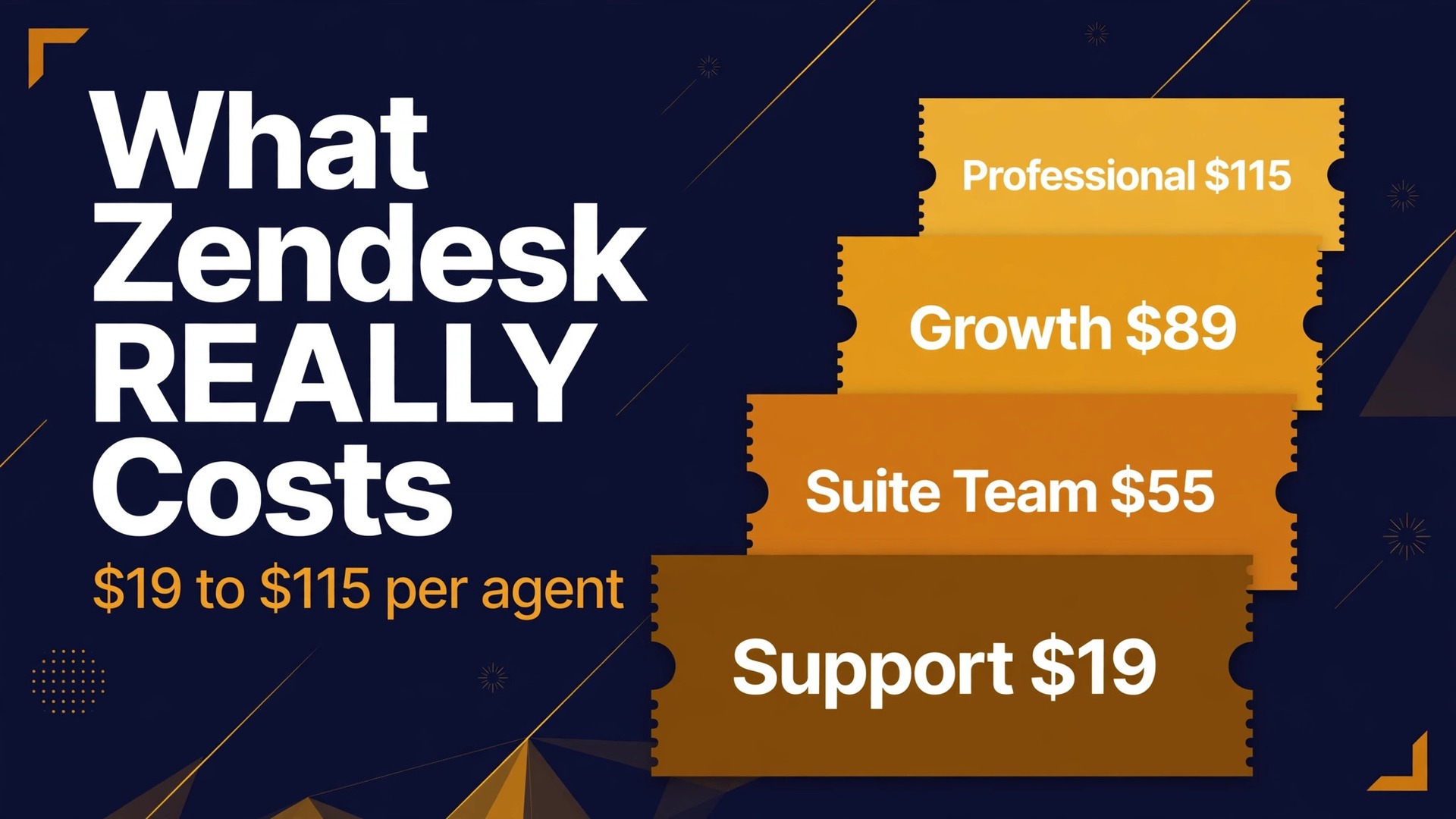
Freshdesk Growth costs about 15 dollars per agent a month, while Zendesk Suite Team costs about 55 dollars per agent a month, and that gap makes many small businesses ask whether Zendesk is simply overpriced. The answer is more interesting than the gap suggests, because Zendesk is a fuller service suite with omnichannel routing, a help centre, and AI tools that a cheaper inbox does not try to match. This guide sets out the cost of Zendesk for small business monthly on that basis, comparing the seat total with the work it actually covers, rather than comparing a single per agent price in isolation.
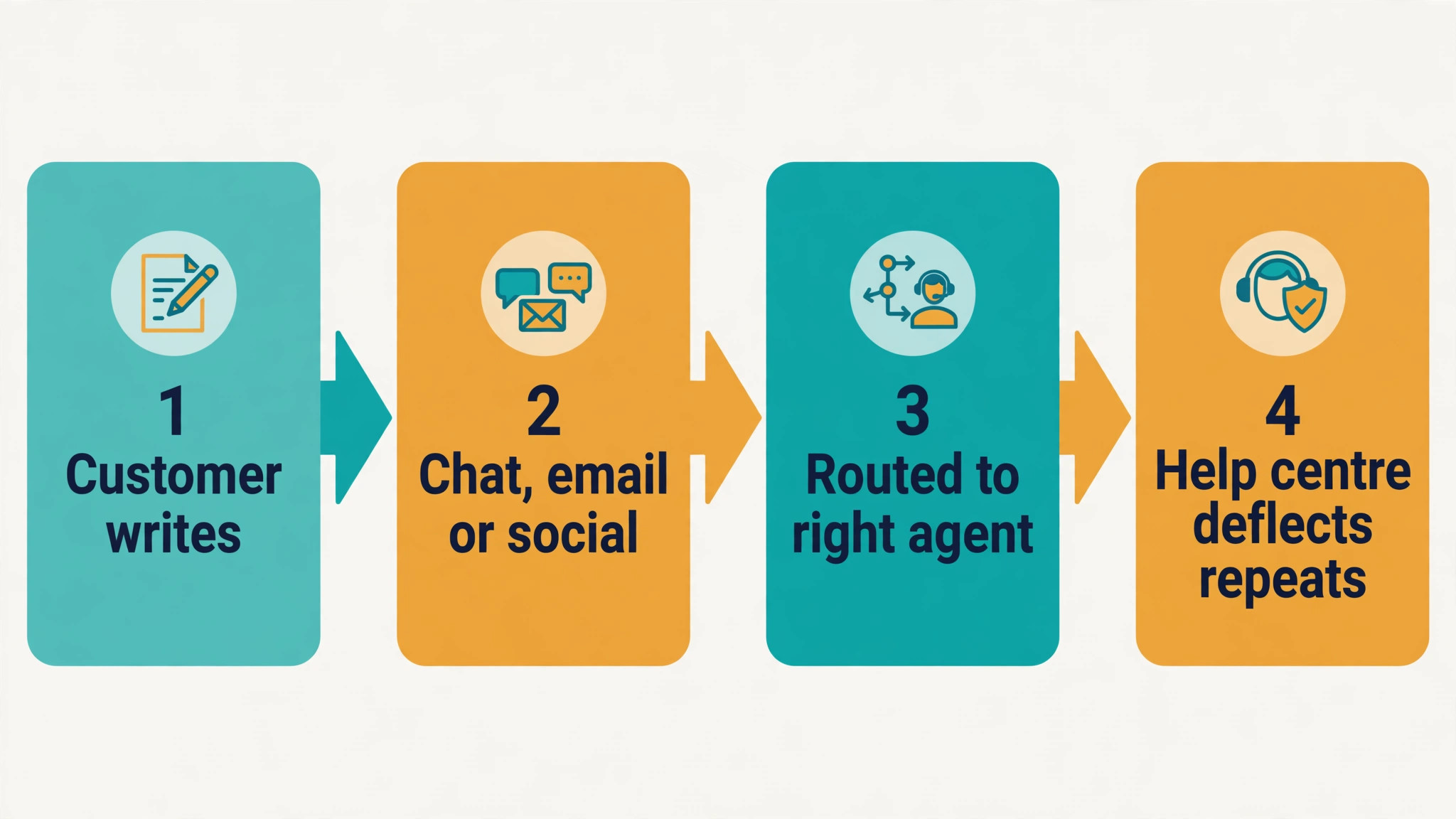
Zendesk Suite is the main product for a small support team. It combines email, messaging, live chat, social messaging, and telephony in one workspace, with a help centre for self service and routing rules that send each ticket to the right person. Support Team, at a lower price, covers ticketing only, without the full suite channels and help centre. That distinction matters, because a business that needs chat and a help centre cannot use the cheapest Zendesk price as its budget, even though that price appears first on the pricing page.
The cost driver is agents, and every paid agent adds the full tier rate. Light agents, where available on higher tiers, can reduce the cost for occasional contributors, but a core support team will pay the full rate for each person handling tickets daily. Add-ons are also charged per agent, so Copilot, workforce tools, and quality tools multiply with team size in the same way as seats. That per agent stacking is why a Zendesk bill can rise far above the headline seat price.
| Plan | Annual price per agent each month | Monthly billing note | Core scope |
|---|---|---|---|
| Support Team | 19 dollars | Higher on monthly billing | Ticketing only |
| Suite Team | 55 dollars | Higher on monthly billing | Omnichannel suite, one help centre |
| Suite Growth | 89 dollars | Higher on monthly billing | Multiple help centres, routing, light agents |
| Suite Professional | 115 dollars | Higher on monthly billing | Custom reporting, SLAs, community |
| Suite Enterprise | Custom quote | Custom quote | Custom roles, sandbox, many brands |
Prices here are United States list prices as reported in September and October 2026 comparison coverage, on annual billing. Monthly billing runs roughly 20 percent to 30 percent higher, depending on the tier, with Suite Team reported at 69 dollars and Suite Professional at 149 dollars on monthly billing. Enterprise was last reported at 169 dollars per agent a month before moving to quote only. Confirm the current prices on the vendor page before you buy, because Zendesk changes packaging and AI pricing more often than many rivals.
Why a Per Agent Price Tells Only Part of the Story
A per agent price looks simple, but it hides three separate multipliers. The first driver of the cost of Zendesk for small business monthly is the number of agents. The second is the add-on stack, because Copilot and workforce tools are charged per agent and can nearly double a seat. The third is AI usage, because automated resolutions beyond the included allowance are charged per resolution, and that charge moves with ticket volume rather than with team size. A team with many tickets and few agents can therefore pay more in AI fees than a larger team with fewer tickets.
The included AI allowance also matters. Suite Team includes about five automated resolutions per agent a month, Suite Professional about ten, and Suite Enterprise about fifteen, according to comparison coverage, with a yearly cap on allocated resolutions. Extra resolutions cost about 1 dollar and 50 cents each on a committed volume, or 2 dollars each pay as you go. A team that resolves 500 conversations a month with AI will pay far more in AI fees than a team that resolves 50, even on the same plan and seat count. Estimate AI cost from your last three months of tickets, not from a generic example.
Channel needs are the other hidden driver. A business that only handles email can use Support Team or a cheaper rival, while a business that needs chat, messaging, phone, and a help centre needs Suite, and the Suite price is the honest starting point. A business that adds phone later must also price the Contact Center add-on, reported at 83 dollars per agent a month in some coverage and at 50 dollars in other coverage, so confirm the current figure in a written quote. Buying the wrong starting tier and then adding channels one by one is the most expensive way to build a support stack.
Support Team at 19 Dollars per Agent Each Month
Support Team is the entry point for a business that needs a shared ticket inbox and little else. It covers email ticketing, basic workflows, and agent collaboration, and it suits a tiny team that handles support by email and does not yet need chat, a help centre, or phone. For a founder answering support alone, or a two person team with low ticket volume, Support Team gives a professional ticket system at a price that a small business can justify without a long debate.
The limits are clear and should be tested honestly. Support Team does not include the full Suite channels, the help centre, or the AI allowance that Suite plans carry in the same way, and a business that needs self service articles or live chat will quickly feel constrained. A team that starts on Support Team for the price and then adds chat through a separate tool may end up paying more overall, while managing two systems. Choose Support Team only when email ticketing is genuinely the whole job for the next twelve months.
Support Team also suits a business that wants to learn Zendesk workflows before committing to Suite, provided the trial and early months test real tickets rather than demo data. Run the busiest week of tickets through Support Team, check whether the lack of a help centre creates repeat questions, and ask whether agents spend time answering the same query by email. If repeat questions dominate, Suite Team and a help centre will save more than the price difference.

Suite Team at 55 Dollars per Agent Each Month
Suite Team is the real entry point for most small businesses, because it adds messaging, live chat, social messaging, and one help centre to the core ticketing system. A customer can start on chat, move to email, and find a help article without the business managing three separate tools. That omnichannel view is the main reason to pay 55 dollars rather than 19 dollars, and it is worth the difference when customers contact a business through more than one channel every week.
The help centre is the feature that most changes daily work on Suite Team. A well written set of articles can deflect repeat questions, reduce ticket volume, and give customers an answer at night when no agent is online. That deflection only works if the articles are written, maintained, and linked from the website and from chat, which takes time in the first month. A business that buys Suite Team but never publishes articles pays for self service it does not use, and should either commit to the help centre or reconsider the tier.
Suite Team suits a team of one to five agents with moderate ticket volume, several channels, and a need for basic self service. It suits a growing ecommerce store, a software business with a help centre, and a service firm that takes bookings and questions through chat and email. It is less suited to a team that needs multiple help centres, advanced routing, or formal service level agreements, because those features start on Growth and Professional. Test Suite Team with real channels, not with email alone, before deciding it is enough.
Suite Growth at 89 Dollars per Agent Each Month
Suite Growth adds multiple help centres, skills based routing in some packaging, light agents, and stronger service level tools, depending on the current plan comparison. The practical benefit is control over who handles what, and a help centre structure that fits several brands, languages, or customer groups. A business that serves distinct audiences, such as consumers and trade customers, will value separate help centres more than a business with one audience and one product.
The jump from Suite Team to Growth is 34 dollars per agent a month on annual billing. For a five agent team, that is 170 dollars a month, or 2,040 dollars a year. That increase in the cost of Zendesk for small business monthly is justified when routing saves agent time, when multiple help centres reduce confusion, or when light agents let occasional contributors help without a full seat price. It is not justified when a single help centre and simple routing already handle the work, because the extra features will sit unused while the bill rises.
Growth also suits a team that is starting to formalise support, with service level targets, ticket forms, and customer satisfaction surveys. Those tools help a manager see which ticket types miss targets and which customers are unhappy, rather than relying on anecdote. A team that does not yet review support performance weekly may not need them, and should stay on Suite Team until a manager owns that review. Buy the tier that matches the management habit, not the habit you hope to develop.
Suite Professional at 115 Dollars per Agent Each Month
Suite Professional is the tier for a team that needs custom reporting, skills based routing, service level management, community forums, and compliance features such as HIPAA in the reported packaging. It suits a support operation that is no longer a side job for the founder, but a function with targets, reporting, and accountability. A manager on Professional can build the report that shows resolution time by ticket type, agent workload, and satisfaction, and can act on it rather than guessing.
The jump from Growth to Professional is 26 dollars per agent a month, or 130 dollars a month for five agents. That increase is easier to justify than the Growth jump when reporting changes a staffing or product decision, because a single insight about a repeat product fault can save far more than the tier difference. It is harder to justify when a team already receives the reports it needs on Growth, or when no one reads the reports that Professional would add. Ask the support manager to name the three reports they need that Growth cannot produce, and price the tier on that answer.
Professional also adds depth for a team that handles sensitive data or works with larger customers that require compliance assurances. HIPAA and advanced security controls matter greatly to health and enterprise facing businesses, and not at all to a small shop selling crafts. Let a customer requirement or a compliance need decide that part of the purchase, rather than a general sense that a higher tier must be safer. The cost of Zendesk for small business monthly on Professional should be tied to named reporting and compliance jobs, not to prestige.
Suite Enterprise on a Custom Quote
Enterprise removes the published price and replaces it with a sales conversation, which is a signal in itself. It adds custom agent roles, a sandbox environment, up to 300 help centres in the reported packaging, and advanced control for a large or complex support operation. A small business rarely needs that depth, and a business that does need it will usually have a support manager, a larger agent team, and a procurement process that expects a quote.
The risk with Enterprise for a small business is not only price, but time. A quote process, a security review, and a custom implementation take weeks, while a published Suite plan can be bought and tested in days. A small team that enters an Enterprise conversation without a clear requirement for custom roles or a sandbox will spend management time on a tier it does not need. Stay on Professional until a concrete requirement, such as a customer audit or a multi brand structure, makes Enterprise unavoidable.
Enterprise can still be the right choice for a fast growing business that expects to scale well beyond twenty five agents, or for a business with many brands that need separate help centres and permissions. In that case, request a written quote that states the per agent rate, the included AI allowance, the add-on rates, and the contract length, and compare it line by line with Professional plus add-ons. A quote that cannot be compared in that way is not yet ready to sign.
Cost of Zendesk for Small Business Monthly by Agent Count
The table below shows seat totals on annual billing, before add-ons, AI overages, and tax. It is the baseline to put in a budget, because a per agent price alone hides how fast the bill grows with hiring. Multiply any monthly figure by twelve for the annual seat total, and remember that monthly billing will cost more.
| Agents | Support Team each month | Suite Team each month | Suite Growth each month | Suite Professional each month |
|---|---|---|---|---|
| 1 agent | 19 dollars | 55 dollars | 89 dollars | 115 dollars |
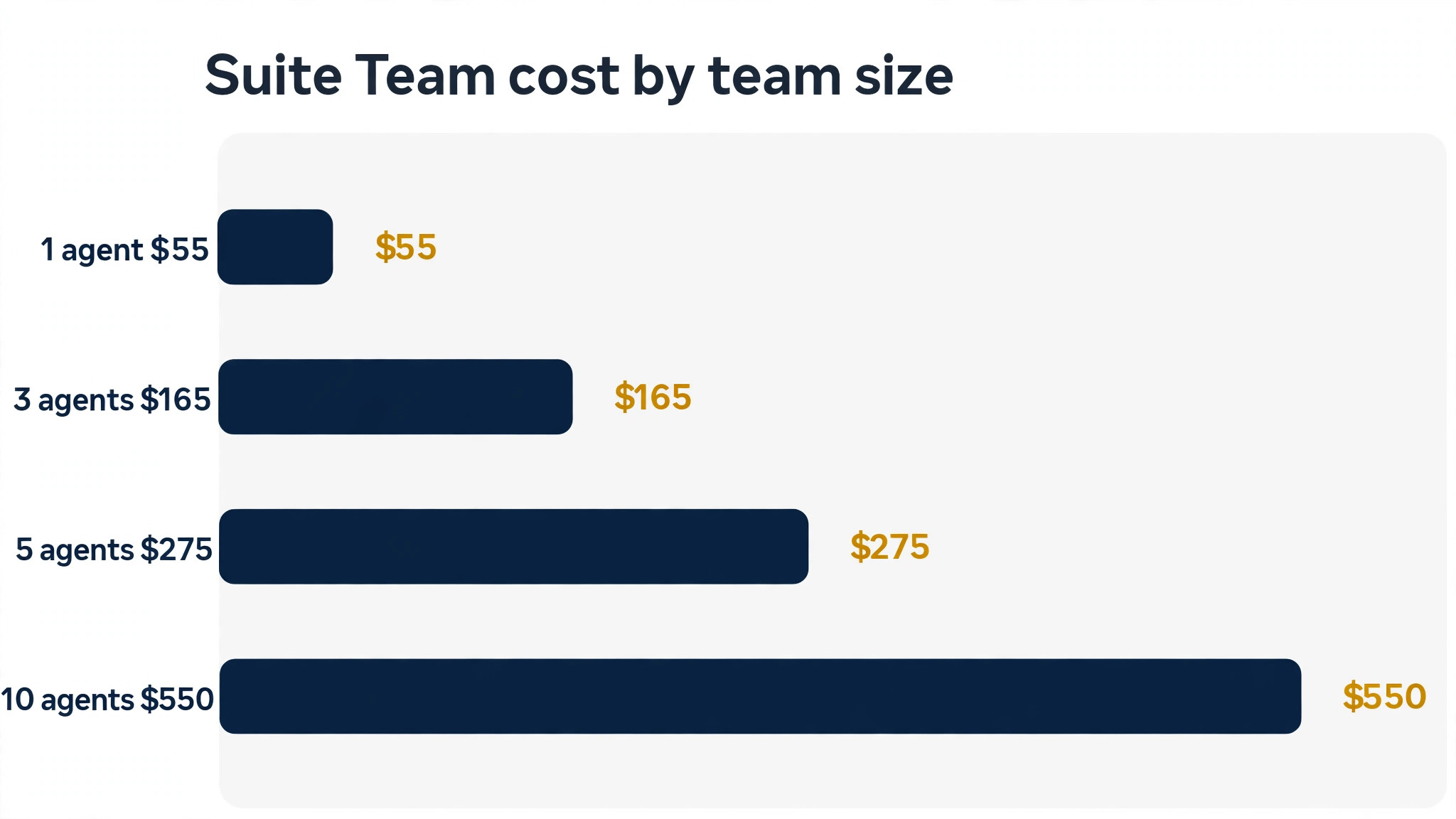
| 3 agents | 57 dollars | 165 dollars | 267 dollars | 345 dollars |
| 5 agents | 95 dollars | 275 dollars | 445 dollars | 575 dollars |
| 10 agents | 190 dollars | 550 dollars | 890 dollars | 1,150 dollars |
| 25 agents | 475 dollars | 1,375 dollars | 2,225 dollars | 2,875 dollars |
A solo agent on Suite Team pays 55 dollars a month, which is a reasonable price for an omnichannel suite and a help centre. A three agent team on Suite Team pays 165 dollars a month, while the same team on Professional pays 345 dollars a month. That gap of 180 dollars a month should be judged against the reporting, routing, and service level tools that Professional adds, and against the time those tools save a manager each week.
At ten agents, Suite Professional reaches 1,150 dollars a month for seats alone, or 13,800 dollars a year. At that size, add-ons and AI fees become as important as the seat price, because Copilot for ten agents adds 500 dollars a month and a workforce bundle adds a similar amount. At twenty five agents, Suite Professional seats alone reach 2,875 dollars a month, and the total with add-ons and AI can easily exceed 4,000 dollars a month. A team of that size should negotiate the renewal and review agent usage quarterly, because a few dormant seats cost hundreds of dollars a month.
AI, Copilot, Workforce, and Other Add-Ons
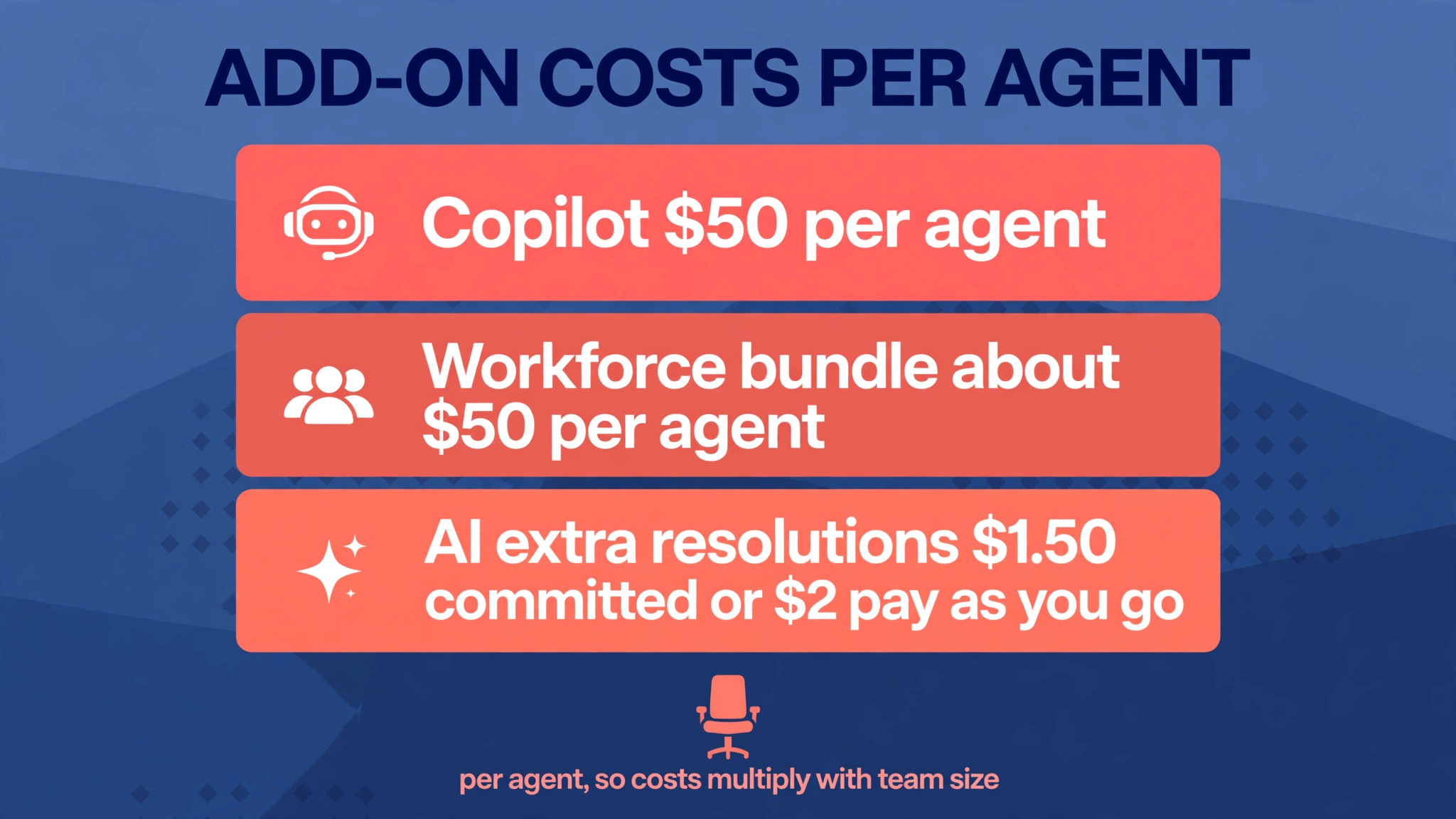
Copilot is the add-on most teams notice first, because it assists human agents with suggested replies, summaries, and next steps. It is reported at 50 dollars per agent a month on annual billing, which is nearly the price of a Suite Team seat. For a five agent team, Copilot adds 250 dollars a month, and for ten agents it adds 500 dollars a month. That cost in the cost of Zendesk for small business monthly is justified when it saves measurable handling time or improves first reply quality, and it should be tested with real tickets and a time comparison, not accepted on a demo.
Workforce management and quality assurance are reported as separate add-ons, at about 25 dollars per agent a month for workforce management and about 35 dollars for quality assurance, with a combined bundle at about 50 dollars per agent a month in some coverage. Those tools suit a team that schedules shifts, forecasts ticket volume, and reviews ticket quality formally. A small team with a simple rota and informal quality checks does not need them, and should not buy them because they appear on the pricing page.
AI agents for customers are priced differently from Copilot, because they are charged by automated resolution rather than by agent. After the included allowance, extra resolutions cost about 1 dollar and 50 cents each on a committed volume or 2 dollars pay as you go. A team with 500 extra resolutions a month would add 750 dollars on committed pricing, which is more than the seat cost for a small team. That is why AI volume, not agent count, is the line to forecast carefully, and why a help centre that deflects tickets before they reach AI can save more than a cheaper AI rate.
Contact Center, voice, and data privacy add-ons complete the stack, with Contact Center reported at 50 dollars to 83 dollars per agent a month depending on the source and package. That range is a warning to get a written quote for your exact setup, rather than budgeting from a single comparison page. Voice minutes, storage, and other usage charges may also apply, so ask for a total cost quote based on your actual ticket and call volume before signing.
Charges That Catch a Small Team by Surprise
Monthly billing is the first surprise, because it can add 20 percent to 30 percent to the per agent rate. A team that budgets on the annual price but pays monthly will see a higher invoice every month, and the difference over a year can run to thousands of dollars for a larger team. Decide the billing term with finance, not with the person who clicks the checkout button, and put the renewal date in the calendar.
AI overages are the second surprise, because they move with ticket volume and can spike in a busy month. A product launch, a service outage, or a seasonal rush can create many more AI resolutions than a normal month, and the extra resolutions bill at the committed or pay as you go rate. Set an alert or a cap where the product allows it, review AI usage monthly, and improve help centre articles for the questions that AI resolves most often, because deflection is cheaper than resolution.
Dormant seats, unused add-ons, and duplicate tools are the third surprise in the cost of Zendesk for small business monthly. Every agent who leaves and keeps a seat, every Copilot licence for an agent who never uses it, and every workforce tool for a team that still schedules in a spreadsheet adds cost without benefit. Review the agent list, add-on list, and AI usage every quarter, with one owner responsible for the subscription. That review is the cheapest cost saving available to a support team.

Mistakes That Inflate a Zendesk Bill
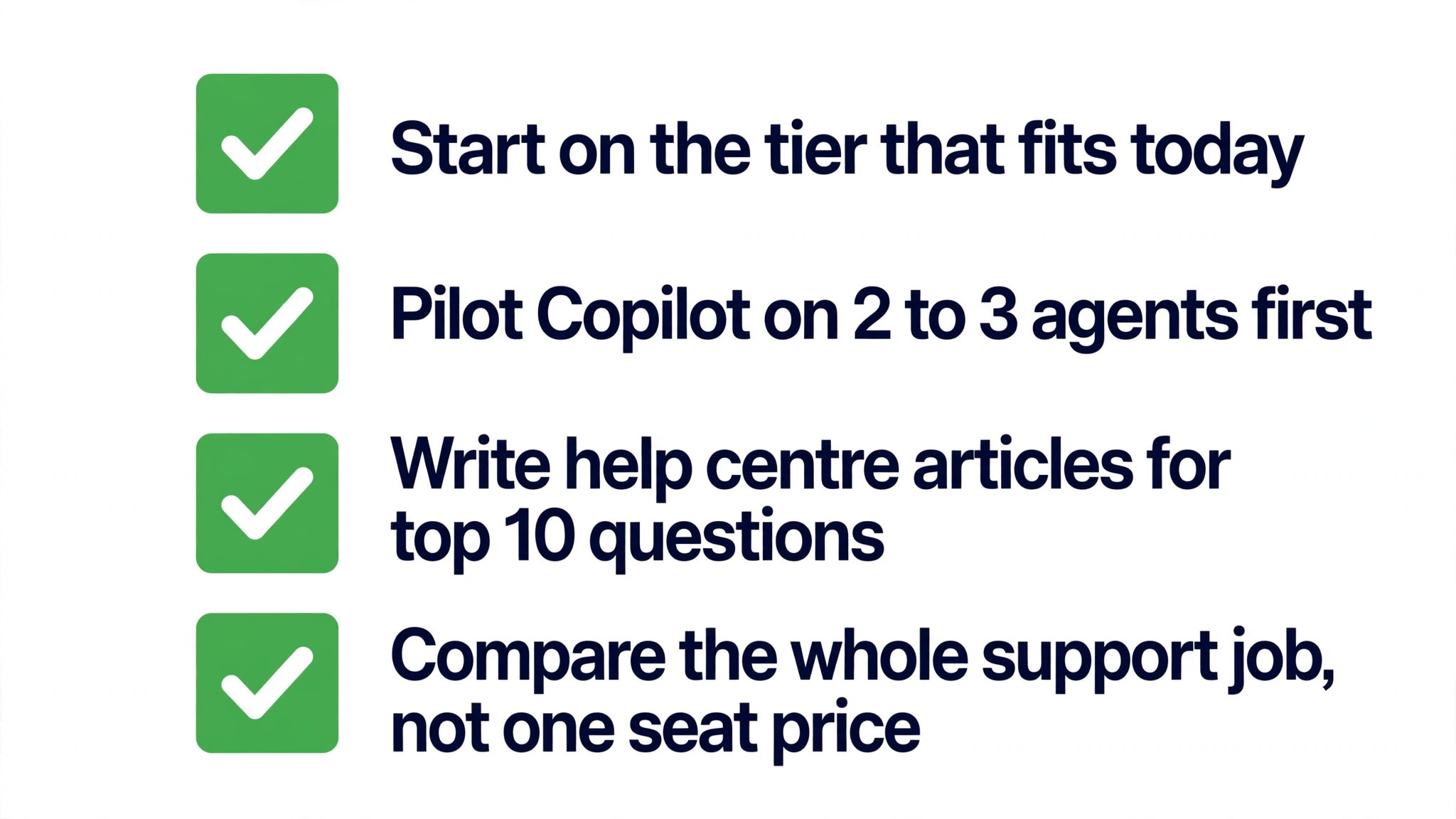
The first mistake is buying Suite Professional for a team that only needs Suite Team, because the higher tier sounds more professional. Professional reporting and routing are powerful, but they only pay when a manager uses them weekly to change staffing, product, or process. A team that never opens a custom report pays 60 dollars more per agent a month than Suite Team for no benefit, which is 300 dollars a month for five agents. Start on the tier that fits the current management habit.
The second mistake that raises the cost of Zendesk for small business monthly is adding Copilot to every agent before testing it on a few. Copilot can save time, but the saving varies by ticket type, agent experience, and help centre quality. Pilot it with two or three agents for a month, measure handling time and satisfaction, and roll it out only to the agents and ticket types where it clearly helps. A full rollout without a pilot is a fast way to add 500 dollars a month for a ten agent team without evidence.
The third mistake is ignoring the help centre when budgeting AI costs. A help centre article that answers a repeat question can prevent a ticket entirely, which saves both agent time and AI resolution fees. A team that buys AI without investing in articles pays to resolve questions that a good article would have deflected for free. Write articles for the ten most common questions first, link them from chat and email, and measure deflection before increasing AI volume.
The fourth mistake is comparing Zendesk with a cheaper inbox on seat price alone, without comparing channels, routing, and AI. A cheaper inbox may save 40 dollars per agent a month while costing hours in manual routing, missing chat, or separate help centre tools. Price the whole support job, including the tools that would be needed to match Zendesk channels, and the gap often narrows. Choose the cheaper tool when the job is truly email only, and choose Zendesk when the job is omnichannel.
A Sensible Way to Choose and to Negotiate
Start by listing the channels you handle, the ticket volume by channel, and the reports your manager actually needs each week. That list decides between Support Team and Suite, and between Suite Team, Growth, and Professional, more reliably than any feature comparison. Then count agents who handle tickets daily, light agents where available, and occasional contributors who only need to view tickets. That count decides the seat total, and it often reveals dormant or duplicate seats before purchase.
Next, run a trial with real tickets, real channels, and a real help centre article, and measure handling time, first reply time, and satisfaction. Test Copilot with a small pilot, and estimate AI resolutions from your ticket history rather than from a vendor example. Ask sales for a written quote that states the per agent rate, billing term, add-on rates, AI allowance and overage rate, and contract length, and compare that quote with the tables in this guide. A quote that hides any of those lines is not ready to sign.
For negotiation, the strongest levers are annual commitment, agent count accuracy, and add-on scope. An annual commitment usually secures the lowest per agent rate, while a clean agent list avoids paying for dormant seats. Removing an unused add-on or limiting Copilot to the agents who benefit can save more than a small discount on the seat price. At renewal, bring usage data, including tickets, AI resolutions, and add-on usage, and ask for a rate that reflects that actual usage rather than the original quote.
Final Recommendation by Team Size and Need
Support Team fits a tiny email only operation with one or two agents and low ticket volume, where a shared inbox is the whole job. It is a low cost start, and it should be kept only while chat, help centre, and phone remain unnecessary. The moment customers ask for chat or self service regularly, Suite Team becomes the honest baseline, and delaying that move creates more work than it saves.
Suite Team fits most small businesses, from a solo agent with several channels to a five agent team with a help centre and moderate volume. It balances price, channels, and self service, and it is the tier to choose when in doubt. Growth fits a team with multiple help centres, distinct customer groups, or formal service level targets, while Professional fits a team that needs custom reporting, skills based routing, and compliance features for a serious support operation.
Enterprise fits a large, multi brand, or highly regulated operation that can name a requirement for custom roles, a sandbox, or many help centres. For everyone else, it is a conversation to postpone, not a tier to buy on ambition. The cost of Zendesk for small business monthly therefore runs from 19 dollars a month for a solo Support Team agent to 2,875 dollars a month for twenty five Suite Professional agents, before add-ons, AI overages, and tax. Count agents, price the add-ons you will actually use, forecast AI from your own tickets, and the right tier will be clear.

More Reading on Stratilyze
Readers weighing support tools often check related guides next. The guide to AI customer support tools compares the wider AI market, the guide to switching from Zendesk to Freshdesk explains the cheaper alternative in detail, and the guide to switching from Intercom to Zendesk shows what a move into Zendesk really involves.
Frequently Asked Questions
How much does Zendesk cost per agent per month?
Suite Team costs 55 dollars per agent a month on annual billing, Suite Growth costs 89 dollars, and Suite Professional costs 115 dollars, as reported in 2026 comparison coverage. Support Team, for ticketing only, costs 19 dollars per agent a month on annual billing. Monthly billing costs more, and Enterprise is quote only. Add-ons and AI resolutions sit outside those seat prices, so the total per agent can be much higher.
Is Zendesk worth the price for a small business?
Zendesk is worth the price when a business needs omnichannel support, a help centre, routing, and reporting in one suite, and when those tools save agent time or improve satisfaction measurably. It is less compelling for an email only team, where a cheaper inbox can do the same job for far less. Compare the whole support job, including channels and tools that would be needed to match Zendesk, rather than comparing a single seat price alone.
Does Zendesk charge extra for AI?
Yes, AI agents are charged by automated resolution after an included allowance. Suite Team includes about five resolutions per agent a month, Suite Professional about ten, and Suite Enterprise about fifteen, according to comparison coverage. Extra resolutions cost about 1 dollar and 50 cents each on a committed volume, or 2 dollars pay as you go. Copilot, which assists human agents, is a separate add-on at about 50 dollars per agent a month.
Can a small business use Zendesk for free?
Zendesk does not offer a permanent free plan in the packaging reported here, but it does offer a trial period, including a 14 day trial for Suite Professional, and a startups programme for qualifying businesses. Use the trial with real tickets and real channels, and test the help centre and reporting you will actually need. A free rival may suit an email only team, but it will not match Suite channels and routing without extra tools.
What is the difference between Support Team and Suite Team?
Support Team covers ticketing only, at 19 dollars per agent a month on annual billing, while Suite Team adds messaging, live chat, social messaging, and one help centre at 55 dollars per agent a month. A business that needs chat or self service should budget for Suite Team, not Support Team, because the cheaper price does not include those channels. Choose Support Team only when email ticketing is genuinely the whole support job.
How can a small business reduce its Zendesk cost?
A small business can reduce cost by removing dormant seats, limiting Copilot and other add-ons to the agents who benefit, improving help centre articles to deflect tickets, and choosing annual billing where team size is stable. Review agents, add-ons, and AI usage quarterly, with one owner responsible for the subscription. Those steps often save more than a small discount on the seat price, because they remove lines that add no value.