
A carpet cleaner is mid job with a wand in hand when the phone rings, and by the time the machine is off and the gloves are off, the caller has hung up and booked a rival. That missed call is not a small loss. It is a full job, a repeat customer, and a review that never happens, all lost in about forty seconds. Owners who decide to use AI for carpet cleaning booking usually do so after counting those losses for a month and finding the number painful. The phone does not stop ringing during jobs, and a one person office cannot answer it from under a staircase.
Carpet cleaning has a booking problem that most general booking tools miss. A booking is not just a time slot. It is a set of rooms, a carpet type, a stain history, a pet situation, a parking question, and an access code, and every one of those details changes the time, the price, and the equipment the crew must bring. A system that books a generic sixty minute visit will send a crew to a five bedroom house with two dogs and a red wine stain and expect them to finish in the time allowed for a small flat. The result is a late next customer, a rushed job, and a crew that stops trusting the schedule.
This guide builds a booking workflow that captures the right details before the van leaves, answers calls and messages at any hour, and still leaves room for human judgment where it matters. It covers the intake questions that prevent surprises, the tools that handle field service booking well, the pricing and cancellation rules that protect the diary, and the measures that show whether the system is earning its keep. Prices quoted here come from vendor pricing pages and reputable comparison guides checked at writing time, so confirm the current price on the vendor page before buying.
Why Carpet Cleaning Bookings Leak Revenue
Most carpet cleaners lose money in three quiet places, and none of them shows up as a single large bill. The first is the unanswered call. Home service research consistently reports that a large share of callers do not leave a voicemail and do not call back, and carpet cleaning is no exception, because a customer with a fresh stain wants help today, not a callback tomorrow. A cleaner working alone or with a small crew will miss calls during jobs, during driving, and during lunch, and each missed call is a job handed to whoever answered first.
The second leak is the vague booking. A customer who books online and writes only “carpets cleaned” leaves the office guessing about room count, size, and condition. The crew arrives with the wrong amount of time blocked, the wrong cleaning method in mind, or no pet treatment product on the van. The job then runs over, the next customer waits, and the cleaner either absorbs the extra time for free or has an awkward price conversation on the doorstep. Neither outcome builds a repeat customer.
The third leak is the empty slot. Cancellations and no shows leave gaps that could have been filled from a waitlist, but only if the business has a waitlist and a fast way to contact it. A diary kept on paper or in a personal calendar rarely has that. The gap sits empty, the van sits still, and the day ends with revenue that was booked on Monday and gone by Friday. An automated system does not remove human problems, but it does close these three leaks in a way that a phone and a diary cannot.
How to Use AI for Carpet Cleaning Booking Without Losing the Human Touch
The best way to use AI for carpet cleaning booking is to let software handle the routine parts and keep people in charge of the judgment calls. Software should answer the phone, collect the intake details, check the diary, send the confirmation, and remind the customer. A person should decide the price for an unusual stain, approve a discount, handle a complaint, and judge whether a home needs a visit before a firm quote. When that split is clear, customers get fast answers and the business keeps its reputation for care.
Start by defining what the system may book on its own. Standard rooms, standard carpet types, and standard stain treatments with published prices are safe to automate, because the price and time are known in advance. Anything outside that list, such as a flood damaged room, a wool rug that needs specialist care, or a commercial job with many rooms, should go to a human for a callback within a stated time. Customers accept a callback when the system tells them exactly when it will happen and keeps that promise.
Tone matters as much as speed. The booking messages should sound like the business, not like a generic robot, so write the scripts in the owner’s own words, with the business name, the service area, and the real turnaround times. Test the system with real questions, including awkward ones about pet accidents, old stains, and access problems, and listen to how it answers before it goes live. A system that answers fast but sounds careless will cost more bookings than it saves.
The Booking Workflow, Step by Step
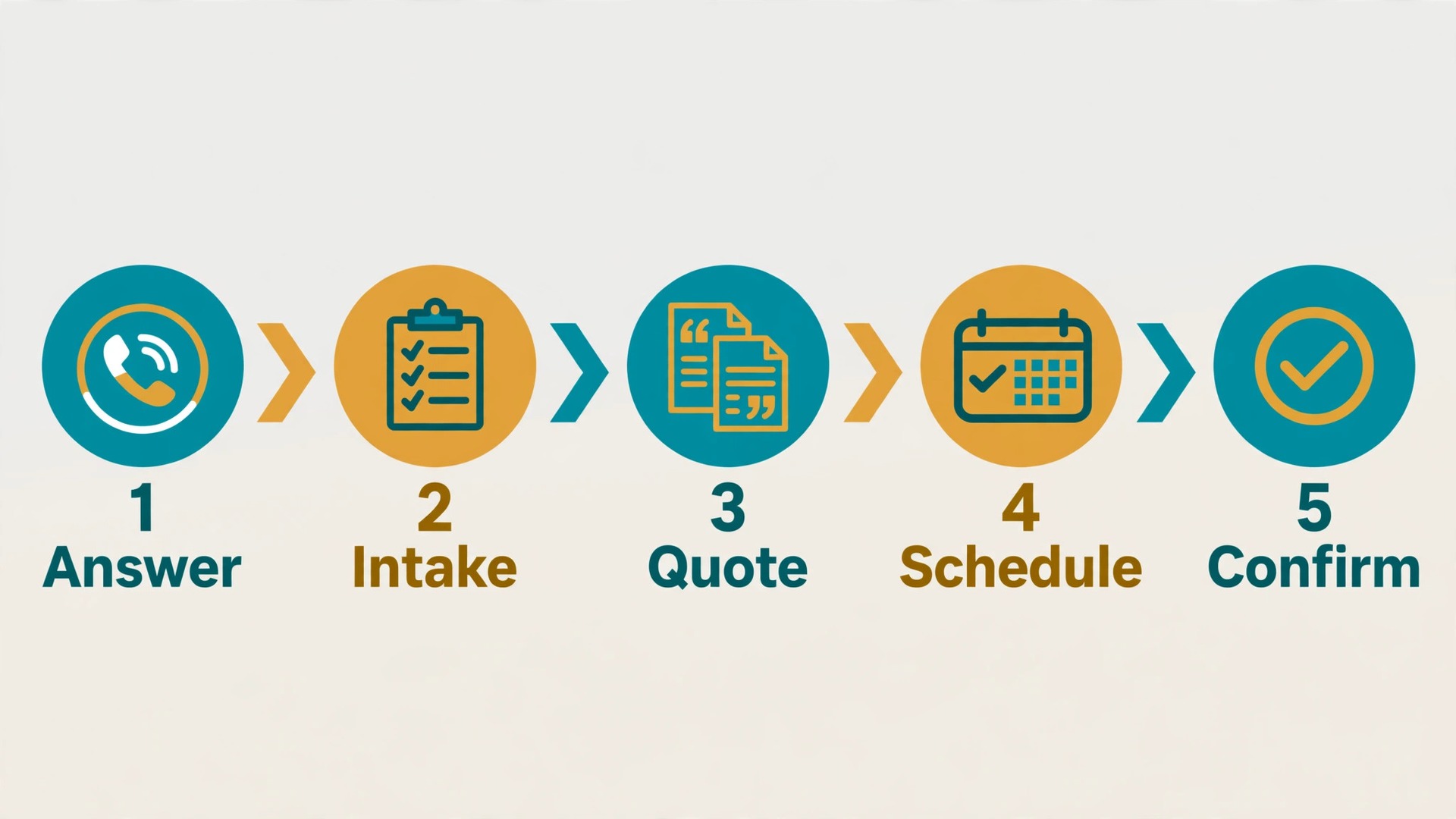
A strong booking workflow moves a customer from first contact to a confirmed, well prepared job in eight steps. Each step has one job, and skipping a step is what creates the surprises that ruin a day. The steps below work for a solo cleaner and for a small crew, and they work whether the first contact is a phone call, a website form, or a message.
1. Capture the enquiry the moment it arrives. An AI phone answer service or a website booking form takes the name, phone number, address area, and preferred dates before anything else, so no enquiry is lost to a missed call or an unanswered message. 2. Collect the room and carpet details. Ask how many rooms, the approximate size of each, the carpet type where known, and whether any rooms have rugs that need separate handling. Offer simple choices rather than open text, so customers can answer quickly on a phone. 3. Record stains, pets, and access. Ask about stain types, pet numbers and types, allergies in the household, parking, stairs, and gate or door codes. These answers decide the products, the time, and the crew size. 4. Give a price range, not a guess dressed as a quote. Use published room rates and add ons to produce a range, explain what could move it up or down, and state clearly when a final price needs an in person look. 5. Offer real diary slots that fit the job length. A three room job and a whole house job need different slot lengths, so the system must block time by job size rather than by a fixed hour for every booking. 6. Confirm with a deposit or card hold where the business uses one. A small deposit cuts no shows sharply, and it also filters out customers who were never serious, which protects the diary. 7. Send preparation instructions and reminders. Tell the customer what to move, what to leave, how long drying takes, and what happens if pets need to be kept in another room, then remind them the day before and the morning of the job. 8. Close the loop after the job. Send a thank you, a request for a review, and a reminder about the next clean at the right interval, so one job becomes a repeat booking rather than a one off visit.
The Booking Intake Checklist
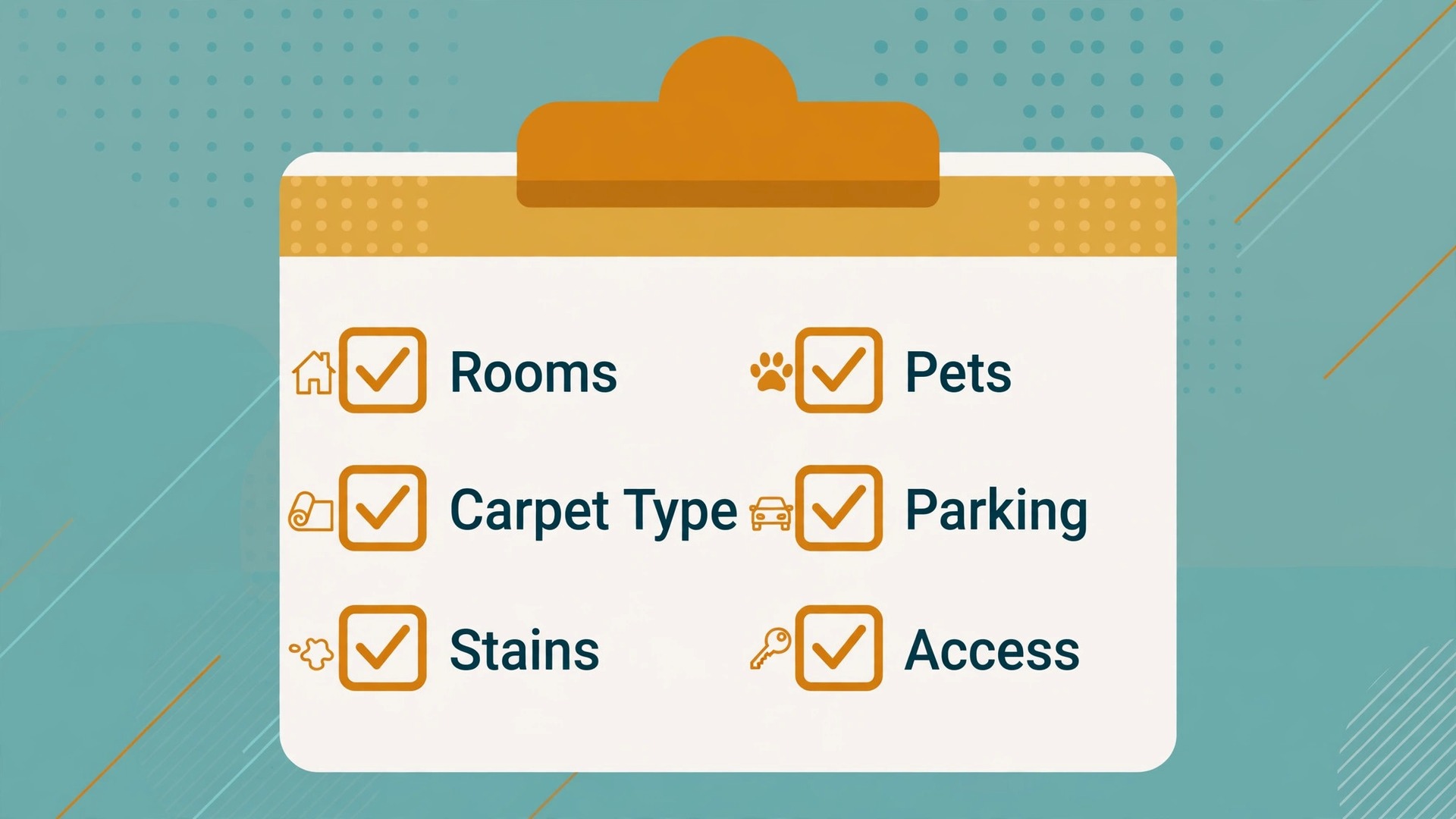
The intake checklist below is the heart of the system, because every question on it prevents a problem on the day. Use it as a booking form, as a phone script, and as a checklist the crew checks before leaving the depot. If an answer is missing, the booking is not ready to confirm, and the system should chase it rather than leave it blank.
| Intake item | What to ask | Why it changes the job |
|---|---|---|
| Room count and size | Number of rooms, approximate size, hallways and stairs | Decides the slot length and the price |
| Carpet type | Synthetic, wool, berber, or unknown | Decides the cleaning method and the risk |
| Stains | Type, age, previous treatments tried | Decides the products and the honest outcome |
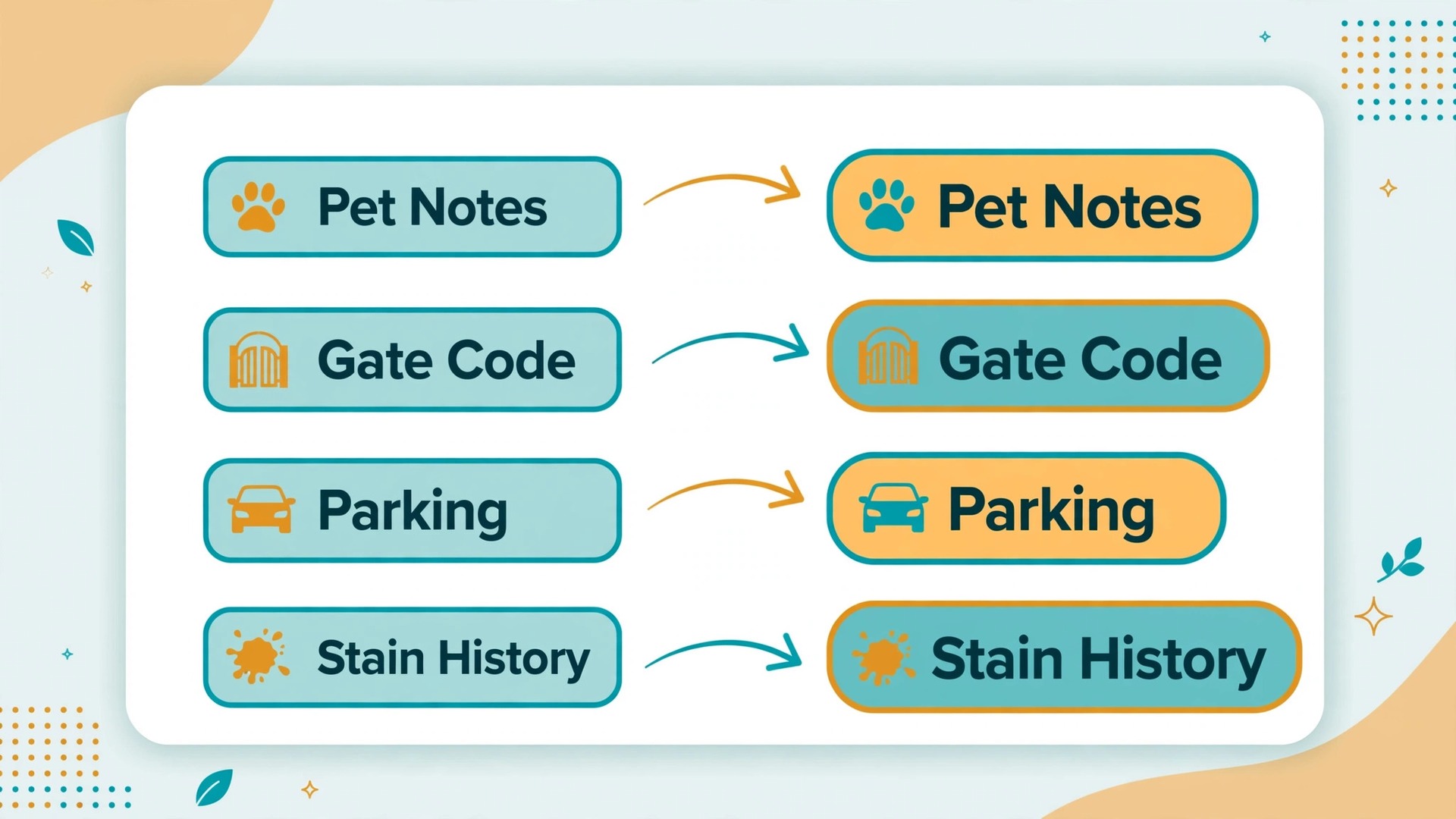
| Pets | Number, type, accidents, odour concerns | Decides pet treatment products and time |
| Household notes | Allergies, children, drying time needs | Decides products and scheduling order |
| Access | Parking, stairs, gate code, key handling | Decides arrival time and crew needs |
| Water and power | Nearest access points, any limits | Decides equipment setup time |
| Previous cleaning | Last clean date, previous company issues | Decides expectations and method |
| Price agreement | Range accepted, deposit paid, final price rule | Prevents a doorstep price argument |
| Contact and reminders | Best number, text or email preference | Decides how reminders and updates arrive |
Keep the form short enough to finish on a phone in under three minutes. If the form takes longer, customers abandon it and call instead, which defeats the purpose. Group the questions in the order above, use tap choices for carpet type and stain type, and leave only one open text box for anything unusual. Review the completed forms weekly for the first month, and remove any question that customers keep skipping or answering wrongly, because a question that produces bad data is worse than no question at all.
Rooms, Carpet Types and Stains That Change the Quote
Not all rooms cost the same to clean, and a booking system that charges one flat room rate will either overcharge small rooms or lose money on large ones. A small bedroom, a large living room with heavy traffic lanes, a hallway, and a staircase each take different times and different amounts of solution. Build the price list around room types and sizes, with a clear surcharge for stairs and for very large rooms, so the customer sees a fair price and the crew sees a realistic time allowance.
Carpet type changes the method, and the method changes the risk. Synthetic carpets tolerate most standard cleaning methods, while wool and natural fibre carpets need gentler products and lower moisture, and berber carpets need care around snagging and drying. A booking system should flag wool and unknown carpets for a human check, rather than letting software promise a method that could damage the fibre. That single rule protects the business from its most expensive mistake, which is a damaged carpet that no booking fee can cover.
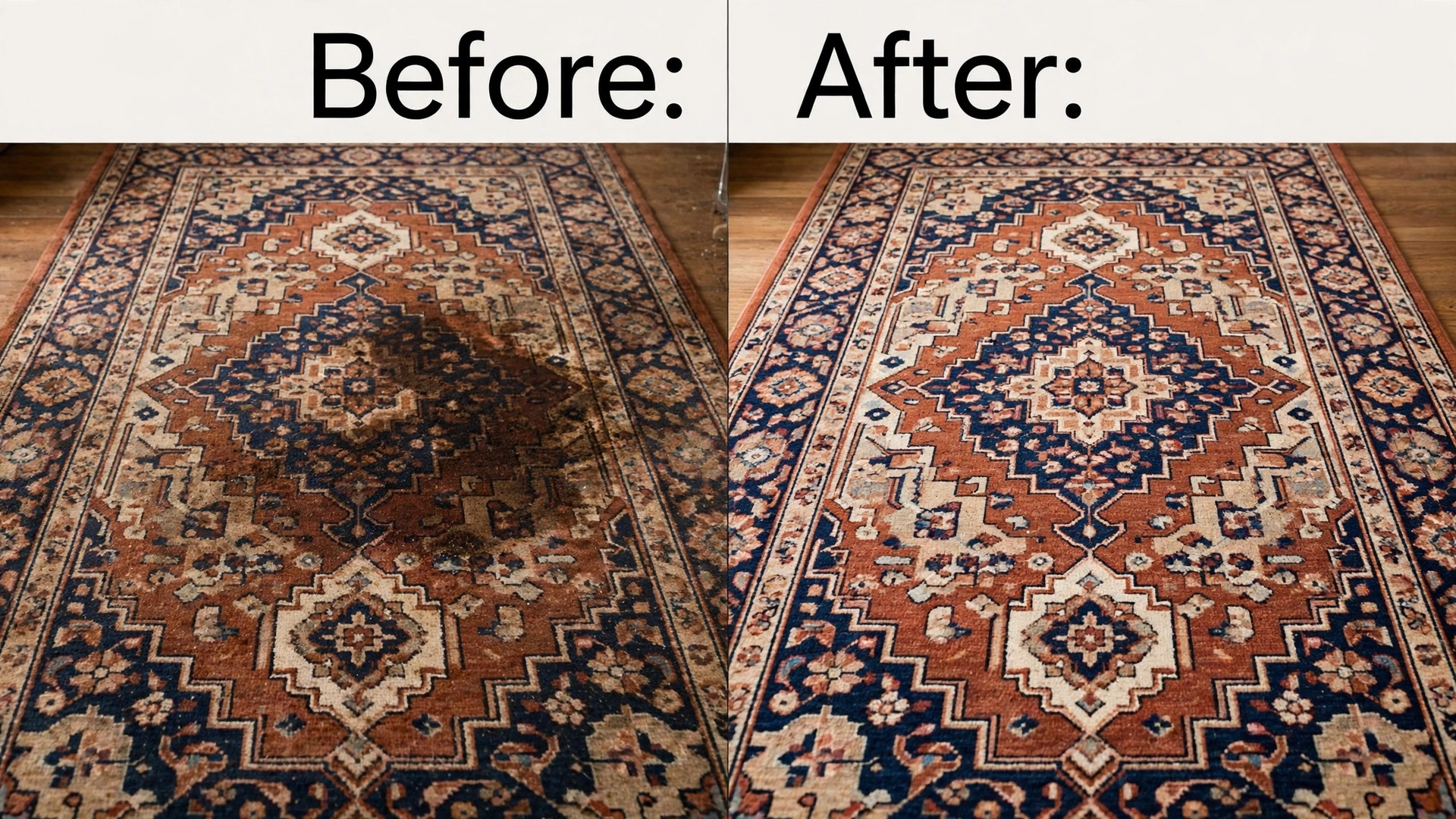
Stains deserve honest language at booking time. A fresh coffee stain and a year old pet stain that has been bleached at home are different jobs with different likely outcomes, and the customer needs to hear that before the crew arrives. The booking confirmation should state what the treatment can usually achieve and what it cannot promise, in plain words. Customers who hear an honest limit before the job are far more forgiving than customers who hear it after paying, and that honesty is what turns a difficult stain into a good review instead of a complaint.
Tools Compared for Carpet Cleaning Booking
The tools below cover the main ways a carpet cleaning business can run bookings, from general field service software to cleaning specific booking pages. Prices are reported from vendor pages and comparison guides, and they change, so confirm the current price on the vendor page before choosing. The right choice depends less on the feature list and more on whether the business needs dispatch, invoicing, and payments in the same tool or only needs a booking page.
| Tool | Best for | Reported starting price | Trade off |
|---|---|---|---|
| Jobber | Small crews needing booking, quotes, invoicing and dispatch together | About $29 to $49 a month for one user on annual billing in recent guides | Strong all rounder, but cleaning specific intake needs setup |
| Housecall Pro | Mobile first teams wanting booking plus payments and financing | About $59 a month for one user on annual billing in recent guides | Easy field use, but advanced features sit on higher tiers |
| BookingKoala | Cleaning businesses built around online booking | About $27 a month reported | Booking focused and affordable, but less deep on dispatch |
| ZenMaid | Residential cleaning teams wanting a low cost start | About $19 a month reported | Cheap and simple, but less suited to large crews |
| Setmore | Solo cleaners wanting a free or cheap booking page | Free for up to four users, Pro about $5 a user a month on annual billing in recent guides | Great booking page, but no field service dispatch depth |
| Calendly | Solo operators booking consultations and estimates | Free for one event type, paid from about $10 a seat a month on annual billing in recent guides | Simple and familiar, but not built for room based jobs |
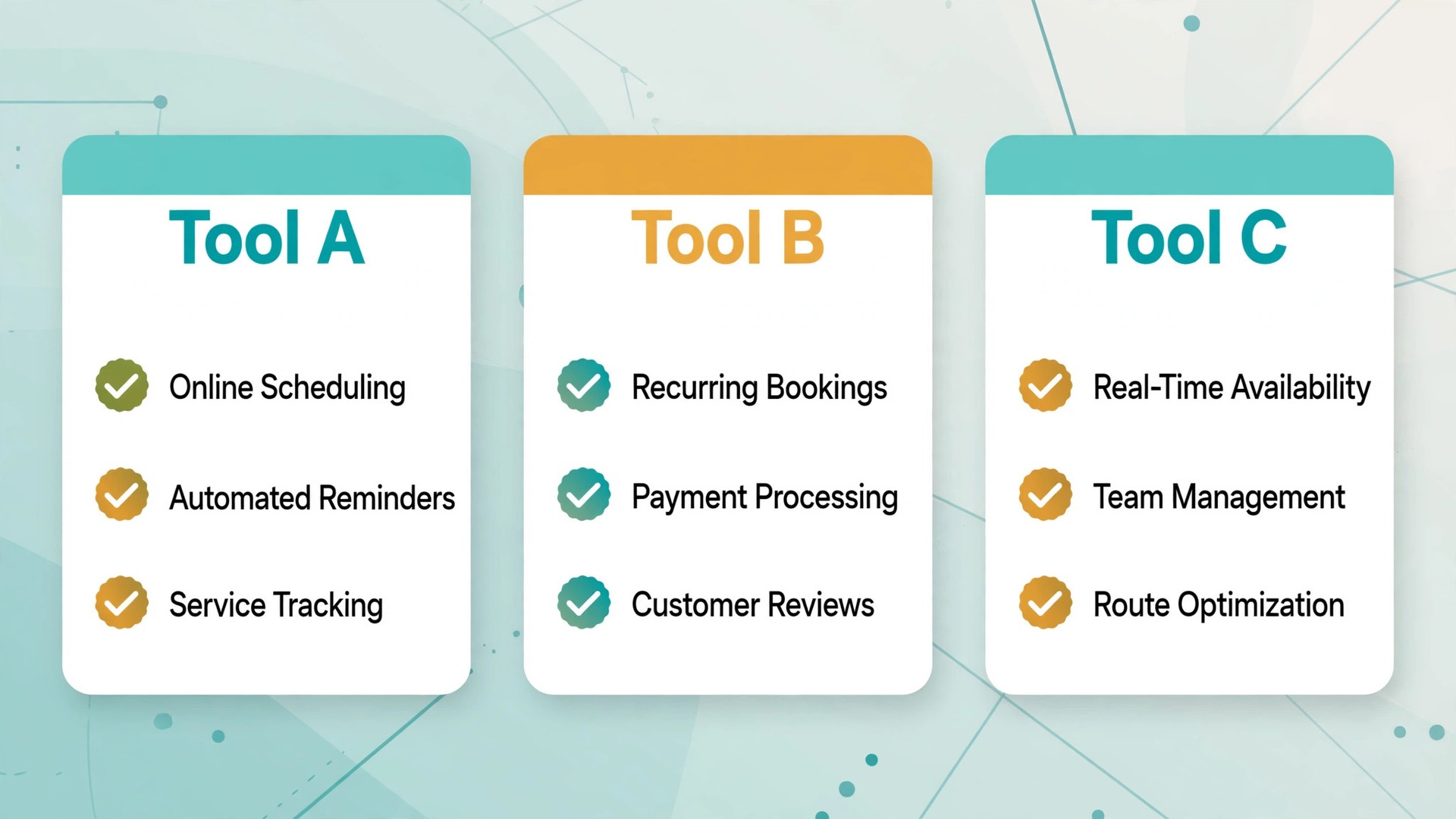
Jobber suits a business that wants one system for the whole job, from quote to invoice, and is willing to spend time setting up room based services and intake questions. Housecall Pro suits a team that works mostly from phones and wants customers to pay and finance from the same flow, though the monthly cost climbs once add ons such as an AI receptionist are included. BookingKoala and ZenMaid suit businesses whose main need is a clean online booking page with recurring jobs, and they cost less because they do less outside booking.
AI answering tools sit on top of these systems rather than replacing them. Housecall Pro offers an AI receptionist as an add on, reported at about $99 a month in recent guides, and Jobber offers an AI receptionist on higher plans or as an add on, reported at about $29 a month in some guides. These tools answer calls, book from the diary, and pass messages to the office, but they only work well when the diary rules, price list, and intake questions are already set up properly. Buying an answering tool before fixing the price list just automates confusion at higher speed.
Pricing, Deposits and Cancellation Rules
A business that decides to use AI for carpet cleaning booking still needs pricing rules that customers can understand in one reading. Publish a room rate, a stair rate, and a short list of add ons for pet treatment, stain treatment, deodorising, and protector application, with a note that unusual carpets and severe soiling need an in person quote. Customers who can work out their own approximate price before booking are more likely to complete the booking, and less likely to argue about the final bill, because the price logic was visible from the start.
Deposits are the single most effective no show control for carpet cleaning. A deposit of a modest fixed amount or a percentage of the quoted range, taken by card at booking, makes the appointment real for the customer and gives the business something to hold if the customer disappears. State the deposit rule, the cancellation window, and the refund rule on the booking page itself, not buried in terms that nobody reads. A forty eight hour cancellation window with a deposit kept or moved to a new date is a fair balance for most residential work.
Cancellation handling should be automatic and kind. When a customer cancels inside the window, the system should offer the next available slots immediately, rather than just confirming the cancellation and leaving the diary empty. When a customer cancels late, the system should apply the stated rule without argument and offer a rebooking at the deposit value where the business allows it. The goal is a diary that refills itself, not a set of rules that punishes customers into never returning.
Handling Pets, Access and Difficult Homes
Pets change a carpet job more than any other single factor, and a business that decides to use AI for carpet cleaning booking must treat them as a normal part of the job rather than a surprise. Ask about pets at booking, not on arrival, and ask specifically about accidents, odour, and whether pets will be secured during cleaning. Some customers worry that mentioning pets will raise the price unfairly, so explain that pet treatment is a separate product with a clear price, and that declaring it early means the crew brings the right product and allows the right time.
Access problems are the second most common cause of a wasted visit. A crew that cannot park, cannot get through a gate, or cannot find the right flat will lose the slot and annoy the next customer. The booking form should ask about parking, building entry, stairs, and lift access, and the reminder message should ask the customer to confirm that access details are still correct. For key handling, use a clear written process that the customer agrees to at booking, including where the key is left and who is responsible for it, rather than improvising on the doorstep.
Difficult homes need a human decision before the van leaves. Homes with flood damage, heavy soiling across many rooms, delicate rugs, or access that needs specialist equipment should trigger a callback or a pre visit, even if the customer has booked online. The system should flag these cases automatically from the intake answers and hold the slot as provisional until a person reviews it. That pause costs a few hours, but it prevents a crew arriving unprepared for a job that needed a different approach from the start.
Measuring What the System Earns
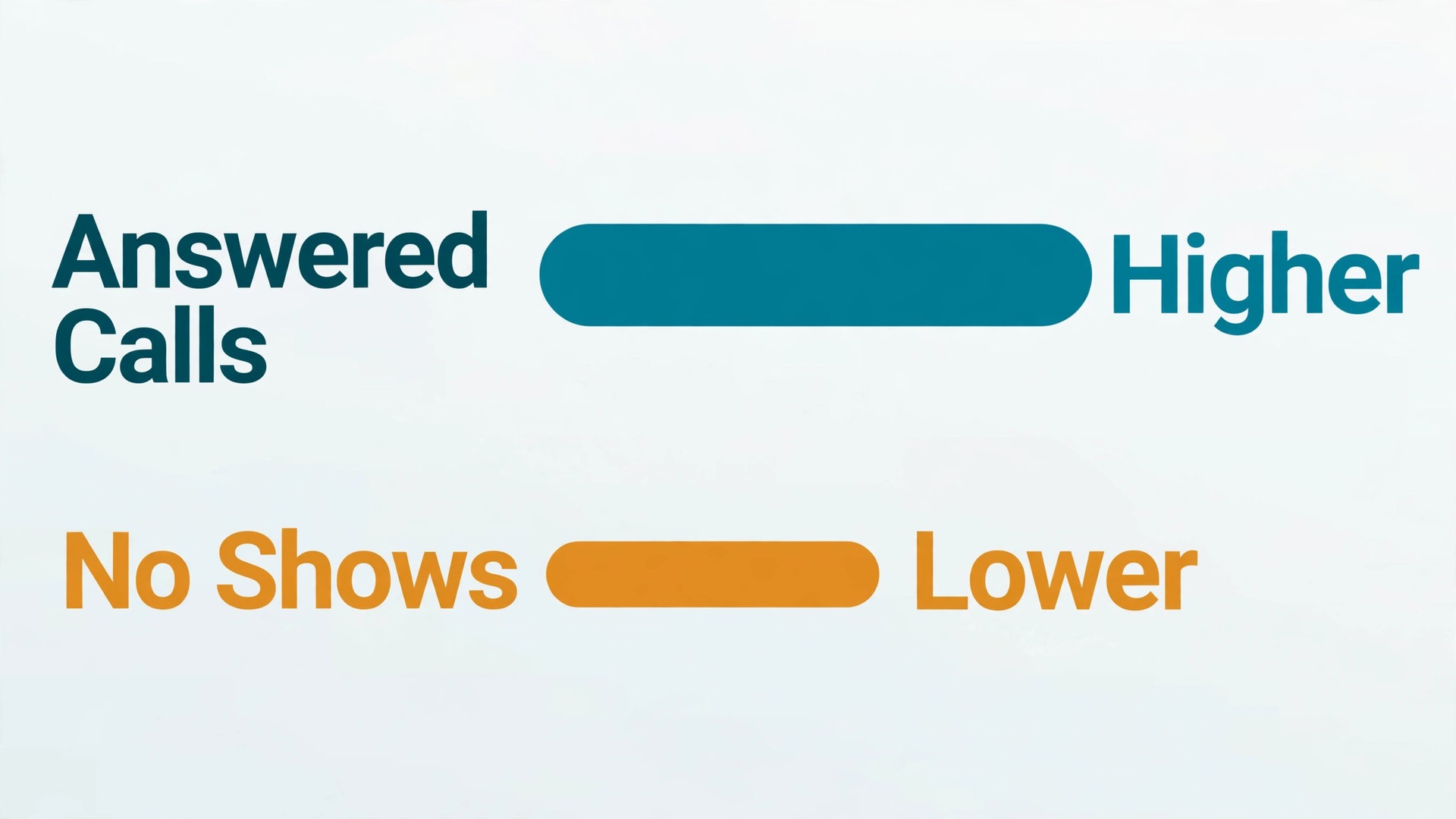
A booking system should pay for itself in recovered calls and filled slots, and the only way to know is to measure a small set of numbers every month. Start with the answer rate, meaning the share of calls and messages that receive a reply within five minutes, because that is the number that decides how many enquiries become jobs. Then measure the booking conversion rate, meaning the share of enquiries that become confirmed bookings, and the no show rate, meaning the share of confirmed bookings that do not happen.
Add two money numbers to those three service numbers. The first is revenue per diary day, which shows whether the diary is filling with real work or with short jobs that leave gaps. The second is repeat booking rate, meaning the share of customers who book again within twelve months, because repeat customers cost far less to win than new ones. If the answer rate rises but conversion does not, the problem is price or intake friction, not the phone. If conversion rises but no shows rise too, the problem is deposits or reminders, not demand.
Review these numbers monthly for the first quarter, and change one thing at a time. Changing the price list, the deposit rule, and the reminder timing in the same week makes it impossible to know what worked. A simple monthly review, with the five numbers written down and one change agreed, will improve the system faster than a large overhaul every six months. Keep the review short, keep it honest, and keep the crew involved, because the crew sees the booking problems first and will tell the office if anyone asks.
Mistakes That Undo a Good Setup
The most common mistake is launching the booking page before the price list is finished. Customers book at the old prices, the crew arrives expecting a different job, and the office spends the week apologising for a system that was supposed to save time. Finish the room rates, the stair rate, and the add on list first, test them with five real past jobs, and only then open the page to customers. A week spent on the price list saves a month of price arguments.
The second mistake is letting the system book every job type without limits. A business that allows online booking for flood damage, commercial premises, and delicate rugs will receive bookings it cannot safely fulfil at the quoted price, and the cancellations that follow damage trust. Limit automated booking to standard residential work, and route everything else to a callback with a clear time promise. When owners choose to use AI for carpet cleaning booking in this limited way, the system feels helpful rather than reckless, because it knows its own limits.
The third mistake is ignoring the crew. If the crew does not trust the intake data, they will start calling customers themselves to double check every job, and the office will have two booking systems instead of one. Involve the crew in designing the intake questions, show them how the diary now blocks realistic times, and fix the first three intake errors they report. A system the crew trusts is a system that actually gets used, and a system they work around is just an extra cost.
Verdict, Is It Worth It for a Small Carpet Business
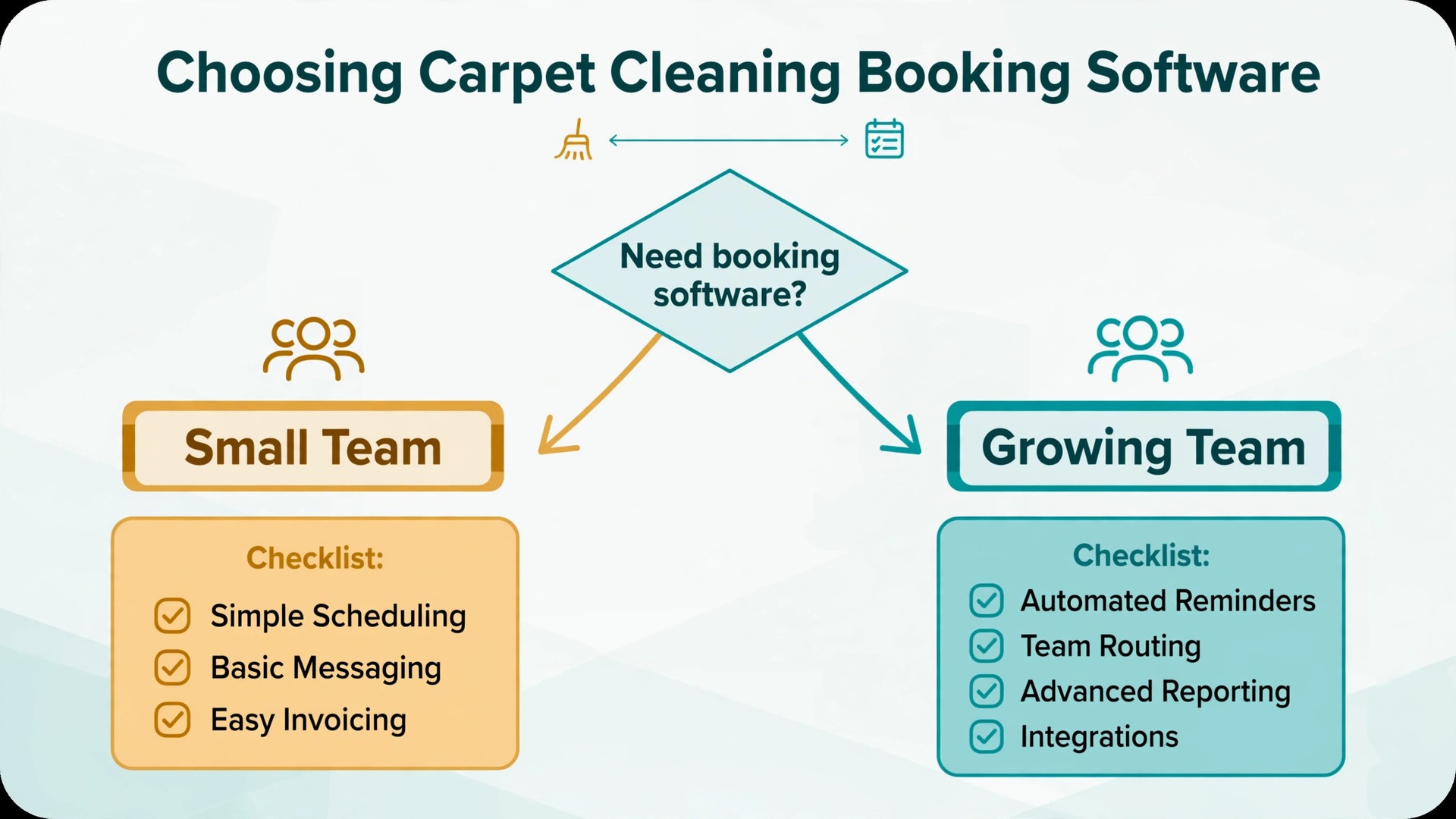
For a solo cleaner or a small crew, the case is strong, provided the setup is done in the right order. Fix the price list, build the intake checklist, set the deposit and cancellation rules, and only then add automated answering and online booking. Done in that order, the system recovers missed calls, fills cancelled slots from a waitlist, and sends crews out with the information they need to do the job properly the first time. The monthly software cost is usually smaller than the value of one recovered job a week, and most businesses lose more than one job a week to missed calls alone.
The case weakens when the business wants software to replace judgment entirely. No automated system can price a flood damaged room from a form, judge a wool rug from a photo alone, or calm an upset customer as well as a person can. The businesses that get the best return from this approach are the ones that use AI for carpet cleaning booking for speed and coverage, while keeping people in charge of unusual jobs, complaints, and final prices. That split is not a compromise. It is the whole point, because speed wins the booking and judgment keeps the customer.
Start small if the budget is tight. A booking page with the intake checklist and automated reminders will already recover a large share of the losses, and an AI answering add on can wait until the diary rules are proven. Measure the five numbers from the earlier section for a month, compare them with the month before, and let the results decide the next spend. If the numbers move, expand. If they do not, fix the price list or the intake form before buying more software, because another tool will not fix a broken price list.
More Reading on Stratilyze
For a related cleaning business system, read best CRM for cleaning companies and best scheduling software for home care agencies. For a different field service comparison, see best route scheduling software for pool service companies.
Frequently Asked Questions
How much does booking software cost for a carpet cleaner
A solo cleaner can start free or at a low monthly cost with a simple booking page, while a full field service system with dispatch and invoicing typically starts around $29 to $59 a month for one user in recent guides, before add ons. An AI answering add on can add about $29 to $99 a month depending on the vendor and plan. Confirm the current price on the vendor page before buying, because plans and add on prices change often.
Do customers accept booking with an automated system
Most customers accept it readily when the system answers fast, asks sensible questions, and confirms the booking clearly. Problems arise when the system asks too many questions, gives a price that later changes sharply, or leaves the customer unsure whether a person will ever call back. Keep the form short, give a price range with clear limits, and state exactly when a human will call for unusual jobs.
What happens when a customer books a job the system should not have accepted
The office should call promptly, explain the issue honestly, and offer the right next step, such as a pre visit or a revised price. Do not simply cancel without contact, because that feels like rejection and often produces a bad review. Over time, use these cases to tighten the intake questions, so the system learns to route unusual jobs to a callback instead of confirming them outright.
Should a small carpet business take deposits at booking
A modest deposit is usually worth it, because it cuts no shows and confirms that the customer is serious. The deposit rule, the cancellation window, and the refund rule should all appear on the booking page before payment, so there is no surprise later. Businesses that worry about losing price sensitive customers can offer deposit free booking for repeat customers while requiring deposits from first time bookings.
How do I handle pets in the booking process
Ask about pets in the intake form, including numbers, types, and any accident or odour concerns, and price pet treatment as a clear add on rather than a hidden surcharge. When owners choose to use AI for carpet cleaning booking, the intake form should also ask whether pets can be secured in another room during the clean, so the crew is not surprised on arrival. Clear pet questions protect the carpet, the crew, and the customer’s own animals.
Can automated booking work for a one person carpet business
Yes, and it often helps a solo operator more than a larger team, because a solo cleaner misses the most calls while working. A booking page plus reminders can recover those calls without hiring office staff, and the intake checklist means the solo cleaner arrives prepared instead of guessing. Start with booking and reminders, add call answering when the volume justifies it, and keep unusual jobs on a personal callback list.