
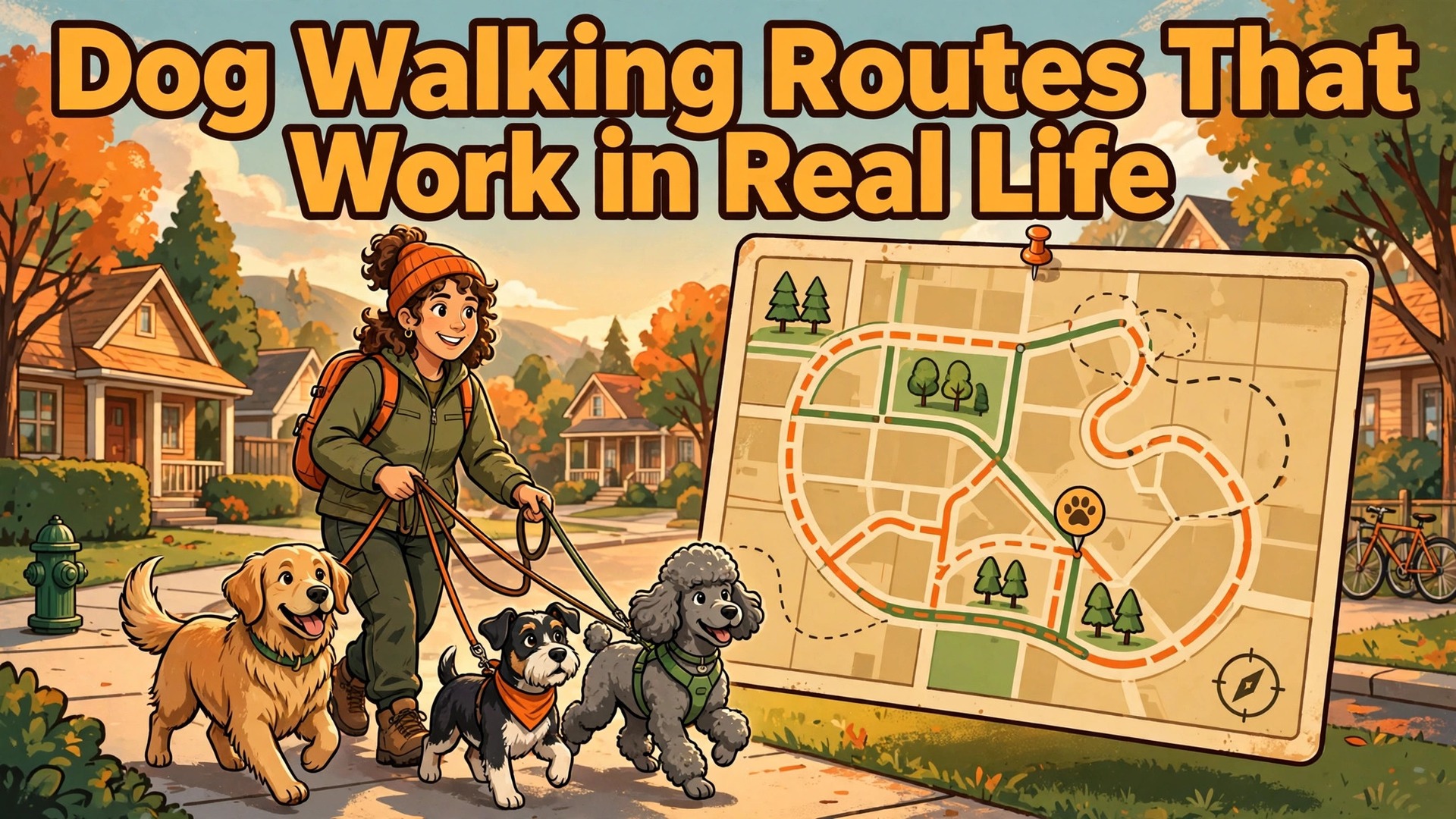
A walker arrives at the third house on a route to find the key does not work, the dog needs medication that nobody mentioned, and the next client is texting to ask why the walker is late. The walker improvises, the route slips, and by the afternoon three owners have received late or missing updates, even though the walker worked hard all day. That morning is the problem this guide solves. Owners who decide to use AI for dog walking route scheduling usually do so after a morning like that, when they realise the business has outgrown routes planned from memory and a group chat.
Dog walking is a routing business disguised as an animal care business. A route is not just a list of dogs. It is a sequence of homes, keys, gates, feeding instructions, medication times, waste rules, and owner preferences, all fitted into weather, traffic, and the walker’s own stamina. A dog that pulls, a reactive dog that cannot meet another dog, and a senior dog that needs a slow short walk each change the route in different ways. Software that only books a time slot cannot handle that, and a walker who plans routes in their head cannot scale past a handful of clients without mistakes.
This guide builds a daily route workflow that groups walks by area and time, captures keys, feeding, and medication details before the walker leaves, and sends photo updates owners actually trust. It covers the daily route checklist, the tools built for pet care businesses, the safety and key handling rules that protect dogs and homes, and the measures that show whether routes are profitable or just busy. Prices quoted here come from vendor pricing pages and reputable comparison guides checked at writing time, so confirm the current price on the vendor page before buying.
Why Dog Walking Routes Fall Apart
Routes fall apart for reasons that are easy to miss when planning at a desk. The first is geography without timing. A route that looks short on a map can take twice as long when school traffic, road works, or a slow lift in a block of flats are added, and a walker who planned six walks in a morning may only complete four. The second is dog grouping without behaviour. Two friendly dogs walked together are a joy, while a reactive dog paired with a boisterous puppy becomes a safety risk, and a route plan that ignores temperament will eventually produce an incident that could have been avoided.
The third failure is missing home details. A key that is kept in a lockbox, a gate code that changed, a feeding instruction that was only mentioned in a chat message months ago, and a medication that must be given with food are all details that decide whether a visit succeeds. When those details live in scattered messages, the walker guesses, and guessing with someone else’s home and dog is a poor system.
The fourth failure is owner communication. Owners who receive no update worry, owners who receive a late update complain, and owners who receive a generic update with no photo feel the service could have been anyone. Routes fail in the field, but trust fails in the inbox, and both need fixing.
Start by measuring the real route, not the planned one. For one week, record actual arrival and departure times, driving times between homes, and the time spent on feeding, medication, and updates, and compare them with the plan. Most businesses discover that two or three clients consistently take longer than planned, and that fixing the order of just those clients recovers an hour a day. A route built on measured times will look less tidy than a route built on a map, and it will work far better in real life.
Grouping Walks by Area, Time and Dog
Good routes start with geography, but they must also respect time windows and dog behaviour. Group clients who live near each other into the same route block, and keep each block inside a realistic driving loop, rather than sending a walker zigzagging across town because bookings arrived in that order. A loop that starts and ends near the walker’s home base, or near the next block, saves fuel and time, and it also means a delayed visit delays only its own block, not the whole day.
Time windows decide the order inside each block. A dog that needs a midday walk for medication, a puppy that needs frequent short outings, and an owner who works nights and needs a morning walk each anchor the route at a different point. Place the anchored walks first in planning, then fit flexible walks around them, rather than planning in booking order and hoping the anchors fit. A route that respects anchors will have fewer rushed visits, because the walker is not racing to meet a medication time that was planned last.
Dog behaviour decides grouping, not just geography. Dogs that walk well together can share a group walk where the service offers it, while reactive, anxious, or very large dogs usually need solo walks, and senior or unwell dogs need shorter, slower routes. Record temperament, lead behaviour, recall reliability, and any triggers in the client record, and use those notes when building routes, not just when meeting the dog. A route plan that a new walker can read and follow safely is a route plan that protects dogs, walkers, and the business itself.

The Daily Route Workflow, Step by Step
A daily route workflow must take a walker from the first home to the last update without a missing key, a missed medication, or a forgotten photo. Each step below has one job, and the order matters, because a route checked the night before is far safer than a route improvised at the first gate. The workflow works for a solo walker and for a small team, with team routes split by area rather than by client name alone.
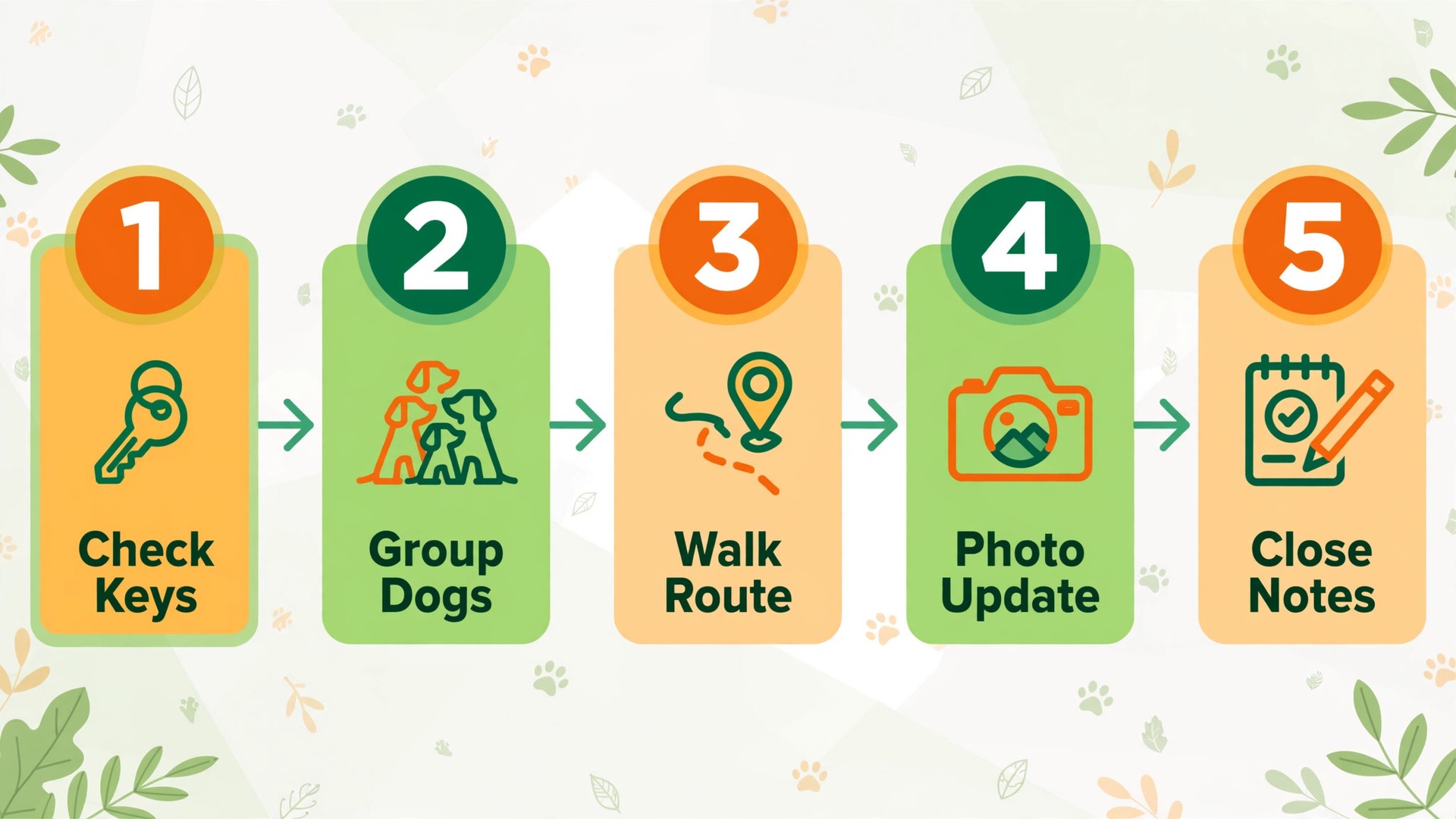
1. Build routes the evening before. Group the next day’s walks by area and time window, order them into driving loops, and check that no walker exceeds a safe number of dogs or a realistic total walking time. 2. Check keys, codes, and access for every home. Confirm the key location or code for each visit, note any change from the last visit, and flag any home where access is uncertain before the walker leaves. 3. Review feeding, medication, and special notes. Read the feeding amount and timing, the medication name, dose, and timing, and any special notes such as a fear of storms or a need for a harness, for every dog on the route. 4. Confirm the walker, the dogs, and the timing. Assign each route to a named walker, confirm start times, and send the walker a route sheet that works offline on a phone, because signal fails in exactly the places where a route sheet is needed most. 5. Walk in order, with check in and check out at each home. Record arrival and departure, the walk itself, feeding and medication given, waste handled, and any incident or change, before leaving for the next home. 6. Send a photo update during or just after each walk. Include the dog, a brief note about the walk, and any issue the owner needs to know, so the owner sees real evidence rather than a generic message. 7. Handle problems with a clear escalation rule. If a key fails, a dog is unwell, or a home issue arises, the walker follows a written rule for contacting the owner and the office, rather than improvising under pressure. 8. Close the day with route notes. Record what ran late, what changed, and what the next walker needs to know, so tomorrow’s route starts from facts rather than from memory.
The Daily Route Checklist
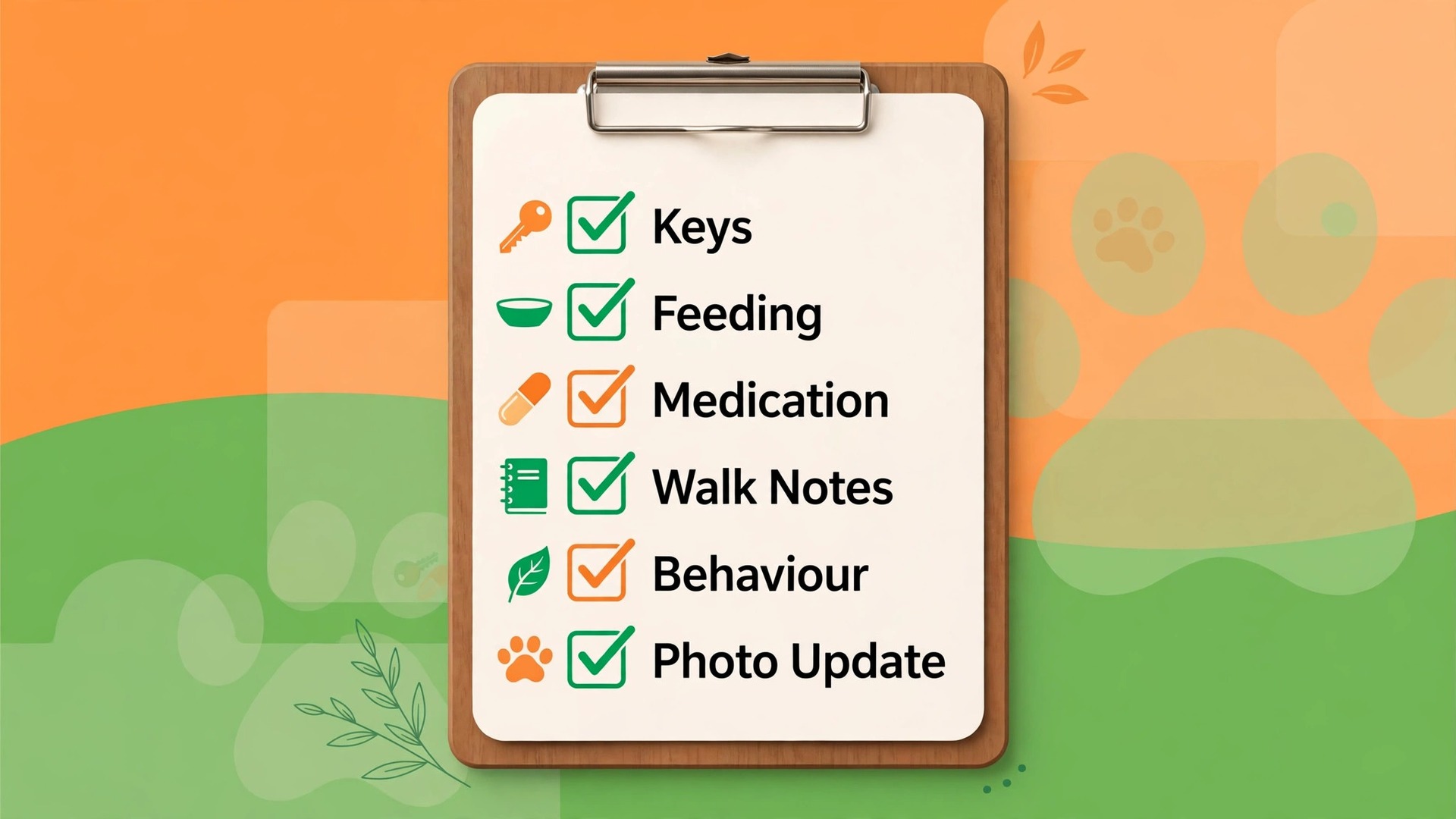
The checklist below is the record for every dog on every route, and it should be checked the evening before and again by the walker at each home. If an item is blank, the visit is not ready, and the gap should be closed before the walker leaves, not discovered at the gate. Use it as a route sheet, as a client record template, and as a training tool for new walkers.
| Checklist item | What to record | Why it matters |
|---|---|---|
| Keys and access | Key location, lockbox code, gate code, alarm note | A failed access wastes the visit and delays the route |
| Feeding | Food type, amount, timing, water refresh | Prevents missed meals and overfeeding |
| Medication | Name, dose, timing, with food or not | A missed dose is a health risk, not an admin error |
| Walk details | Duration, group or solo, route notes | Keeps the walk safe and within the booked time |
| Dog behaviour | Temperament, triggers, lead and recall notes | Decides grouping and keeps walkers safe |
| Waste and cleanup | Waste bags, disposal rule, home cleanup note | Protects the home and the neighbourhood |
| Photo update | Photo taken, note sent, owner reply noted | Builds trust and proves the visit happened |
| Home notes | Lights, mail, plants, any owner request | Small extras that make owners stay |
| Incident note | Any issue, injury, or change observed | Creates a record before memory fades |
| Next visit note | Change for tomorrow, stock or key issue | Stops the same problem repeating daily |
| Walker assignment | Named walker, backup walker, start time | Prevents a route with no owner on the day |
| Owner contact | Best number, emergency contact, vet details | Speeds help when a dog is unwell |
Keep the route sheet to one screen per dog on a phone, with the most urgent items first, because a walker standing at a gate in rain will not scroll through a long form. Keys, medication, and behaviour notes belong at the top, while home extras belong at the bottom. Review the sheets weekly, and remove any field that walkers consistently leave blank, because a field nobody completes is clutter that hides the fields that matter.
Keys, Homes and Trust
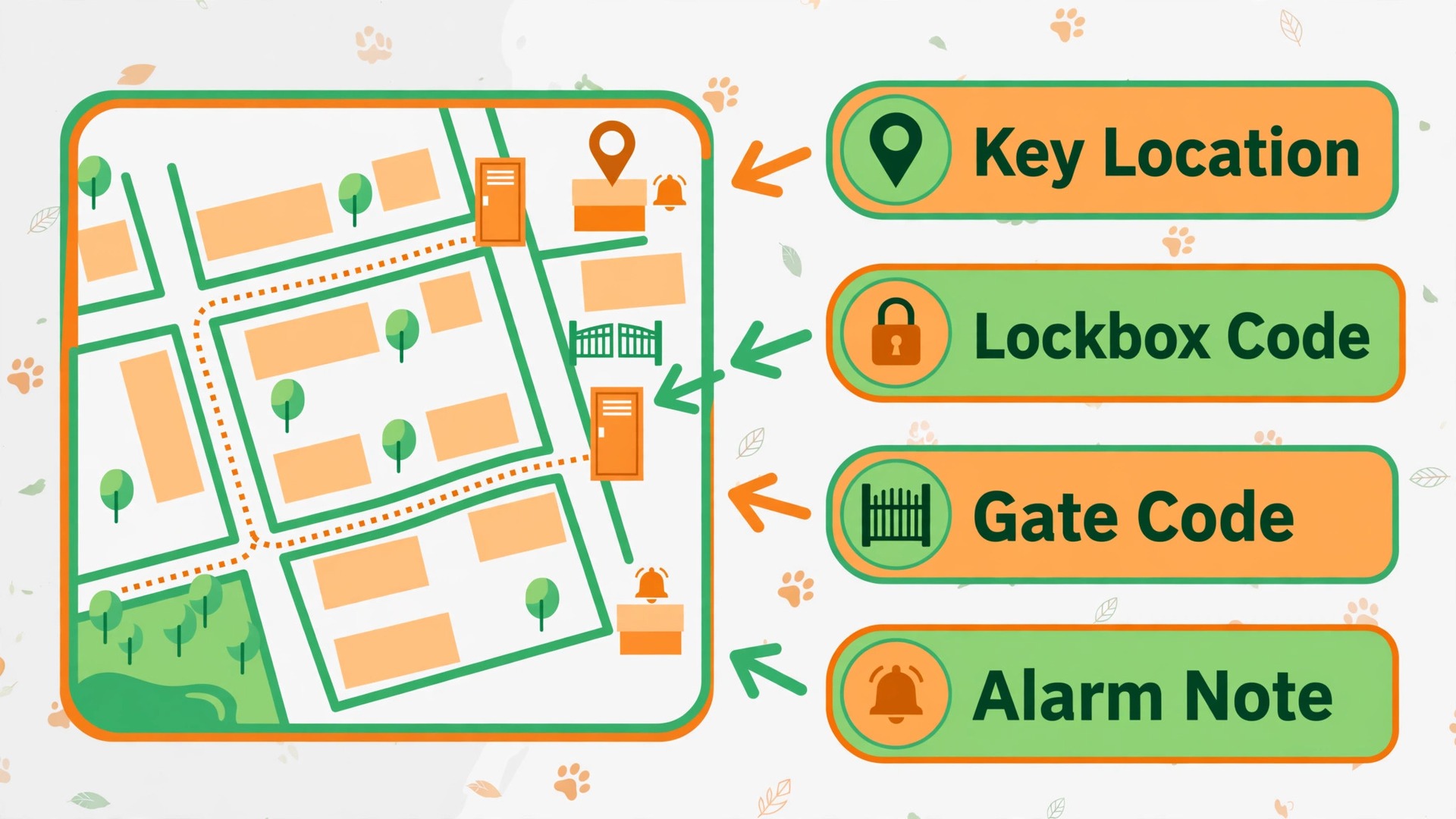
Key handling is the most sensitive part of a dog walking business, because owners hand over access to their homes on the basis of trust, and one lost key or one unclear process can end that trust permanently. Use a written key process that every walker follows, including how keys are labelled, stored, carried, and returned, and never label a key with a full name and address together. A code system, kept separately from the keys themselves, is a simple protection that costs nothing and prevents a lost key from becoming a security problem.
Access changes must be recorded the moment they happen, not at the end of the week. If an owner changes a gate code, moves a key, or sets an alarm, that change belongs on the route sheet for the very next visit, with a note confirming it was tested. A walker who arrives with an old code will waste the visit, and an owner who changed the code and was not asked about it will feel the business does not listen. Ask about access at every booking change, and confirm it in the reminder or route note, so changes surface before the walker is at the door.
Inside the home, small rules protect everyone. Walkers should follow the owner’s instructions for lights, shoes, and areas the dog may use, leave the home as found, and record anything unusual, such as a leak or a broken item, with a photo and a message the same day. That honesty, delivered promptly, builds more trust than a perfect visit with a hidden problem discovered later. Owners stay with walkers they trust in their homes, and trust is built from hundreds of small correct actions, not from one impressive walk.
Feeding, Medication and Health Notes on Route
Feeding and medication are clinical in their importance, even though dog walking is not a medical service, because a missed dose or a wrong meal can harm a dog quickly. The route sheet must state the medication name, dose, timing, and whether it is given with food, in words a new walker can follow without guessing. If the instruction is unclear, the walker should contact the office or the owner before giving anything, rather than guessing, because a delayed dose with a phone call is far safer than a guessed dose given confidently.
Health notes should include what is normal for each dog, so a walker can spot what is not. A dog that usually eats eagerly but refuses food, a dog that is suddenly stiff, or a dog with an upset stomach needs a note to the owner the same day, with facts rather than diagnosis. Walkers should not diagnose, but they should observe and report clearly, including what changed, when it was noticed, and what the walker did. That record helps the owner and the vet, and it protects the walker if the owner later asks what happened.
Vet and emergency details belong on every route sheet, not just in the office file. The vet name and number, the emergency contact, and any insurance or care authorisation the owner has given should be available offline on the walker’s phone, because an unwell dog on a walk cannot wait for an office callback. Review these details at every new booking and at least every six months for regular clients, because vet details change and an old number in an emergency is no help at all.
Tools Compared for Dog Walking Route Scheduling
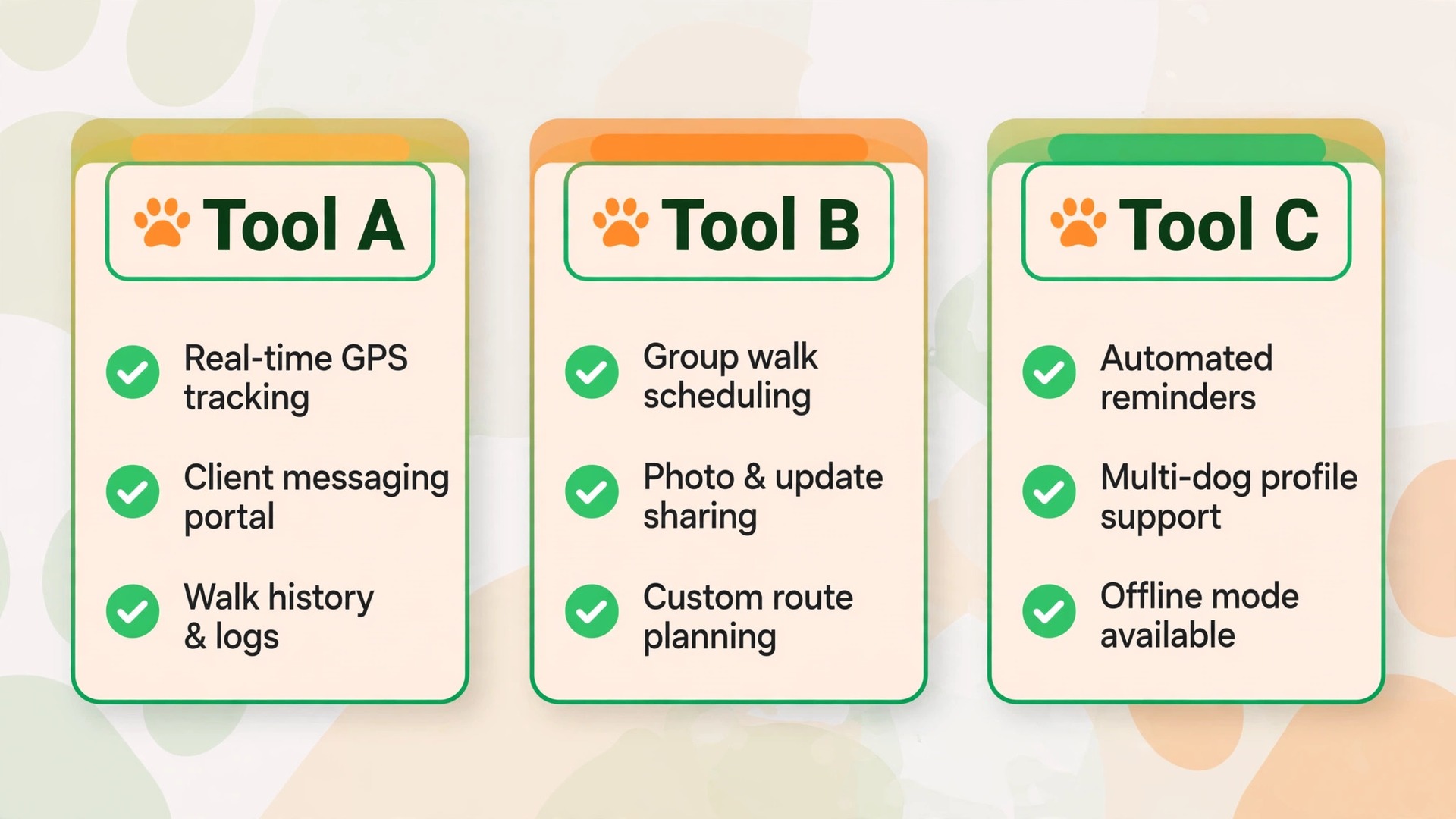
Dog walking businesses need pet care software that combines scheduling, routes, client records, and owner updates, because a generic calendar cannot hold keys, medication, and GPS check ins together. Prices below are reported from vendor pricing pages and comparison guides, so confirm the current price on the vendor page before buying. The right tool depends on whether the business is solo, a small team, or a larger operation with boarding and daycare as well.
| Tool | Best for | Reported starting price | Trade off |
|---|---|---|---|
| Time To Pet | Pet care businesses wanting scheduling, billing, staff apps, and GPS tracking together | Lite reported at $25 a month, Solo at $50, Team from $40 plus per staff in recent guides | Strong pet care fit, but cost rises with staff count |
| PetPocketbook | Businesses wanting a flat price with strong invoicing | About $25 a month flat in recent guides | Simple pricing, but less deep on large team routes |
| Pet Sitter Plus | Small teams wanting scheduling and client management | From about $22.95 a month in recent guides | Affordable, but interface and features vary by plan |
| Precise Petcare | Teams wanting live GPS and detailed staff workflows | From about $20 a month for solo in recent guides | Strong tracking, but learning curve for small teams |
| Rover | Individual walkers finding clients through a marketplace | Free to join, service fees taken per booking in recent guides | Built in demand, but the business does not own the client relationship |
| Google Maps plus calendar | Solo walkers starting with no budget | Free | Free and familiar, but no keys, medication, or photo update system |
Time To Pet suits a business that wants one system for bookings, routes, staff GPS, invoicing, and owner updates, and its Team pricing means a growing business should budget the base plus per active staff, not just the headline Lite price. PetPocketbook suits a business that values flat pricing and automated invoicing over deep route features, while Precise Petcare suits a team that wants live GPS visibility for owners and managers. A marketplace such as Rover can fill early demand, but a business that wants repeat clients, its own prices, and its own route data should build its own client list alongside any marketplace work.
Businesses that add automated route planning or messaging on top of these tools should check that the route order, the photo update, and the check in record all land in the same client record. A route planned in one app, updates sent from another, and invoices raised in a third will produce three versions of the truth, and staff will trust none of them. One record per dog, updated at the visit, is the rule that makes every other tool useful.
Weather, Cancellations and Route Changes
Weather changes dog walking routes more than any other external factor, and the business needs a weather rule agreed before the storm, not improvised during it. Decide in advance what happens in heavy rain, heat, ice, and storms, including shorter walks, indoor play where offered, and cancellations, and put that rule on the booking page and in the client welcome pack. Owners who know the rule in advance accept a shortened walk far more readily than owners who learn about it from a late message on a stormy day.
Cancellations need a same day refill habit, because an empty slot on a route is wasted time that cannot be recovered later in the week. When a client cancels, offer the slot to a waitlisted client in the same area first, because a nearby refill keeps the route loop intact, while a distant refill can break it. Record cancellations by reason, including weather, owner travel, and dog illness, because the pattern shows whether the business needs a weather policy change, a cancellation window change, or simply better reminders.
Route changes during the day need a communication rule as well. If a walker runs late, businesses that use AI for dog walking route scheduling should message affected owners promptly with a revised time, rather than leaving them to guess. A short honest message, with the new time and the reason in plain words, preserves trust, while silence turns a twenty minute delay into a complaint. Walkers should also know when to stop a route for safety, such as in dangerous heat or a storm, and that decision should be supported by the office, not second guessed, because a walker who fears blame will keep walking in unsafe conditions.
Measuring Routes, Profit and Owner Trust
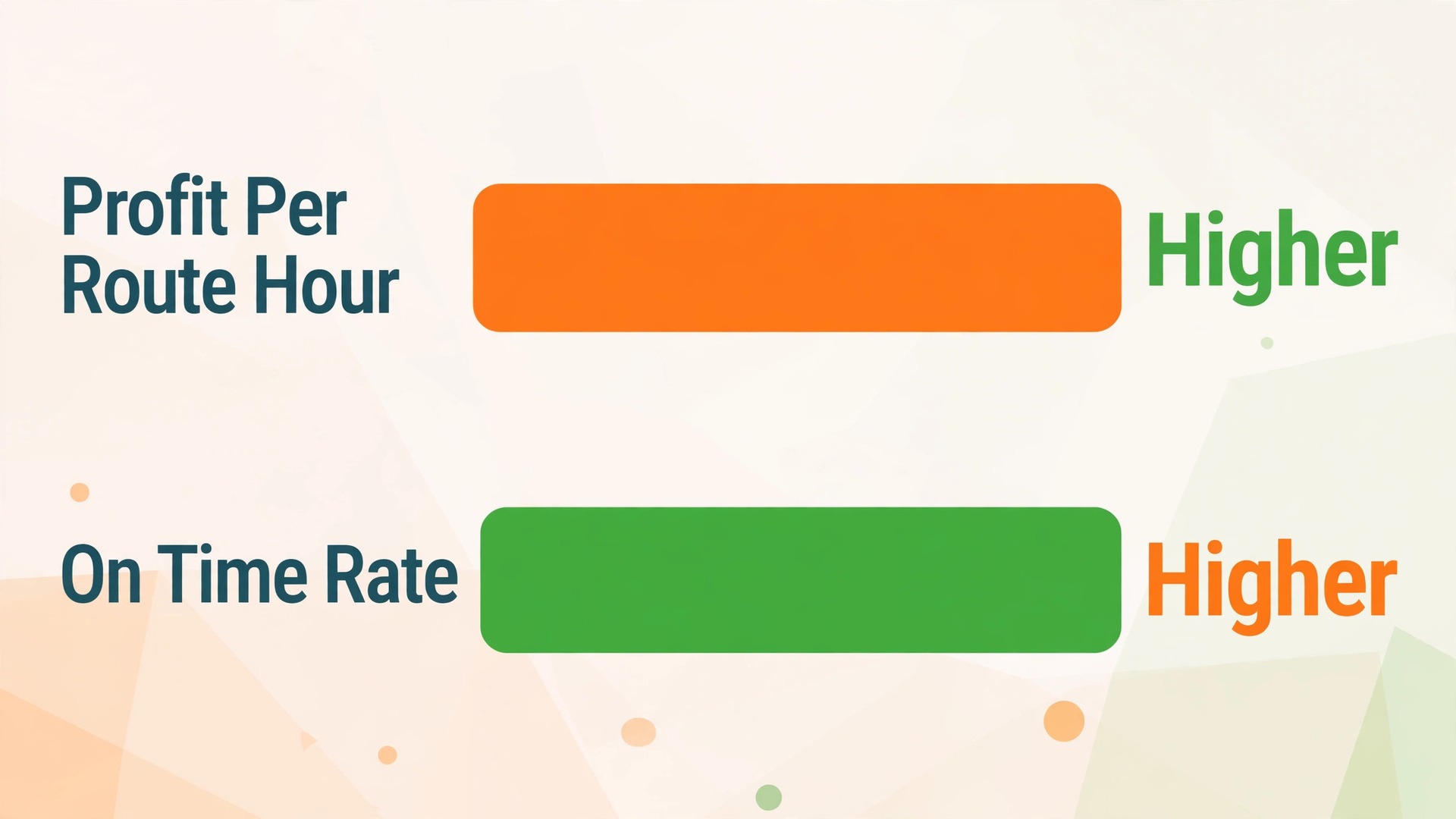
A dog walking business should judge routes by profit per route, not by the number of dogs walked, because a route with many dogs spread across town can earn less than a shorter route with fewer dogs grouped tightly. Track revenue per route hour, meaning total route revenue divided by total walker time including driving, and track driving time as a share of route time, because driving is cost without care. If driving exceeds a third of route time, the route geography needs fixing, even if the diary looks full.
Track three trust measures alongside profit. The first is photo update rate, meaning the share of visits with a photo sent the same day. The second is on time rate, meaning the share of visits starting within the agreed window. The third is repeat booking rate, meaning the share of clients still booking after three months, because dog walking lives on repeat clients who trust one walker with their home and dog. If profit rises but on time rate falls, the business is trading trust for money, and that trade will reverse within a few months as clients leave.
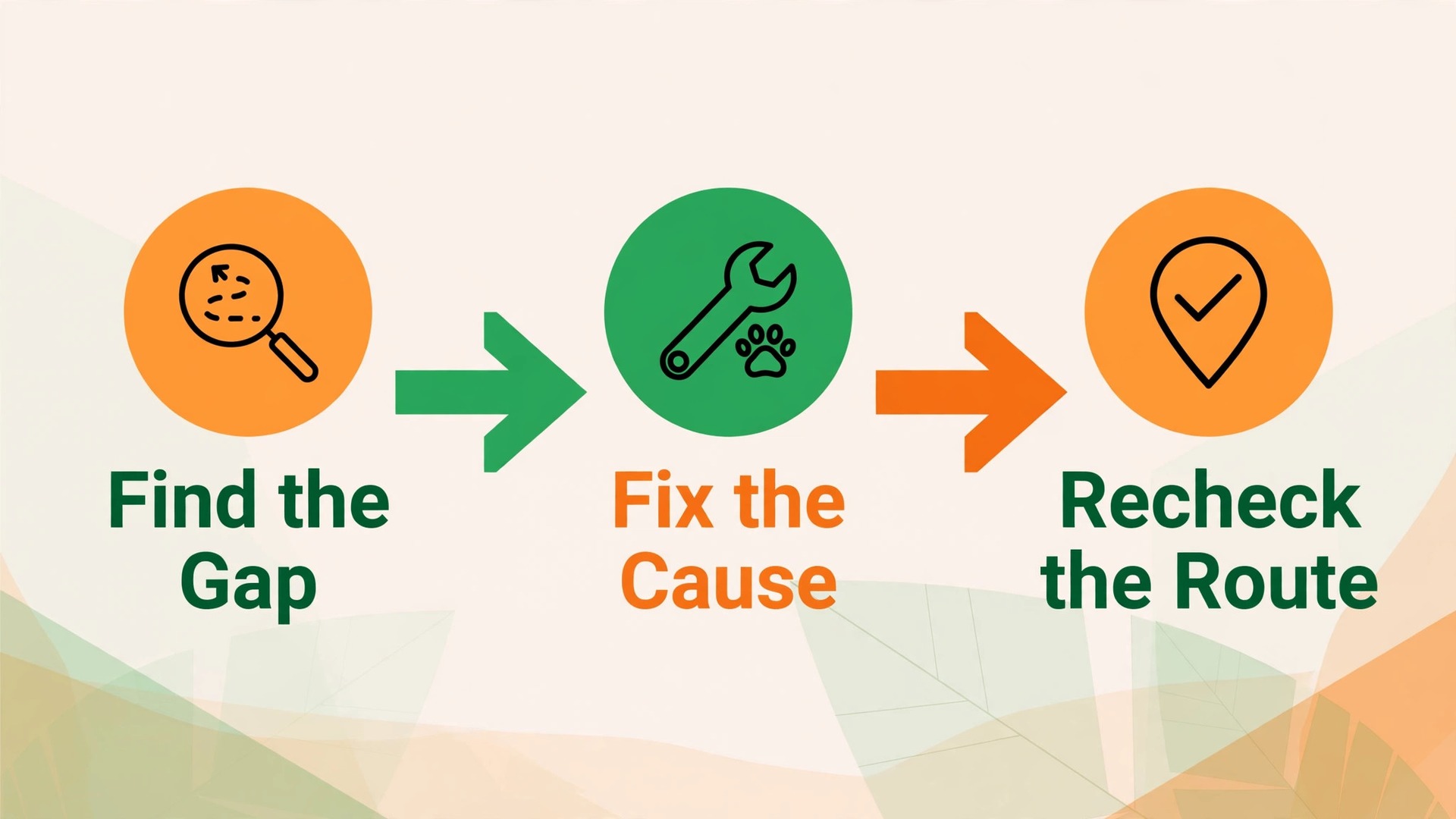
Review routes monthly, with walkers involved, and change one thing at a time. Reorder one route, regroup one area, or change one time window, then watch profit per route hour and on time rate for a month before changing the next thing. Walkers know which homes consistently take longer and which dogs cannot be grouped, and a monthly review that asks them will surface fixes no map tool can guess. A route system that improves monthly, even slowly, will outrun a system that is reorganised dramatically once a year and then left alone.
Mistakes That Break a Dog Walking Route
The first mistake is planning routes in booking order rather than by geography and time window. A route that visits clients in the order they booked will zigzag across town, waste fuel, and arrive late for the clients who needed a fixed time most. Plan by area first, then by anchored time windows, then by dog behaviour, and let booking order be the last consideration, not the first. That order feels less fair to early bookers, but it produces routes that actually run on time, which is fairer to everyone.
The second mistake is keeping keys, medication, and behaviour notes in chat messages instead of on the route sheet. A walker who must search a chat history at a gate will miss details, and a new walker covering a route will miss them entirely. Businesses that decide to use AI for dog walking route scheduling well move every essential detail onto the route sheet before the walker leaves, so the sheet is the single source of truth for the day. Chat can carry friendly updates, but it should never be the only place a medication dose lives.
The third mistake is skipping the photo update when the day gets busy, which is exactly when owners worry most. A day with late routes and no photos looks, from the owner’s side, like a day when nothing happened, even if the walker worked hard. Protect the photo habit by making it part of check out at each home, not an extra task done at the end of the day from memory. A photo taken at the visit, with a one line note, takes seconds and prevents the complaint that takes an hour to resolve.
Verdict, Is It Worth It to Use AI for Dog Walking Route Scheduling
For a solo walker with a handful of nearby clients, a simple calendar and map may be enough, and a full pet care system would add cost without clear benefit. For a walker or small team with twenty or more regular dogs, multiple areas, medication and key details to track, and owners expecting daily photo updates, the case is strong. The system pays for itself when it prevents one lost key incident, one missed medication, or one lost client a month, and most growing businesses lose more than one of those already.
Businesses that decide to use AI for dog walking route scheduling at that scale usually find the return in calmer days as much as in extra revenue, because routes stop depending on one person’s memory.
The case weakens when the business buys route software before defining its areas, time windows, and key process, because software will then optimise a route built on bad geography and scattered notes. In that situation, spend a week measuring real route times, grouping clients by area, and moving essential details onto route sheets, and only then choose a tool. Businesses that decide to use AI for dog walking route scheduling after that preparation will trust the routes, because they have seen the system handle their real dogs, homes, and weather, not just a demo with tidy data.
Start with three moves in the first month. Group clients into area loops with measured times, move keys, feeding, and medication onto one route sheet per dog, and make a photo update part of check out at every home. Run that setup for a month, measure profit per route hour and on time rate, and only then add automated route ordering or answering tools. A route system built in that order earns walkers’ trust, because each step solves a visible daily problem before the next step arrives.
More Reading on Stratilyze
For a related route business system, read best route scheduling software for pool service companies and best scheduling software for home care agencies. For a different service business comparison, see best CRM for cleaning companies.
Frequently Asked Questions
How many dogs should one walker handle in a day
The safe number depends on walk lengths, driving distances, dog behaviour, and whether walks are solo or group, rather than on a single fixed number. A walker doing hour long solo walks with driving between homes may safely handle far fewer dogs than a walker doing short group walks in one park. Plan from measured route times, including driving, feeding, and updates, and cap the day where the walker still has energy and attention for the last dog, not just the first.
What should a dog walking route sheet include
A route sheet should include keys and access, feeding, medication, walk duration and grouping, behaviour notes, waste rules, photo update status, and vet and emergency contacts, with keys, medication, and behaviour at the top. Businesses that decide to use AI for dog walking route scheduling should keep the sheet to one phone screen per dog, because a walker at a gate in rain will not scroll through a long form. Anything that does not fit that screen belongs in the office record, not on the route.
How do walkers handle a key that does not work
The walker should follow a written escalation rule, contacting the office and then the owner, and recording the failed access with the time and the method tried, rather than improvising. The office should then offer the owner a prompt rebooking or a revised time, and update the access record before the next visit so the same failure does not repeat. A calm, prompt message about a key problem preserves far more trust than silence followed by a missed visit with no explanation.
Should dog walkers send a photo every visit
Yes, a photo update every visit is one of the strongest trust builders in dog walking, because it proves the visit happened and shows the dog happy and cared for. Keep the photo simple, add a one line note about the walk, and send it during or just after the visit, not at the end of the day from memory. Owners who receive regular photos worry less, complain less, and stay longer, which makes the few seconds per visit well worth the habit.
What happens to routes in bad weather
The business should have a weather rule agreed before the storm, covering shorter walks, indoor alternatives where offered, and cancellations, and that rule should appear on the booking page and in the welcome pack. Businesses that decide to use AI for dog walking route scheduling for weather changes should message affected owners promptly with revised times, rather than leaving them to guess. Walkers should also know when to stop a route for safety, with office support for that decision.
Can a solo dog walker afford pet care software
A solo walker can start free with a calendar and maps, and move to pet care software when client numbers, medication details, or photo update expectations make memory unsafe. Time To Pet Lite is reported at $25 a month in recent guides, which is a modest cost once a solo walker has regular clients. Confirm the current price on the vendor page before buying, and choose the tool only when the route sheet, key process, and update habit are already defined.