

The verdict is simple. A veterinary clinic should buy the booking system that protects the appointment book, the medical record, and the vaccination schedule in one workflow, and most clinics should shortlist Shepherd, Digitail, and Hippo Manager first. The best booking software for veterinary clinics is the one that stops double bookings, sends reminders without staff chasing them, and still leaves the vet with a clean record at the end of the visit. This guide compares twelve tools on that test, with prices stated only where a vendor publishes them.
Booking software for a vet clinic is rarely booking alone. The better tools in this guide are practice management systems that combine online booking, medical records, invoicing, inventory, and client messaging. The narrower tools cover booking and reminders well but leave records and billing elsewhere. Decide which side of that line your clinic sits on before you compare prices, because a cheap booking tool plus a separate record system often costs more in staff time than one fuller system.
At a glance comparison
Use this table to shortlist three systems, then test each one with a real clinic day. Prices change, so confirm the current figure on the vendor pricing page before you budget.
| Tool | Best for | Starting price | Note |
|---|---|---|---|
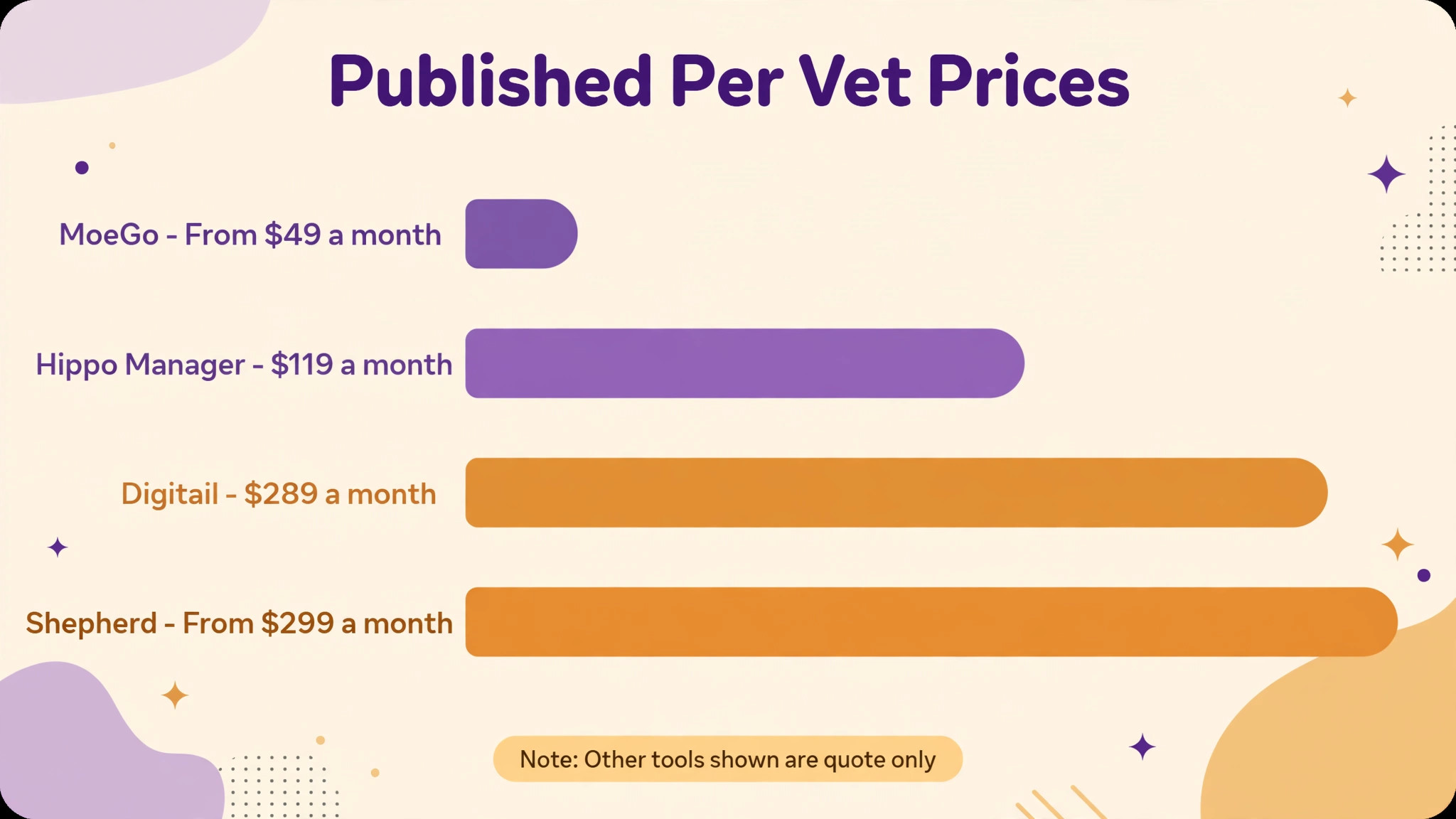
| Shepherd | Independent practices that want a workflow first system | From 299 dollars a month per veterinarian | Per vet pricing, other staff included |
| Digitail | New or mobile clinics that want a client app | 289 dollars a user a month per published comparisons | Four tiers, migration bundled |
| Hippo Manager | Clinics that want transparent per vet pricing | 119 dollars a month per full time veterinarian | Clear published price |
| DaySmart Vet | Small and mobile practices | Quote only | Easy cloud system for small teams |
| Provet Cloud | Multi site or referral practices | Per vet per month plus a platform fee | Published structure, amounts vary |
| ezyVet | Larger practices and groups | Quote only | Established cloud platform |
| Cornerstone | Practices on a legacy server system | Quote only | Deep legacy system |
| AVImark | Practices that want a long running server system | Quote only | Legacy depth |
| NectarVet | Small clinics that want one quoted contract | Quote only | Card processing, texting, and notes bundled |
| Vetspire | Growing practices that want a modern cloud system | Quote only | Cloud practice management |
| MoeGo | Pet care businesses with grooming and boarding | From 49 dollars a month | Booking plus payments and reminders |
| PetDesk | Clinics that need client engagement and reminders | Quote only | Client app and reminder focus |
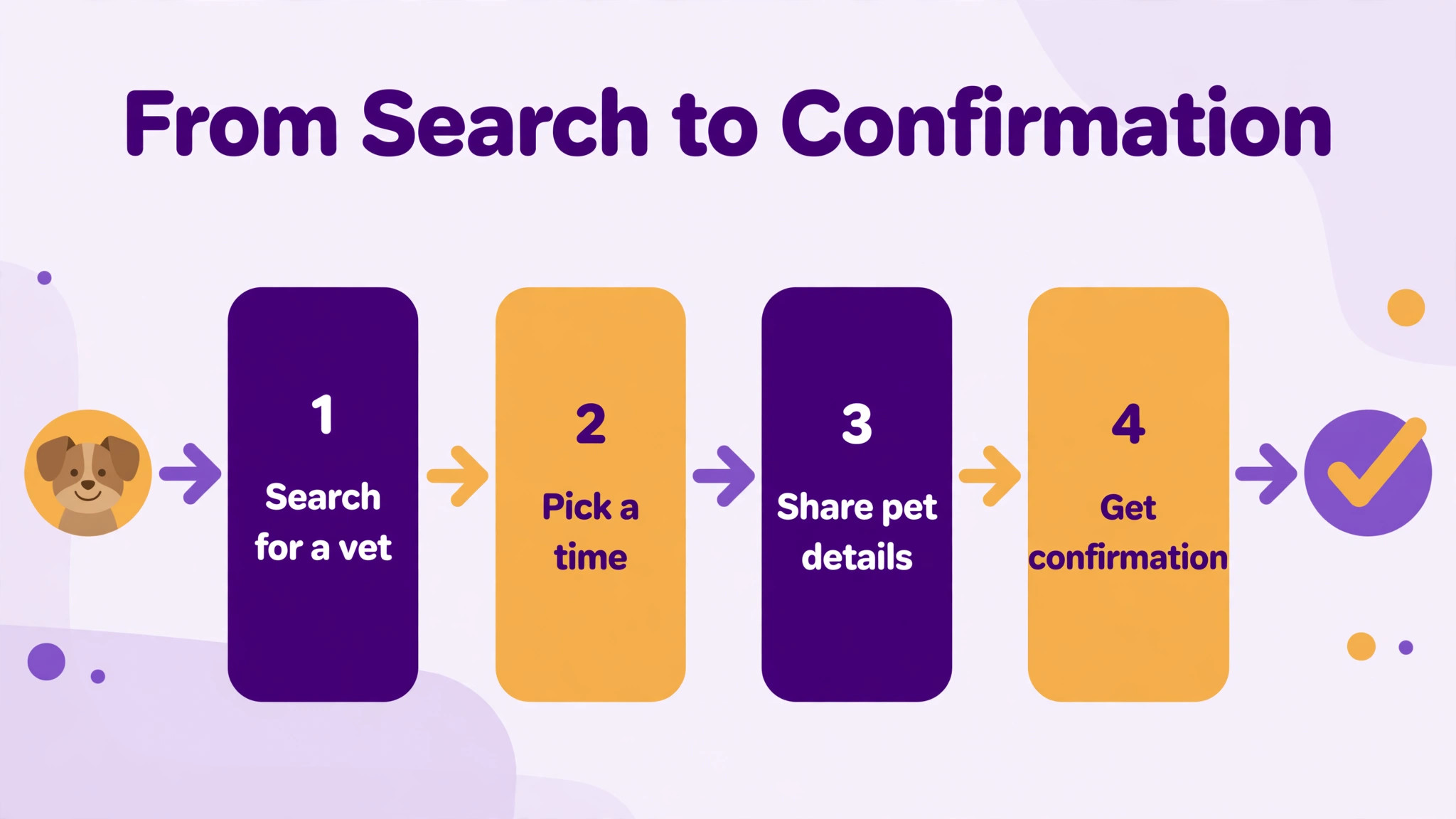
The tools in detail
Each section states the best fit and the price position as published. Where pricing is quote only, treat the demo as a pricing meeting as well as a product demo, and ask for the full first year total in writing. When you compare systems side by side, the best booking software for veterinary clinics that fits is usually the one whose daily workflow your team already understands, not the one with the longest feature list.
Shepherd
Shepherd is a independent general practice with many support staff option that covers cloud scheduling, medical records, invoicing, and client communication and a workflow first design that staff learn quickly. In daily use that combination matters because the front desk, the clinical or service team, and the owner all work from the same record instead of passing notes between separate tools. Setup usually starts with the appointment book and the customer record, then adds payments and reminders once staff trust the basics.
On price, published from 299 dollars a month per veterinarian, with other staff included and texting and migration extra. Check the vendor current pricing page before you budget, because seat limits, texting allowances, and payment processing are often charged separately. The trade to weigh is per vet pricing that rises with vet count rather than staying flat. Ask for a demo using your own busiest week, not a prepared script, and confirm what data you can export if you leave.
In a demo, test the failure case before the happy path. Enter a duplicate booking, a wrong price, and a missing customer detail, then watch how the system recovers. A tool that handles errors gracefully will save staff time every week.
Digitail
Digitail suits a new or mobile clinic that wants a client app buyer that wants online booking, a pet parent portal, two way chat, telemedicine, and AI assisted notes without a long implementation project. The core workflow runs through migration, onboarding, and support bundled in every tier, so a booking, a sale, or a job moves from first contact to payment in one place. That single record also makes follow up easier, because staff can see what was booked, what was paid, and what is still outstanding at a glance.
Pricing is published comparisons list 289 dollars a user a month, with four tiers and no amounts on the plans page, and you should confirm the current figure on the vendor pricing page before signing, since add on charges for messaging, extra users, and payment processing change the total. The main trade is a quoted price that you cannot compare without a demo. Test the workflow that fails most often in your business first, and get the exit and data export terms in writing.
In a demo, time the most repeated task with a stopwatch. If the task your team repeats fifty times a day takes ten extra seconds, that is eight minutes a day per person, and it adds up to hours every month.
Hippo Manager
Hippo Manager is built for a clinic that wants transparent per vet pricing operation and puts scheduling, records, invoicing, and reminders at a clear entry price at the centre of the working day. Staff handle the most transparent price in this guide for a small clinic from the same screen they use for scheduling, which cuts the time spent retyping details into a second system. For a small team that trade matters more than an extra reporting feature that nobody opens.
On price, published at 119 dollars a month per full time veterinarian. Check the vendor current pricing page before you budget, because seat limits, texting allowances, and payment processing are often charged separately. The trade to weigh is less enterprise depth than the largest cloud platforms. Ask for a demo using your own busiest week, not a prepared script, and confirm what data you can export if you leave.
In a demo, ask the vendor to run this single test with your own data. Enter a real customer, a real item, and a real price, then change the date, change the quantity, and cancel it. Watch what breaks, because that break will happen on your busiest day.
DaySmart Vet
DaySmart Vet is a small or mobile practice that wants simplicity option that covers cloud appointment scheduling, records, invoicing, and reminders and an easy system that staff learn fast with no server hardware. In daily use that combination matters because the front desk, the clinical or service team, and the owner all work from the same record instead of passing notes between separate tools. Setup usually starts with the appointment book and the customer record, then adds payments and reminders once staff trust the basics.
Pricing is quote only, so check the vendor current pricing page, and you should confirm the current figure on the vendor pricing page before signing, since add on charges for messaging, extra users, and payment processing change the total. The main trade is feature depth that does not match Shepherd or Digitail. Test the workflow that fails most often in your business first, and get the exit and data export terms in writing.
In a demo, test the failure case before the happy path. Enter a duplicate booking, a wrong price, and a missing customer detail, then watch how the system recovers. A tool that handles errors gracefully will save staff time every week.
Provet Cloud
Provet Cloud suits a multi site or referral practice buyer that wants multi site scheduling, records, and reporting built for groups without a long implementation project. The core workflow runs through published per vet pricing that suits UK and Nordic groups as well as US practices, so a booking, a sale, or a job moves from first contact to payment in one place. That single record also makes follow up easier, because staff can see what was booked, what was paid, and what is still outstanding at a glance.
On price, published per vet per month plus a platform fee, with AI scribe and payments sold separately. Check the vendor current pricing page before you budget, because seat limits, texting allowances, and payment processing are often charged separately. The trade to weigh is a platform fee on top of seat pricing that solo buyers often dislike. Ask for a demo using your own busiest week, not a prepared script, and confirm what data you can export if you leave.
In a demo, time the most repeated task with a stopwatch. If the task your team repeats fifty times a day takes ten extra seconds, that is eight minutes a day per person, and it adds up to hours every month.
ezyVet
ezyVet is built for a larger practice or group that needs scale operation and puts cloud practice management with scheduling, records, billing, and inventory at the centre of the working day. Staff handle proven scale for larger teams and higher volumes from the same screen they use for scheduling, which cuts the time spent retyping details into a second system. For a small team that trade matters more than an extra reporting feature that nobody opens.
Pricing is quote only, so check the vendor current pricing page, and you should confirm the current figure on the vendor pricing page before signing, since add on charges for messaging, extra users, and payment processing change the total. The main trade is quote only pricing and an enterprise buying process. Test the workflow that fails most often in your business first, and get the exit and data export terms in writing.
In a demo, ask the vendor to run this single test with your own data. Enter a real customer, a real item, and a real price, then change the date, change the quantity, and cancel it. Watch what breaks, because that break will happen on your busiest day.
Cornerstone
Cornerstone is a practice committed to a legacy server system option that covers server based scheduling, records, and billing with deep history and data kept in house and a system many teams already know. In daily use that combination matters because the front desk, the clinical or service team, and the owner all work from the same record instead of passing notes between separate tools. Setup usually starts with the appointment book and the customer record, then adds payments and reminders once staff trust the basics.
On price, quote only, so check the vendor current pricing page. Check the vendor current pricing page before you budget, because seat limits, texting allowances, and payment processing are often charged separately. The trade to weigh is ageing delivery and slower updates than cloud rivals. Ask for a demo using your own busiest week, not a prepared script, and confirm what data you can export if you leave.
In a demo, test the failure case before the happy path. Enter a duplicate booking, a wrong price, and a missing customer detail, then watch how the system recovers. A tool that handles errors gracefully will save staff time every week.
AVImark
AVImark suits a practice that wants a long running server system buyer that wants server based practice management with scheduling and billing without a long implementation project. The core workflow runs through long running depth for established workflows, so a booking, a sale, or a job moves from first contact to payment in one place. That single record also makes follow up easier, because staff can see what was booked, what was paid, and what is still outstanding at a glance.
Pricing is quote only, so check the vendor current pricing page, and you should confirm the current figure on the vendor pricing page before signing, since add on charges for messaging, extra users, and payment processing change the total. The main trade is server maintenance and a dated feel next to modern cloud tools. Test the workflow that fails most often in your business first, and get the exit and data export terms in writing.
In a demo, time the most repeated task with a stopwatch. If the task your team repeats fifty times a day takes ten extra seconds, that is eight minutes a day per person, and it adds up to hours every month.
NectarVet
NectarVet is built for a small clinic that wants one quoted contract operation and puts scheduling, records, card processing, texting, and AI notes under one contract at the centre of the working day. Staff handle fewer separate bills for messaging and payments from the same screen they use for scheduling, which cuts the time spent retyping details into a second system. For a small team that trade matters more than an extra reporting feature that nobody opens.
On price, quote only, so check the vendor current pricing page. Check the vendor current pricing page before you budget, because seat limits, texting allowances, and payment processing are often charged separately. The trade to weigh is a one time onboarding fee and quote only pricing. Ask for a demo using your own busiest week, not a prepared script, and confirm what data you can export if you leave.
In a demo, ask the vendor to run this single test with your own data. Enter a real customer, a real item, and a real price, then change the date, change the quantity, and cancel it. Watch what breaks, because that break will happen on your busiest day.
Vetspire
Vetspire is a growing practice that wants a modern cloud system option that covers cloud scheduling, records, invoicing, and client communication and a modern interface for a growing team. In daily use that combination matters because the front desk, the clinical or service team, and the owner all work from the same record instead of passing notes between separate tools. Setup usually starts with the appointment book and the customer record, then adds payments and reminders once staff trust the basics.
Pricing is quote only, so check the vendor current pricing page, and you should confirm the current figure on the vendor pricing page before signing, since add on charges for messaging, extra users, and payment processing change the total. The main trade is quote only pricing that makes early comparison harder. Test the workflow that fails most often in your business first, and get the exit and data export terms in writing.
In a demo, test the failure case before the happy path. Enter a duplicate booking, a wrong price, and a missing customer detail, then watch how the system recovers. A tool that handles errors gracefully will save staff time every week.
MoeGo
MoeGo suits a pet care business with grooming, boarding, or daycare alongside vet visits buyer that wants online booking, scheduling, payments, pet profiles, and automated reminders without a long implementation project. The core workflow runs through a strong fit where grooming and boarding share the same client base, so a booking, a sale, or a job moves from first contact to payment in one place. That single record also makes follow up easier, because staff can see what was booked, what was paid, and what is still outstanding at a glance.
On price, published from 49 dollars a month. Check the vendor current pricing page before you budget, because seat limits, texting allowances, and payment processing are often charged separately. The trade to weigh is a pet care platform first, not a full veterinary medical record system. Ask for a demo using your own busiest week, not a prepared script, and confirm what data you can export if you leave.
In a demo, time the most repeated task with a stopwatch. If the task your team repeats fifty times a day takes ten extra seconds, that is eight minutes a day per person, and it adds up to hours every month.
PetDesk
PetDesk is built for a clinic that needs stronger client engagement operation and puts client app, appointment reminders, and two way messaging at the centre of the working day. Staff handle a clear lift in reminder response and client retention from the same screen they use for scheduling, which cuts the time spent retyping details into a second system. For a small team that trade matters more than an extra reporting feature that nobody opens.
Pricing is quote only, so check the vendor current pricing page, and you should confirm the current figure on the vendor pricing page before signing, since add on charges for messaging, extra users, and payment processing change the total. The main trade is it works best as an engagement layer, so check how it pairs with your record system. Test the workflow that fails most often in your business first, and get the exit and data export terms in writing.
In a demo, ask the vendor to run this single test with your own data. Enter a real customer, a real item, and a real price, then change the date, change the quantity, and cancel it. Watch what breaks, because that break will happen on your busiest day.
Best pick by job
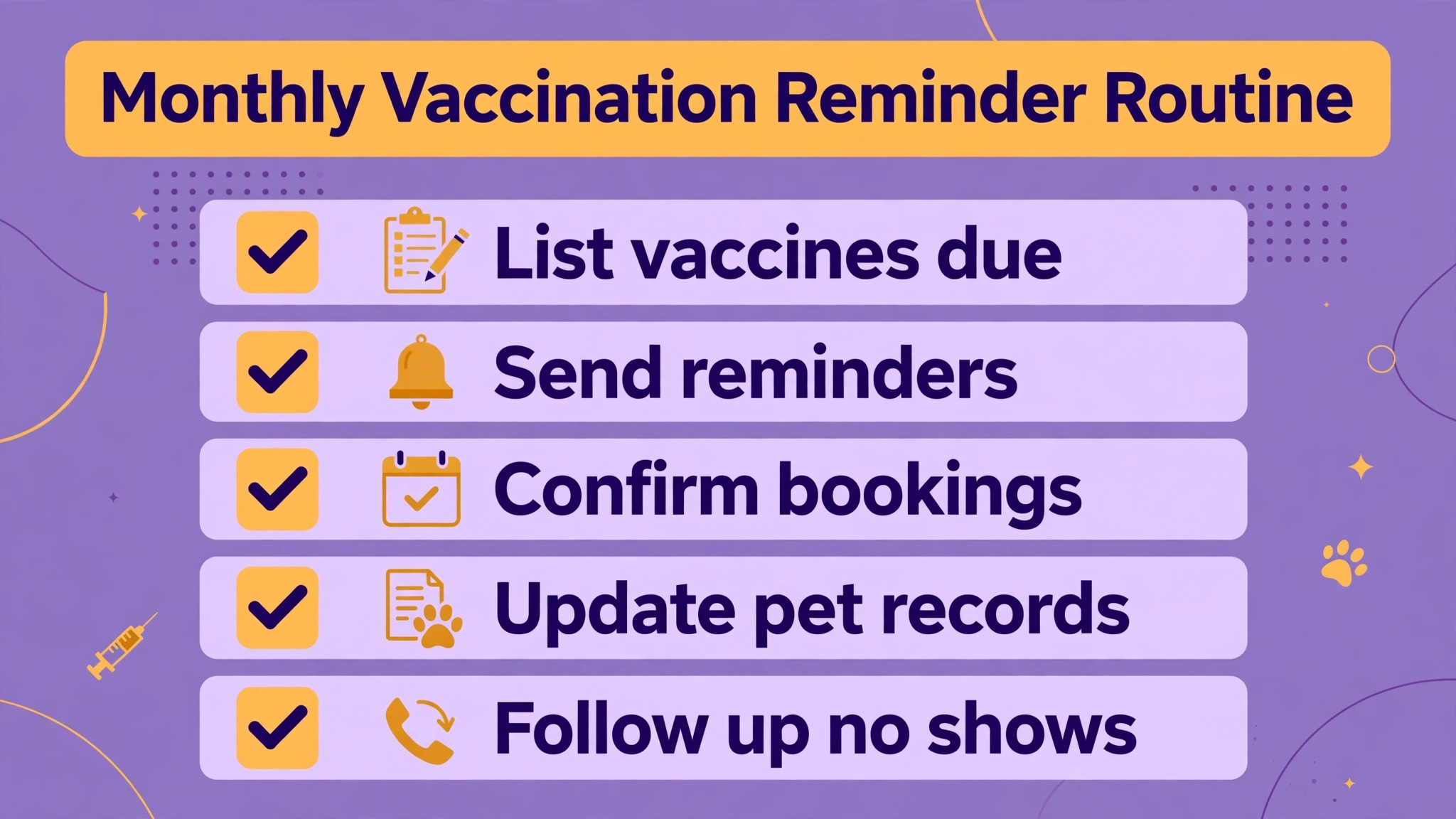
The best booking software for veterinary clinics depends on who is booking and where the visit happens. A solo vet needs a low friction book. A multi vet clinic needs a book that cannot be double booked. A mobile vet needs a book that works from the road.
| Job | Best pick | Why it fits |
|---|---|---|
| Solo vet | Hippo Manager | Transparent per vet price and a complete enough system for one vet |
| Multi vet clinic | Shepherd | Workflow first design that keeps several vets and support staff in step |
| Mobile vet | Digitail | Client app, telemedicine, and cloud access from any location |
Vaccination reminder checklist
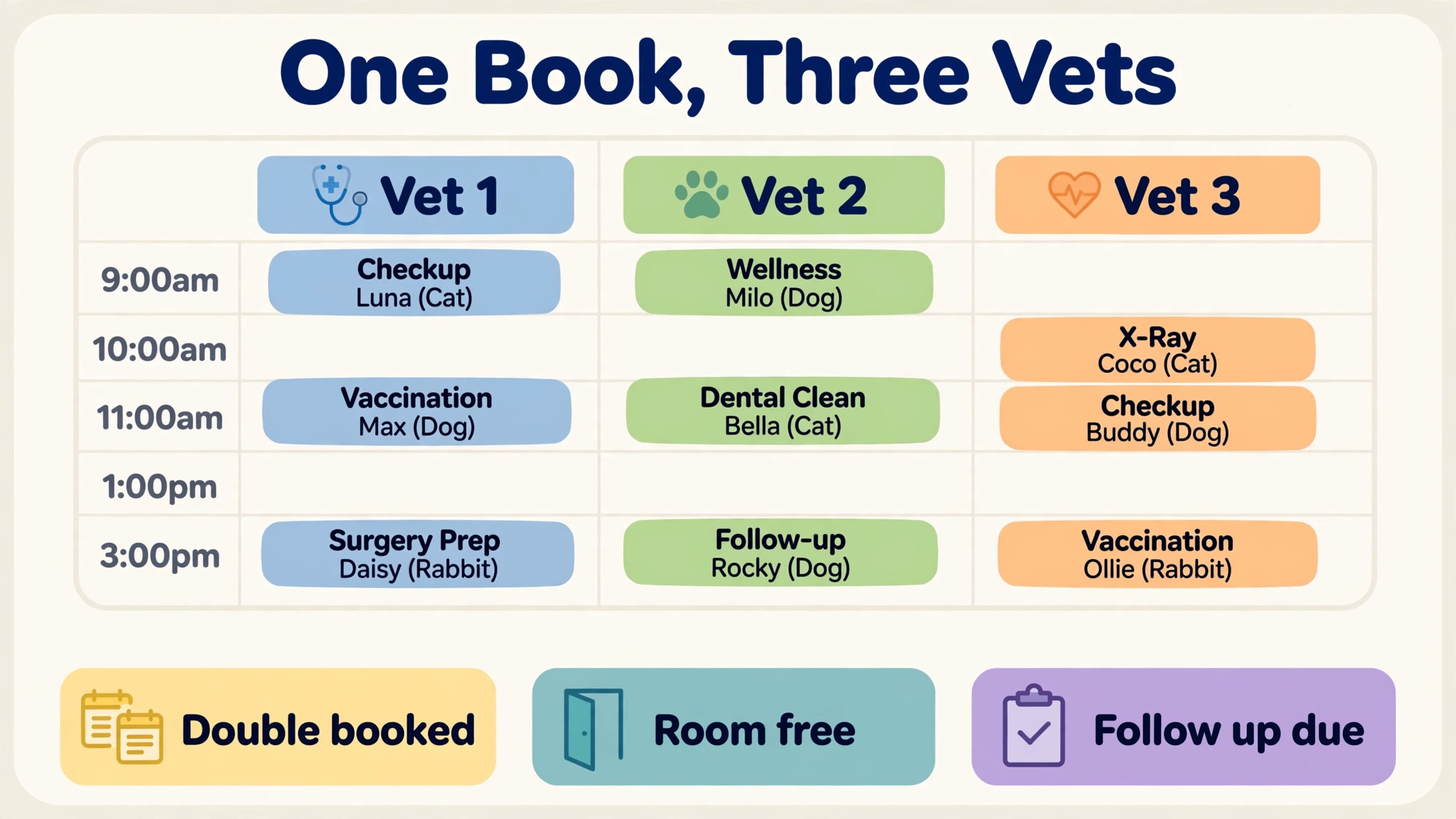
Vaccinations are the most reliable repeat visit a clinic owns, and they are lost when reminders depend on memory. Run this checklist monthly and treat an unreminded vaccination as a missed appointment, not a minor admin gap.
– Pull the vaccination due list monthly and split it by vaccine type and due date. – Send the first reminder three weeks before the due date, not on the day itself. – Send a second reminder by text if the owner has not booked within seven days. – Record the vaccine, batch, and next due date at the visit, before the owner leaves. – Flag overdue vaccinations weekly and assign each one to a named staff member. – Review reminder response rates monthly and change the timing, not just the wording, when response falls.
How to choose best booking software for veterinary clinics
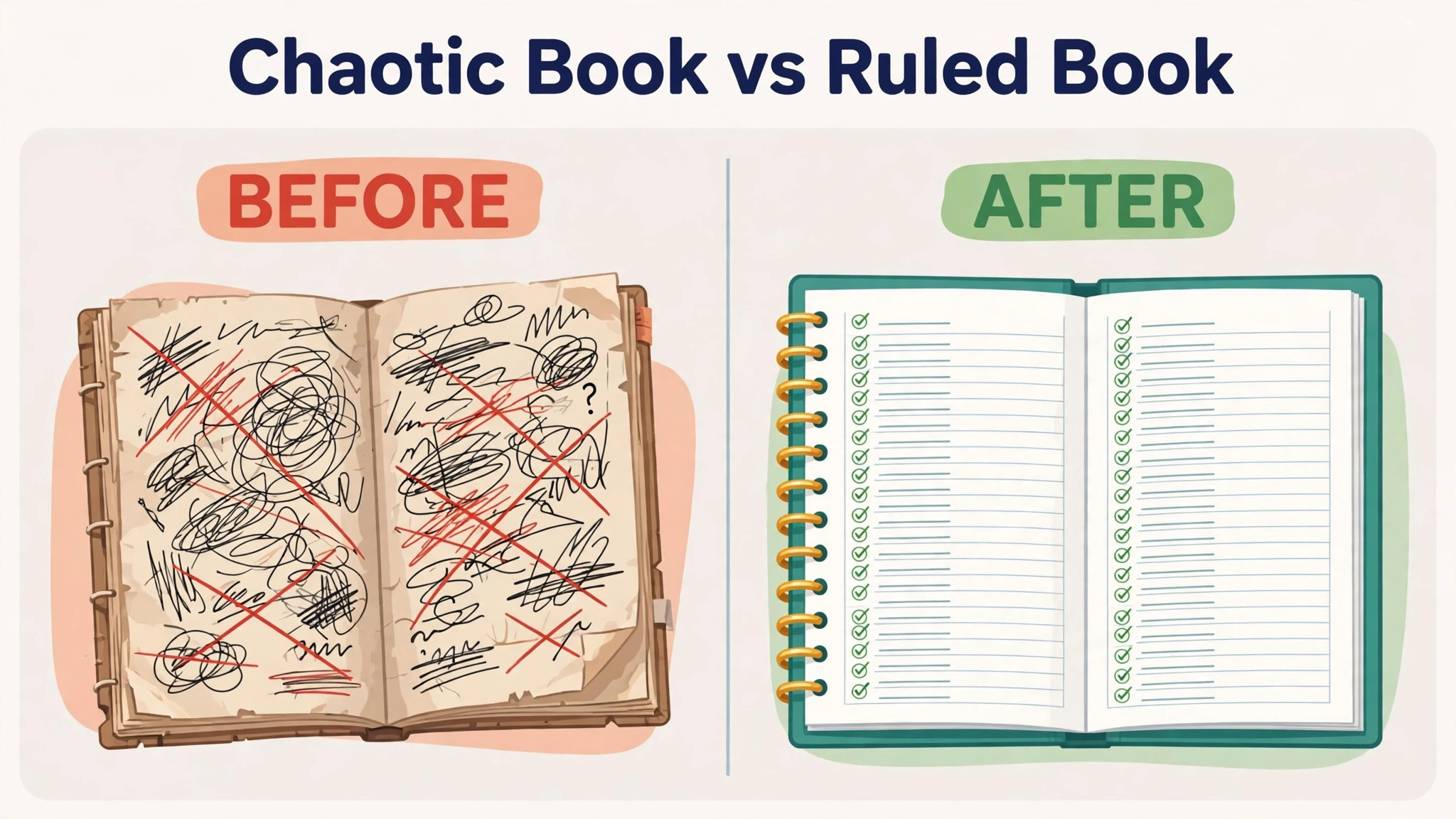
Start with the appointment types your clinic actually books. Test a routine vaccination, a surgery slot, a double appointment, and a mobile visit in the demo. If the system forces every visit into the same slot length, the book will fight the clinic every day.
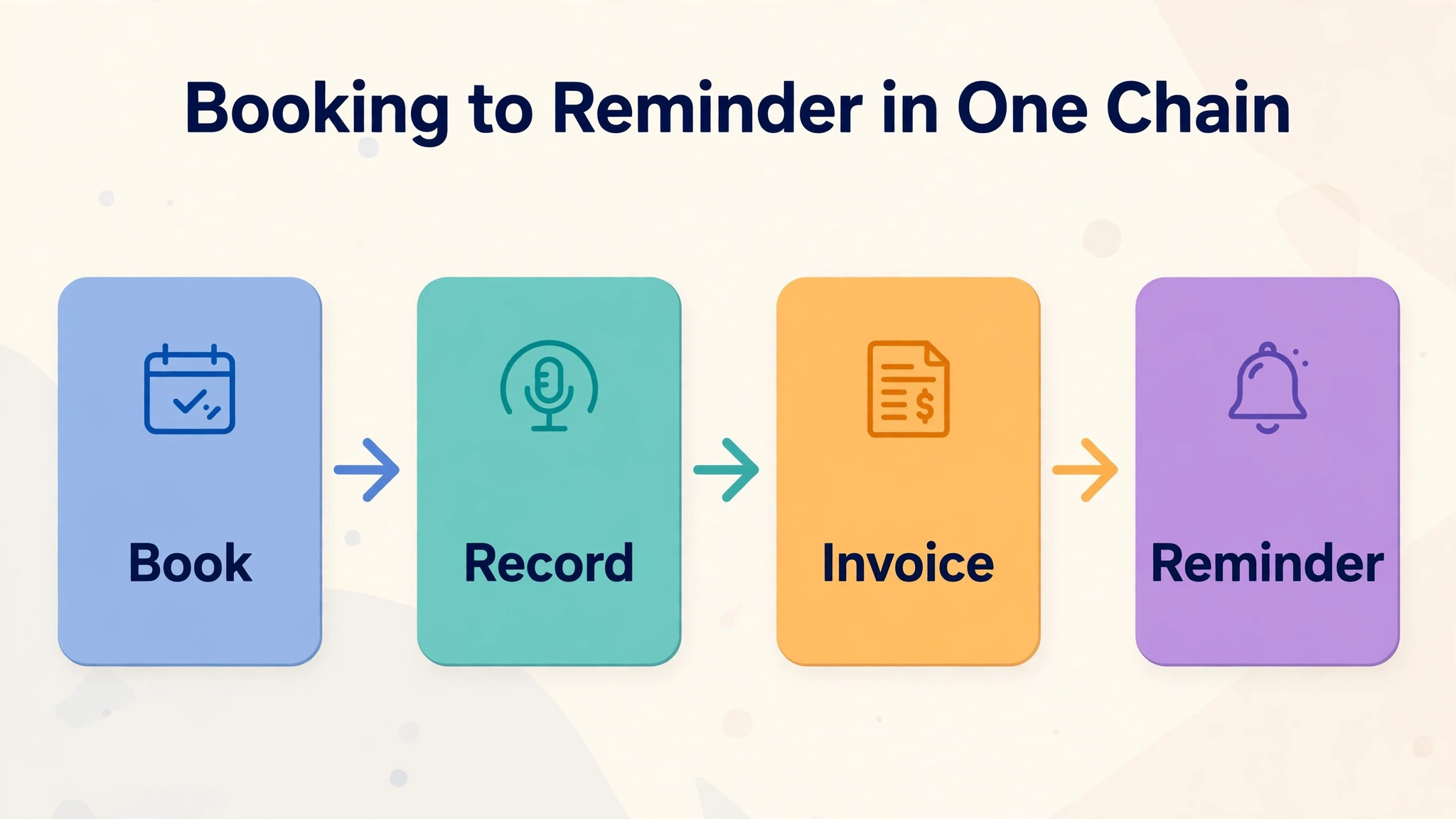
Next, test the medical record handoff. Book a visit, write the note, create the invoice, and send the reminder from the same workflow. A booking tool that leaves the vet retyping notes into a second system is not saving time, whatever its monthly price says.
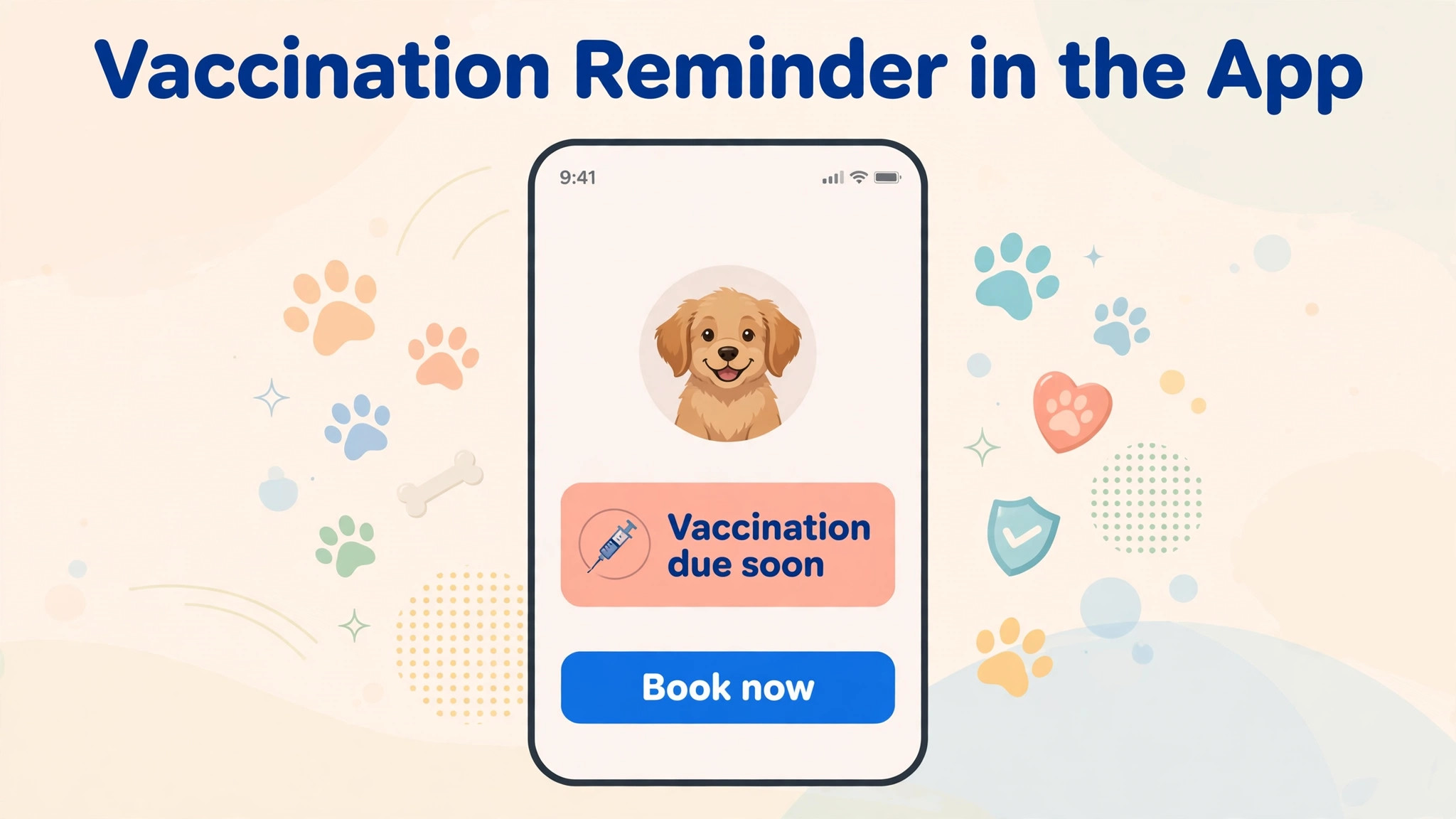
Then check reminders and client messaging. Confirm who sends the reminder, what happens when an owner replies, and whether a vaccination due date updates automatically. A reminder that needs manual follow up for every reply will quietly stop working when the clinic is busy.
Finally, price the real clinic. Add per vet seats, texting, payment processing, migration, and any AI notes charge to the headline price. The best booking software for veterinary clinics on a pricing page can look very different once a three vet clinic with two receptionists is priced honestly.
One more test matters for a vet clinic. Run the end of day routine in the demo, including invoicing the last visits, chasing unpaid balances, and preparing the next day vaccination list. A system that makes booking easy but evenings slow will cost the team an hour a day, and that hour is the difference between a team that trusts the system and a team that keeps a paper backup.
Mistakes to avoid
The best booking software for veterinary clinics is often undermined by the rollout, not the product. These mistakes show up again and again in small clinics.
Choosing by monthly price alone
A low headline price that excludes texting, payments, and AI notes can cost more than a higher all in price. Price the clinic at real volumes for a full year, including the messages you actually send, before ranking tools by price.
Forgetting the mobile visit
A system that works at the front desk but fails in a van or a farm visit creates a second paper workflow. Test booking, notes, and payments from a phone on a weak connection before signing.
No plan for old records
Patient histories, vaccine records, and client details must move cleanly, or staff will keep the old system open for months. Ask what migrates, what is checked, and who fixes errors, and get the answer in writing.
Letting owners book anything
Open online booking without rules fills the book with the wrong visit lengths. Set appointment types, buffer times, and triage questions first, then open booking to clients.
Reminders with no owner
Automated reminders still need a human owner for non responders. Name the staff member who works the overdue list each week, or the reminder system becomes a report that nobody reads.
Pricing and total cost
Total cost for a vet clinic depends on vet count, texting volume, and whether AI notes are included. A per vet price looks simple until reception staff, locums, and a second site are added, and texting charges can grow fast in vaccination season. The best booking software for veterinary clinics on a pricing page is therefore only a starting point, not a final ranking.
Build a first year sheet at real clinic size. List per vet seats, texting at vaccination season volume, payment processing, migration, training, and any AI notes charge. Compare that sheet across finalists. A higher headline price with texting included can beat a lower headline price that charges for every reminder.
Ask about renewal pricing and contract length in the same conversation. Get the price rise rule, the notice period, and the data export format in writing before migration begins, so the clinic is not locked in by its own patient records.
Frequently Asked Questions
What is veterinary booking software?
Veterinary booking software lets owners book appointments online, manages the clinic appointment book, and usually connects to medical records, invoicing, and reminders. The fuller tools in this guide are practice management systems, while narrower tools focus on booking and client messaging alone. That test also applies to the best booking software for veterinary clinics shortlist, because a tool that only works in a demo will not survive a busy week.
How much does veterinary booking software cost?
Published prices here range from 49 dollars a month for MoeGo to 119 dollars a month per full time veterinarian for Hippo Manager, 289 dollars a user a month for Digitail in published comparisons, and from 299 dollars a month per veterinarian for Shepherd. Most enterprise platforms are quote only, so ask for a written first year total.
Should a small vet clinic choose cloud or server software?
Most small clinics should choose cloud software. Updates arrive automatically, staff can work from anywhere, and there is no server to maintain. Server systems still suit a clinic that wants data on its own hardware and has support to maintain it.
Can booking software send vaccination reminders?
Yes, if the system links the medical record to the reminder workflow. The due date should update from the visit record, and reminders should go out automatically with a second attempt for owners who do not book. Check that flow in a demo with a real vaccine schedule.
Does online booking increase no shows?
Open booking without rules can increase no shows, because owners book the wrong visit type or book far ahead and forget. Confirmation texts, deposit options where appropriate, and a clear cancellation policy keep online booking helpful rather than chaotic.
How long does it take to switch veterinary software?
A cloud system with vendor managed migration can go live in weeks, while a complex legacy move takes longer. The slow part is cleaning records, training staff, and running two systems in parallel until the team trusts the new book and record.
What about telemedicine and client apps?
Telemedicine and a client app suit follow ups, triage, and mobile clinics, but they do not replace in person care. Check whether video, messaging, and record access sit inside the same system or need a separate login for owners.
What should I confirm before signing?
Confirm the per vet price, texting allowances, payment processing fees, migration scope, contract length, and data export format. Ask what happens to records if you cancel, and whether AI notes or extra users are included or charged separately.
More Reading on Stratilyze
These related guides cover booking and reminder workflows for animal care businesses and the wider small business systems around a clinic.
– Use AI for veterinary clinic booking management – Use AI for veterinary clinic appointment reminders – Best AI tools for veterinarians – Cost of starting a pet grooming business – Use AI for pet sitting booking management
Verdict
Decision first. If you run one vet and want a clear price, start with Hippo Manager. If you run several vets and want the smoothest daily workflow, start with Shepherd. If you work mobile or want a strong client app, start with Digitail. Test the winner with a vaccination clinic day, a surgery day, and a mobile day before you commit. The best booking software for veterinary clinics decision should be made on that tested week, not on a sales call.
That three day test is the whole decision. A tool that survives those three days without a workaround will survive the year. A tool that needs a spreadsheet for one of them will cost you that workaround every week, and that cost never shows up on a pricing page.