

Verdict first. If you shoot listings alone and need fast, consistent edits, start with Imagen for batch editing and Pedra for quick sky, perspective, and staging fixes. If you run a small studio with several photographers, add a staging specialist and a strict human check, because consistency across shooters matters more than any single feature. That short answer is the core of this guide to AI tools for real estate photographers small business owners can use without turning editing into a second full time job.
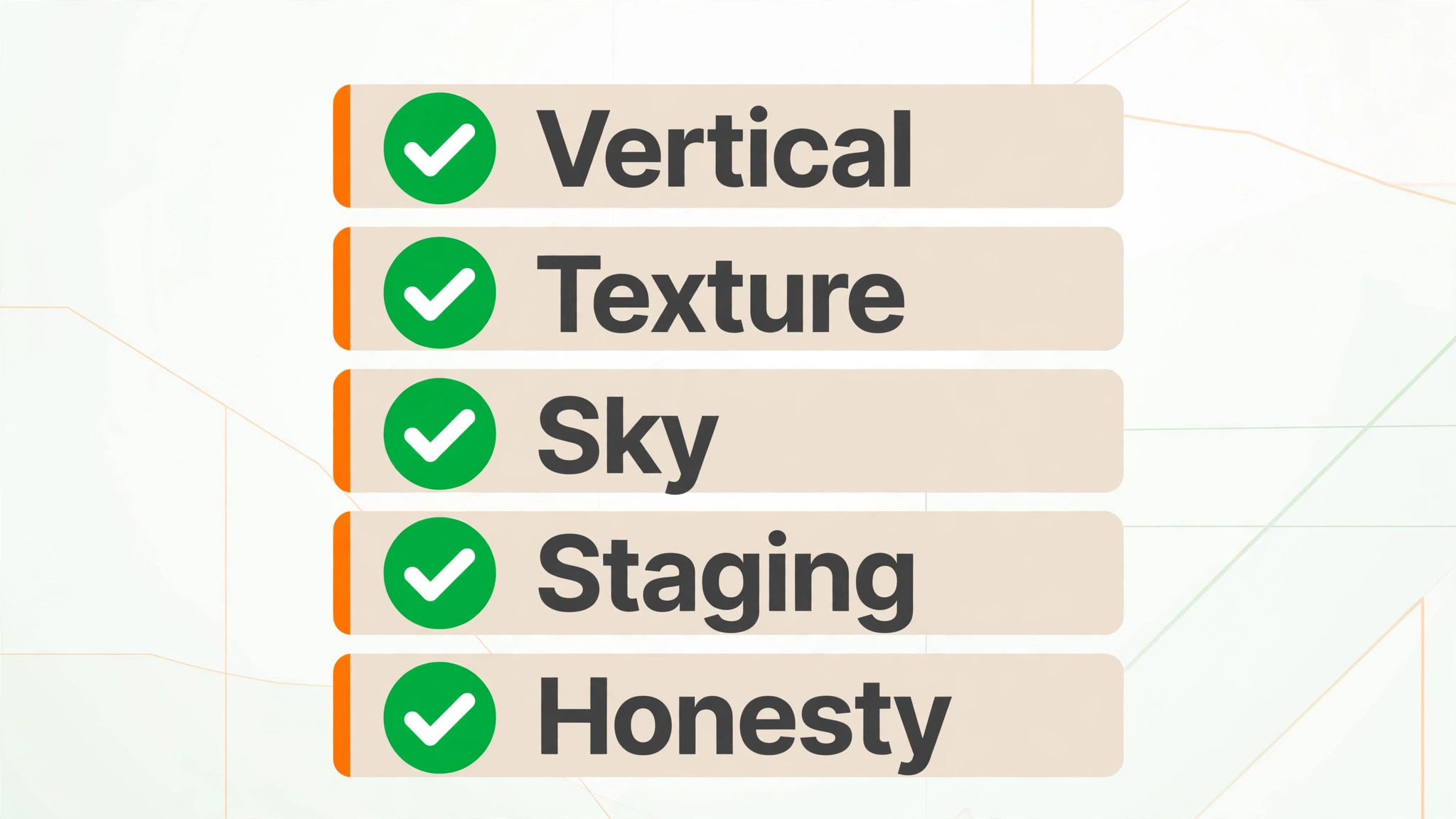
Real estate editing has constraints that general photo editing does not. Vertical lines must stay straight, repeating patterns must not dissolve into impossible textures, and the finished photo must still represent the property honestly for listing rules. An AI tool that makes a living room look brighter is useful. An AI tool that moves a wall, invents a window, or turns patchy grass into a perfect lawn without disclosure can create a listing problem. The tools below are judged on that standard, not only on speed.
This guide compares ten tools across the real workflow, from culling and batch correction to sky replacement, day to dusk conversion, virtual staging, and delivery. Prices change often, so check the vendor current page before you budget, and test each tool on your own hardest photos, not only on the vendor demo images. A tool that passes on a bright kitchen may still fail on a crooked window pull or a patterned tile floor.
Why Real Estate Editing Is Different
A portrait photographer in an AI tools for real estate photographers small business workflow can crop creatively and grade for mood. A real estate photographer must deliver a set that looks like one property, shot on one day, with honest geometry. Agents compare galleries side by side, and buyers notice when one room is warm, the next is cold, and the exterior sky looks pasted on. Consistency is therefore a product feature, not a nice extra. AI profiles that learn your style help here, because they apply the same exposure, colour, and straightening choices to every image in a set.
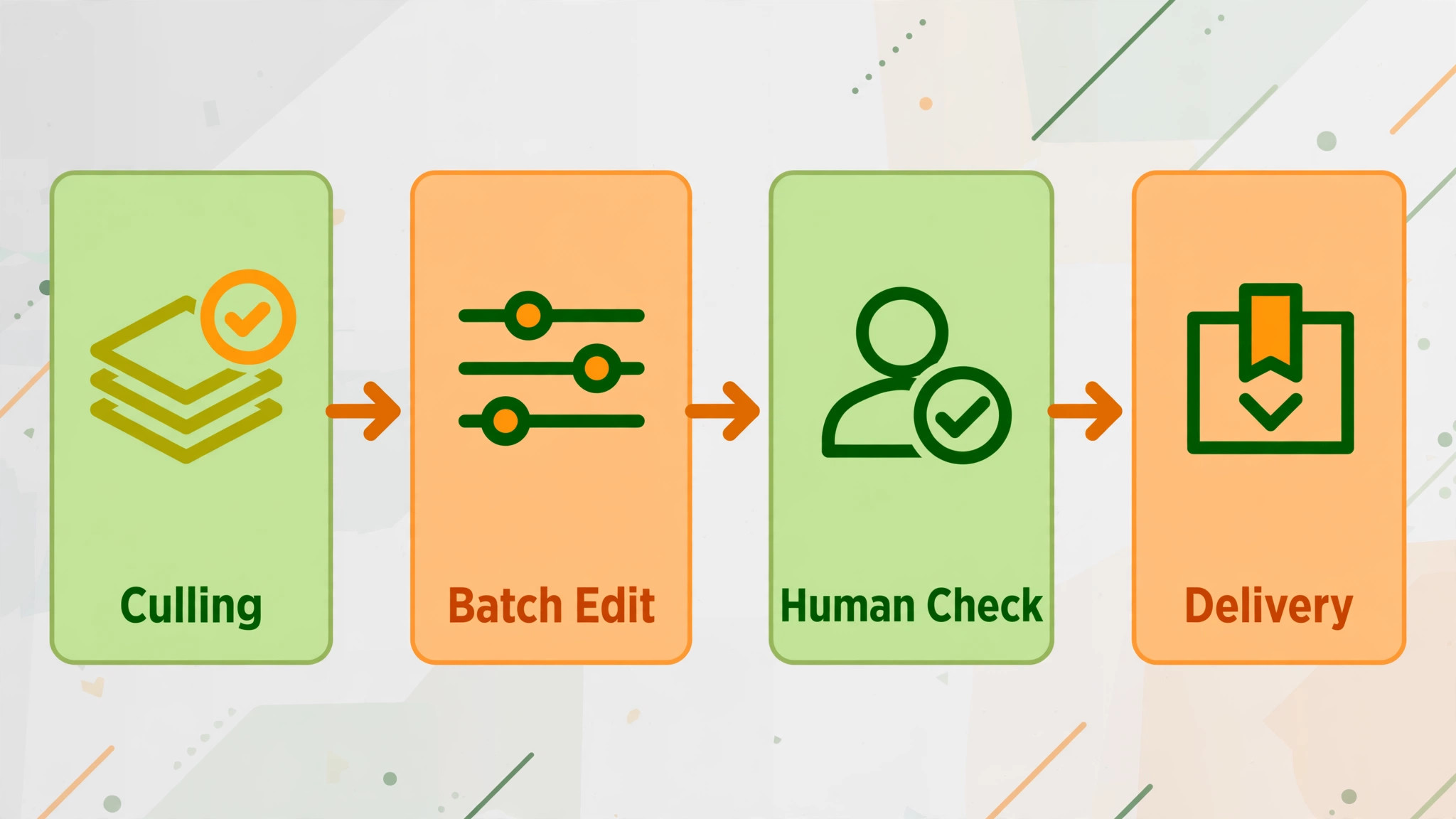
Batch size in an AI tools for real estate photographers small business workflow is the second difference. A single listing often needs 20 to 40 delivered images, and a busy week can mean several listings at once. Manual editing at that volume either delays delivery or forces shortcuts. AI batch processing helps by handling exposure, colour, noise, and perspective first, leaving the human editor to check the hard images and fix the failures. That division of labour is the practical model for a small business, rather than a promise that AI alone will finish every gallery perfectly.
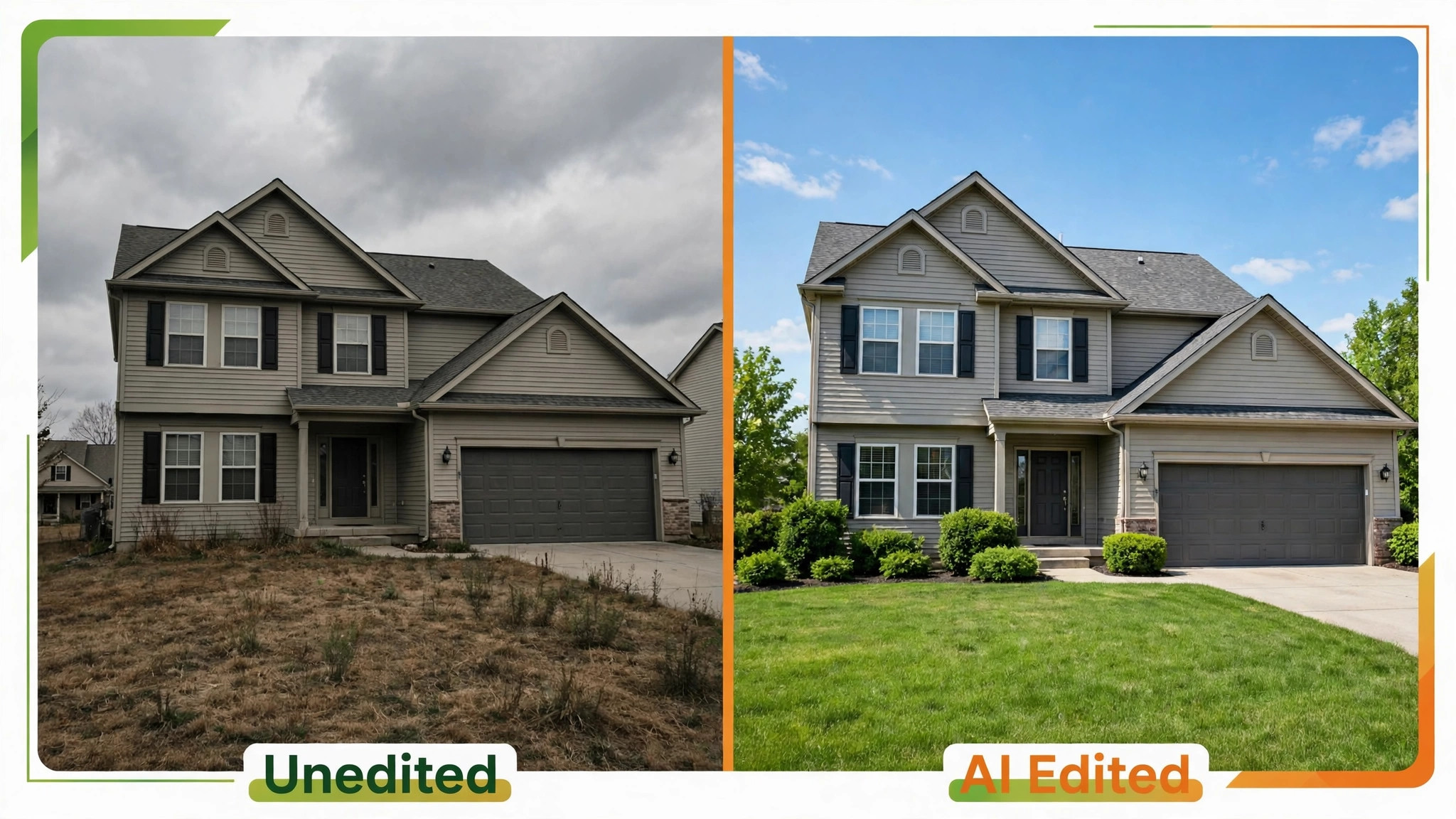
Honesty is the third difference. Sky replacement, lawn repair, and object removal are standard listing edits when they correct weather, clutter, or temporary items. Virtual staging must be disclosed as staging, and structural elements must not be altered. Per guides on real estate AI editing, human spot checks remain essential, especially on perspective and texture continuity, because those are the failures that misrepresent a property. Build that check into your price and your turnaround promise.
The 10 Tools at a Glance
| Tool | Main job | Best for | Watch out for |
|---|---|---|---|
| Imagen | Batch AI editing with a learned style | Solo shooters and small studios | Style setup takes test shoots to tune |
| Pedra | Fast enhancement, sky, staging, floor plans | Quick turnarounds and single listings | Check commercial terms for listing use |
| Plotpane | Single image staging, dusk, sky, clutter | One off enhancements per image | Per image credit model suits low volume |
| StagerAI | Browser staging and photo editing | Staging heavy work without installed software | One house look may need manual grading |
| Luminar Neo | Batch correction, sky, colour | Volume correction before detailed work | No staging and limited perspective repair |
| Adobe Photoshop | Precise removal, sky, and retouching | Hard images that AI batch tools fail | Slow for full gallery batch work alone |
| Adobe Lightroom | Culling, grading, and organisation | Photographers who already live in Adobe | AI features vary by plan and version |
| Topaz Photo AI | Upscaling, sharpening, and noise repair | Older files and low light interiors | Over sharpening can look artificial |
| Replin AI | Virtual staging for empty rooms | Empty listings that need furniture | Staging needs touch up and disclosure |
| BoxBrownie | Outsourced editing and staging service | Overflow weeks and specialist edits | Turnaround depends on queue and scope |
Check the vendor current page for pricing, credits, and commercial terms before you choose, because per image, per month, and per credit models behave very differently at 100 images per month versus 500. A cheap per image tool can become expensive at studio volume, while a monthly subscription can be wasteful for a solo shooter in a slow month. Judge cost on your real monthly image count, not on a headline rate.
Best Pick by Job
| Job type | First pick | Second tool | Why this pair works |
|---|---|---|---|
| Solo shooter | Imagen | Pedra | Batch consistency plus fast single image fixes |
| Small studio | Imagen | Photoshop | Shared style across shooters plus precise repair |
| Drone add on | Lightroom | Topaz Photo AI | Organisation and grading plus detail repair |
| Staging heavy | Replin AI | StagerAI | Dedicated staging plus browser editing speed |
| Overflow and deadline | BoxBrownie | Imagen | Outsourced capacity plus in house batch control |
A solo shooter should optimise for delivery speed and a consistent look that agents recognise. A small studio should optimise for a shared style, because an agent should not be able to tell which photographer shot which room. A drone add on should optimise for detail repair and colour consistency between ground and air images. The pair in the table matters more than any single winner, because no tool in this guide handles every real estate job alone.
The 10 Tools in Detail
1. Imagen
Imagen is built for batch editing with a learned style, which is exactly the problem a busy real estate photographer faces. You train or select a profile, upload a gallery, and the system applies consistent exposure, colour, perspective, and sky work across the set. Per the vendor description, real estate profiles are optimised for listing work, and human revision is available for flagged images. That combination suits a solo shooter who wants galleries back in minutes rather than hours.
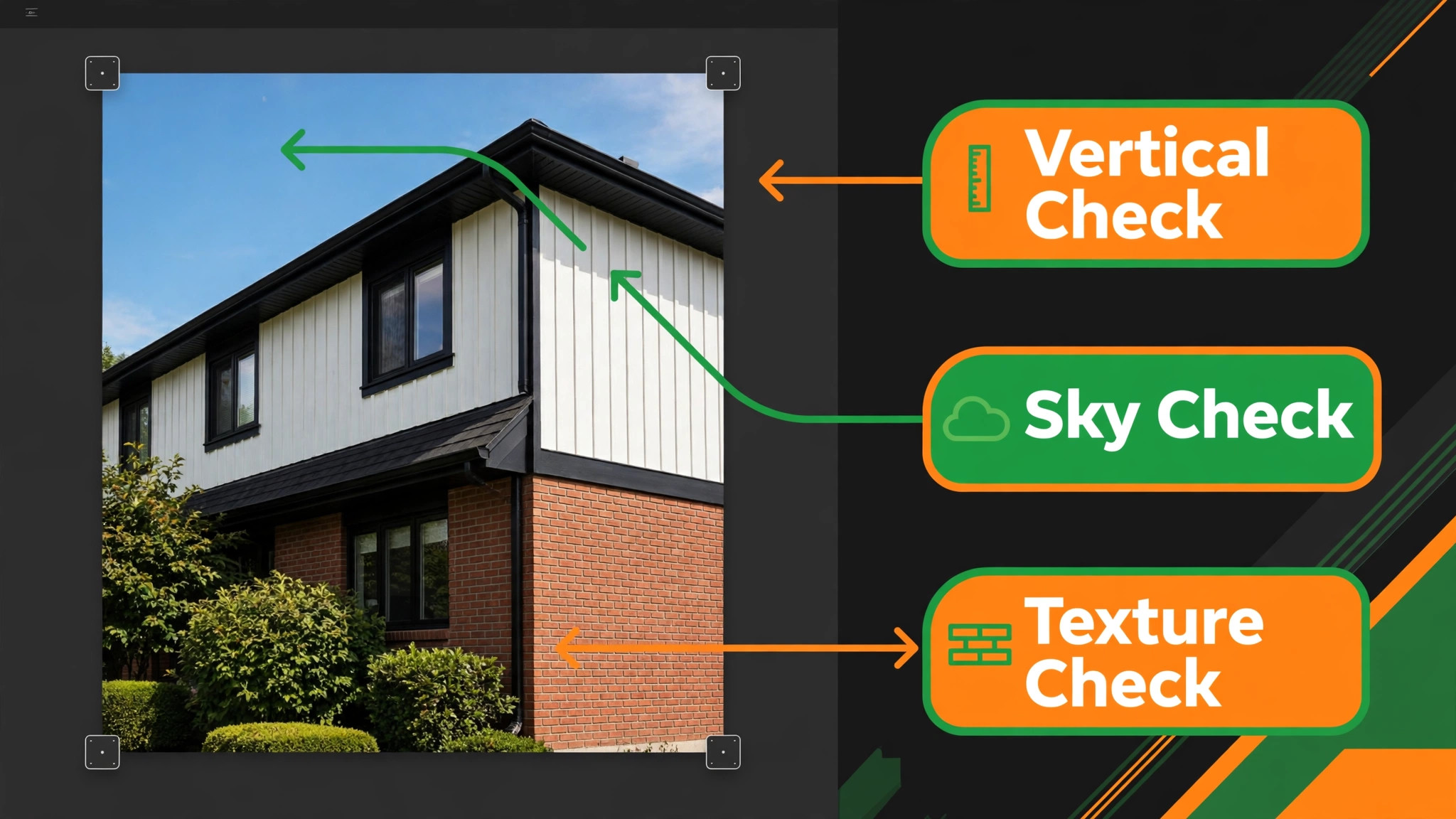
The risk is style drift on unusual properties. A dark timber interior, a patterned tile floor, or a strong window pull can expose the limits of a batch profile. Test Imagen on your hardest recent listings before you promise a faster turnaround to agents. Keep a short manual pass for verticals, reflections, and repeating patterns, and the batch speed becomes a real advantage rather than a source of rework.
2. Pedra
Pedra is a fast, browser based tool for single image enhancement, sky replacement, perspective correction, and virtual staging, with floor plans and listing videos in the wider app. Per guides, it can enhance a photo in seconds, which makes it useful when an agent needs one hero image fixed urgently or when a shoot produced only a few problem images. The free tier allows limited daily use, while paid plans add batch work, high definition output, and commercial use, so check the vendor current page for the terms that match listing work.

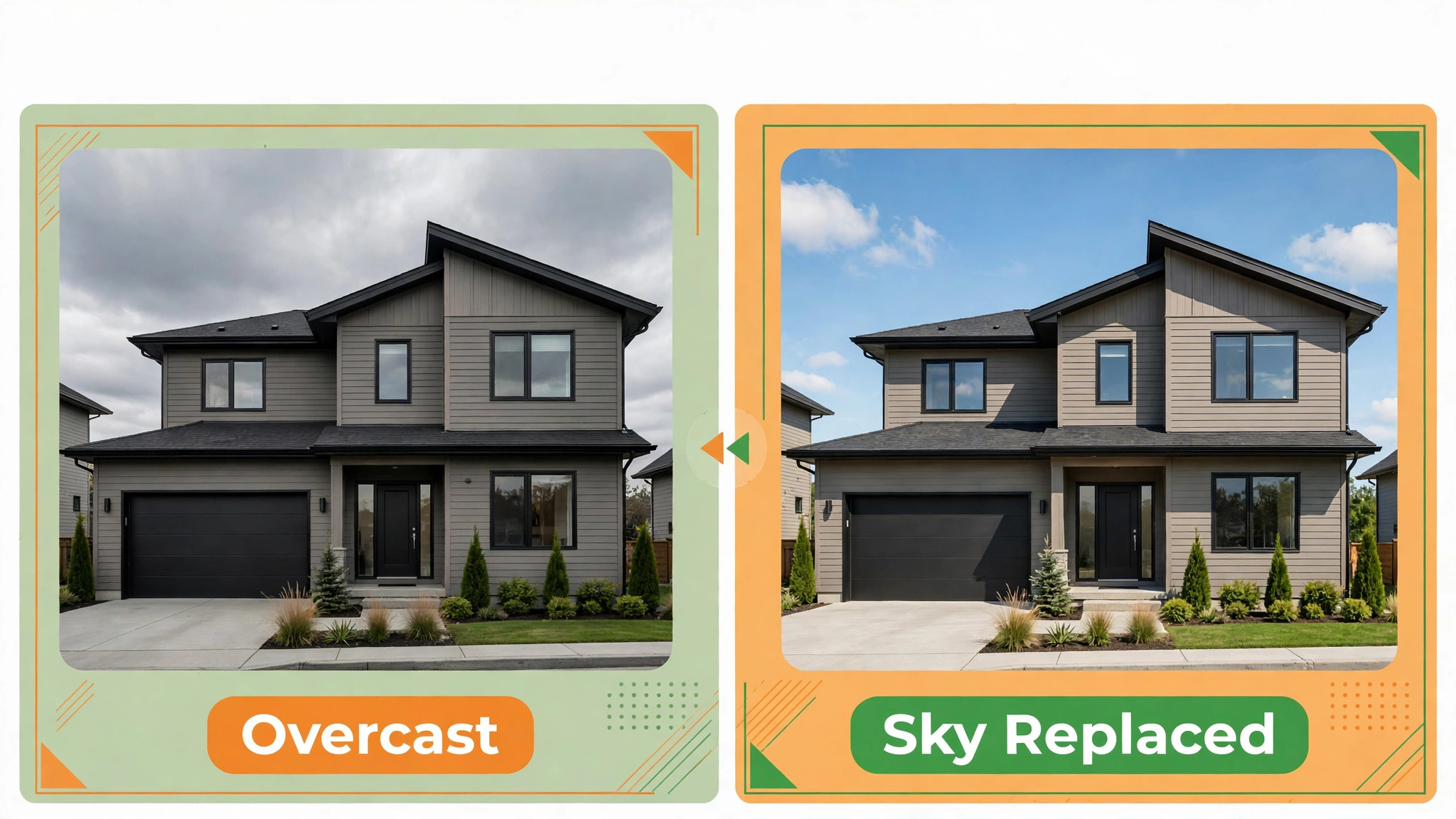
Pedra suits a shooter who already has a main editor but needs a quick fix tool. It does not replace a batch system for a full week of listings, because single image work still takes attention per photo. Use it for hero exteriors, sky swaps on overcast days, and staging previews, and keep your main batch tool for the full gallery.
3. Plotpane
Plotpane offers seven single image tools, including auto enhance, perspective fix, sky swap, lawn and pool revive, clutter removal, day to dusk, and virtual staging, with one credit per image per guides. That simple credit model makes budgeting easy for low volume work, because you pay per image you actually enhance. The preserve approach, where walls, floors, windows, and ceilings are not modified, is a useful honesty guard for listing work.
Plotpane suits a photographer who needs a few polished images per listing rather than a full gallery batch. If you shoot 30 images per listing and want every image enhanced, a per image credit cost adds up quickly, so compare the total per listing with a monthly batch subscription. Use Plotpane for hero shots, dusk conversions, and staging previews where a single strong image carries the listing.
4. StagerAI
StagerAI is a browser based platform for real estate staging and photo editing, with no software to install. You upload a photo, generate a staged preview, and organise variants by property, which helps when an agent wants several styling options for one empty room. Per a review of the tool, edits complete quickly, and background tools for lawn, sky, and day to dusk work well, because those textures hide AI artefacts better than detailed interiors.
The trade off is control. Per the same review, output tends toward one bright, high key look, with limited per image grading control and no custom house style upload in the reviewed version. That look may suit many listings, but it may not match an agent brand that prefers a warmer or moodier grade. Test StagerAI on a full empty property, not only on one room, before you offer it as a studio standard.
5. Luminar Neo
Luminar Neo handles the large middle of real estate editing, including exposure, colour, sky replacement, and batch correction, with a straightforward interface that suits photographers who want speed without a complex catalogue system. Per guides, it covers much of the algorithmic work, such as exposure, colour, and sky, while leaving judgement heavy work to another tool. That makes it a strong first pass tool for a solo shooter or a studio assistant.
Luminar Neo does not replace a staging tool or a precise retouching tool. Per guides, it does not do virtual staging, and it cannot fix every perspective or object removal problem. Pair it with Photoshop for hard images and a staging tool for empty rooms, and judge it on how much time it saves on the easy 70 percent of a gallery, rather than on whether it finishes every image alone.
6. Adobe Photoshop
Photoshop remains the precision tool for real estate work, especially for object removal, sky replacement with matched light direction, and repairs that batch AI tools get wrong. Generative fill can remove a wire, a bin, or a reflection cleanly when used carefully, and manual perspective tools can straighten a window pull that an automated tool misreads. For a studio, Photoshop is the safety net that protects delivery quality on hard listings.
Photoshop is slow as a sole batch editor, because it is designed for image by image work. Use it after a batch pass, on the 10 to 20 percent of images that need judgement, rather than opening every gallery image in Photoshop by default. That workflow keeps quality high without losing the speed advantage of AI batch editing, and it gives junior editors a clear escalation path for problem images.
7. Adobe Lightroom
Lightroom suits photographers who already organise, cull, and grade in Adobe, because it keeps the whole gallery in one catalogue with consistent presets. Culling a 300 image shoot down to 30 deliverables, applying a house preset, and exporting in listing sizes are fast in Lightroom, and the preset system helps a small studio keep a shared look. AI features in Lightroom vary by plan and version, so check the vendor current page for the exact tools included in your plan.
Lightroom alone will not stage a room or repair a complex perspective problem, so pair it with a staging tool and Photoshop for those jobs. Its strength is workflow, not magic. A studio that standardises presets, file naming, and export settings in Lightroom will deliver more consistent galleries than a studio that jumps between tools for every image, even if the individual edits are similar.
8. Topaz Photo AI
Topaz Photo AI specialises in upscaling, sharpening, and noise repair, which matters for low light interiors, older cameras, and drone images shot in wind or poor light. A slightly soft interior or a noisy twilight exterior can often be rescued to listing standard without a reshoot, which saves a return visit and protects the agent deadline. Use it sparingly, because over sharpening and over denoising can create a plastic look that buyers distrust.
Topaz suits a drone add on workflow particularly well, because air images often need detail repair after compression and movement. Test it on your own drone files at listing export size, not only at full zoom, since artefacts that look obvious at 100 percent may be invisible at listing size, and vice versa. Keep the original file untouched, and deliver the repaired version only after a side by side check.
9. Replin AI
Replin AI focuses on virtual staging, which is a distinct job from general editing. Empty rooms photograph poorly, because buyers struggle to judge scale and use, and physical staging is expensive and slow for many listings. A virtual staging tool that furnishes a room with realistic scale, lighting, and shadows can lift enquiry on an empty property, provided the staging is disclosed clearly on the listing. Per guides, staging tools are best used as part of a hybrid stack, not as a sole editor.
Replin AI needs touch up and disclosure discipline. Check furniture scale against door heights and window positions, check shadows for consistency, and label staged images as virtually staged in the listing. A staging image that looks too perfect, with furniture floating or shadows pointing the wrong way, will damage trust faster than an empty room. Build a short staging check into your delivery checklist for every staged image.
10. BoxBrownie
BoxBrownie is an outsourced editing and staging service rather than a self serve AI tool, and that distinction matters for capacity planning. When a studio faces a deadline week, a sick editor, or a specialist job such as a complex staging brief, outsourcing the overflow keeps delivery on time without hiring. Per guides, traditional editing services take 12 to 48 hours and charge per photo, so check the vendor current page for current turnaround and pricing before you promise an agent a same day result.
BoxBrownie suits overflow and specialist work, not necessarily every gallery, because per photo pricing and turnaround time behave differently from an in house batch subscription. Use it with a clear brief, including your house style, sky preference, and staging disclosure wording, so outsourced images match your in house galleries. Review outsourced images with the same checklist you use in house, because the agent will judge the set as one product.
How to Choose Without Buying Five Subscriptions
Start an AI tools for real estate photographers small business stack from your monthly image count and your hardest job. Count images delivered per month over the last three months, count listings per month, and note how many images per listing need staging, sky work, or precision repair. That count tells you whether a per image credit, a monthly subscription, or an outsourced service is cheapest. A tool that looks cheap per month can be expensive per image at low volume, and a tool that looks expensive per image can be cheap for a few hero shots.
Run a controlled test before you subscribe. Take one recent listing with a bright interior, a dark interior, a patterned floor, an overcast exterior, and an empty room, and run the same five images through your two finalists. Score straight verticals, texture continuity, sky realism, colour consistency, and staging scale. The tool with the fewest failures on that hard set, not the tool with the prettiest demo, should win. Keep the test images and scores, because they become your training reference for junior editors.
Check listing rules and agent expectations before you standardise a tool. Some listing platforms and brokerages have rules on virtually staged images, sky replacement, and object removal, and agents may have brand rules on colour and cropping. Ask your top three agents what they accept, what they reject, and what they want labelled. A tool that produces beautiful images an agent cannot publish is not a business tool, however impressive its demo looks.

Editing Workflow Checklist
Use this AI tools for real estate photographers small business checklist for every listing, and keep a copy with the gallery folder. It turns AI speed into consistent delivery, rather than fast delivery with random failures.
- Cull first. Select the deliverable set before editing, so AI batch time is spent only on images the agent will publish.
- Apply the house style. Run the batch profile or preset, then check colour consistency across rooms before detailed work.
- Check verticals. Inspect every vertical line, door frame, and window edge for straightness and correct perspective.
- Check textures. Inspect patterned floors, tiles, and fabrics for repeating errors or dissolved details.
- Check skies and lawns. Confirm sky light direction matches the scene, and lawn repair looks natural at listing size.
- Check staging disclosure. Label every virtually staged image clearly, and confirm furniture scale and shadows.
- Check honesty. Confirm no wall, window, or structural element was moved, added, or removed without agent agreement.
- Export and name. Export at listing size and full size, use a consistent file naming system, and back up originals.
- Final human pass. Review the full gallery as a set, in listing order, before delivery, not image by image in isolation.
That final pass as a set catches the problems that single image checks miss, such as one room graded warmer than the rest or a sky that changes colour between exterior shots. Allow 15 minutes for that pass on a standard listing, and price it into your turnaround. A gallery that looks like one property, shot by one photographer, on one day, is the product agents pay for, and AI alone does not yet guarantee that look.
Mistakes That Hurt a Photography Business
The first mistake with AI tools for real estate photographers small business teams is delivering AI output without a human check. Batch tools fail on perspective and texture more often than vendors admit, and a single failed image in a gallery undermines trust in the whole set. The second mistake is over staging, where furniture, lawns, and skies look too perfect and buyers feel misled on viewing. Disclosure and restraint protect both the photographer and the agent.
The third mistake is buying overlapping subscriptions. A batch editor, a sky tool, a staging tool, and a retouching tool can all do sky replacement, but you only need one primary tool for each job. Map each subscription to a job, cancel the duplicate, and keep the saving for a better lens or a faster computer. The fourth mistake is promising a turnaround that depends on AI working perfectly, with no buffer for human repair or outsourced overflow. Promise the turnaround you can meet on a hard week, not on an easy demo week.
How to Choose AI Tools for Real Estate Photographers Small Business Teams Keep
A small studio choosing AI tools for real estate photographers small business work should choose tools that a new editor can learn in a week and that an agent can recognise as your house style. Document the workflow in one page, including the batch profile name, the preset, the export sizes, the staging disclosure wording, and the checklist above. That page lets a second shooter or an assistant deliver consistent work when you are on holiday or on a double booking day.
Review the stack every six months, because AI tools change pricing, features, and quality quickly. Test a new tool only against your hard test set, and only replace a tool when the new one beats it on failures, not only on speed. Keep original files and export settings for at least a year, so a listing dispute or a reprint request can be answered from evidence. A stable, documented stack beats a fashionable stack that changes every month and confuses agents.
A Two Week Trial Plan
Week one of an AI tools for real estate photographers small business trial is test and setup. Choose two finalists from the best pick table, run the hard five image test, and set up the house style or preset in the winner. Shoot one real listing with the new workflow, deliver it with the checklist, and ask the agent for specific feedback on consistency, sky realism, and staging disclosure. Note the time saved and the time spent on manual repair, because both numbers matter for pricing.
Week two is volume and pricing. Run three listings through the new workflow, track images per hour, failures per gallery, and turnaround time, and compare those numbers with your old workflow. Adjust your price or turnaround promise based on real data, not on vendor claims. If the new tool saves two hours per listing but adds 30 minutes of repair, the net saving is still real, and it should be priced as a faster delivery or a higher margin, not given away free.
Frequently Asked Questions
Can AI editing replace a human editor for real estate photos?
No, not yet for full gallery delivery. AI handles batch exposure, colour, sky, and staging quickly, but it still fails on perspective, texture continuity, and staging scale often enough to need a human check. The practical model is AI batch plus a human pass on hard images and a final gallery review as a set, which saves time while protecting listing honesty.
Is virtual staging allowed on listing platforms?
Virtual staging is widely used, but it must be disclosed as virtually staged, and rules vary by platform and brokerage. Check the listing rules for your market, label staged images clearly, and never alter structural elements. When in doubt, ask the agent and the platform before publishing, because a removed listing costs more than a delayed staging image.
How much should a small photography business spend on AI editing tools?
Spend based on monthly image count and the jobs you actually do. A solo shooter with 200 images per month may need one batch tool plus one staging tool, while a studio with 1,000 images per month may need a shared batch profile plus a precision tool. Check vendor current pages, test on your hard images, and cancel any subscription that duplicates a job another tool already covers.
What is the biggest AI editing failure to watch for?
Perspective and texture failures are the most damaging, because they misrepresent the property. Check vertical lines, door frames, patterned floors, and tiled surfaces on every gallery, and check sky light direction on exteriors. A bright, attractive gallery with a crooked window pull or a dissolved tile pattern will be judged as a poor gallery, not as a fast gallery.
Should I offer drone photos with AI editing?
Yes, if you can deliver consistent colour and detail between ground and air images. Drone images often need noise repair, sharpening, and colour matching to the ground set, so test a detail repair tool on your own drone files at listing size. Price drone as a separate add on with its own turnaround, because air work, permissions, and weather create a different risk from ground shoots.
How do I keep a consistent look across several photographers?
Use a shared batch profile or preset, a one page workflow document, and the editing checklist in this guide. Review galleries as a set before delivery, and keep a reference set of approved images for new editors to match. Consistency comes from a shared standard and a final human pass, not from buying the same tool alone.
Final Take for a Small Photography Business
The best stack for most small real estate photography businesses is a batch editor for consistency, a precision tool for hard images, and a staging tool for empty rooms, plus a detail repair tool if you shoot drone work. That stack covers the real workflow without five overlapping subscriptions, and it leaves a human in charge of honesty and quality. Start with the best pick pair for your job type, test on hard images, and build the checklist habit before you add another tool.
Your agents do not buy AI. They buy galleries that look like one property, arrive on time, and help a listing sell. Choose tools that protect that promise on a hard week, disclose staging honestly, and keep a human pass in the price. Do that, and AI becomes a quiet advantage in your business, rather than a fast way to deliver galleries you would not want your name on.
More Reading on Stratilyze
– Best POS System for Brewery Taprooms – Best Order Management Software for Florists – Best Class Management Software for Gymnastics Studios – Best Client Management Software for Financial Advisors – Best Dispatch Software for Tow Truck Companies