

If you want to know how to automate small business with AI, start here. Most small businesses don’t have an automation problem — they have a starting problem. The tools are cheap, the setups take hours not weeks, and the math is absurdly favorable: a $20/month workflow that saves 10 hours a month pays for itself many times over.
This guide gives you 10 copy-paste workflow playbooks — each with the exact tool picks, realistic setup time, and estimated monthly savings. They’re ordered by ROI, so start at the top and work down. Every workflow is something a non-technical owner can build in a weekend with no code.
Cost basis: we price the automation layer using Make (~$9–$12/mo Core) or Zapier (from $19.99/mo Professional) since they’re the two standard glue platforms in 2026 — Make is roughly 7× cheaper per operation at volume, Zapier has 8,000+ integrations and is easier for non-technical teams. Pick one and standardise on it.
For a side-by-side comparison, see our guide to AI workflow automation tools.
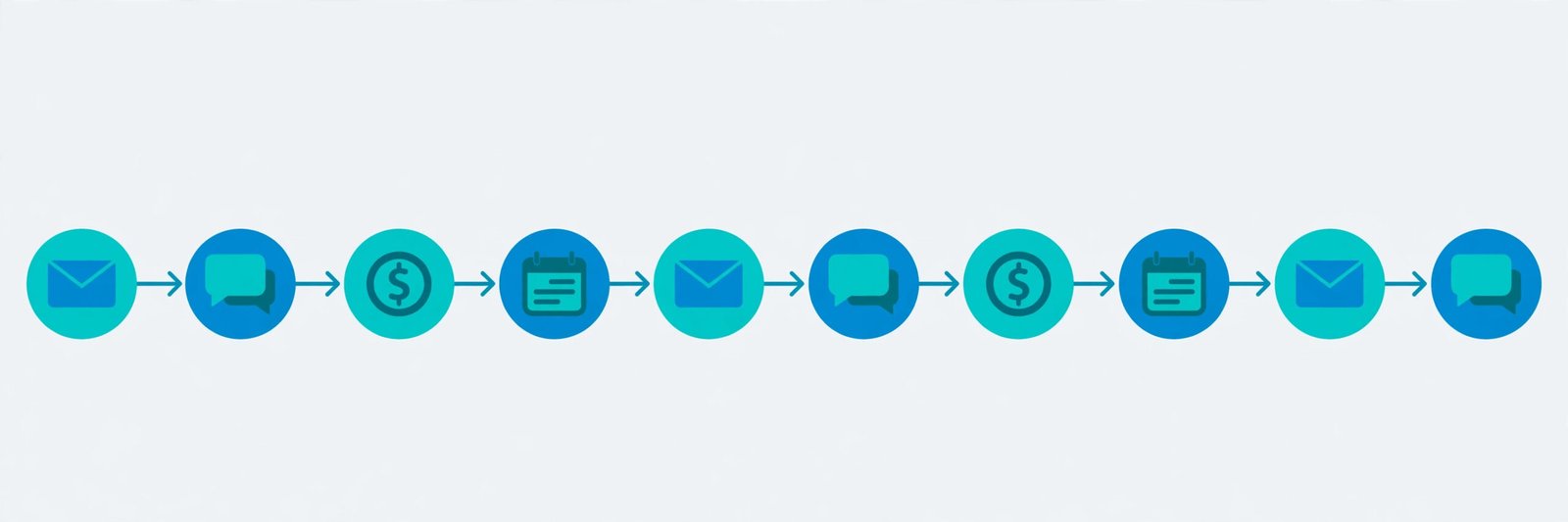
Quick Answer: The 10 Workflows at a Glance
| # | Workflow | Core tools | Setup time | Est. monthly savings |
|---|---|---|---|---|
| 1 | Lead follow-up in under 5 minutes | CRM + Make/Zapier + AI drafting | 2–3 hrs | $800–$2,000 |
| 2 | AI inbox triage & auto-drafting | Gmail/Outlook + AI classifier | 1–2 hrs | $400–$800 |
| 3 | Review requests on autopilot | CRM + SMS/email automation | 1 hr | $500–$1,500 |
| 4 | Invoice chasing without the awkwardness | Accounting tool + automation | 1–2 hrs | $1,000–$3,000 |
| 5 | Social content calendar, semi-automated | AI writer + scheduler | 2 hrs | $400–$900 |
| 6 | Meeting notes → tasks → CRM | Fathom/Fireflies + automation | 1 hr | $300–$600 |
| 7 | Customer support deflection | AI chatbot (Tidio/Intercom Fin) | 3–4 hrs | $600–$2,500 |
| 8 | New-hire & client onboarding sequences | Automation + docs | 2–3 hrs | $300–$700 |
| 9 | Weekly numbers without spreadsheets | AI data summary → Slack/email | 1–2 hrs | $200–$400 |
| 10 | Website chat → qualified booking | Chatbot + calendar | 2 hrs | $500–$1,200 |
Savings assume a $25–$50/hour value of owner/staff time, or recovered revenue where noted. Your numbers will differ — the method for estimating is in each playbook.
Before You Start: The 3 Rules of SMB Automation
- Automate the boring, not the delicate. Start with high-volume, low-judgment tasks (follow-ups, reminders, data entry). Keep humans on anything involving money disputes, hiring or angry customers.
- One glue platform. Pick Make or Zapier for everything below. Running workflows across both doubles your billing confusion and your failure points.
- Measure before and after. Time the manual process for one week (a phone timer is fine). If you can’t measure it, you can’t prove the ROI — and you’ll abandon the workflow at the first hiccup.
Workflow 1: Lead Follow-Up in Under 5 Minutes

The problem: 78% of sales go to the first responder, yet most small businesses follow up in hours or days — or never. Speed-to-lead is the highest-ROI automation in this entire guide.
The playbook:
- New lead lands (web form, Facebook ad, Google Business message) → Make/Zapier catches it instantly.
- Lead is enriched and scored — AI checks the message for intent (“pricing” vs “just browsing”) and routes hot leads to you immediately via SMS/Slack.
- An AI-drafted personal reply goes out within 5 minutes, referencing what the lead actually asked. You review and approve from your phone for the first two weeks; then let the standard cases run.
- No reply in 48 hours → automatic polite follow-up. No reply in 7 days → second follow-up, then the lead drops into a monthly nurture.
Tools: Your CRM (HubSpot free tier works) + Make/Zapier + ChatGPT/Claude for drafting.
Setup time: 2–3 hours.
Monthly cost: ~$10–$30 (automation platform + AI subscription you likely already have).
Estimated savings: $800–$2,000/month in recovered deals. Even one extra closed deal a month usually dwarfs the cost.
Workflow 2: AI Inbox Triage & Auto-Drafting
The problem: The average owner spends 2+ hours a day in email, most of it sorting.
The playbook:
- An AI classifier labels every incoming email: urgent, needs reply, FYI, newsletter, invoice.
- Newsletters and FYIs skip the inbox to a “Read later” label. Invoices route to bookkeeping.
- For “needs reply,” the AI drafts a response in your voice (trained on your sent folder). You review the drafts each morning — approve, edit, or delete in minutes.
- Follow-up detector: emails you sent that got no reply in 5 days resurface automatically.
Tools: Gmail/Outlook + an AI email tool (Fyxer, Superhuman) or a Make/Zapier + AI classifier DIY.
Setup time: 1–2 hours.
Monthly cost: $20–$30/seat for dedicated tools, or ~$10 DIY.
Estimated savings: $400–$800/month (8–15 hrs reclaimed).
Workflow 3: Review Requests on Autopilot
The problem: Reviews drive local search rankings and trust, but asking manually is awkward and inconsistent.
The playbook:
- Job completed / order delivered (trigger from your CRM, POS or booking system).
- Wait 24 hours, then send a personal-feeling SMS or email: “How was [service]? Reply with any feedback.”
- Happy responses (positive keywords) → automatic link to your Google review page. Neutral/negative → routes to you privately before they review publicly.
- Monthly: AI drafts responses to all new reviews in your tone; you approve in 10 minutes.
Tools: Make/Zapier + your CRM + an SMS tool (Twilio) or a review platform with automation built in.
Setup time: ~1 hour.
Monthly cost: ~$10–$20.
Estimated savings: $500–$1,500/month in review-driven revenue. Businesses that systematise reviews typically 2–3× their review volume within 90 days — and review count correlates directly with local pack visibility.
Workflow 4: Invoice Chasing Without the Awkwardness
The problem: Late payments are a cash-flow killer, and nobody likes sending the “just bumping this” email.
The playbook:
- Invoice issued from your accounting tool (Xero, QuickBooks, Wave).
- 3 days before due: friendly automated reminder with the payment link.
- Due date + 3 days: firmer reminder. +14 days: final notice + late-fee warning per your terms.
- +30 days: task created for you to call — the automation stops and a human takes over. Never automate the relationship-damaging step.
- Bonus: AI reads incoming “we’ll pay next week” replies and updates the expected-payment date in your tracker.
Tools: Your accounting software’s built-in reminders (start here — they’re free) + Make/Zapier for the escalation logic.
Setup time: 1–2 hours.
Monthly cost: $0–$10 on top of accounting software.
Estimated savings: $1,000–$3,000/month in accelerated cash flow. Getting paid 15 days faster on $20k/month receivables is worth more than any other workflow here.
The problem: Social goes quiet the moment you’re busy — which is exactly when you need pipeline.
The playbook:
- Weekly 30-min input session: you brain-dump 3–5 ideas, offers or customer stories into a form or doc.
- AI expands each into a week’s posts per platform (hook + body + hashtags), matched to your voice. You edit, never write from scratch.
- Approved posts queue into a scheduler (Buffer, Metricool) at your best times.
- Monthly: AI analyses which posts drove clicks/follows; the next month’s brief adjusts automatically.
Tools: ChatGPT/Claude + Buffer/Metricool (free tiers cover 1–3 channels).
Setup time: ~2 hours.
Monthly cost: $0–$20.
Estimated savings: $400–$900/month vs hiring a social freelancer — or vs the cost of going dark.
Keep the human in the loop: fully automated social reads as fully automated social. The 30-minute weekly edit is the whole quality control.
Workflow 6: Meeting Notes → Tasks → CRM
The problem: Decisions made in meetings evaporate; follow-ups live in someone’s memory.
The playbook:
- AI notetaker (Fathom’s free plan is the most generous; Fireflies for CRM-heavy teams) joins every call automatically.
- Summary + action items post to Slack/Teams within minutes.
- Action items with owners and dates sync to your task tool (Asana, Todoist) and — for sales calls — to the CRM contact record.
- Friday: AI compiles the week’s open action items into one digest. Nothing slips.
Tools: Fathom, Otter.ai or Fireflies + Make/Zapier.
Setup time: ~1 hour.
Monthly cost: $0 (Fathom free) to ~$20/seat.
Estimated savings: $300–$600/month in recovered follow-through. One saved deal per quarter pays for the year.
Workflow 7: Customer Support Deflection
The problem: The same 20 questions eat your team’s day.
The playbook:
- Deploy an AI chatbot trained on your FAQs, help docs and past tickets (Tidio Lyro for simple stores; Intercom Fin or Chatbase for more volume).
- The bot resolves tier-1 questions (hours, pricing, shipping, returns) and only escalates with full conversation context when it can’t.
- Every escalation is logged with the reason — review weekly and add the missing answer to the knowledge base. The bot gets smarter; escalations shrink.
- Set a deflection target (start: 40%) and a hard rule: billing disputes and angry customers go to humans immediately.
Tools: Tidio ($39/mo), Chatbase (from $19/mo), or Intercom Fin ($0.99/resolution) — see our AI agent pricing breakdown.
Setup time: 3–4 hours (knowledge base is the work).
Monthly cost: $19–$100+ depending on volume.
Estimated savings: $600–$2,500/month. At 5 minutes per ticket and 60% deflection on 1,000 tickets, that’s 50 hours back monthly.
Workflow 8: New-Hire & Client Onboarding Sequences
The problem: Onboarding is repetitive, inconsistent, and always deprioritised.
The playbook:
- Trigger: new hire added to HR tool, or new client signs (CRM deal won).
- Day-by-day sequence fires: welcome message, key docs, tool invites, intro videos, first-week checklist.
- AI checks in at day 3 and day 7 (“anything confusing so far?”) and routes questions to the right human.
- Everything they need lives in one NotebookLM-powered knowledge base they can chat with instead of pinging the team.
Tools: Make/Zapier + your CRM/HR tool + NotebookLM (free).
Setup time: 2–3 hours per sequence.
Monthly cost: ~$10.
Estimated savings: $300–$700/month in manager time — plus faster time-to-productivity, which compounds.
Workflow 9: Weekly Numbers Without Spreadsheets
The problem: You don’t look at your numbers because assembling them takes an hour.
The playbook:
- Every Monday 8am, automation pulls: revenue, orders, ad spend, site traffic, support volume.
- AI writes a 10-line plain-English brief: what moved, by how much, and the one thing that needs attention. (“Revenue +12%, driven by repeat buyers; ad spend up 30% with flat ROAS — check the campaign.”)
- Delivered to Slack/email. You read it with coffee in 2 minutes.
Tools: Make/Zapier + AI summary step + Slack/email.
Setup time: 1–2 hours.
Monthly cost: ~$10.
Estimated savings: $200–$400/month in analyst time — but the real value is decisions made earlier. One caught problem per quarter justifies this forever.
Workflow 10: Website Chat → Qualified Booking
The problem: Website visitors browse and leave; your calendar stays empty.
The playbook:
- AI chat on your site greets visitors, answers common questions from your knowledge base, and qualifies (budget, timeline, need).
- Qualified visitors see your live calendar and book directly — no email ping-pong.
- Booking triggers: calendar invite + prep questionnaire + reminder sequence (24h and 1h before — no-shows drop by ~50% with reminders).
- No-show or unqualified → gentle nurture sequence instead of silence.
Tools: Chatbot (Tidio, Intercom) + Calendly/Cal.com (free tiers available).
Setup time: ~2 hours.
Monthly cost: $0–$40.
Estimated savings: $500–$1,200/month in booked revenue. For service businesses, this is often the fastest revenue workflow after lead follow-up.
Your First Weekend: The 80/20 Implementation Plan

Don’t build all ten. Do this:
Saturday morning (3 hrs): Workflow 1 (lead follow-up) + Workflow 4 (invoice reminders). These two touch revenue and cash flow directly.
Saturday afternoon (2 hrs): Workflow 2 (inbox triage). Reclaim your mornings starting Monday.
Sunday (2 hrs): Workflow 3 (review requests) + Workflow 6 (meeting notes). Set-and-forget reputation and follow-through.
That’s ~7 hours for five workflows. Run them for 30 days, measure against your baseline, then add 7, 9 and 10. Workflows 5 and 8 can wait until the revenue ones are humming.
Total cost for the starter stack: roughly $30–$60/month. Total time: one weekend. If even one workflow works, it pays for all ten.
5 Mistakes That Kill SMB Automations
- Automating a broken process. If your follow-up is bad manually, automating it sends bad follow-ups faster. Fix the process on paper first.
- No human escape hatch. Every customer-facing automation needs a “talk to a human” path. The moment someone feels trapped, you’ve lost them.
- Set-and-forget syndrome. Review each workflow monthly for the first quarter. APIs change, message templates go stale, and AI drifts.
- Automating before measuring. Without a baseline, you can’t tell what’s working — and you’ll kill good workflows during a bad week.
- Tool sprawl. Five automation tools with five bills and five logins is worse than one platform done well. Standardise.
Frequently Asked Questions
How much does it cost to automate a small business with AI?
The starter stack in this guide costs roughly $30–$60/month (one automation platform + AI subscriptions you likely already have). Support chatbots add $19–$100+/month at volume. Most workflows pay for themselves within the first month.
Which is better for small business automation, Zapier or Make?
Make is ~7× cheaper per operation at volume (Core ~$9–$12/mo for 10,000 credits); Zapier has 8,000+ integrations and is easier for non-technical teams (Professional from $19.99/mo). High-volume or complex workflows → Make. Simplicity and app coverage → Zapier.
Do I need coding skills to set these up?
No. Every workflow here is buildable with no-code tools in 1–4 hours. The hardest part is writing good prompts and clear process steps, not technical work.
What’s the first thing a small business should automate?
Lead follow-up speed and invoice reminders — they touch revenue and cash flow directly and take one afternoon to build. Inbox triage is the best quality-of-life win.
Can AI automation replace employees?
It replaces repetitive tasks, not people. The pattern that works: automate the busywork, redirect the humans to revenue work (sales conversations, customer relationships, quality). Businesses that just cut headcount usually cut the quality that made them work.
How do I measure automation ROI?
Time the manual process for one week before automating (hours × hourly cost), then compare monthly. For revenue workflows, track the metric directly: response time, review count, days-to-payment, booked calls.
Final Verdict
You don’t need an “AI strategy.” You need five workflows, one weekend, and $50/month. Start with lead follow-up and invoice chasing — the two that touch money — then inbox triage, reviews and meeting follow-through. Measure for 30 days. The numbers will tell you which of the remaining five to build next.
The businesses winning with AI in 2026 aren’t the ones with the most tools. They’re the ones that automated the boring work and spent the freed hours on customers.
Keep going: price the bigger agent deployments in How Much Do AI Agents Cost?, compare support tools in our AI chatbot guide, and see the best AI agents for small business roundup.