
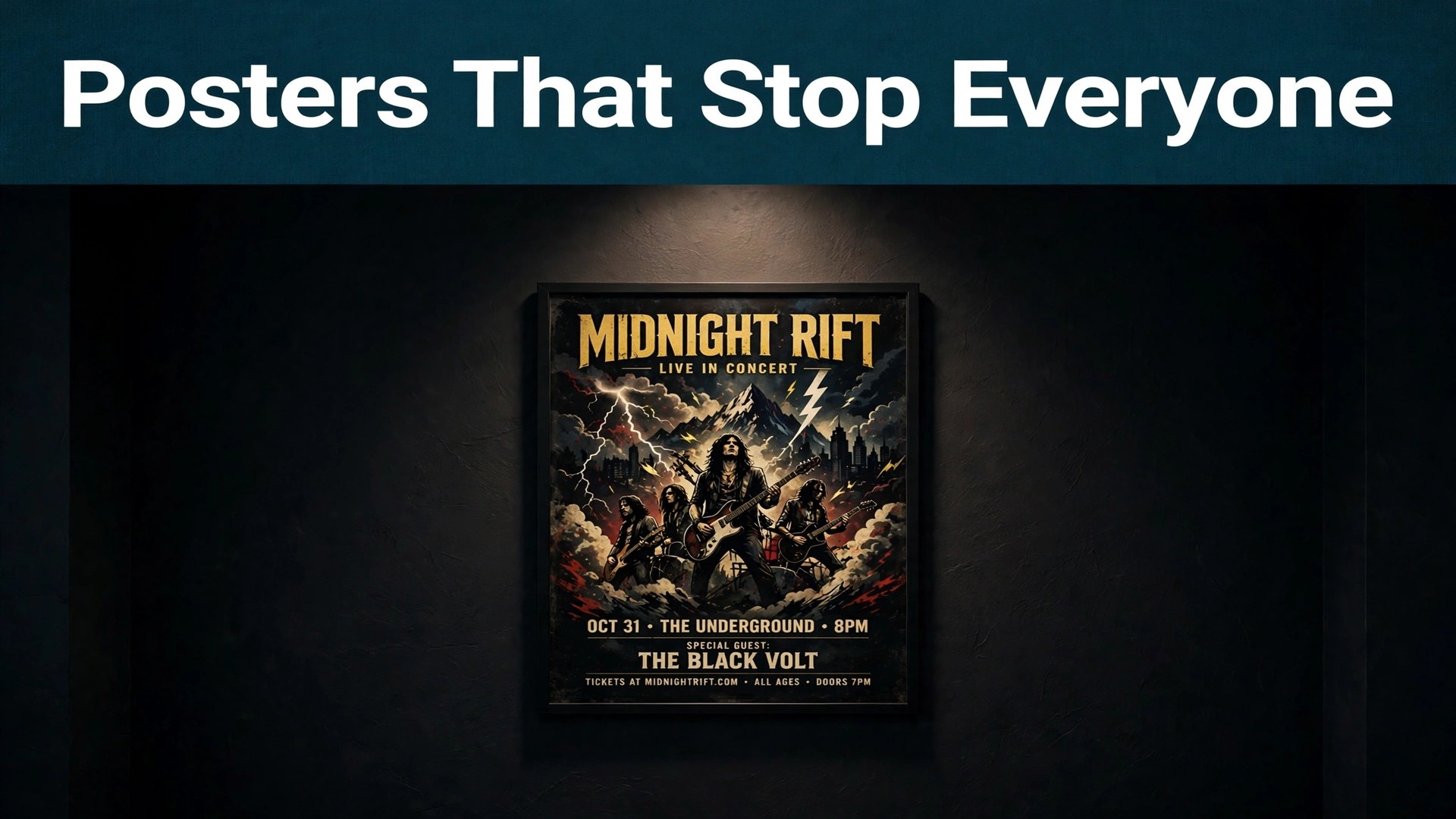
Our verdict, stated upfront, is that Canva is the best starting point for most poster makers, Adobe Express is the better pick when print quality and font control matter most, and Ideogram is the strongest choice when the poster art itself must carry legible title text. Among the best AI poster generators, no single tool wins every job, because a concert poster, a research poster, and a movie style poster demand different strengths. The rest of this guide earns that verdict tool by tool, with prices, free tiers, and honest limits, so you can skip the tools that look impressive in a demo and fail on your actual poster.
The split that matters is between template tools and generation tools. Template tools give you a finished layout and editable text, which is safer for dates, venues, and prices. Generation tools invent original art from a prompt, which is better for atmosphere and illustration but weaker for exact wording. Most good poster workflows use both, generating art in one tool and finishing the layout and text in another. Keep that split in mind as you read, because the right tool depends on which half of the job is hardest for your poster.
The Best Pick by Job
| Job | Pick | Why it wins |
|---|---|---|
| Best overall | Canva | Templates, editable text, and print options in one place |
| Print polish | Adobe Express | Strong fonts and PDF export with commercially safe art |
| Legible title art | Ideogram | The most reliable in-image text among generators |
| Cinematic art | Midjourney | Rich, atmospheric imagery for film and event posters |
| Event posters fast | PosterMyWall | Event templates with publishing built in |
| Research posters | Piktochart | Data visuals that stay readable at large sizes |
Why Poster Text Fails, and How to Prevent It
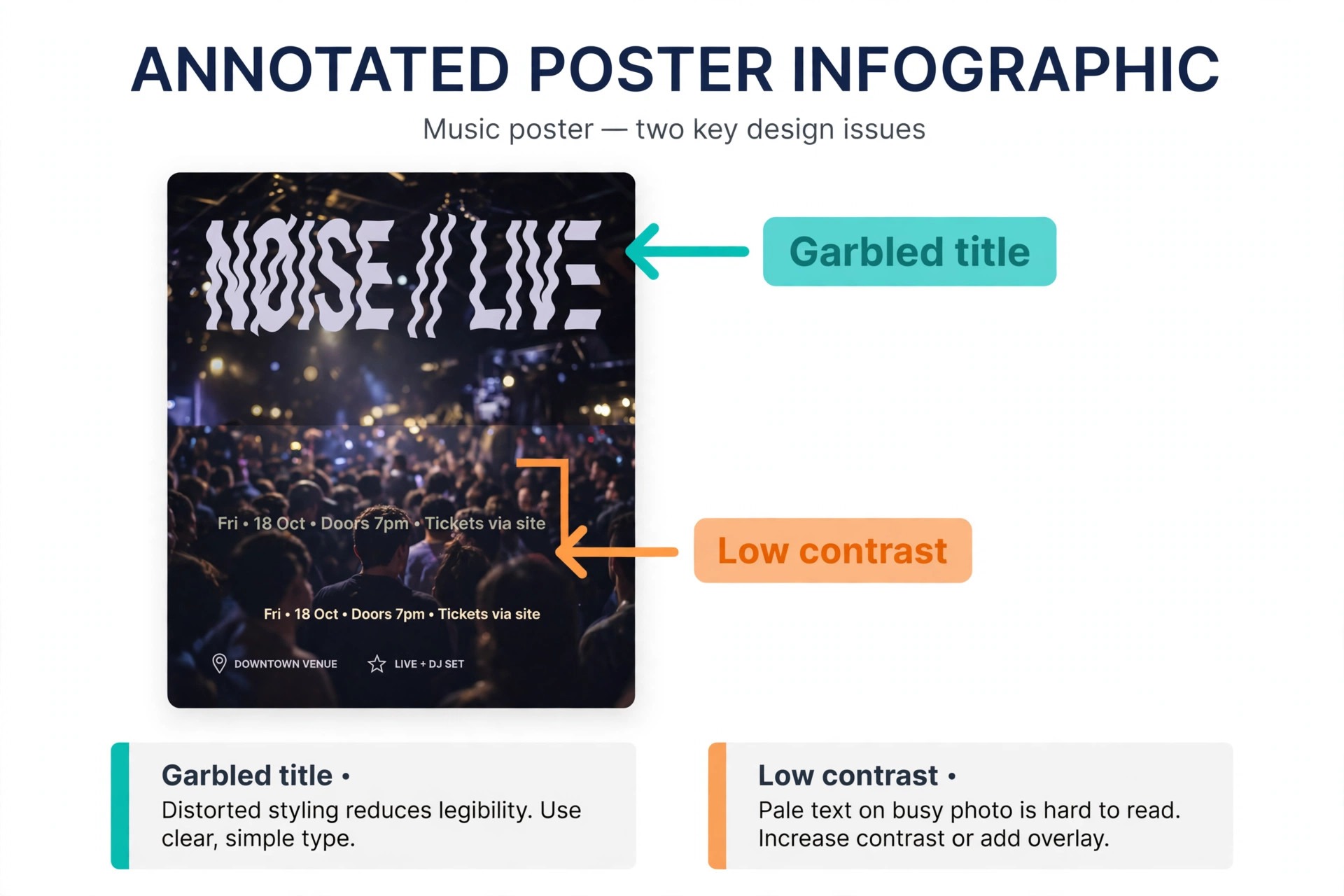
Poster text fails for a simple reason. Image generators treat letters as shapes, not as language, so a title can look right at thumbnail size and dissolve into nonsense when enlarged. The fix is to keep text out of the generated image wherever possible. Generate the background art, the scene, or the illustration, then add the title, date, and venue as real editable text in a layout tool. That way a last minute date change is a ten second edit, not a full regeneration with a new set of errors. When a generator does claim strong text rendering, test it with your exact title, including any unusual names or numbers, before you commit to it.
Contrast and hierarchy fail almost as often as spelling. A poster has one job at distance, which is to make a passerby stop, and one job up close, which is to give the details. That means one dominant title, one supporting line, and details in a smaller but still readable size. If every line shouts, nothing stands out, and the poster becomes decoration instead of information. Leave empty space around the title, darken the art behind the text or place text on a solid panel, and print a test copy at real size before you order a full run. A poster that works on a laptop screen does not always work on a wall.
The 10 Tools Reviewed
1. Canva
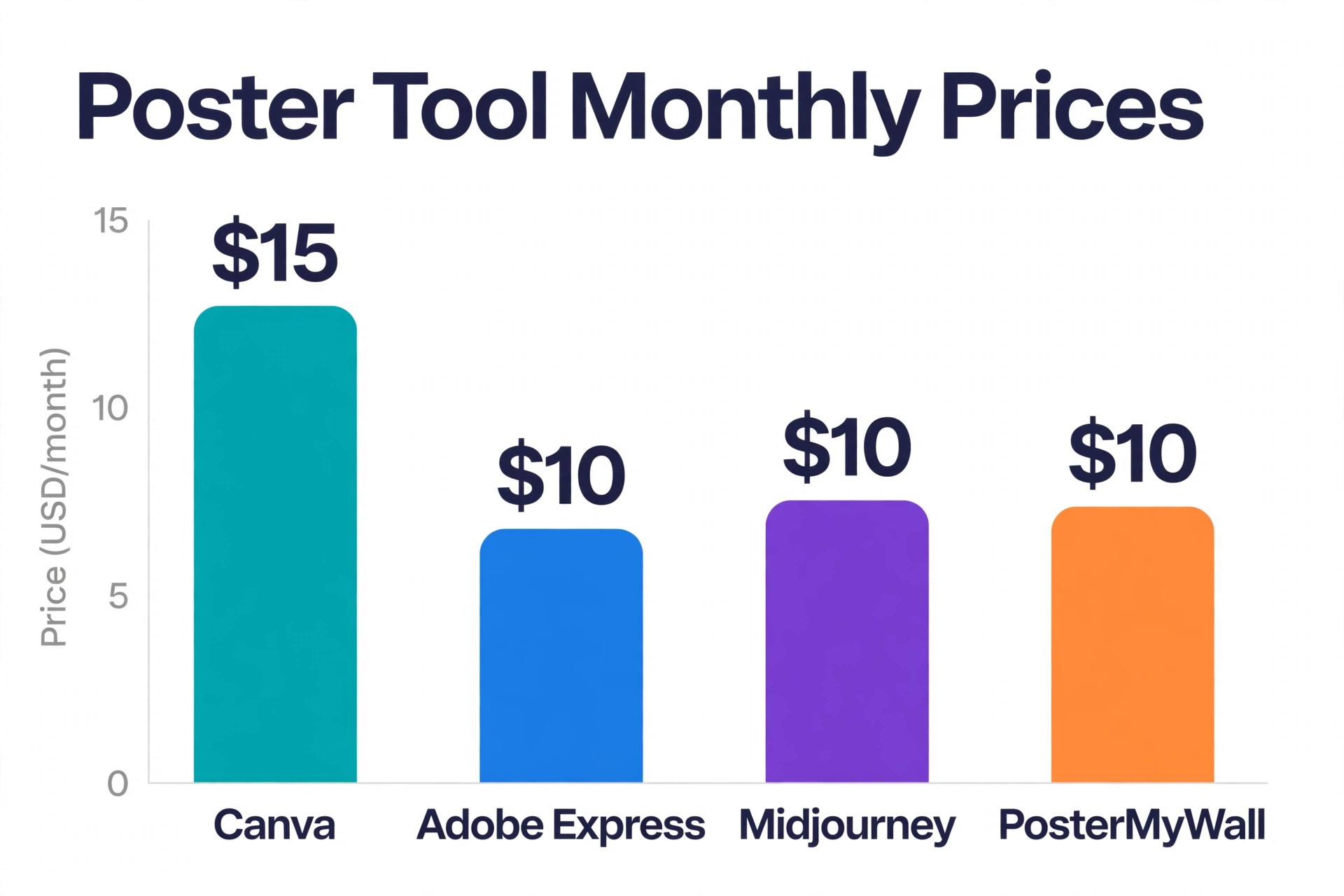
Canva leads this list because it handles the whole poster job, from template to print, without forcing you into a second app. Its poster templates cover concerts, films, classes, sales, and community events, and Magic Media can generate supporting artwork inside the same editor. The free plan is usable for single posters, while Pro costs around 15 dollars a month on monthly billing and adds brand kit controls, background removal, Magic Resize, and PDF export with bleed. Canva Print lets you order finished posters directly, which removes the usual file handoff to a printer. The limits are familiarity and AI text.
Popular templates are widely recognised, and AI generated images inside Canva still need checking for garbled words, so add final text yourself as editable type. For a first poster, a school poster, or a regular run of event posters, Canva remains the most reliable all-round choice.
2. Adobe Express
Adobe Express is the pick for posters where typography and print finish carry the design. A free plan includes templates, stock assets, and daily Firefly generations, while Premium costs around 9.99 dollars a month. Firefly art is positioned as commercially safe, which matters for a business poster that will run in paid promotion or large print runs, and Adobe Fonts gives the layout a more considered feel than most template libraries. Exports cover PDF, JPG, and PNG, with standard poster sizes ready to use. The editor is calmer and less crowded than Canva, which suits users who want control without a sprawling menu, though it does mean fewer novelty templates and less of a social publishing workflow.
If your poster will be printed large and judged on finish, Express is the stronger of the two leaders.
3. Ideogram
Ideogram earns its high rank for one reason that matters enormously in posters, which is readable text inside generated art. Where many generators mangle titles, Ideogram handles short titles, names, and slogans far more reliably, and it offers a free tier for trying prompts before paying. Paid plans vary by credit volume, so check the current pricing page against how many posters you actually make each month. Its art style suits bold graphic posters, typographic designs, and stylised event art, though it is less strong for photorealistic scenes than Midjourney or a dedicated photo model.
The practical workflow is to generate the title art in Ideogram, then finish dates, venue details, and small print as editable text in Canva or Express. Used that way, it solves the single most frustrating problem in AI poster making.
4. Midjourney
Midjourney produces the most atmospheric poster art in this list, with cinematic lighting, painterly texture, and dramatic composition that suit film posters, album art, and festival campaigns. Paid plans start at around 10 dollars a month for the Basic tier, and there is no permanent free plan, so budget for at least a month when you have a real project. The catch is text. Midjourney art looks superb, but titles generated inside the image still need careful checking, and most professional workflows add the title afterwards in a layout tool. The Discord based interface also has a learning curve, though a web editor now makes the process easier for newcomers.
If the poster lives or dies on its artwork, and you are willing to finish text separately, Midjourney is unmatched for mood. If you need a complete poster in one click, it is the wrong tool.
5. Leonardo AI
Leonardo AI balances cost, control, and quality for poster art, with a free tier for experimentation and paid plans from around 12 dollars a month for the Essential tier. It offers multiple models, prompt enhancement, and editing tools that help steer an image toward a poster composition, including portrait ratios suited to printed posters. Commercial use sits on paid plans under its terms, so read the licence before using art in paid campaigns. Text rendering is better than older generators but still not reliable enough to trust blindly, so treat generated titles as drafts and replace them with editable text for the final version.
Leonardo suits creators who make posters regularly and want a lower cost alternative to Midjourney without giving up much visual quality. Beginners may find the model choices confusing at first, but the default settings produce strong results quickly.
6. Krea
Krea is built for fast visual exploration, generating poster art from prompts in seconds and letting you iterate through variations without a slow render queue. A free plan offers daily compute units, while paid plans start at around 9 dollars a month. That speed changes the workflow, because you can test ten directions for a concert poster in the time another tool takes for two, and then refine the winner. Krea suits original poster art, festival illustration, and decorative wall art, where a striking scene matters more than exact wording. Its limits mirror its strengths.
It is an art generator, not a layout tool, so final text, dates, and print sizing still need a second app, and prompt control rewards users who learn to describe composition, lighting, and negative space for the title area. For art-led posters, its speed is a genuine advantage.
7. PosterMyWall
PosterMyWall is the event specialist in this list, with thousands of poster and flyer templates for concerts, parties, sports, schools, and community events. A free plan lets you design with watermarked downloads, while Premium starts at around 9.95 dollars a month and adds high resolution PDF export, scheduling, and email marketing. That combination suits a venue or society that publishes a new poster every week, because the same tool designs, schedules, and emails the promotion. AI tools for images and text assist the process, though they are lighter than a dedicated generator, so PosterMyWall is best when a template plus your own photo does the job. The style range leans event heavy, and luxury or corporate posters can feel constrained.
For event posters at volume, its template depth and publishing tools are hard to beat.
8. Design.com
Design.com brings a branding approach to posters, generating designs that match a logo, colour palette, and font set across posters and other marketing assets. A free tier lets you explore templates, while paid plans start at around 3 dollars a month on annual billing for high resolution and vector downloads, including PNG, JPG, PDF, EPS, and SVG. That brand matching is useful for a business that needs every poster to look like it came from the same company, and the price is low compared with most design platforms. The limits are originality and range.
Poster designs are template led rather than fully generated art, so a film style or highly artistic poster will feel constrained, and the template library is smaller than Canva. Ranked eighth, Design.com is a fair pick for brand consistent business posters, not for art-led or event-led poster work where the specialists above it are stronger.
9. VistaCreate
VistaCreate offers a bright, modern template library with a generous free Starter plan and a Pro plan at around 10 dollars a month that can cover up to ten seats. For a small team making social posters and simple printed posters, that team value is unusual at this price. Templates are easy to customise, animation options exist for digital versions, and the editor is friendly for first-time designers. The limits are AI depth and print specialisation. Generation features are helpers rather than the core workflow, and print export controls are lighter than Adobe Express or Canva Pro. If your posters are template led, colourful, and mostly shared online with occasional printing, VistaCreate is a strong budget option.
If you need original art or precise print control, pair it with a generator or step up to a leader.
10. Piktochart
Piktochart closes the list with a different kind of poster, the research, education, and data poster. Its AI can draft a layout from a prompt, and its chart, icon, and diagram tools keep numbers readable at large sizes, which is exactly what a conference or classroom poster needs. A free plan exists but allows only a small number of PNG downloads in total, while Pro starts at around 10 dollars a month on annual billing and opens PDF export. The strength is clarity under information load. A Piktochart poster can carry a method, results, and conclusions without collapsing into a wall of text.
The limit is artistic range, since it is not built for concert or film posters, and photo editing is basic. For academic, nonprofit, and corporate information posters, it belongs on the list. For promotional art posters, it does not compete with the generators above.
From Prompt to Wall, a Workflow That Works
Start with the wall, not the prompt. Decide the printed size, the viewing distance, and whether the poster will be seen outdoors, in a hallway, or on a phone screen, because each case changes type size and contrast needs. Write the title, the date, the venue, and the call to action before you generate anything, and keep that text out of the art prompt except for short title tests in Ideogram. Generate three to five art directions, not fifty, and judge them at the size they will be seen, with space left for the title.
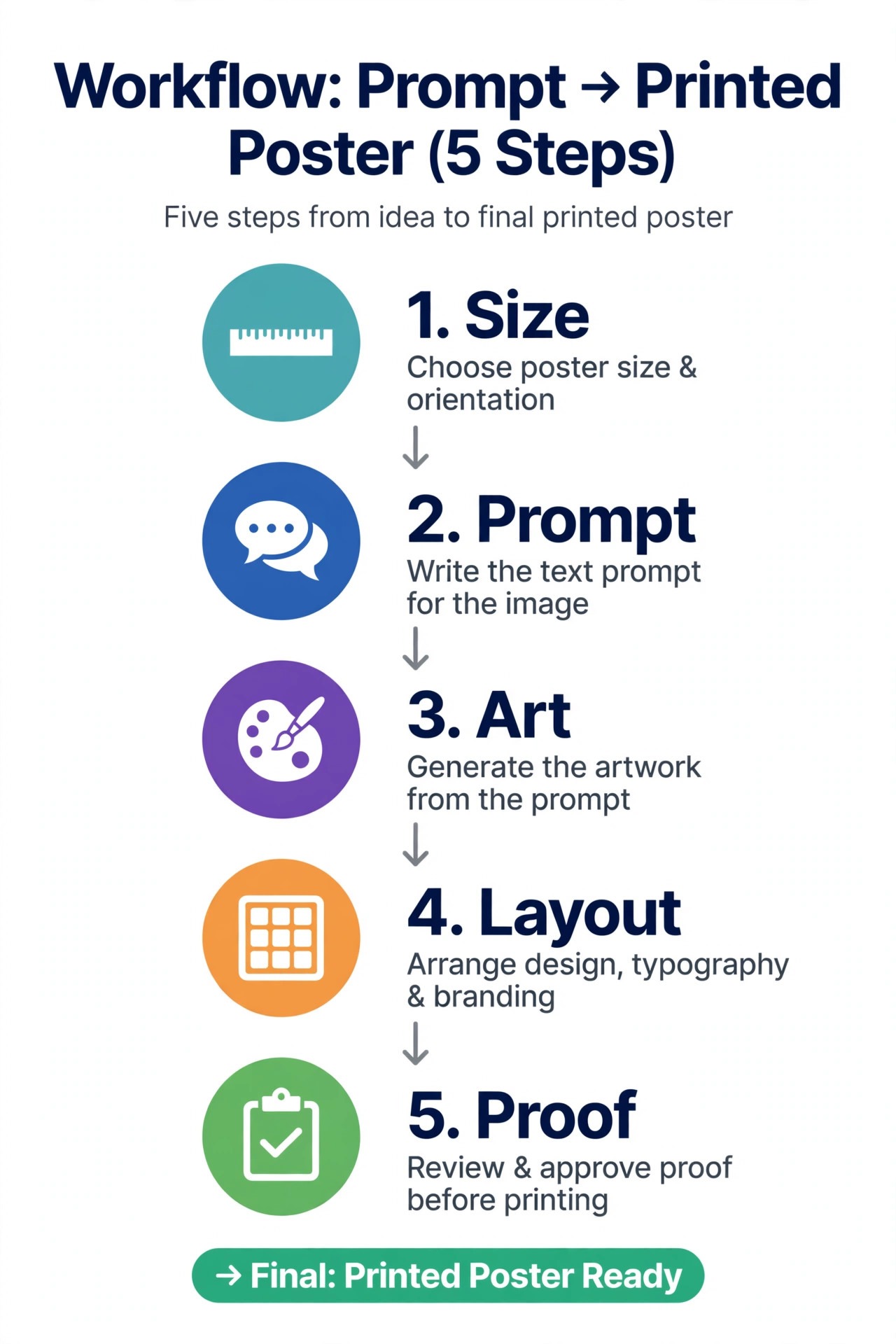
Place the winning art in a layout tool, add all text as editable type, and set the hierarchy so the title reads from across a room and the details read from two steps away.
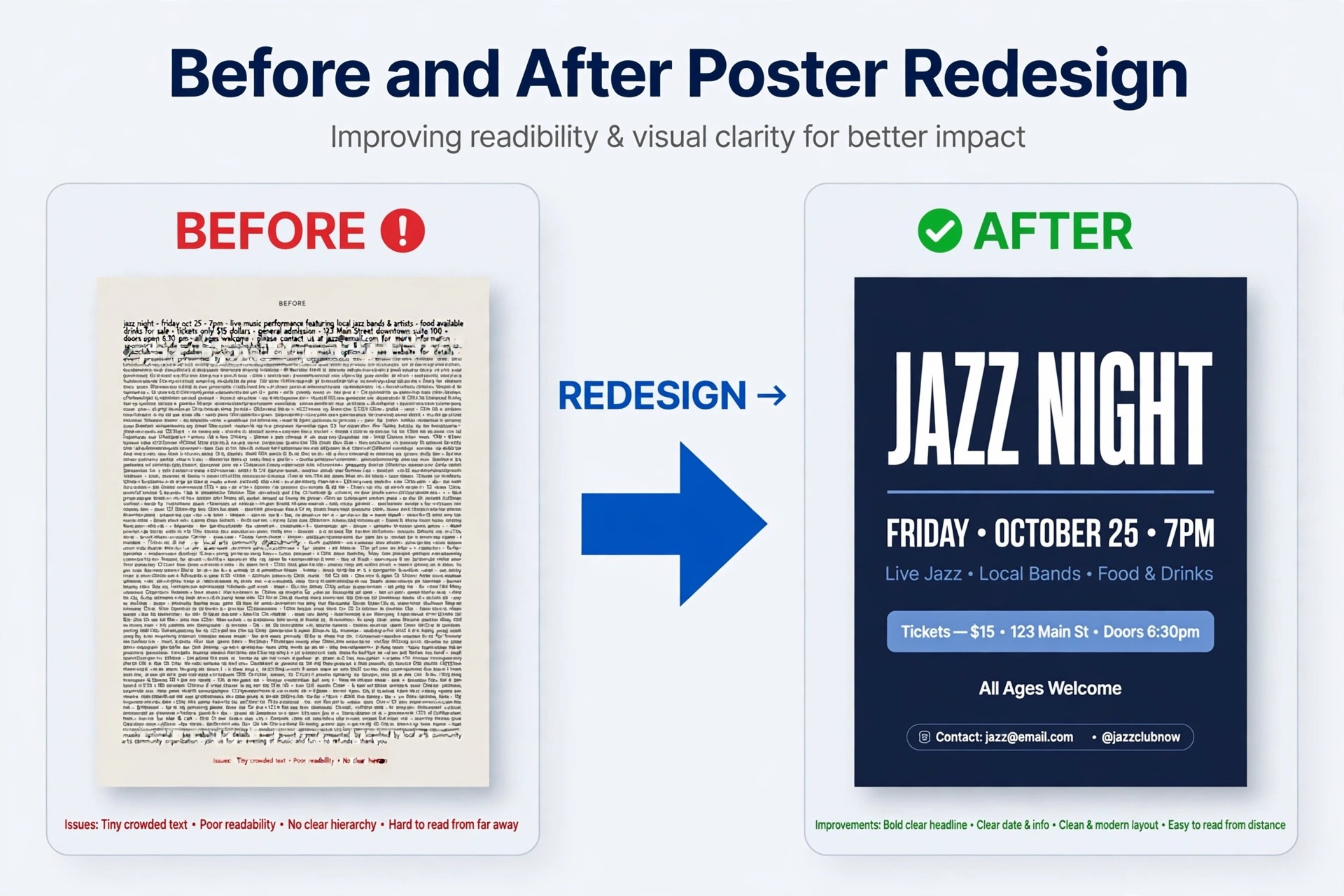
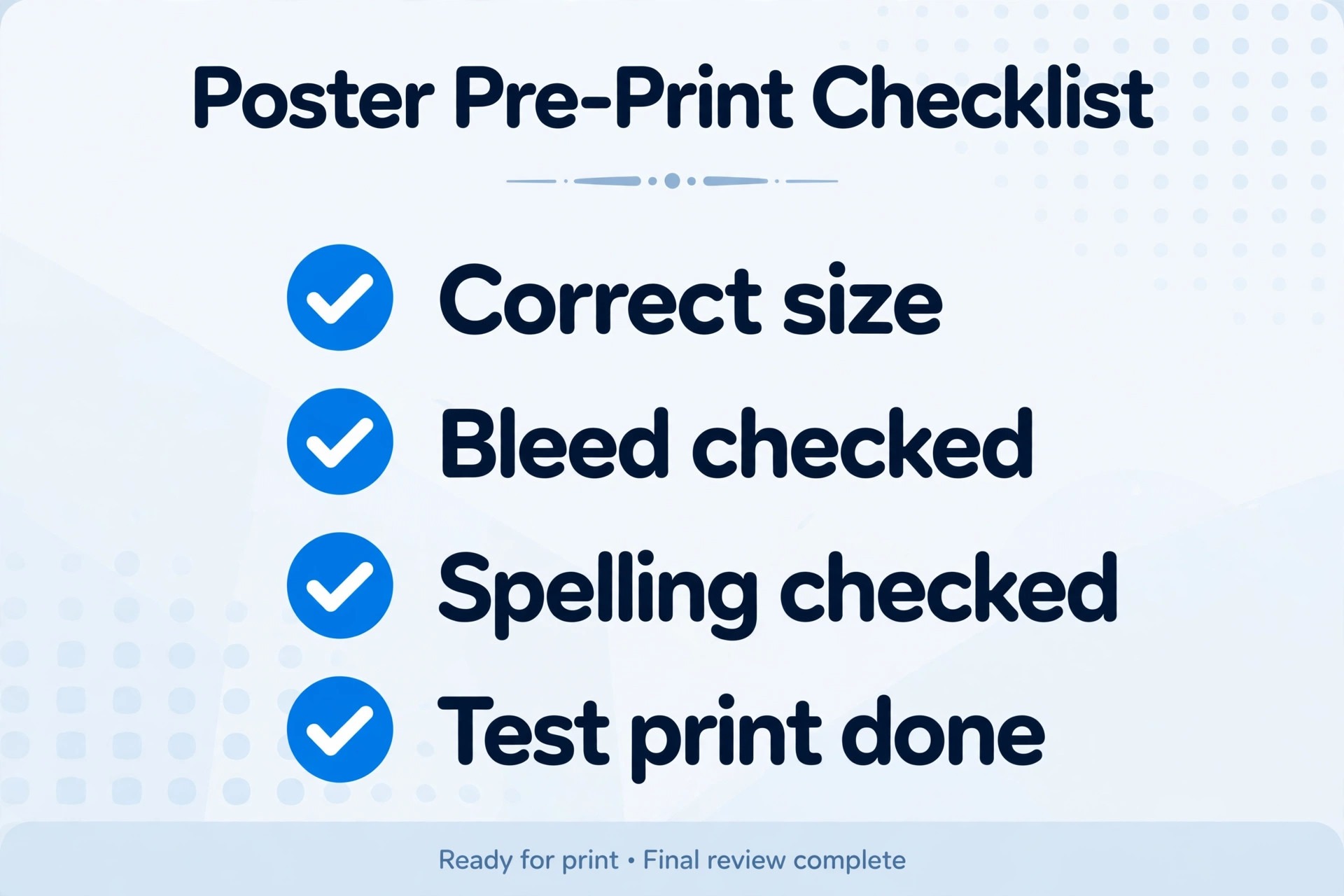
Then proof at real size. Print one copy on ordinary paper, pin it up, and walk past it as a stranger would. Check spelling, dates, and prices first, then contrast, then spacing. Show it to one person who was not involved and ask what the event is, when it happens, and what to do next. If they hesitate, the poster needs editing, not a new art direction. Only after that test should you order a full print run or publish the social versions. This workflow adds about twenty minutes to a poster job and saves the far larger cost of reprinting a poster that looked fine on a laptop and failed on a wall.
Keep a version history as you go, saving each major draft with a clear file name and date, so a rejected direction can be recovered without starting over. When a client or organiser asks for changes, work from the editable master file, not from an exported image, because editing an export degrades quality and makes text changes messy. Finally, export a small web version alongside the print PDF, sized for social feeds and email, so the poster can promote the event in both places without a second design session.
Poster Sizes, Paper, and Print Checks
Common poster sizes include A3 for indoor noticeboards, A2 for hallways and shop windows, and 11 by 17 inches in North America, with larger A1 and A0 sizes for exhibitions. The best AI poster generators export cleanly at these sizes when you choose PDF for print and check resolution before ordering. Export as PDF for print, keep text away from the trimmed edge, and confirm bleed with your printer, since requirements vary. For a poster that will hang outdoors, heavier stock and lamination protect against weather and sunlight, while a standard matte stock suits indoor use and keeps costs down.
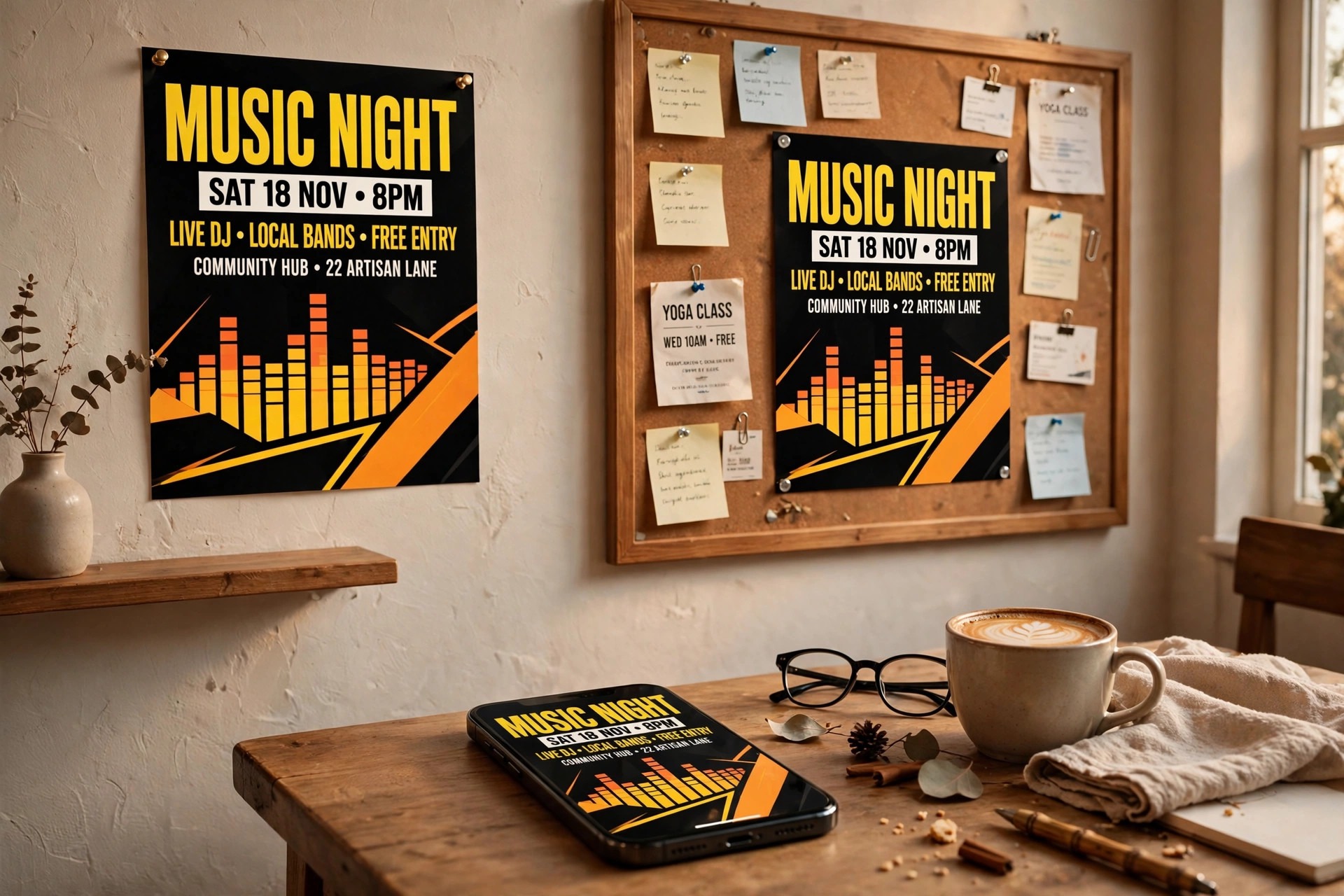
Social versions need separate exports, not stretched copies of the print file, because a portrait poster cropped to a square will lose its title or its focal image. For wider design context, our guide to AI presentation makers covers similar layout and hierarchy decisions at slide scale.
Poster Styles Compared, From Minimal to Maximal
Posters fail less often from bad tools than from a style that fights the message. A minimal poster and a maximal poster can both succeed, but they succeed for opposite reasons, and choosing the wrong one makes even a well made design feel off. Minimal posters rely on one image, one title, and generous empty space. They suit galleries, premium brands, lectures, and exhibitions, where the audience already cares and the poster only needs to signal taste and give details. The risk of minimalism is emptiness that reads as unfinished, especially when the single image is weak or the title is too small.
If you choose minimal, the image must be excellent, the type must be confident, and every element left on the poster must earn its place. The best AI poster generators for minimal work are those with strong art generation and clean templates, because there is nowhere for a weak element to hide.
Maximal posters do the opposite. They fill the space with colour, illustration, layered type, and energy, and they suit concerts, festivals, markets, and youth events, where the poster competes with dozens of others on a wall or a feed. The risk of maximalism is noise. When every element competes, the eye finds no entry point, and the details get lost. A maximal poster still needs hierarchy, just expressed through scale and colour rather than empty space. Make the title the largest and boldest element, let one image dominate, and treat secondary graphics as texture, not as competing messages. Test a maximal poster by squinting at it. If the title and the main image still read clearly, the design holds together.
If only a blur of colour remains, remove elements until the message returns.
Typographic posters form a third style, where type itself is the art. These suit talks, comedy nights, book launches, and brand events, where a clever phrase or a strong name carries the promotion. Typographic posters demand the best font choices and spacing in this guide, because a weak font or cramped leading ruins the entire effect. Ideogram and Adobe Express both help here, the first for generated title art and the second for refined editable type. Photographic posters form a fourth style, built around one strong photograph, and they suit food events, travel, fitness, and product launches.
The photograph must be high resolution and well lit, and text must sit on a quiet area of the image or on a solid panel. Fotor style photo editing matters here, even though the finishing usually happens in a layout tool.
Retro and illustrated styles deserve a separate note, because AI generators handle them unevenly. A retro gig poster with hand drawn texture can look superb from Midjourney or Leonardo, while a clean vector illustration style may need more prompt control and post editing. When a style depends on fine detail, generate at the largest size available and inspect the result at full size before printing. Small flaws in texture become obvious at A2, and a poster that looked charming on a phone can look messy on a wall. The same caution applies to posters with many small elements, such as a market poster listing twenty stalls.
In that case, a template tool with real text and a table layout will beat a generated image every time, because accuracy matters more than atmosphere.
Style also changes with placement. A poster for a feed must read in under two seconds on a small screen, so it needs a huge title and one image. A poster for a hallway can afford smaller detail text, because a passerby can step closer. A poster for a street window must survive glare and distance, so contrast matters more than subtlety. Before you pick a style, visit the place where the poster will hang, or imagine the feed where it will appear, and design for that exact viewing condition. That single habit improves posters more than any new tool, because it forces every style choice to serve a real viewer rather than a portfolio ideal.
How to Choose Among the Best AI Poster Generators
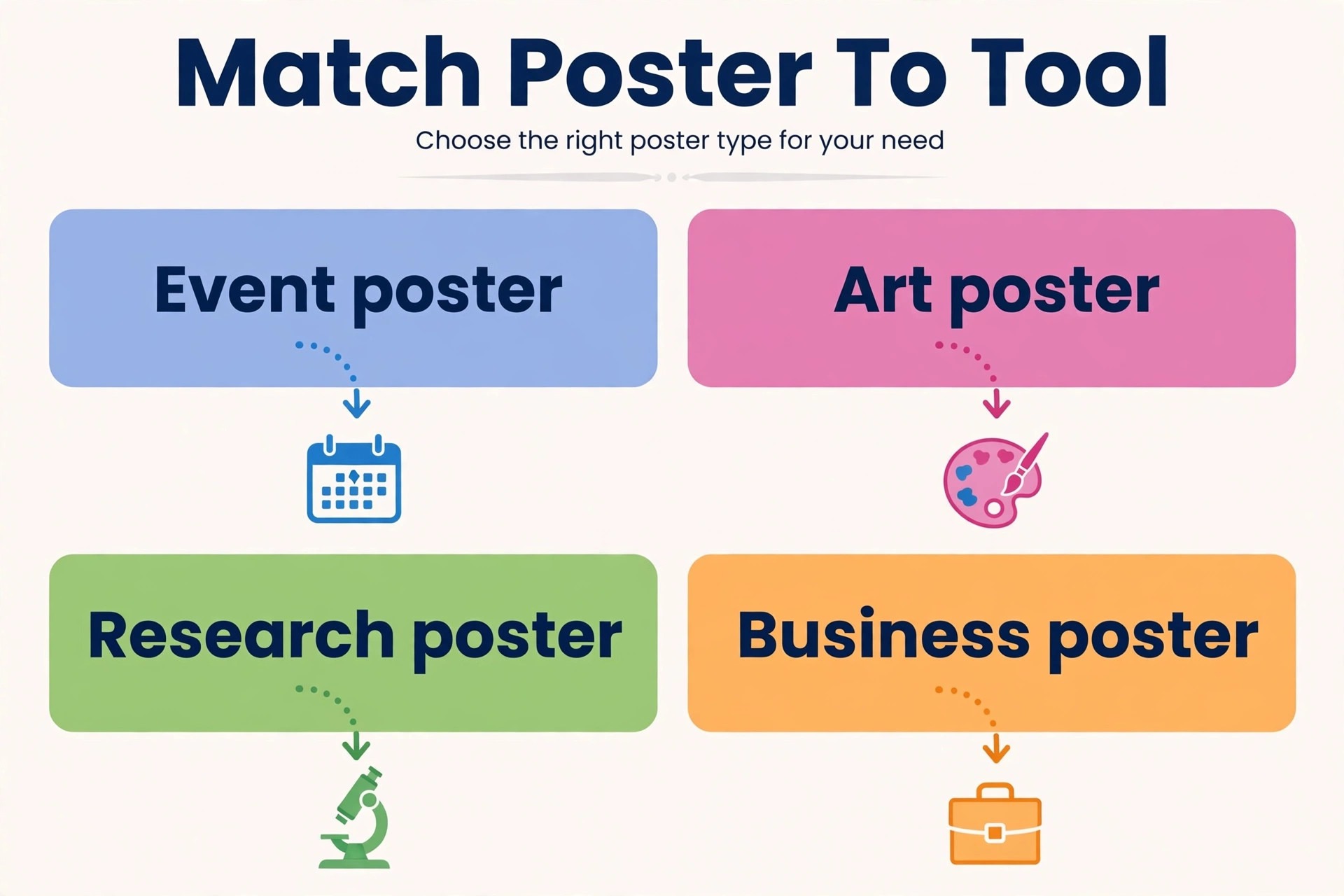
Choosing well starts with naming your poster type in one sentence. An event poster needs templates and fast publishing, an art poster needs generation quality, a research poster needs data clarity, and a business poster needs brand consistency. The best AI poster generators for one of those jobs may rank near the bottom for another, so ignore overall rankings and match the tool to the sentence you just wrote. Next, test the free tier with your real poster, not a demo prompt. Use your actual title, your actual photo, and your actual date, and check the export at real size. A tool that passes a demo and fails your poster has told you everything you need to know.
Budget follows the same logic. If you make one poster a month, a free plan plus an occasional paid month beats an annual subscription. If you make posters weekly, an annual plan with brand controls and print export pays for itself in saved rework. Also check the licence for commercial use before a paid campaign, since free tiers sometimes restrict commercial art, and keep a note of which tool generated each image. For creators building a wider visual library, see our guides to AI image generators and AI YouTube thumbnail generators, which cover similar generation and text decisions in other formats.
Our Closing Take, and Who Should Skip the Rest
If you only remember three names, remember Canva for all-round poster work, Adobe Express for print finish, and Ideogram for title art. That trio covers most of what the best AI poster generators are bought to do, and the rest of this list fills narrower gaps. Everyone else in this list earns a place for a narrower job, and buying the wrong specialist is the main way poster projects waste money. Start with the free tier of the tool that matches your poster type, finish text as editable type, and proof at real size.
A poster that a stranger can understand in five seconds, from the right distance, has done its job, and that standard matters more than any single feature or filter. Judge every tool in this guide against that five second test, and the right choice usually becomes obvious.
More Reading on Stratilyze. For the wider design workflow behind a poster campaign, read our guides to AI tools for content creators, AI tools for graphic designers, and AI logo makers, which together cover images, layout craft, and brand marks.
Frequently Asked Questions
Can AI generate a complete poster, text included?
It can generate a poster image, but complete posters with reliable text still need a layout step, and the best AI poster generators are honest about that split rather than promising a one-click finished poster. Generators, including the stronger text models, can misspell names or dates, so the safe method is to generate art and add final text as editable type in a template tool. That method also makes last minute changes trivial.
What is the best free option for posters?
Canva and Adobe Express offer the most useful free tiers for complete posters, with templates and exports that work for single projects, which is why they lead most rankings of the best AI poster generators for beginners. Ideogram and Leonardo AI offer useful free tiers for art generation, but you will still need a layout tool to finish the poster. The best free choice depends on whether you need a finished poster or just artwork.
How do I print an AI poster at large size without blurring?
Start with a high resolution export, ideally PDF for vector text and a large PNG for art, and check the effective resolution at the printed size. Art generated at small sizes will soften when enlarged, so generate at the largest size the tool allows and avoid enlarging a small image in a second app. A test print at real size will reveal problems before a full run.
Are AI poster images safe to sell or use in advertising?
Licence terms vary by tool and plan. Adobe Firefly art is positioned as commercially safe, while other generators grant commercial rights on paid plans with conditions. Read the current terms for your plan, keep records of generated images, and avoid using recognisable trademarks or real people in generated art without permission.
Why does my poster look good on screen but weak on a wall?
Screens flatter small type and low contrast, while walls expose both. Type that looks fine on a laptop can be unreadable from three metres away, and colours that glow on screen can look flat in print. Proof at real size, increase title size and contrast, and simplify the layout until a stranger can grasp the message at a glance.
Should a small business use Design.com for posters?
Design.com suits a small business that wants brand consistent posters at a low price, with logo and colour matching across assets and vector exports. It is less suited to art-led or event-led posters, where Canva, PosterMyWall, or a dedicated art generator will give a stronger result. Choose it for consistency, not for maximum creative range.