
You need a code that still works after the flyer is printed, the menu is laminated and the poster is on a wall. That single requirement separates a useful code maker from a pretty one, because a static code locks in its destination forever while a dynamic code can be redirected when a link breaks or a campaign changes. This guide to the best qr code generators starts from that printing decision and works outward to design, tracking and price.
We tested the choice as a buyer would. First, decide whether the code must change later. Second, check whether scans need to be counted and traced to a place or a campaign. Third, look at export quality, because a low resolution code that scans on a screen can fail on paper. Only then does price decide, and for a one-off code the right price is often zero.
Static Codes, Dynamic Codes, and Why the Difference Decides Everything
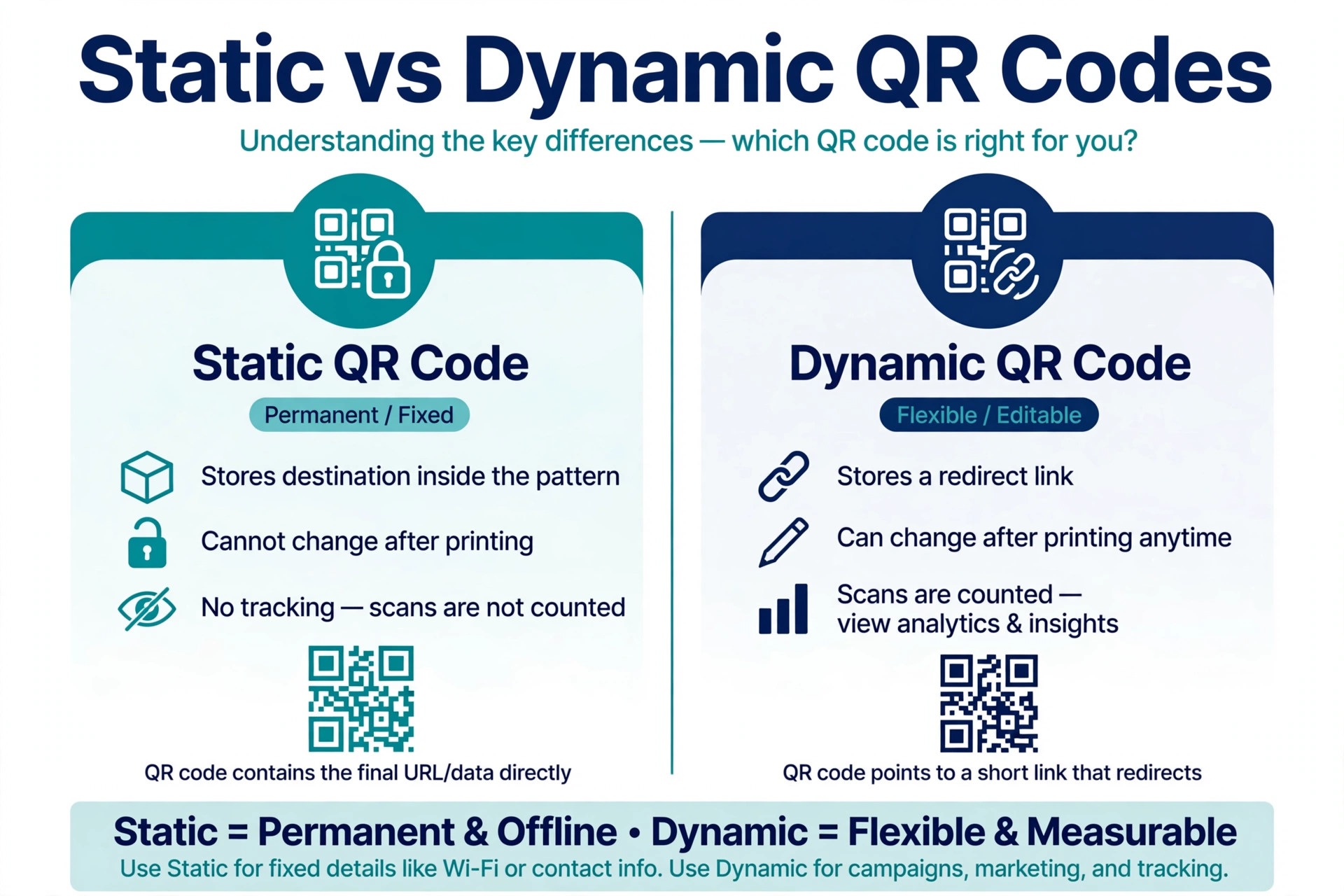
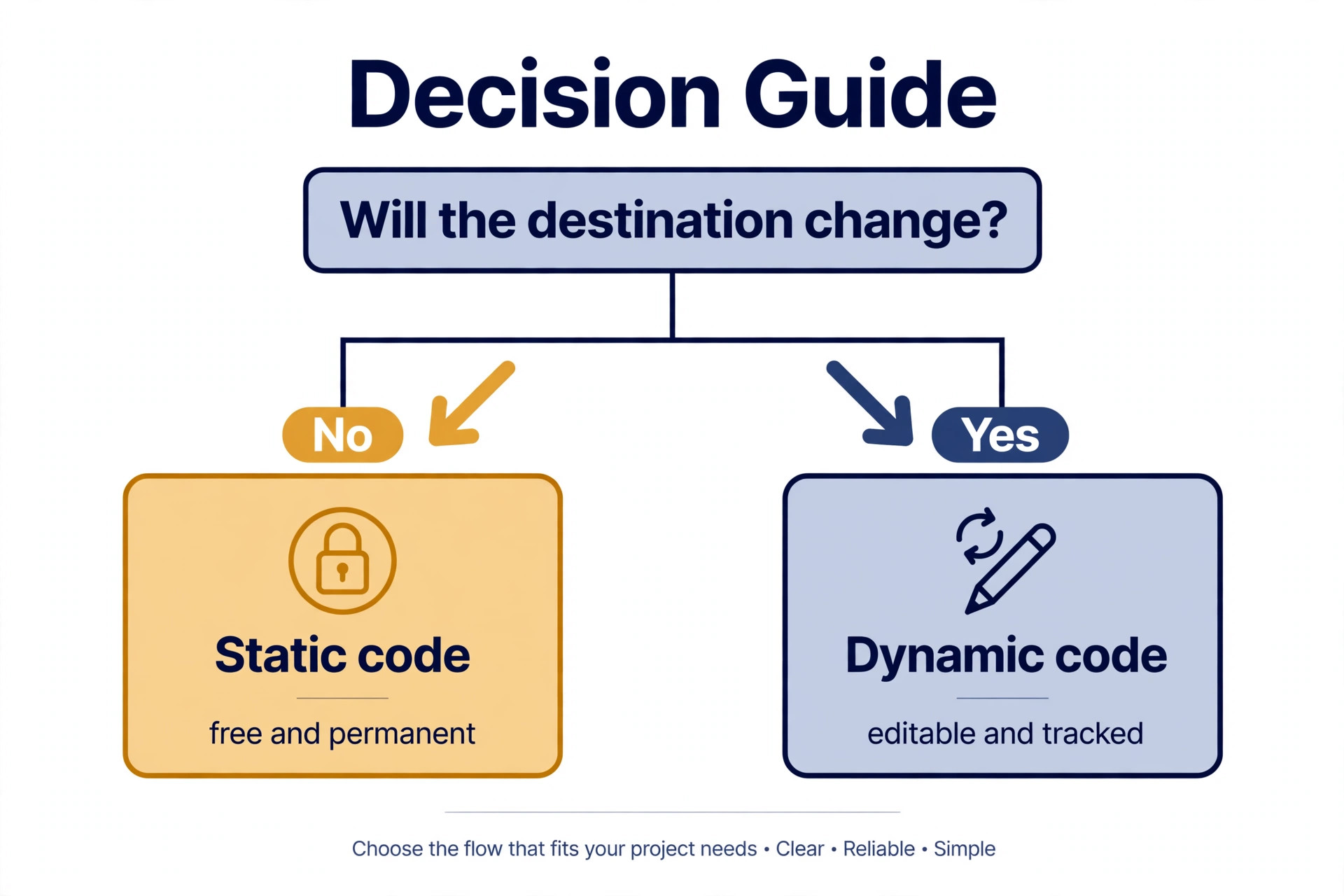
A static code stores its destination inside the pattern itself. It costs nothing to make, needs no account and never expires, but it cannot be edited, and it cannot tell you how many people scanned it. A dynamic code stores a short redirect link, so the destination can change after printing and scans can be counted. That flexibility needs a paid account on most platforms, and the code stops working if the subscription lapses on some plans, so read the expiry terms before you print ten thousand copies. For a business card or a Wi-Fi sign, static is fine. For a campaign, a menu or packaging, dynamic is usually the safer spend.
Best Pick by Job
The table below summarises the choice at a glance. It does not replace the reviews, because free limits and expiry rules hide in the detail, but it will narrow your list to two or three makers worth testing.
| Tool | Best for | Code type | Starting point |
|---|---|---|---|
| QRCode Monkey | Free static codes | Static | Free |
| QR Tiger | Bulk and dynamic codes | Dynamic | Free plan, paid from 7 dollars |
| Uniqode | Enterprise and compliance | Dynamic | Starter 5 dollars annual |
| Flowcode | Branded campaigns | Dynamic | Free plan, paid higher |
| QRCodeChimp | Small business value | Dynamic | Free plan, paid 6.99 dollars |
| The QR Code Generator | Many code types | Static and dynamic | Free static, paid dynamic |
| Bitly | Link teams | Dynamic | Limited free, Core paid |
| Scanova | Print and agency work | Dynamic | Trial, Lite paid |
| Adobe Express QR | In-design codes | Static | Free plan |
| Canva QR | In-design codes | Static | Free plan |
Use the table to shortlist, then judge the best qr code generators by a real job, not by a feature list alone.
With that context, the next section reviews the best qr code generators one by one, starting with the strongest all-rounder.
The 10 Tools Reviewed
QRCode Monkey
QRCode Monkey is a free static code maker with strong design controls, including colours, gradients, shapes and logo upload, and exports in PNG, SVG, PDF and EPS. It suits anyone who needs a free static code with a logo and high resolution export. Its lack of an account wall is a practical win. You can design a code, check it at print size and download it without handing over an email address for a one-off job.
QRCode Monkey is free for static codes, with no paid QR plan required for the core design and export features. In daily use, the appeal is practical rather than decorative. a user gets professional exports and full design control at no cost, which is rare in a category where many free tools cap resolution or add a watermark. That matters when a deadline is close and the design still has to look intentional, not rushed.
The limit to weigh is that it offers no dynamic codes and no scan tracking, so a printed code cannot be redirected later, and any change means reprinting. Verdict. The first stop for a static code, and the tool to beat for free design quality.
A practical check before you commit to QRCode Monkey is to run one real job through it end to end, from first draft to final export, and time the result. Note where you waited, where you guessed, and where you needed help, because those three moments predict whether the tool will feel fast in a normal week or only in a demo.
QR Tiger
QR Tiger covers a wide range of code types, including multi-URL and social codes, with dynamic editing, scan tracking, bulk generation and API access. It suits businesses that need bulk codes, dynamic codes and an API. Its bulk tools suit campaigns where hundreds of codes share a design but point to different pages, such as product packaging or event tickets.
QR Tiger has a free plan, and paid plans start from 7 dollars a month billed monthly, with higher tiers billed annually. In daily use, the appeal is practical rather than decorative. a team gets a broad feature set at a low entry price, plus white label options for agencies that resell code work. That matters when a deadline is close and the design still has to look intentional, not rushed.
The limit to weigh is that the interface can feel crowded for a simple one-code job, and the free plan limits are tighter than a pure static maker. Verdict. A strong all-rounder for businesses that will use dynamic codes more than once.
Before you pay for QR Tiger, test it with your own material rather than a sample file. Use a real headline, a real photo and a real deadline, then check the export on the device where it will actually be seen. A tool that passes that test is worth its price, while a tool that only impresses on sample content will disappoint when real work arrives.
Uniqode
Uniqode formerly Beaconstac, is an enterprise grade platform for dynamic codes, with GPS scan data, lead capture forms, bulk generation and integrations with Salesforce and HubSpot on higher tiers. It suits larger teams and regulated businesses that need compliance and scale. Its compliance stack, including SOC 2, ISO 27001, HIPAA and GDPR claims, is the reason regulated teams shortlist it when smaller tools cannot pass a security review.
Uniqode Starter costs 5 dollars a month billed annually, with Lite at 15 dollars, Pro at 49 dollars and Plus at 99 dollars a month on annual billing. Business plans are custom. In daily use, the appeal is practical rather than decorative. a growing business gets deep analytics, team workflows and a mature API, so codes can be built into internal tools rather than managed by hand. That matters when a deadline is close and the design still has to look intentional, not rushed.
The limit to weigh is that annual billing only is a real friction point for a short campaign, and the entry tiers cap the number of codes, so a small test can hit a limit sooner than expected. Verdict. Pick it when compliance, scale or CRM integration is a requirement, not merely a nice extra.
One more check for Uniqode is to ask who else will use it and what they already know. A tool that one person loves can slow a team if colleagues cannot edit its files, and a simple tool that everyone can use often beats a powerful tool that only one person understands. Match the choice to the weakest skill in the team, not the strongest.
Flowcode
Flowcode focuses on branded code experiences, with design controls, dynamic codes and analytics aimed at campaign use rather than one-off printing. It suits marketing teams that want branded codes for campaigns and events. Its campaign view helps a team see which placement earned scans, which matters when the same code design runs on posters, packaging and screens.
Flowcode has a free plan with two codes, and paid plans start higher, with Pro listed around 25 dollars a month in third party comparisons. Confirm the current vendor price before buying. In daily use, the appeal is practical rather than decorative. a marketing team gets polished branded codes and useful campaign analytics without enterprise complexity. That matters when a deadline is close and the design still has to look intentional, not rushed.
The limit to weigh is that the free plan is narrow, and the paid entry is higher than QR Tiger or QRCodeChimp, so a small business may pay for campaign features it rarely uses. Verdict. A good campaign tool, best when branding and placement data justify the higher entry price.
A practical check before you commit to Flowcode is to run one real job through it end to end, from first draft to final export, and time the result. Note where you waited, where you guessed, and where you needed help, because those three moments predict whether the tool will feel fast in a normal week or only in a demo.
QRCodeChimp
QRCodeChimp offers dynamic codes, a wide set of code types and a free tier that is more generous than many rivals, with design controls for colours, shapes and logos. It suits small businesses that want a generous free tier and dynamic codes. Its free tier lets a small business test dynamic codes in a real campaign before paying, which lowers the risk of choosing the wrong platform.
QRCodeChimp has a free plan with ten codes, and paid plans start at 6.99 dollars a month billed annually. In daily use, the appeal is practical rather than decorative. a small business gets dynamic editing and tracking at a low price, with enough free codes to learn the workflow. That matters when a deadline is close and the design still has to look intentional, not rushed.
The limit to weigh is that the interface and analytics are less deep than Uniqode at enterprise scale, and higher tiers are needed for the full team and white label features. Verdict. The value pick for a small business that needs dynamic codes without an enterprise budget.
Before you pay for QRCodeChimp, test it with your own material rather than a sample file. Use a real headline, a real photo and a real deadline, then check the export on the device where it will actually be seen. A tool that passes that test is worth its price, while a tool that only impresses on sample content will disappoint when real work arrives.
The QR Code Generator
The QR Code Generator covers URLs, text, email, phone, SMS, Wi-Fi, vCard, calendar events and social profiles, with basic colour customisation and PNG and SVG downloads. It suits individuals and small teams that need many code types in a clean editor. Its breadth of code types is the draw. A Wi-Fi code for a cafe, a vCard for a business card and a URL code for a flyer can all come from one account.
The QR Code Generator is free for static codes, and paid plans add dynamic codes and advanced customisation, with a trial available. Paid plans vary, so check the vendor page. In daily use, the appeal is practical rather than decorative. a user gets a simple editor and a wide type list without learning a marketing platform. That matters when a deadline is close and the design still has to look intentional, not rushed.
The limit to weigh is that dynamic codes and deeper design options need a paid plan, and customisation is thinner than QRCode Monkey for a purely static job. Verdict. A tidy generalist, best when code variety matters more than deep branding.
One more check for The QR Code Generator is to ask who else will use it and what they already know. A tool that one person loves can slow a team if colleagues cannot edit its files, and a simple tool that everyone can use often beats a powerful tool that only one person understands. Match the choice to the weakest skill in the team, not the strongest.
Bitly
Bitly turns Bitly links into QR codes, so link management, redirects and code tracking live in one dashboard. It suits teams that already manage links in Bitly and want codes in the same system. Its value is consolidation. A team that already shortens and tracks links does not need a second analytics home for codes.
Bitly has a limited free tier, and paid plans that include QR codes start at around 10 dollars a month for Core in third party comparisons. Confirm the current vendor price. In daily use, the appeal is practical rather than decorative. an existing Bitly user gets codes with familiar link analytics and no new learning curve. That matters when a deadline is close and the design still has to look intentional, not rushed.
The limit to weigh is that as a code maker alone it is less flexible than dedicated platforms, and the free tier is limited, so a code-only buyer gets less for the money. Verdict. Choose it to consolidate link and code work, not as a first code tool on its own.
A practical check before you commit to Bitly is to run one real job through it end to end, from first draft to final export, and time the result. Note where you waited, where you guessed, and where you needed help, because those three moments predict whether the tool will feel fast in a normal week or only in a demo.
Scanova
Scanova is a mid-market platform for dynamic codes, with bulk generation, analytics and print friendly exports. It suits agencies and print teams that need codes for brochures, packaging and signage. Its print focus helps when a code must survive on paper, packaging or a large sign, where size, contrast and error correction matter more than a screen preview.
Scanova offers a 14 day trial, and paid plans start at around 12 dollars a month for Lite in third party comparisons. Confirm the current vendor price. In daily use, the appeal is practical rather than decorative. a print team gets a mature editor and analytics suited to physical media, with bulk tools for larger runs. That matters when a deadline is close and the design still has to look intentional, not rushed.
The limit to weigh is that there is no generous permanent free tier, so a one-off user must pay or trial, and the entry price sits above the cheapest dynamic options. Verdict. A solid print and agency option, best when bulk and physical use justify the trial-to-paid step.
Before you pay for Scanova, test it with your own material rather than a sample file. Use a real headline, a real photo and a real deadline, then check the export on the device where it will actually be seen. A tool that passes that test is worth its price, while a tool that only impresses on sample content will disappoint when real work arrives.
Adobe Express QR
Adobe Express QR adds a QR code tool inside Adobe Express, so a code can be placed on a flyer, poster or social graphic without exporting to a second app. It suits Adobe users who need a quick code inside a design they already made. Its convenience is the point. A designer who already built the flyer can add and style the code in the same file and keep the layout intact.
Adobe Express has a free plan that covers basic code creation, and Premium is listed at 9.99 dollars a month for wider features. In daily use, the appeal is practical rather than decorative. an Adobe user gets a fast code with no new account and no file juggling. That matters when a deadline is close and the design still has to look intentional, not rushed.
The limit to weigh is that codes are static, with no dynamic redirect or scan analytics, so it cannot replace a dedicated platform for a campaign that needs tracking. Verdict. Use it for a simple code on a designed asset, and use a dedicated maker when tracking matters.
One more check for Adobe Express QR is to ask who else will use it and what they already know. A tool that one person loves can slow a team if colleagues cannot edit its files, and a simple tool that everyone can use often beats a powerful tool that only one person understands. Match the choice to the weakest skill in the team, not the strongest.
Canva QR
Canva QR places a QR code app inside Canva designs, so a code can be added to a menu, poster or business card in the same editor. It suits Canva users who need a code on a social post, menu or flyer. Its strength is placement. The code sits inside the design, so size, colour and position can be judged against the real layout, not guessed from a separate preview.
Canva has a free plan that covers basic code creation, and Pro is priced by region, with annual billing commonly shown around 144 dollars a year in the United States. In daily use, the appeal is practical rather than decorative. a Canva user gets a code without leaving the design, which keeps a small job fast. That matters when a deadline is close and the design still has to look intentional, not rushed.
The limit to weigh is that codes are static and lack scan analytics, and design customisation is thinner than a dedicated code maker, so a campaign that needs data should look elsewhere. Verdict. A handy in-design shortcut, not a replacement for a dynamic code platform.
A practical check before you commit to Canva QR is to run one real job through it end to end, from first draft to final export, and time the result. Note where you waited, where you guessed, and where you needed help, because those three moments predict whether the tool will feel fast in a normal week or only in a demo.
A Print Checklist Before You Order
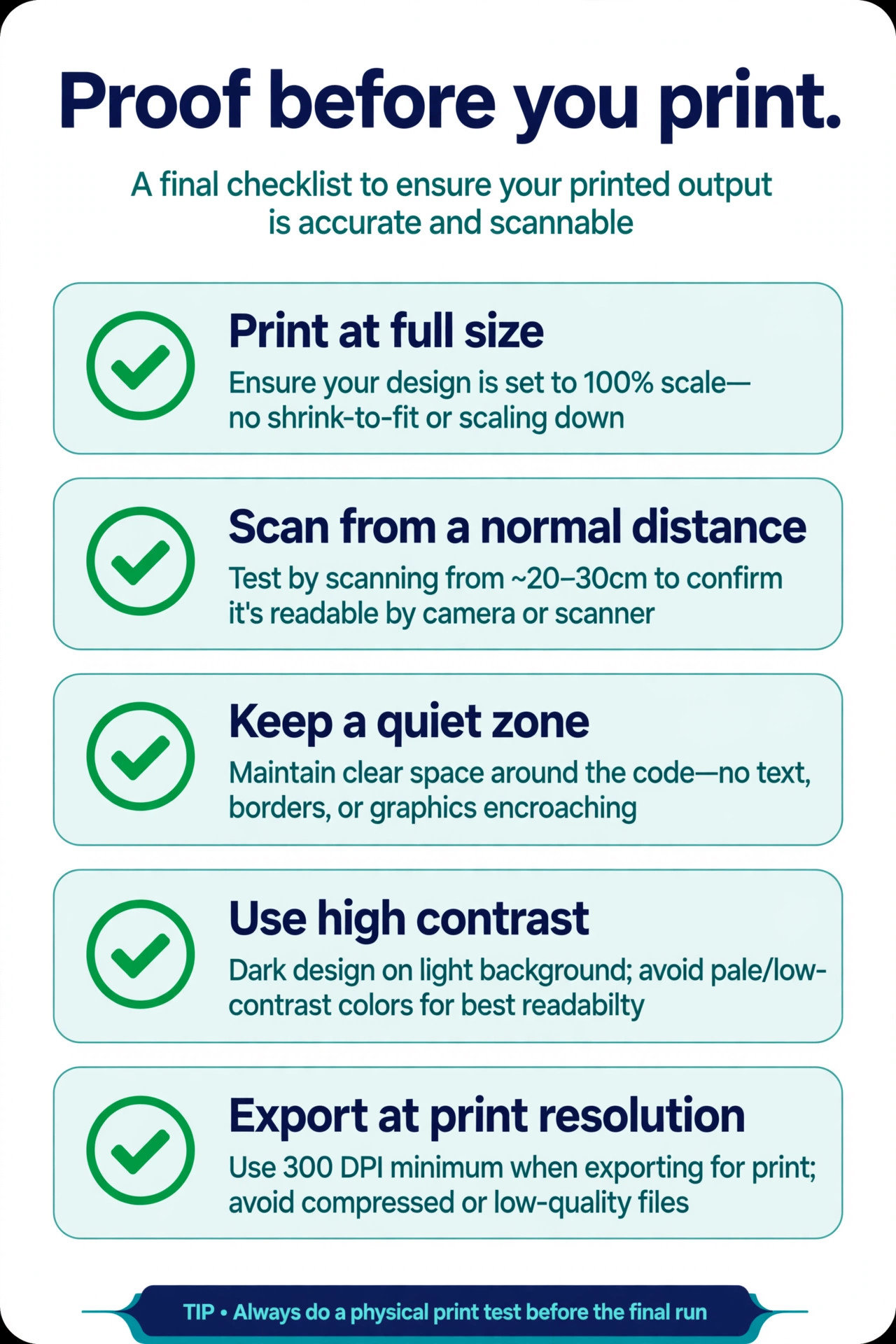
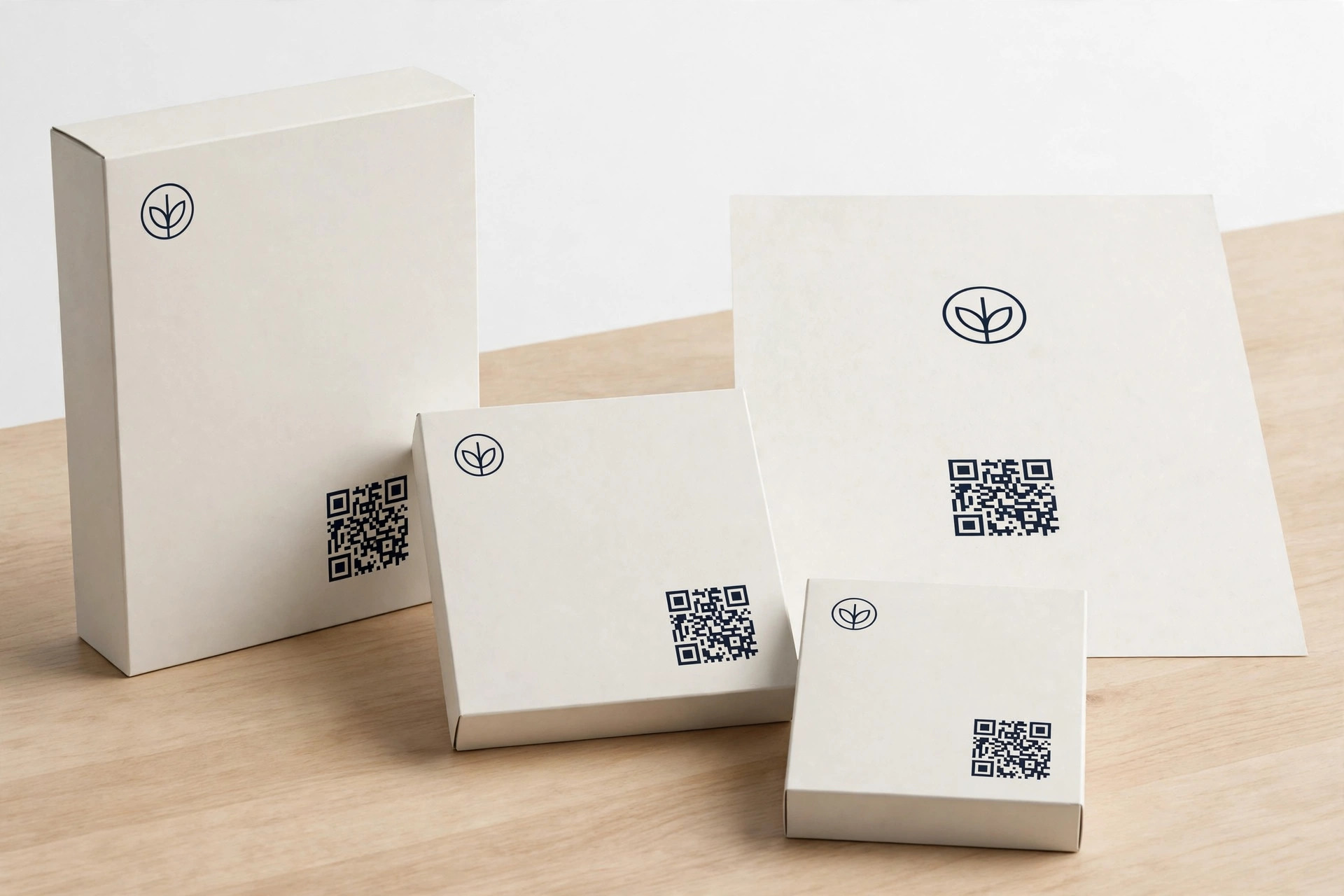
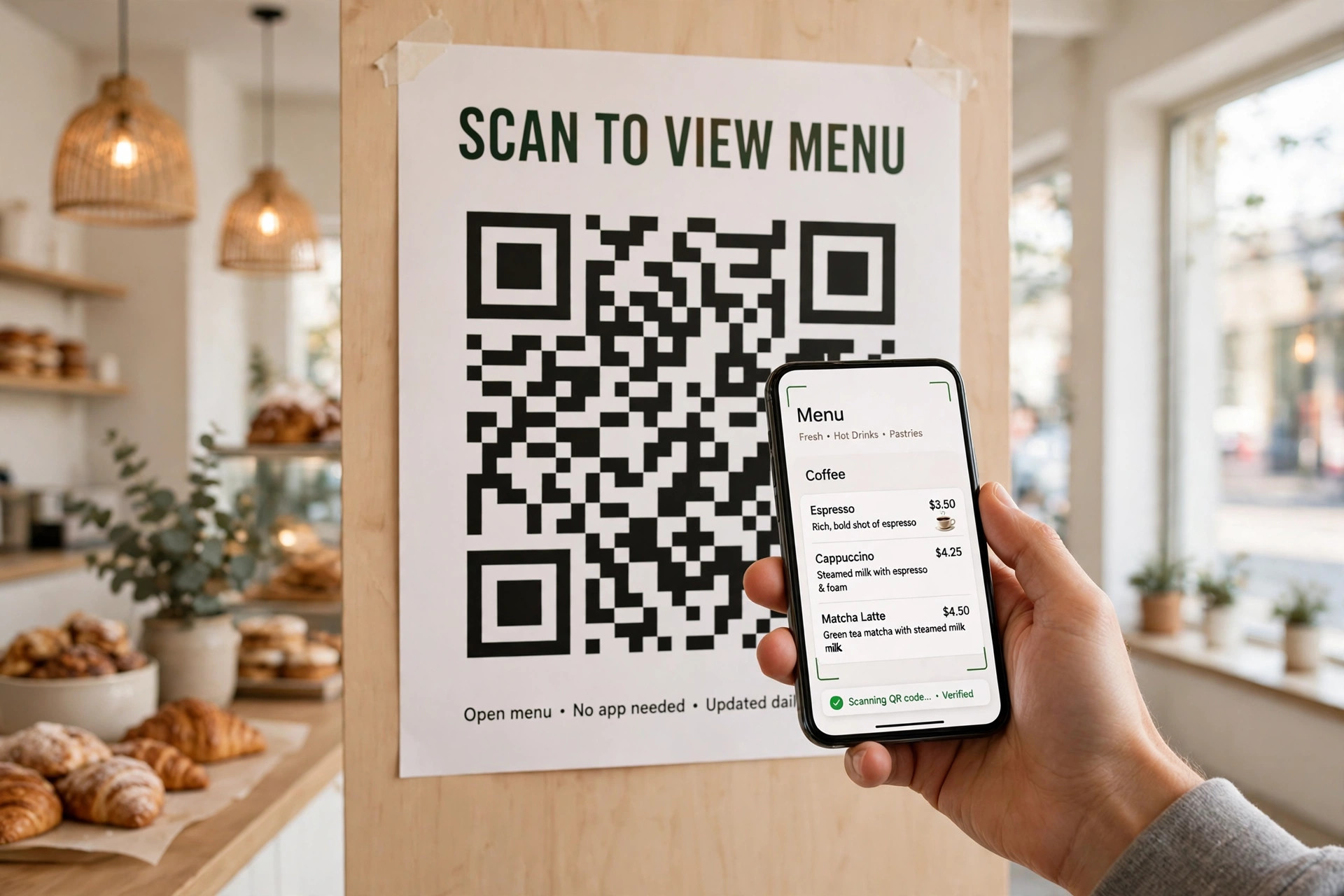
Print a test at full size and scan it from the distance a customer will stand, not from six inches away. Keep a quiet zone around the code, use high contrast, and avoid placing a logo so large that it breaks scanning. Set error correction higher when a logo sits inside the code, and export at print resolution rather than a screen screenshot. These five checks catch most failures, and they cost nothing except ten minutes with a phone and a printed proof.
Dynamic Code Pricing Traps
The cheapest dynamic plan is not always the cheapest year. Some plans cap codes, scans or team seats, and the next tier can cost several times the entry price, so a campaign that grows can suddenly become expensive. Others charge per code, per scan or per location, which changes the maths for a large print run. Before you print, model the cost at twice your expected volume, check what happens when a trial ends, and confirm whether codes keep working if you downgrade. A plan that survives that test is a safer home for printed material than a plan that only looks cheap at the smallest size.
Also check who owns the redirect. If a code points through a vendor domain, the vendor controls its future, so a vendor that closes or changes terms can break your codes. A custom domain, where offered, gives more control, and a record of every live code, its destination and its renewal date gives you a way to recover if a plan changes. Keep that record outside the vendor dashboard, in a spreadsheet or document your team actually maintains, because a dashboard you never open will not warn you before a code expires.
How to Choose Among the Best QR Code Generators
Match the code to its lifetime. A code on a permanent sign deserves a dynamic plan with a clear renewal cost, because reprinting the sign costs more than a year of service. A code on a short flyer deserves a free static code, because paying for tracking on a two-week run rarely teaches anything worth the fee. Between those extremes, weigh bulk generation, API access and white labelling, and ignore features that sound impressive but will never touch your actual print run. In short, choosing among the best qr code generators is a volume and workflow decision first, and a price decision second.
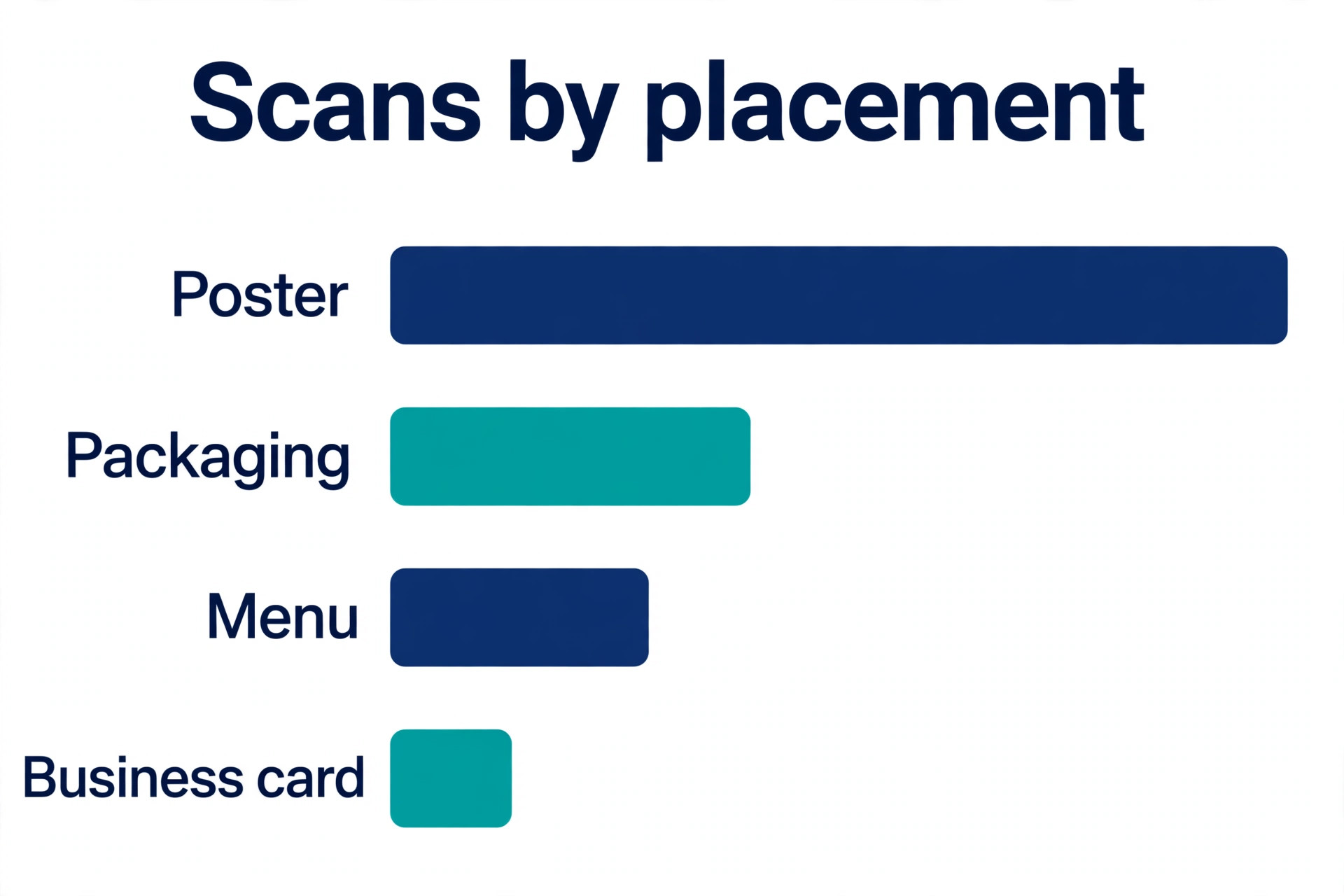
Analytics deserve a sceptical eye. A scan count tells you that a code was scanned, not why, and a high count on a poster in a busy station may mean foot traffic rather than interest. Pair scan data with a landing page that has its own measure, such as a sign-up, a booking or a sale, so you can tell whether scans turned into action. Without that second measure, a team can celebrate a popular code that never helped the business, and repeat a placement that looked good on a dashboard but did nothing in reality.
Accessibility is easy to overlook in code design. A code printed too small, in low contrast or on a glossy surface that glares under shop lights will exclude customers who already struggle with small print. Place codes at a comfortable height, keep them large enough to scan from a normal standing distance, and add a short printed URL or instruction beside the code for anyone whose phone cannot scan it. These small choices cost nothing and make a campaign work for more people, which is the point of putting a code in a public place at all.
A second trap is designing for a screen and printing for a wall. Colours that look bold on a monitor can wash out in print, and a code that scans instantly on a laptop can fail under shop lighting. Always proof on paper, in the light where it will live, and keep a spare code design with higher contrast ready. If a code fails in the proof, it will fail for customers too, and no analytics dashboard can fix a code that never scans. That test applies to the best qr code generators as a whole, not merely to one popular tool.
Mistakes That Break a Good Code
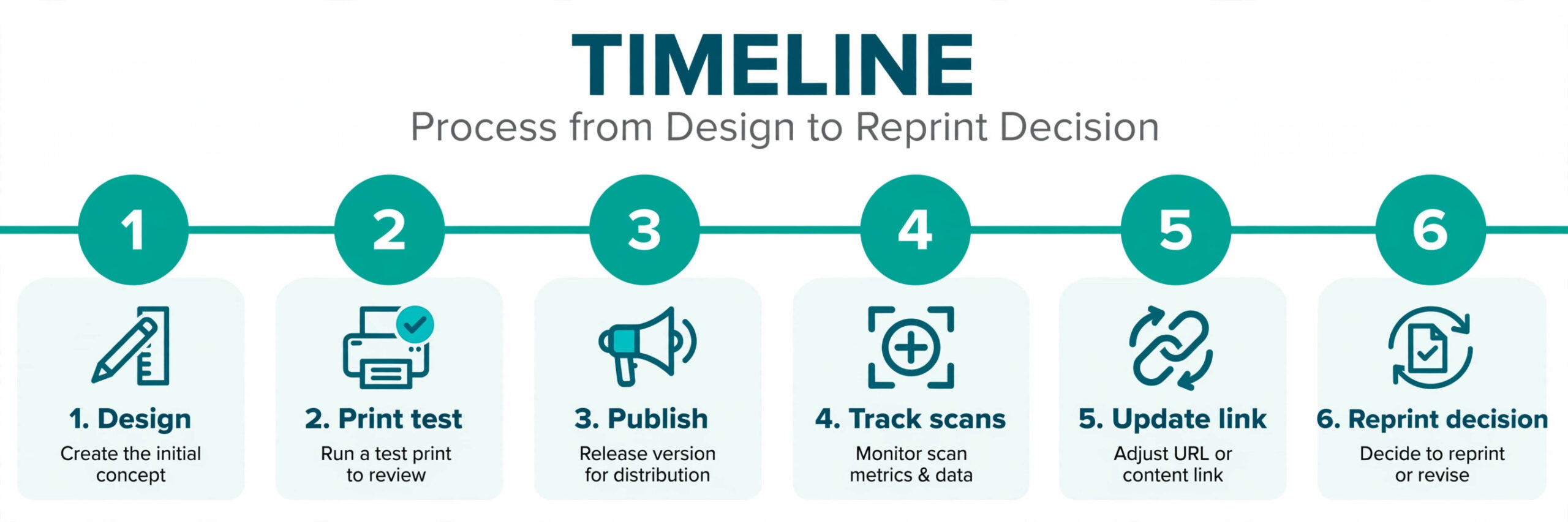
The most common mistake is printing a dynamic code from a trial account and letting the trial lapse, which can break every printed item at once. The second is using a low resolution export, which looks sharp on a phone and blurs at poster size. The third is tracking scans without a plan for what to do with the data, so a team collects numbers it never reviews. Fix all three by choosing a plan you will renew, exporting at print resolution and deciding one action per campaign, such as changing a menu link or updating an offer, before the first scan arrives.
Frequently Asked Questions
These answers cover the questions buyers ask most, in the order they usually arise. They cover the best qr code generators from price to everyday use.
Do free QR codes expire?
Static codes made by a free maker usually do not expire, because the destination lives inside the pattern and no account keeps it alive. Dynamic codes are different, since they depend on a redirect service, and some plans stop working when a subscription ends. Check the expiry and renewal terms on the vendor page before printing a dynamic code in large numbers.
Can I add my logo to a QR code safely?
Yes, if you keep the logo small and raise error correction. The code pattern includes spare capacity that lets it survive a small covered area, but a large logo or low contrast colours can break scanning. Test the finished code on paper, from a normal distance, on more than one phone before you print.
What is the difference between a static and a dynamic code?
A static code stores its destination in the pattern, so it cannot change and cannot be tracked. A dynamic code stores a redirect link, so the destination can change after printing and scans can be counted. Static suits permanent, simple uses, while dynamic suits campaigns, menus and packaging that may change.
How many scans can a free plan handle?
It depends on the plan. Some free tiers cap codes or scans, while others offer unlimited static codes with no tracking at all. For a small campaign, a free dynamic tier may be enough, but for a large print run, check the scan limit and the cost of the next tier before you commit to a design.
Do I need an app to scan a QR code?
No, most modern phones scan codes with the built-in camera, and that is why codes work well on menus, posters and packaging. Keep the code large enough, high contrast and free of glare, and customers will not need to download anything extra to reach your page.
Which maker is best for bulk codes?
QR Tiger and Uniqode handle bulk generation well, with CSV upload, shared designs and API access on higher tiers. For a small batch, a static maker with CSV support can be enough. Choose bulk tooling when the codes differ by product or location, not merely when the count is large.
What to Use on Monday Morning
For a one-off static code, use QRCode Monkey and print a test proof. For a small business that needs dynamic codes, start with QRCodeChimp or QR Tiger and compare their free limits against your real print run. For a large or regulated rollout, shortlist Uniqode and check its annual billing and compliance claims against your own requirements before signing. That is the practical way to choose among the best qr code generators without overpaying for features you will not use.
The best code is not the one with the longest feature list. It is the one that still scans, still points to the right page and still fits the budget a year after printing. Pick for the lifetime of the printed item, proof it on paper, and keep a record of which plan keeps each code alive.
More Reading on Stratilyze. For design work around your codes, read AI image generators and AI tools for restaurants, and for the menus that often carry codes, see Canva for restaurant menu design. If you publish codes on social posts, read AI tools for Instagram and AI social media management tools. Those guides pair well with the best qr code generators when you plan a full workflow.