

A small team of six people does not need enterprise project management. It needs one place where tasks, files, and decisions live, without a setup project that takes a week and a price that doubles when the seventh person joins. That is the real question behind basecamp vs asana for small teams. Both tools are proven, both are loved by their users, and they solve the same problem in opposite ways. One sells calm and flat pricing. The other sells structure and polish. Picking wrong costs more than the subscription, since it costs the team weeks of adoption friction.
This guide compares the two tools on price, features, limits, and the daily experience of running a small team in 2026. Prices here come from vendor pricing pages and 2026 comparisons, so check the vendor page before committing, because plan names and seat rules change often. The cheapest headline price is rarely the cheapest system once seat brackets and tier jumps are added.
The two tools differ in one decisive way. Basecamp is a communication first workspace with to-dos attached, built for teams that want fewer tools and fewer notifications. Asana is a task first platform with views, automations, and reporting, built for teams that want every piece of work tracked and visible. Your choice should follow how your team actually coordinates today, not which interface looks prettier in a demo.
Basecamp vs Asana for Small Teams at a Glance
| Area | Basecamp | Asana |
|---|---|---|
| Starting paid price | 15 dollars per user per month | 10 dollars and 99 cents per user per month, Starter annual |
| Flat price option | 299 dollars per month, Pro Unlimited annual | None |
| Free plan | 30 day trial, limited free tier | Personal plan, up to 2 users |
| Core idea | Communication first, tasks attached | Task first, views and reporting |
| Best view | Card Table and Hill Charts | Timeline, Gantt, Board, Calendar |
| Time tracking | None native | Native on Advanced, 24 dollars and 99 cents |
| Automations | Basic, built in | Unlimited on Starter |
| Storage | 500 GB on Plus, 5 TB on Pro Unlimited | 100 GB per user on Starter |
The basecamp vs asana for small teams question turns on team size more than on features. A team of five pays 75 dollars a month on Basecamp Plus or about 55 dollars on Asana Starter, so Asana wins on price at small sizes. A team of twenty pays 300 dollars on Basecamp Plus or about 220 dollars on Asana Starter, so Asana still wins until the Advanced tier enters the picture.
A team that needs portfolios, goals, workload, and time tracking pays 24 dollars and 99 cents per user on Asana Advanced, which is 500 dollars for twenty people against a flat 299 dollars for Basecamp Pro Unlimited. That crossover is the number that decides this comparison for most growing teams.
The Verdict for Small Teams
For most small teams, Asana is the better first pick. Its interface is the one people actually open, onboarding takes minutes, and the Starter plan covers timelines, Gantt charts, custom fields, forms, dashboards, and unlimited automations at 10 dollars and 99 cents per user per month. A team that runs client work, campaigns, or product launches with dates and owners will feel at home in Asana within a day, and the free Personal plan lets two people test it properly before paying.
Basecamp is the better pick for teams that are drowning in tools and want one calm place instead. Its message boards, Campfire chats, to-dos, schedules, and docs live in one project space, and the flat 299 dollar Pro Unlimited plan removes seat anxiety entirely as the team grows. A team of thirty pays the same as a team of ten, which no per seat tool can match. Basecamp also wins for client facing work, since clients can join a project and see messages, files, and progress without learning a task system.
The honest answer is that the two tools serve different team cultures. A team that thinks in tasks, dates, and owners should choose Asana. A team that thinks in conversations, decisions, and documents should choose Basecamp. A team that tries to force one culture into the other tool will blame the software for a mismatch that was really about how the team works.
| Team type | First pick | Why |
|---|---|---|
| 3 to 8 people, task heavy | Asana Starter | Cheapest real plan, best views, fast adoption |
| 3 to 8 people, chat heavy | Basecamp Plus | One calm place, clients included, no seat games |
| 9 to 20 people, growing fast | Basecamp Pro Unlimited | Flat 299 dollars beats per seat as you hire |
| 9 to 20 people, reporting heavy | Asana Advanced | Portfolios, goals, workload, time tracking |
| Client work with outside guests | Asana Starter | Unlimited free guests on paid plans |
| Team that hates process | Basecamp | Fewer features, fewer notifications, less setup |
Pricing Compared
Basecamp pricing is simple on purpose. Plus costs 15 dollars per user per month and includes every feature, unlimited projects, and 500 GB of storage. Pro Unlimited costs 299 dollars per month billed annually, or 349 dollars month to month, and covers unlimited users and projects with 5 TB of storage and priority support. There is no free plan, only a 30 day trial and a limited free tier for personal projects. The crossover sits at twenty users, where Plus costs 300 dollars and Pro Unlimited costs 299 dollars, so any team above twenty should take the flat plan.
Asana pricing is tiered and the tiers matter. Personal is free for up to two users with unlimited tasks and projects. Starter costs 10 dollars and 99 cents per user per month billed annually, or 13 dollars and 49 cents monthly, and adds Timeline, Gantt, custom fields, forms, dashboards, and unlimited automations. Advanced costs 24 dollars and 99 cents per user per month billed annually, or 30 dollars and 49 cents monthly, and adds portfolios, goals, workload, and native time tracking. Enterprise is custom priced with advanced security.
The pricing trap in this comparison is the Advanced tier. A small team that signs up for Starter at 10 dollars and 99 cents often discovers within months that portfolios and time tracking sit on Advanced at more than double the price.
That trap is the hidden cost in the basecamp vs asana for small teams decision, and it catches teams that priced the first month instead of the first year. Asana also sells seats in brackets above five people, so a team of six pays for ten seats on some plans. Basecamp has no such trap, since Plus includes every feature and Pro Unlimited removes seats from the bill entirely. Price the tier you will end up on, not the one you sign up for, and model the bill at your team size six months from now.
A five person team pays 900 dollars a year on Basecamp Plus against about 659 dollars on Asana Starter, so Asana wins the small team math. A fifteen person team pays 2,700 dollars a year on Basecamp Plus against about 1,978 dollars on Asana Starter, or 4,498 dollars on Asana Advanced. A twenty five person team pays 3,588 dollars a year on Basecamp Pro Unlimited against about 3,297 dollars on Asana Starter or 7,497 dollars on Advanced. The flat plan wins the moment your team needs Advanced features and keeps growing, which is exactly when per seat pricing hurts most.

Features Compared
Tasks and Projects
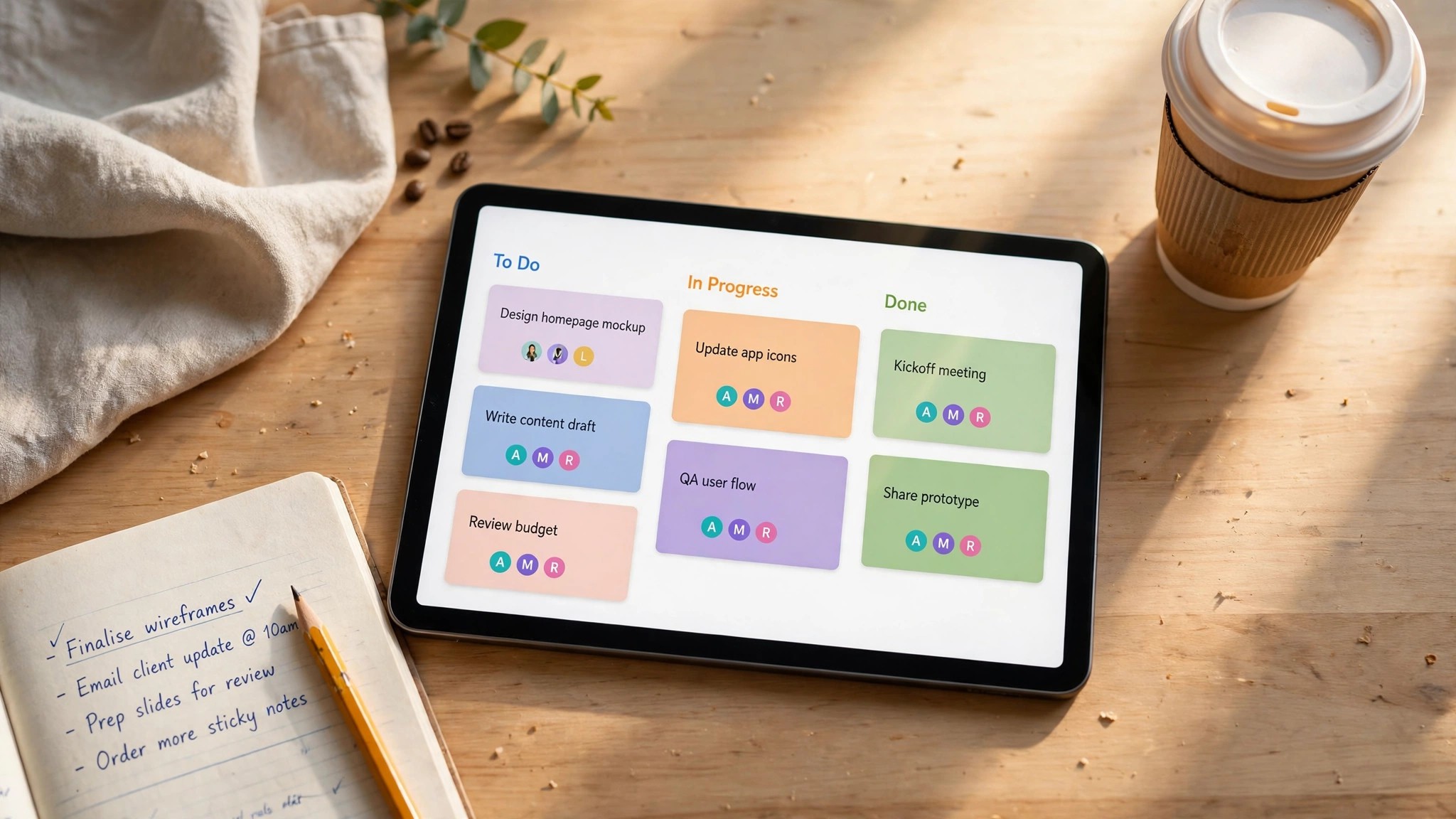
Asana organises work into tasks with owners, due dates, subtasks, dependencies, and custom fields, and projects can switch between list, board, timeline, and calendar views in one click. That flexibility is why teams that run many projects at once prefer it, since the same work looks right to a manager in timeline view and to a contributor in list view. Basecamp organises work into to-dos grouped under projects, with message boards, schedules, and docs alongside. Its to-dos are simpler and carry less metadata, which suits teams that want a checklist rather than a database. A team that lives on dependencies and custom fields will feel cramped in Basecamp within weeks.
Communication
Basecamp wins communication clearly, because it was built as a communication tool first. Message boards replace long email threads, Campfire chats replace scattered instant messages, and automatic check-ins ask the team a question on a schedule and collect answers in one place. Everything about a project lives inside that project, so a new hire can read the history and catch up without asking anyone. Asana handles communication through task comments, project messages, and status updates, which works well for work related discussion but scatters broader conversation across tasks. Teams that spend half their day aligning should lean Basecamp.
Views and Reporting
Asana wins views and reporting by a wide margin. Timeline and Gantt views show who is doing what and when, dashboards show progress across projects, and Advanced adds portfolios that roll many projects into one executive view. Workload shows who is overloaded before a deadline slips. Basecamp offers Card Table for kanban style work and Hill Charts for a visual sense of progress, which are charming and useful, but they do not replace a portfolio view for a manager running ten projects. A team that reports progress upward every week will miss Asana reporting within a month of switching to Basecamp.
Automations and AI
Asana Starter includes unlimited automations, so a team can route tasks, set due dates, and notify owners without writing code, and its AI features help draft updates and summarise work. Basecamp automations are lighter, focused on recurring check-ins and scheduled reminders rather than workflow rules. Neither tool is an automation platform, and teams with heavy workflow needs will add a dedicated tool either way. For everyday rules such as moving a completed task or pinging an owner, Asana covers more ground, while Basecamp covers the simple cases cleanly.
Integrations and Guests
Asana connects to hundreds of tools, including Slack, Google Workspace, Microsoft Teams, and time tracking apps, and its API supports deeper custom integrations. Basecamp integrates with fewer tools but covers the common ones, and its strength is that teams need fewer integrations because more of the work happens inside Basecamp itself. Both tools handle outside guests, and Asana Starter includes unlimited free guests, which matters for client work. Basecamp lets clients into a project with a clear view of messages and files, which some clients find friendlier than a task board. Count your must have integrations before choosing, since a missing one can force a workaround that costs more than the subscription.
Mobile and Daily Use
Both tools ship solid mobile apps, and daily use is where their cultures show. Asana mobile keeps tasks, inbox, and dashboards close, so a manager can check progress from a phone. Basecamp mobile keeps Campfire, messages, and to-dos close, so a team member can catch up on conversation from a phone. Adoption is the real test here, since the tool people actually open wins regardless of features. Asana tends to win adoption with task oriented teams, while Basecamp tends to win with teams that resist process. Run a two week trial with real work in each tool and watch which one the team opens without being asked.
Basecamp vs Asana for Small Teams in Daily Practice
A tool comparison only matters on a normal Tuesday, when the team is busy and nobody has time to fight software. In daily practice, the basecamp vs asana for small teams choice shows up in small moments. A designer opens the tool to find what is due today. A manager opens it to see what slipped. A client opens it to check whether their project moved. The tool that answers those three questions fastest wins the day, and the answer depends on who is asking.
For the designer, Asana list view with a due date filter is the fastest path to the day plan. Tasks are sorted, owners are clear, and completed work disappears with one click. Basecamp answers the same question through the to-do list inside a project, which works well when the designer has one project and less well when the work spans five projects. A contributor with many small tasks across many projects will prefer Asana, while a contributor with one big project will be happy in either tool.
For the manager, the difference is reporting. Asana dashboards show overdue tasks, upcoming deadlines, and workload across the team in one screen, and Advanced portfolios roll that view across every project. Basecamp Hill Charts show whether a project is on track in a visual way that non technical managers love, but they do not list the overdue tasks behind the chart. A manager who reports to a founder every Monday will want Asana reporting, while a manager who trusts the team and checks in weekly will find Hill Charts enough.
For the client, Basecamp is often the friendlier guest experience. Clients see a project home with messages, files, to-dos, and a schedule, and they can reply to a message without learning task management. Asana guests see tasks and comments, which is clear for work tracking but can feel like looking at someone else’s to-do list. Agencies that invite clients into projects regularly should test the guest view in both tools with a real client, since the client experience shapes whether the client engages or ignores the tool entirely.
Notifications decide adoption more than features do. Asana sends task updates, mentions, and due date reminders, which keep work moving but can overwhelm a team that assigns many tasks. Basecamp sends message and check-in notifications, which are fewer and calmer, but a team can miss a due date that nobody mentioned. Both tools let each person tune notifications, and the team should spend ten minutes on notification settings in the first week. A tool that pings too much gets muted, and a muted tool gets ignored, so the settings matter as much as the features.
How to Judge Basecamp vs Asana for Small Teams
Start with how your team coordinates, not with a feature tour. Count how many decisions happen in chat, how many tasks have hard dates, and how often a manager needs a report across projects. A team that coordinates through conversation will feel at home in Basecamp message boards, while a team that coordinates through dates and owners will feel at home in Asana timelines. The right tool matches your coordination reality, not a generic best list.
Next, test the views your manager actually uses. Build a real project with ten tasks, three owners, and two deadlines, then view it as a timeline, a board, and a workload report. Watch whether the tool shows overloads and slipped dates clearly or hides them behind clicks. Asana shows them clearly on Starter and better on Advanced. Basecamp shows progress through Hill Charts, which some managers love and others find too vague for a weekly report.
Then model the total yearly cost at your real team size in six months. A team of eight on Asana Starter pays about 1,055 dollars a year, while the same team on Basecamp Plus pays 1,440 dollars. A team of twenty five that needs portfolios pays 7,497 dollars on Asana Advanced against 3,588 dollars on Basecamp Pro Unlimited. Work through a year with your actual numbers, including the tier you will end up on, before comparing headline prices. A 4 dollar seat difference becomes thousands of dollars across a growing team.
Finally, run a two week trial with real work in each tool. Move one live project, invite the whole team, and watch which tool people open without being reminded. Adoption is the feature that decides this comparison, since a perfect tool nobody opens is worse than a simple tool everybody uses. The basecamp vs asana for small teams decision should be made by the team that will live in the tool, not by the person who read the most reviews.
Switching Costs and Migration
Moving between these tools is easier than moving between most software, because both export tasks and both import CSV files, but the details still take time. Task names, owners, and due dates transfer cleanly. Comments, attachments, and message history transfer poorly or not at all, so a team should archive the old workspace rather than expecting a perfect copy. Plan a weekend for the move and a week for the team to settle, and keep the old tool read only for a month so nobody loses a file.
The bigger switching cost is habit. A team that learned Asana thinks in tasks and dates, and will keep looking for a timeline in Basecamp that does not exist. A team that learned Basecamp thinks in conversations, and will keep looking for a message board in Asana that works differently. Budget two weeks of slower work after any switch, and appoint one person to answer questions and set up templates. The tool change fails when nobody owns the transition, not when the import fails.
Migration between the two is also a good moment to clean house. Archive dead projects, close stale tasks, and delete the templates nobody uses. A fresh start in the new tool with five clean projects beats a perfect import of fifty messy ones. Teams that use the switch to simplify their process end up happier than teams that copy every old project across unchanged.
One more cost deserves attention, and it rarely appears in a pricing table. A team that switches tools loses the muscle memory built over months, so simple actions take longer for a few weeks. Searching for a file, assigning a task, or checking a deadline all slow down until the new habits form. That slowdown is normal and temporary, and it should be planned for, not treated as proof the new tool is worse. Give the team a month before judging the switch, and measure adoption at the end of that month rather than at the end of the first week.
Mistakes Small Teams Make When Choosing
The first mistake is choosing on price alone. Asana Starter looks cheaper than Basecamp Plus at five people, and it is, but a team that needs portfolios will pay more than double on Advanced within a year. Basecamp Pro Unlimited looks expensive at ten people, and it is, but it becomes the cheapest option the moment the team passes twenty. Price the team you will be, not the team you are today, and check the tier jump before you sign up.
The second mistake is skipping the trial with real work. A demo with sample data makes every tool look good, because sample data is clean and the demo user knows where everything is. Real work has messy tasks, missing dates, and people who ignore notifications, and only a live trial shows how the tool handles that. Run one real project end to end in each tool before deciding, and ask the team which one felt easier at the end of the week.
The third mistake is buying for the manager instead of the team. A tool with beautiful reporting fails when contributors refuse to update it, while a tool with simple to-dos succeeds when everybody updates it daily. Ask the people who will do the daily work, not only the person who will read the reports. The best tool is the one the whole team will actually use, and that answer comes from a trial, not from a feature table.
Setup Checklist
Use this checklist when you move a small team to Basecamp or Asana, and keep a copy in your team wiki.
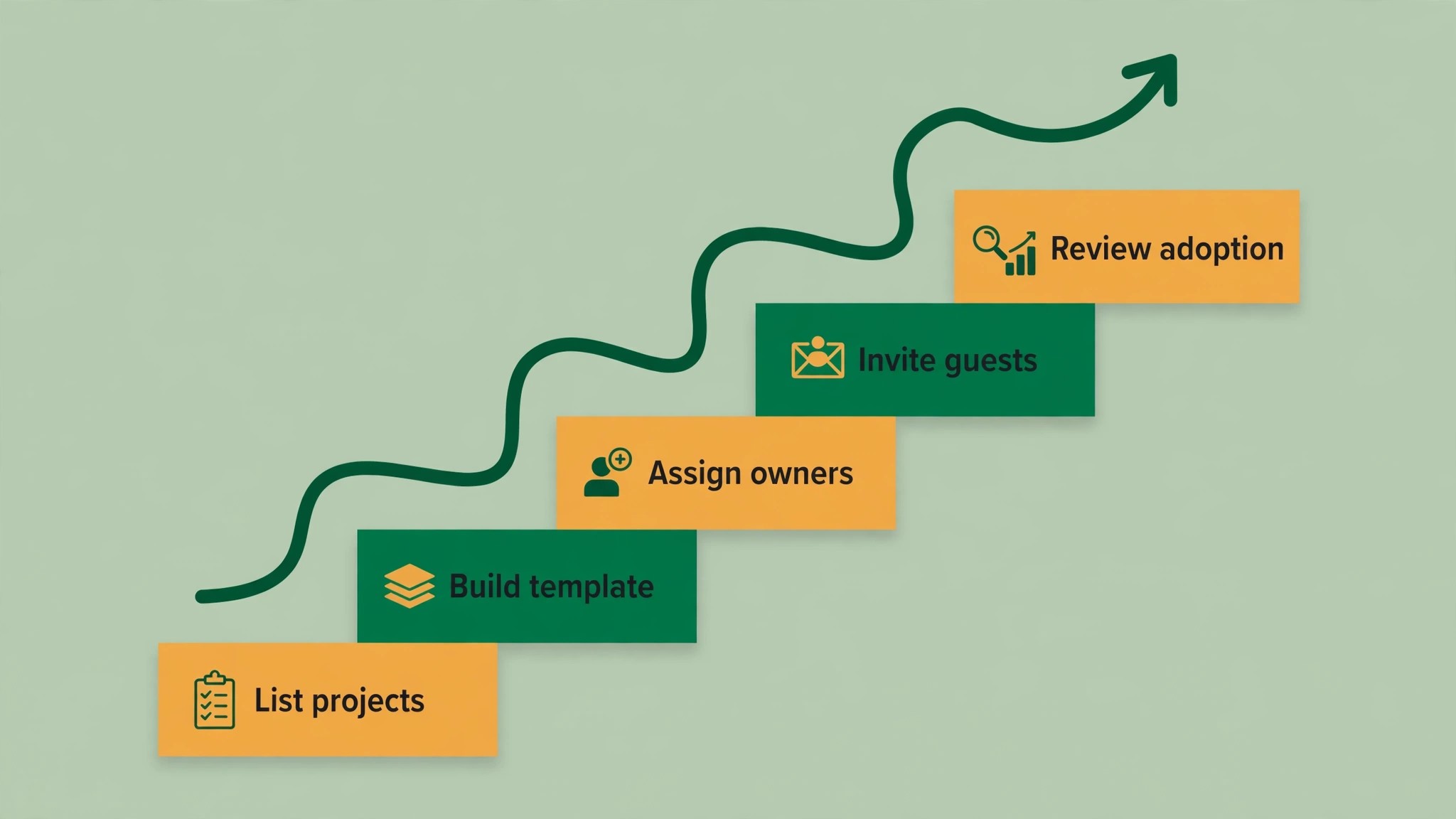
1. List every live project and close or archive the dead ones first. 2. Set up the project structure with one template the whole team copies. 3. Assign an owner and a due date to every task before launch day. 4. Invite guests and clients with the right permissions, not full access. 5. Connect Slack or email notifications and turn off the noisy ones. 6. Build one dashboard or Hill Chart the manager checks weekly. 7. Run both tools for one week until every old task has moved across. 8. Review adoption, overdue tasks, and cost monthly for the first quarter.
Related Guides
Keep exploring with these guides on Stratilyze:
- ClickUp vs Notion for Small Teams
- Best AI Habit Trackers for Small Teams (15 Tools)
- Xero vs FreshBooks for Small Business
Frequently Asked Questions
Is Basecamp or Asana cheaper for a small team?
Asana is cheaper at small sizes, and that is the short answer most teams need from the basecamp vs asana for small teams price question. A five person team pays about 659 dollars a year on Asana Starter against 900 dollars on Basecamp Plus. The crossover comes near twenty people, where Basecamp Pro Unlimited at 3,588 dollars a year beats Asana Advanced at about 7,497 dollars for twenty five people. Small teams that stay on Starter should pick Asana on price, while growing teams that need Advanced features should price Basecamp flat.
Does Basecamp have time tracking?
No, Basecamp has no native time tracking, and teams that need it must add an integration or a separate tool. Asana adds native time tracking on Advanced at 24 dollars and 99 cents per user per month billed annually. A team that bills clients by the hour should treat that as a deciding feature, since an integration adds cost and friction to every timesheet.
Can Asana replace Basecamp message boards?
Partly. Asana handles work related discussion through task comments, project messages, and status updates, which covers most project talk. It does not replace Basecamp message boards for long form discussion, announcements, and team check-ins, which live in one place in Basecamp. Teams that run on conversation will miss message boards, while teams that run on tasks will not notice the difference.
Which tool is easier for non technical teams?
Basecamp is easier for teams that resist process, since it has fewer features, fewer settings, and a calmer interface. Asana is easier for teams that already think in tasks and dates, since its interface matches how they work. Both tools onboard in minutes, so the deciding test is a two week trial with real work, watching which tool the team opens without being asked.
How do I move from one tool to the other?
Export tasks as CSV from the old tool and import them into the new one, then archive the old workspace instead of deleting it. Task names, owners, and due dates transfer cleanly, while comments and message history usually do not. Plan a weekend for the move, keep the old tool read only for a month, and appoint one person to answer questions during the first two weeks.
Is the free Asana plan enough for a small team?
No, not for a whole team. Asana Personal is free for up to two users only, so a team of three has no free option and needs Starter at 10 dollars and 99 cents per user per month. Two founders can test Asana free, but any team larger than two should budget for Starter from the start, and check whether Advanced features will be needed later.
A Final Word Before You Choose
There is no universal winner here, because the right tool follows how your team coordinates and how fast it grows. A small task heavy team weighing basecamp vs asana for small teams should start with Asana Starter and enjoy the cheapest real plan in this comparison. A chat heavy team that hates process should start with Basecamp Plus and enjoy one calm place. A growing team that will pass twenty people should price Basecamp Pro Unlimited seriously, since flat pricing beats per seat the moment reporting needs push you to Advanced.
Whichever you choose, run a two week trial with real work, model the bill at your team size six months from now, and ask the team which tool they opened without being reminded. A project tool earns its fee in work that moves without chasing, not in a demo. Choose the tool your team will actually use on its busiest week, and the rest of the feature list will take care of itself.