
A church rarely loses a giver because the giver stops believing in the mission. It loses the giver because the giving link fails on a phone, the recurring gift breaks when a card expires, or the visitor in the pew cannot find a way to give before leaving the building. That quiet friction shapes this guide to the best donation software for churches, because church giving is mostly habit, and habit breaks wherever the process adds friction.
Church giving also differs from charity fundraising in one important way. Most church income comes from the same congregation giving week after week, not from new donors acquired through campaigns. Recurring giving therefore matters more than campaign pages, and a platform that handles recurring gifts, failed cards and donor self service well will raise more over a year than a platform with beautiful campaign pages but weak recurring tools. The right platform protects the weekly habit first and supports campaigns and events second.
Prices in this guide come from vendor pages and reputable comparison listings checked at writing time. Giving platforms change fee structures often, and some rates depend on volume, partnership terms or payment method, so treat every figure as a starting point and confirm the current price on the vendor page before launching. Where a figure is reported rather than published, the text says so plainly.
Nine Tools on One Page
| Tool | Starting price | Best for |
|---|---|---|
| Pushpay | Quote based | Growing and multi site churches |
| Tithe.ly | $0 a month for Giving | Small to mid size churches starting free |
| Planning Center Giving | Free up to 10 donations a month | Fee conscious churches without a contract |
| Subsplash Giving | $0 a month for Giving | App first churches |
| EasyTithe | Reported from $19 a month | Ministry Brands churches |
| Givelify | $0 a month | Simplest mobile giving |
| SecureGive | $149 a month reported | Lobby kiosks plus digital giving |
| Kindrid | Quote based | Churches wanting a guided setup |
| Vanco | $0 a month on GROW | Denominational and mainline churches |
Read the table as a shortlist, not a ranking. A free platform can cost more per gift than a paid one once card rates and ACH options are counted, while a quote based platform can be cheap per gift at high volume. This best donation software for churches comparison works through that trade off tool by tool, so the choice follows giving patterns rather than the headline price.
Why the Best Donation Software for Churches Starts With the Fee per Gift
Two numbers decide the real cost of church giving software, and most churches watch only one of them. The card rate is the visible number, usually around 2.9 percent plus 30 cents per gift. The ACH rate, for bank transfer gifts, is the quiet number, and it can save a great deal, because a recurring giver paying by bank draft often costs far less than the same giver paying by card. Planning Center Giving charges no percentage on ACH, only 30 cents per gift, which makes it the cheapest option for a congregation that gives by bank transfer.
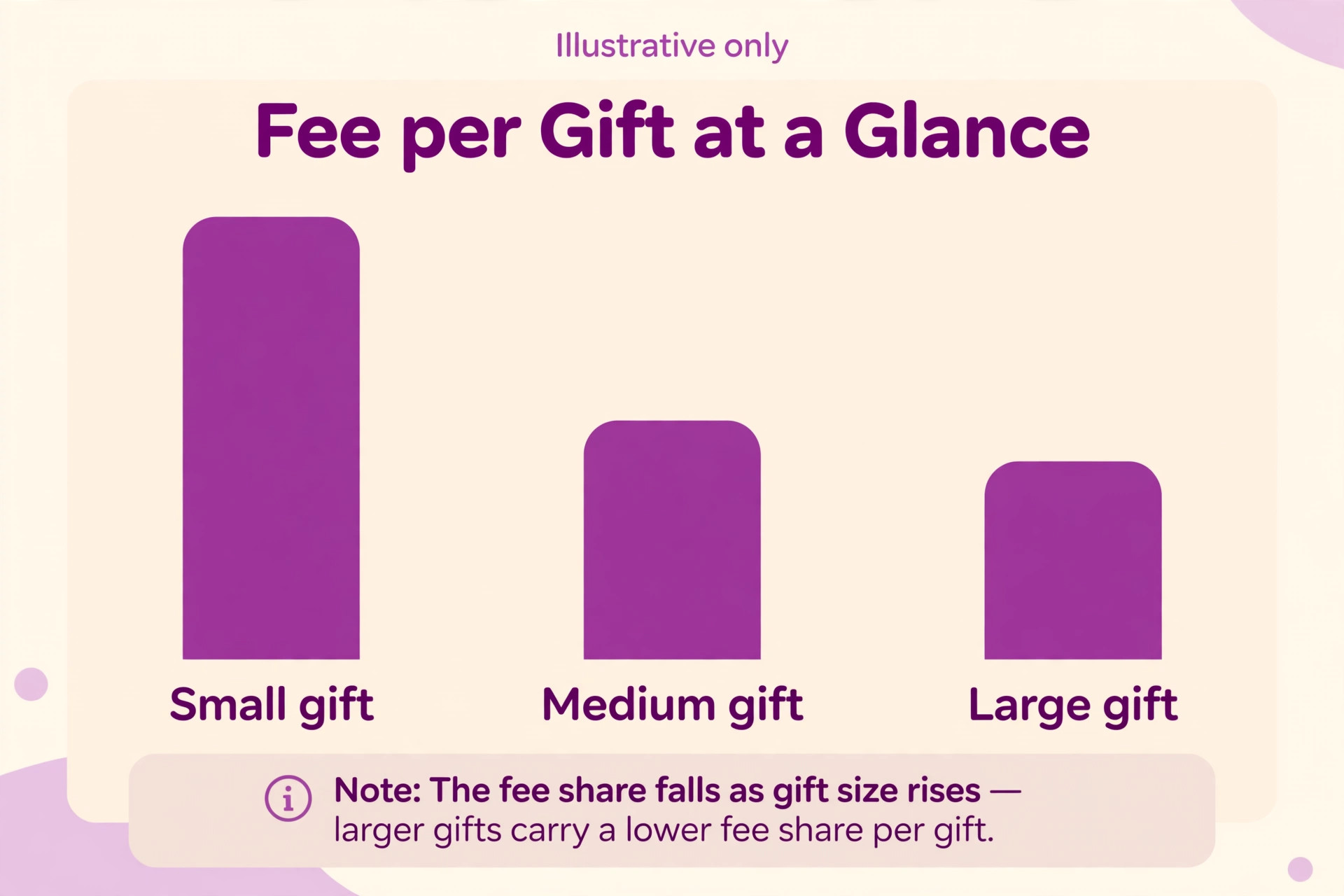
Gift size changes the maths sharply. On a $25 weekly gift, a card fee of 2.9 percent plus 30 cents costs about $1.03, or just over 4 percent of the gift. On a $200 monthly gift, the same rate costs $6.10, or just over 3 percent. Small frequent gifts therefore suffer most from per gift flat fees, which is why a church with many small givers should weigh the flat fee heavily, and why encouraging larger monthly gifts instead of small weekly card gifts can save hundreds a year.
Donor covered fees change the picture again. Most platforms in this guide let donors add the processing fee to their gift with one tap, and many churches find that most donors opt in. A church that enables donor covered fees and explains the option honestly can recover most processing costs without raising the ask. Test the donor covered fee prompt as a giver before launch, since a confusing prompt can reduce the gift itself, which defeats the purpose.
How to Choose Without Disrupting Weekly Giving
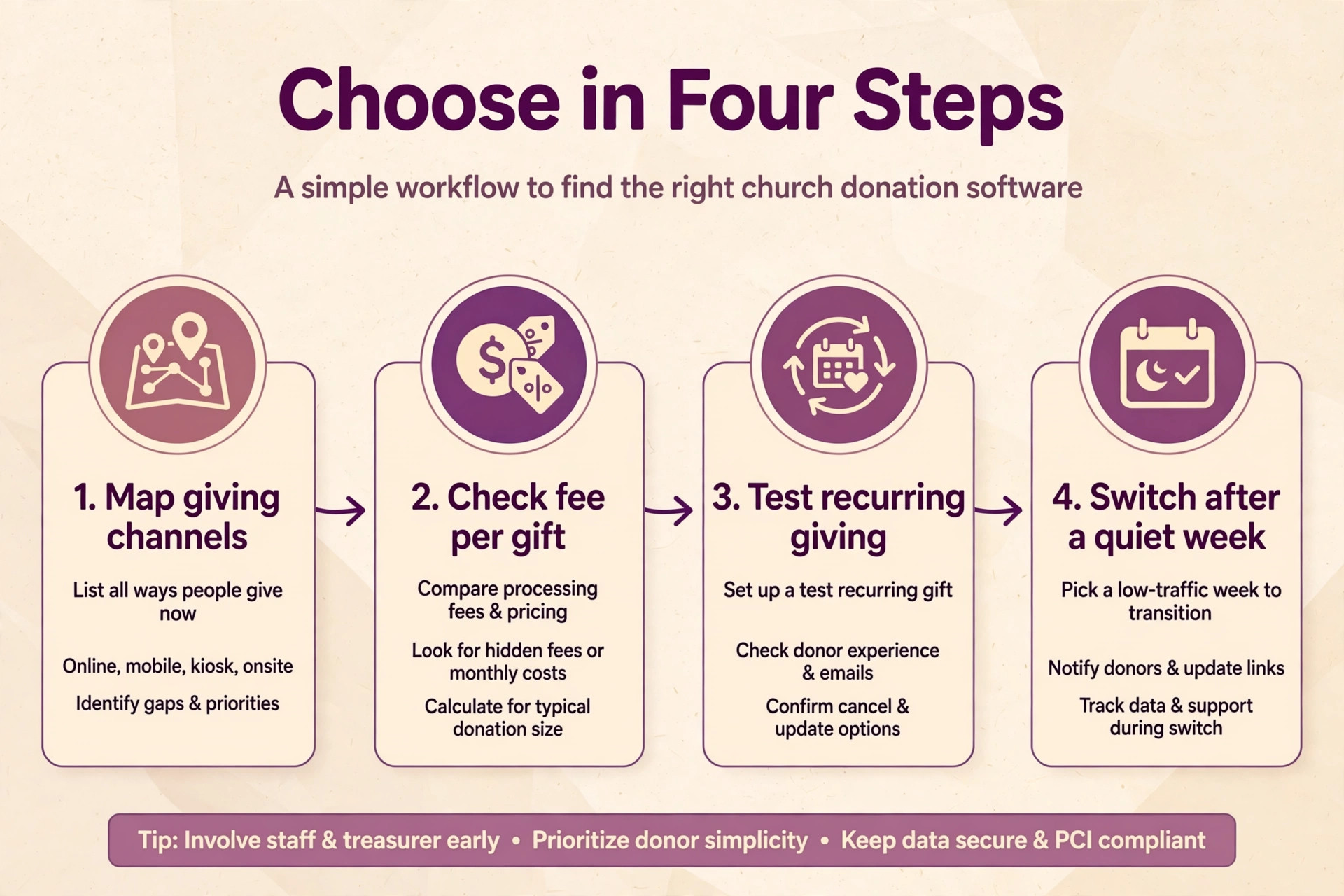
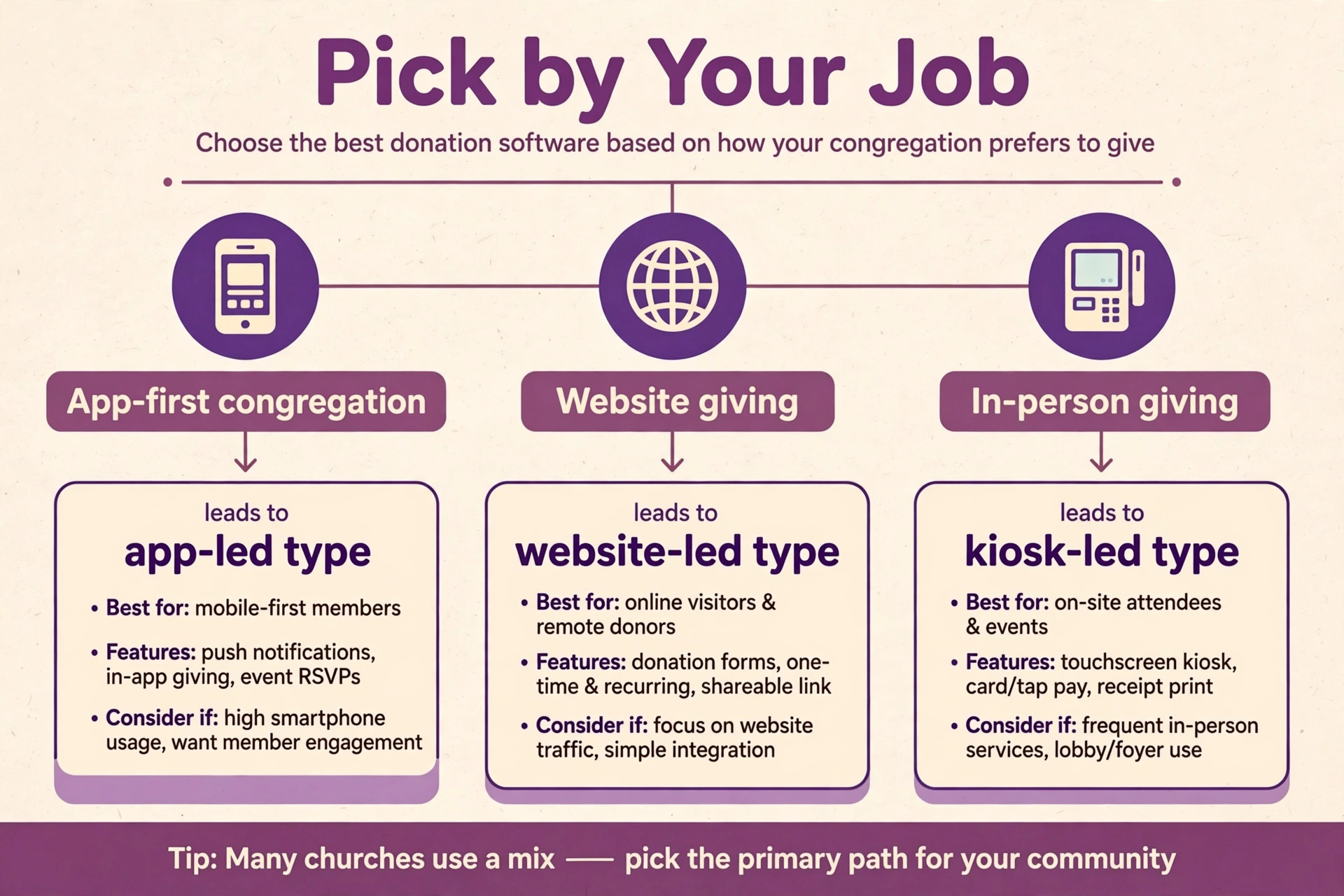
Start with the giving channels the congregation actually uses. List every way money arrives today, from the offering plate and the website link to text giving, the church app and the lobby kiosk, and check that the shortlisted tool covers those channels without workarounds. A church whose older members give by kiosk needs a kiosk vendor, while a church plant with a young congregation may need only a web link and text giving. The channel list, not the feature list, should drive the shortlist.
Then count gifts per month, not just total giving. Planning Center Giving prices by monthly donation count, from free at ten donations through $239 a month for unlimited, so a church with many small gifts pays more than a church with fewer large gifts at the same total. Tithe.ly Giving and Givelify charge no monthly fee and earn only from processing, which suits a church with many small gifts. Match the pricing model to the gift pattern, not to the annual total alone.
Finally, test the full giver journey on a phone before launch. Make a one time gift, set up a recurring gift, update the card, change the amount and cancel, and watch every email the giver receives. A clunky journey loses givers quietly, because a frustrated giver simply does not return next week rather than complaining. A smooth journey with a clear receipt and a thank you message builds the trust that keeps a recurring giver for years.
The Shortlist Checklist for Churches
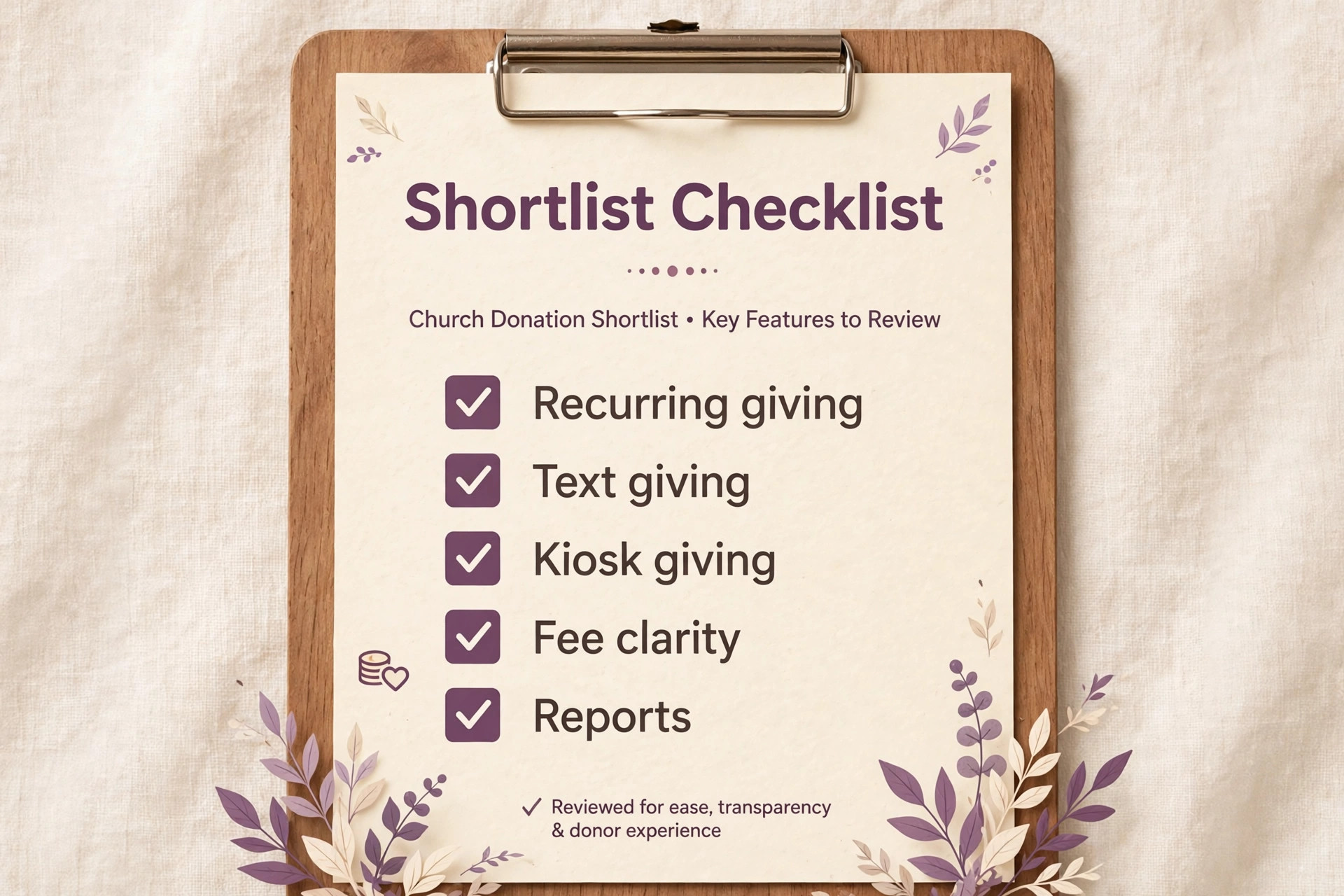
Use this checklist on every shortlisted tool before moving the congregation to it.
– Confirm the card rate, the ACH rate and the per gift flat fee on the exact plan – Confirm that donors can cover processing fees, manage recurring gifts and update cards without calling the office – Confirm text giving, app giving, web giving and kiosk options against the channel list – Confirm fund designations, so gifts reach the general fund, missions or building fund correctly – Confirm year end giving statements and exports for the treasurer and the accountant – Confirm the monthly fee basis, whether by donation count, by campus or by subscription tier – Run a test month with a small group before inviting the whole congregation
A tool that fails two or more checklist items will create office work every week. Church staff are often volunteers or part time, so a platform that needs constant staff intervention for card updates and statements will strain the team it was meant to help.
The Best Pick by Job for Churches
| Church job | Best pick | Why it fits |
|---|---|---|
| Weekly recurring giving | Planning Center Giving | Lowest card rate plus cheap ACH |
| Campaigns and special appeals | Tithe.ly | Free giving plus text and app tools |
| Events and conferences | Subsplash Giving | Giving inside an app, website and media platform |
The table follows the job, not the brand. A church whose income is mostly weekly recurring gifts should optimise for the lowest per gift fee and the best failed card recovery. A church running a building campaign needs campaign pages, pledges and progress tracking more than the lowest card rate. This best donation software for churches guide returns to that job test in every tool section below, because the right tool follows the income pattern.
The Fee Maths on Real Church Gift Sizes
Take a church receiving $20,000 a month online across 400 gifts at a $50 average. On a card rate of 2.9 percent plus 30 cents, processing costs about $700 a month, or $8,400 a year. On Planning Center Giving at 2.15 percent plus 30 cents, the same gifts cost about $550 a month, a saving of $150 a month or $1,800 a year before any subscription. Add the Giving plan cost for 400 gifts a month, and the saving narrows but usually remains, which is why the card rate deserves more attention than the subscription headline.
Now move half those gifts to ACH. At 400 gifts a month with 200 on ACH at 30 cents each, the ACH half costs $60, while the same 200 gifts on cards at 2.9 percent plus 30 cents would cost about $350. The saving from shifting half the congregation to bank giving is roughly $290 a month, or $3,480 a year, which dwarfs most subscription differences in this guide. A church that promotes ACH for recurring gifts, explains the saving honestly and makes bank signup easy will save more than any platform switch alone.
Failed recurring gifts deserve the same maths. A church with 200 monthly givers loses several each month to expired cards, and each lost giver costs the full monthly gift until someone notices. A platform that retries failed payments, emails the giver and lets the giver update the card in one tap recovers gifts that a passive platform loses silently. Ask every vendor how failed payment recovery works, and test it with an expired test card before launch, because recovery features are worth more than a small rate difference.
Recurring Giving, Text Giving and Kiosks in Practice
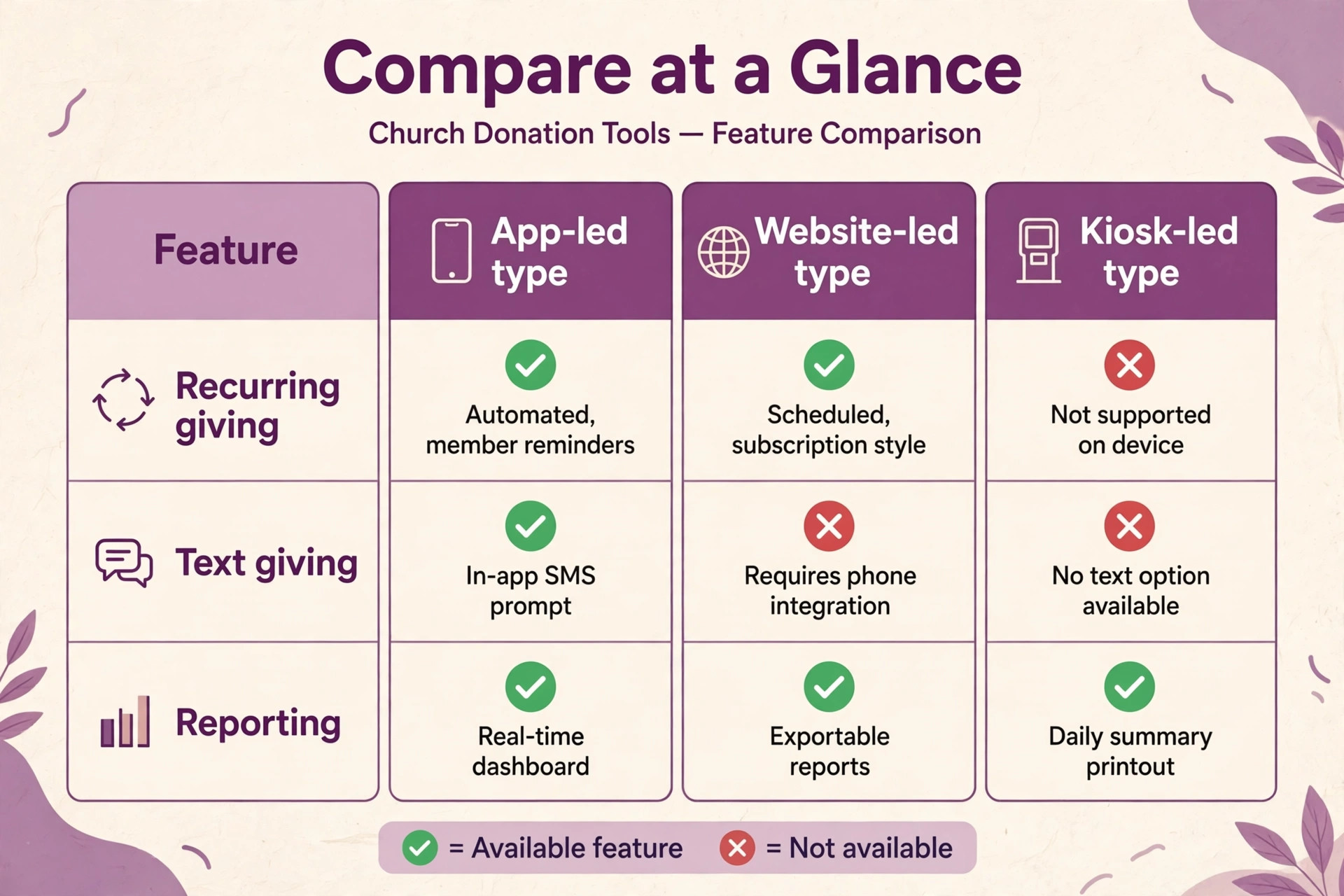
Recurring giving is the single biggest stabiliser of church income, because it smooths seasonal dips and holiday absences. A giver who sets a monthly gift gives in August as reliably as in December, while a giver who depends on Sunday attendance misses every holiday, illness and travel week. Make recurring giving the default prompt on the giving page, offer weekly and monthly options, and let givers choose their own date. A platform that hides recurring giving behind extra steps will collect fewer recurring gifts, however good its campaign pages look.
Text giving suits visitors and younger members who will not download an app for a one time gift. The giver texts an amount to a church number, receives a link, completes the gift once, and can give again by text afterwards. Tithe.ly charges $19 a month for text giving as an add on, Planning Center charges $5 a month on top of its Giving plan, and Pushpay includes text giving with its giving software. Compare the add on cost against the number of text gifts expected, since a rarely used text number is wasted money.
Lobby kiosks still matter for churches with a strong in person congregation, especially for visitors who carry no cash and for members who prefer to give before or after the service. SecureGive specialises in kiosks alongside digital giving, with debit and credit rates that differ from its online rates, so check both rate cards. A kiosk that is slow, confusing or out of order on a Sunday morning loses the exact gifts it was bought to capture, so place it where greeters can help and test it weekly.

Nine Tools in Detail
Pushpay
Pushpay is the pick for a growing or multi site church that wants giving tied to engagement and donor retention. Pricing is quote based on annual terms, with card rates reported from 2.1 to 2.9 percent plus 20 to 30 cents depending on total giving volume, and ACH from 0.5 to 1.0 percent plus 20 to 30 cents. It covers giving, church management, a church app and donor analytics, with text giving included.
The strength is the full system for a larger church, with retention reporting that shows which givers are drifting. The limit is price transparency, since the rate depends on a quote and smaller churches may find the annual commitment heavy. Choose Pushpay for a mid size or large church that wants one system. Skip it for a small church that needs a free start with no contract.
Tithe.ly
Tithe.ly is the pick for a small to mid size church that wants fast, low cost setup. Giving itself costs $0 a month with no setup fee and no contract, while church management costs $72 a month and an all access bundle costs $119 a month on most listings. Card processing is 2.9 percent plus 30 cents, American Express is 3.5 percent plus 30 cents, ACH is 1 percent plus 30 cents, and text giving is a $19 a month add on.
The strength is the free giving start with room to add management, app and website tools later. The limit is that the free plan covers giving only, so the full system costs more once those tools are added. Choose Tithe.ly for a church that wants giving live this week at no monthly cost. Skip it if the church needs the lowest possible card rate above all else.
Planning Center Giving
Planning Center Giving is the pick for a fee conscious church that does not want a contract. Pricing runs by monthly donation count, from free at ten donations through $15 at 75, $32 at 200, $69 at 500, $115 at 1,000, $179 at 1,500 and $239 for unlimited on most listings. Card processing is 2.15 percent plus 30 cents, and ACH costs only 30 cents per gift with no percentage, which is the cheapest ACH option in this guide.
The strength is the low card rate and the cheap ACH, plus clean integration with the wider Planning Center suite for check ins, groups and services. The limit is that it is one product in a suite, so a church that needs a full app or advanced campaign tools may add other products. Choose Planning Center Giving for a church that values low fees and no contract. Skip it for a church that needs kiosks or a standalone church app as the main channel.
Subsplash Giving
Subsplash Giving is the pick for an app first church already invested in Subsplash media. Giving itself costs $0 a month, while the wider Subsplash One platform and enterprise plans are quote based. Card processing is 2.99 percent plus 30 cents on Visa and Mastercard and 3.50 percent plus 30 cents on American Express and Discover on most listings, with a lower 2.30 percent rate available under an exclusive partnership agreement. ACH costs 1 percent with no per gift fee.
The strength is giving inside one app, website and media platform, so sermons, events and giving live together. The limit is that the lowest card rate needs a partnership agreement that a giving only account does not receive. Choose Subsplash Giving for a church building its digital presence around one app. Skip it for a church that wants the lowest card rate without a partnership commitment.
EasyTithe
EasyTithe is the pick for a church already using Ministry Brands products. Pricing is reported from $19 a month for a small church plan, $49 a month for a small to mid plan and $75 a month for a pro plan for new customers, so check the vendor page for the current figure. Card processing is reported from 2.6 to 3.00 percent plus 42 cents depending on plan, and ACH is reported at 1.00 percent plus 42 cents.
The strength is integration with the wider Ministry Brands family, which suits churches already using its church management tools. The limit is the higher per gift flat fee of 42 cents, which hurts small gifts more than the 30 cent standard elsewhere. Choose EasyTithe for a Ministry Brands church that wants one vendor. Skip it for a church with many small gifts where the 42 cent fee adds up fast.
Givelify
Givelify is the pick for a small church that wants the simplest possible mobile giving with no commitment. It costs $0 a month with no monthly, signup or maintenance fees on most listings. Card processing is 2.9 percent plus 30 cents, American Express is 3.5 percent plus 30 cents, and ACH is not offered, so all gifts run on cards.
The strength is simplicity, since a church can be live in the Givelify app quickly and givers can find the church by location. The limit is the missing ACH option and the thinner back office compared with a full giving platform. Choose Givelify for a small church that wants giving live today at no monthly cost. Skip it for a church whose recurring givers would save meaningfully by paying through bank transfer.
SecureGive
SecureGive is the pick for a church that wants lobby kiosks plus digital giving from one vendor. Pricing is reported at $149 a month for Basic and $299 a month for Premium, with lower annual billing figures on most listings, so check the vendor page for the current quote. Online debit is reported at 1.75 percent plus 30 cents, online credit at 2.5 percent plus 30 cents, kiosk rates differ, and ACH is reported at a $1.50 flat fee.
The strength is the kiosk plus digital combination, which serves both in person visitors and online givers. The limit is the monthly subscription, which only makes sense when kiosks and digital giving are both used well. Choose SecureGive for a church with a busy lobby and a real kiosk need. Skip it for a church plant or online only congregation with no lobby traffic.
Kindrid
Kindrid is the pick for a church that wants a guided setup and a simple giving experience. Pricing is quote based, with no public plan prices on most listings, so request a quote and check the vendor page for current terms. It covers online giving, text giving and recurring gifts with a focus on making the first gift easy for a new giver.
The strength is the guided onboarding, which suits a church without technical staff. The limit is price transparency, since a quote based price cannot be compared without a sales conversation. Choose Kindrid for a church that values hands on setup help. Skip it for a church that wants to compare published prices and start free today.
Vanco
Vanco is the pick for a mainline or denominational church that wants a trusted giving vendor with flexible plans. GROW costs $0 a month and THRIVE costs $54 a month on most listings. Card processing is reported at 2.90 percent plus 45 cents on GROW and 2.65 percent plus 39 cents on THRIVE, with American Express at 3.99 percent on both, while ACH is reported at 1.00 percent plus 45 cents on GROW and 0.90 percent plus 39 cents on THRIVE.
The strength is the free GROW start plus a paid tier with lower rates for churches that give at volume. The limit is the higher per gift flat fee compared with the 30 cent standard, which matters most for small gifts. Choose Vanco for a denominational church that values a long established vendor. Skip it for a church with many small gifts where a 45 cent fee erodes each gift.
Mistakes That Lose Givers After the First Gift
The first mistake is making the first gift hard to find. A giving link buried three clicks deep on the website, or a link that only works on a desktop computer, loses visitors who decide to give in the moment. Put a clear give button on the home page, in the sermon notes and in every email, and test it on a phone every month. A giver who cannot find the link in ten seconds will not search harder.
The second mistake is never asking for a recurring gift. A church that only offers one time giving trains its congregation to give once and forget, while a church that presents monthly giving as the normal pattern builds stable income. Offer recurring giving at the same step as the first gift, not as a separate page the giver must find later, and thank recurring givers specifically for their steady support.
The third mistake is ignoring failed recurring gifts for weeks. An expired card quietly cancels a monthly gift, and a giver who is not told may assume the gift is still running. Set up automatic retry, an email to the giver within a day, and a one tap card update link, and assign one person to review failed gifts weekly. Recovering a failed gift promptly saves a giver that would otherwise drift away unnoticed.
The fourth mistake is sending no year end statement or a late one. Givers need a clear annual statement for tax purposes and for their own records, and a church that delivers it late or with errors damages trust. Confirm that the chosen platform produces accurate year end statements by fund, test the export with the treasurer before year end, and send statements promptly in January rather than in March.
A Sensible Rollout Plan for a Church
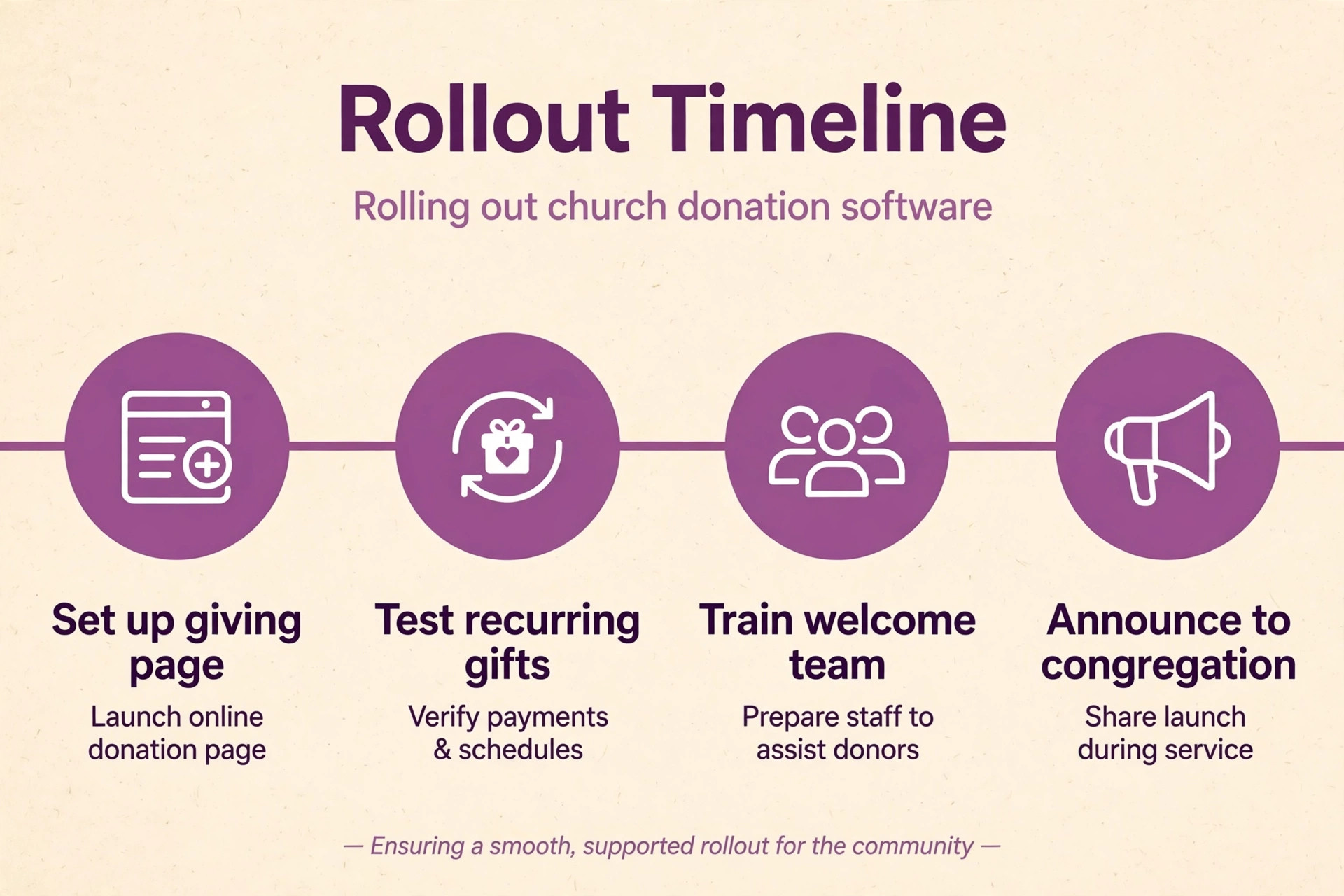
Start with a small test group, not the whole congregation. Invite staff, elders and a dozen trusted members to give online, set up recurring gifts, update cards and download statements, and fix every friction point they report. That test group is the safest trial in a best donation software for churches rollout, because it catches confusing prompts and statement errors before the whole church meets the new system.
Next, launch to the congregation with a clear Sunday announcement and a printed guide for members who need help. Show the giving page on screen, walk through a one time gift and a recurring gift, and staff a help table after the service for anyone who wants to set up giving with assistance. A launch that helps people in person converts far more givers than an email link alone.
Then build the recurring habit deliberately over the next three months. Mention recurring giving monthly, share the impact of steady giving without pressuring individuals, and review failed gifts every week until recovery becomes routine. A church that treats the first ninety days as a habit building period will keep far more recurring givers than a church that launches and moves on.
Our Closing Take on the Church Giving Shortlist
For most churches, the smart path is Planning Center Giving for the lowest fees and cheap ACH, Tithe.ly or Givelify for a free start, and Pushpay once the church is large enough to benefit from a full system. Subsplash suits an app first church, SecureGive suits a church with real kiosk traffic, and Vanco suits a denominational church that values an established vendor. That verdict is the centre of this best donation software for churches guide, and it follows the giving pattern rather than the loudest platform marketing.
Whatever the choice, judge it after ninety days on three numbers. The share of online gifts that are recurring, the share of failed recurring gifts recovered within a week, and the average processing cost per gift. Those numbers show whether the best donation software for churches you chose is actually working. If those three numbers improve, the tool is working. If they do not, the problem is the giver journey or the follow up habit, and no new platform will fix a giving page nobody can find.
More Reading on Stratilyze
For a related nonprofit comparison, read donation software for small nonprofits and AI tools for churches. For a volunteer system, see volunteer management software for small nonprofits.
Frequently Asked Questions
What is the cheapest donation software for a church
Tithe.ly Giving, Givelify and Subsplash Giving all start at $0 a month for giving, with processing fees on each gift. Planning Center Giving is free up to ten donations a month and then prices by donation count. The cheapest choice depends on gift size and payment method, since a low card rate or cheap ACH can outweigh a zero subscription at volume.
How much does it cost a church to receive a $50 gift online
On a card rate of 2.9 percent plus 30 cents, a $50 gift costs about $1.75 in processing. On Planning Center Giving at 2.15 percent plus 30 cents, the same gift costs about $1.38. On ACH at 30 cents flat, the same gift costs only $0.30. Donor covered fees can recover most of that cost when donors opt in.
Can church members give by text message
Yes, on most platforms in this guide. Tithe.ly offers text giving as a $19 a month add on, Planning Center charges $5 a month on top of its Giving plan, and Pushpay includes text giving with its giving software. The giver texts an amount, receives a link, completes the gift once, and can give again by text afterwards.
Do churches need a church app for online giving
No. Every platform here accepts gifts through a web link that can be shared by email, text or social media. An app helps engagement and keeps sermons, events and giving together, but it is not required. Start with web and text giving, and add an app when the congregation asks for it.
How do recurring gifts work for a church
Donors set an amount and frequency once, and the platform charges them automatically on that schedule. Donors should be able to manage their own recurring gifts, update cards and change amounts without calling the office. Recurring giving stabilises church income across holidays and seasonal dips, which is why it matters more than campaign pages for most churches.
What should a church check before switching giving platforms
Check the card and ACH rates, the monthly fee basis, text and kiosk coverage, fund designations, year end statements and data export. Run a test month with a small group, confirm that recurring gifts transfer cleanly or are rebuilt correctly, and launch with in person help on a Sunday. A switch that loses recurring givers costs far more than any fee saving.