
A customer describes a three bedroom home over the phone, the estimator guesses the truck size, the crew arrives to find a piano and a full garage, and the job runs three hours over. The next job is late, overtime eats the profit, and the customer leaves a bad review. That chain is the daily problem for moving firms, and it starts with a bad quote, not with a bad crew. The best software for moving companies fixes the chain at the start, with accurate inventories, clear pricing, a realistic crew plan, and payment that follows the job.
This guide compares 14 platforms across quoting, surveys, dispatch, storage, claims, payments, and pricing transparency. It includes full operations platforms and one survey specialist, because a survey tool that pairs with dispatch can matter as much as dispatch itself. Read the comparison first, then read the tools that match your segment. A local mover, a long distance mover, and a storage plus moving firm need different strengths, and the best pick changes with that mix.
A warning on pricing runs through this guide. Most moving vendors hide prices behind a demo, and third party listings disagree on entry rates. Where a price is stated, treat it as a reported starting point and check the vendor pricing page before budgeting. Where listings conflict, this guide says so plainly rather than picking the lower number to look attractive.
Why best software for moving companies must handle pricing by move type
Local, long distance, commercial, and international moves do not price the same way. A local move may price by hour and crew size. A long distance move may price by weight, volume, and tariff. A commercial move may price by line item and schedule. Software that forces every move into one template will eventually produce a quote that is either uncompetitive or unprofitable, and the firm discovers the error on moving day.
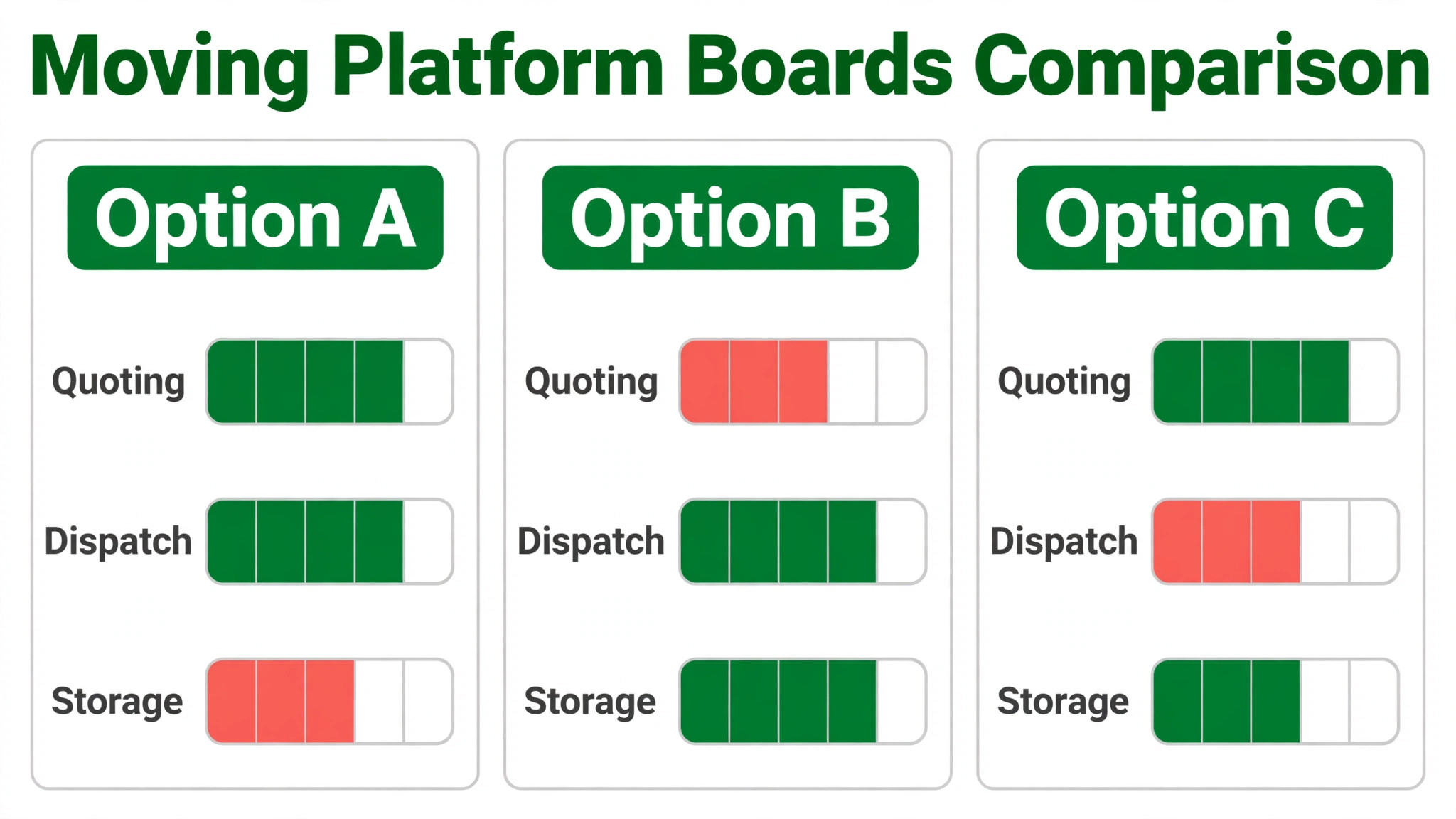
Test pricing by move type during any trial. Build a local hourly quote, a long distance tariff quote, and a commercial line item quote in the same platform, and check whether each one looks credible to a customer. Then test the dispatch side. Can the office assign the right crew and truck, update capacity in real time, and keep the customer informed when the schedule changes. A platform that quotes well but dispatches badly still loses money on moving day.

Storage is the third test for firms that offer it. A storage plus moving firm needs warehouse locations, inventory tracking, and billing that follows a customer from a move into storage and back out again. If storage lives in a separate system, the customer record splits, and billing errors follow. Judge storage depth on a real customer journey, not on a feature checkbox.

The 14 tools in detail
1. SmartMoving
SmartMoving is an all in one system for movers that covers CRM, dispatch, storage, claims, and reporting in one record. A lead moves from first inquiry to final payment without retyping, and managers can report by sales rep, crew, and job type. The platform suits firms that have outgrown spreadsheets and want one system for sales and operations.

Third party comparisons report SmartMoving from about 399 dollars per month, and vendor materials report more than 2,200 moving company operations using the platform. Check the vendor pricing page for the current plan, user limits, and storage features. SmartMoving fits mid size and larger firms best. Small local firms should test whether they will use its full breadth, or whether a lighter tool gives better value.

2. MoveitPro
MoveitPro is a long standing all in one platform for moving and storage companies, with scheduling, dispatch, quoting, customer portal, and payments. Its mobile app lets crews view jobs, alert customers when en route, access invoices offline, and capture payment on completion. That offline capability matters on moving day, when signal is unreliable in apartment blocks and rural properties.
MoveitPro also documents AI inventory from customer video and AI call intelligence in recent materials, which helps estimators build quotes without an in person visit. Pricing reports conflict across listings, with one comparison reporting 150 dollars per month and another reporting 310 to 449 dollars per month on longer terms, so check the vendor pricing page for the current offer. MoveitPro fits firms that want one mature system and are willing to invest time in learning it.
3. Supermove
Supermove is an end to end platform for movers that covers sales, dispatch, and payments, with a strong focus on the customer experience from quote to final signature. Customers can request quotes online, crews can capture signatures and payments on a phone, and the office can track booked jobs, crew assignments, and revenue in one view. That single flow reduces the handoffs where details normally go missing.
Recent materials describe AI sales tools and voice agents that help the office respond faster to inquiries, which matters because a customer who waits days for a quote often books a rival. Pricing is quote based, so check the vendor pricing page and ask about per job fees and user limits. Supermove fits growing local and long distance firms that want a modern, customer friendly system and can invest in setup and training.
4. Movegistics
Movegistics is a full lifecycle moving platform with CRM, dispatch, warehouse management, and automation built for firms that run local, interstate, commercial, and international work. Its materials describe service type pricing, including interstate tariff handling, which is a real differentiator for long distance firms. A platform that forces every move into one pricing template will eventually produce a bad quote, and Movegistics is built to avoid that trap.
Automation depth is the second strength. Workflows can trigger reminders, follow ups, and status updates as a job moves through stages, which saves office time on repeatable communication. Pricing is quote based, so check the vendor pricing page for a written quote. Movegistics fits firms with complex service types and repeatable processes, especially long distance and multi service firms that need tariff and warehouse depth.
5. Chariot
Chariot is a modern moving CRM that covers the full job from first contact to final payment, with a focus on keeping sales staff selling instead of doing data entry. When jobs are booked, available capacity updates in real time, so the office does not double book a crew. A crew hub, storage management, and an AI voice assistant support the team on moving day and in the office.
Vendor materials describe AI video and voice inventory tools and a live integration for video surveys, which help estimators build accurate inventories without driving to every home. Third party comparisons report Chariot pricing from about 293 dollars per month on quarterly or annual terms. Check the vendor pricing page for the current plan. Chariot fits firms that want a modern CRM with strong sales tools and are willing to adopt its workflow fully.
6. Elromco
Elromco is a moving company dispatch and CRM platform that helps owners manage leads, quotes, scheduling, billing, and payments from one system. Its materials describe instant online quoting, a client portal that recalculates as details change, and AI inventory from customer photos. That combination suits firms that want customers to get a fast, credible quote without waiting for a callback.
Third party comparisons report Elromco pricing at about 289 dollars per month for a Professional plan and about 399 dollars per month for Enterprise. Check the vendor pricing page for current limits, user counts, and add ons. Elromco fits small to mid size firms that want published pricing and a clear upgrade path. Firms with complex interstate tariff needs should test tariff handling closely before committing.
7. MoverBase
MoverBase is a cloud based moving company platform that manages scheduling, dispatch, quoting, invoicing, and customer records from any computer, tablet, or phone. Its pitch is simplicity and support, with free demos, free training, and free support reported in its materials. That support model helps small firms that do not have an IT person to lean on when something goes wrong.
MoverBase suits local movers that want a clear daily board without a large platform. The office can assign jobs, track status, and send invoices from one place, and crews can update jobs from the field. Pricing is subscription based, so check the vendor pricing page for current tiers and limits. MoverBase fits firms that value ease of use and support over deep automation and tariff complexity.
8. Virtual Estimate
Virtual Estimate combines AI estimates, CRM, dispatch, and invoicing in a usage based platform for movers that want speed from inquiry to quote. The system builds a pipeline with client details, moving details, inventory, follow ups, and invoice management in organised tabs, so the office does not lose an inquiry in an inbox. AI estimate tools help estimators price from an inventory list rather than a phone description.
Materials describe a 14 day free trial with no credit card, which is rarer in this category than in general software and lets a firm test the quote flow on real inquiries. Pricing is usage based, so check the vendor pricing page for how usage is counted and what a busy month costs. Virtual Estimate fits firms with one to twenty trucks that want AI estimates plus dispatch in one place.
9. MoversSuite
MoversSuite by EWS is a moving and storage management platform used by a large base of movers, with materials reporting more than 8,000 users. It covers lead management, quoting, dispatch, storage, and billing in a system built for firms that handle both moving and storage work. That combined coverage helps storage plus moving firms keep one customer record across both services.
The breadth of MoversSuite suits firms that want a full operations system rather than a point tool for quoting or dispatch alone. Check the vendor pricing page for current plans and module details, because a broad platform can hide important features in higher tiers. MoversSuite fits established firms with storage operations and multiple crews. Small local firms should test whether they will use its full scope before paying for it.
10. MoverworX
MoverworX is a complete management platform custom designed for moving companies, covering leads, scheduling, dispatch, invoicing, and job tracking. Its positioning emphasises a system built for the moving industry specifically, rather than a generic field service tool adapted to movers. That industry focus shows in how jobs, crews, trucks, and customer communication connect.
For a firm that wants one system to run the whole operation, MoverworX offers a credible alternative to the larger names in this guide. Check the vendor pricing page for current pricing and for a demo built around your most common move type. MoverworX fits firms that want a full management system with moving specific workflows. Test the quote builder and dispatch board on a real long distance job before deciding, because those workflows separate good moving software from generic tools.
11. Reelow
Reelow is an all in one moving CRM and moving software platform built specifically for professional movers. It covers leads, customers, quotes, jobs, crews, and schedules in one system, so the office can follow a job from first inquiry to final payment without switching tools. That single record reduces the retyping that causes errors on moving day.
Reelow fits small to mid size firms that want a modern CRM without the complexity of an enterprise platform. Check the vendor pricing page for current plans and for which automation and reporting features sit in each tier. A firm that needs deep interstate tariff handling or large warehouse management should test those areas closely, because a CRM led platform may handle them more lightly than a full operations platform.
12. Moveezi
Moveezi describes itself as an operating system for moving, relocation, and storage companies, with sales pipeline and quoting, video and on site surveys, dispatch and crew scheduling, an offline mobile app, warehousing and storage, fleet tracking, shipment tracking, and per move profit and loss. That scope is unusually broad, and it suits firms that run complex, multi stage moves alongside storage.
The offline mobile app deserves attention, because crews often work where signal is weak. A crew that can update a job, capture signatures, and record inventory offline will keep the office informed without waiting for signal. Pricing is quote based, so check the vendor pricing page and ask which modules sit in the base plan. Moveezi fits larger or more complex operations that will use its breadth daily.
13. MoverGrid
MoverGrid is an all in one moving CRM that helps movers manage leads, customers, quotes, jobs, crews, and schedules from one simple system. Its pitch is ease of use for firms that want to move off spreadsheets without learning complex business software. The office can track a lead, build a quote, assign a crew, and follow the job to completion in one view.
MoverGrid fits small local firms that need clarity more than automation depth. A simple system the team actually uses beats a powerful system the team avoids, especially when the office is small and everyone covers several roles. Check the vendor pricing page for current plans and user limits. Firms with long distance tariff needs, large storage operations, or complex commercial work should test those workflows against a deeper platform before committing.
14. Yembo
Yembo is an AI video survey platform for movers, not a full dispatch system, and it earns its place in this guide because surveys decide quote accuracy. A customer records a video walkthrough on a phone, and the system builds an inventory list and volume estimate from what it sees. Estimators review the list, correct anything missed, and price from evidence instead of a phone description.
Yembo suits firms that want to run more surveys without adding estimator headcount, especially long distance firms where an in person visit is expensive. It pairs with a dispatch platform in this guide, so budget for both systems and check how survey data flows into your chosen CRM. Pricing is subscription based, so check the vendor pricing page for per survey or per user terms. A rushed customer video still produces a rushed inventory, so send clear filming guidance with every survey link.
Best pick by job
The table below names a lead pick for each segment in this guide for the best software for moving companies, with a second option worth testing. Test the lead pick on your most common move type and your hardest move type, because a platform that only handles easy jobs will fail when it matters.
| Segment | Lead pick | Also test | Why it fits |
|---|---|---|---|
| Local movers | SmartMoving | MoverBase | All in one CRM and dispatch suits local volume |
| Long distance movers | Movegistics | Supermove | Tariff depth and automation suit long distance work |
| Storage plus moving firms | MoversSuite | SmartMoving | Combined moving and storage records suit both services |
Switch checklist for a moving firm
When you switch to the best software for moving companies, remember that a moving firm cannot pause bookings to switch software, so the switch must run alongside live jobs. Clean the data, test on real moves, and keep the old system visible until the new one proves it can handle a full moving week. The steps below give a safe sequence.
1. Import customers, active bookings, and storage records, then check a sample by hand for duplicate customers and missing storage locations. 2. Build quote templates for local, long distance, and commercial moves, and test each one against a past job to catch pricing errors. 3. Set up crew and truck availability, test real time capacity updates, and confirm that a booked job reduces available capacity immediately.
4. Train one dispatcher and two crew leaders first, run live jobs for a week, and fix their complaints before wider training. 5. Move dispatch to the new platform on a light week, keep the old board visible for two weeks, and review quote accuracy and overtime weekly. 6. Turn on automated customer messages one template at a time, and test each message on a real job before it reaches every customer.

Mistakes that cost movers after buying
The first mistake is trusting a phone quote. A platform cannot fix an inventory that was never captured properly. Use video surveys or a structured inventory checklist for every quote, and confirm access details, stairs, parking, and large items before finalising a price. A quote built on a guess will always cost more than a survey costs in time.
The second mistake is ignoring capacity. A firm that books jobs without checking crew and truck availability will double book, run late, and pay overtime. Test capacity updates during any trial, and build a rule that no job is confirmed until crew and truck are assigned. That rule alone prevents the most common moving day failure.
The third mistake is judging software on a demo move. A demo uses a simple home, a clear inventory, and a friendly schedule. A real test uses a piano, a narrow staircase, a storage leg, and a customer who changes the inventory after booking. Run those complications through any finalist, and ask for the total cost in writing, including per job fees, messaging costs, and payment processing.

What to test in a trial week
A trial week should feel like a real week, not a demo. Run at least ten real inquiries through the platform, including a local move, a long distance move, a commercial inquiry, and a customer who changes the inventory after booking. Watch how long each quote takes, how often the office must call the customer for missing details, and whether dispatch can assign crew and truck without a separate spreadsheet. Those three measures reveal more than any feature list.
Test the customer side too. Ask a friend to request a quote on a phone, follow the booking link, and report every confusing step. A booking flow that confuses a friendly tester will lose real customers. Test payment on moving day as well, including a partial payment, a tip if you accept them, and a final balance. The best software for moving companies should make payment feel easy at the exact moment the customer is happiest, which is when the job is done well.
Finally, test reporting at the end of the trial week. Can you see booked jobs, quote conversion by source, crew utilisation, and revenue per job without exporting data and rebuilding it elsewhere. If reporting requires a spreadsheet, the platform is storing data, not helping you run the business. Keep the trial honest by scoring each finalist on the same ten jobs, so the comparison reflects your work, not each vendor demo.
When to keep your current system
Not every firm needs a new platform this year, and buying one at the wrong time can hurt more than waiting. If your current system handles quoting, dispatch, and payments reliably, and your main problem is lead volume, new software will not fix a marketing gap. Spend the budget on lead generation and sales follow up first, and revisit software when dispatch or billing becomes the bottleneck.
A firm should also wait if it is about to change its service mix in a major way, for example by adding storage, long distance work, or commercial contracts. Buying a platform for today mix, then changing the mix six months later, often means buying twice. In that case, shortlist platforms that handle the future mix, run a longer trial, and sign only when the new service line is confirmed. The best software for moving companies for your future firm may differ from the best choice for today firm, and planning for that change saves a second switch.
Crew and truck planning that protects margin
A moving job is profitable only if the crew and truck match the job. Sending a four person crew to a small apartment wastes labour, while sending a two person crew to a large house guarantees overtime. A good platform should show crew availability, truck size, and job requirements together, so the dispatcher assigns the right team the first time. Test this by building a small, a medium, and a large job in the trial and checking whether the system flags a mismatch.
Overtime is where margin quietly disappears. A dispatcher who can see the full day, including travel time between jobs, can spot a schedule that will run late before the crew leaves the yard. The best software for moving companies should surface that risk early, with a clear day view and alerts when a job runs over its planned window. Without that view, the office learns about overtime after it has already been paid, when it is too late to adjust.
Claims and damage reporting belong in the same planning view. A crew that can record condition notes and photos at pickup and delivery protects both the customer and the firm when a dispute arises. A platform that buries claims in a separate system forces the office to reconstruct the job from messages and memory. Judge claims handling on a real disputed item during the trial, not on a clean job where nothing went wrong.
Related Guides
Keep exploring with these guides on Stratilyze:
- Best Rental Software for Small Car Rental Companies (13 Tools)
- Best Field Service Software for HVAC Companies (10 Tools)
- Best Quote Software for Landscaping Companies (9 Tools)
Frequently Asked Questions
How do I choose the best software for moving companies
Start from your move mix, not from a feature list. The best software for moving companies for a local firm is usually an all in one CRM and dispatch tool, while a long distance firm needs tariff depth and survey accuracy. Shortlist three tools, test each on a local move and a long distance move, and choose the one your dispatchers and crews actually update daily.
Do I need AI video surveys
You need accurate inventories, and video surveys are the fastest way to get them without driving to every home. A video survey lets an estimator see the home, build a volume estimate, and price from evidence. It does not replace judgment. Estimators should still review the inventory, correct errors, and confirm access details before finalising a quote.
How much does moving software cost
Most platforms cost several hundred dollars per month, with some quoting only after a demo and others publishing entry rates. The total cost depends on users, trucks, jobs, messaging, and add ons, so compare the annual total for your peak season, not the entry monthly rate. Get a written quote that includes per job fees and payment processing before signing.
Can one platform handle moving and storage
Several platforms in this guide handle both, including SmartMoving, MoveitPro, and MoversSuite. The test is a real customer journey from a move into storage and back out again. If the customer record, inventory, and billing stay together through that journey, the platform handles both services. If storage lives separately, expect billing errors and duplicate records.
How long does a switch take
A small local firm can switch in three to six weeks if customer data is clean and quote templates are ready. A larger firm with storage, long distance tariffs, and multiple crews should allow eight to twelve weeks, including parallel running. Avoid switching at the start of peak season unless the old system has failed, because a rushed switch during peak bookings damages customer trust.
Should a small mover buy a full platform or a lighter tool
Buy the lightest tool that handles your most common move well, and upgrade when volume or complexity forces it. A small firm on a large platform pays for depth it never uses, while a growing firm on a light tool wastes hours exporting data. Revisit the choice when your move mix changes, when storage becomes a major line, or when dispatch becomes the daily bottleneck.
Final word for moving firms
Local movers should test SmartMoving first, with MoverBase as the simpler alternative. Long distance movers should test Movegistics first, with Supermove as the customer experience alternative. Storage plus moving firms should test MoversSuite first, with SmartMoving as the all in one alternative. In every case, pair the dispatch platform with accurate surveys, test pricing by move type, and do not sign until a messy real move has run through the system cleanly. The platform that handles that move, at a total cost you can defend, is the right buy.