

About 7 in 10 service calls in a busy HVAC season are won or lost before a technician reaches the door. The firm that answers first, quotes clearly, dispatches the nearest qualified technician, and follows up on time books the job. The firm that relies on voicemail, paper notes, and a dispatcher memory does not. That gap is why the best field service software for hvac companies has become a core business system, not an office extra.
This guide compares 10 platforms on dispatch, pricebook strength, install workflow, commercial capability, mobile reliability, and total cost. It is written for owners who need a practical answer, not a feature list. Read the comparison table first, then read the three tools that match your firm size. A residential repair firm, an install crew, and a commercial maintenance firm need different strengths, and the best pick changes with that mix.
A note on pricing runs through every section. Several vendors in this category do not publish prices, and third party listings disagree on entry rates that change over time. Where a price is stated below, treat it as a reported starting point and check the vendor pricing page before you budget. Where no reliable price exists, this guide says so plainly rather than inventing a number.
How the best field service software for hvac companies stacks up
The table below gives a fast first sort for the best field service software for hvac companies. Use it to remove tools that clearly do not fit your firm, then read the full sections for the survivors. Price notes marked as quote based mean the vendor asks for a sales conversation before quoting, so allow time for a demo and a written quote.
| Tool | Best for | Standout strength | Price note |
|---|---|---|---|
| ServiceTitan | Large and scaling firms | Dispatch depth and reporting | Quote based |
| Jobber | Small residential firms | Fast setup and clean quoting | Check the vendor pricing page |
| Housecall Pro | Residential service firms | Consumer friendly booking and estimates | Reported from about 59 dollars per month |
| FieldEdge | Pricebook led repair firms | Flat rate pricebook | Quote based |
| Service Fusion | Growing firms that hate per user fees | Unlimited users on flat tiers | Reported Starter from about 208 dollars per month |
| Workiz | Phone heavy growing firms | Automation and phone tools | Quote based |
| FieldPulse | Mid market firms | Offline mobile app and custom forms | Quote based |
| Kickserv | Small crews on a budget | Simple scheduling and billing | Reported Start from about 60 dollars per month |
| BuildOps | Commercial maintenance firms | Asset and agreement tracking | Quote based |
| JobProgress | Install and job pipeline firms | Single job view from estimate to invoice | Check the vendor pricing page |

What separates a good HVAC platform from a scheduling app
A calendar can book a visit. It cannot protect margin, track equipment history, or prove which marketing source produced a booked job. A real HVAC platform connects the quote, the dispatch decision, the technician visit, the invoice, and the follow up, so the office stops retyping the same job five times. When those steps live in separate tools, details leak at every handoff, and the leak usually shows up as a missed follow up or an unbilled extra.
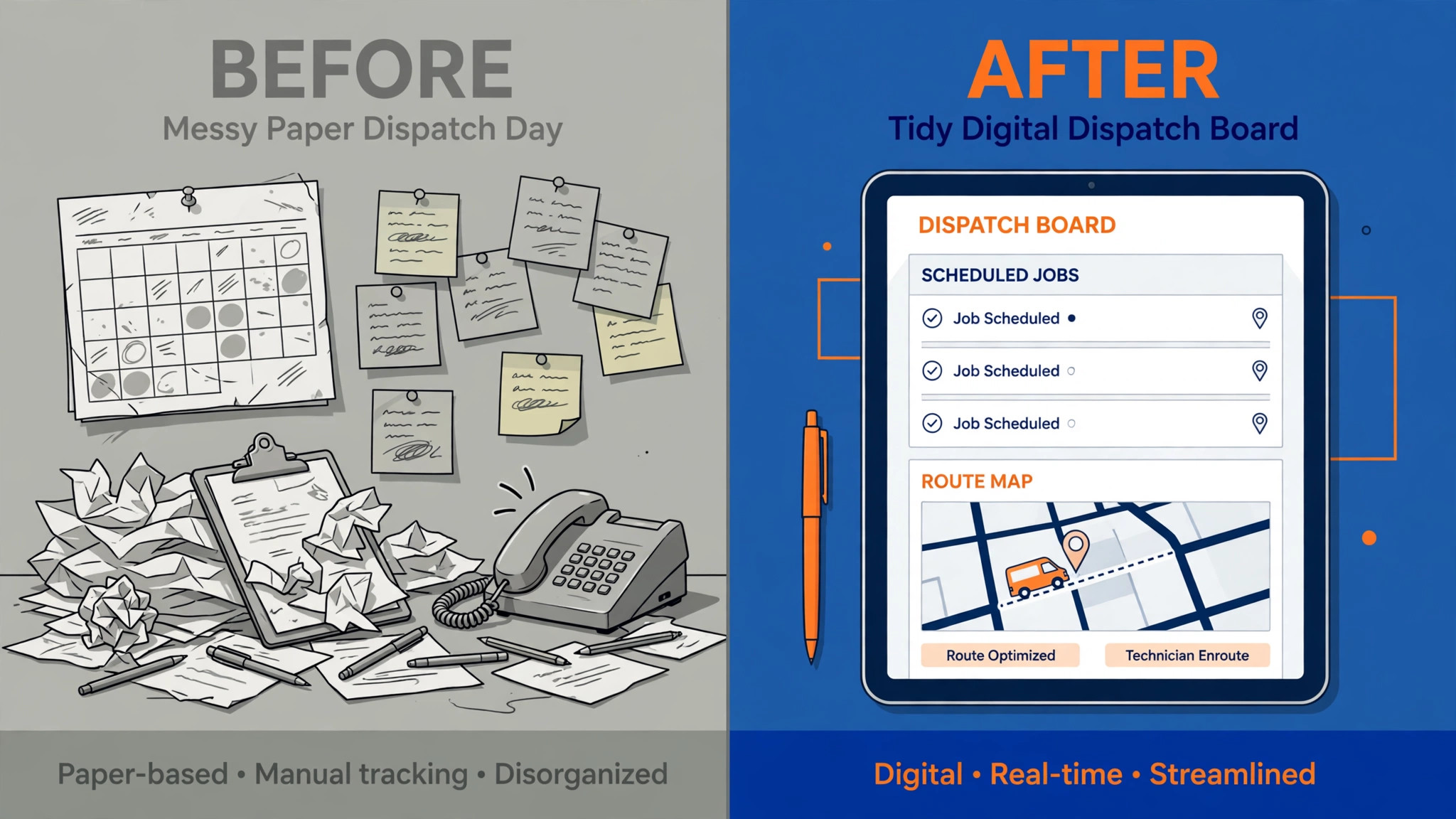
Start with dispatch. A good board shows technician location, skill, current job status, and open capacity in one view. It should let a dispatcher move a job without a phone call to every technician, and it should keep the customer informed when the arrival time changes. Next, test the pricebook. Can a technician build a multi option quote on site, in front of the homeowner, without calling the office for prices. If the answer is no, the platform will slow down the exact moment that matters most.
Then check the install and maintenance workflows that fit your revenue mix. An install crew needs job stages, equipment records, and scheduling across several visits. A commercial maintenance firm needs asset records, agreement terms, and billing across multiple sites. A residential repair firm needs fast quotes, review requests, and agreement renewals. One platform rarely leads on all three, so rank your revenue mix first and judge each tool against the work that actually pays your bills.
Finally, judge the mobile app in the field, not in a demo room. Ask a technician to complete a job on a phone with weak signal, capture photos, collect a signature, and take payment. Ask the office to find that job, its invoice, and its equipment notes ten seconds later. If either step feels awkward, the team will work around the software, and a workaround is just a spreadsheet with extra steps.

The 10 tools in detail
1. ServiceTitan
ServiceTitan is the platform most large HVAC firms compare everything else against, and for good reason. It combines dispatch, customer records, marketing attribution, pricebook management, call tracking, and financial reporting in one system built for the trades. A dispatcher can see capacity by technician, skill, and territory, then fill the board without juggling separate tools for phones, invoices, and reviews.
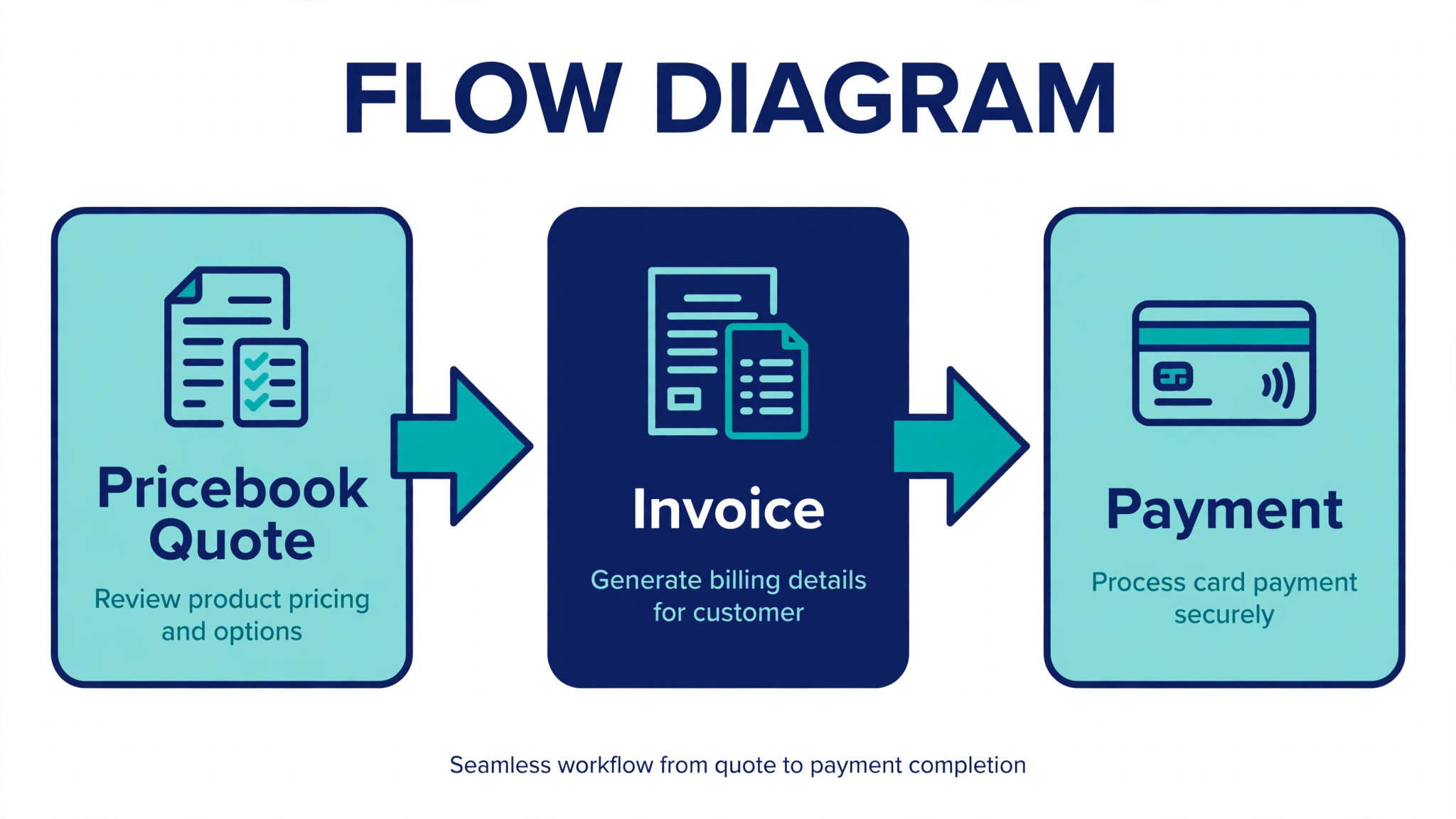
For an install crew, the value shows up in multi option proposals and agreement tracking. A technician can present good, better, and best equipment options on site, capture a signature, and schedule the install from the same job record. For a repair shop, the value shows up in technician scorecards, callback tracking, and follow up campaigns that bring maintenance customers back before a breakdown.
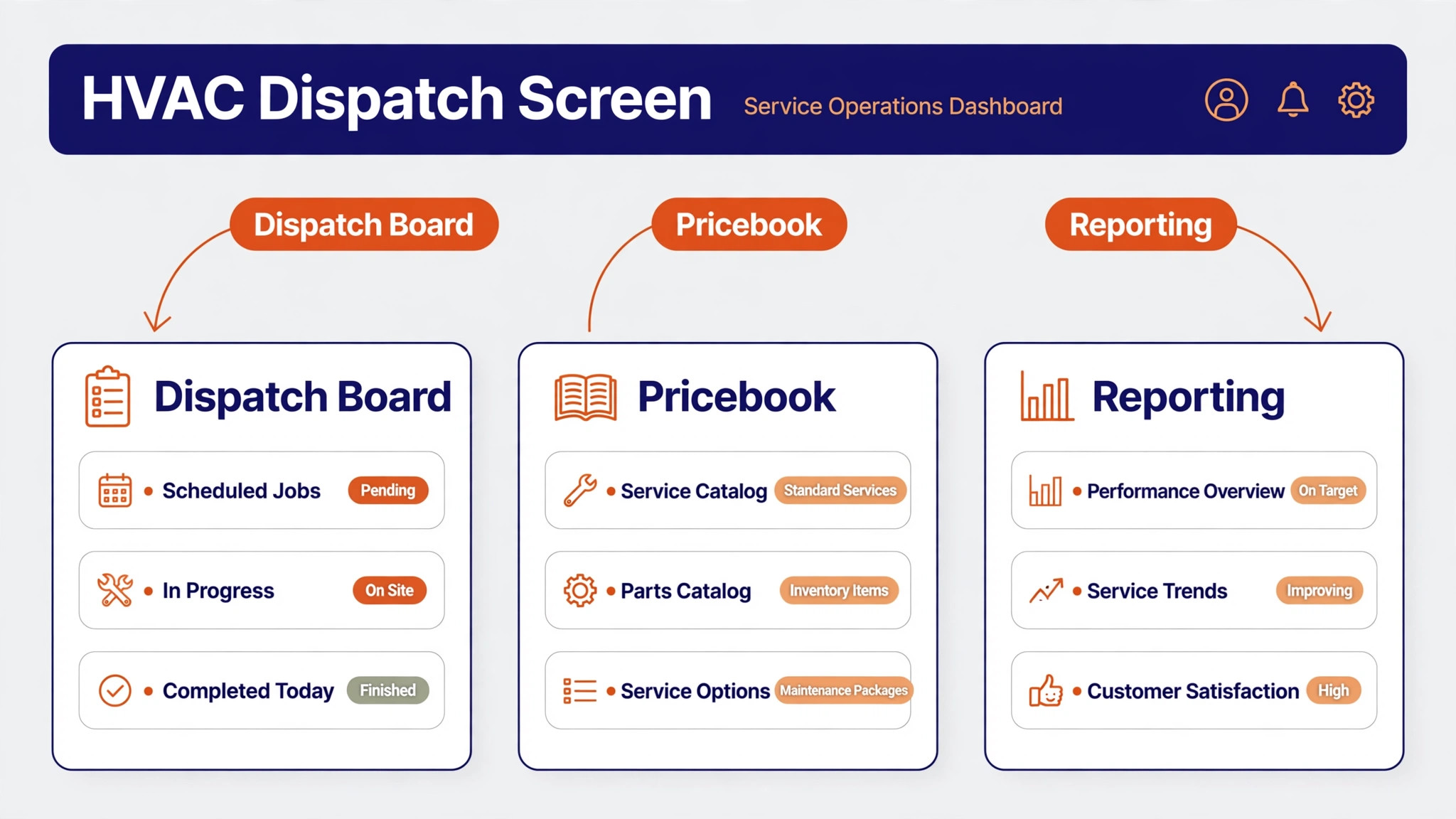
Pricing is quote based, and third party comparisons consistently place it well above the small shop tools in this guide. Check the vendor pricing page and ask for the full cost in writing, including onboarding and any add ons, before you sign. ServiceTitan earns its price only when the firm is large enough to use its reporting and automation every day. A five truck shop that uses it as a calendar will pay enterprise money for basic work.
2. Jobber
Jobber is the friendly starting point for residential HVAC firms that want scheduling, quoting, invoicing, and payments without a long implementation project. The office can book a job, send a quote, dispatch a technician, and collect payment from one record, and the mobile app keeps field staff on the same page. Automated reminders and review requests reduce no shows and help a small firm look polished to homeowners.
Jobber suits a repair focused firm with one to fifteen technicians, especially one that still runs on spreadsheets and phone messages. Its quoting flow is fast enough for a same day repair estimate, and its client hub lets homeowners approve work and pay online. That speed matters in summer, when a customer with no cooling will book the first firm that answers clearly and confirms a time.
Check the vendor pricing page for the current tier and user limits, because Jobber prices by team size bundle and the right tier changes as you hire. Watch the reporting depth if you grow past fifteen technicians or add a large commercial book. At that point you may need deeper job costing or a dedicated commercial module, and that is the moment to compare Jobber against a heavier platform rather than forcing it to stretch.
3. Housecall Pro
Housecall Pro is built for residential service firms that win work on speed, clarity, and a smooth customer experience. Online booking, visual estimates, automated reminders, and a customer portal make it easy for a homeowner to request service, approve a price, and pay without a long phone call. Dispatch tools and GPS tracking help the office keep the day on track when emergency calls interrupt the schedule.
For residential repair firms, the estimate presentation is the standout. A technician can show options with photos and clear pricing, which helps homeowners say yes on the spot instead of shopping the quote around. For install crews, the same flow supports larger proposals, though firms with complex multi stage installs should test the workflow on a real job before committing.
Third party comparisons report entry pricing from about 59 dollars per month, but plans and user counts have changed over time, so check the vendor pricing page for the current offer. Housecall Pro fits firms that want a fast setup and a consumer friendly front end. It is less convincing for a firm whose core work is large commercial maintenance contracts, where asset tracking and multi site billing matter more than booking speed.
4. FieldEdge
FieldEdge is a long standing choice for HVAC and plumbing firms that want a flat rate pricebook at the centre of the business. Technicians quote repair work from a structured pricebook, present options to the homeowner, and record the agreed scope before work starts. Dispatch, agreements, and invoicing sit around that pricebook, so the office and the field work from the same numbers.
That pricebook discipline is exactly what residential repair firms need when pricing varies by technician. It protects margin on common repairs, reduces awkward renegotiation at the door, and makes it easier for a new technician to quote like an experienced one. FieldEdge also offers strong accounting connections, which matters if your bookkeeper already works in a desktop accounting system.
Pricing is quote based, so check the vendor pricing page and request a written quote that covers office users, mobile users, and setup. FieldEdge rewards firms that invest time in building and maintaining the pricebook. A firm that never updates its prices will slowly drift from its real costs, and no software can fix a stale pricebook on its own.
5. Service Fusion
Service Fusion appeals to growing HVAC firms that dislike per user pricing. Every plan includes unlimited users, so adding a dispatcher, an office assistant, or a seasonal technician does not raise the monthly bill in the same way a per seat platform would. Scheduling, dispatch, invoicing, payments, and customer management cover the daily workflow, and GPS tracking is available as an add on.
That flat pricing model is a genuine advantage for a firm with seasonal hiring swings. A shop that doubles its field team in summer and trims back in winter can plan its software cost with confidence instead of watching the bill rise with headcount. The platform also suits firms that want a single system without buying a stack of separate tools for phones, payments, and dispatch.
Third party comparisons report Starter pricing from about 208 dollars per month on annual billing, with higher tiers adding voice, text, and advanced billing features. Confirm the current tier details on the vendor pricing page, since add ons change the total. Service Fusion is less deep than the enterprise platforms on marketing attribution and advanced reporting, so a large firm should test those areas closely.
6. Workiz
Workiz is a field service platform for growing home service teams that want automation without enterprise complexity. Scheduling, dispatch, invoicing, estimates, and online payments sit in one system, and automation rules can trigger reminders, follow ups, and status messages as a job moves through its stages. A built in phone system and answering features help firms that miss calls during peak hours.
For HVAC firms, the phone side deserves attention. Missed calls in a heatwave are lost jobs, and a system that captures the inquiry, books the visit, and logs the conversation in the customer record saves the office from retyping details. Workiz also supports inventory and equipment tracking on higher tiers, which helps install crews track parts and warranty information.
Pricing is quote based, so check the vendor pricing page and ask which features sit in each tier. Workiz fits a firm moving from basic scheduling to a fuller operation, especially one that wants automations it can set once and reuse. Firms that need very deep commercial reporting or a highly custom pricebook should run a trial on those exact workflows before deciding.
7. FieldPulse
FieldPulse is a mid market field service platform that covers scheduling, dispatch, estimates, job management, and customer records with a strong mobile app. The app can keep working when a technician loses signal, which matters in basements, rural properties, and new builds where coverage is patchy. Custom forms let a firm capture equipment details, safety checks, and install notes in a consistent format.
That combination suits a firm that is outgrowing a small shop tool but is not ready for an enterprise platform. A dispatcher gets a clear board, a technician gets job details and forms on a phone, and the office gets invoices and payments without a separate system. FieldPulse also supports project style work, which helps install crews that manage a job over several visits.
Pricing is quote based and shaped around crew size, with add ons sold separately, so check the vendor pricing page for a written quote. Test the add ons you actually need, including fleet tracking and voice features, because the base price alone can mislead. FieldPulse earns its place when a firm uses its forms, offline mode, and project tracking daily, not when it only needs a calendar.
8. Kickserv
Kickserv is a straightforward scheduling, estimating, and billing platform for small HVAC crews that want clarity without a steep learning curve. Dispatch mapping, GPS check ins, time tracking, and automated reminders cover the essentials, and accounting sync keeps the bookkeeper from re entering invoices. The interface is deliberately simple, which helps a firm adopt it without a long training programme.
For a small residential repair firm, that simplicity is the point. A technician can see the day, navigate to the job, record time, and update the status without fighting the software. The office can send estimates and invoices from the same record and follow up on unpaid work. Kickserv does not try to be an enterprise system, and firms should judge it on that basis.
Third party comparisons report Start pricing from about 60 dollars per month on annual billing for a small team, with a free trial available. Check the vendor pricing page for current user limits and add on costs, including any desktop accounting sync fee. Kickserv fits firms that value a low monthly cost and a fast setup. Larger firms with complex commercial work will outgrow it.
9. BuildOps
BuildOps is a commercial focused platform for HVAC firms that manage multi site maintenance, service agreements, and project work alongside repair calls. It brings dispatch, customer records, asset information, and reporting together in a system built for commercial operations rather than adapted from a residential tool. Managers can track work across sites, contracts, and technicians without stitching reports together by hand.
For commercial maintenance firms, asset and agreement tracking is the deciding feature. A technician arriving at a site should see the equipment history, the contract terms, and the prior work before touching the system. BuildOps is built around that workflow, and it shows in how jobs, assets, and billing connect. Residential only firms will find much of that depth unnecessary.
Pricing is quote based, so check the vendor pricing page and ask for a demo built around your largest commercial account. BuildOps suits firms where commercial work is the core revenue line, not a side activity. A small residential shop would pay for capability it never uses, while a commercial firm that still runs maintenance on spreadsheets will feel the difference quickly.
10. JobProgress
JobProgress is a job management platform for contractors that handles estimates, scheduling, job tracking, invoicing, and payments with a focus on keeping the whole job visible. The office can follow a job from first estimate to final invoice, and field staff can update progress and photos as work moves forward. That single job view reduces the phone calls that normally fill the gap between office and field.
For HVAC install crews, the job view helps when a project spans a survey, an equipment order, and an install day. Each stage stays attached to the same record, so nothing important hides in an email thread. For repair firms, the same view keeps repeat visits, warranty notes, and customer history together, which helps a technician who has never visited that home before.
Check the vendor pricing page for current plans, since JobProgress prices and tiers have changed over time. It fits firms that want a clear job pipeline without enterprise reporting depth. Test the estimate builder and the mobile workflow on a real install before committing, because those two areas decide whether the team actually uses the platform every day.
Best pick by job
The right choice among the best field service software for hvac companies depends on the work you do most. The table below names one lead pick for each segment in this guide, with a second option worth testing. Test the lead pick on your hardest real job, not on a demo job built by the vendor, before you sign a long contract.
| Segment | Lead pick | Also test | Why it fits |
|---|---|---|---|
| Residential repair | Housecall Pro | Jobber | Fast booking, clear estimates, and smooth payment suit repair work |
| Install crews | ServiceTitan | JobProgress | Multi option proposals and job stages suit larger installs |
| Commercial maintenance | BuildOps | ServiceTitan | Asset and agreement tracking suit multi site contracts |
Rolling it out without disrupting dispatch
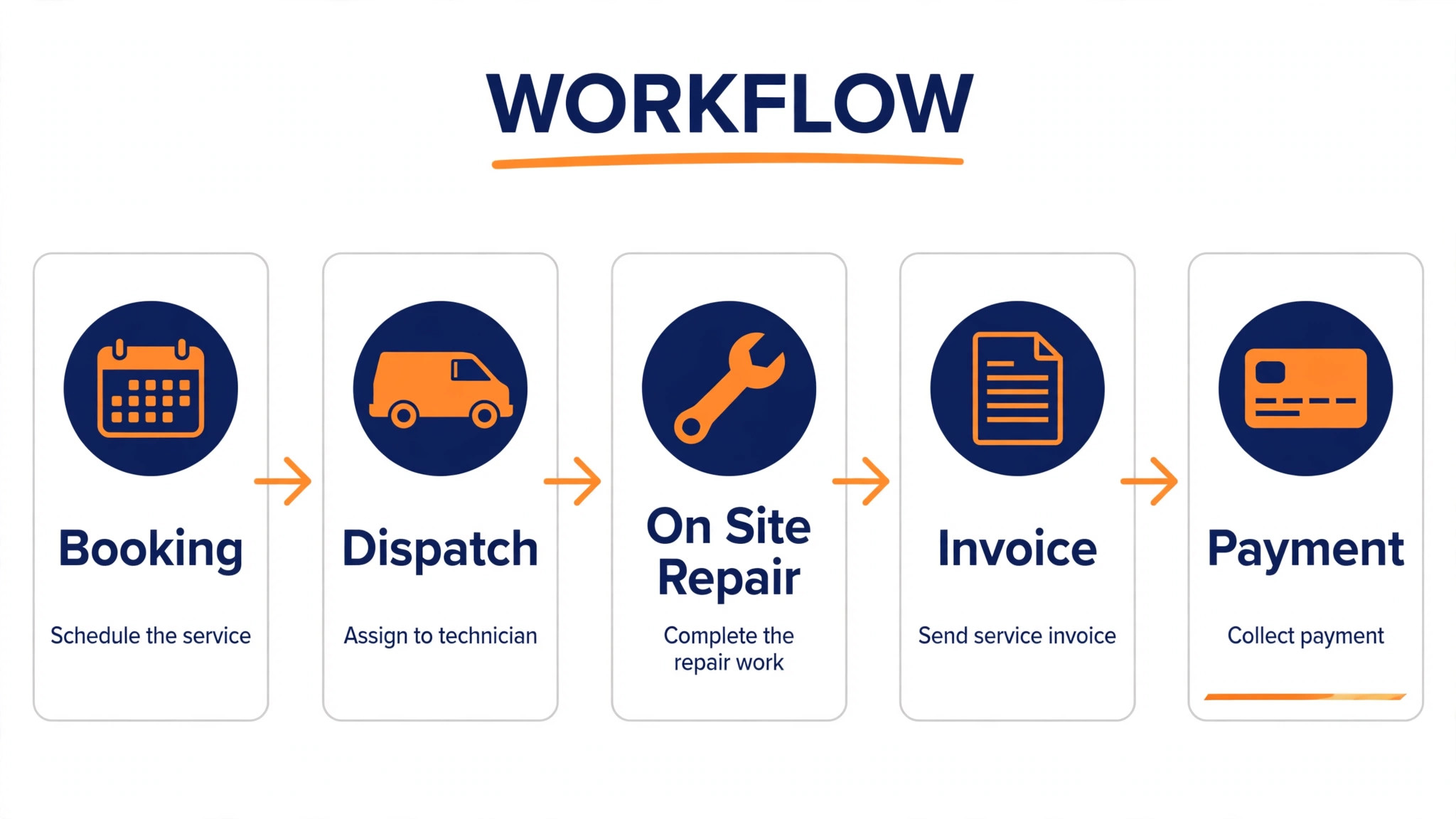
Choosing the best field service software for hvac companies is only half the job. A rushed switch creates chaos in peak season, so plan the rollout around a quiet week and keep the old system running in parallel until the new one proves itself. The numbered steps below give a sequence that protects live jobs while the team learns the new workflow.
1. Import customers, equipment records, and open agreements first, then check a sample of records by hand before any live dispatch moves over. 2. Build the pricebook and the most common quote templates, and test them on three real past jobs to catch missing parts or wrong prices. 3. Train one dispatcher and two technicians first, let them run live jobs for a week, and fix their complaints before training the rest of the team.
4. Move dispatch to the new platform on a Monday with a light schedule, and keep the old board visible as a backup for the first two weeks. 5. Turn on automated reminders, review requests, and payment follow ups one at a time, so a bad template does not reach every customer at once. 6. Review the first month on callback rate, invoice speed, and booked jobs per dispatcher, and only then judge whether the switch paid off.
Mistakes that waste the first year
The most expensive mistake is buying for headcount you hope to reach instead of work you do today. A small firm on an enterprise platform pays for reporting depth it never opens, while a large firm on a small shop tool wastes hours exporting data the platform cannot produce. Match the platform to this year revenue mix, and revisit the choice when that mix changes.
The second mistake is skipping the pricebook build. A platform with an empty or stale pricebook produces inconsistent quotes, and technicians soon revert to mental maths and handwritten notes. Assign one person to own the pricebook, review it quarterly, and update it when supplier prices move. That ownership matters more than any single feature.
The third mistake is judging software on a vendor demo. A demo uses clean data and a friendly workflow. A real test uses a messy repeat customer, a warranty job, a commercial site with three units, and a technician with weak signal. Run those four jobs through any finalist before signing, and ask for the total cost in writing, including onboarding, add ons, and payment processing fees.
How to compare total cost honestly
The monthly subscription is the smallest part of the total cost for many HVAC firms, and comparing subscriptions alone misleads. Add onboarding fees, pricebook setup, payment processing, messaging costs, and any add ons for GPS, phone tools, or advanced reporting. Then divide the annual total by the number of jobs the platform touches, so you compare cost per job, not cost per month. A platform that looks expensive per month can be cheap per job if it books more work and invoices faster.
Contract length matters as much as price. A twelve month contract on a platform the team dislikes is a year of workarounds, while a monthly plan that lets you leave keeps the vendor honest. Ask what happens to your customer and equipment data if you cancel, and get the export process in writing. The best field service software for hvac companies should make it easy to leave, because a vendor confident in its product does not need to lock the door.
Finally, test the cost against a real month. Take last month jobs, invoices, callbacks, and booked hours, and estimate what changes with faster invoicing, fewer no shows, and better dispatch. If the platform cannot plausibly return its annual cost in those three areas, it is too expensive for your firm size, no matter how polished the demo looks. That test protects a small firm from enterprise prices and protects a large firm from a cheap tool that cannot scale.

Related Guides
Keep exploring with these guides on Stratilyze:
- Best Field Service Software for Fire Protection Companies (8 Tools)
- Best Field Service Software for Septic Companies (10 Tools)
- Best Field Service Software for Appliance Repair Companies
Frequently Asked Questions
How much does the best field service software for hvac companies cost
It ranges from a low monthly fee for a small crew tool to a large per technician contract for an enterprise platform, and many vendors quote only after a sales conversation. The best field service software for hvac companies is not the cheapest option on the list, it is the one whose monthly cost stays below the value it returns in booked jobs, faster invoices, and fewer callbacks. Get a written quote for your exact user count and add ons before comparing prices.
Should a small HVAC firm start with a simple tool or an enterprise platform
Start simple if most of your work is residential repair and your team is under fifteen technicians. A simple tool you actually use beats an enterprise platform your team avoids. Move up when reporting, commercial billing, or multi site work becomes a daily pain, not when a vendor tells you that you will grow into the platform.
What matters most for install crews
Install crews need job stages, equipment records, multi option proposals, and scheduling across several visits. A platform that only handles single visit repair calls will force the office to track installs in spreadsheets, which defeats the purpose of buying one system. Test a full install, from survey to final invoice, during any trial.
What matters most for commercial maintenance firms
Commercial firms need asset histories, agreement terms, multi site billing, and reporting by site and contract. A residential booking tool may look polished, but it will struggle with a portfolio of sites that each need different service levels. Judge commercial tools on asset and agreement workflows first, and on booking speed second.
Can one platform handle residential repair, installs, and commercial work
Some large platforms can, but they charge for that breadth and need real implementation effort. Most firms are better served by a platform that leads on their largest revenue line and handles the other lines adequately. If your revenue is split evenly across all three, prioritise reporting and job costing, because those features reveal which line actually earns money.
How long does a switch take
A small firm can switch in two to four weeks if customer data is clean and the pricebook is ready. A larger firm with commercial agreements and a complex pricebook should allow six to twelve weeks, including parallel running. Avoid switching in peak summer or peak winter unless the old system has failed, because a rushed switch during emergency season damages customer trust.
A straight verdict for HVAC owners
If you run a residential repair firm, start with Housecall Pro or Jobber and test both on real repair jobs. If you run install crews at scale, ServiceTitan is the benchmark to beat, with JobProgress as a lighter job pipeline alternative. If commercial maintenance pays your bills, BuildOps deserves the first demo, with ServiceTitan as the broader alternative. Whichever you choose, judge it on dispatch, pricebook, mobile reliability, and total written cost, and do not sign until a real messy job has run through it cleanly.