

Seven days. That is how long an ActiveCampaign contact export link stays valid, according to one detailed buyer’s guide, and it is a good symbol for this whole migration. A move to switch ActiveCampaign to Mailchimp small business owners plan is not hard because the export is hard. It is hard because everything around the export, the automations, the forms, the sender reputation, and the suppression lists, must be rebuilt by hand on a deadline. Get those pieces right, and the first Mailchimp send lands in inboxes. Get them wrong, and the same list that performed well for years suddenly looks like spam.
Two more numbers frame the work. Mailchimp own migration guidance recommends archiving contacts who have not opened the last five emails or any email in the last ninety days, because mailing cold contacts hurts deliverability from day one. And Mailchimp recommends importing into a single audience and using tags and segments to organise it, rather than splitting the list across several audiences. Those two rules alone prevent the most common post migration complaint, which is that open rates fell and nobody knows why.
This guide works through the migration in order, from the audit and export through tag rebuilds, automation mapping, form swaps, and a send test sequence that protects your sender reputation. Prices and plan limits change often, so check both vendor pricing pages before you commit. Where sources disagree, this guide says so plainly.
The Numbers First in a Switch ActiveCampaign to Mailchimp Small Business Move
Most small businesses switch in this direction for one of three reasons. The team finds ActiveCampaign automation power more than it uses, and the bill no longer matches the value. The business wants simpler campaign tools that any team member can run. Or the contact count has grown into a tier where Mailchimp pricing looks kinder for a list that mainly receives broadcasts and a few simple flows. All three reasons are valid, and all three still require the same careful migration.
The switch makes less sense when the business depends on deep automation. Multi step nurture flows with lead scoring, deal pipelines tied to email behaviour, and conditional paths based on site activity do not have direct equivalents in Mailchimp basic plans. Mailchimp has rebuilt its automation tools over the years, and simple flows like welcome series and abandoned cart reminders work well, but a business running ten complex automations will feel the downgrade every week. Count your live automations before deciding, not after.
It also makes less sense when the list is large and cold. Mailchimp pricing turns on contact count, and importing a bloated list of unengaged contacts raises the bill while damaging deliverability. Clean first, then compare prices on the cleaned count. A business that compares pricing on its raw list size will overestimate the Mailchimp bill and may abandon a sensible switch for the wrong reason.
Before You Export Anything, the Audit Checklist
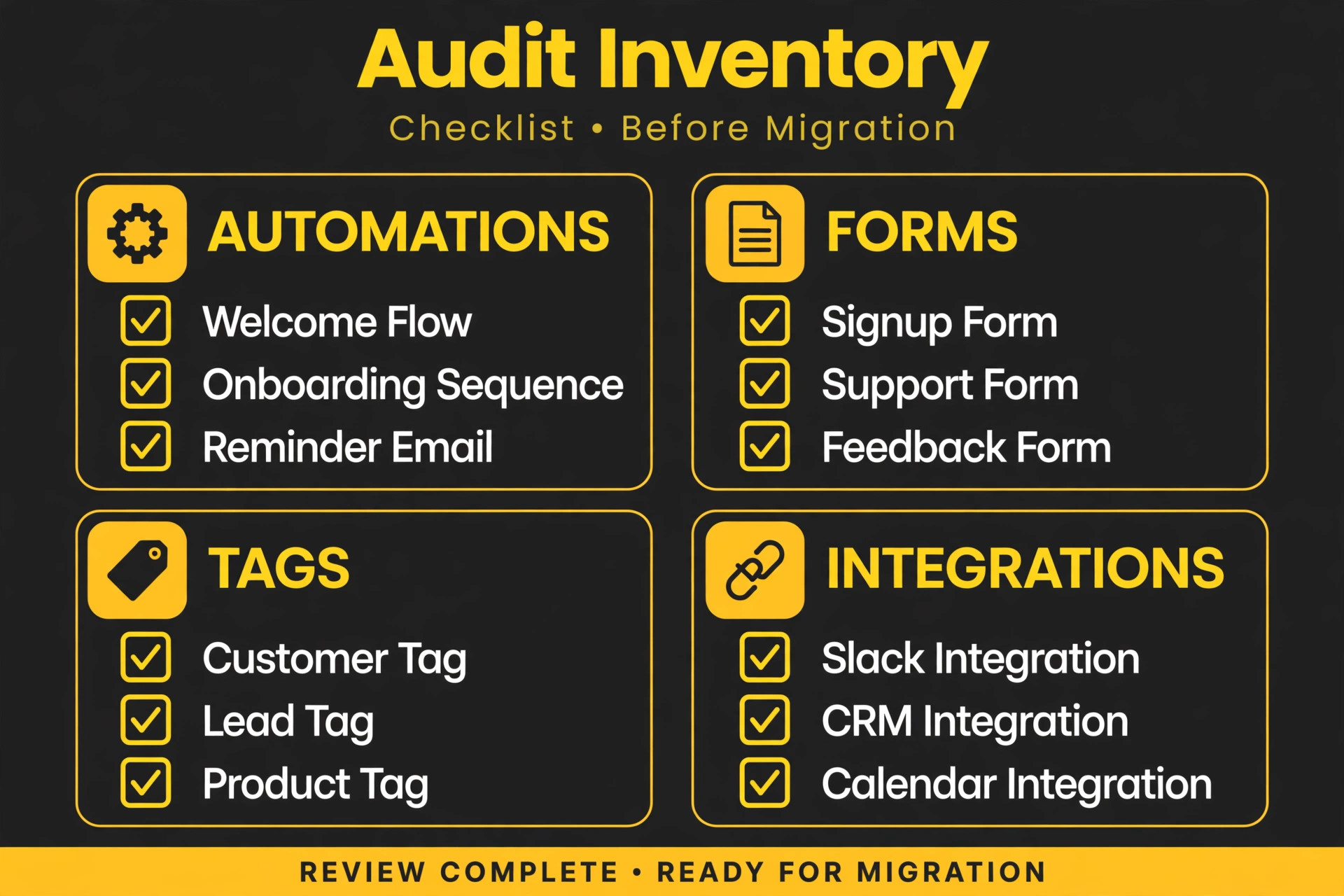
Start with a full inventory of the ActiveCampaign account, and write it down in one document that the whole migration follows.
First, list every live automation, its trigger, its steps, and its purpose. Note which automations drive revenue directly, such as abandoned cart and post purchase flows, and which are nice to have, such as long nurture series that nobody has reviewed in a year. The revenue drivers get rebuilt first. The rest wait until after launch.
Second, list every form, landing page, and integration that adds contacts. Website forms, checkout integrations, lead magnets, and booking tools all feed the list, and each one must point at Mailchimp by launch day. A form left pointing at ActiveCampaign will silently collect contacts into the old tool for weeks.
Third, list every tag, custom field, and list used in ActiveCampaign. Tags usually outnumber what the team remembers, because tags accumulate from old campaigns, imports, and integrations. Decide which tags carry real meaning, such as customer status or product interest, and which can retire.
Fourth, record your current sending health. Note recent open rates, bounce rates, and complaint rates, plus the sending domain and its authentication status. These numbers become the baseline that proves the migration worked, or the early warning that something went wrong.
Fifth, agree the cutover window. A small business can usually migrate in two weeks, with the export and rebuild in week one and testing plus warmup in week two. Avoid cutover during a major promotion, a product launch, or a seasonal peak, when a deliverability problem costs real revenue.
What Moves Cleanly and What Must Be Rebuilt
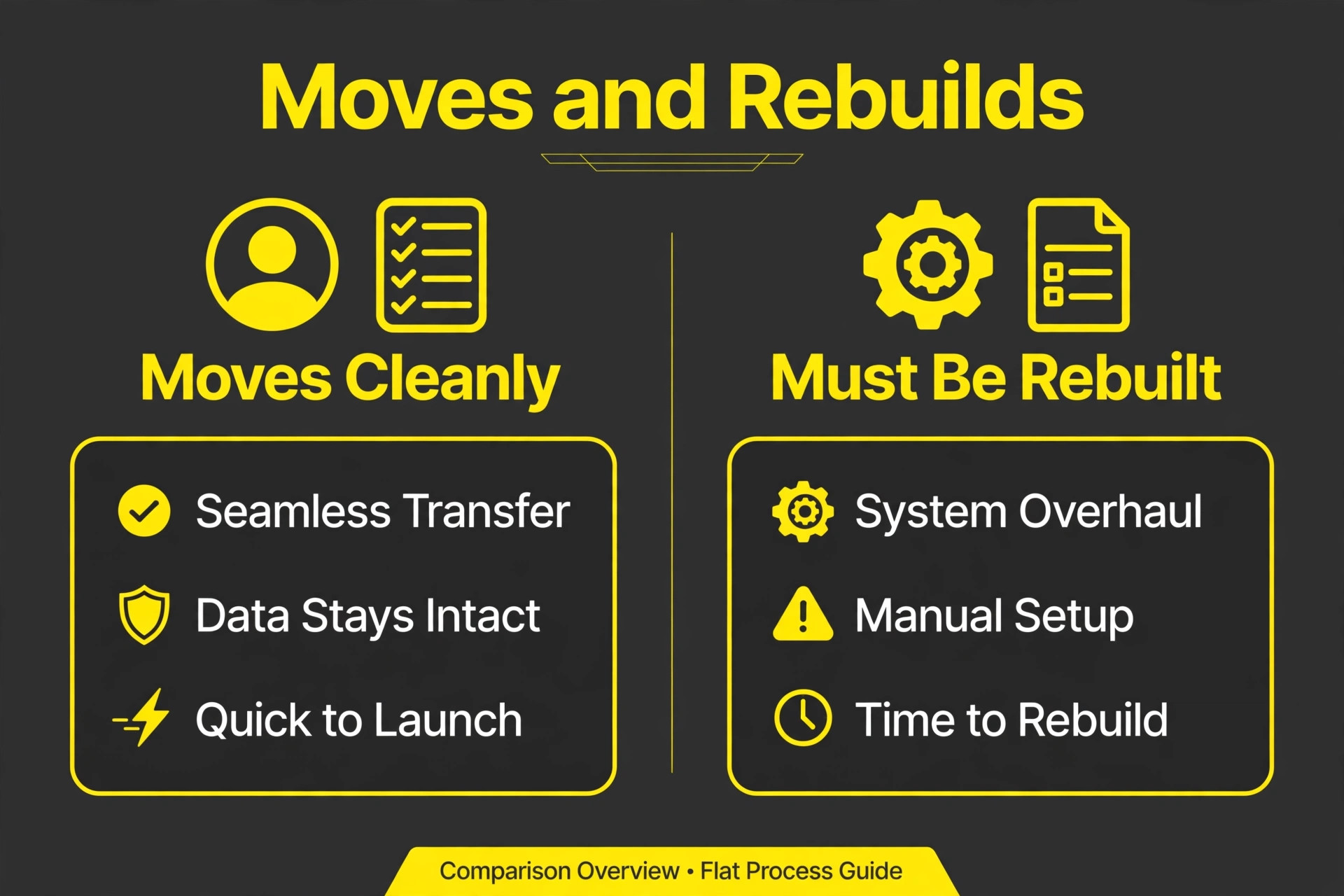
The table below reflects documented export behaviour and Mailchimp import guidance. Treat it as the honest version, not the marketing version.
| ActiveCampaign item | What happens on the move |
|---|---|
| Contacts with email and name | Export as CSV and import cleanly |
| Custom fields, tags, lead scores, deal scores | Export in the contact CSV, with field mapping needed on import |
| Contact notes | Excluded from the export, so copy important notes manually |
| Subscription and suppression status | Must be handled explicitly, with unsubscribed contacts suppressed, never mailed |
| Automations | No file export exists, so every automation is rebuilt by hand |
| Campaign reports | The Campaign Overview report cannot be exported, so save key reports before closing |
| Templates and email designs | Rebuilt in Mailchimp, since design files do not transfer |
| Forms and landing pages | Rebuilt in Mailchimp and swapped on the website |
| Lists and audiences | Rebuilt as one Mailchimp audience with tags and segments |
The automation gap is the largest single piece of work. One buyer’s guide states plainly that automations have no file export at all, which means screenshots and written step lists are the only bridge between the old flow and the new one. Document each automation with its trigger, its wait steps, its conditions, and its emails before you touch the export. Teams that skip this documentation discover mid rebuild that nobody remembers why a wait step lasted nine days or which tag triggered the next email.
Contact notes deserve a warning of their own. Notes often hold the context a salesperson needs, such as a promised callback or a complaint history, and they vanish silently in a CSV export. Before exporting, scan notes for anything that must survive, and move that information into a custom field or into the CRM record where it belongs.
The ActiveCampaign to Mailchimp Move, Step by Step
Step 1. Document Every Automation With Screenshots
Open each live automation and capture its full flow, including triggers, conditions, waits, goals, and email content. Write a one line purpose for each automation, and rank them by revenue impact. This document becomes the rebuild spec, and it also forces the decision about which automations retire. A switch ActiveCampaign to Mailchimp small business project that rebuilds everything without ranking will spend its first month on flows nobody misses.
Step 2. Export Contacts and Save the Evidence
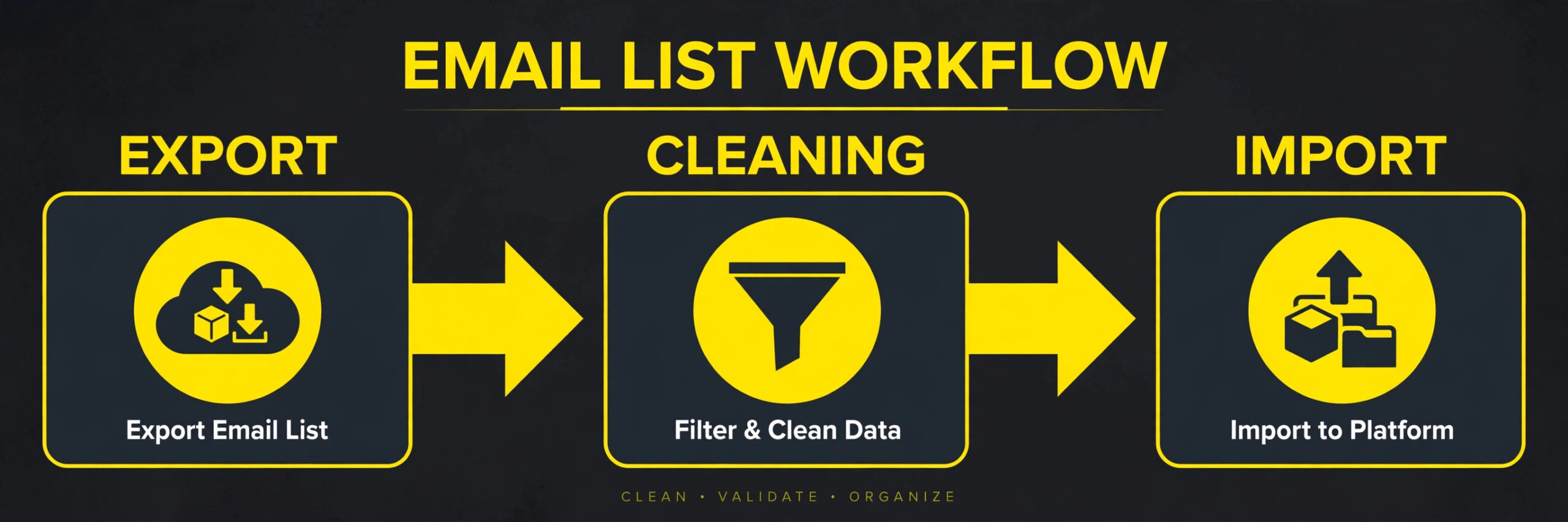
Export contacts from ActiveCampaign as CSV, including custom fields, tags, and scores. Download the file promptly, since the export link is reported valid for seven days, and store a copy outside both tools. Export suppression data separately, including unsubscribed, bounced, and complained addresses, because protecting those contacts is a compliance duty, not a courtesy. Save key campaign reports as well, since the overview report cannot be exported later.
Step 3. Clean the List Before It Travels
Remove duplicates, fix obvious typos in email domains, and standardise name fields. Then apply the engagement rule. Archive or suppress contacts who have not opened the last five emails or any email in ninety days, following Mailchimp migration guidance, and keep that suppressed group out of the first sends. This step usually cuts the list by a noticeable share, and that cut is good news. It lowers the Mailchimp bill and protects deliverability in the same move.
Step 4. Authenticate the Sending Domain in Mailchimp
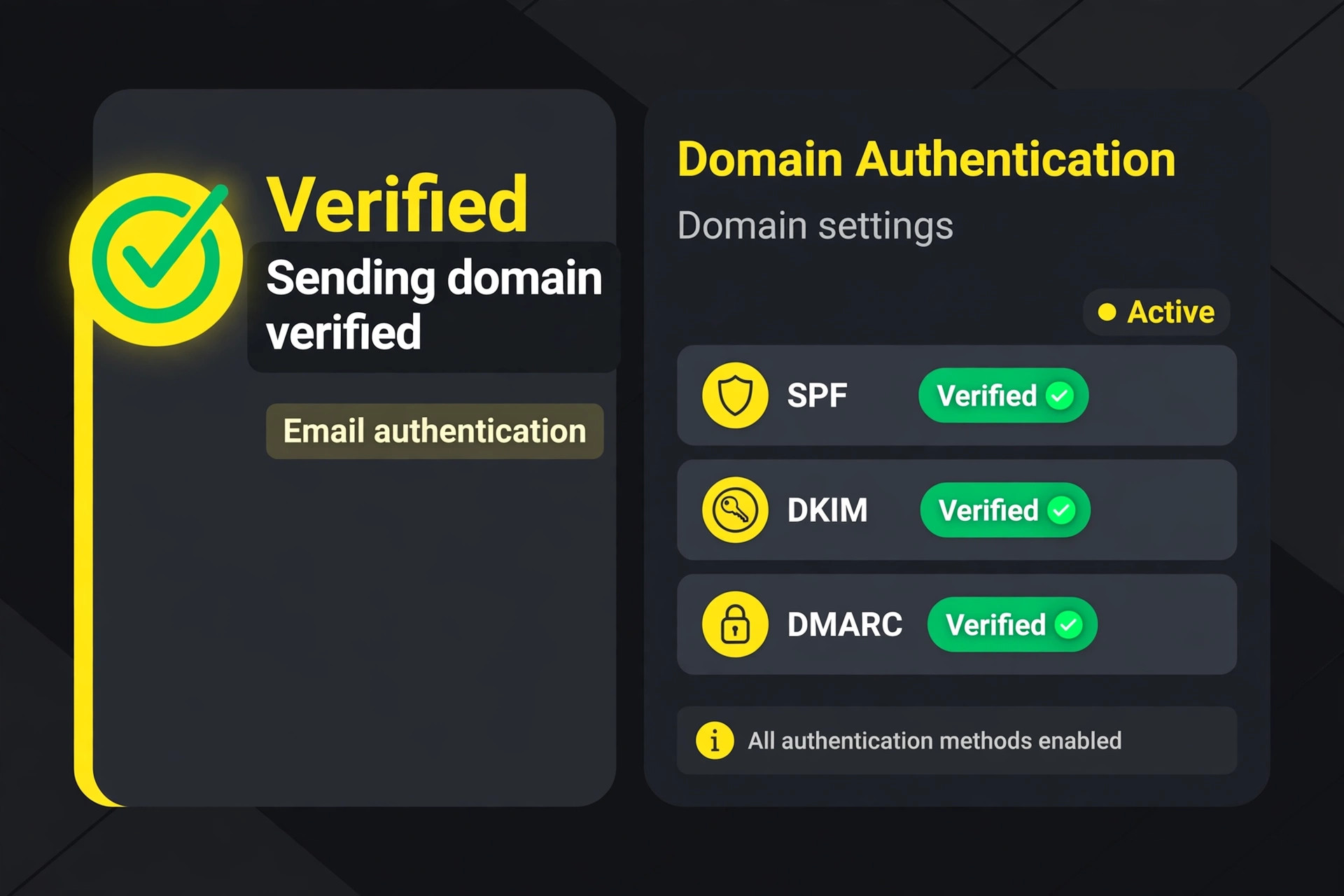
Set up SPF and DKIM records for the sending domain before importing anything, and verify them in Mailchimp. Domain authentication tells receiving providers that Mailchimp may send on your behalf, and it is one of the strongest deliverability protections available. Do this early, because DNS changes can take time to propagate, and discovering an authentication failure on send day wastes the warmup window.
Step 5. Build One Audience and Map the Fields
Create a single audience in Mailchimp, following its guidance to use tags and segments rather than multiple audiences. Map each ActiveCampaign field to a Mailchimp field or tag during import, and test the mapping with a small sample file first. Check that tags arrive intact, that custom fields land in the right columns, and that subscription status is respected. A mapping error found on a hundred contacts is a quick fix. The same error on ten thousand contacts is a weekend of repair.
Resist the urge to recreate every old tag exactly. Group tags by purpose, such as customer status, product interest, and source, and retire tags used once or never used for sending. Build the core segments the business actually mails to, such as active customers, recent leads, and engaged subscribers. A simpler tag scheme is easier for the next team member to learn, and it makes future segments faster to build.
Step 7. Map Each Automation to Its Mailchimp Equivalent
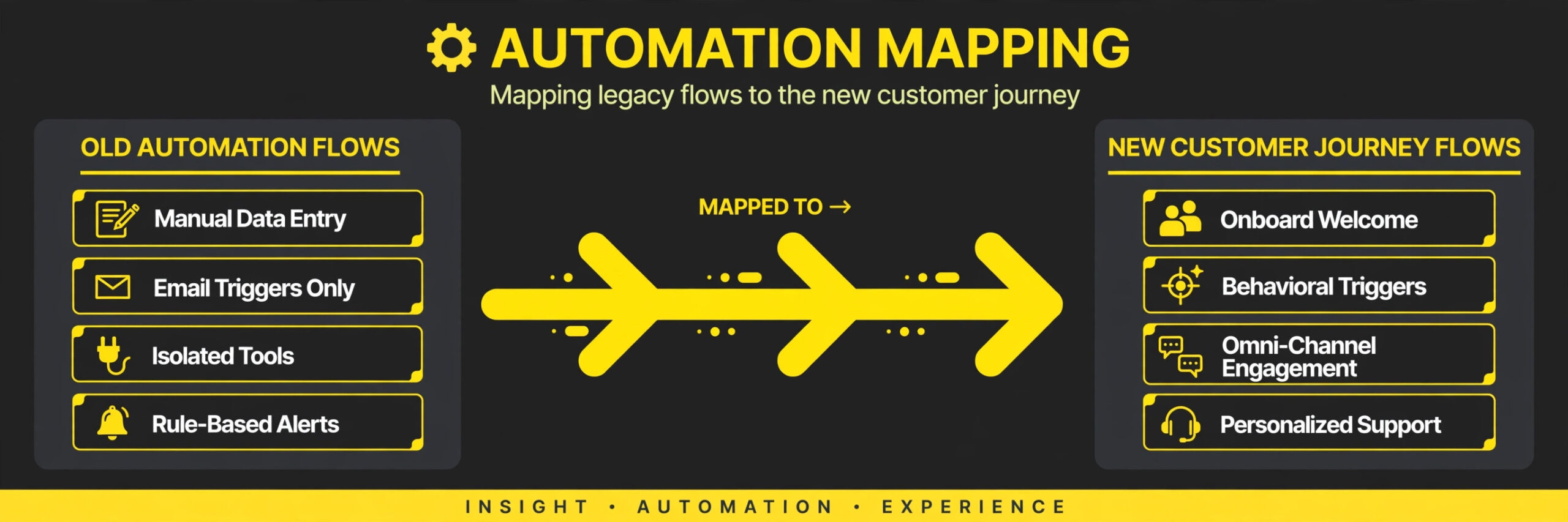
Work from the ranked automation document, not from memory. Welcome series, abandoned cart flows, and post purchase follow ups map to Mailchimp customer journey flows in most cases, though complex branching may need simplifying. Write the new flow step by step, including triggers, waits, and email content, and note honestly where Mailchimp cannot match the old behaviour. Those gaps become either accepted simplifications or manual processes, and deciding them now prevents launch week arguments.
Step 8. Swap Every Form and Integration
Rebuild signup forms and landing pages in Mailchimp, then swap them on the website, in checkout flows, and in lead magnets. Test each form with a real submission and confirm the contact lands in the right audience with the right tags. Update integrations one at a time, and keep a checklist with each source marked as swapped and tested. One forgotten form can quietly rebuild a shadow list in the old tool.
Step 9. Run the Send Test Sequence
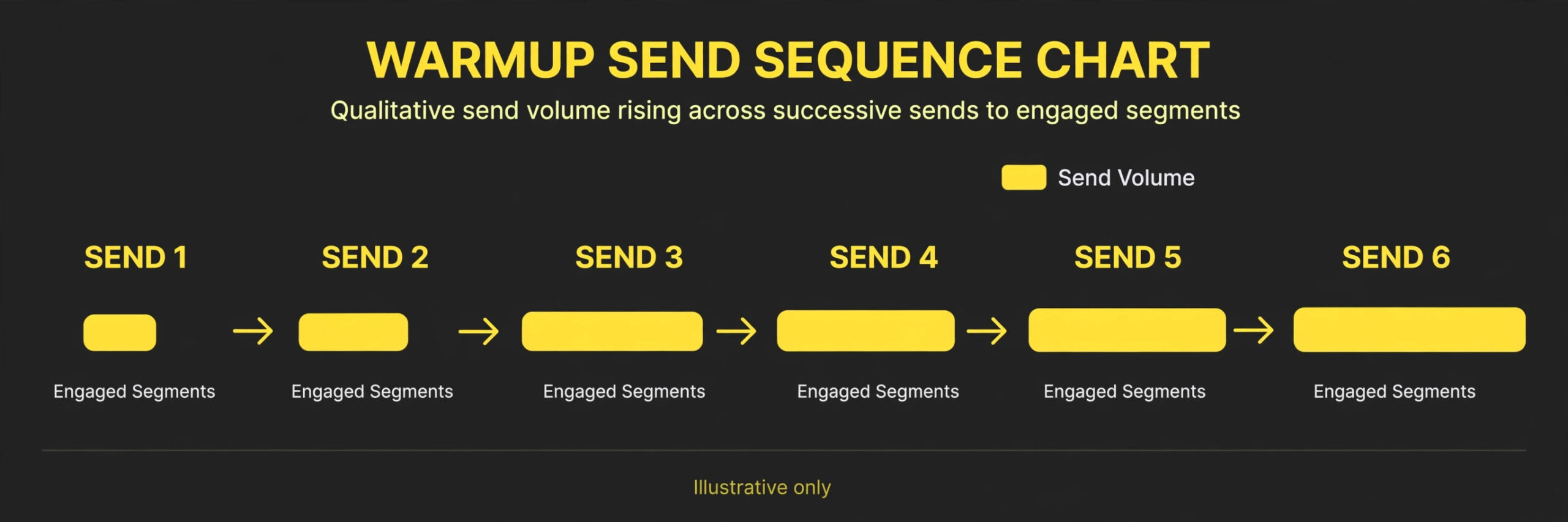
Send internal test emails to the team first, checking rendering, links, personalisation, and unsubscribe behaviour. Then send to a small engaged segment, such as recent openers, and watch delivery, opens, bounces, and complaints for at least a day. Then expand to larger engaged segments over several sends, rather than mailing the whole list at once. This gradual warmup protects the new sending domain reputation and gives you early data on what changed.
Deliverability After the Switch
Deliverability is where migrations are won or lost, and it depends on behaviour, not on hope. The new Mailchimp account has no sending history on your domain, so receiving providers watch the first sends closely. Mail only engaged contacts at first, keep the content and sending frequency close to what subscribers expect, and avoid sudden list wide blasts in week one.
Watch four numbers after every send. Delivery rate should stay high, bounce rate should stay low, complaint rate should stay near zero, and open rate should sit near the ActiveCampaign baseline once the list is cleaned. A sharp fall in opens with steady delivery usually means the mail lands in spam or promotions folders, and the fix is usually a smaller, more engaged segment plus a check of domain authentication. A rise in complaints usually means the list included people who did not expect the mail, and the fix is stricter suppression.
Keep the old ActiveCampaign account open through the warmup period, but stop sending from it once Mailchimp sends begin. Sending the same message from two tools confuses subscribers and splits reporting, and it doubles the chance that one send damages the domain reputation the other send is building. One sender at a time, with the old tool kept only as a reference archive.
The Cost Comparison Without the Guesswork
Comparing prices between these tools requires comparing the cleaned list, not the raw list, and comparing the features the business actually uses. ActiveCampaign pricing historically turns on contacts and on automation depth, while Mailchimp pricing turns on contacts and on monthly email volume, with different treatment of unsubscribed and archived contacts across plans. Those structures mean the cheaper tool depends entirely on the shape of the list and the sending pattern, and a generic verdict would mislead.
Run the comparison on three numbers. First, the cleaned, engaged contact count after archiving cold subscribers. Second, the monthly email volume, including campaigns and automated flows. Third, the features that are non negotiable, such as journey builders, segmentation depth, and reporting. Price both tools on those exact numbers from their current pricing pages, and include the overlap month when both tools run. A switch ActiveCampaign to Mailchimp small business owners make on price alone, without the feature check, often reverses within a year when a missing automation forces a return.
Also budget for the hidden cost of the rebuild itself. In a switch ActiveCampaign to Mailchimp small business budget, staff time for documentation, tag redesign, automation rebuilds, and testing usually exceeds the first year price difference between the tools. That does not make the switch wrong. It means the business case should rest on fit and simplicity over years, not on a single month of savings.
Rollback Plan if Mailchimp Does Not Fit
Keep ActiveCampaign open and unsent for at least sixty days after the Mailchimp launch, because email migrations reveal their problems slowly. Keep the export files, the automation documentation, and the suppression lists for at least a year. If deliverability collapses despite a careful warmup, or if a core automation cannot be rebuilt in acceptable form, the team can return to ActiveCampaign with its data and documentation intact.
Set the rollback decision point before launch, for example forty five days after the first Mailchimp campaign, and judge it on evidence. Compare open rates on matched engaged segments, count hours spent building campaigns in each tool, and check whether revenue driving flows perform as well as before. If the new tool costs more staff time than it saves in subscription fees, that is a valid reason to reverse, and the documentation makes the return straightforward.
Document the rollback steps while the migration is still fresh, not when trouble appears. Write down where the export files live, which account holds the suppression lists, and the order for pausing Mailchimp sends and restarting ActiveCampaign flows. A rollback attempted from memory under pressure skips steps, and a skipped step is how a list ends up mailed twice or not at all. The document should be short enough to follow in one sitting.
Launch Checklist for Go Live Week
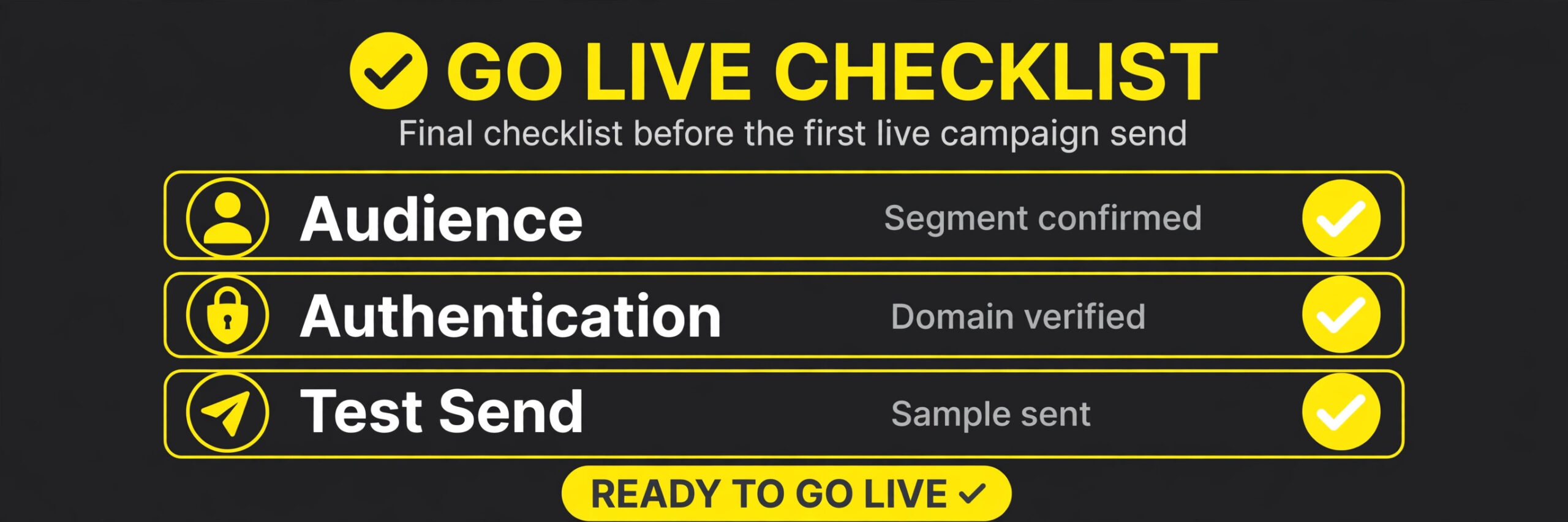
– Sending domain authenticated with SPF and DKIM, verified in Mailchimp. – Single audience built, with field mapping tested on a sample import. – Suppression lists applied, including unsubscribed, bounced, and complained contacts. – Core tags and segments rebuilt, with retired tags documented. – Revenue driving automations rebuilt and tested with dummy contacts. – Every website form, checkout integration, and lead magnet points at Mailchimp. – Internal test emails checked for rendering, links, and unsubscribe behaviour. – First send mailed to the most engaged segment only, with results reviewed. – ActiveCampaign sending paused, with the account kept as a read only archive. – Baseline metrics recorded, so post launch performance can be judged honestly. – Team members know where to find segments, templates, and reports in Mailchimp. – A calendar reminder set to review deliverability weekly for the first month.
What the Timeline Looks Like Across Three Weeks
A calm migration beats a fast one, because deliverability problems caused by rushing take longer to fix than the time saved. For a small business with a list under ten thousand contacts and fewer than ten live automations, plan on three weeks from audit to settled sending. Larger lists and heavier automation push the timeline out, and the extra time belongs in documentation and testing, not in the import itself.
Week one is audit, export, and cleanup. Days one and two cover the automation inventory, the form inventory, and the tag list. Days three and four cover the export, the list cleaning, and the suppression build. Day five covers domain authentication and the sample import test. If the sample import shows mapping errors, fix them in week one, while the audience is still empty and no subscriber has received anything.
Week two is rebuild and test. Rebuild tags and segments first, then the revenue driving automations, then the forms and integrations. Test every form with a real submission, test every automation with a dummy contact, and send internal test emails to the team for rendering and link checks. End the week with the first small send to the most engaged segment, and review the results for a full day before expanding. This is the week where a switch ActiveCampaign to Mailchimp small business plan either earns trust or loses it, because the first real send is the first public evidence.
Week three is warmup and watch. Expand sends gradually to larger engaged segments, review delivery numbers after every send, and fix problems while they are still small. Hold the old account open and unsent, keep the suppression lists updated, and record the new baseline metrics for comparison. By the end of week three, the team should know whether open rates held, whether automations perform, and whether the simpler tool actually saves staff time. That evidence, not enthusiasm, decides whether the migration is complete.
One timing warning matters more than the rest. Never start the warmup in the same week as a major promotion. A promotion send to the full list breaks the gradual ramp, and a deliverability problem during a promotion costs revenue at the worst possible moment. If a promotion is fixed in the calendar, either finish the warmup before it or delay the migration until after it. A switch ActiveCampaign to Mailchimp small business owners schedule around their own calendar, rather than against it, avoids the most expensive week one mistake of all.
Mistakes That Undo a Good Migration
The most common mistake is importing the whole list uncleaned. Cold contacts raise costs, trigger complaints, and drag down the sender reputation that the warmup was meant to build. Clean first, even when the list shrink feels painful, because a smaller engaged list outperforms a large cold one on every metric that matters.
The second mistake is mailing the whole list on day one. A new sending setup needs gradual volume, and a full list blast is the fastest way to land in spam folders. Start small, watch the numbers, and expand only when the numbers stay healthy.
The third mistake is forgetting a form. A single checkout or lead magnet form left pointing at ActiveCampaign quietly rebuilds a shadow list, and the business discovers it months later when contacts complain they never received anything. The form checklist exists to prevent exactly this, and it only works if every item is tested, not just listed.
The fourth mistake is rebuilding automations from memory. Without screenshots and written specs, a switch ActiveCampaign to Mailchimp small business rebuild differs from the original in ways nobody notices until a customer misses a follow up. Document first, rebuild second, and test every flow with a dummy contact before it touches real subscribers.
The fifth mistake is closing ActiveCampaign too soon. Reports, notes, and automation history cannot be recovered once the account closes, and the business usually needs them within weeks of launch. Keep the old account open through the warmup and beyond, and set the close date only after the new system has proven itself.
A sixth mistake is never testing the signup forms after the swap. Forms are easy to list and easy to forget to test, and a form that looks right can still send contacts to the wrong audience or drop the tag that triggers the welcome series. Test every form with a real signup on desktop and on a phone, confirm the welcome email arrives, and check that the new contact carries the right tags before launch day. A form tested once beats a form assumed correct.
A seventh mistake is judging the move on the first campaign alone. Early sends go to the most engaged subscribers by design, so their open rates flatter the new setup and hide problems in colder segments. Judge the migration after three or four campaigns to mixed segments, and compare like with like, matching engaged segments against their old tool equivalents. A move that looks perfect after one send can still be failing quietly for half the list.
An eighth mistake is leaving the sender name and reply address as tool defaults. Subscribers recognise the sender name before they read a subject line, and a sudden change to a generic name or a no reply address makes a trusted newsletter look like an unfamiliar blast. Set the sender name to the business name readers already know, use a monitored reply address, and send the first campaign to a small engaged segment so any complaint about the new sender details surfaces while the audience is still small.
Frequently Asked Questions
Will my ActiveCampaign automations transfer to Mailchimp?
No, automations have no file export, so every automation must be rebuilt by hand in Mailchimp. Document each flow with screenshots and written steps before exporting, and rebuild revenue driving flows first.
Do unsubscribed contacts count or transfer?
Unsubscribed contacts must be suppressed, never mailed, and their handling depends on the Mailchimp plan and audience setup. Export suppression data separately and apply it before any send. Mailing suppressed contacts risks complaints, account review, and legal trouble, so treat this step as non negotiable.
How long should the warmup take?
For most small lists, a gradual warmup across several sends over two to three weeks works well. Start with the most engaged segment, review results after each send, and expand only while delivery and complaint numbers stay healthy. Larger lists or lists with weaker engagement need a longer ramp.
Can I run both tools during the migration?
Yes for setup and testing, but send from only one tool at a time once live campaigns begin. Running campaigns from both tools splits reporting and risks confusing subscribers, so pause ActiveCampaign sending as soon as Mailchimp sends start.
What happens to my old campaign reports?
The Campaign Overview report cannot be exported, according to the buyer’s guide cited in this post, so save the reports that matter before closing the account. Export or screenshot performance data for key campaigns, and store it where the team can find it later.
What happens to subscribers who appear twice after import?
Duplicates usually come from the same person signing up with two email addresses or from an old list merged with a newer one. Merge by email address before import where the tool allows it, keep the record with the most recent consent and engagement, and suppress the older copy rather than deleting it outright. After import, check the audience for duplicates again, because a duplicate that slips through will receive every campaign twice.
Verdict in One Checklist
Switch when the business mainly sends broadcasts and simple flows, when the list is clean or can be cleaned, and when the team values simplicity over automation depth. Stay when complex automations drive revenue, when lead scoring and deal tracking sit at the centre of sales, or when the team has no time for a proper rebuild and warmup. A switch ActiveCampaign to Mailchimp small business teams rush through will cost more in lost deliverability than it saves in subscription fees, while a switch done in the order this guide sets out usually settles within a month.
If the audit shows a clean list and a short automation list, start this week with the documentation step. If it shows ten complex automations and a cold list, fix the list first and revisit the switch next quarter. Either way, the decision rests on evidence from your own account, not on a generic claim that one tool beats the other.
More Reading on Stratilyze
– Cost of Mailchimp for Small Business Monthly – Best Email Marketing Software for Restaurants – Best AI Tools for Email Marketing – Mailchimp Alternatives – Cost of ActiveCampaign for Small Business Monthly