
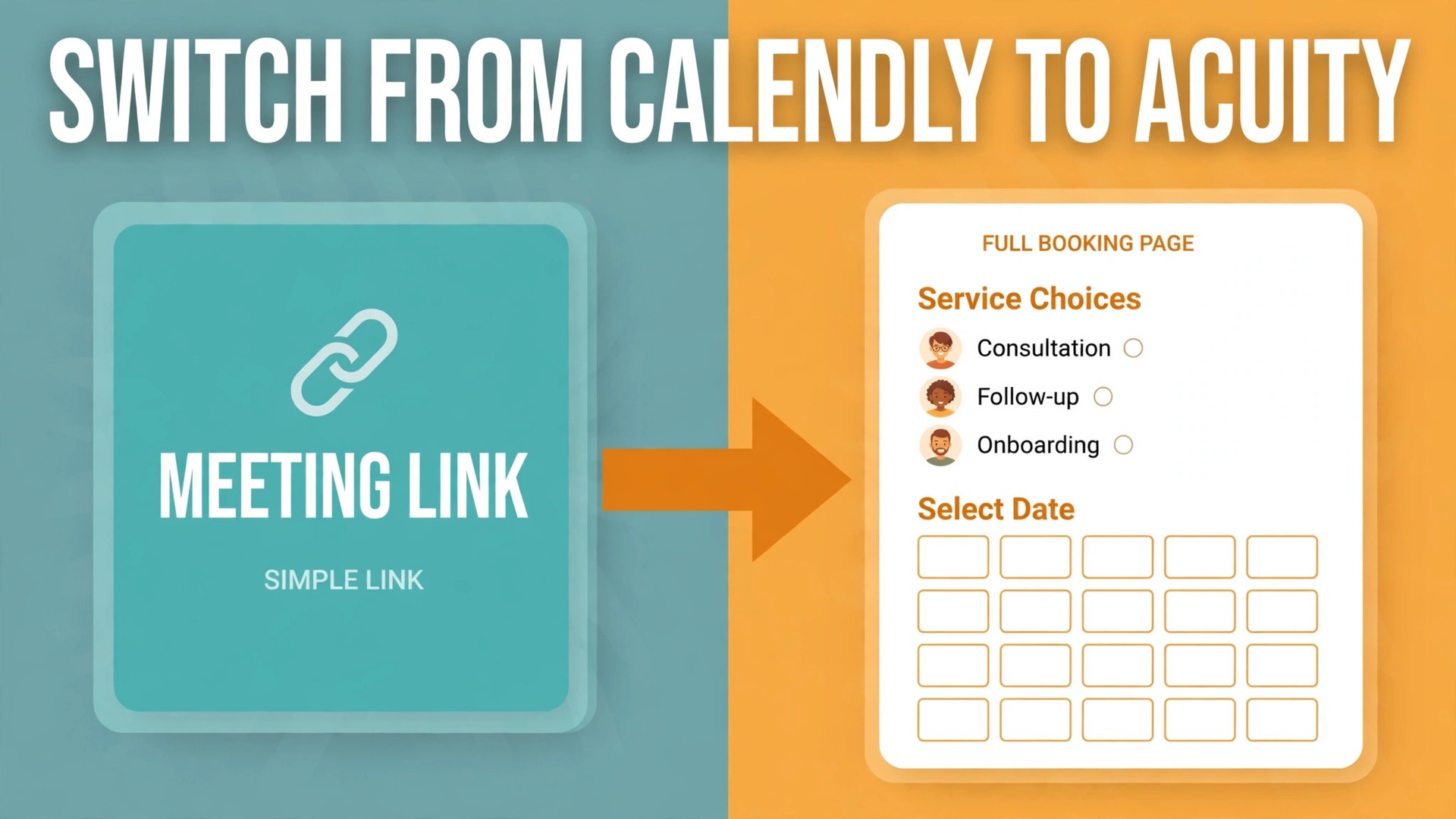
Calendly books meetings. Acuity books appointments, and that one word difference explains most switches. A sales team sending meeting links wants speed and routing, while a salon, clinic, studio or coaching practice wants intake forms, deposits, packages, group classes and staff calendars in the same booking flow. A switch Calendly to Acuity small business teams consider usually starts when simple meeting links need payment tools, form tools and package tracking bolted on, and the question becomes whether one tool can carry the whole booking job.
A switch Calendly to Acuity small business owners make for that reason is less a data migration than a rebuild of the booking front door. There is no one click import that recreates every event type, question, payment rule and reminder exactly, so the work is inventory, rebuild, test and careful cutover, with existing appointments protected throughout. This guide follows that order, and it flags the places where a rushed switch double books a client or loses a payment.
Prices here are ranges drawn from published pricing guides at writing time, so confirm on the vendor page before you buy. Calendly guides list a free plan, Standard at about 10 dollars per seat a month on annual billing, and Teams at about 16 dollars per seat, while Acuity guides list flat plan rates near 16, 27 and 49 to 55 dollars a month on annual billing depending on tier and source. The key difference is structural, since Calendly charges per seat and Acuity charges per plan by calendar capacity, so a multi staff practice can cost far less on Acuity even when the headline rates look close.
Calendly Against Acuity for a Booking Led Business
Start the comparison from the booking itself, not from the feature list. A Calendly booking asks for a time, a name and an email, then confirms, and that simplicity is exactly right for a discovery call or an interview. An Acuity booking can ask intake questions, collect a deposit or full payment, sell a package, apply a gift certificate, book a group class place, and assign the appointment to a staff calendar, all before confirmation. A business that needs two or more of those extras on every booking is already working around Calendly, and the workaround is the cost the switch removes.
Staff handling shows the same split. Calendly Teams adds round robin and collective scheduling for meeting hosts, which suits sales and hiring flows. Acuity builds around staff calendars from the start, with individual availability, services per staff member, and limits on how many staff each tier allows, so a practice with several practitioners can run one booking page per person without paying per seat. Count staff calendars, not just staff people, when pricing the move, because a practitioner with two locations may need two calendars.
Payments sharpen the choice further. Calendly collects payment on paid tiers through connected providers, while Acuity supports deposits, full payments, packages, subscriptions and gift certificates through Stripe, Square and PayPal in published guides. A business that takes deposits to cut no shows, or sells a block of sessions upfront, will find Acuity payment rules closer to its daily needs. A business that rarely charges at booking gains little from that depth, and should weigh the switch on forms and staff handling instead.
What Carries Over, What Must Be Rebuilt, and What Needs a Decision
No scheduler switch is a pure transfer, because each tool names booking pieces differently. Calendly event types become Acuity appointment types, Calendly questions become Acuity intake form fields, and Calendly workflows become Acuity reminders and follow up emails. The names rhyme, but the settings do not copy, so the rebuild needs a written inventory rather than memory.
| Calendly item | Acuity destination | Rebuild note |
|---|---|---|
| Event types | Appointment types, one per service | Duration, buffers and limits set again by hand |
| Availability and buffers | Calendar availability and appointment padding | Check buffers, since defaults differ |
| Invite questions | Intake form fields | Required fields and answer types reviewed |
| Workflows and reminders | Email and text reminders | Text reminders need the tier that includes them |
| Payment links | Payment settings per appointment type | Deposit rules and provider connections redone |
| Team round robin | Staff calendars and availability | Staff assignment rules set per appointment type |
| Existing bookings | Handled by cutover plan, not by import | Future bookings need a move date and client notice |
| Client list | Imported client records where supported | Deduplicate before import, keep a backup file |
Existing bookings are the item that worries owners most, and rightly so. A booking made on Calendly does not automatically appear in Acuity, so the team needs a plan for appointments already on the calendar. The safest approach is a cutover date, meaning bookings before that date stay on Calendly and are honoured there, while bookings from that date onward use Acuity, with clients told clearly which link to use. A team that tries to recreate every future booking by hand in Acuity risks double entry errors, so recreate only the bookings that fall after cutover if the team chooses a full move, and check each one against the Calendly list.
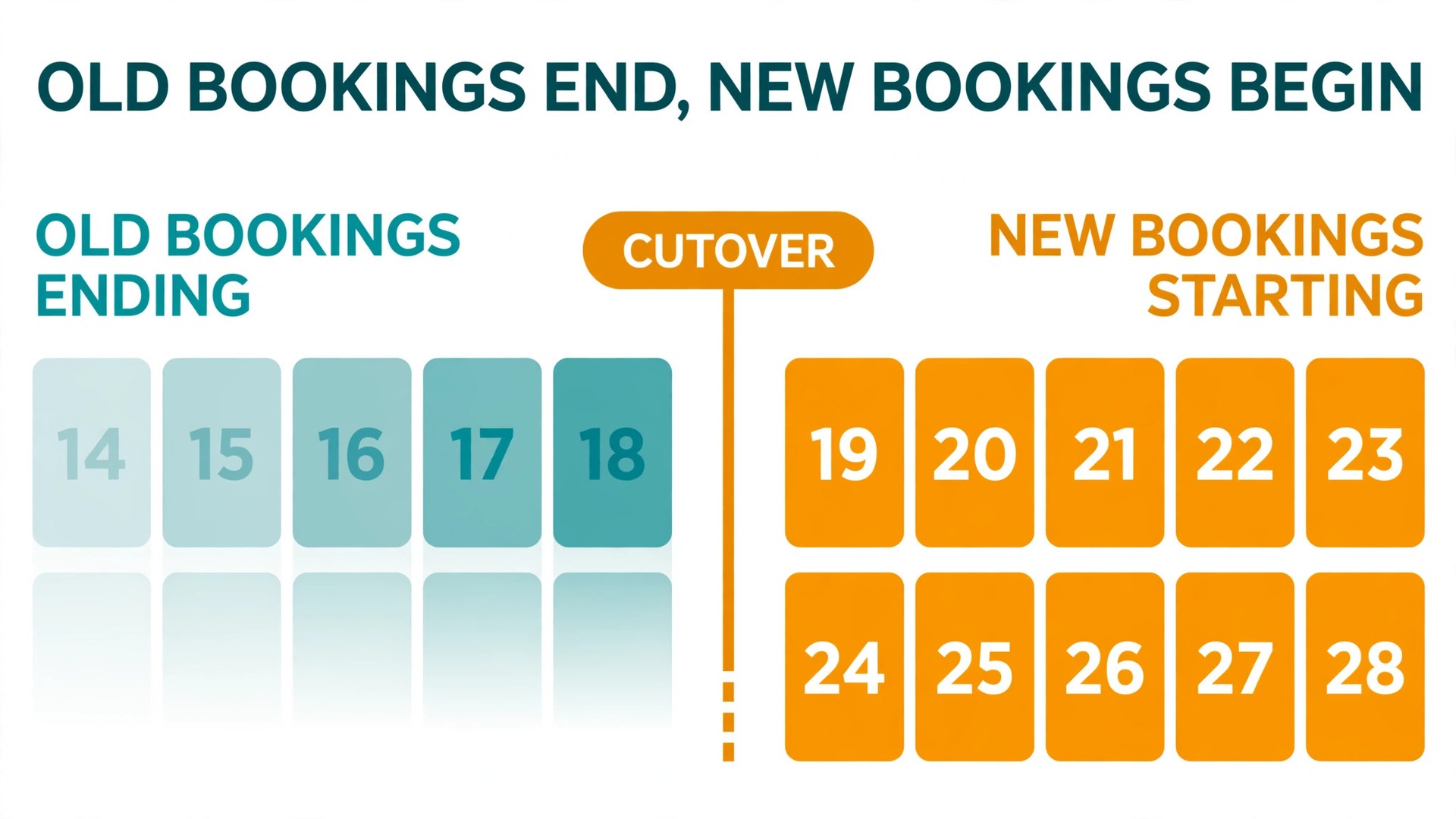
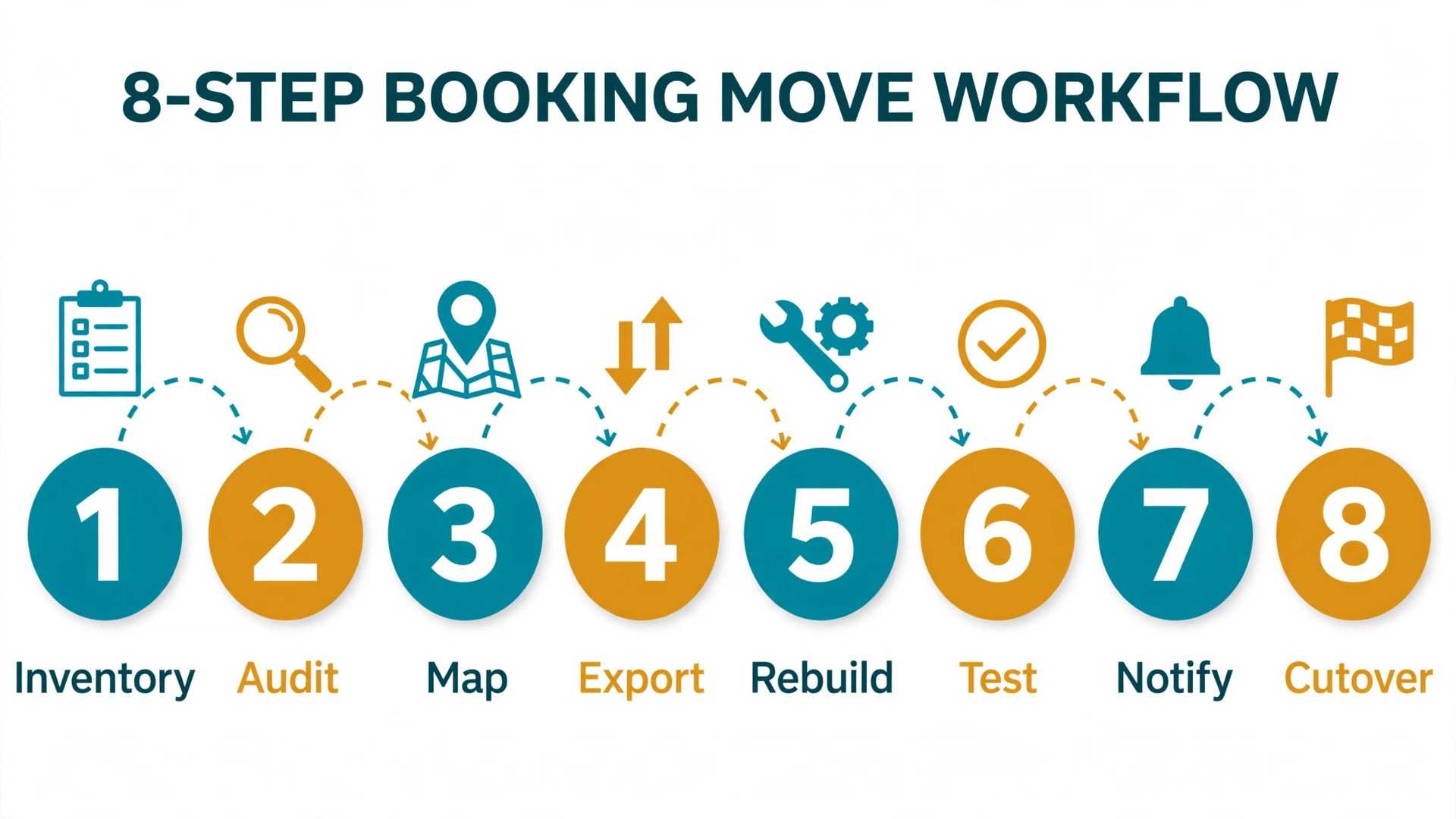
The Step Workflow for a Switch Calendly to Acuity Small Business Move
Build Acuity in private, test it with friendly clients, and only then change the public links. That order protects revenue, because a booking page that fails in public loses the client who tried it.
- Inventory every Calendly event type, question, reminder, payment rule and link location. List where each link lives, meaning the website, email signatures, social profiles, directory listings and automated messages, because every location needs updating at cutover.
- Export the client and booking data Calendly allows, and save a backup copy outside both tools. Even where a direct import is not used, the backup answers the question of who booked what, and it is the reference for checking recreated bookings.
- Open an Acuity trial and set up calendars, staff and availability first. Add each staff member, set working hours, holidays and buffers, and connect the business calendar, before creating a single appointment type, since availability errors made later are harder to trace.
- Rebuild appointment types one at a time from the inventory. Set duration, price, deposit rule, intake questions, confirmation and reminder messages, and booking limits, then test each type with a real booking from a personal email address.
- Rebuild payment settings and test with real money. Connect the payment provider, take a deposit on a test booking, refund it, and confirm the receipt, the calendar entry and the refund all match. Repeat for each payment method the business offers.
- Import clients where supported, or prepare the client notice for a manual transition. Deduplicate the list first, since a client with two email addresses becomes two records, and check a sample of twenty imported clients for correct names, phones and booking history notes.
- Run a soft launch with a small group of regular clients. Send them the new Acuity link, ask them to book normally, and fix every confusion they report before the wider launch. A soft launch with ten clients finds more faults than a week of internal testing.
- Cut over on a quiet morning, update every public link, and keep Calendly live for existing bookings until the last pre cutover appointment has passed. Monitor new Acuity bookings daily for the first two weeks, and check that reminders, payments and calendar entries all behave.
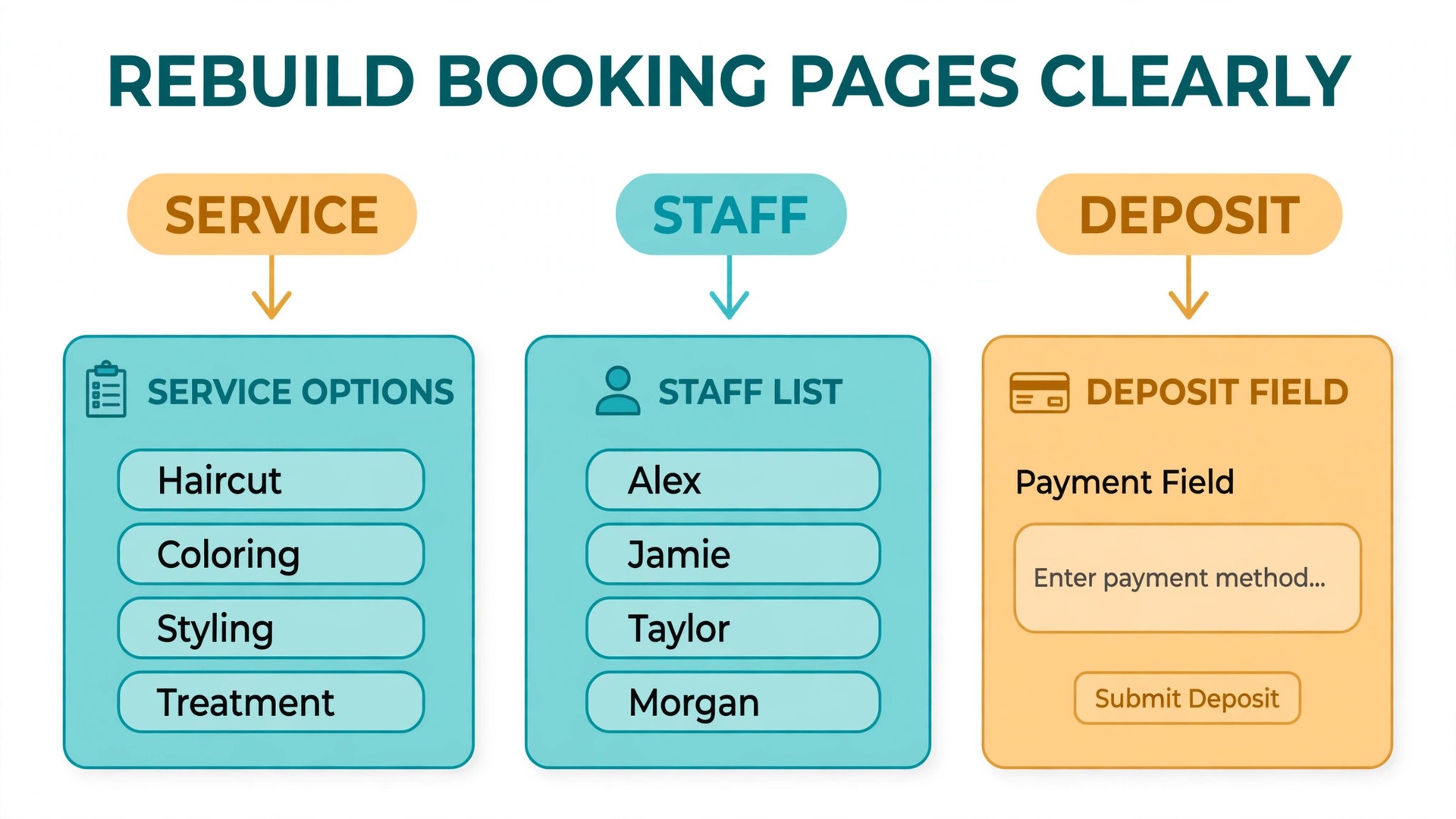
Rebuilding Booking Pages So Clients Do Not Get Lost
A booking page must answer four questions in seconds, which are what am I booking, with whom, for how long, and what does it cost. Acuity appointment type names should use the words clients already use, such as haircut, consultation or initial assessment, rather than internal service codes. A page that forces a client to guess which service matches their need will lose bookings to a phone call, which defeats the purpose of online booking.
Intake forms need the same discipline. Every question should earn its place by changing what happens at the appointment, such as allergies, goals, or referral source for follow up. Questions that only satisfy curiosity should move to the appointment conversation, because a long form on a phone screen causes abandonment. Mark truly required questions as required, and leave the rest optional, then watch completion rates for the first month and cut any question clients repeatedly skip.
Availability settings are where double bookings are born. Set buffers between appointments honestly, including room turnover, notes time and a short break, rather than packing the calendar to look efficient. Set booking limits, such as how far ahead clients can book and how soon they can cancel, to match the real policy, and test the limits with a booking attempt that should be blocked. A switch Calendly to Acuity small business launch that skips limit testing will discover its first double booking from an angry client rather than from its own checks.
Swapping Payments, Calendars and Reminders Without Losing a Booking
Payment swap order matters. Connect the new provider in Acuity while Calendly payments still run, test deposits and refunds in Acuity, and only then change the payment link on the public booking page. Never disconnect the old provider on the same day the new one goes live, because a provider verification delay then leaves the business unable to take deposits at all. Keep both connections documented, with the provider, account and payout schedule noted, so a future admin can trace a payment without guessing.
Calendar sync is the second safety net. Connect each staff calendar to Acuity, then create test bookings and confirm they appear on the staff calendar, on the business calendar, and in the client confirmation with the same time. Check time zones explicitly if clients book from another region, since a one hour shift from a wrong zone setting creates a missed appointment that looks like a no show. Add a calendar event description that names the service and the client, so staff can run their day from the calendar alone if Acuity is briefly unavailable.
Reminders close the loop on no shows. Set a confirmation email at booking, a reminder a day before, and a text reminder where the tier includes it, and write each message in plain words with the date, time, service, staff member and cancellation link. Test reminders on personal numbers and emails, and check that a cancelled booking stops further reminders, because a reminder for a cancelled appointment damages trust faster than no reminder at all. A switch Calendly to Acuity small business plan that treats reminders as an afterthought will keep the no show rate it was trying to fix.
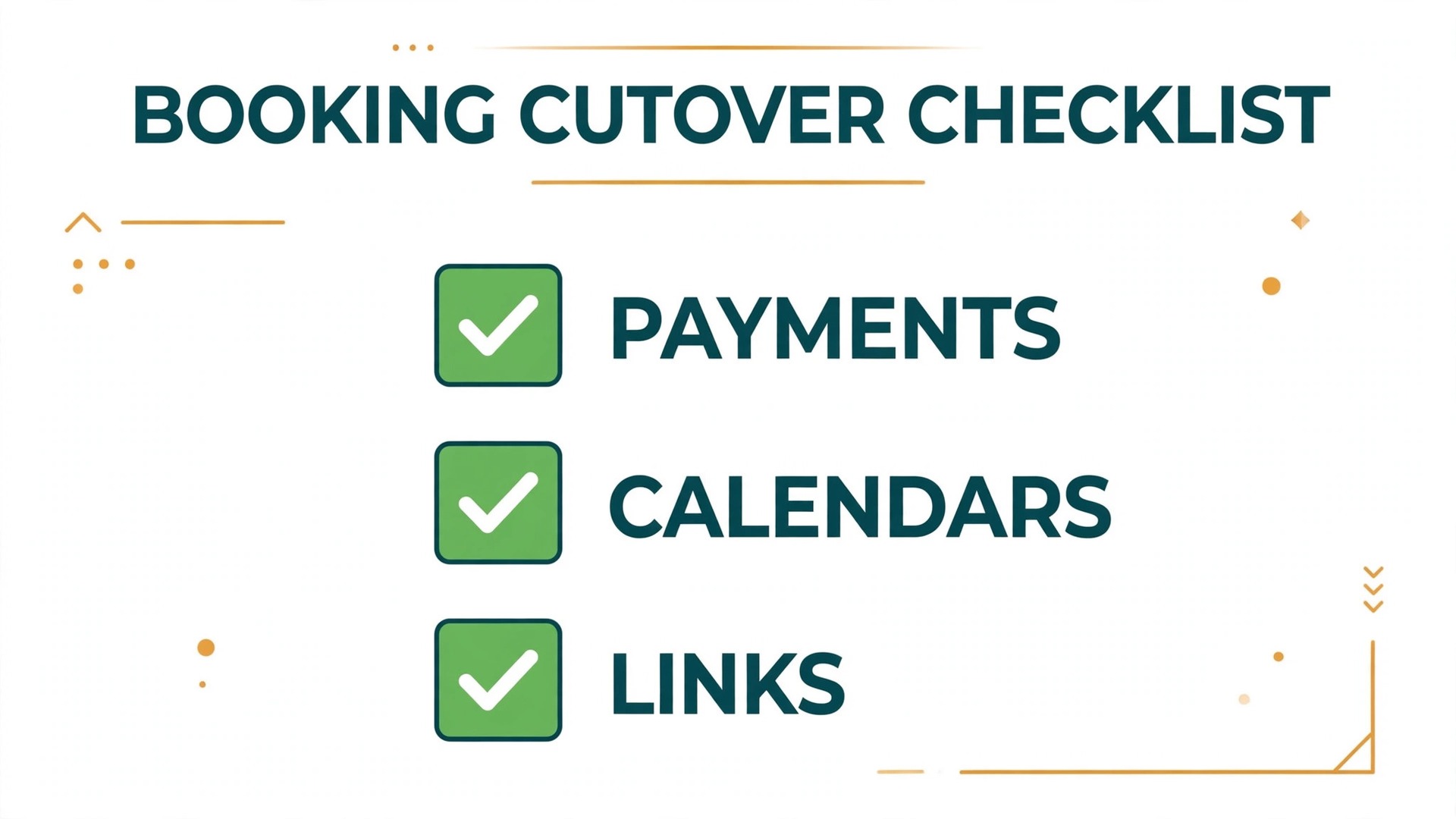
The Go Live Checklist for Booking Cutover
Cutover morning is a short list of proofs, worked through before any public announcement.
– Every appointment type has been test booked from a personal email, with the right duration, price, deposit and confirmation message. – Every payment method has been tested with a real payment and refund, and receipts match the booking record. – Staff calendars show test bookings correctly, with buffers respected and time zones verified. – Intake forms collect only the questions the business uses, with required fields tested by a booking that omits them. – Reminders arrive correctly, and a cancelled test booking stops further reminders. – Every public link location from the inventory now points to Acuity, checked from the public site, email signature and social profiles. – Existing Calendly bookings are listed, honoured, and marked so staff know which system holds each appointment. – The team knows the Acuity login, the calendar view, and the cancellation and rescheduling steps, proved by each staff member handling a test booking.
After cutover, check new bookings every morning for two weeks, and fix any mismatch the same day. Watch for bookings with missing intake answers, payments without matching appointments, and calendar entries at the wrong time, since those three faults cover most early problems. At the end of week two, compare booking completion, no show rate and deposit collection against the Calendly baseline, and judge the switch on those numbers rather than on how the new pages look.
What the Move Costs for a Solo Practice and a Six Staff Team
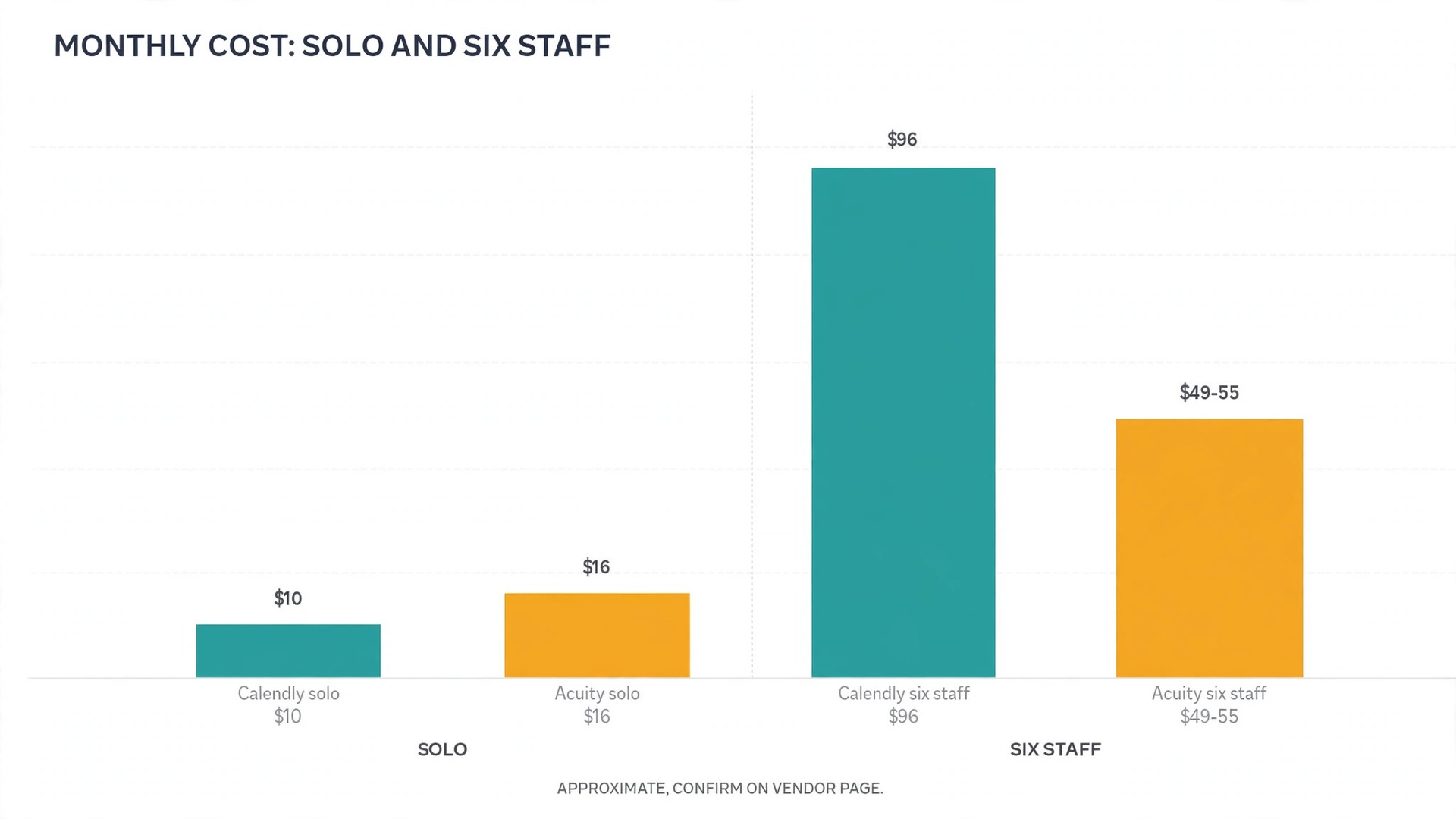
Cost comparison between these two tools turns on headcount, which is the point many guides miss. A solo practitioner on Calendly Standard at about 10 dollars a month pays little, and Acuity Starter at about 16 dollars a month costs slightly more, so a solo host who only needs meeting links gains nothing financially from switching. The switch case for a solo practice must rest on intake forms, deposits or packages, not on price.
A six staff practice tells a different story. Six Calendly Teams seats at about 16 dollars each cost about 96 dollars a month on annual billing, while Acuity Standard at about 27 dollars a month covers up to six calendars in published guides. That gap is roughly 69 dollars a month, or over 800 dollars a year.
A larger practice on Acuity Premium, at about 49 to 55 dollars a month, still costs less than ten Calendly Teams seats at about 160 dollars a month, while adding staff calendars up to the tier limit. Confirm on the vendor page before you buy, since tier names and calendar limits have changed, with older names such as Emerging, Growing and Powerhouse replaced by Starter, Standard and Premium in some guides.
Add the extras honestly on both sides. Text reminders, a booking page without branding, and package or gift certificate features may sit on different tiers in each tool, so compare the tier that includes the features the business actually uses, not the cheapest tier on either pricing page. A switch Calendly to Acuity small business budget that compares Calendly Teams with Acuity Starter will mislead, because the tiers do not include the same features, and the correction usually appears as an upgrade in the second month.
Mistakes That Double Book, Lose Deposits or Confuse Regulars
The first mistake is changing public links before testing the new pages with real clients. A booking page that looks finished in preview can still fail on payment, on a required intake field, or on a staff availability rule, and each failure reaches a real client. Soft launch first, fix what regulars report, and only then update the website and social profiles.
The second mistake is forgetting a link location. Email signatures, automated messages, directory listings and old social posts all carry booking links, and a client who finds the old Calendly link after cutover will book into a system staff have stopped checking. Search the website, the inbox templates and the social profiles for the old link, update each one, and check again a week later for any location missed the first time.
The third mistake is recreating future bookings by hand without a check. A hand copied booking can land on the wrong date, at the wrong time, or under the wrong staff member, and the error only surfaces when the client arrives. If future bookings must move, copy them in small batches, check each batch against the Calendly list with a second person, and send each affected client a confirmation from the new system so errors surface before appointment day.
The fourth mistake is setting availability too generously in the first week. A calendar with no buffers, no lunch break and no limit on same day bookings looks productive until staff fall behind by midday and clients wait. Set honest buffers, protect breaks, and loosen limits only after two weeks of smooth running, when the team knows the real pace of the new flow.
When Calendly Remains the Right Tool
Calendly remains right for meeting led work. Sales calls, interviews, demos, consultations and internal meetings all fit a simple link, a time and a confirmation, and Acuity depth adds steps those bookings do not need. A team whose bookings rarely involve payment at booking, intake forms or staff selection should stay, and spend the switch effort on better routing or reminder workflows inside Calendly instead.
Calendly also remains right when the business already runs its client records, payments and packages elsewhere and only needs a front door for time. Adding Acuity in that case duplicates systems the team already trusts, and the booking page becomes one more place to maintain. The switch earns its effort when Acuity replaces at least two other tools or workarounds, such as a separate form tool and a manual deposit process, not when it merely replaces the scheduler.
A trial settles a close call well. Run Acuity for one service or one staff member for a month, while Calendly keeps the rest, and compare booking completion, no shows, deposit collection and staff effort on that service against its Calendly baseline. If the trial service improves clearly, extend the move, and if it does not, the team has learned without disrupting every client. That trial needs real clients and real payments to mean anything, so do not judge it on internal test bookings alone.
Telling Clients About the Change Before They Need to Book
Clients do not need a story about software, they need three facts, which are the new booking link, the date it takes effect, and what happens to bookings already made. Send those facts in a short message two weeks before cutover, repeat them a few days before, and put the same message on the website booking page during the transition. A switch Calendly to Acuity small business notice that buries the link under an explanation of why the tool changed will be skimmed, and the link is the only part the client must act on.
Regular clients deserve a personal touch that a mass message cannot give. For clients with standing appointments, send an individual confirmation naming their next appointment, its date and time, and the system that holds it, so no regular wonders whether their booking survived the move. For clients who book by phone, train staff to mention the new link at the end of the call and to offer to walk the client through the first online booking. That small habit converts phone bookers faster than any email, because it answers their questions while they are already engaged.
The website message during transition should be visible without scrolling on a phone, since most clients will meet it there. A short banner near the booking button, naming the change date and linking to the new page, prevents most confusion, while a long announcement page that clients must hunt for helps no one. Keep the old booking page live but clearly marked as closing, with a link forward to the new page, until the last pre cutover appointment has passed. Removing the old page early strands clients who saved the old link, while leaving it unmarked invites new bookings into a system staff have stopped checking.
Staff need a script for the first two weeks, covering the three questions clients ask most. Those questions are where do I book now, what happens to my existing appointment, and can I still pay the same way. Give staff short answers to each, plus a fallback offer, such as booking by phone for any client who struggles online. A switch Calendly to Acuity small business team that equips staff with those answers will handle transition week calmly, while a team that leaves staff to improvise will give different answers to different clients and create follow up work.
Finally, measure the transition by client behaviour, not by staff opinion. Track how many bookings arrive through the new link in week one, how many clients still use the old link, how many bookings need staff help, and how many clients mention confusion. If old link use stays high after two weeks, a link location was missed, and the inventory should be searched again.
If staff assisted bookings stay high, the new page has a friction point, usually a long intake form or an unclear service name, and fixing that point matters more than sending another announcement. A switch Calendly to Acuity small business move that watches those numbers will finish the transition in weeks, while a move that assumes clients adapted will carry two booking systems far longer than planned.
Close the old system deliberately once the transition numbers settle. Remove the old link from the website and social profiles, replace it everywhere with the new link, and leave a short forwarding note on the old booking page for one further month for clients who saved it. Then close the old account only after confirming that no future booking, payment record or client message still lives there alone. A tidy close prevents a stray booking arriving months later in a system no one checks, and it marks the point where the team can stop thinking about the move and simply run the new booking flow.
Keep one simple record of the whole transition for the next person who runs bookings. Note the cutover date, the Acuity plan and tier, the payment provider details, the staff calendar setup, and the locations where the new link now lives. That record turns a future question, such as why a calendar limit exists or where a payment rule came from, into a one minute lookup instead of a fresh investigation. It also makes the next tool change, years from now, far easier than this one, because the team will start from documented facts rather than from memory and old emails.
Frequently Asked Questions About Switching From Calendly to Acuity
Can Calendly event types move to Acuity automatically?
No, there is no one click transfer that recreates event types exactly. Appointment types, intake questions, payment rules and reminders are rebuilt by hand from an inventory, and existing bookings need a cutover plan rather than an import. The rebuild is the project, so budget time for it honestly.
What happens to bookings already made on Calendly?
They stay on Calendly unless the team recreates them in Acuity and confirms each one with the client. The safest approach is a cutover date, with bookings before that date honoured on Calendly and bookings from that date onward taken on Acuity. Keep Calendly live until the last pre cutover appointment has passed.
Is Acuity cheaper than Calendly for a small business?
It depends on staff count. A solo host may pay slightly more on Acuity, while a multi staff practice usually pays far less, because Acuity charges per plan by calendar capacity while Calendly charges per seat. Compare the tier that includes the features used, such as text reminders and packages, and confirm on the vendor page before you buy.
Does Acuity work without a Squarespace website?
Yes, Acuity works as a standalone booking tool with its own booking page link, and it can be embedded on any website. Squarespace ownership does not force a business onto a Squarespace site, though the two connect cleanly for teams that use both.
How long does a switch Calendly to Acuity small business move take?
A solo practice with a few appointment types usually needs one to two weeks including testing and a soft launch. A multi staff practice with many services, payment rules and intake forms needs three to four weeks, with staff availability and payment testing taking the largest share.
Will regular clients struggle with the new booking page?
Most will not, if the page uses familiar service names, asks only useful intake questions, and the team tells clients about the change before cutover. Send a short notice naming the new link, the cutover date, and what happens to existing bookings, and keep staff ready to help any client who books by phone during the first two weeks.
More Reading on Stratilyze
– Cost of Calendly for a Small Business Monthly – Best Scheduling Software for Salons – Best Scheduling Software for Cleaning Companies – Booking Tools for Appointment Led Businesses Compared, plain text title, link not verified at writing time