
Verdict first. A design team should switch Canva to Adobe Express design team workflows only when Adobe assets, Adobe Fonts, or Creative Cloud already sit at the centre of its work, because that is where Express earns its keep. If the team lives happily in Canva, shares Canva links with clients, and rarely touches Photoshop or Illustrator, the switch buys a cheaper bill and a month of rebuilding for little daily gain. This guide gives the honest test, then the step by step move for teams that pass it.
Canva is the easier tool to learn and the easier tool to share. Its template library is vast, its collaboration is smooth, and non designers can produce decent work in it without training. Adobe Express is the better fit for teams that already think in Adobe terms, because it connects to Adobe Stock, Adobe Fonts, and the wider Creative Cloud world, and it treats brand control as a team feature rather than an afterthought. The choice is about fit, not about which tool is better in isolation.
Prices help the case but do not settle it. Published guides put Adobe Express Premium at about 9.99 dollars a month for an individual and Express for Teams at a first year rate near 4.99 dollars per person a month rising to a regular rate near 7.99 dollars, with a two seat minimum, so confirm on the vendor page before you buy. Canva Business, by contrast, is listed near 25 dollars per person a month in the same guides. For a five person team, that gap can exceed a thousand dollars a year, which is real money, but only if the team actually produces the same volume of work after the move.
The Test Before Any Team Switches Tools
Start with a usage audit, not a price comparison. List the ten designs the team produces most often, and score each one for how it is built. A social post built from a template, a flyer that reuses brand colours, and a short video cut from stock footage all move easily. A complex multi page document with linked brand elements, a design that relies on a Canva only font, or a file full of Canva stock assets that cannot be relicensed will move slowly or not at all.
Next, ask who uses the tool outside the design team. Marketing managers, sales staff, and social media coordinators often open Canva to tweak a post, and their habits matter as much as the designers habits. A switch that pleases three designers and frustrates twenty occasional users is a failed switch, even if the design output improves. Count occasional users, interview a sample of them, and note which templates they rely on weekly.
Then check the Adobe side honestly. Does the team already hold Creative Cloud licences, and does Express Premium come included with them. If it does, the cost case strengthens sharply. Does the team use Adobe Fonts that Canva cannot match, or Adobe Stock assets that Express can reach directly. If the answer to both questions is no, the switch rests on price alone, and price alone rarely justifies rebuilding a template library.
Finally, run a two week trial with real work, not a demo. Rebuild the three most used templates in Express, produce a week of live posts from them, and collect feedback from designers and from the people who request work. Measure time per design, revision rounds, and complaints about missing features. A trial that produces numbers beats a meeting that produces opinions. A plan to switch Canva to Adobe Express design team work should pass that trial first.
How to Switch Canva to Adobe Express Design Team Projects in Order
The move below follows the order that prevents rework. Brand first, then templates, then assets, then people. Teams that start by moving files and leave the brand kit until last end up rebuilding templates twice, once with approximate colours and once with the correct ones.
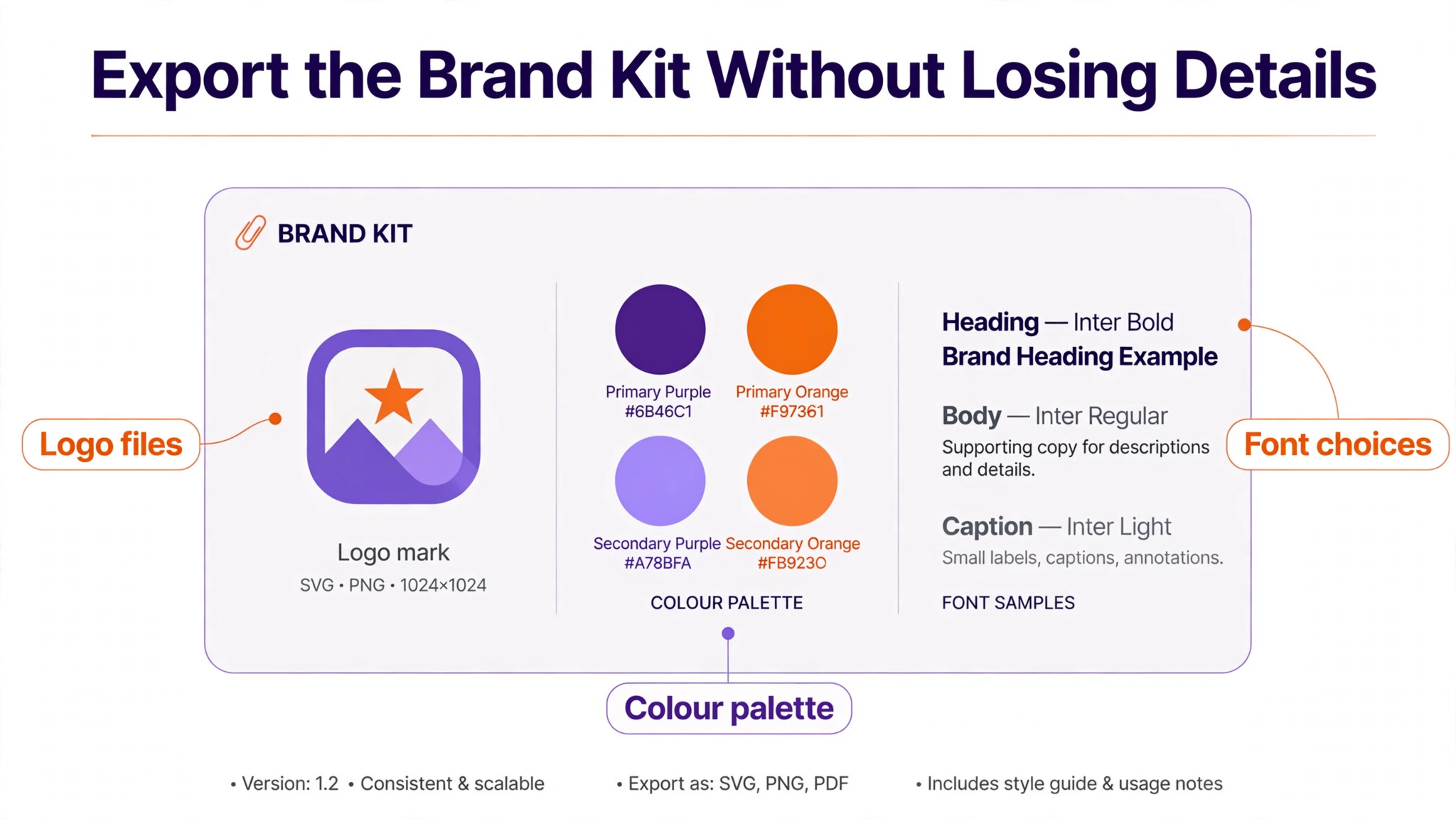
- Freeze Canva work for new templates and export the brand kit in full, meaning logos in SVG and PNG with transparent backgrounds, colour values in hex, font names and licence details, and brand guidelines as a PDF. Save the exports in a dated folder that the whole team can reach, and keep Canva read only for reference during the move. The check is that every logo, colour, and font in the brand guide has a file in the folder.
- Build the Adobe Express brand in the Brands area, uploading logos, colours, and fonts, and tagging header and body fonts so the team picks the right typeface without guessing. Upload custom fonts as OTF or TTF files where the licence allows, and note any font that cannot move so a replacement can be chosen early. The check is that a new Express design can apply logo, colours, and fonts from the brand panel without typing a hex code by hand.
- Rebuild the three most used templates first, in Express, from the brand kit, and test them with real copy and real images. Do not rebuild all fifty templates at once. Three templates prove the workflow, surface font and layout gaps, and give the team something to use while the rest are rebuilt. The check is that each rebuilt template produces a publish ready design in no more time than the Canva version took.
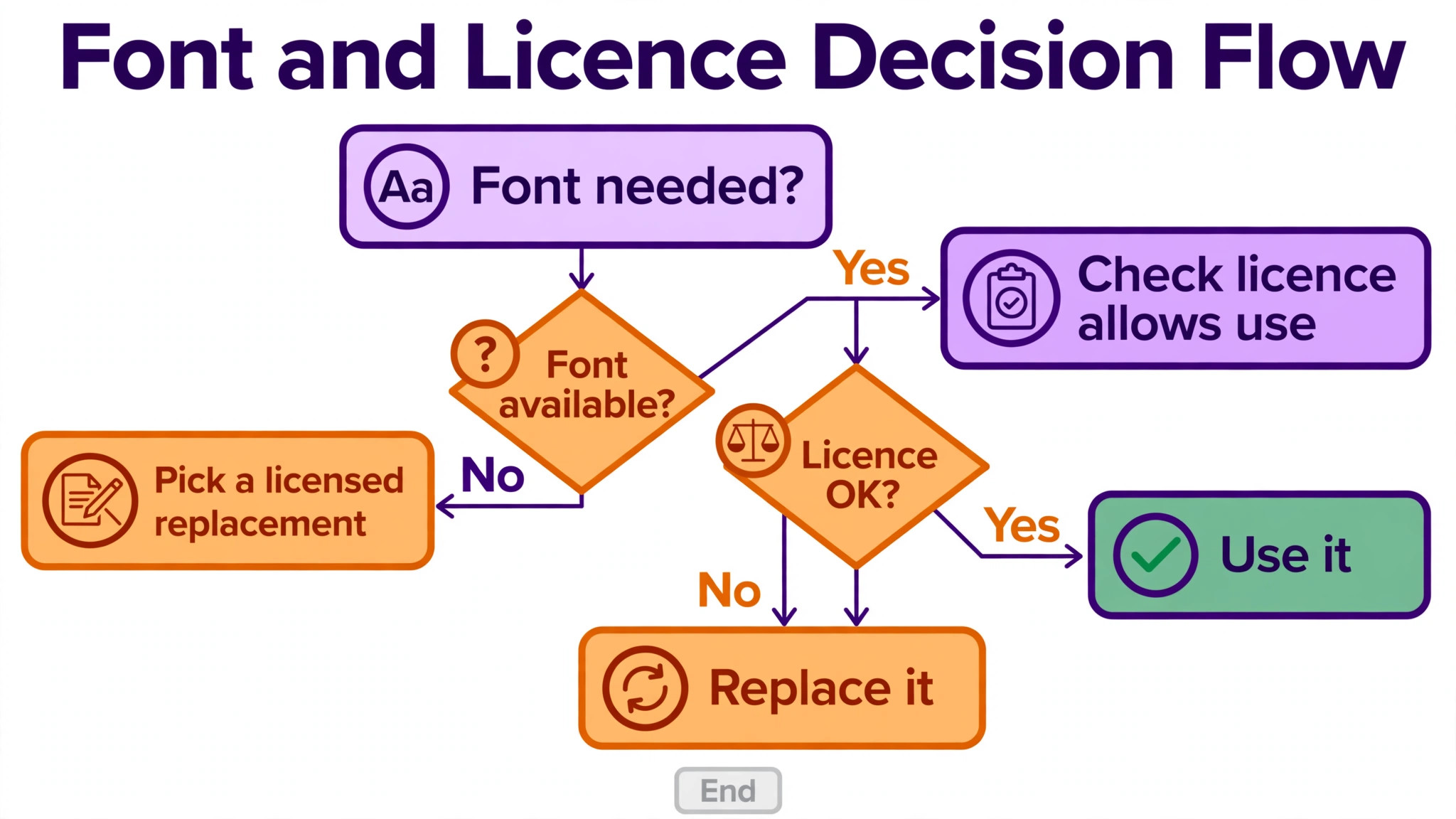
- Swap fonts deliberately, not by accident. List every Canva font in active templates, mark each one as available in Adobe Fonts, uploadable under licence, or needing a replacement, and choose replacements that match weight and character rather than picking the first similar name. Check headings, body text, and small captions at real sizes, because a replacement that looks fine at headline size can fail at caption size.
- Migrate assets in batches by project, moving original files where possible and flattened exports only where originals do not exist. Name files consistently, sort them into shared folders or projects, and delete duplicates as you go. Note any project that exists only as a flattened export, because that project cannot be edited in Express and must be rebuilt if it is ever needed again.
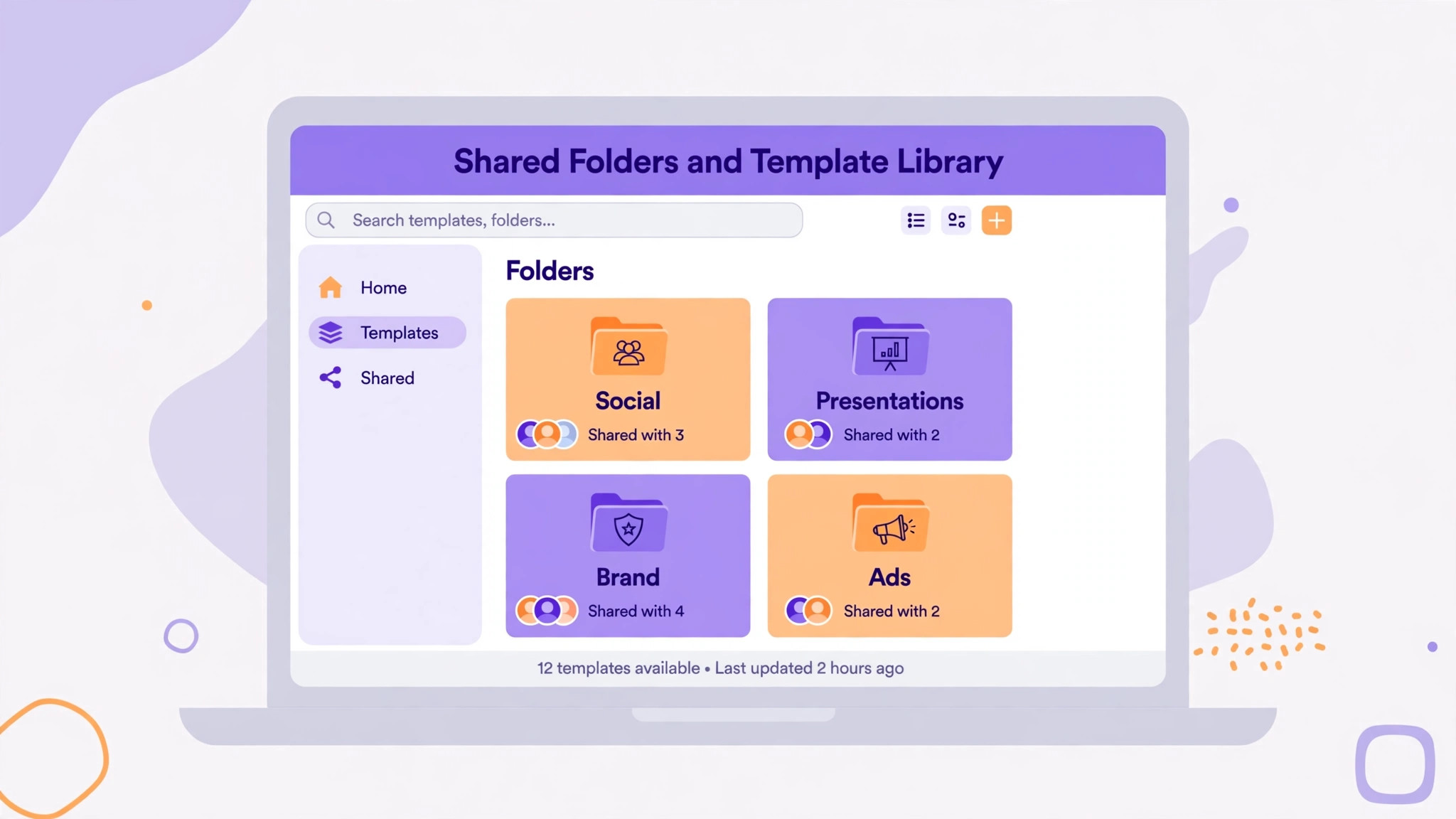
- Set permissions, shared folders, and approval habits before the whole team moves over. Decide who can edit the brand, who can publish, and how requests flow from marketing to design. Share the brand with the team so members can use it without editing it, and write a one page guide to where templates live and how to request a new one.
- Train in short sessions built around real jobs, not a general tour of the tool. One session on social posts, one on flyers and presentations, and one on short video covers most team needs. Give each person a practice task using a rebuilt template, and collect the questions that arise, because those questions become the internal guide.
- Run parallel for two weeks, with new work in Express and old Canva files available for reference, then review time per design, brand errors, and team feedback before cancelling Canva. The check is a written review with numbers, not a feeling that the move went well. Cancel only when the review shows the team can produce its normal volume without workarounds.

Exporting the Brand Kit Without Losing the Details
Brand kits fail in the small details, not the big ones. Logos are the obvious item, but colour values, font licences, and usage rules cause more trouble. Export each logo in every colour version the brand uses, including full colour, single colour, reversed, and monochrome, and include a note on minimum size and clear space. A logo that exists only as a small PNG will blur on a large banner, and a team that discovers that during a campaign will waste a day.
Colours need hex values, not screenshots of a colour picker. Export the palette as a list with names, hex codes, and usage notes for primary, secondary, and accent colours. Check the values in Express after upload, because a colour copied by eye can drift by a few points and still look right on one screen while looking wrong in print. One person should own colour accuracy and sign off the Express palette against the brand guide.
Font licences are the detail most teams skip, and the one that can cause real trouble. A font used in Canva under Canva terms may not be licensed for upload elsewhere, and a font bought for desktop use may not cover web or social use. Check the licence for each custom font before uploading it to Express, and keep a note of the licence source with the font file. Where a font cannot move, choose the replacement early and update the brand guide so nobody keeps searching for the old font.
Brand guidelines themselves should move as a document the team can open from Express or from shared storage. A brand kit without rules produces designs that use the right colours in the wrong combinations, with the wrong spacing and the wrong tone. Keep the guide short, visual, and current, and update it the moment a template changes. A guide that describes the old Canva setup is worse than no guide, because it sends people to files that no longer exist.
Rebuilding Templates So the Team Actually Uses Them
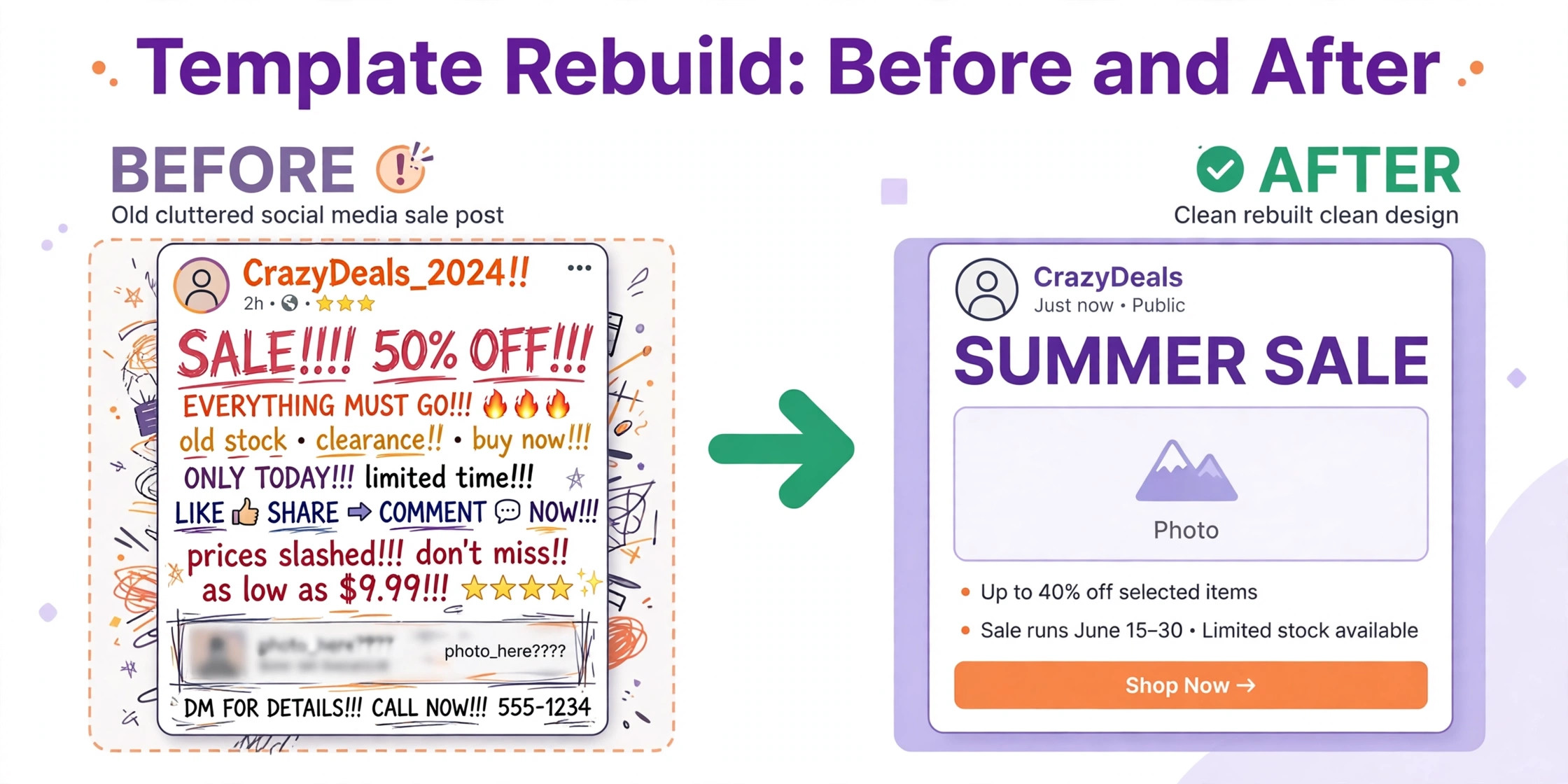
Template rebuilding is where most switches succeed or fail, because templates are the daily habit. Start with the template audit from the test phase, and rank templates by weekly use, not by how impressive they look. A plain social post template used twenty times a week matters more than a beautiful annual report template used once a year. Rebuild in rank order, and publish each rebuilt template the day it passes testing, so the team gains value during the move rather than waiting for a big launch.
Rebuild for Express strengths rather than copying Canva layouts exactly. A layout that relied on a Canva only shape or effect may need a different structure in Express, and forcing an exact copy wastes time on a detail nobody will notice. Keep the hierarchy, the brand elements, and the message order, and let the decoration adapt. Teams that switch Canva to Adobe Express design team templates learn this lesson on the third rebuild, not the first. A template that is ninety percent faithful and fully usable beats a template that is pixel perfect and fragile.
Test each template with awkward real content, not with ideal placeholder text. Long headlines, long names, small images, and missing images all break templates in ways that short demo copy hides. Ask the person who uses the template most to break it on purpose, then fix the break before publishing. A template that survives awkward content will survive a busy week, while a template tested only on perfect copy will fail on the first real job.
Name templates clearly and retire Canva originals from active folders once the Express version is live, so nobody opens the wrong version by habit. A template named with its purpose, size, and audience, such as a social post template for product launches, is easier to find than a template named after its creator or its creation date. Keep a simple index of templates, owners, and last review dates, and review the index quarterly.
Fonts, Stock Assets, and the Licensing Traps
Fonts and stock assets carry the licensing traps in a tool switch, and both deserve a dedicated check. Canva stock photos, videos, and graphics used in old designs may be licensed for Canva use, and that licence may not travel to a new tool or to a rebuilt design. Before reusing a stock asset in Express, check whether the team holds a separate licence, whether Adobe Stock offers an equivalent, or whether the asset must be replaced. Reusing an asset without a licence is a risk that grows with the size of the audience.
Adobe Stock is a genuine advantage for Express teams, because the library is large and the assets integrate directly into the editor. That advantage only helps if the team knows how to search it and how to licence assets correctly. Run a short training session on Adobe Stock search, saved collections, and licence terms, and set a rule that stock assets for paid campaigns come from a licensed source with a record of the licence. A shared collection per campaign makes that record easy to keep. Anyone who must switch Canva to Adobe Express design team assets should check licences before reusing stock.
Custom fonts need the same discipline. Adobe Fonts offers a large library, and many teams find a closer match there than they expect, but a close match is not the same as the brand font. If the brand font is central to identity, upload it under a valid licence and make it the default in the brand kit. If the brand font cannot be uploaded, choose a replacement with the team that owns the brand, document the choice, and update all templates to use it, so the brand does not drift into three similar fonts across different templates.
Video and animation need a separate check, because Canva and Express handle motion differently. A Canva animation or video template may not rebuild as a like for like Express file, and the team should test video exports early. Check length, resolution, file size, and platform requirements for each video template, and accept that some video work may stay in a dedicated video tool while Express handles stills and short social video. A clear rule about which tool handles video prevents a week of failed exports.
A design team switch is also a chance to fix permission habits that grew messy in Canva. Decide who owns the brand, who can edit templates, and who can publish final work, and write those roles down. In Express, sharing a brand gives team members read only use of brand assets, while only the creator can edit the brand, which is a useful control if it is set up deliberately. If nobody owns the brand, edits happen by whoever notices a problem first, and the brand drifts.
Shared folders and projects need a structure the whole team understands. Organise by campaign or by audience rather than by creator, because work organised by creator becomes hard to find when that person is away. Archive finished campaigns promptly, and keep active work in a small number of clearly named folders. A folder structure with twenty top level folders helps nobody, while five clear folders with consistent naming helps everyone find work in seconds.
Approval habits should be agreed before the move, not discovered during the first campaign. Decide whether marketing approves designs in Express comments, in a separate tool, or in a meeting, and set a turnaround time for approvals. A team that moves tools without agreeing approvals will blame the new tool for delays that are really approval delays. Write the approval flow on one page, share it with requesters as well as designers, and review it after the first month.
Version control is simpler when the team agrees a naming rule. A file name with project, version, and date beats a file name with final in it, because final is rarely final. Keep the current version in the active folder and move older versions to an archive folder, so nobody publishes an old version by mistake. That habit costs seconds per file and saves hours per campaign. A decision to switch Canva to Adobe Express design team folders should include that naming rule from day one.
Asset Migration in Batches, Not One Giant Dump
Moving assets in one giant dump is the fastest way to create a library nobody can search. Move assets in batches by project, starting with active campaigns and current brand assets, and leave archived work for later. Each batch should be checked, named, and sorted before the next batch starts, so the library grows in a usable state rather than as a pile of files with original camera names and duplicate copies.
Original files matter more than exports. A layered or editable file can be changed in future, while a flattened PNG or JPG can only be reused as it stands. Where Canva allows an export that preserves editability or a download of original uploads, use it, and note which projects exist only as flattened files. Those projects should be flagged for rebuild if they are ever needed again, rather than discovered as uneditable during a deadline.
Duplicates are the quiet cost of a messy migration. The same logo, the same product photo, and the same background may exist in five folders under five names, and the team will keep using the wrong version. Deduplicate as each batch moves, keep the highest quality version, and delete the rest from the active library. Archiving duplicates separately is fine, but leaving them in active folders guarantees confusion.
Keep Canva available during migration, even if the team has moved to Express for new work. A designer who needs an old Canva file for reference should be able to open it, check a colour or a layout, and close it without rebuilding the whole file. That reference access is worth a month of overlap cost, because it prevents guesses about old work that later prove wrong in print or on a campaign page.
Training and Adoption, the Part Teams Underestimate
Training is where a technically sound switch often fails, because designers learn a new tool quickly while occasional users do not. A designer who uses Express daily will be fluent in a week, while a marketing manager who designs once a month will forget the workflow between uses. Training must therefore serve two audiences, with deep sessions for designers and short task guides for occasional users.
Task guides beat tool tours for occasional users. A one page guide to making a social post from a template, with screenshots and the exact steps, will be used. A forty minute video tour of every Express feature will not be watched twice. Write guides for the five tasks occasional users actually perform, keep them where templates live, and update them when a template changes. A guide that describes an old template is a trap, not a help.
Adoption needs a visible champion in each team that uses designs. The champion answers quick questions, shares tips, and reports recurring problems to the design team, so small frustrations do not become quiet returns to Canva. Give champions early access, involve them in template testing, and thank them publicly when adoption improves. A switch without champions relies on everyone teaching themselves. Champions help colleagues who switch Canva to Adobe Express design team tools without a design background.
Measure adoption with simple numbers. Track how many designs are produced in Express each week, how many Canva files are still opened, and how many brand errors appear in published work. A rising Express count with falling Canva use and stable brand quality shows adoption is working. A flat Express count with continued Canva use shows the team has voted with its habits, and the design team should ask why before pushing harder.
The Adoption Checklist for the First Month
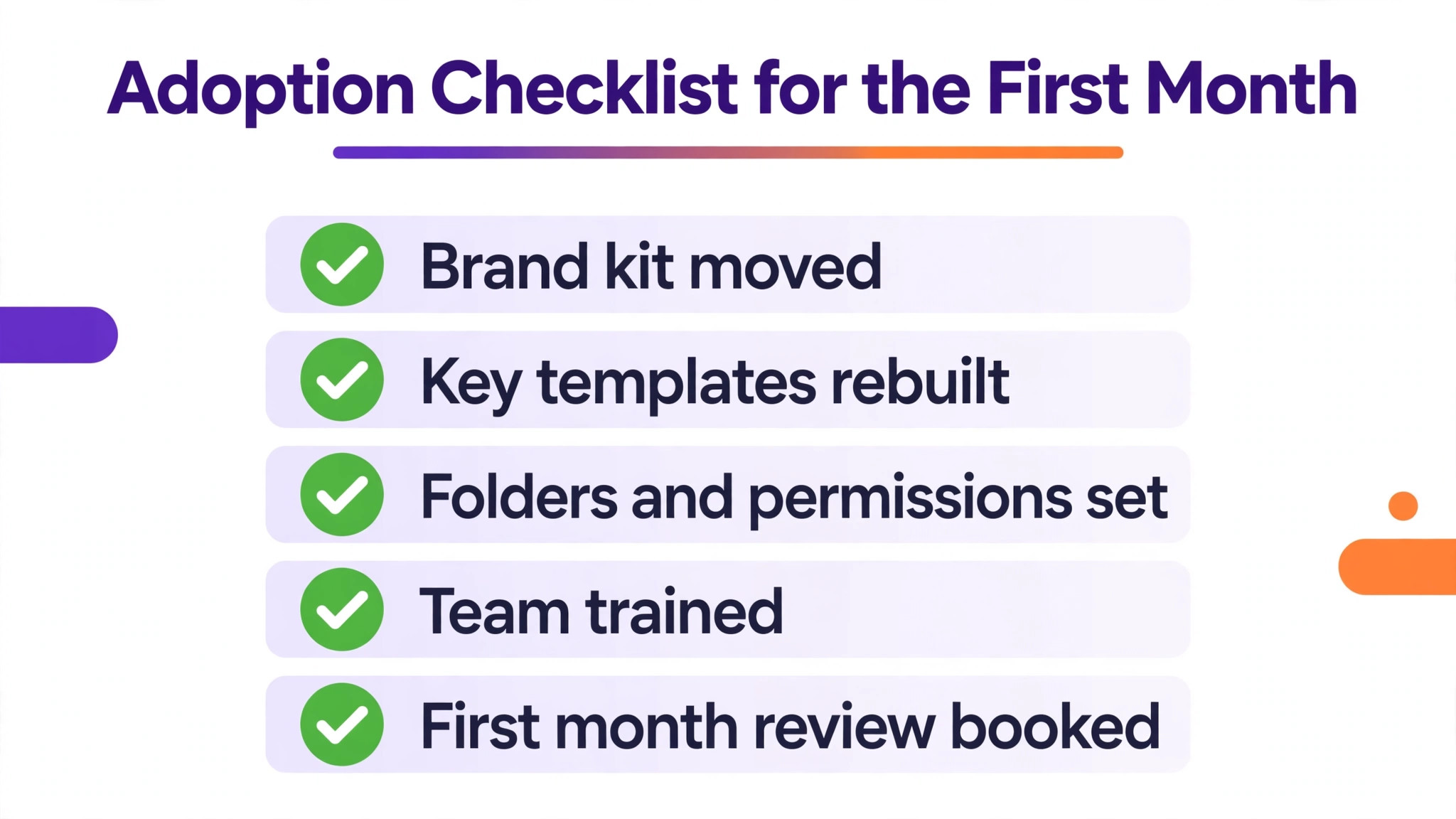
Use this checklist weekly during the first month, and do not call the switch complete until every item holds for two consecutive weeks. Each item is a habit, not a one time task, and habits need repetition before they stick.
- Brand kit in Express matches the brand guide, with logos, colours, and fonts signed off by the brand owner
- Three most used templates rebuilt, tested with awkward real content, and published for the whole team
- Font swaps documented, with licences checked and replacements approved by the brand owner
- Active project assets migrated in batches, deduplicated, and sorted into shared folders the team can find
- Permissions set, with brand editing restricted, template ownership named, and approval flow written on one page
- Task guides written for the five most common jobs, placed where templates live, and tested by an occasional user
- Two weeks of parallel running completed, with time per design and brand errors recorded and reviewed
- Canva kept read only for reference until the review shows normal volume without workarounds
A checklist that is ticked once and forgotten is not adoption. A checklist that is reviewed weekly for a month becomes the new routine, and the new routine is what the switch was for.
Mistakes That Send Teams Back to Canva
The first mistake is rebuilding every template before testing three. A team that spends six weeks rebuilding fifty templates without live feedback will discover workflow problems only after the whole library is built, and fixing fifty templates takes longer than fixing three. Rebuild three, test them live, learn the lessons, then rebuild the rest with those lessons applied.
The second mistake is ignoring occasional users. Designers can adapt to a new tool in days, but a sales manager who makes one flyer a month will return to the familiar tool at the first frustration. If occasional users are not trained and not heard, the organisation ends up paying for two tools indefinitely, which destroys the cost case for the switch.
The third mistake is copying Canva layouts exactly instead of rebuilding for Express. A layout that fights the new tool will feel slow and fragile, and the team will blame Express for a problem created by the copy. Keep the message and the brand, adapt the structure, and judge the rebuilt template by whether it produces good work quickly, not by whether it matches the old file pixel for pixel.
The fourth mistake is cancelling Canva too early. Cancellation feels like progress, but it removes the reference library and the fallback for old campaigns. Keep Canva read only through parallel running and the first review, and cancel only when the team can produce normal volume in Express without workarounds. A month of overlap is cheaper than a week of rebuilding lost work. Teams that switch Canva to Adobe Express design team libraries should keep that overlap, not cancel early.
The fifth mistake is letting the brand drift during the move. If colours, fonts, and logos are approximated rather than checked, the new library will contain three versions of the brand, and published work will show it. One person must own brand accuracy, sign off the Express brand kit, and check published work weekly during the first month. Brand drift is slow to notice and slow to fix, so prevention matters more than correction.
Verdict for a Team Weighing the Move
Adobe Express earns the switch for a team that already lives in the Adobe world, uses Adobe Fonts and Adobe Stock daily, and wants stronger brand control at a lower team price. The saving is real, the brand controls are useful, and the connection to Creative Cloud removes steps for teams that already pay for it. For that team, the rebuilding effort pays back within a few months of normal production.
Canva remains the better choice for a team whose strength is fast, shared, template driven work by many non designers, with little Adobe use and no brand control problem to solve. A switch in that case trades a tool the whole organisation knows for a tool only designers prefer, and the cost saving will not compensate for lost speed and adoption pain. Teams that switch Canva to Adobe Express design team work should do so because the daily work fits Express better, not because the monthly bill looks smaller on a comparison page.

Frequently Asked Questions About Moving Design Tools
Can Canva designs be imported directly into Adobe Express?
No direct import moves Canva designs as editable Express files in general. Teams export brand assets, logos, colours, and fonts, then rebuild templates in Express, moving original uploads where possible and flattened exports where originals do not exist. Expect rebuilding, not importing, and budget time for the three most used templates first.
Will fonts from Canva transfer to Adobe Express?
Some fonts are available in Adobe Fonts, some can be uploaded as OTF or TTF files where the licence allows, and some need a replacement. Check each font licence before uploading, and choose replacements by weight and character with the brand owner. A font that looks close at headline size may fail at caption size, so test replacements at real sizes.
What happens to Canva stock assets after the switch?
Stock assets licensed through Canva may not travel to a new tool, so check the licence before reusing an asset in Express. Adobe Stock offers a large library inside Express, and teams should set a rule that campaign stock comes from a licensed source with a record kept per campaign. Reusing unlicensed stock is a risk that grows with audience size.
How long should a design team keep Canva after moving?
Keep Canva read only for at least the parallel running period and the first review, which usually means a month after new work moves to Express. That overlap preserves reference files and a fallback for old campaigns. Cancel only when the team produces normal volume in Express without workarounds and brand quality holds.
Does Adobe Express work for non designers on the team?
Yes, for template based work, provided the team writes short task guides for the jobs non designers actually perform. A one page guide to making a social post from a template works far better than a general tour of the tool. Involve occasional users in template testing, and appoint a champion in each team to answer quick questions.
Is Express for Teams cheaper than Canva Business in practice?
Published guides list Express for Teams at a lower per person rate than Canva Business, with a two seat minimum and an annual commitment in some listings, so confirm on the vendor page before you buy. The saving only holds if the team produces the same volume in Express, so measure time per design during the trial before relying on the price gap.
More Reading on Stratilyze
– Canva Versus Adobe Express – Cost of Canva for a Small Business Monthly – Switch from Canva to Figma as a Design Team – Migrate from Adobe XD to Figma as a Design Team – Migrate from Canva to Adobe Express as a Design Team – Brand Kits That Keep Remote Teams Consistent, plain text title, link not verified at writing time – Template Libraries That Teams Actually Reuse, plain text title, link not verified at writing time