
The problem is simple to state and hard to ignore. You built a shop on Etsy, but Etsy owns the storefront, the search ranking, the customer relationship, and a growing share of each sale. When you switch Etsy to Squarespace small seller independence becomes real, because you finally own the domain, the email list, the branding, and the checkout experience. The catch is that you do not own Etsy traffic, and a careless move can trade a busy marketplace listing for a quiet website that no one visits yet.
This guide treats that trade honestly. It covers what Squarespace can import from Etsy, what it cannot, how reviews behave after import, how to handle customers and domains, and how to run the first week so existing buyers can still find you. The goal is not to abandon Etsy overnight. It is to build a home base that reduces your dependence on one marketplace, one algorithm change at a time.
The Marketplace Trap in Plain Terms
Etsy gives a small seller something priceless at the start, which is buyers who are already searching. A new shop with good photos and fair prices can make sales before it has a website, an email list, or a brand. That early traction is why so many handmade, vintage, and craft sellers start there. The platform handles payment, trust, and discovery, and the seller focuses on making and shipping products.
Dependence grows quietly. Fees stack across listing, transaction, payment processing, and optional advertising. Search placement can shift without warning. Policies change, and a shop that followed the rules last year may need new photos, titles, or shipping settings this year. Most importantly, the buyer relationship belongs to Etsy. You cannot easily take a repeat customer list, a search ranking, or a storefront design with you when you leave. That is not a complaint about Etsy. It is the nature of a marketplace, and it is the reason a second home base matters.
Squarespace changes the ownership balance. You control the site design, the domain, the product pages, and the customer emails you collect with consent. You also take on work Etsy used to do, including driving traffic, handling site setup, and building trust without a marketplace badge. A seller who expects Squarespace to replace Etsy traffic on day one will be disappointed. A seller who treats Squarespace as a growing direct channel, while Etsy keeps selling in parallel, gets the best of both for a long transition period.

What Squarespace Imports, and What It Leaves Behind
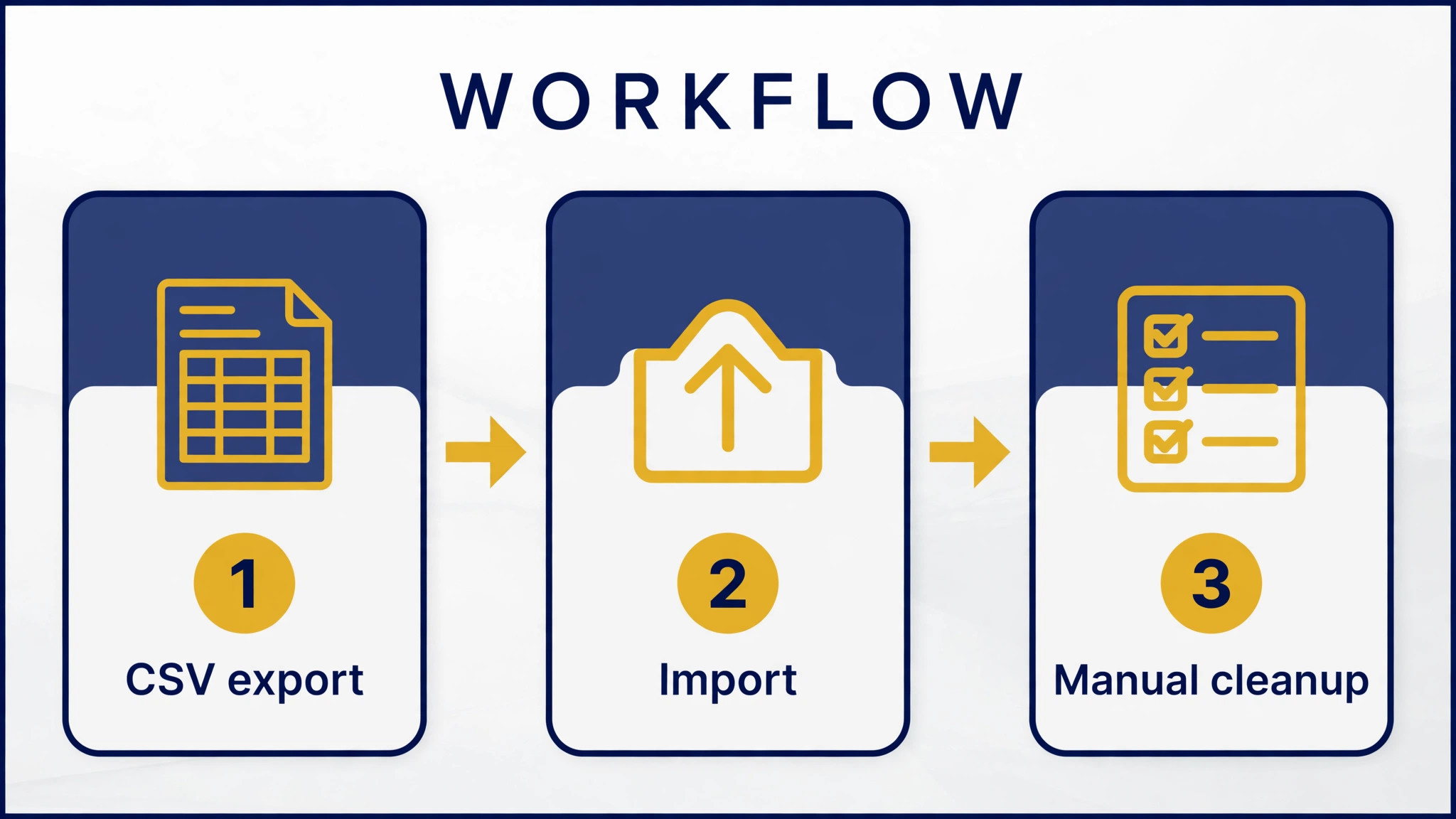
Squarespace offers an Etsy product import using a CSV file, and its support pages describe this as a one-time import, not a sync. That distinction matters more than any other detail in this guide. After import, the two stores run separately. A price change on Etsy does not update Squarespace. A sale on Squarespace does not reduce Etsy stock. If you run both stores, you must manage inventory in both places or use a third-party inventory tool.
The import brings across core product information such as titles, descriptions, photos, inventory, pricing, and shipping details in typical cases. It does not bring across everything. Squarespace documentation and migration guides note limits such as product tags and categories needing manual work after import, and downloaded products needing separate handling. Treat the import as a strong starting point, not a finished catalogue. Check every listing after import, especially variants, shipping options, and photos that may need reordering.
| Item | Likely outcome | Action needed |
|---|---|---|
| Listings, titles, photos, prices | Imports by CSV in most cases | Check variants, photos, and shipping per listing |
| Product tags and categories | Often missing or incomplete | Rebuild tags and categories by hand |
| Inventory | Imports as a snapshot | Manage stock separately on both platforms |
| Customers | Limited by marketplace rules | Build your own list with consent going forward |
| Order history | Not a full store transfer | Keep Etsy records and export what you need |
| Reviews | Imports on Commerce plans with limits | Read the review display rules below |
| Shop design and branding | Does not transfer | Rebuild design in Squarespace |
| Domain | You can connect or transfer it | Follow the domain steps before launch |
| Etsy search ranking | Does not transfer | Drive traffic with links, email, and content |
Customer data needs a careful approach. Etsy buyers are marketplace customers, and you cannot simply export their private details and add them to a marketing list. Build your direct list properly. Add a signup incentive on your Squarespace site, include a signup card in parcels, and collect consent through your own checkout and forms. That list will grow more slowly than an exported file, but it will be yours, and it will be usable without platform restrictions.
Reviews Are Proof, But They Do Not Move Cleanly
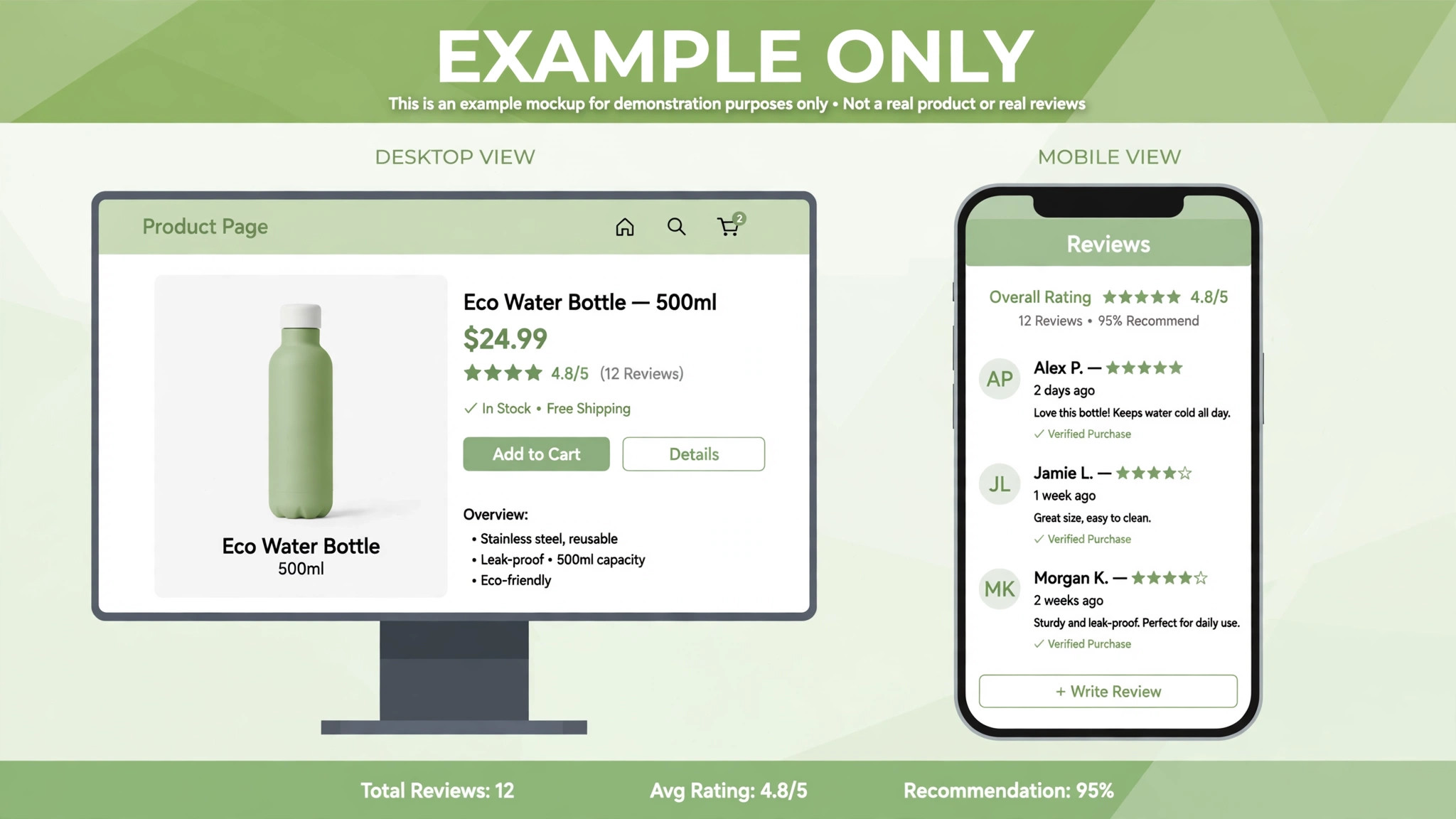
Reviews are often the reason a seller hesitates. Years of five-star feedback feel like an asset that should travel with the shop. Squarespace does allow Etsy review import on Commerce plans, and its support pages list what imports, including customer names, dates, product images, product titles, review text, and star ratings. That is genuinely useful, and it helps a new direct store look credible from the first week.
Read the limits before you promise yourself a perfect transfer. Imported reviews are a one-time process, not an automatic sync, and reimporting is limited, with Squarespace noting a once-per-day limit in its support guidance. Reviews imported in bulk may appear under every product when store review display is used, rather than only under the specific product the customer reviewed, and they do not appear if display is set to product reviews only. You also cannot style imported reviews in the same way as native reviews, and customers cannot add new Etsy reviews on Squarespace. They add Squarespace reviews instead.
The practical plan is to import reviews, check how they display on product pages and on mobile, and then build native Squarespace reviews from new direct orders. Keep Etsy open during this period so new marketplace reviews still accumulate where Etsy buyers expect to leave them. Over time, direct reviews will grow and the imported set will matter less. Do not hide the source of imported reviews, and do not edit review text to make it sound like a direct purchase when it was a marketplace purchase. Honest proof sells better than polished proof that a buyer later questions.
Choose the Right Squarespace Plan Before You Build
A Squarespace plan choice is not just about monthly price. Commerce features, transaction fees, and review import availability depend on the plan, so check the vendor’s current pricing page before you commit. A plan that looks cheap but lacks the commerce features you need will cost more in workarounds than a higher plan costs in fees. A plan with features you never use is also waste, but for a selling store the bigger risk is underbuying.
Start by listing what you actually sell. Physical products with variants need solid inventory and shipping tools. Digital products need delivery handling that matches your current Etsy setup. Services or made-to-order work need forms, lead capture, and clear production times. Match the plan to those needs, not to a feature list you read in passing. If you sell in multiple currencies or regions, confirm tax and payment options for those markets before you build product pages.
Also confirm payment processing. Squarespace Commerce connects to payment providers that vary by location, and payout timing, fees, and supported methods differ from Etsy Payments. Test a payment, a refund, and a failed card on staging before launch. A seller who discovers a payment gap on launch day loses the exact buyers who followed a launch announcement, and those buyers are the hardest to win back.
Rebuild Design for Direct Buyers, Not Marketplace Browsers
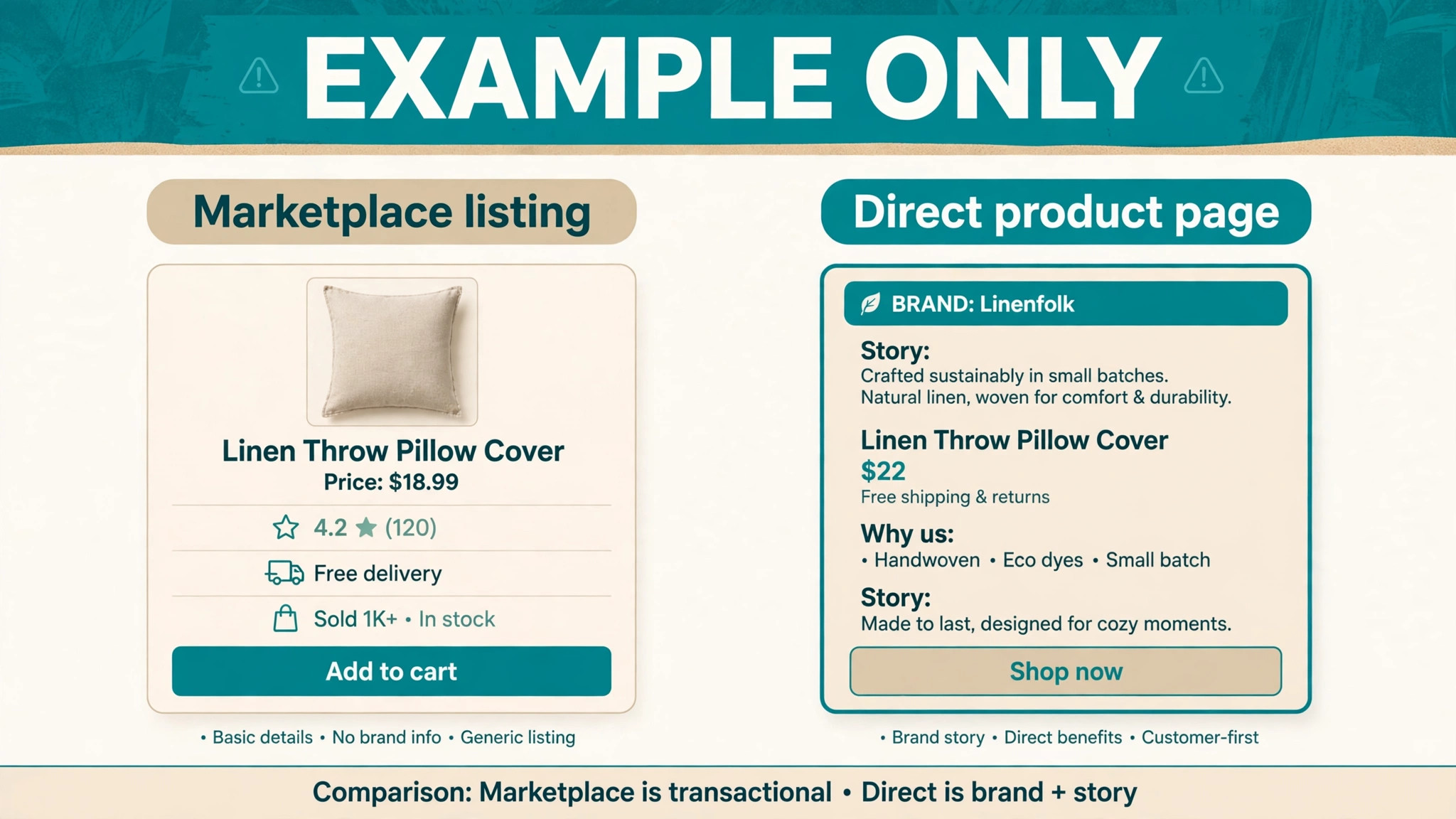
An Etsy listing is built for a browser who compares many sellers at once. A Squarespace store is built for a visitor who already chose you. That difference should change your design. On Etsy, the title, price, and first photo do most of the work. On your own site, the homepage, the story, the shipping and returns pages, and the product page together must answer a question Etsy answered for you, which is why a stranger should trust this shop.
Use the rebuild as a chance to simplify. Choose a template that shows products clearly, keep navigation short, and put shipping times, return terms, and contact options where buyers can find them without hunting. Write product descriptions for direct buyers, not for Etsy search alone. That means clear materials, sizes, care instructions, production time, and shipping origin where relevant. Good descriptions reduce support messages, and support messages are expensive when you are also making, packing, and shipping.
Photography deserves a second pass. Etsy photos often work well on Squarespace, but check cropping, order, and mobile display after import. A photo that looked perfect in a marketplace grid may crop badly in a Squarespace product gallery. Add at least one lifestyle or scale photo if your product size is easy to misjudge. For handmade goods, a photo showing the item in use or beside a familiar object prevents returns better than any policy paragraph.
The Migration Checklist for Listings, Customers, Reviews, and Domain
Work through this checklist in order, and verify each item on the Squarespace site rather than assuming the import handled it. A checklist is only useful if it records checked facts.
– Export Etsy listings, orders, and shop records, and store copies outside both platforms – Audit listings and remove discontinued, duplicate, or weak products before import – Import listings by CSV and check titles, descriptions, photos, variants, prices, and stock – Rebuild product tags, categories, and search filters that did not import – Recreate shipping options, delivery times, and tax settings for your markets – Import Etsy reviews on a Commerce plan and check display on desktop and mobile – Rebuild pages for About, shipping, returns, contact, and policies – Set up payment processing and test orders, refunds, and failed payments – Connect or transfer your domain and check email deliverability after the change – Add email signup, parcel inserts, and social links to grow a direct list with consent – Add redirects or clear links from old profiles and social bios to the new store – Keep Etsy live until Squarespace orders, reviews, and support run cleanly
Domain work needs care. If you already own a domain, connecting it to Squarespace is usually straightforward, but DNS changes take time to spread and email settings can break if records are copied wrong. If you buy a new domain for the Squarespace store, choose a name that matches your shop name and is easy to spell aloud. Update the domain in your Etsy shop profile, social bios, and parcel inserts only after the Squarespace store is ready to receive buyers. Sending early traffic to an unfinished store wastes the attention you worked hardest to earn.

Run Both Stores During the Transition
Do not close Etsy on launch day. The safest transition is a dual run where Etsy continues to sell while Squarespace grows. That approach protects income, gives you time to fix Squarespace issues, and lets you compare conversion, average order value, and support load across both channels. It also avoids a sudden traffic gap while search engines and customers learn the new address.
Dual running creates one main operational problem, which is inventory. Since import is not a sync, a product that sells out on one platform still shows stock on the other unless you update it. For a small catalogue, manual updates after each sale are workable. For a larger catalogue, a third-party inventory tool or a strict daily stock check is safer. Choose a method before launch, write it down, and follow it even on busy days. Overselling a handmade item with a long production time creates a support problem that a quick apology rarely fixes.
Pricing during dual running also needs a decision. Some sellers keep prices equal across both stores to avoid buyer confusion. Others price direct orders slightly lower to reflect lower marketplace fees, or add a direct-only bonus such as free shipping over a threshold. Either approach can work, but the rule must be clear. If a buyer finds a different price on Etsy and Squarespace without explanation, trust drops. If the direct store offers a clear benefit, buyers have a reason to switch channels on the next order.
First-Week Cutover Plan
The first week is when small import faults become visible. Keep Etsy live, keep exports saved, and do not change domain or email settings again during this week unless a fault forces it. Stability matters more than speed once real buyers are using the new store.
| Day | Focus | Checks before you finish |
|---|---|---|
| Day 1 | Launch and buy path | Test checkout, payment, emails, and top listings |
| Day 2 | Reviews and listings | Fix display faults, tags, categories, and photo order |
| Day 3 | Inventory and orders | Reconcile stock across Etsy and Squarespace |
| Day 4 | Domain and email | Check links, bios, parcel inserts, and email delivery |
| Day 5 | Mobile and speed | Test phones, product pages, and checkout on mobile data |
| Day 6 | Support and trust | Answer buyer questions, update shipping and returns text |
| Day 7 | Channel decision | Confirm direct orders, then decide how long Etsy stays open |
On day 1, place test orders for your best seller, a variant product, and a product with a shipping rule that could break. Check confirmation emails, order details, and stock changes after each test. Then watch real orders closely. A real buyer may use a discount, a gift message, or an address format your test did not cover. Log every issue and fix, because the log becomes your proof that the store is stable enough to promote harder.
By day 7, review the numbers without emotion. How many direct orders arrived. How many came from email, social, or search. How many support messages were about migration, and how many were normal product questions. If direct orders are growing and support is normal, increase promotion to the new store. If direct orders are thin, the problem is usually traffic, not the platform. In that case, keep Etsy open and invest in the traffic sources that actually send buyers, rather than rebuilding the store again.

Traffic After Etsy, Where Buyers Actually Come From
A direct store needs a traffic plan that a marketplace used to provide for free. Social content, email, search content, and repeat buyers are the main sources for most small sellers. None of them replace Etsy search overnight. The honest timeline is months of steady work, not a launch-week spike, unless you already have a large audience elsewhere.
Start with the audience you already have. Update social bios, link the new store in profiles, and tell past buyers through channels where you already have permission to contact them. Add the store link to parcel inserts, so every Etsy order becomes a chance to earn a direct repeat order. Write product and guide content that answers buyer questions, because search traffic for specific product problems and buying guides can bring visitors who are ready to buy, even if they never saw your Etsy shop.
Search content also protects you from algorithm changes. A guide about choosing, caring for, or sizing your product type can rank and send traffic long after a social post fades. That content should live on Squarespace, not only on social platforms, because it builds your domain authority and gives buyers a reason to stay on your site. Keep the content useful and specific. Generic posts about your craft will not compete with marketplace listings, but a detailed guide for a real buyer problem can.

How to Switch Etsy to Squarespace Small Seller Traffic Without a Sales Gap
A sales gap usually comes from timing, not from the platform. Sellers launch a new store, announce it once, and then wait for traffic that has no reason to arrive yet. A better plan is to switch Etsy to Squarespace small seller traffic in stages, so each audience source moves at a pace you can measure. Start with the people most likely to follow you, then widen to search and social audiences that need more convincing.
Your warmest audience is past buyers who already trust your products. Parcel inserts, a short note in order messages where allowed, and social posts that show the new store can move those buyers first. Keep the message simple. Tell them where the new store lives, what benefit direct ordering gives them, and that Etsy remains open for now. Buyers who feel pushed to a new site may resist. Buyers who feel invited, with a clear benefit and no pressure, are more likely to try it once.
When you switch Etsy to Squarespace small seller orders for the first time, watch where each order came from. A simple source check at the end of each day tells you whether email, social, search, or parcel inserts did the work. That data matters because it tells you where to spend the next week. If parcel inserts drive most direct orders, add a stronger insert and a repeat-buyer offer. If social drives orders, post the products that actually sold, not the products you assumed would sell. If search is quiet, add one detailed buying guide rather than ten thin posts.
Content for a direct store should answer a buyer question that a marketplace listing cannot answer well. A sizing guide, a care guide, a materials comparison, or a gift guide for a specific occasion can bring visitors who are close to buying. Each guide should link to the relevant products, but it should also stand alone as useful advice. Visitors who trust the guide are more likely to trust the store, and that trust is what a marketplace badge used to provide for free.
A staged traffic plan also protects your Etsy channel. If you announce the new store too loudly before it is ready, Etsy buyers may visit an unfinished site and decide the direct store is not for them. Test the store first, fix checkout and review display, and only then promote it widely. The order matters. A quiet launch to a small audience, followed by a wider launch after fixes, builds a better reputation than a loud launch that sends buyers to broken pages.
By the end of the first month, you should be able to describe your traffic in one paragraph. Which source brings buyers, which source brings browsers, and which source brings support questions. That paragraph is your strategy for the next month. It is also the proof that you can switch Etsy to Squarespace small seller sales gradually, without betting the whole business on a single launch day.
Mistakes That Hurt a Marketplace Move
The most common mistake is closing Etsy too early. Sellers close it to force themselves to focus, then discover that direct traffic is not ready and income drops. Focus is valuable, but income pays for materials and rent. Keep the marketplace channel until the direct channel can carry a meaningful share of sales. Closing Etsy should be a decision based on numbers, not a symbol of commitment.
Another mistake is importing everything without an audit. Weak listings, discontinued products, and outdated photos travel with a bulk import and make a new store look messy. A smaller, stronger catalogue sells better than a large catalogue full of items you no longer want to make. Use the migration as an edit. Keep the products that earn, that you enjoy making, and that ship cleanly. Archive the rest.
A third mistake is copying Etsy titles and descriptions without adapting them. Marketplace titles are built for marketplace search, with keyword stacking that looks awkward on a branded product page. Rewrite titles for humans first, keep the important search terms in the description and tags, and make the first lines of each description answer what the product is, who it is for, and why it is worth the price. That rewrite takes time, but it is what turns a marketplace listing into a direct store product page.
For related platform moves, read Switch Etsy to WooCommerce Small Seller if you want a more open platform comparison, and Switch Shopify to Squarespace Small Store for another hosted-store migration pattern. If Etsy visibility itself is the problem, Fix Etsy Listing Not Showing in Search Small Seller helps separate a listing fault from a platform decision. For account risk, Fix Etsy Shop Suspended Small Seller is a reminder of why a second channel matters. For gift and craft-style selling, Best POS System for Gift Shops shows how in-person and online selling can sit together.
Frequently Asked Questions
Can I switch Etsy to Squarespace small seller listings automatically?
Squarespace supports an Etsy product import by CSV, but it is a one-time import, not a continuous sync. Listings, photos, prices, and stock arrive as a snapshot, and later changes must be made on both platforms or managed with a third-party tool. Check variants, tags, categories, and shipping after import, because those details often need manual cleanup.
Do my Etsy reviews move to Squarespace?
Yes, on a Commerce plan, Squarespace can import Etsy reviews, including names, dates, review text, star ratings, and product information in many cases. The import is one-time, reimporting is limited, and display rules differ from native reviews. Check how imported reviews look on product pages and mobile before launch, then build native reviews from direct orders over time.
Will I lose Etsy search traffic if I move?
You do not transfer Etsy search ranking to Squarespace, because that ranking belongs to the marketplace listing. Keeping Etsy live during transition protects that traffic while your direct store grows through email, social, content, and repeat buyers. Closing Etsy before direct traffic is ready is the main way sellers lose income during a move.
Can customers use their Etsy accounts on Squarespace?
No. Etsy accounts do not carry over as Squarespace customer accounts. Direct buyers create accounts on your Squarespace store, and you build a customer list through your own checkout and signup forms with consent. Do not add marketplace buyer emails to marketing lists without proper permission.
Should I keep selling on Etsy after launch?
For most small sellers, yes, at least through the first months. Dual running protects income, lets you compare channels, and gives direct traffic time to grow. Use the dual period to learn which products sell better direct, which buyers repeat, and where support load is highest. Close or pause Etsy only when direct sales can carry the business.
How long does the move take?
A small, clean catalogue can be imported, checked, and launched in a few days of focused work. A larger catalogue with many variants, reviews, and pages can take one to three weeks, especially if descriptions and photos need rewriting. Add a full first-week check period after launch, because import faults often appear only under real orders.
A Calm Way to Finish the Move
The best marketplace exit is not dramatic. It is a quiet build, a checked import, a week of real orders, and a growing direct list. Etsy may remain a useful channel for a long time, and that is fine. The goal was never to prove independence by closing a sales channel. The goal was to own a store that can survive an algorithm change, a fee change, or a policy change without putting the whole business at risk.
Launch the Squarespace store, fix the faults that real buyers reveal, and promote it steadily. When direct orders become a reliable share of revenue, you will know the move worked, not because you left Etsy, but because you no longer depend on it alone.
The move works when you switch Etsy to Squarespace small seller by small seller, one checked system at a time, rather than trying to move a whole business in one weekend. Keep the checklist close, keep Etsy open, and let direct orders earn their share. When you switch Etsy to Squarespace small seller traffic with that patience, the new store stops being a backup plan and becomes a second, owned sales channel that can grow on its own terms.