
Wix‘s own migration guidance, via the Cart2Cart app, caps a migration at 1,000 products and 1,000 orders. That single limit tells a small store owner most of what needs to be known about this move. The switch Shopify to Wix small store migration fits catalogues under that cap, and it fits stores whose selling is simple enough that a site builder can hold it. A store with a larger catalogue, complex variants, or heavy app dependence will hit the cap or the rebuild work quickly, and should think twice before starting.
Shopify is the stronger ecommerce engine. It handles larger catalogues, more payment and shipping complexity, more apps, and higher traffic with less fuss. Wix is the stronger all-in-one site builder for a small store, because it combines the shop with pages, bookings, forms, blogging and marketing tools in one place, often at a lower monthly cost. A store usually moves when Shopify’s depth stops paying for itself, when the shop is really a website with a shop attached, rather than a shop that needs an ecommerce platform.
This guide covers the move in practical terms. It compares the three migration routes, explains what transfers and what must be rebuilt, and gives a migration checklist plus a first-week cutover plan. It is written for a store with roughly tens to a few hundred products, a handful of orders per day, and no complex wholesale, subscription or multi-warehouse setup. If your store is larger or more complex than that, the honest advice in this guide is to stay on Shopify or to budget for professional migration help.
Switch Shopify to Wix Small Store, Starting With the Route Decision
Three routes move a Shopify store to Wix, and the right route depends on catalogue size and on how much history matters. The first route is Wix’s free CSV import, where you export products from Shopify, reshape the file to Wix’s template, and import it into Wix. This route suits a small catalogue with simple variants, and it costs nothing beyond time. Its limits are real. A CSV file has size and row limits, digital products do not come through this way, and product descriptions, images and variant data need careful column mapping, because Shopify and Wix label the same fields differently.

The second route is the Cart2Cart app from the Wix App Market, which Wix’s own support pages present as the route for products, orders and coupons. Cart2Cart charges a fee based on what you migrate and which extra services you choose, and it requires a Wix Premium or Studio plan that allows payment acceptance before store orders can be migrated.
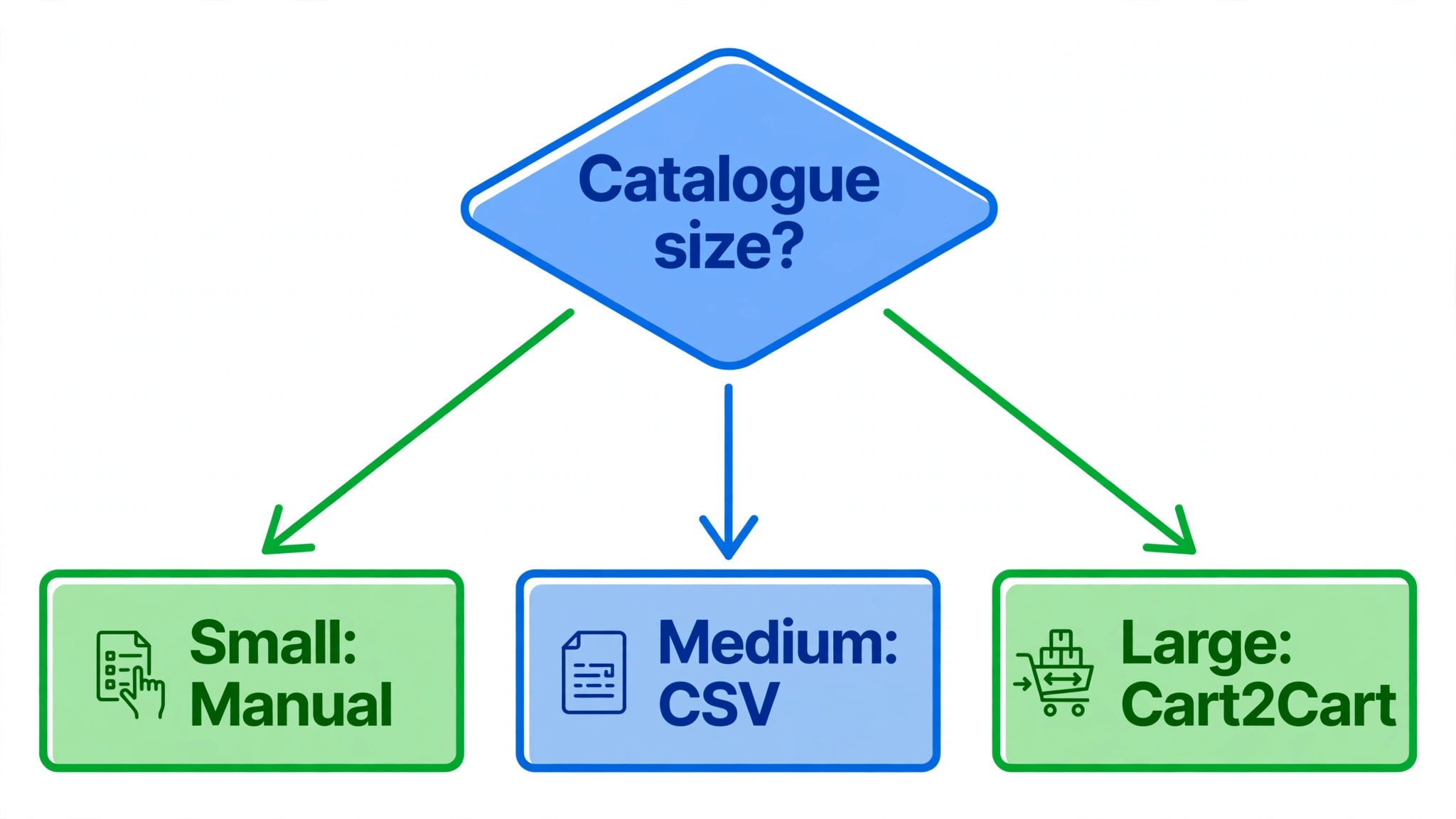
It also caps imports at 1,000 products and 1,000 orders per migration in the guidance reviewed for this guide. A small store under those caps, with order history it wants to keep, will usually find Cart2Cart worth its fee, because it preserves more structure than a CSV import and includes a demo migration to preview the result and the price before paying.
The third route is manual rebuilding, where you recreate products, pages and settings in Wix by hand, using Shopify exports only as a reference. This route sounds slow, and for a catalogue of twenty products it is often the fastest honest route, because it forces a tidy of product titles, descriptions and images that an automated import would carry over messy. Manual rebuilding also suits a store that is rebranding, changing its product range, or dropping half its catalogue. The trade is time against cleanliness, and a small store should choose it deliberately, not fall into it by accident when an import fails.
Choose the route before exporting anything, because each route needs a different export. A CSV route needs a reshaped product file. A Cart2Cart route needs API access and a demo run. A manual route needs a clean reference list, not a file at all. A store that exports first and chooses later usually exports the wrong thing and repeats the work.
What Transfers, What Does Not, and What Needs Rebuilding
No migration route carries a Shopify store into Wix intact, because the two platforms store products, orders and design differently. The honest picture is that data transfers reasonably well, design does not transfer at all, and apps and automations must be replaced. A store owner who hears that plainly before starting will judge the migration fairly. A store owner who expects a copy of their Shopify store in Wix will be disappointed on day one, however good the data import was.
Products transfer best, with titles, prices, images, variants and inventory coming across when columns or fields are mapped carefully. Customers transfer via CSV or migration tool, with names, emails and addresses, though password data does not transfer, so customers will need to reset passwords or create new accounts on the Wix store. Orders transfer via Cart2Cart, with status mapping needed because the two platforms label order statuses differently. Coupons transfer via Cart2Cart in the guidance reviewed, while gift cards, discount logic and loyalty data need manual rebuilding or a Wix app replacement.
Design, theme settings, custom code and Shopify apps do not transfer. A Wix store needs a new theme, new page layouts, and new apps or native features to replace Shopify apps. Blog posts and pages can be moved with effort, but their layouts must be rebuilt in Wix’s editor. SEO data needs a separate plan, covered below, because product URLs will change and search rankings will suffer without redirects. The table below summarises the picture for planning.
| Shopify element | In Wix after migration | Action needed |
|---|---|---|
| Products, variants and images | Imported via CSV or Cart2Cart, under the 1,000 cap for Cart2Cart | Map columns, check variants and images on a sample |
| Product descriptions and SEO fields | Transferred with mapping, or blank if columns mismatch | Check descriptions and meta fields on a sample, fix blanks |
| Customers | Imported via CSV or tool, passwords do not transfer | Tell customers to reset passwords, test account creation |
| Orders and order history | Via Cart2Cart, Premium plan needed for order migration | Map order statuses, check a sample of orders end to end |
| Coupons and discounts | Via Cart2Cart in Wix guidance | Test coupons on the new store before launch |
| Gift cards and loyalty data | No direct transfer | Rebuild with a Wix app or manual credit process |
| Theme, pages and blog layout | Nothing transfers | Rebuild theme and pages in Wix editor |
| Shopify apps | Nothing transfers | Replace with Wix native features or Wix apps |
| Automations and flows | Nothing transfers | Rebuild order emails, notifications and flows in Wix |
| Domain | Transferred or pointed to Wix | Move or point the domain at cutover, test checkout |
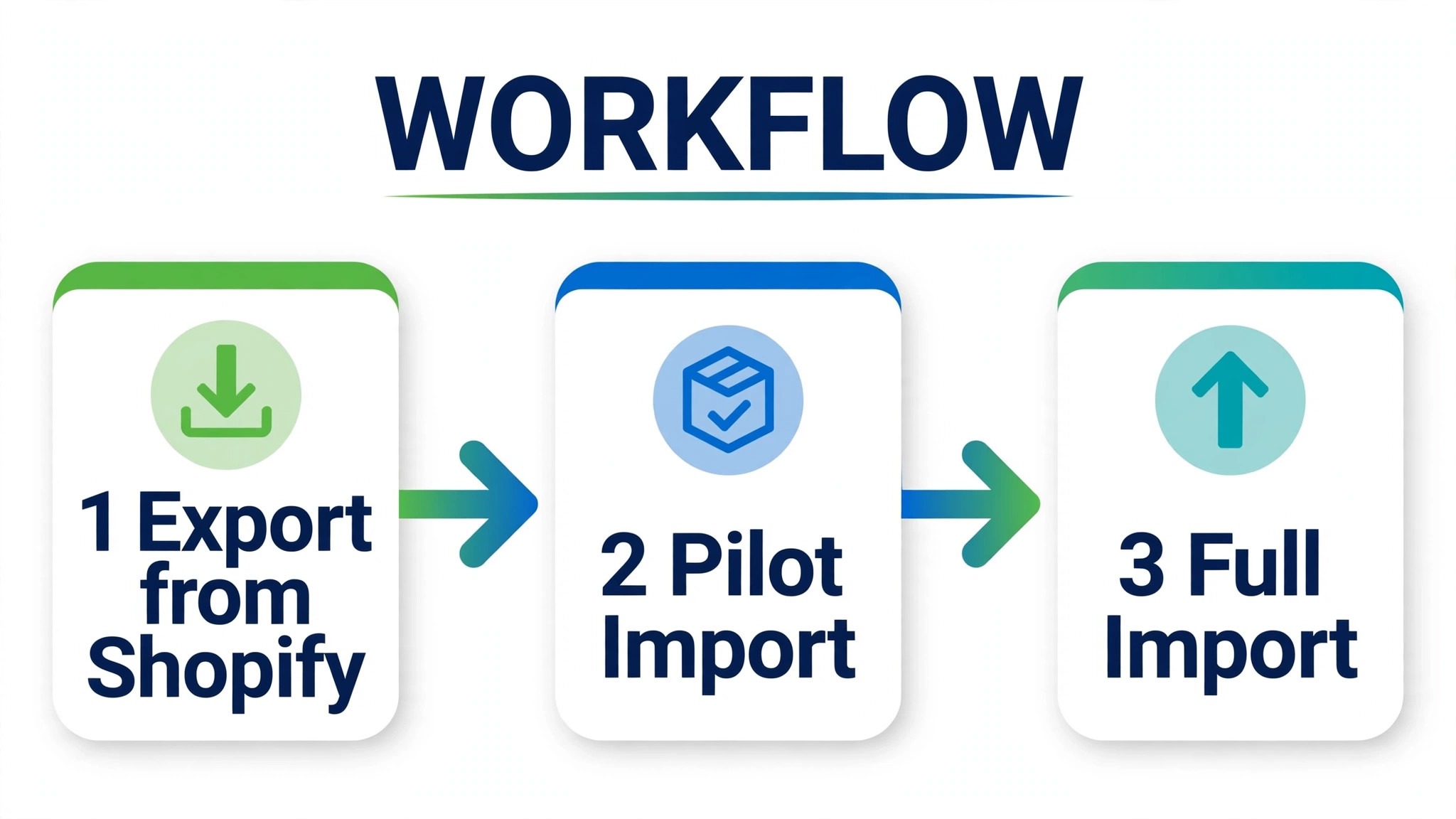
A pilot import is essential, whichever route you choose. Import ten products, including one with many variants, one with several images, and one with a long description, and check them on the live Wix preview. Check prices, variant options, inventory counts, image order and SEO fields. If the pilot is clean, the rest is repetition. If the pilot shows blank descriptions or broken variants, fix the mapping now, because the same error repeated across two hundred products is a week of manual fixing.
Protecting Search Rankings With Redirects and a Domain Plan
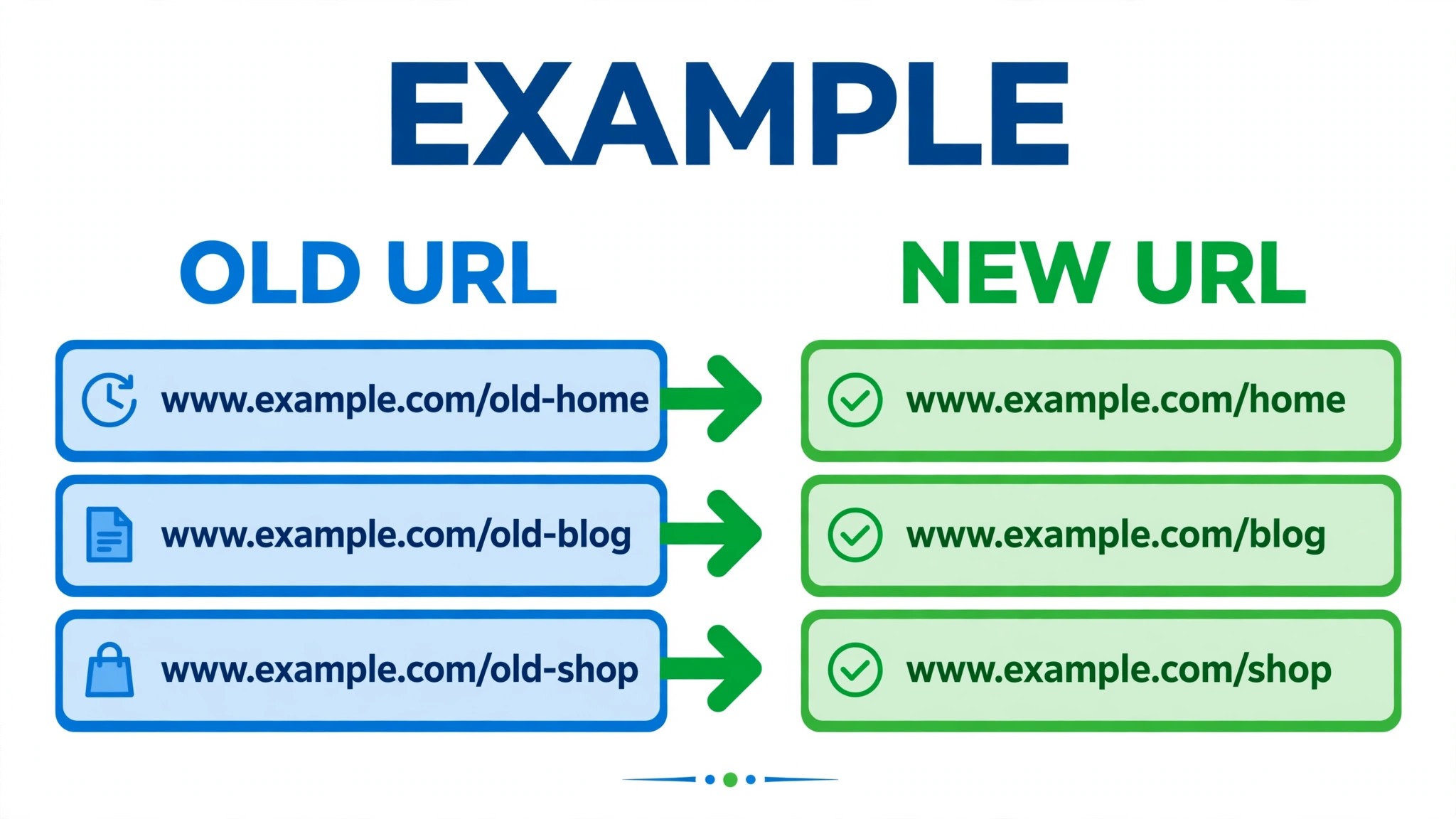
Redirects are the part of this migration most often skipped, and the part that costs the most when skipped. Shopify product and collection URLs will not match Wix URLs automatically, so every ranking product and category page needs a redirect from its old URL to its new URL, or its search traffic will land on a missing page. Build the redirect map before launch, not after, by listing Shopify URLs from your export or from search results, mapping each one to its Wix equivalent, and entering the redirects in Wix before the domain points to the new store.
Start with the pages that earn traffic and sales, not with every page ever created. Your top twenty products, your main collections, and your homepage and key information pages deserve redirects first. A long tail of old, low-traffic pages can follow, but a missing redirect on a bestseller costs real money from day one.
After launch, check the redirect map by visiting old URLs and confirming they land on the right new pages, and monitor search console or analytics for missing page errors in the first week. A redirect that points to the homepage instead of the right product is better than no redirect, but it is still a lost sale in many cases, so aim for exact product to product mapping.
The domain move itself needs a timed plan. Decide whether to transfer the domain to Wix or to point its DNS records to Wix, and note that a transfer can take days while pointing can be faster but needs careful DNS records. Do the domain move at a quiet time, such as an evening or a low-traffic day, and keep Shopify live until the Wix store has been tested with the domain in place. A store that points its domain to an untested Wix checkout will discover payment or shipping errors from real customers, which is the worst possible test audience.
Payment and shipping setup must also be tested before launch, because Wix payment providers, tax settings and shipping rules differ from Shopify’s. Connect the payment provider you plan to use, run a test order with a real payment method in test mode or a small live order, and check that order emails, tax calculations and shipping options all behave correctly. A store that migrates products perfectly but cannot take payment has not migrated at all, and a test order is the cheapest insurance against that outcome.
For a store weighing the reverse move, the Wix to Shopify store migration guide shows the same redirect and domain questions from the other side, and the Shopify to WooCommerce small store guide covers a destination with deeper ecommerce control for stores that outgrow Wix.
Rebuilding Design, Apps and Automations in Wix
Design rebuilding is where Wix can actually improve the store, if the owner treats it as a redesign rather than a copy attempt. Choose a Wix Stores template that fits the product type, rebuild the homepage, product pages and collection pages with current photography and copy, and use the migration as a chance to drop products, pages and sections that no longer sell. A store that copies its old Shopify design into Wix will look dated on arrival. A store that redesigns for Wix’s editor will look intentional, and customers will notice the difference even if they cannot name it.
Apps need a replacement list, not a hope that equivalents will appear. List every Shopify app, note what it does, and find the Wix native feature or Wix app that covers it. Common replacements include reviews, email marketing, bookings, forms and shipping tools, most of which Wix covers natively or through its app market. An app with no Wix equivalent needs a decision. Drop it, replace its job with a manual process, or keep a separate tool connected to Wix. That decision should be made before launch, because discovering a missing app on launch day usually means either delaying launch or launching without a feature customers expect.
Automations also need rebuilding, because Shopify flows and order automations do not transfer. Order confirmation emails, shipping notifications, abandoned cart emails and customer follow-ups must be set up in Wix Automations or through a connected email tool. Test each automation with a test order, checking timing, content and links, because an automation that fires with a broken link or a wrong product name damages trust faster than no automation at all. Keep the automation list short at launch. Three reliable automations beat ten half-tested ones.
The Full Migration Checklist
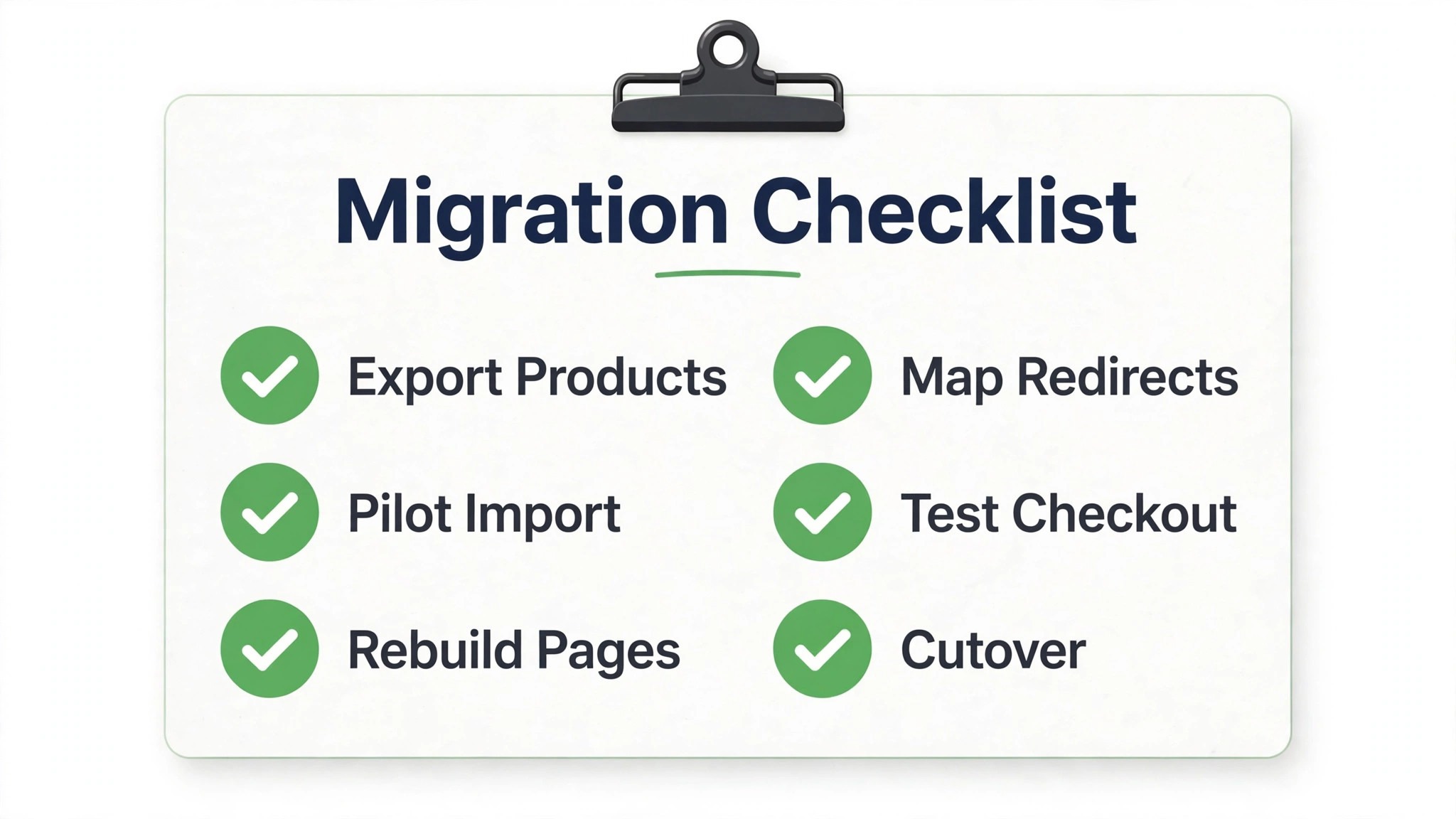
Work through this checklist in order, with one owner per item. A tick means the result was checked, not merely attempted, and the pilot import plus the test order are the items that must not be skipped.
– Decide the migration route, CSV, Cart2Cart or manual rebuild, based on catalogue size and history needs – Audit the Shopify catalogue, archive dead products, and fix titles, prices and descriptions – Export Shopify products, customers and orders to dated files and store them where the team can reach them – Run a pilot import of ten varied products and check prices, variants, images and SEO fields – Import the full catalogue, checking a sample of products end to end after import – Import customers, note that passwords do not transfer, and plan a password reset message – Migrate orders via Cart2Cart if history matters, checking status mapping on a sample – Rebuild the Wix theme, homepage, product pages and collection pages in the editor – Replace Shopify apps with Wix native features or Wix apps, and test each replacement – Rebuild order emails, shipping notifications and cart automations, testing each with a test order – Build the redirect map for top products and collections, and enter redirects in Wix before launch – Set up payment provider, tax and shipping rules, and run a test order end to end – Connect the domain at a quiet time, keeping Shopify live until the Wix checkout is tested – Tell customers about password resets and any change to account access, in plain language – Set Shopify to a holding state on cutover day and confirm Wix is the only live store
The checklist is ordered so that data and design come before domain and launch. A store that points its domain first and fixes products later will sell from a broken catalogue, while a store that fixes products first and points its domain last will launch cleanly. The order matters more than the speed.
The First-Week Cutover Plan
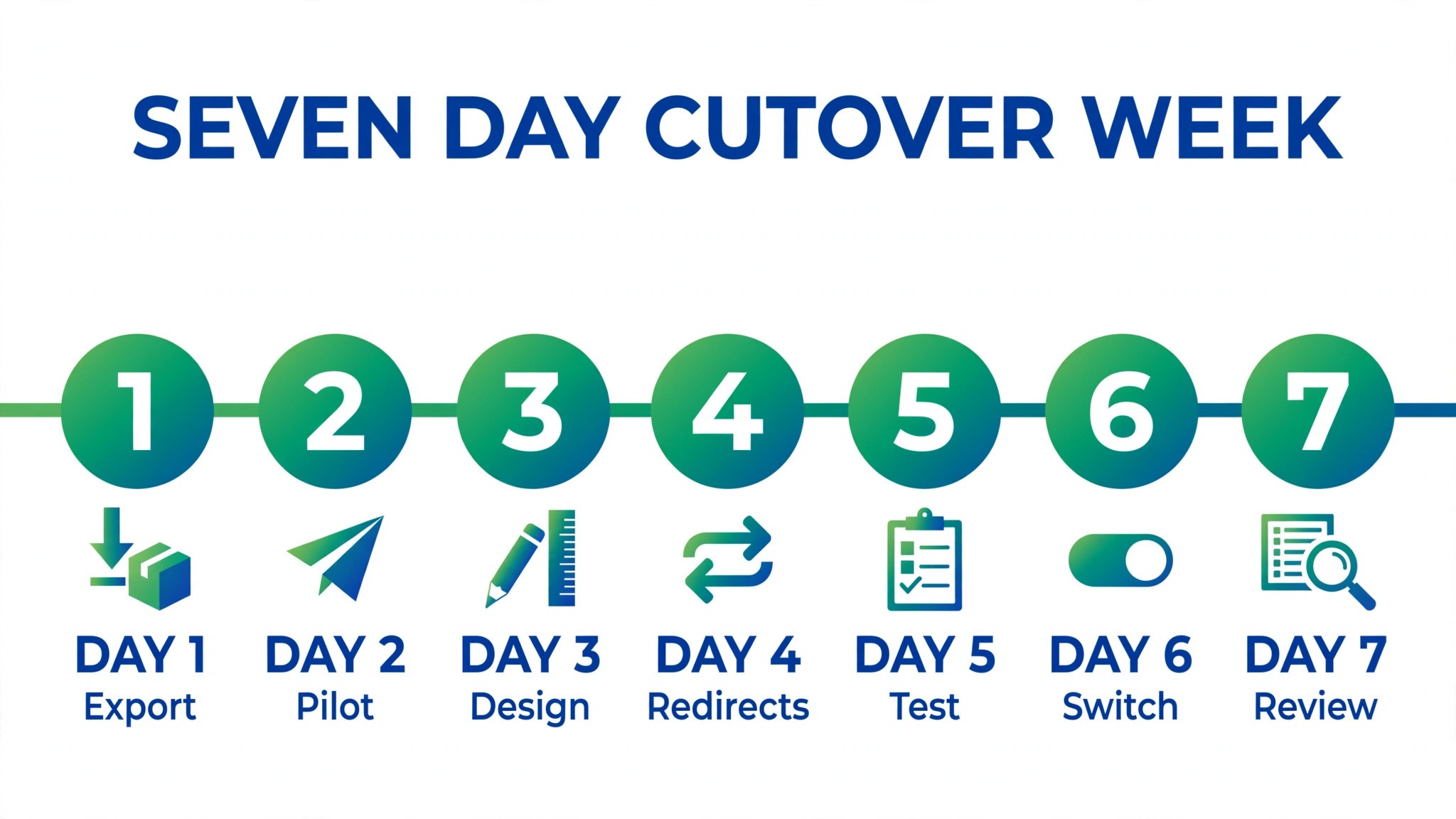
Cutover week gives the store one job per day, so that selling continues while the new store beds in. The table below is the plan to follow, with the store owner checking orders and customer messages each morning.
| Day | Job for the day | Done looks like |
|---|---|---|
| Day 1, domain and checkout live | Point or transfer the domain, test checkout with a live test order, announce the new store | Checkout works end to end, customers can buy |
| Day 2, redirect and product check | Visit old URLs, confirm redirects land correctly, check top products for errors | Top products redirect correctly, no blank descriptions |
| Day 3, order and email check | Check order emails, shipping notifications and automations on real orders | Every real order triggers correct emails |
| Day 4, customer account check | Confirm customers can reset passwords and access accounts, answer account questions | Password reset works, no account access complaints left open |
| Day 5, coupon and app check | Test coupons, reviews and app replacements on real orders | Coupons apply correctly, apps behave as expected |
| Day 6, archive check | Confirm Shopify exports and old store data are reachable, note where they live | Any team member can find the archive without asking |
| Day 7, closeout | Review first week sales, traffic and errors, fix the top three issues, agree Shopify stays off | Three fixes done, next week planned from Wix only |
Day one is the test that matters. A live test order, placed after the domain move, proves payment, tax, shipping and email all work together. If that order fails, stop and fix it before announcing the new store widely, because a public launch on a broken checkout costs sales and trust at once. Day two is the search test. Redirects checked on day two protect the traffic that took years to build, and a missing redirect found on day two is a fix, while the same redirect found a month later is lost traffic that may not return.
A Worked Example of the Switch Shopify to Wix Small Store Move
An illustrative example shows how the route decision plays out for a store of the right size. Imagine a small candle shop with 120 products, most in three or four scent variants, selling a handful of orders per day through its website and a weekly market stall. The shop also runs a simple blog, a contact form and a bookings page for candle making workshops. On Shopify, the shop pays for a platform built for larger selling, plus two apps for reviews and email, while most of its website work, meaning pages, forms and bookings, sits outside the shop itself or in separate tools.
The audit is quick and revealing. Of the 120 products, twenty are discontinued scents that never sold well, and another ten are duplicate listings created during a busy season. The live catalogue is really ninety products, well under the Cart2Cart cap, with order history of about 800 orders, also under the cap. That audit alone makes the switch Shopify to Wix small store move feasible, because the store is not fighting the migration limits. It also improves the new store before a single product is imported, since customers will no longer browse discontinued scents that cannot be bought.
The shop chooses Cart2Cart, because it wants order history and coupons to travel, and it runs a demo migration first. The demo shows clean product imports, correct variant options, and order statuses that need mapping, because Shopify’s fulfilled label does not match Wix’s wording exactly. That mapping is fixed before the full run, which is exactly what a demo is for. The theme is rebuilt in Wix with the shop’s current photography, the blog and workshop booking pages are built natively in Wix, and the review and email apps are replaced by Wix native features. The result is one system for shop, pages, bookings and email, instead of a shop plus separate tools.
Cutover follows the plan in this guide, with one shop-specific step. The owner sends a plain language email to past customers before launch, explaining that accounts need a password reset on the new store and that order history is preserved. That email prevents most account support questions, because customers arrive expecting the reset rather than discovering it by accident.
On launch day, the owner places a live test order, checks the redirect map for the top twenty products, and monitors orders for a week. By day seven, the shop is selling from Wix, its blog and bookings live in the same system, and its monthly platform cost is lower, though the owner is careful not to claim a precise saving without checking current pricing pages for both tools.
The example also shows the boundary of the move. If this shop had 2,000 products, wholesale pricing, or a subscription box with complex billing, the same plan would fail, because the catalogue cap and the app rebuild would dominate the project. The switch Shopify to Wix small store decision in the example works because the catalogue is small, the selling is simple, and the website does more than sell, which is exactly the profile Wix serves best. A real store should test its own catalogue against the same limits before committing.
Costs, Risks and When to Stay on Shopify
Price the move on the full monthly cost, not on the platform fee alone. Wix plans, app fees, payment processing fees and any migration tool fee all count, and the same applies to Shopify’s plan, app and processing fees. Check the vendor’s current pricing page for both tools before budgeting, because plan names and included features change, and a saving built on last year’s prices will embarrass the person who quoted it. For a small store, Wix often wins on total cost when the shop is simple, but a store with many paid apps on either platform should compare app costs line by line, because apps can erase a platform saving quickly.
The risks are specific. The first is lost search traffic from missing redirects. Mitigate it with a redirect map built before launch. The second is lost order history or customer data from a capped or mis-mapped import. Mitigate it with a pilot import and dated exports kept as a fallback. The third is a broken checkout from untested payment or shipping settings. Mitigate it with a live test order before announcement. Each risk has a checklist item, which is why the checklist matters more than the import button.
Stay on Shopify when its depth drives sales. A store with a large catalogue, complex variants, wholesale pricing, subscriptions, multi-warehouse shipping, or heavy app dependence will find Wix restrictive, and a forced move will push work into side tools that recreate Shopify’s complexity in a messier form. In that case, the better project is to tidy Shopify, by archiving dead products, removing unused apps and simplifying the theme, rather than migrating to a platform that cannot hold the store. The switch Shopify to Wix small store decision should rest on fit, meaning catalogue size, selling complexity and total cost together, not on the monthly platform fee alone.
For broader store cost context, the monthly Shopify running cost guide helps a store price the status quo honestly, while the Shopify to Squarespace small store guide and the WooCommerce to Shopify small store guide show how other destinations handle the same catalogue and redirect questions.
Frequently Asked Questions
Can I migrate more than 1,000 products to Wix with Cart2Cart?
The Wix guidance reviewed for this guide caps Cart2Cart imports at 1,000 products and 1,000 orders per migration. A store over that cap needs a different plan, such as multiple migrations, a CSV route with its own limits, or professional migration help. Check the vendor’s current guidance before committing, because caps and tool options change, and a store that discovers the cap on launch day faces a difficult choice between a partial catalogue and a delayed launch.
Will my Shopify customers keep their passwords on Wix?
No. Password data does not transfer between platforms, so customers will need to reset passwords or create new accounts on the Wix store. Tell customers in plain language before launch, make the reset process easy to find, and test it yourself with a customer account. A clear message on launch day prevents a wave of account support requests that can overwhelm a small team.
Do Shopify apps and theme design transfer to Wix?
No. Theme design, custom code and Shopify apps do not transfer, because the platforms use different editors and app systems. Rebuild the theme in Wix’s editor, replace apps with Wix native features or Wix apps, and treat the rebuild as a redesign opportunity rather than a copy attempt. A store that plans for a rebuild will launch with a coherent design, while a store that expects a copy will be disappointed.
Will my search rankings survive the move?
Rankings survive only with a redirect map. Map old Shopify product and collection URLs to new Wix URLs, enter redirects before the domain points to Wix, and check them on day two of cutover week. Without redirects, ranking pages will return missing page errors and lose traffic. With exact redirects, most traffic should transfer, though some fluctuation in the first weeks is normal after any platform move.
How long does a small store migration take?
A store with a few dozen products can usually audit in a day, pilot and import in two or three days, and complete the cutover week as set out above, which is a realistic timeline for the switch Shopify to Wix small store move. The timeline stretches when the catalogue is large, when many variants need mapping, or when design rebuilding becomes a full redesign. Allow extra days for product decisions and redirect mapping rather than rushing them, since those decisions decide whether the new store sells well from day one.
Should I close Shopify immediately after cutover?
No. Keep Shopify in a holding state for at least a month after cutover, with dated exports stored as a fallback. If a Wix import error surfaces, or a customer record is found missing, the Shopify data lets you recover quickly. Close Shopify after a month of clean Wix selling, once the team agrees nothing in the old store is still needed.
A Final Judgement for a Small Store Owner
The switch Shopify to Wix small store move is a good move for a store with a modest catalogue, simple selling, and a website that does more than sell, provided redirects are built, checkout is tested, and customers are told about password resets. It is a poor move for a store with a large catalogue, complex selling, or deep app dependence, where Shopify’s depth earns its fee every week. Run the catalogue test, run the cost test, and let your own store’s numbers decide.
Start with the route decision, not with an export. Pilot ten products, rebuild the theme properly, map the redirects, and test checkout with a real order. A quiet first week with clean orders and working redirects is a successful migration, and the owner will know it worked when customers buy from the new store without asking what changed.