
A whiteboard and a phone list can run two electricians. They cannot run ten, not when an emergency call lands at 2 a.m., a panel upgrade overruns by two hours, and a permit inspection moves to tomorrow morning. Compare that with a dispatch board that ranks every technician by licence, skill, location, and workload in under a minute, and the difference is not convenience. When you use AI for electrical contractor job scheduling, it is the difference between a day that holds together and a day that unravels by noon.
Electrical work adds constraints other trades do not face in the same way. A journeyman cannot legally do a master electrician job, a solar install needs a specific certification, and a commercial panel job needs a permit and an inspection window that cannot be invented at the door. Sending the wrong technician wastes the visit, risks compliance trouble, and forces a second trip that the customer should never have needed. Scheduling here is a safety and compliance job first, and an efficiency job second.
This guide follows the full workflow, from the first fault report to the completion photo, with the rules that keep emergency work fast without breaking licence law. Tool prices are starting ranges from vendor listings at writing time, so confirm on the vendor page before you buy, because field service pricing depends heavily on technician count and add on modules.
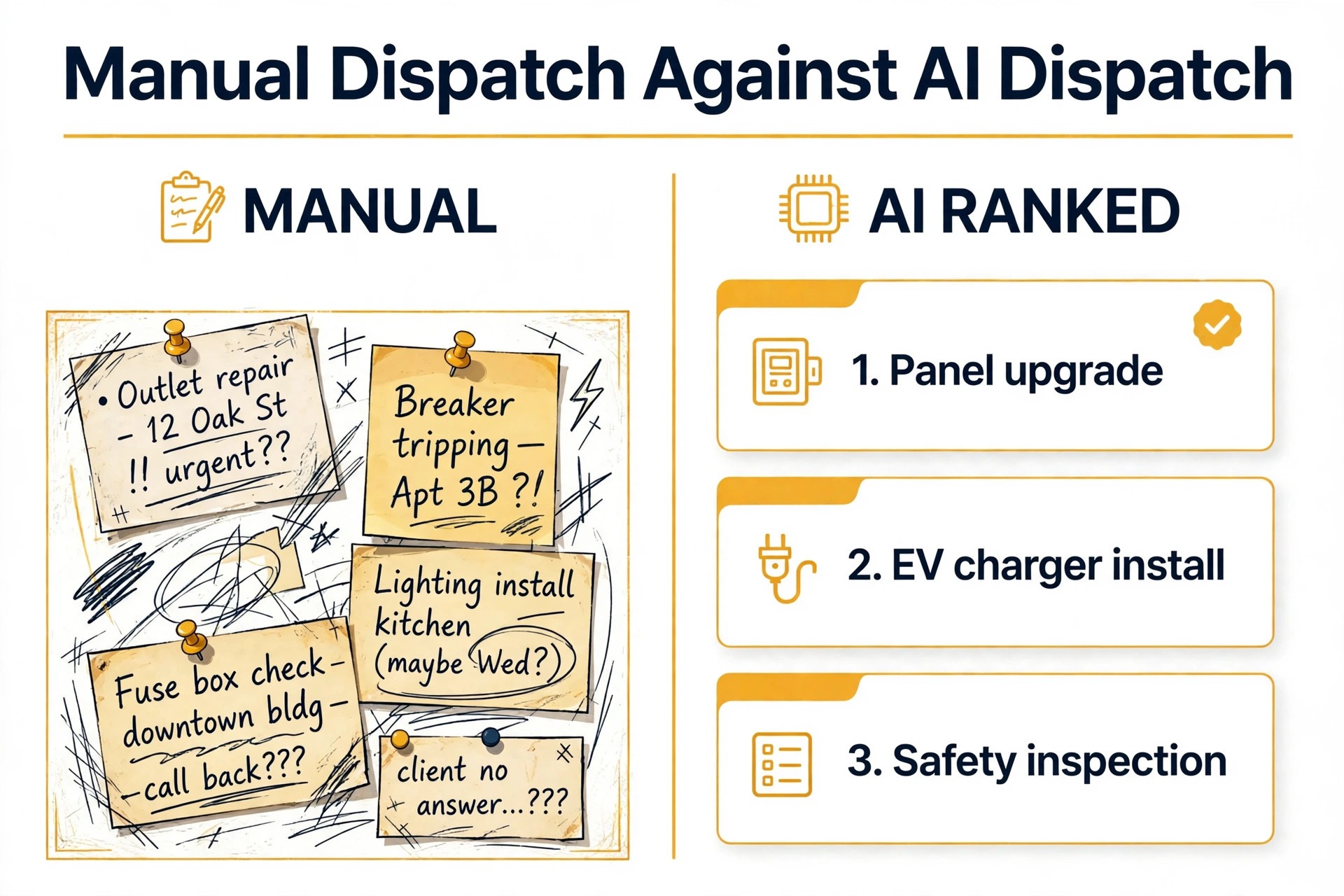
Whiteboard Dispatch Against AI Dispatch
Manual dispatch works on memory. The dispatcher knows who is good at panels, who hates attic work in summer, and who lives near the north side, and for a small team that knowledge is genuinely valuable. The problem is scale and absence, because when that dispatcher is sick, on holiday, or handling three calls at once, the knowledge leaves with them. Jobs then go to whoever answers the phone first, not to whoever is qualified and close.
AI dispatch works on records. Every technician carries a skill matrix, meaning licence class, NEC specialties, manufacturer certifications, safety training, and past performance on similar jobs. Every job carries coded requirements, meaning job type, voltage class, permit need, and estimated duration. Matching those two records takes seconds and leaves an audit trail, so a manager can later show why a particular technician got a particular job. That trail matters when a customer, an insurer, or a licensing board asks.
The honest comparison is not human against machine. It is human memory against human memory plus a system that never forgets a licence expiry, never misreads a permit rule, and never sends a technician across town when a qualified colleague is finishing a job five minutes away. The best shops keep the dispatcher in charge and give them a ranked shortlist, instead of full autopilot, at least for complex and emergency work. Speed comes from the ranking, while judgment stays with the person who knows the team. Shops that use AI for electrical contractor job scheduling keep the dispatcher in charge of that ranking.
| Dispatch question | Whiteboard answer | AI dispatch answer |
|---|---|---|
| Who is licensed for this job | Whoever the dispatcher remembers | Filtered list by licence and certification |
| Who is closest right now | A guess from the last known job | Live location plus drive time |
| What happens when a job overruns | Phones calls and crossed out times | Automatic replan and customer updates |
| Can you prove the match later | Memory and scribbled notes | Logged match, licence check, timestamp |
A shop should switch when manual dispatch regularly costs 12 to 15 hours a week in scheduling, conflicts, and last minute reassignments, a figure published for electrical contractors using manual methods. Below that pain point, a simple shared calendar may still serve. Above it, the whiteboard is not saving money. It is hiding the cost in dispatcher overtime, second visits, and missed emergency calls.
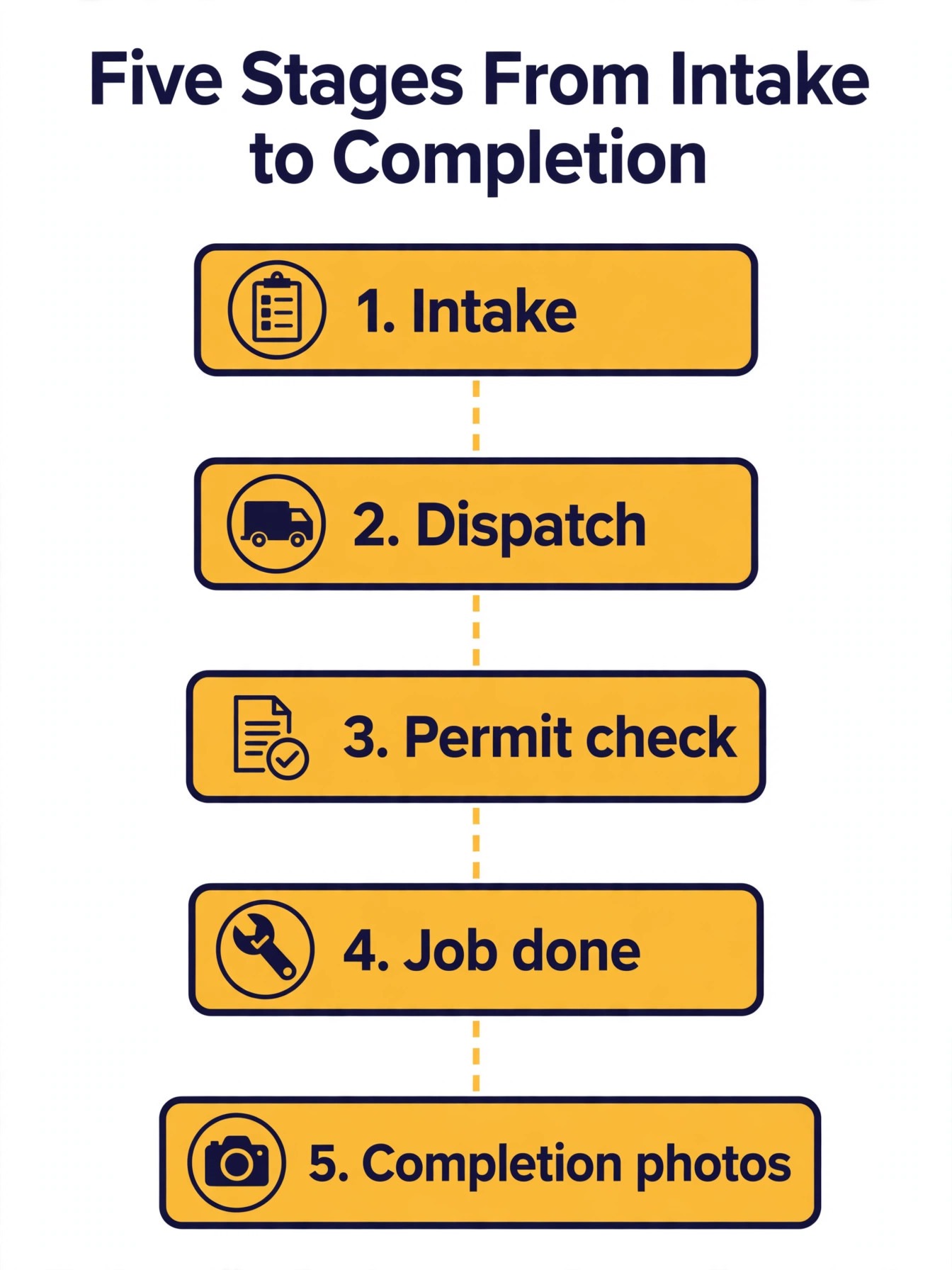
How to Use AI for Electrical Contractor Job Scheduling in Five Stages
Stage one is intake and classification. A customer reports a fault by phone, web form, or message, and the system extracts job type, location, urgency signals, and access details. Keywords such as sparks, smoke, no power, and tripped breaker point toward emergency or urgent handling, while a panel upgrade enquiry or a new circuit request points toward planned work. The intake record should also capture photos where possible, because a photo of a panel, a breaker label, or a burnt outlet tells the dispatcher more than a paragraph of description.
Stage two is fault triage. Every job gets an urgency band, and the bands need plain definitions the whole team uses. Emergency means a safety risk or a total power loss, with a response target inside an hour. Urgent means a partial loss or a failing system that needs same day attention. Standard means planned or non urgent work that books to the next available qualified slot. Triage also separates jobs that need a site visit from jobs that can be quoted or diagnosed remotely, which protects technician time for work that truly needs hands on site.
Stage three is the permit and compliance check. Before a technician is assigned, the system checks whether the job type and jurisdiction need a permit, an inspection, or a specific licence level, and whether the customer site has any access or safety constraints. Commercial panel upgrades, service changes, and solar work commonly need master level involvement and permit steps, while standard residential service calls usually route to journeyman level technicians. Flagging the permit need at scheduling time, rather than at the job, prevents the most expensive scheduling failure, which is a technician arriving who cannot legally start the work.
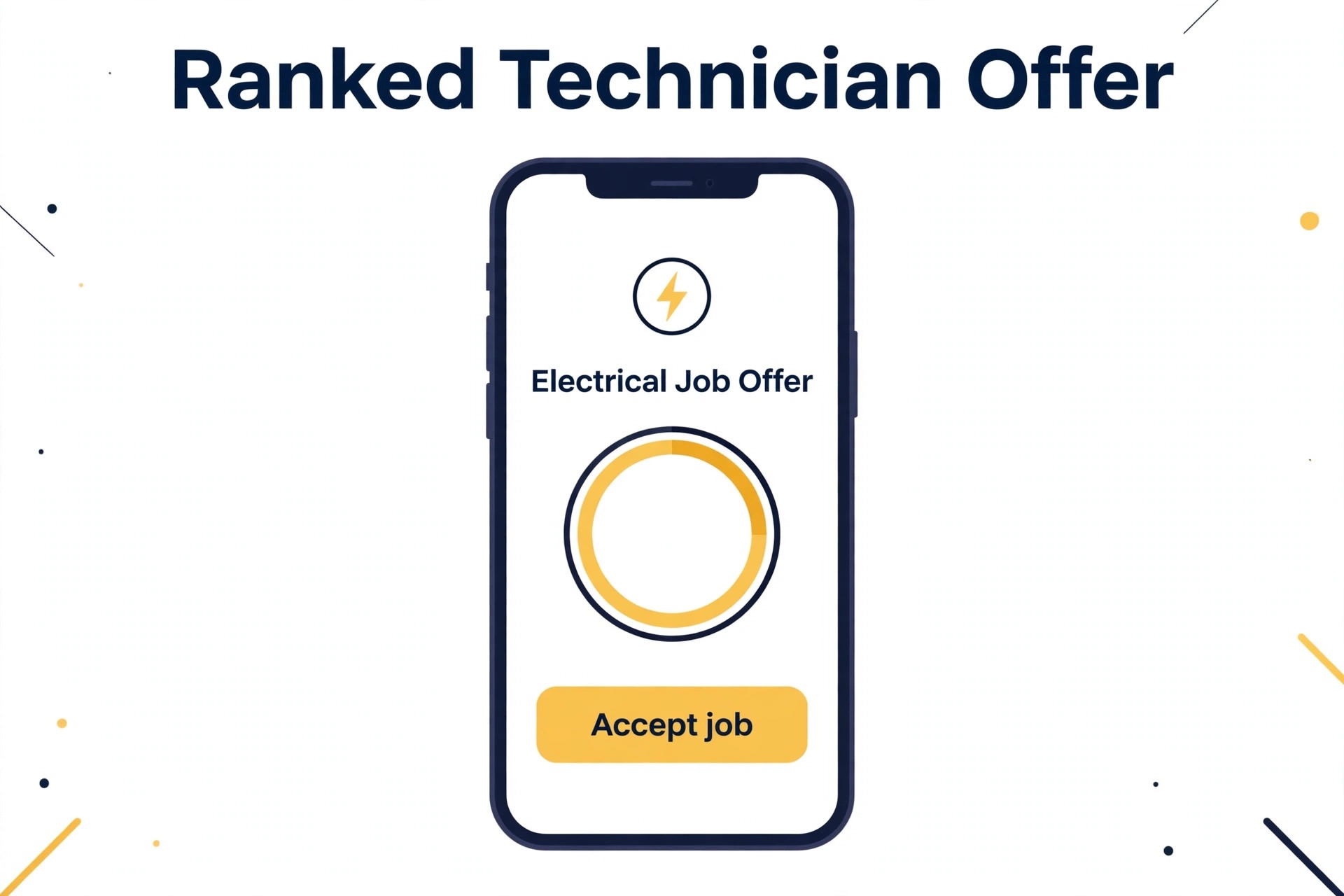
Stage four is technician matching and route building. The system ranks qualified technicians by licence fit, skill match, current location and drive time, remaining workload, and customer tier, then offers the job to the top match with a countdown for acceptance. If the top technician declines or times out, the offer cascades to the next match, and after a set number of declines it escalates to a supervisor. Routes are then built around fixed appointments, with flexible jobs ordered by drive time and clustered by area, so a technician finishes one job near the next instead of crossing the city between calls.
Stage five is completion and proof. The technician records work done, parts used, test results, and completion photos, and the customer receives a summary with the next step, whether that is an inspection booking, a follow up visit when a part arrives, or a maintenance reminder. That record feeds the next schedule, because a job that needs a return visit should rebook automatically when the part lands, not wait for someone to remember it. Completion photos also protect the business, by showing panel condition, labelling, and work quality after the job.
Fault Triage That Protects Emergency Response
Triage fails in two opposite ways. Under triage sends a routine job to the emergency queue, which burns the on call technician on work that could wait, and leaves a real emergency uncovered. Over triage sends a safety risk to a next week slot, which risks harm and liability. The fix is a written triage script that intake staff and AI tools both follow, with examples for each band, not just definitions. A burning smell, visible sparking, and a total outage in a home with medical equipment are emergency examples, while a single dead outlet and a flickering light with no heat or smell are usually urgent or standard, depending on context.
Time targets make triage real. An emergency that sits unassigned for five minutes should escalate automatically, widening the search radius and notifying a supervisor, because manual escalation after 30 minutes is too late for a safety call. Published dispatch blueprints use a five minute escalation rule for unassigned emergencies, and a 15 mile radius expansion, which gives a shop a concrete rule to copy and adapt. Standard jobs, by contrast, should never jump the queue because a customer shouts loudest, since queue jumping teaches every customer to claim emergency status next time.
Triage also needs a safety override that any staff member can trigger. If a caller reports smoke, burning, or a shock risk, the system should advise them to stay clear, switch off power only if safe, and call emergency services where appropriate, before any booking discussion. Scheduling speed never outranks safety advice, and the intake script should make that order explicit. Record the advice given, because that record matters if the incident is later reviewed.
Permit Checks Before the Van Leaves
Permits are the scheduling step most shops learn the hard way, because a missed permit does not announce itself until the inspector, the utility, or the customer asks for it. Build a permit matrix by jurisdiction and job type, covering panel upgrades, service changes, solar installs, EV charger installs, commercial work, and generator installs, with the licence level and inspection step each one needs. The matrix should live in the scheduling system, not in a binder, so it can flag a job the moment it is coded, and update when a jurisdiction changes a rule.
The check should answer four questions before assignment. Does this job need a permit in this city or county. Does it need a master electrician on site, or can a journeyman handle it under supervision rules. Is an inspection required before power is restored or before the job closes. And are there utility notification or shutoff steps that need lead time. If any answer is unknown, the job should pause for a dispatcher check, rather than proceeding on an assumption that the technician can sort out on site. That pause is a core reason to use AI for electrical contractor job scheduling, because the system flags the gap before a van rolls.
Schedule inspections as real calendar events, not as hopes. An inspection window that moves will move every job after it that day, so the system should hold buffer time around inspections and notify affected customers early when a window shifts. Technicians should carry permit numbers, inspection paperwork, and site access details on the job record, so an inspector arrival does not turn into a phone hunt for documents. That preparation is invisible when it works, and very visible when it does not.
Technician Matching by Licence, Skill and Location
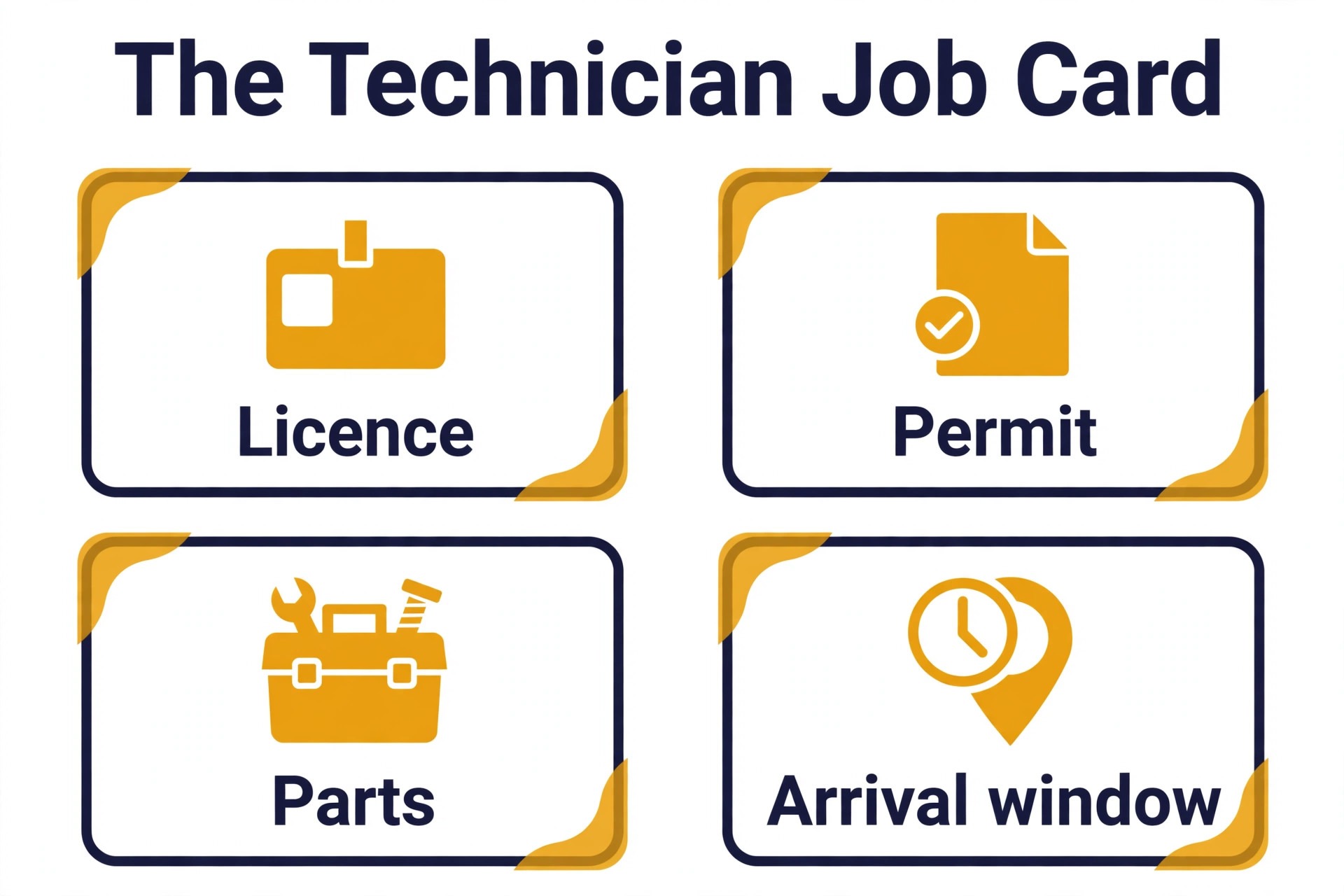
Matching starts with hard filters, and hard filters must never be overridden by convenience. Licence class, certification expiry, and jurisdiction coverage are gates, meaning a technician who fails one is out of the pool for that job, full stop. Published matching systems flag certifications expiring 60 days ahead and remove technicians from specialised pools when credentials lapse, which is the right behaviour, because a lapsed certification discovered on site is a compliance failure, not a scheduling hiccup.
Soft ranking follows the hard filter. Proximity usually matters most for emergency and same day work, while skill depth matters most for complex planned work, and workload balance matters most for keeping the team sustainable across a week. A useful ranking weighs skill match, drive time, current load, and customer tier, and shows the dispatcher the top three with reasons, rather than hiding the logic inside a single score. When the dispatcher understands why a technician ranked first, they can override wisely when a human factor, such as a customer preference or a language need, outweighs the ranking. Dispatchers who use AI for electrical contractor job scheduling well read those reasons before overriding a ranking.
Workload weighting deserves attention, because flat job counts lie. A complex panel job counts more than a simple outlet replacement, and some systems weight complex jobs at 1.5 and simple jobs at 0.5 for load balancing, which prevents one technician from quietly carrying all the hard work while another coasts on easy calls. Review load weekly, not just daily, to catch burnout before it shows up in resignations.
Reserve specialists deliberately. Master electricians and solar certified technicians should not fill routine service calls while complex jobs wait, because every routine hour they spend is an hour a complex job cannot use them. Hold a portion of specialist capacity each day for complex and emergency work, and let the system route routine calls to qualified journeymen first. That reserve feels wasteful on a quiet morning and proves its worth on the afternoon a panel emergency lands.
Route Building and the Day That Actually Holds
Routes for electricians differ from delivery routes, because job durations vary wildly and parts availability changes the plan mid day. A panel upgrade can run three hours or a full day, while an outlet fix may take 30 minutes, so a route built on equal slot lengths will collapse by midday. Give every job type a duration range from actual job history, add drive time between jobs from real traffic data, and add buffer after complex jobs and inspections. A route with no buffer is a promise the day cannot keep.
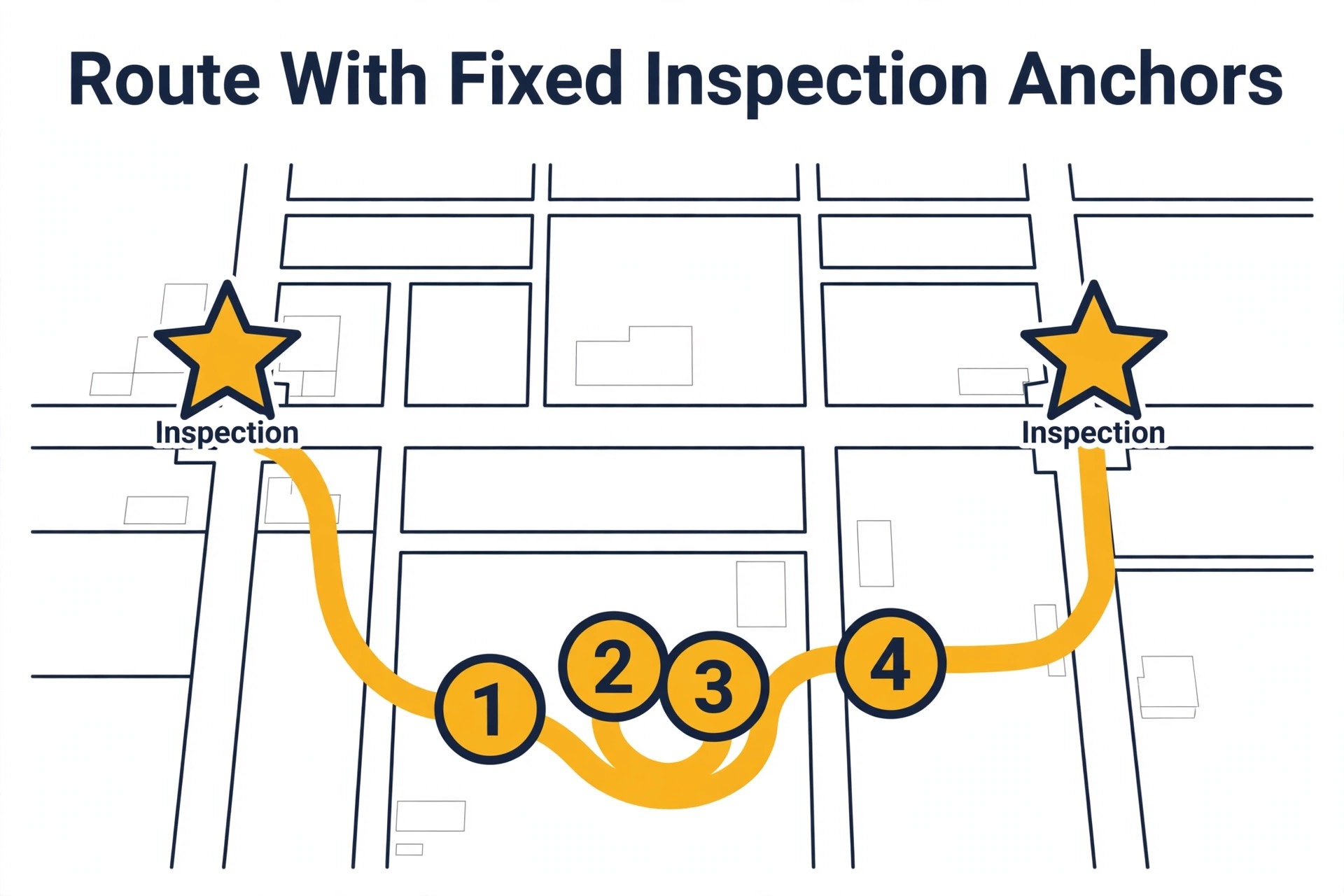
Build routes in two passes. The first pass places fixed appointments, meaning inspections, utility windows, and customer promised times, as anchors that cannot move without customer agreement. The second pass orders flexible jobs around those anchors by drive time and area, favouring clusters where a technician finishes one job near the next. When a new emergency lands, the system should replan the affected technician day, propose new times to displaced customers, and show the dispatcher the trade off, rather than silently stacking a sixth job onto a five job day. Teams that use AI for electrical contractor job scheduling in this two pass way protect fixed appointments first and fill around them second.
Parts change routes more than traffic does. A job that needs a specific breaker, panel, or EV charger should not be scheduled until the part is confirmed in stock, on the van, or arriving by a known time. Van stock lists by technician, with common breakers, outlets, and safety gear, prevent the mid job trip to a supplier that breaks the afternoon. When a part is missing, rebook the return visit the moment it arrives, ideally with the same technician.
Completion Photos and the Record That Wins the Next Job
Completion photos are the cheapest trust builder an electrical contractor owns. A clear photo of the finished panel with labels visible, a photo of the installed device, and a photo of the work area left clean tells the customer the job was done properly, without a technical explanation they may not follow. Photos also protect the contractor, by recording the condition of existing equipment, any pre existing damage, and the state of the work at handover. Take them as a habit, not as an exception for difficult customers.
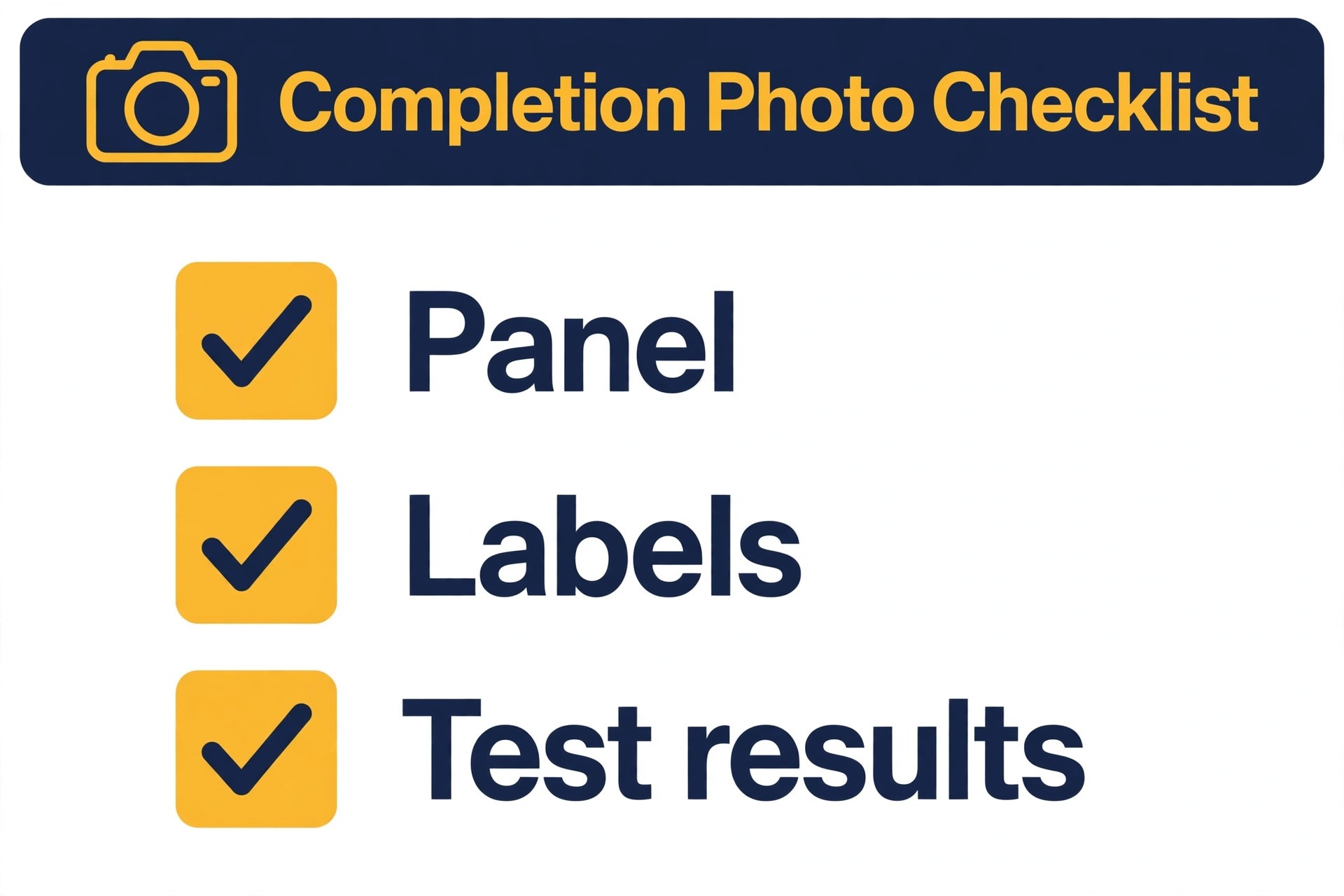
Standardise the photo set by job type, so technicians do not guess. Panel work gets a before photo, a finished photo, and a label close up. Outlet and device work gets a finished photo and a test result note. Solar and EV work gets an installed equipment photo, a connection photo where safe and appropriate, and a commissioning reading. Store photos on the job record with timestamps, not in personal phone galleries, because a photo that cannot be found when a warranty question arrives is the same as no photo. Photo standards matter when you use AI for electrical contractor job scheduling, because the next technician relies on that record.
The completion summary should close the loop for the customer in plain language. State what was done, what was tested, what remains, and what happens next, meaning inspection date, part arrival date, or maintenance advice. Send it by message and email, so the customer can forward it to a landlord, a facility manager, or an insurer without calling the office. That summary also becomes the starting point for the next visit, because the next technician can see the panel history, the parts used, and the test results before arriving.
Tools, Prices and How to Trial Them
ServiceTitan, Jobber, and Housecall Pro are the established systems of record for field service, handling jobs, invoicing, payments, and customer records, with dispatch and scheduling as part of a wider platform. They suit larger electrical shops that want one system for the whole business, and their pricing varies by technician count and module, with ServiceTitan often quoted from about 250 dollars a month and Jobber from about 49 dollars a month in published guides, so confirm on the vendor page for your team size. Their strength is breadth, while their scheduling may need setup to encode licence matrices and permit rules properly.
Deskwise and Recevia are newer AI layers that sit on dispatch rather than replacing the system of record. Deskwise answers messages around the clock, triages emergencies from routine work, and books jobs against drive time, skill match, and existing routes, with vendor pricing capped at 99 dollars a month in its listings. Recevia ranks technicians by proximity, skills, status, and workload, offers the job with a countdown, and cascades to the next technician on decline, which suits shops with one to fifteen technicians that cannot justify a full time dispatcher. Both deserve a trial focused on emergency handling, not just on routine booking.
Fieldproxy offers electrical specific blueprints for workforce scheduling, certified matching, and service call prioritisation, with skill matrices, licence tracking, GPS proximity assignment, and dynamic rescheduling for disruptions. That specificity is valuable for electrical work, because generic dispatch tools may not model NEC specialties, manufacturer certifications, or permit steps without custom work. Check whether its blueprints integrate with your existing invoicing system, because a dispatch tool that duplicates customer records will create more admin than it saves.
Trial any tool on a hard week, not an easy one. Feed it an emergency at 8 a.m., a panel overrun at noon, a permit inspection move, and a technician calling in sick, and watch how it replans, notifies customers, and escalates unassigned work. A tool that handles a calm Tuesday well but collapses on a hard Thursday is not a dispatch tool. It is a calendar with better marketing, and the difference will show up on the first real emergency. A trial that proves you use AI for electrical contractor job scheduling safely must include an emergency, an overrun, and a sick call.
Emergency Playbook for the 2 a.m. Call
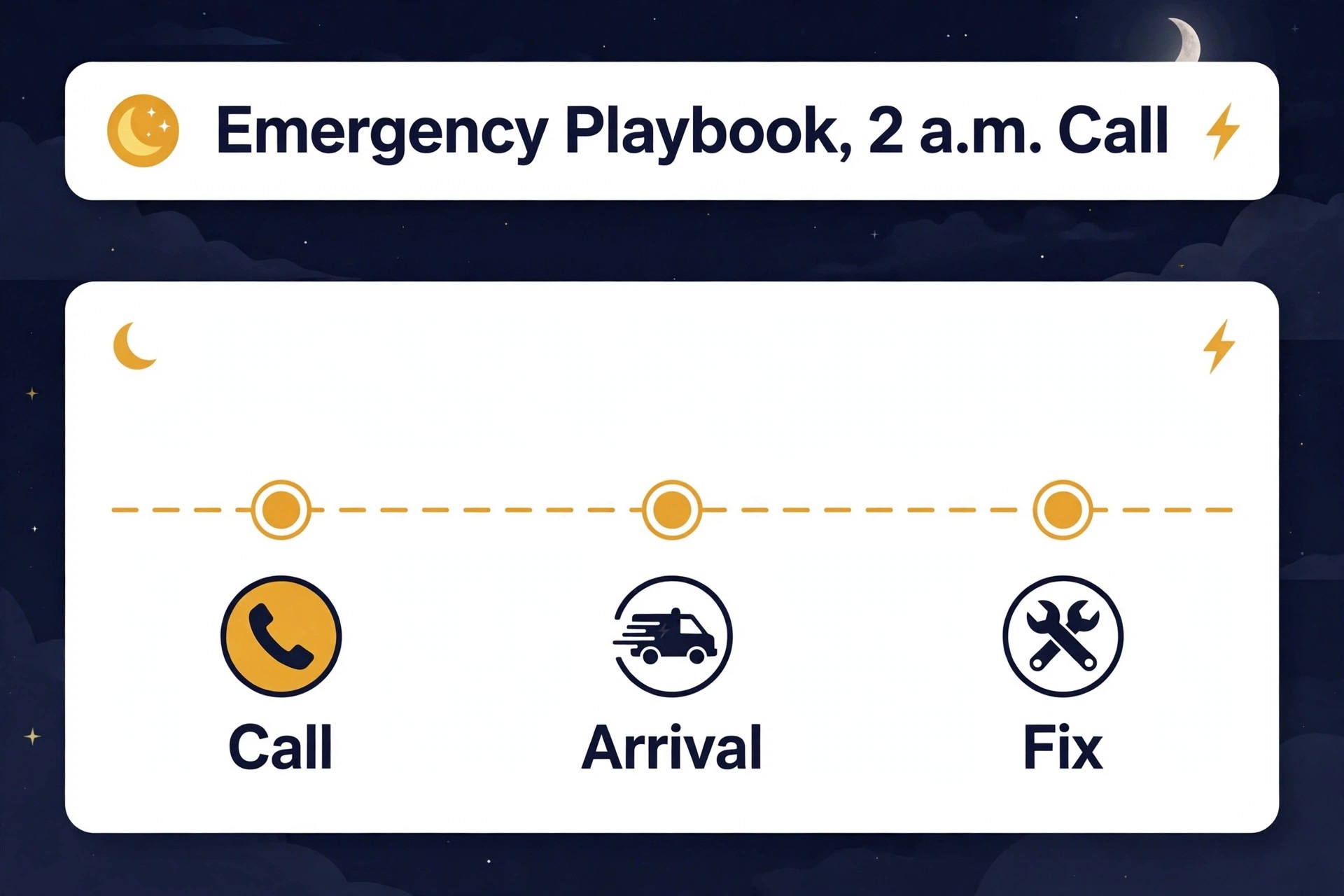
Write the emergency playbook before the emergency, because nobody writes well at 2 a.m. The playbook names the on call rotation, the escalation rule for unassigned emergencies, the radius expansion step, and the supervisor notification trigger. It states which jobs the AI may auto assign overnight and which jobs must wait for a human, with safety jobs in the auto assign group and complex commercial jobs in the human group. It also states the customer message for each outcome, so a customer never receives a silent booking or a vague promise.
The overnight flow should run in minutes. The call or message is answered, urgency is classified, the nearest qualified technician with the right licence gets an offer with a countdown, the customer gets a name, a photo where available, and an arrival window, and a tracking link where the system supports it. If the top technician declines, the cascade moves at once, and after three declines the supervisor is notified and the radius widens. That flow is published in dispatch blueprints that report most standard calls needing no dispatcher touch, and the goal for overnight work is the same, meaning handled, not merely logged.
Morning handover matters as much as overnight handling. Every overnight job, with its triage band, technician, photos, and next step, should sit in a single handover list for the day manager, so nothing falls between shifts. A return visit, a part order, or an inspection booking that was promised overnight must appear on the day plan, not in a voicemail nobody replays. The handover list is the bridge between emergency response and planned work, and shops that skip it lose the follow up that turns a good emergency response into a loyal customer.
Mistakes That Break an Electrical Schedule
The first mistake is letting licence data go stale. A certification that expired last month, a licence renewal not yet entered, or a new technician added without a skill record will eventually produce an illegal or unsafe assignment. Audit the skill matrix monthly, tie it to renewal reminders 60 days ahead, and block assignment to any pool where a credential has lapsed. That audit takes an hour and prevents the failure that costs a licence, a customer, and a reputation.
The second mistake is scheduling parts dependent jobs before parts are confirmed. A technician who arrives for a panel upgrade without the panel wastes the visit, the customer day, and the next job slot, and the rebooking then competes with new work for weeks. Confirm parts at booking, hold van stock for common items, and rebook return visits automatically when parts land. Parts discipline is scheduling discipline, because the calendar cannot fix a missing breaker.
The third mistake is overloading the best technician. The most skilled electrician gets the hardest jobs, the emergency calls, and the mentoring, until they burn out or leave, and then the shop discovers how much capacity walked out the door. Balance load by weighted job complexity, protect specialist reserve time, and spread hard jobs across qualified technicians even when one person would finish faster. A schedule that protects the team lasts longer than a schedule that extracts from it.
The fourth mistake is treating customer updates as optional. A customer who hears nothing while their window slips will call, and that call interrupts the dispatcher who is trying to fix the slip. Send the updated arrival time the moment the route changes, explain the reason in one sentence, and offer a new time rather than a vague delay. Customers accept changed plans far more readily than they accept silence, and the review scores prove it.
Closing Decision Matrix
Use this matrix to decide your next step, based on team size and pain point. A one to three technician shop with mostly planned work should start with a shared field service calendar, a written triage script, and a licence matrix on paper or in a simple system, adding AI ranking only when emergency volume grows. A four to ten technician shop with regular emergencies should adopt ranked dispatch with licence filtering, cascade offers, and automatic customer updates, because that is where the hours and the compliance risk concentrate.
A shop above ten technicians, or a shop across multiple jurisdictions, needs permit matrices, inspection scheduling, and workload balancing built into the system, not added as spreadsheets beside it. In that case, judge tools on permit handling and audit trails first, and on price second, because a cheap tool that cannot prove licence matches will cost more in rework and risk than a pricier tool that can. Whatever the size, start with triage and licence data, because no dispatch tool can fix bad inputs.
When you use AI for electrical contractor job scheduling as a system, not as a gadget, the payoff shows in fewer second visits, faster emergency response, and a dispatcher who spends the day solving exceptions instead of juggling phones. Build the triage script this week, audit the licence matrix next week, and trial ranked dispatch on one team for a month before rolling it out. That sequence is slower than buying software today, and it is the sequence that actually sticks.
Frequently Asked Questions About Electrical Scheduling
How does AI match a technician to an electrical job?
The system codes the job for licence level, certification needs, voltage class, permit need, and duration, then filters technicians by licence, certifications, jurisdiction, and availability. Survivors are ranked by skill match, proximity and drive time, workload, and customer tier, and the top match gets an offer with a countdown. Hard licence filters are gates, not suggestions, so an unqualified technician never enters the ranking for that job.
What counts as an emergency in electrical dispatch?
An emergency usually means a safety risk, such as sparking, smoke, or a burning smell, or a total power loss, especially where medical equipment, refrigeration for medicine, or critical business systems depend on power. Published triage rules target emergency response inside an hour, with automatic escalation if the job sits unassigned for five minutes. When in doubt, treat a safety signal as an emergency and advise the caller on immediate safety steps first.
Do I still need a dispatcher if AI assigns jobs?
Yes, for most shops, but the dispatcher role changes. Instead of juggling every booking by phone, the dispatcher handles exceptions, meaning complex jobs, escalations, permit problems, and customer conversations that need judgment. Published systems report that most standard calls need no dispatcher touch, which frees the dispatcher for the work that actually needs a human. Full autopilot suits routine work, while complex and emergency work still benefits from human approval.
How do permits fit into an AI schedule?
Permits should be coded by job type and jurisdiction in the system, so a job that needs a permit, a master electrician, or an inspection is flagged before assignment. The schedule should hold inspection windows as real events with buffer time, and carry permit numbers and paperwork on the job record. If permit need is unknown, the job should pause for a dispatcher check rather than proceed on an assumption the technician can resolve on site.
What should completion photos include for electrical work?
Panel work should include a before photo, a finished photo, and a label close up. Device work should include a finished photo and a test result note. Solar and EV work should include installed equipment photos and commissioning readings where appropriate. Store photos on the job record with timestamps, and send the customer a plain language summary of what was done, what was tested, and what happens next.
Can a small shop with three electricians benefit from AI dispatch?
It can, once emergency volume or scheduling time becomes a burden, but the starting point is simpler than for a large shop. A small shop should begin with a written triage script, a licence matrix, and a shared calendar, then add ranked dispatch when manual scheduling regularly eats hours each week or when licence matching mistakes start appearing. Buying a large platform before the data is clean will only automate the existing confusion faster.
More Reading on Stratilyze
– Best Field Service Management Software for Electricians – Use AI for Auto Repair Shop Scheduling – Use AI for Cleaning Business Route Scheduling – Best Route Scheduling Software for Pool Service Companies – Trade Business Dispatch Checklists That Prevent Second Visits, plain text title, link not verified at writing time – How to Price Emergency Callouts Without Losing Regulars, plain text title, link not verified at writing time