

Verdict first. A fitness coaching business keeps clients with a weekly check in system, not with better workouts, because the clients who leave rarely leave over programming, they leave over silence, and that system is how you use AI for fitness coaching client progress tracking. A missed week goes unnoticed, a stalled lift breeds frustration, and a client who sees no proof that the work is paying off quietly stops replying. The coaches who keep clients are the ones who catch a missed week early, spot a stalled lift before frustration sets in, and show each client regular proof of progress.
This guide shows how a coach builds that system when they use AI for fitness coaching client progress tracking, with a measurement routine, a weekly check in structure, and the follow up habits that turn one month clients into year long ones.
How to Use AI for Fitness Coaching Client Progress Tracking Without Drowning in Data
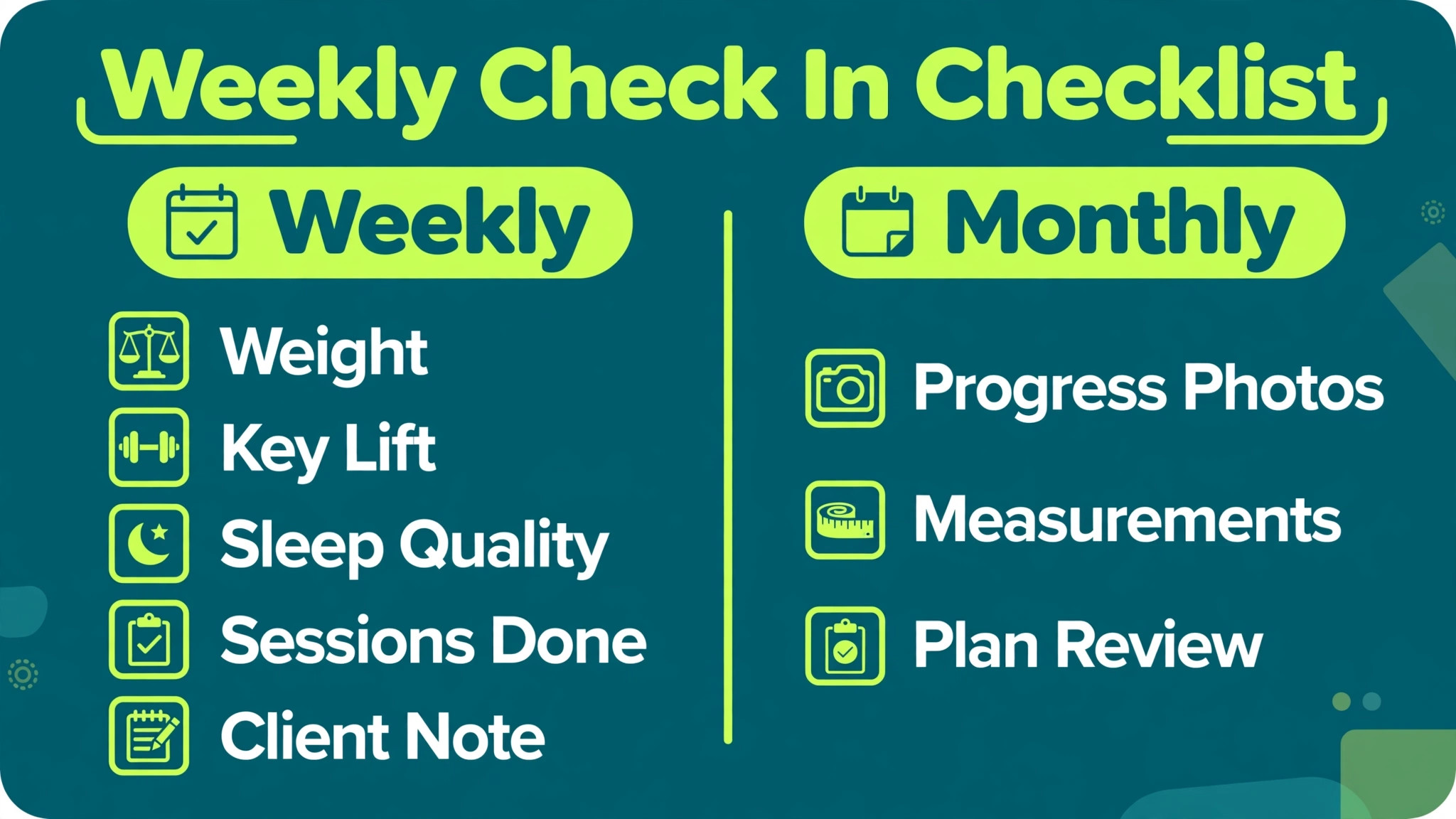
The trap in progress tracking is collecting everything and acting on nothing. A client who must log twenty metrics every day will log none of them by week three. A coach who receives twenty metrics per client cannot review thirty clients before Monday. The working answer is a small set of measures, collected on a fixed day, reviewed against a simple rule, and turned into one coaching action per client per week. Weight, one key lift or timed effort, sleep quality on a simple scale, adherence to planned sessions, and one client written note cover most coaching decisions. Everything else is optional, and optional measures should stay optional.
AI earns its place at three points in that loop. First, it drafts the check in form around the client’s goal, so a fat loss client gets nutrition and step questions while a strength client gets load and recovery questions, without the coach rebuilding forms by hand. Second, it summarizes the week, flagging the two or three changes that matter, like a three week stall in the main lift or a sudden drop in session completion. Third, it drafts the coach’s reply in the coach’s own tone, which the coach edits before sending. The coach still decides. The software only shortens the distance between data and decision, and that shorter distance is what keeps clients from drifting away unnoticed.
A word on honesty in the numbers. Body weight fluctuates daily, progress photos depend on lighting, and wearable devices estimate rather than measure many values. A good tracking system treats single readings as noise and trends as signal. Compare four week rolling averages, not Monday to Monday jumps. Require the same conditions for repeat measurements, like the same scale, the same time of day, and the same clothing. When a client understands that the system expects fluctuation, a bad week stops feeling like failure and starts looking like information. That mindset shift alone keeps more clients training than any new feature will.
What Weekly Check Ins Actually Change for Retention
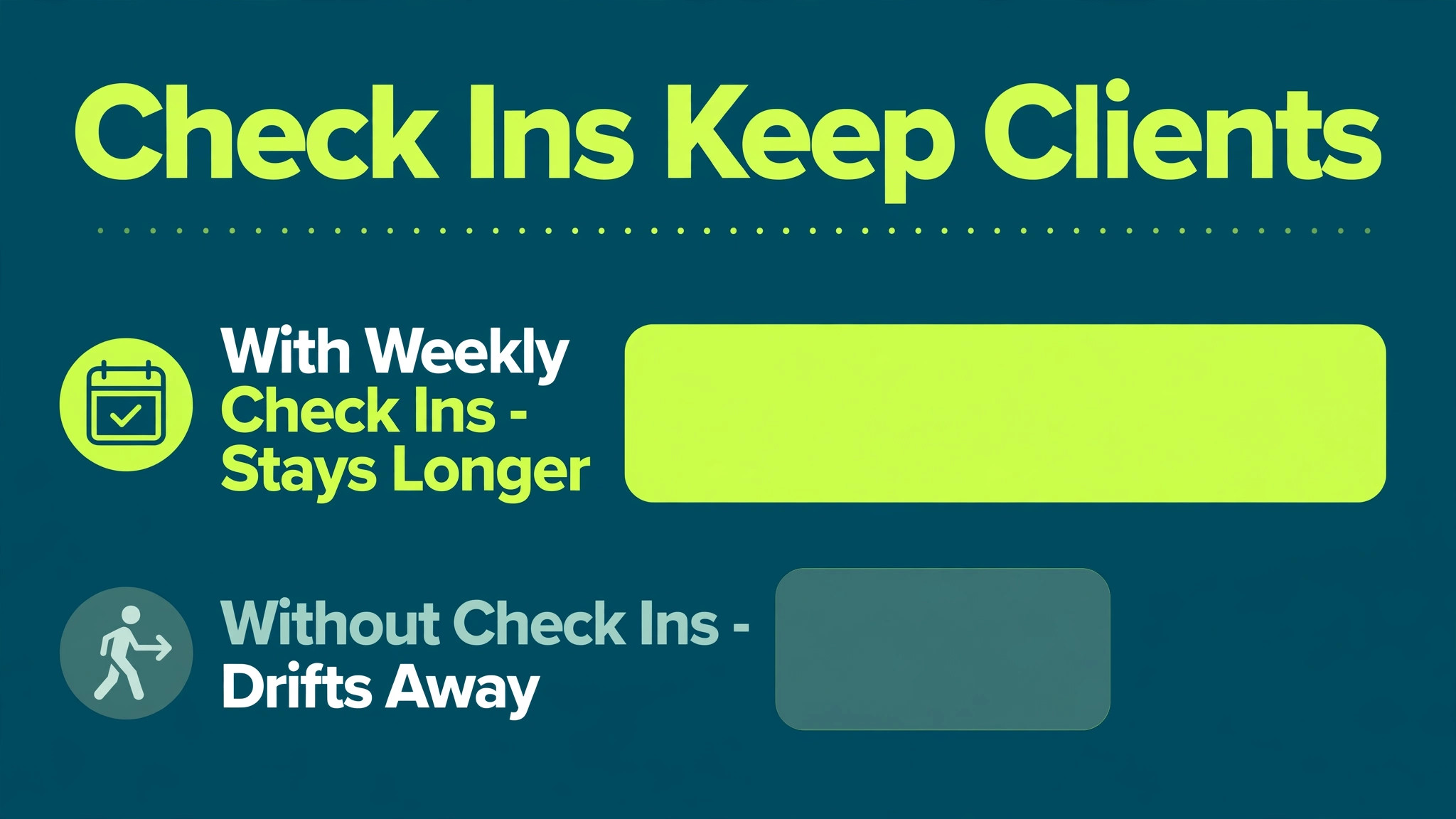
Retention in online coaching is mostly a story about attention. Clients leave quietly, not dramatically. They miss one check in, then two, and by the time the coach notices, the client has already decided the program is not for them. A weekly rhythm with a fixed check in day prevents that quiet exit, because a missed check in becomes visible within days rather than weeks. Coaches who run structured check ins describe the same pattern again and again. The clients who check in most consistently are the clients who stay longest, and the act of checking in seems to reinforce the training itself, because the client knows someone will look at the numbers.
Progress visibility works in the other direction too. A client who cannot see change quits, even when change is happening. Strength gains hide inside rep ranges, body composition shifts hide under daily weight noise, and habit streaks hide behind one bad weekend. A tracking dashboard that shows a twelve week trend line, a personal best log, and a habit streak turns invisible progress into something the client can point to. AI summaries help here by writing the story of the trend in plain words. “Your squat is up fifteen pounds over eight weeks, and you completed eleven of twelve planned sessions” lands harder than a chart alone, because it names the effort behind the number.
The commercial math follows the coaching math. Keeping an existing client costs far less than replacing one, and a coach with twenty retained clients earns more steadily than a coach churning through forty short stays. Tracking software costs roughly 25 to 140 dollars a month for a solo coach depending on platform and client count, which is less than the monthly fee of a single retained client in most coaching businesses. Viewed that way, the software is not an expense to minimize. It is the cheapest retention tool a coach owns, provided the coach actually reviews the data it collects.
That is why coaches who use AI for fitness coaching client progress tracking consistently, week after week, tend to report steadier rosters than coaches who buy the same software and open it only when a client complains.
The Weekly Progress Workflow That Coaches Can Sustain
A sustainable workflow fits inside one focused block per week plus short daily touches. Coaches who try to review everything every day burn out, and coaches who review monthly lose clients between reviews. The weekly block below assumes twenty to thirty online clients and one coach working without an assistant.
The week opens with automated check in reminders on the client’s chosen day, sent by the coaching platform with a link to a short form. The form asks for the core measures only, plus one open question about what felt hard this week. Clients get a full day to complete it, and the platform nudges once if the form stays empty. On the coach’s review day, the platform sorts clients by compliance and flags the ones who missed check in, dropped session completion, or stalled on their main measure. The coach works through the flagged clients first, then the steady ones, writing one action per client. A flagged client gets a personal message and possibly a program change.
A steady client gets a short acknowledgment and one next step, not a long essay.
Midweek, the coach spends fifteen minutes scanning new workout logs and replying to questions inside the platform, not across scattered chat apps. Keeping all coaching conversation in one place matters more than most coaches expect, because a question answered in a social app disappears from the client record, while a question answered in the platform stays attached to the program. Coaches who use AI for fitness coaching client progress tracking in one platform, rather than across five chat threads, can answer a client question with the client’s trend open beside it, which produces better answers in less time.
At week end, the coach records one line per client in a simple review note, covering trend direction, adherence, and next week’s focus. That note becomes the starting point for the following week’s review, so no client ever starts from zero in the coach’s memory.
| Workflow step | When it happens | Time for 25 clients | Output per client |
|---|---|---|---|
| Check in reminders | Client check in day | Automated | Completed form |
| Flagged client review | Coach review day | About 60 minutes | One action |
| Steady client review | Coach review day | About 45 minutes | One next step |
| Midweek log scan | Midweek | About 15 minutes | Replies as needed |
| Weekly review note | Week end | About 25 minutes | One line record |
The monthly layer sits on top of this weekly loop. Once a month, the coach compares each client’s current measures with the start of the month, updates the program phase, and sends a slightly longer summary that names progress and the next phase goal. Monthly reviews are also the right moment to adjust pricing conversations, because a client who has just seen twelve weeks of documented progress is far more receptive to continuing than a client who has seen nothing since signup. The monthly summary should never surprise the client.
If a problem appears in the monthly review that never appeared in a weekly note, the weekly system failed, and the coach should fix the weekly flags rather than writing longer monthly essays.

The Measurement and Check In Checklist
This checklist is the overview proof of this guide. It defines exactly what to measure, how often, and under what conditions, so the data stays comparable from month to month. Print it, or build it into the check in form, and do not add measures to it without removing something else.
| Measure | How often | Conditions to keep constant | Red flag rule |
|---|---|---|---|
| Body weight | Weekly | Same scale, morning, after bathroom | Up or down more than 2 percent in one week |
| Key lift or timed effort | Weekly | Same movement, same warm up | No progress for three weeks |
| Session completion | Weekly | Planned sessions only | Below 70 percent for two weeks |
| Sleep quality | Weekly | Simple 1 to 5 rating | Below 3 for two weeks |
| Steps or daily movement | Weekly | Same device, weekly average | Drop of 30 percent or more |
| Progress photo | Monthly | Same light, pose, and clothing | Client refuses twice in a row |
| Waist or key measurement | Monthly | Same tape position, relaxed | No change for eight weeks |
| Client written note | Weekly | One hard thing, one win | Note mentions pain or illness |
| Habit streak | Weekly | Agreed habits only | Two habits broken in one week |
| Coach review note | Weekly | Trend, adherence, next focus | Missing for any client |
Two rules protect the checklist from becoming a burden. First, the client completes it in under ten minutes, or the coach shortens it. A check in that takes twenty minutes will be skipped, and skipped check ins destroy the trend data the system depends on. Second, the coach never adds a measure mid phase without explaining why. Mid phase changes break comparability and teach clients that the system is arbitrary. New measures start at the next phase, with a note explaining what they will reveal that the old set could not.
The discipline to use AI for fitness coaching client progress tracking around a fixed checklist, rather than chasing every new metric a device offers, is what keeps the data clean enough to act on month after month.
Pain and illness notes need a separate path. Any check in that mentions pain, dizziness, or illness gets a personal reply the same day, and the coach refers the client to an appropriate professional rather than programming around the symptom. AI summaries must never be allowed to minimize a pain note into a trend line. The coach reads every pain mention personally, every week, without exception. That rule is non negotiable, and it should be written into the coach’s own procedures, not left to memory.
Five Platforms That Carry Progress Tracking Well
TrueCoach for Strength Focused Online Coaching
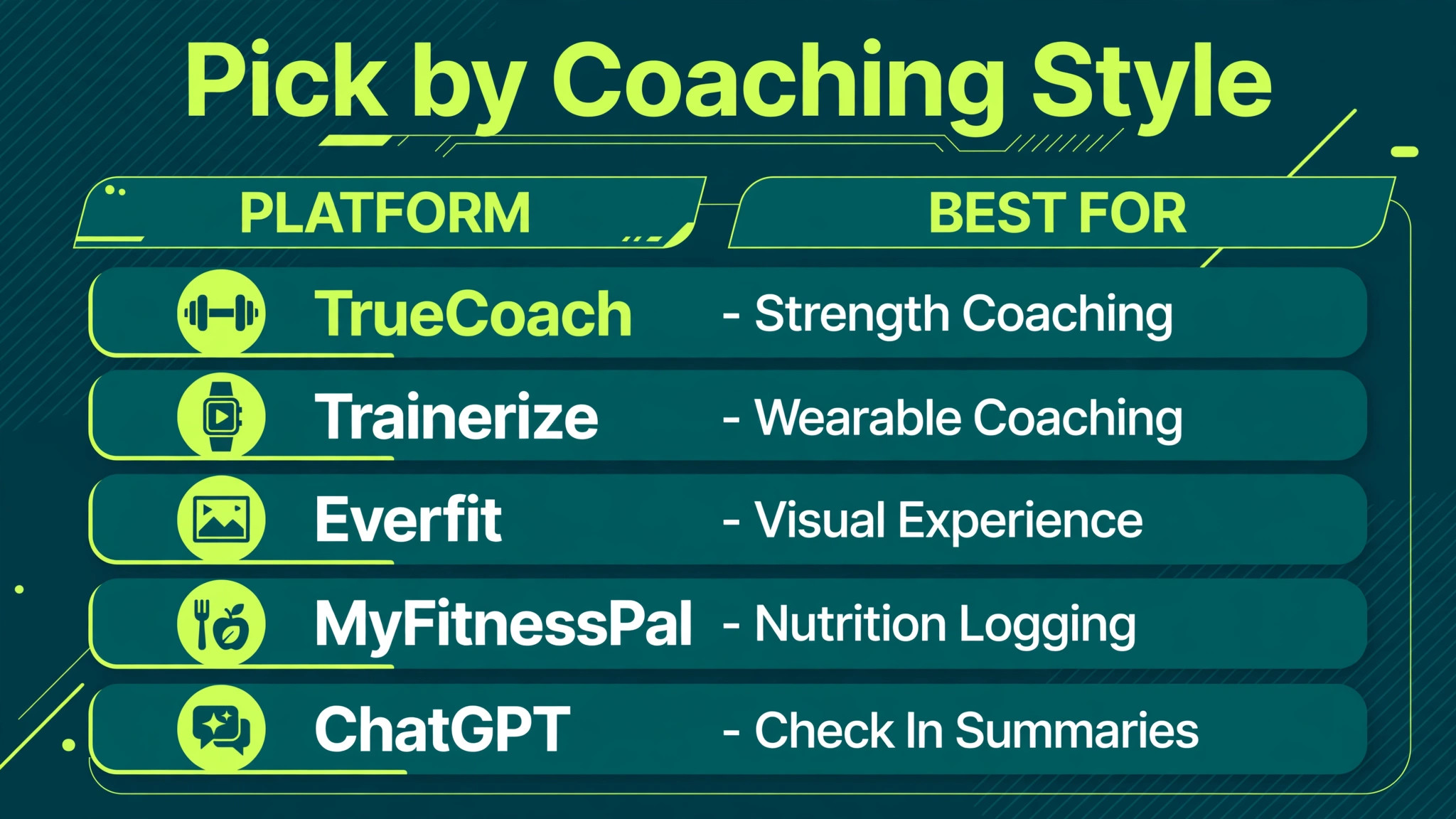
TrueCoach suits strength and performance coaches who build programs around progressive overload and want compliance visible at a glance. Its workout builder carries a large exercise video library, habit tracking sits on the Standard plan and up, and automated payments run through Stripe on every tier. Reported pricing starts around 26 dollars a month for up to five active clients, rising to about 58 dollars for twenty and about 137 dollars for fifty. The platform sorts clients by compliance, which makes the flagged first review order easy to follow. Its limits matter too. There is no dedicated form builder, since check ins live inside the workout builder, and there is no booking calendar.
Coaches who need detailed questionnaires may need a form tool alongside it.
Trainerize for Wearable Connected Coaching
Trainerize, now branded ABC Trainerize, suits coaches who want a deep client app with wearable connections and a wide add on ecosystem. Integrations cover common wearables and nutrition apps, and the exercise library supports fast program building with AI drafting help. A free Basic plan covers a single client, and paid tiers start around 9 dollars a month for two clients, rising with client count. The real cost climbs with add ons, since payments, advanced nutrition, and a custom branded app each add fees, and a realistic solo setup with those extras runs well above the headline price. Coaches should price the full stack they will actually use, not the entry tier, before committing.
Everfit for Visual Client Experience
Everfit appeals to coaches who want a polished client facing app with strong habit and nutrition tracking and a modern feel that younger clients enjoy. Its program builder, messaging, and progress tracking cover the core loop, and its pricing sits in the mid range for solo coaches. The trade off is depth in strength programming compared with TrueCoach, and coaches running heavily periodized powerlifting programs sometimes find its builder less flexible. For general population and transformation coaching, where adherence and habit tracking matter more than complex periodization, Everfit is a strong fit.
MyFitnessPal for Nutrition Logging Alongside Coaching
MyFitnessPal is not a coaching platform, but it remains the nutrition log most clients already know, with a large food database and barcode scanning. Coaches use it as a companion tool, reviewing client food logs weekly rather than demanding daily food reports inside the coaching app. The free tier covers basic logging, and Premium adds macro targets and deeper analysis. The coaching mistake to avoid is demanding perfect food logs. A client who logs four days out of seven gives a usable picture. A client who must log perfectly stops logging entirely, and the coach loses the picture altogether.
ChatGPT for Check In Summaries and Reply Drafts
ChatGPT helps coaches turn a week of client data into a readable summary and a first draft reply, provided the coach pastes only anonymized or consented data and edits every draft before sending. It excels at spotting the narrative in numbers, like naming a three week stall the coach might miss across thirty clients, and at drafting encouragement that sounds like the coach on a good day rather than the coach at midnight. It must never receive sensitive health detail beyond what the coaching relationship already requires, and it must never be the final word on a pain note or a program change. The coach reviews, the coach decides, and the draft only saves typing time.
Choosing a Platform by Client Count and Coaching Style
Solo coaches with under ten clients should start with the cheapest plan that covers messaging, program delivery, and compliance sorting, and should resist paying for a branded app until client count justifies it. A branded app impresses prospects, but it does not retain clients, and its setup cost buys nothing if the coach has no review rhythm yet. Coaches at twenty to fifty clients need the tier that removes client caps and adds habit tracking, because that is the stage where manual review breaks down and flagged sorting becomes essential. Studios and multi coach teams need team seats, shared templates, and reporting that shows which coach’s clients check in most consistently, since that visibility drives internal coaching standards.
| Coach stage | Client count | Priority features | Budget guide per month |
|---|---|---|---|
| Starting solo | Under 10 | Messaging, programs, compliance | 0 to 30 dollars |
| Growing solo | 10 to 30 | Habits, forms, payments | 30 to 80 dollars |
| Full solo | 30 to 50 | Branding, advanced nutrition | 80 to 150 dollars |
| Small team | 50 plus | Team seats, shared templates | 150 dollars and up |
Migration deserves a warning. Switching platforms mid year costs a week of setup and risks losing client history, so coaches should export client data regularly and test a new platform with five clients before moving everyone. The best time to switch is between program phases, when clients expect a fresh start anyway, and the coach should tell clients what improves for them, not what improves for the business. Clients accept change that helps them. They resent change that only helps the coach.

Building the First Four Weeks With a New Client
The first month decides whether tracking becomes a habit or a chore, so the onboarding sequence deserves as much care as the program itself. Week one is baseline week, and the coach should say so plainly. The client records starting measures, learns the check in form, and trains through a normal week without any pressure to improve a number. Coaches who use AI for fitness coaching client progress tracking from day one often make the mistake of letting the software set targets before baseline data exists. Targets set without baseline are guesses, and clients can tell when a target was guessed. Week one ends with a short message confirming the baseline and naming the single focus for week two.
Week two introduces the review loop. The client completes the first real check in, the coach replies within the promised window, and the reply names one thing that went well and one adjustment. That first reply teaches the client what check ins buy them. A generic “great job” teaches nothing, and the client learns that check ins are a formality. A specific reply, like noting that session completion hit four out of four and suggesting a small load increase on the main lift, teaches the client that someone is actually reading. Week three tests the system under stress, because real life always interrupts by week three.
Travel, work pressure, or a bad night of sleep will bend the numbers, and the coach’s response to that bend matters more than any perfect week. A coach who adjusts the plan without judgment keeps the client. A coach who scolds the numbers loses the client.
Week four closes the onboarding loop with a short review that compares the baseline with the current measures, names the trend in plain words, and sets the next phase. This review should take the coach fifteen minutes to prepare, using the weekly notes already written, and it should end with a question, not a lecture. Asking the client what felt sustainable and what felt forced gives the coach the information needed to design phase two around the client’s real life. Coaches who use AI for fitness coaching client progress tracking well treat week four as a retention conversation in the best sense.
The client sees documented progress, feels heard, and chooses to continue because the evidence supports continuing, not because a contract demands it.
Mistakes That Quietly Break a Tracking System
The most common mistake is measuring too much. A coach who adds sleep, stress, soreness, hydration, mood, and readiness scores to a fat loss client’s check in will get worse data, not better, because the client rushes or skips the form. Start with five measures, add one per phase only when the coach can name the decision the new measure will change. A second mistake is reviewing without replying. Clients who submit check ins and hear nothing for a week learn that check ins go nowhere, and they stop submitting. Even a two sentence acknowledgment keeps the loop alive, and the weekly review block must include reply time, not just reading time.
A third mistake is letting AI summaries replace the coach’s eye. Summaries flatten detail, and the flattened detail sometimes hides the important sentence, like a client mentioning knee discomfort inside an otherwise positive week. Coaches should read the client’s own written note for every flagged client, even when the summary looks clean. A fourth mistake is comparing clients with each other. Progress tracking is personal, and a client who sees another client’s numbers feels judged, not inspired. Keep every dashboard individual, celebrate personal bests, and never share one client’s data as motivation for another. Coaches who use AI for fitness coaching client progress tracking with these guardrails keep the system honest, and honest systems retain clients longer than impressive ones.

More Reading on Stratilyze
Readers building a client based business may also enjoy AI tools for freelance writing client management and AI tools for consulting business proposal writing, since both cover the same discipline of turning regular client touchpoints into retention and revenue. AI tools for daycare parent communication is useful too, because its daily report template shows how short, specific updates build trust in any service relationship.
Frequently Asked Questions

How long should a client check in take?
Under ten minutes, including photos when they are due. A check in that takes longer gets skipped, and skipped check ins break the trend data the whole system depends on. If a form regularly takes longer, remove a measure rather than urging clients to hurry. The coach’s review should take about five minutes per client per week once the flag system works, with flagged clients getting more time and steady clients getting less.
Should coaches track nutrition every day?
No, not for most clients. Daily food logging helps during a short learning phase or a contest preparation block, but it exhausts general clients and produces worse data over time as logging fatigue sets in. A weekly pattern works better for most people, with four logged days out of seven giving a usable picture of intake, and the coach reviewing the pattern rather than policing single meals. Clients with medical nutrition needs should work with a qualified nutrition professional alongside the coach.
What if a client never completes check ins?
Treat three missed check ins as a coaching event, not an administrative annoyance. After the first miss, send a short personal message asking what got in the way. After the second, shorten the check in or change its day. After the third, have a direct conversation about whether the program still fits the client’s life, and adjust the program or the expectations honestly. Clients who never check in rarely stay, but many of them stay once the check in fits their schedule better.
Can AI replace the coach’s weekly review?
No, and coaches who try it learn why quickly. AI summaries miss tone, miss the sentence buried in a long note, and cannot judge whether a program change fits a client’s life circumstances. The right division is clear. Software collects, sorts, and drafts. The coach reads the client’s own words for flagged clients, decides the action, and sends the message in their own voice. Coaches who use AI for fitness coaching client progress tracking as an assistant, not a replacement, get the time saving without losing the judgment that clients pay for.
How do you handle clients who obsess over daily weight changes?
Teach the trend rule in week one, before the first bad fluctuation arrives. Show the client a sample chart with daily noise and a smooth four week average, and agree that decisions use the average only. Some clients benefit from weighing less often, like twice a week, with the average still computed weekly. If weighing itself causes distress, drop the scale entirely and track performance, measurements, and photos instead. The goal is health and adherence, not a number on a screen.
What data should a coach export and keep?
Export client programs, check in history, and payment records at least monthly, in a format the coach can read without the platform. Platforms close, prices rise, and migrations happen, and a coach who cannot take client history along loses the trend story that proves progress. Keep exports in a secure location with access limited to the coach, and delete data for former clients on a schedule the coach states in the coaching agreement.
The Verdict for Coaches Who Want Clients to Stay
Progress tracking does not retain clients because the charts look good. It retains them because a client who is seen every week feels coached every week, and a client who can see their own progress believes the program works. Build the small checklist, run the weekly review block without fail, and let the software handle collection and drafting while you keep the decisions. When you use AI for fitness coaching client progress tracking this way, as a disciplined weekly habit rather than a dashboard you admire, the retention difference will show up in your own numbers, which is the only proof that matters.