
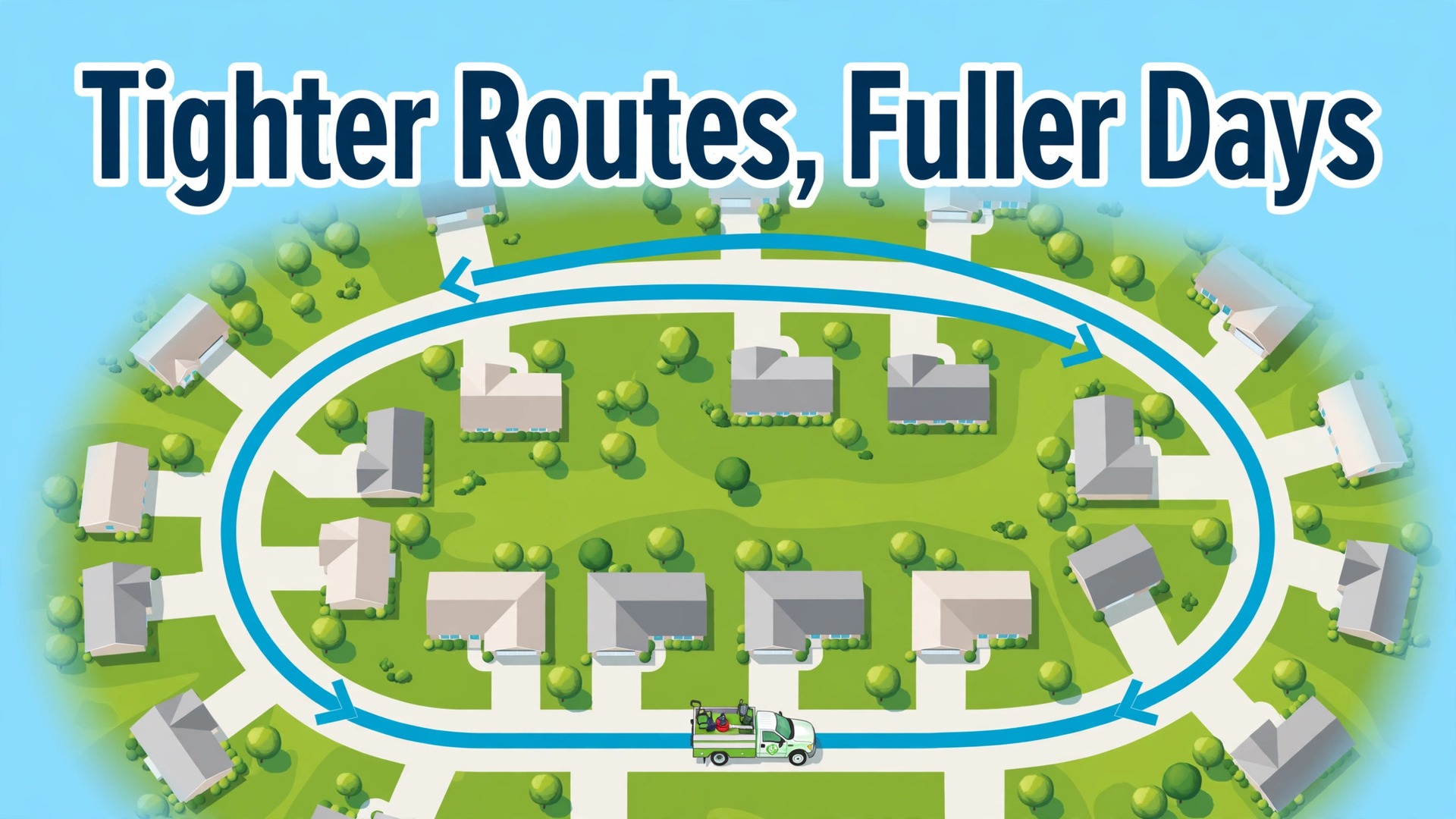
The verdict for lawn care operators is blunt. Routes make or break the business, and most operators lose more profit to windshield time than to any other single cost. A crew that drives across town between every stop burns fuel, burns daylight, and finishes fewer lawns per day, while a crew that works a tight cluster of nearby properties finishes more lawns, with less fatigue and fewer missed visits. Scheduling software does not mow a single lawn, but when you use AI for lawn care service route scheduling, it decides which lawns each crew mows, in which order, and that decision is worth thousands of dollars a season.
This guide shows how to use AI for lawn care service route scheduling so that routes stay tight, crews stay productive, and customers hear about changes before they have to ask.
Why Operators Should Use AI for Lawn Care Service Route Scheduling
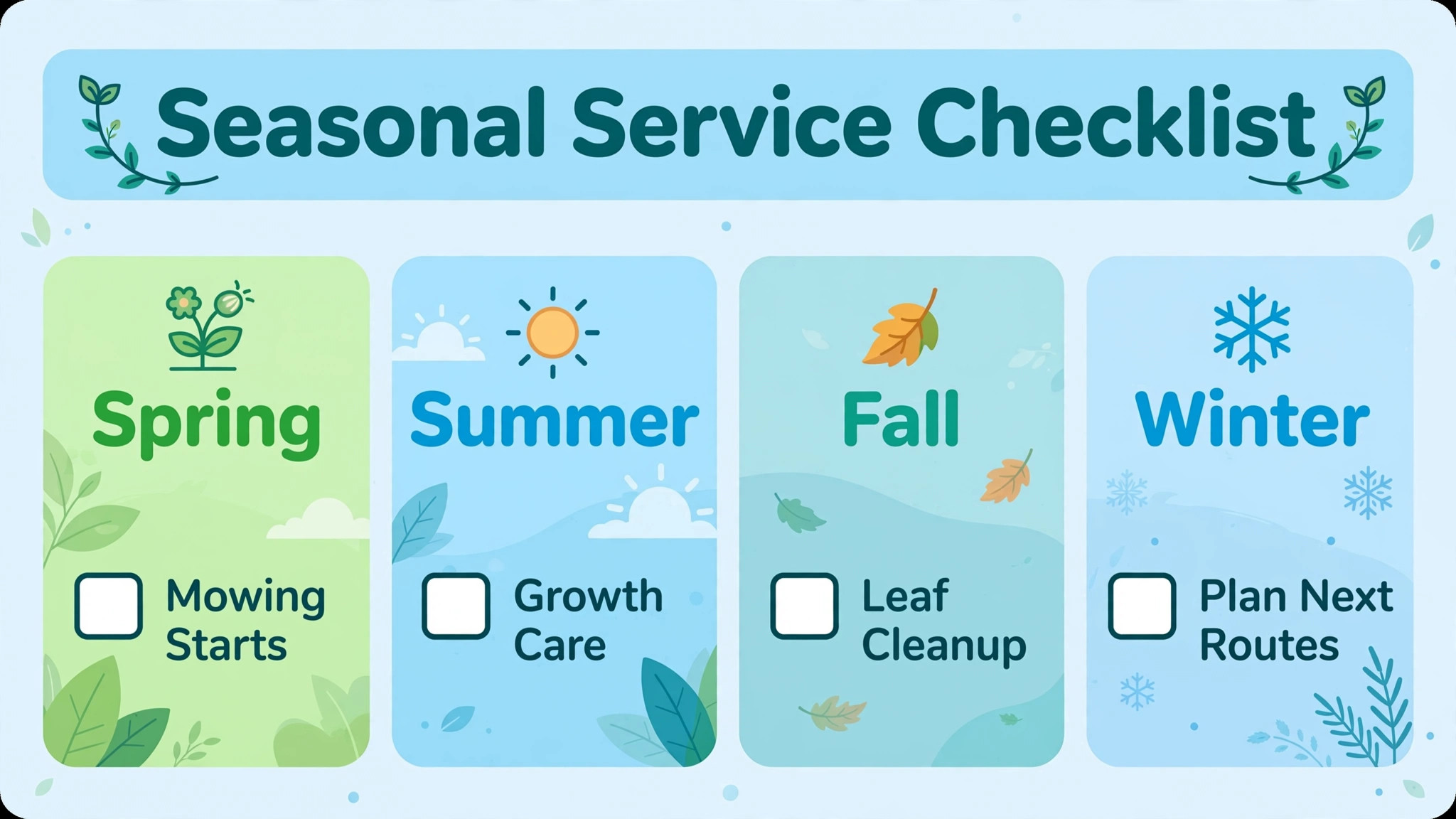
Lawn care is a density business. Revenue comes from lawns completed per crew per day, and costs come from drive time, fuel, equipment wear, and wages paid while a crew sits in traffic. An operator with forty customers scattered across a whole county runs a fundamentally different business than an operator with forty customers in four neighborhoods, even when the mowing price is identical. The scattered operator completes fewer jobs per day, pays more fuel per job, and reschedules more often when weather hits, because a rained out day cannot be recovered when the makeup visits sit an hour apart.
The dense operator absorbs a rain day by shifting a whole neighborhood cluster to the next dry day, with one message to a group of nearby customers.
Route software attacks the density problem from two sides. First, it shows the operator where customers actually cluster, by mapping every property and revealing which neighborhoods already support a full crew day and which lone properties cost more to serve than they earn. That visibility leads to better decisions about which new customers to accept, which areas to market in, and which distant properties to reprice or refer elsewhere. Second, it optimizes the daily order of stops, accounting for service time per property, gate codes, time windows for commercial accounts, and crew start points, so the crew drives the shortest sensible path instead of the order in which jobs were booked.
Industry comparisons report that route optimization saves lawn companies with multiple crews roughly twenty to thirty percent of drive time on average, which for a two crew operation can mean an extra lawn or two per crew per day, and that extra capacity is pure profit once fixed costs are covered.
There is a customer side to routing that operators underestimate. Customers judge reliability by whether the crew arrives on the expected day, communicates delays, and leaves a clean record of what was done. A route system that sends an arrival window, an on the way message, and a completion note with photos turns a commodity mowing visit into a professional service, and professional service retains customers through price rises that would otherwise send them shopping. Operators who treat routing as a back office chore miss that retention effect, while operators who treat it as part of the customer experience keep routes full season after season.
Building Routes by Density, Not by Booking Order
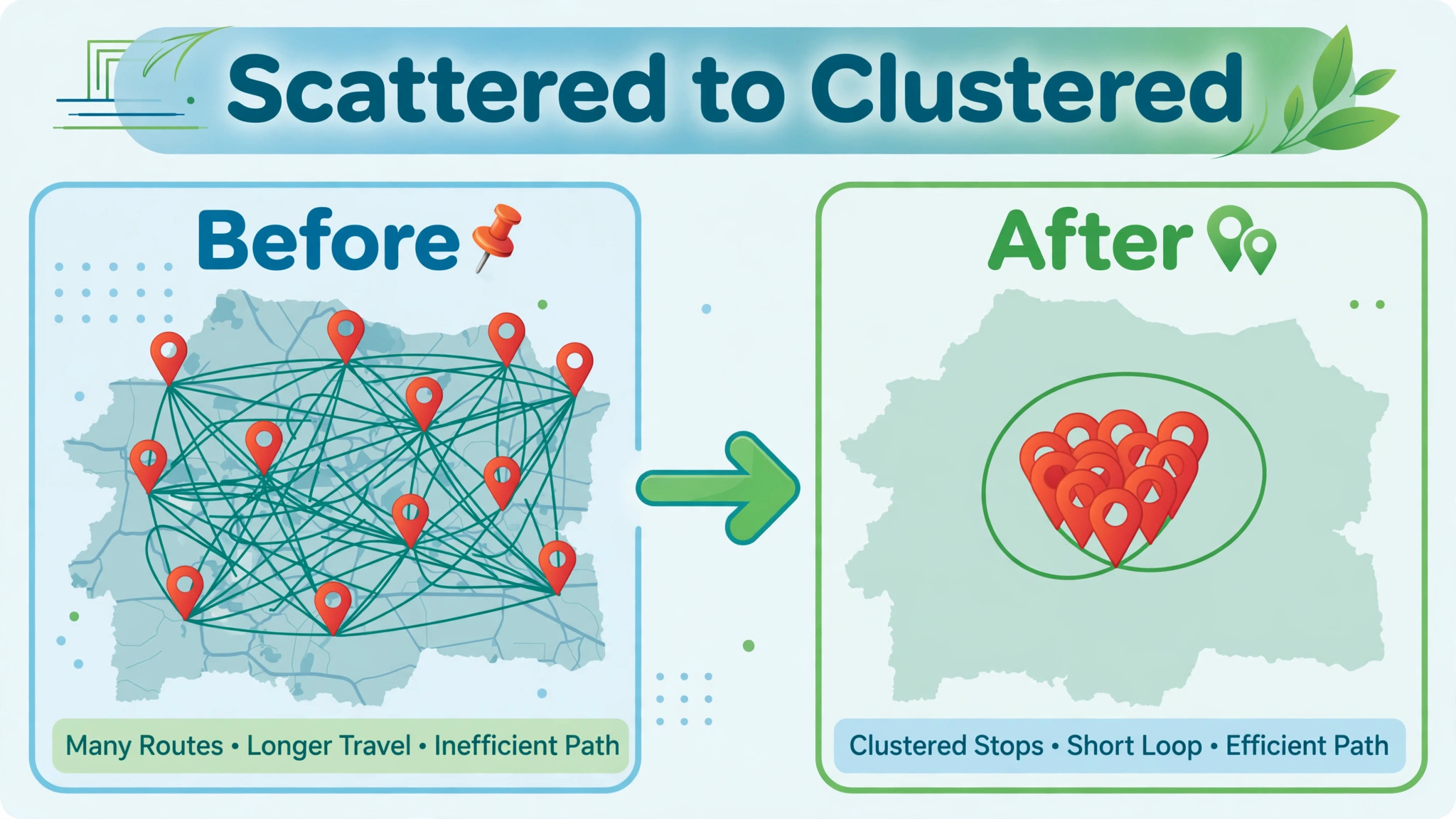
The first routing decision is geographic, and it should be made before the season starts. Map every customer, group them into clusters by neighborhood, and assign each cluster to a crew day. A good cluster holds a full crew day of work, typically six to ten residential properties depending on size and services, within a compact area that a crew can cover with short drives between stops. Properties that fall outside every cluster are flagged for a decision. The operator can market around them to build a new cluster, charge a distance fee that reflects the real drive cost, or refer them to an operator who already serves that area.
Keeping a distant property at the standard price feels generous and quietly loses money every visit, because the drive time is paid by the operator, not the customer.
Service time estimates make or break the cluster math. A small flat lawn with easy access takes far less crew time than a large sloped property with gates, bagging, and trimming around beds, and routes built on average times fail on the days when large properties cluster together. Operators should record actual time on site for every property for a month, then set a service time per property in the scheduling tool, including trimming and cleanup, not just mowing. The route engine then builds days that fit real hours, not hopeful ones, and crews stop running over into the evening or leaving the last stop for tomorrow.
Operators who use AI for lawn care service route scheduling with real per property times get routes that crews can actually finish, which is the foundation every other benefit rests on. New properties get a conservative time estimate until three visits establish the real figure, and the operator adjusts the estimate rather than blaming the crew for a slow day.
Time windows add a second constraint that good routing respects. Commercial properties often require service before opening or after closing, gated communities need code access during certain hours, and some residential customers request morning or afternoon service for noise or pet reasons. A route that ignores windows produces crews arriving at locked gates, which wastes the whole trip and forces a return visit. The scheduling tool should hold every window as a hard constraint, and the operator should confirm gate codes and access notes in the customer record before the season, not on the morning of the visit. A crew that arrives, finds the gate code wrong, and waits twenty minutes has lost the time that route optimization saved.
The Weekly Route Workflow From Sunday Plan to Friday Close
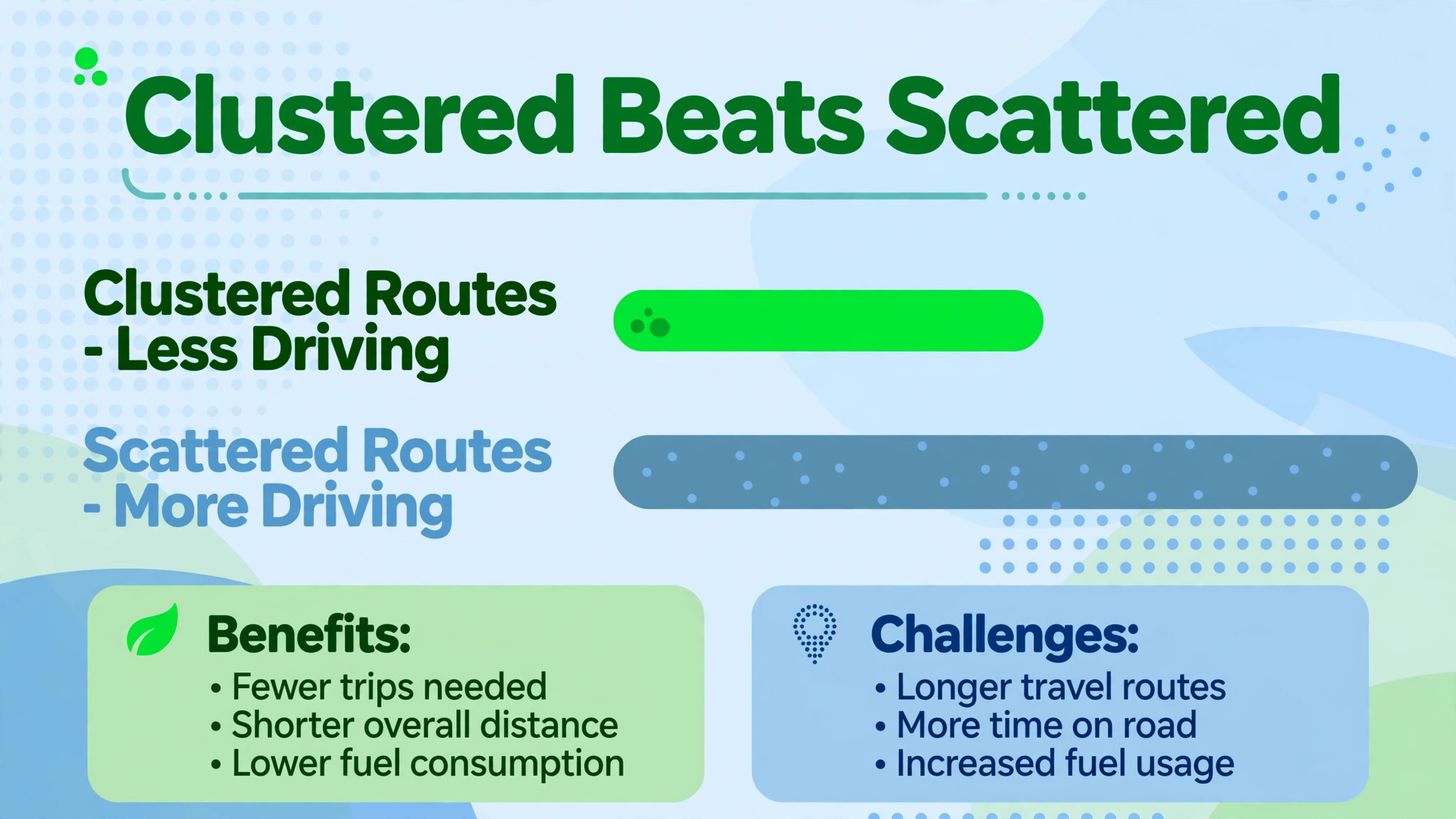
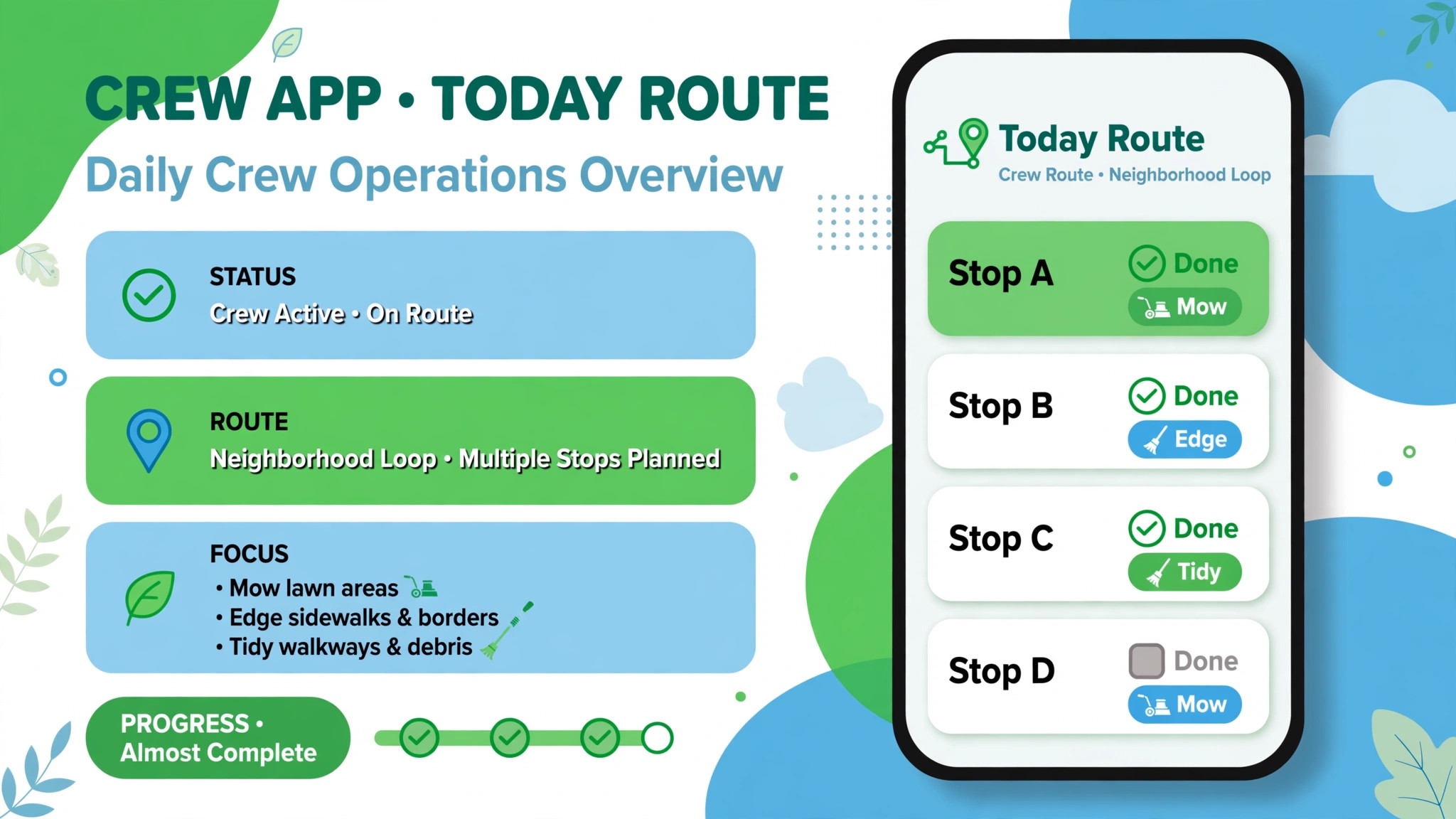
A route week runs on a fixed rhythm, and the rhythm matters more than the software brand. Sunday evening is planning night. The operator or dispatcher reviews the week’s jobs, checks the weather forecast, confirms crew availability, and releases routes to the crew apps. Monday morning starts with a short crew huddle, covering the day’s route order, any access notes, any chemical application records, and any customer messages that need a personal touch. Crews then run the route in the order given, marking each job complete with photos and notes in the app, so the office sees progress in real time instead of waiting for a phone call at day end.
Midweek, the dispatcher watches for the two disruptions that define lawn care scheduling, weather and equipment. A rain forecast that covers a whole cluster day triggers a shift of that cluster to the next dry day, with a single message to affected customers explaining the new day, rather than individual apologies after missed visits. An equipment breakdown triggers a route split, where the remaining crew absorbs the nearest stops and the rest move to the next day, again with customer messages sent before customers notice the absence. Friday closes the week with invoicing for completed visits, a review of missed or rescheduled jobs, and a check that next week’s routes are already forming.
Operators who use AI for lawn care service route scheduling inside this weekly rhythm spend Sunday planning and Friday closing, while the software carries the daily order, the messages, and the records in between.
| Workflow step | When it happens | Who does it | Output |
|---|---|---|---|
| Route planning | Sunday evening | Operator or dispatcher | Released routes |
| Crew huddle | Monday morning | Crew lead | Access and safety notes |
| Route execution | Daily | Crews | Completed jobs with photos |
| Weather shift | As forecast changes | Dispatcher | Rescheduled cluster plus messages |
| Equipment response | As breakdown occurs | Dispatcher | Split route plus messages |
| Invoicing | Friday | Office | Invoices for completed visits |
| Missed job review | Friday | Operator | Makeup plan for next week |
| Next week setup | Friday | Operator | Draft routes forming |
Customer messaging deserves its own standard, because route changes handled badly cause more cancellations than late mowing ever does. Every message should name the old day, the new day, and the reason, in that order, without jargon about routing. A message that says rain moved Tuesday’s neighborhood to Thursday, with the crew arriving in the usual window, calms a customer. A message that says the visit is delayed, with no new day, creates a phone call. The system should send route messages automatically when a route changes, and the operator should review the message text once, at setup, rather than writing it fresh during a weather crisis.
The Seasonal Service Checklist
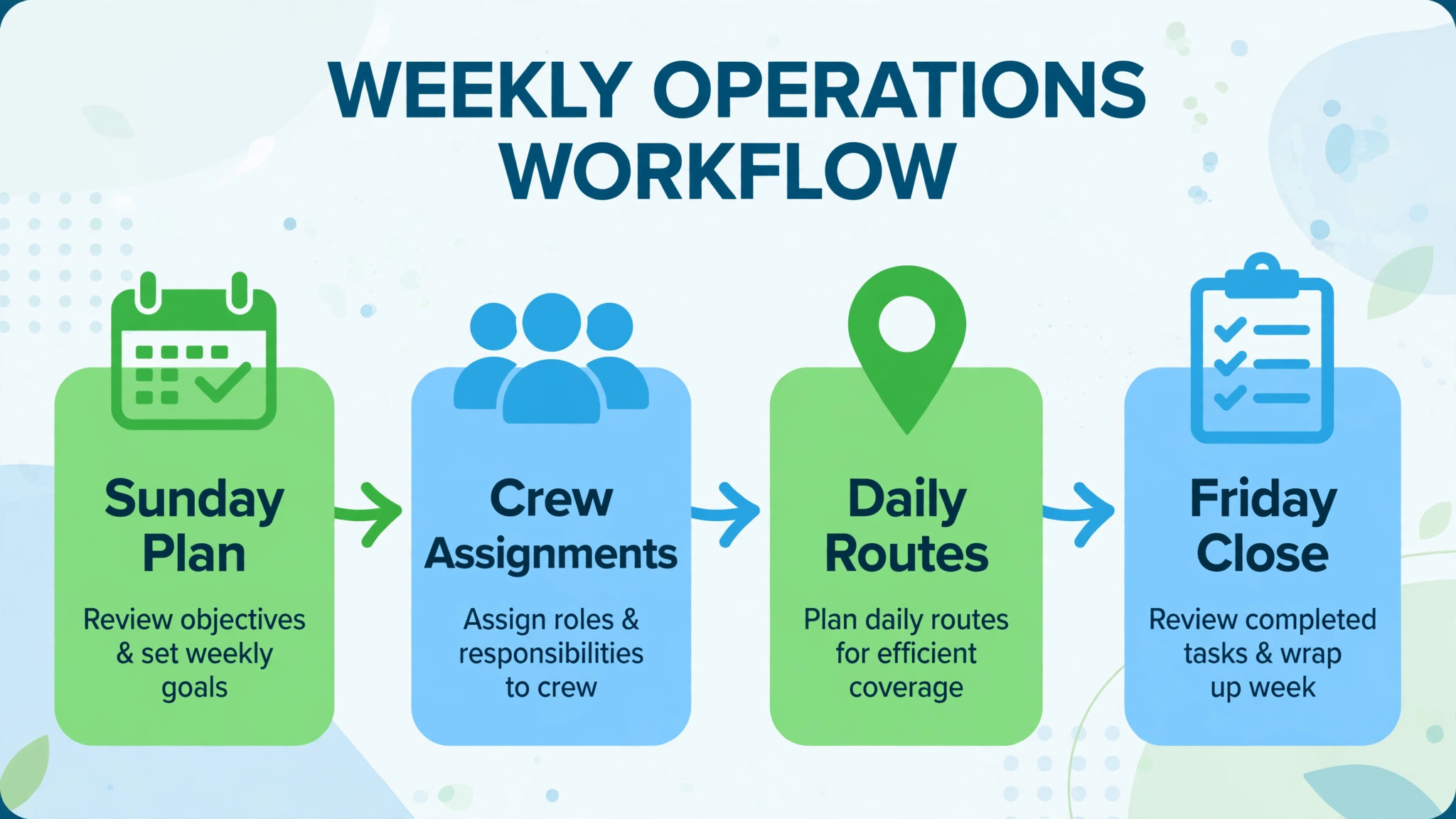
This checklist is the overview proof of this guide. It maps the services that belong in each season, so routes carry the right work at the right time, and customers receive offers before they ask a competitor.
| Season | Core services | Route notes | Customer message |
|---|---|---|---|
| Early spring | Cleanup, first mow, edging | Add cleanup time to routes | Spring cleanup offer in March |
| Spring | Weekly mowing, fertilization | Fertilization visits need product records | Treatment notice before visit |
| Late spring | Mowing, weed control | Weed visits need weather windows | Application notice and reentry time |
| Summer | Weekly mowing, irrigation checks | Heat slows crews, shorten routes | Watering guidance in messages |
| Late summer | Mowing, overseeding prep | Aeration bookings fill routes | Aeration offer in August |
| Fall | Leaf cleanup, final mow | Leaf jobs take longer, price separately | Leaf schedule notice in October |
| Late fall | Winterization, final cleanup | Shorter days, fewer stops per route | Winter service summary |
| Winter | Equipment service, planning | No mowing routes, plan next season | Renewal and prepay offer |
Seasonal planning also protects revenue. Operators who sell only mowing face a winter income gap, while operators who sell fertilization, weed control, aeration, overseeding, and leaf cleanup keep crews busy across more months and keep customers from hiring separate providers for each service. The route system should hold service agreements that list which services each customer buys and when each one falls due, so the dispatcher never has to remember that one customer wants aeration in September while another wants it in October. Agreements also make renewal simple, because the operator can show the customer the full season of services delivered, with dates and photos, when the renewal conversation arrives.
That seasonal record is one more reason operators use AI for lawn care service route scheduling across the whole year, not just during the mowing season.
Equipment readiness belongs in the seasonal plan too. Blades, belts, oil, and filters should be serviced in winter, when the shop is quiet, not in May, when a breakdown costs a route day. The scheduling tool can hold equipment service reminders alongside customer routes, and operators who use that feature avoid the most avoidable disruption in the business, which is a mower that fails on a Monday because nobody serviced it in February. A spare mower, even an older one, pays for itself the first time it saves a route day, and operators should budget for it as route insurance rather than as an extra cost.
Five Tools That Carry Lawn Route Scheduling Well
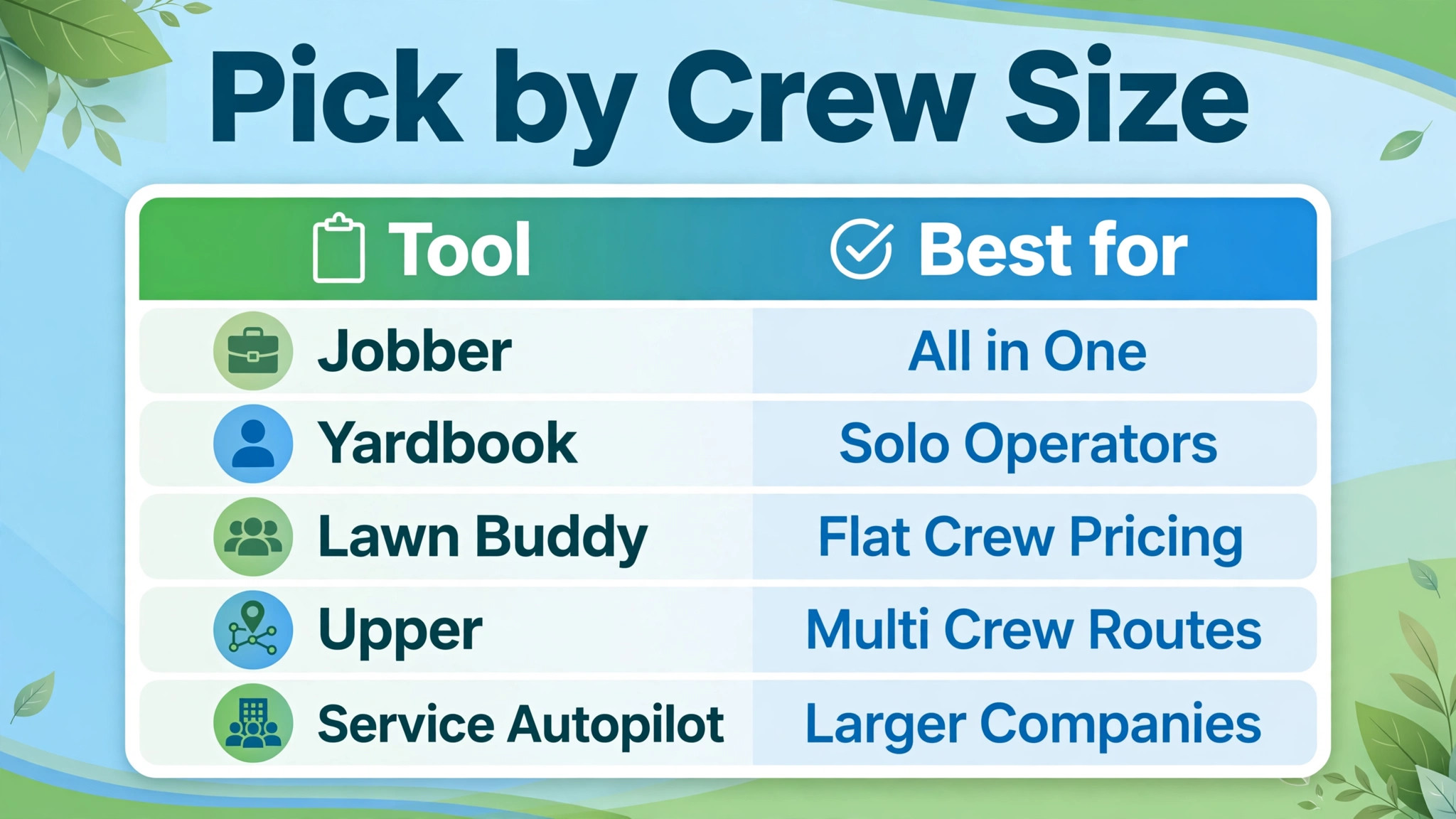
Jobber for All in One Quoting Scheduling and Invoicing
Jobber suits small lawn care teams that want quoting, scheduling, invoicing, and customer communication in one system, with route optimization on higher tiers. Reported entry pricing runs around 29 to 49 dollars a month for one user depending on billing term, with route optimization and advanced automation sitting on the Connect tier, reported around 139 dollars a month for one user. The trade off is tier gating. Solo operators who need route optimization pay for a tier that includes features they may not use, while teams that need the full system find the price justified by the invoicing and customer portal alone.
Jobber’s strength is the complete business loop, from quote to payment, and operators who want one system for everything should weigh that loop against the tier cost.
Yardbook for Solo Operators Starting Free
Yardbook suits solo operators and startups who need basic scheduling, invoicing, and a customer database without a subscription, since its Starter plan is free with unlimited customers. Paid tiers run around 35 dollars a month for Business and 50 dollars for Enterprise, with unlimited users. The trade off is depth. Yardbook covers scheduling basics and rudimentary route organization, but it lacks a mobile app and the advanced routing engine of paid competitors, and its interface shows ads on the free tier. Operators under fifteen customers will find it workable, and operators crossing into multi crew work will feel its limits in messaging and route optimization, which is the natural moment to upgrade.
Lawn Buddy for Route Optimization at a Flat Crew Price
Lawn Buddy suits operators who want route optimization, crew GPS, and customer management at a price that does not rise with crew size. Its Pro plan, reported around 39 dollars a month, includes route optimization and unlimited crew members, which compares favorably with per user pricing for larger crews. A free Lite plan covers basic quoting and invoicing for operators testing the system. The trade off is breadth. Lawn Buddy does not offer client self service booking, and some operators will miss that feature, but operators whose main pain is route cost will find its flat crew pricing the most honest deal in this group for teams of three or more.
Upper for Dedicated Multi Crew Route Optimization
Upper suits operators with multiple crews who want route optimization as the core product, with dispatch, tracking, and proof of service built around it. Reported pricing starts around 40 dollars per user per month, and its strength is building optimized routes for every crew in under a minute, with time windows for gated properties and commercial accounts handled as constraints. Operators who already run a business system for quoting and invoicing can pair Upper with it, using Upper purely for the routing engine, while operators who want one system may prefer an all in one platform instead. For multi crew operations where drive time is the largest controllable cost, a dedicated routing engine earns its price quickly.
Service Autopilot for Larger Landscaping Companies
Service Autopilot suits larger landscaping and lawn companies that want CRM, marketing automation, crew tracking, and scheduling in one platform built for scale. Reported pricing starts around 49 dollars a month, with the full feature set rising with users and modules. Its strength is depth for companies with many crews, many services, and complex customer communication, including automated marketing that smaller tools do not offer. Its trade off is complexity and cost for small operators, who will pay for capacity they do not use and spend longer on setup. Companies crossing from a few crews to a real operation, with office staff and marketing needs, are the right fit for its scale.
Weather, Breakdowns, and the Art of Rescheduling
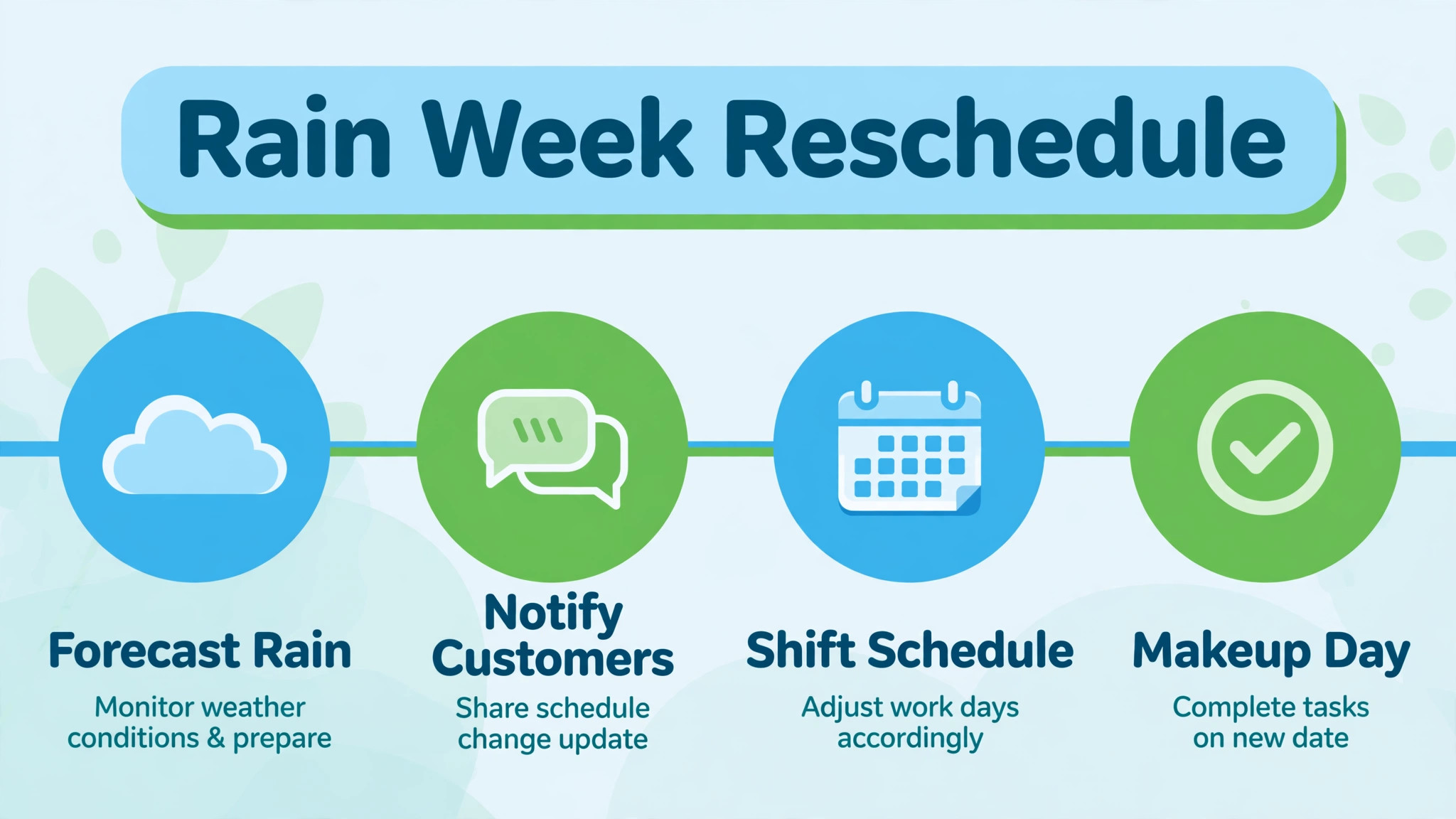
Weather is the one scheduling variable no software controls, and the operator’s rescheduling skill decides whether a rain week becomes a complaint week or a loyalty week. The rule is simple. Decide early, communicate once, and move whole clusters, not scattered stops. A dispatcher who waits until morning to decide loses the day to uncertainty, while a dispatcher who moves a cluster on Sunday evening gives customers a new day and crews a clean plan. The message should go out the evening before the affected day, naming the new day and the usual arrival window, and the system should update every affected customer’s record automatically, so no customer receives a second message contradicting the first.
Equipment breakdowns follow the same principle. A crew that reports a breakdown at 9 am should trigger a dispatcher decision within thirty minutes, not a day of improvisation. The dispatcher splits the route, moves the furthest stops to the next day, and sends messages before customers notice the absence. Crews should carry a simple breakdown report in the app, with the machine, the symptom, and the location, so the office can dispatch help or a replacement machine without a phone game of questions. Operators who rehearse this response once, in a calm week, handle real breakdowns far better than operators who invent the response during a crisis.
Growth decisions belong in the routing conversation too. When a cluster fills to a full crew day, the operator should market in that neighborhood before accepting distant work, because density compounds. Every new customer inside a full cluster adds revenue with almost no drive cost, while every new customer outside clusters adds drive cost that erodes the margin of the whole route. Operators who review cluster density monthly, and who set a rule that new customers outside clusters pay a distance fee or wait for a cluster to form, grow profitably. Operators who accept every customer everywhere grow revenue and shrink margin at the same time, which is the most confusing kind of failure.
Pricing Routes and Retaining Customers
Route economics should shape pricing, not follow it. A lawn inside a dense cluster costs less to serve than a lawn twenty minutes away, and the price should reflect that difference, either through a standard rate inside clusters and a distance fee outside them, or through minimum visit pricing that covers the drive. Operators who price every lawn the same subsidize distant customers with the margin from dense ones, and that subsidy hides until fuel prices rise or a crew quits from too much driving. A simple pricing review each season, comparing revenue per route with drive time per route, reveals which routes earn their keep and which ones need repricing, remarketing, or referral.
Retention follows the same logic as pricing, because customers stay when service feels reliable and personal. A completion message with a photo after each visit, a seasonal summary at renewal time showing every service delivered with dates, and a quick reply when a customer reports a missed spot all cost minutes and buy loyalty. Price rises land better when the customer has received that record all season, because the customer can see what they paid for. Operators who use AI for lawn care service route scheduling to automate the completion message and the seasonal summary give themselves a renewal conversation built on evidence, not on hope.
Operators who use AI for lawn care service route scheduling only for the daily order leave that renewal evidence ungathered, and they feel it every autumn when renewal calls go unanswered.
Mistakes That Turn Good Routes Bad
The most common mistake is building routes in booking order rather than geographic order, which sends crews crisscrossing town all day. A route built on geography, with service times and windows respected, finishes more lawns with less driving, and the difference shows up in fuel bills within a month. A second mistake is overloading routes, packing eleven stops into a day that holds eight, because overloaded routes guarantee missed stops, rushed work, and evening overtime. A route that finishes early is a gift, since the crew can handle a makeup visit or a new estimate. A route that runs over is a cost, paid in complaints and overtime.
A third mistake is ignoring service time differences, treating a large sloped property like a small flat one in the schedule. The route engine can only optimize what it knows, so operators must feed it real times per property, updated quarterly. A fourth mistake is failing to communicate changes, leaving customers to discover a missed visit on their own. A fifth mistake is keeping zombie customers on routes, meaning properties that cancelled, moved, or stopped paying but still appear in the schedule, wasting dispatcher time and confusing crews.
A monthly route audit that removes zombies, updates service times, and checks cluster density prevents all five mistakes, and operators who use AI for lawn care service route scheduling with that monthly audit keep routes tight season after season.
More Reading on Stratilyze
Readers who run a field service business may also enjoy AI tools for painting contractor estimate quotes and AI tools for fencing contractor quote estimates, since both cover the same discipline of turning field work into accurate prices and reliable schedules. AI tools for real estate open house follow up is useful too, because its scoring checklist shows how to prioritize the new customers that tight, well run routes help win.
Frequently Asked Questions
How many lawns should a crew complete per day?
It depends on property size, services, and drive time, but a typical two person crew completes six to ten residential mowing visits per day on a tight route, with fewer on days that include fertilization, cleanup, or large properties. The right number for a given route comes from real service times per property, not from an industry average, and operators should set route sizes from their own measured times. A crew that consistently finishes early can absorb another stop. A crew that consistently runs over needs a smaller route, not a faster pace, because rushing produces complaints and rework.
Should new customers outside existing clusters pay more?
Yes, or they should wait until a cluster forms around them, because the drive cost of a distant property is real and someone must pay it. A distance fee, stated plainly at quoting time, covers the extra fuel and time without apology, and most customers accept it when they understand the reason. The alternative, absorbing the drive cost silently, shrinks the margin of the whole route and punishes the operator for growing. Operators who market inside existing clusters reduce the need for distance fees over time, as new nearby customers fill the gaps.
How do you handle customers who want a specific day?
Record the day preference as a constraint in the scheduling tool, and build the cluster around it where possible, but be honest when a preference cannot be met without breaking route density. Some preferences, like a commercial account that needs service before opening, are hard constraints that the route must respect. Others, like a residential preference for Fridays, can be accommodated when the cluster allows and declined politely when it does not, with an offer of the nearest available day. Operators who promise every preference end up with scattered routes that serve nobody well.
What happens to routes when it rains all week?
Move whole clusters to the next dry days, communicate the new days the evening before each affected day, and prioritize customers whose lawns are most overgrown or who have events coming. A full rain week compresses the next week, so the operator should extend crew hours modestly, add a Saturday makeup day where the team agrees, and tell customers honestly that the schedule shifted by a known number of days. Customers accept weather delays gracefully when they hear a new day early. They do not accept silence, and they do not accept discovering a missed visit on their own.
Can route software replace a dispatcher for a small operator?
For a solo operator or a single crew, yes, largely, because the software builds the route order, sends the messages, and records completion, leaving the operator to handle exceptions like weather and breakdowns. For multi crew operations, a dispatcher still adds value, because someone must make judgment calls when weather, breakdowns, and customer requests collide on the same morning. The software makes the dispatcher faster and more accurate, but it does not make the judgment calls, and operators who expect it to will be disappointed on the first hard week.
How often should routes be rebuilt?
Rebuild cluster assignments monthly, and rebuild daily route order automatically as jobs change, because customers join, leave, and change services constantly. A monthly audit checks cluster density, removes cancelled properties, updates service times, and reassigns properties that have drifted out of their cluster. Daily optimization handles the order of stops within the cluster, which changes with time windows and makeup visits. Operators who use AI for lawn care service route scheduling with a monthly audit and daily optimization keep routes tight without rebuilding the whole system every week.
The Route Is the Business
Mowing quality gets a lawn care company hired once. Route quality gets it hired for the season, because tight routes mean on time arrivals, fair prices, and crews that finish the day without exhaustion. Map your clusters, record real service times, run the weekly rhythm without exception, and let routing software carry the order, the messages, and the records while you carry the judgment calls weather and growth demand. When you use AI for lawn care service route scheduling as a year round discipline, the fuel bill, the completed jobs per day, and the renewal rate will tell you the same story, which is that the route was the business all along.