

Studio guides report no-show rates of 25 to 30 percent when a class runs with no reminder system, while an email reminder a day before plus a text message a couple of hours before class can bring that rate down to around 8 to 10 percent. For a studio running 30 classes a week with 15 mats per class, a 25 percent no-show rate means more than 110 empty mats every week, and many could have gone to willing students. When you use AI for yoga studio class scheduling, you are not buying a smarter calendar for its own sake. You are closing the gap between a booked mat and an occupied mat.
This guide builds a scheduling system for a small or mid sized studio. You will design a timetable around real demand, set capacity rules that protect the room and the teacher, pick a booking tool at a price you can defend, run a waitlist that fills cancelled spots within hours, and send reminders that ask for a clear yes, a reschedule or a release of the mat. Prices quoted here come from vendor pages and October 2026 comparison listings, and they change often, so check the official pricing page and the checkout total before you pay for any tool named here.
Why Empty Mats Cost More Than Lost Class Fees
An empty mat is easy to dismiss when the student paid through an unlimited membership, because no single class fee was lost that day. The cost shows up somewhere else. A waitlist student who never got the spot may stop trying for popular classes. A teacher who prepares for 18 students and teaches 11 starts to doubt the timetable. A new student who finds three other people in a quiet class and never returns costs far more than one drop-in fee.
Start by measuring the leak before you try to fix it. For the last four weeks, record bookings, arrivals, waitlist offers and waitlist acceptances for every class. From those numbers you can calculate the no-show rate, the fill rate and the waitlist conversion rate for each class, time slot and teacher. A studio that only looks at total bookings will keep adding classes to a timetable that already leaks, while a studio that looks at fill rate will fix the classes it already has.
Patterns usually appear fast. Evening classes often have the longest waitlists and the highest no-show rates at the same time, because students book a popular evening class days ahead as insurance, then cancel late, while waitlist students have already made other plans by the time a spot opens. That is a waitlist timing problem, not a demand problem. Capacity changes the meaning of a no-show too. In a 25 mat room, two no-shows barely change the class. In a 10 mat hot room, two no-shows change the whole session and can turn a profitable class into a loss once heating, teacher pay and cleaning are counted.

How to use AI for yoga studio class scheduling Without Losing the Human Feel
The phrase artificial intelligence covers very different things in booking software, and it helps to separate them before you buy. Most of what a yoga studio needs is automation, meaning rules that run on their own. A confirmation goes out at once. A reminder goes out at a set time. A waitlist offer goes out when a spot opens. Those are rules, not predictions, and they deliver most of the value in this guide.
True AI features sit on top of those rules. Some platforms offer demand forecasts based on past bookings, which suggest where an extra class might fill or where a quiet class might move. Some offer an AI front desk that answers common questions and handles bookings by message. Those features can help, but they should never override a clear studio rule. If your policy says waitlist offers expire after 60 minutes, an AI suggestion should not hold a spot for three hours because a student once booked late. Use AI to surface a decision, and keep the rule in human hands until the pattern has proved itself for a full month.
A practical test for any AI claim is to ask what changes in the room. A forecast that moves a Thursday 7 am class to 7.30 am because bookings cluster after 7.15 am is useful, because it changes real attendance. A chatbot that answers a pricing question at midnight is useful, because it captures a booking that would otherwise wait until morning. Buy the action, not the label. Privacy matters too. A booking tool holds names, phone numbers, health notes, payment details and attendance history. Before you turn on any AI feature that reads messages, check what data it stores and how long it keeps it. If the vendor cannot answer in plain language, leave that feature off.
Design a Timetable Around Real Demand, Not Hope
A timetable is a promise about when the studio is open, who teaches and how many mats are available, and a weak promise creates the no-shows it then complains about. Build it from four weeks of booking data, not from a copy of a competitor timetable and not from teacher availability alone. Teacher availability matters, but it is a constraint on the timetable, not the design brief for it. When you use AI for yoga studio class scheduling, start with that data, because a forecast built on guessed demand will only dress up a guessed timetable.
Start with three demand bands. Peak classes fill or waitlist most weeks, and they usually sit before work, at lunch in a business district or after work. Steady classes fill to 60 to 80 percent most weeks. Quiet classes sit below 50 percent for three weeks in a row, but quiet does not always mean cut the class. A gentle beginner class at 10 am may run quiet for months and still turn curious visitors into members. Judge a quiet class by its role, meaning whether it brings in new students or serves a group no other class serves, before you judge it by fill rate alone.
Use these timetable rules as a starting point, then adjust from your own numbers.
- Put your strongest teachers in peak slots, and protect those slots from frequent cover changes.
- Leave at least 30 minutes between classes in a hot room, and at least 15 minutes in a standard room, for cleaning, airing and mat reset.
- Cap back to back teaching at two classes per teacher per day unless the teacher asks for more.
- Open bookings 7 to 14 days ahead for regular classes, and longer for workshops and courses.
- Close online booking 30 to 60 minutes before class, and keep a short manual window after that for phone and walk-in bookings.
- Run a new class for at least six weeks before you judge it, unless it runs below 30 percent for three weeks in a row.
- Pair every new class with a clear level label and a one sentence description of intensity and experience needed.
Level labels deserve more care than most studios give them. A class called Sunrise Flow tells a student nothing about pace, heat or experience needed, while a class called All Levels Vinyasa, Moderate Pace, Some Experience Helpful tells a student almost everything they need in one line. Keep the same label format across the timetable so students can compare at a glance. Review the timetable every quarter, and move one class at a time, so you can tell which change caused which result.

Choose a Booking Tool on Total Cost, Not the Headline Price
Yoga specific platforms handle the details that general booking tools miss, including class packs, memberships, teacher pay, capacity by room and waitlists by class. General tools can work for a solo teacher with a handful of classes, but they usually need workarounds for class packs and waitlists, and those workarounds become the job of whoever answers messages. The table below gives starting prices from vendor pages and October 2026 comparison listings. Treat every figure as a starting point, because staff count, text credits, add-ons, branded app fees and card rates change the total.
| Tool | Starting price | Best fit |
|---|---|---|
| Who’s In Studio | From 19 dollars a month | Small studios that want scheduling, waitlists and memberships at a low fixed cost |
| StudioBookings | From 25 dollars a month | Small studios that want a simple booking and membership setup |
| MomoYoga | From 65 dollars a month | Yoga only studios that want class types, teacher management and attendance tracking |
| Gymdesk | From 75 dollars a month | Studios that want scheduling plus a member app and retail |
| Mindbody | From 79 dollars a month per location | Larger studios that want marketplace exposure and a wide feature set |
| TeamUp | From 119 dollars a month for up to 100 active customers | Class based studios that want memberships and a customer app |
| Vagaro | From 40 dollars a month | Small studios that also sell salon or spa style services |
Mindbody is the longest standing name in this market, and its consumer app exposes a studio to people searching by location and class type, which is the main reason larger studios accept its higher total cost. Its own pricing page lists plans from 79 dollars a month per location in North America. MomoYoga, built only for yoga studios, lists from around 65 dollars a month in comparison listings and covers class types, teacher management, memberships and attendance in one place. Who’s In Studio lists a starter plan at 19 dollars a month, or 15.83 dollars a month on annual billing, with scheduling, memberships, class packs, waitlists and QR check-in included.
Card processing sits on top of subscription cost on most platforms, typically in the range of 2.5 to 3.9 percent plus a per transaction fee in August 2026 comparison checks, and that range matters more for drop-in heavy studios than for membership heavy studios. Add a month of card fees at your average ticket, add text credits if charged separately, and add any branded app fee, then compare totals. Before you commit, run a live trial with real classes. Load your timetable for 30 days, process one real payment, book from a phone, join a waitlist, cancel and take a waitlist spot, then check what messages each student received.
That trial is also the moment to test whether you can use AI for yoga studio class scheduling on real questions, meaning late cancellations, class level questions and cover changes, not only on easy bookings.
The Scheduling Workflow That Fills Classes
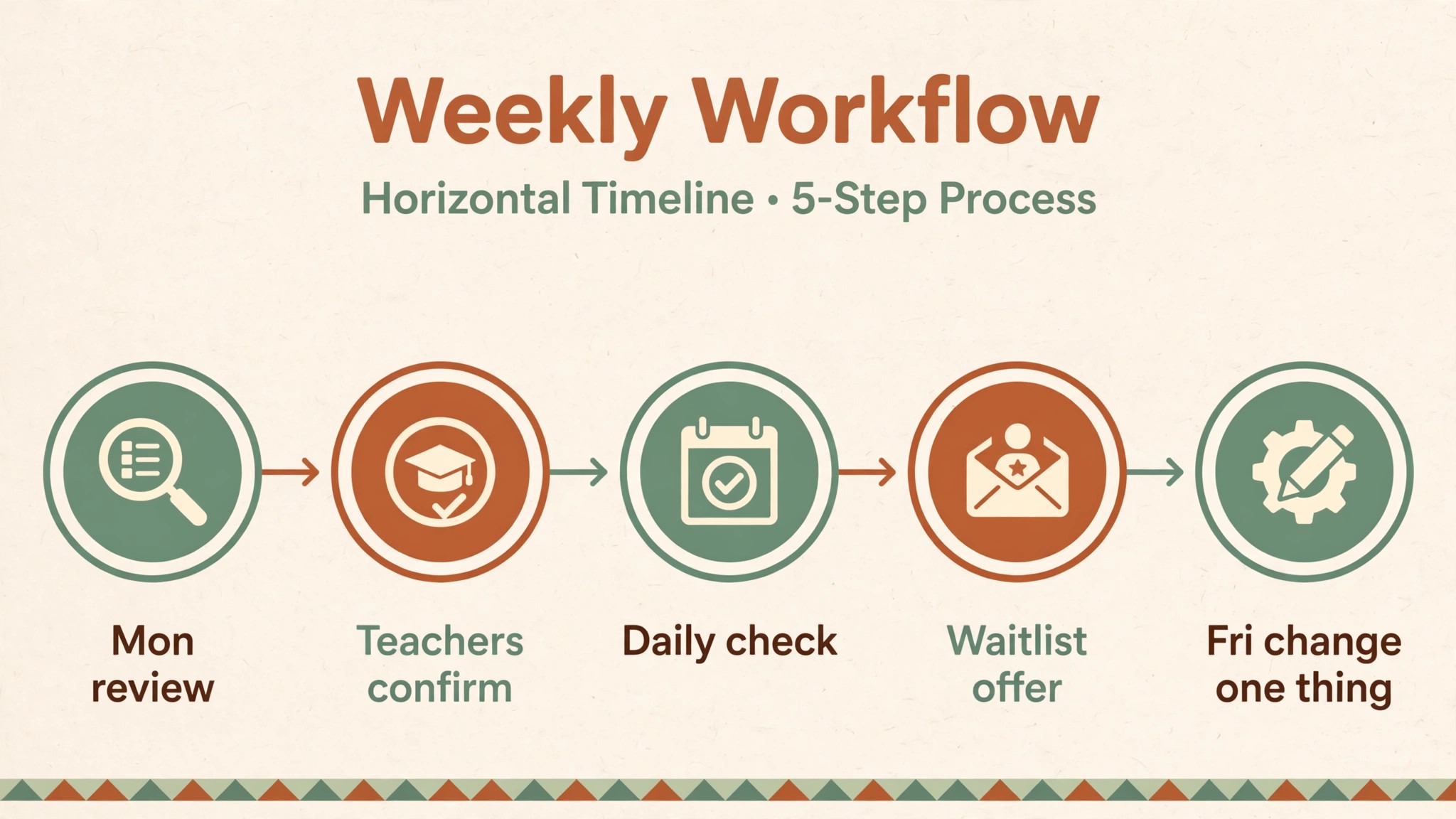
A workflow is a set of steps in a fixed order with a named owner for each step, and a studio without one will handle every cancellation differently depending on who is at the desk. The workflow below runs every week, and it is the overview proof element of this guide alongside the waitlist template in the next section. Print it, put it at the front desk and review it once a month until it feels automatic. It shows how you use AI for yoga studio class scheduling day to day, with rules doing the routine work and humans making the judgment calls.
- On Monday morning, the manager reviews last week fill rate, no-show rate and waitlist conversion by class, and flags any class below 50 percent fill or above 20 percent no-show.
- On Monday afternoon, teachers confirm their next two weeks of classes, including planned cover.
- Every day at 9 am, the front desk checks classes for the next 48 hours and promotes quiet classes to members who attended a similar class in the last month.
- Every day at 6 pm, the front desk checks next day classes, prompts unconfirmed bookings and releases any mat the policy allows to be released.
- When a student cancels, the system offers the mat to the first waitlist student at once, starts a 60 minute offer clock and, if that student declines or times out, moves to the next student.
- When a waitlist student accepts, the system sends a confirmation with class name, date, time, room, teacher, what to bring and a reschedule link, and updates the class count at once.
- One hour before each class, the teacher or front desk checks the live roster and prepares a walk-in plan for empty mats.
- After each class, the teacher marks attendance within 30 minutes and flags any student with three no-shows in 30 days for a friendly check-in.
- Every Friday, the manager reviews the week, moves one underperforming class time or level label if the data supports it, and records the change and the reason.
The Friday review is the step most studios skip, and it is the step that turns a workflow into improvement. Without it, a studio runs the same timetable for a year and calls the result a market problem. With it, a studio makes one small change a week and builds a timetable that fits its actual students. Cover teaching needs its own rule too. When a teacher cannot teach, update the timetable at once, message booked students with the cover teacher name and class style, and give them a free reschedule link for that class only. Students accept cover teachers far more willingly when told early and given a choice.
Set Capacity Rules That Protect the Room
Capacity is not the number of mats that fit on the floor. Capacity is the number of students who can practise safely and comfortably in that room, with space to move, props within reach and a teacher who can see every student. A room that fits 24 mats may teach best at 20 students, and a hot room that fits 18 mats may teach best at 15 students once heat and air flow are counted. Set the booking cap at the teaching number, not the floor number, and keep two or three mats in reserve for walk-ins and late waitlist arrivals.
Capacity rules matter when you use AI for yoga studio class scheduling, because a forecast means nothing if the cap it fills is the wrong number.
Overbooking is tempting for popular classes, because a 10 percent no-show rate suggests that booking 22 students for 20 mats will still fill the room. The maths works on average and fails on the day everyone arrives, which is exactly the day the studio looks careless. Do not overbook unless you have a clear overflow plan, meaning a second room, a second teacher or a guaranteed next class spot. A fast waitlist with a short offer window fills the same cancelled mats without ever promising a mat that does not exist.
Class packs and memberships need capacity rules too. Unlimited members can book far ahead and hold mats they may not use, which blocks drop-in students and frustrates waitlist students. Three rules keep this fair. First, limit advance bookings for unlimited members to a rolling 7 day window, so no one can hold a month of peak classes at once. Second, limit active future bookings per member to around four classes, so a member books the classes they truly plan to attend. Third, apply the same late cancellation rule to every student, member or not. Publish these rules on the booking page, not only in terms and conditions.
The Waitlist Template That Turns Cancellations Into Full Classes
A waitlist fails for three reasons, and all three are fixable. Students join a waitlist and never hear back, so they stop joining. Students get a spot too late to plan, so they decline. Students get a spot automatically and are charged for a class they cannot attend, so they complain. The template below fixes all three by making the offer, the deadline and the choice clear in one message. Copy it into your booking tool, adjust the times to your own policy and test it with two real students before you use it for a full class.
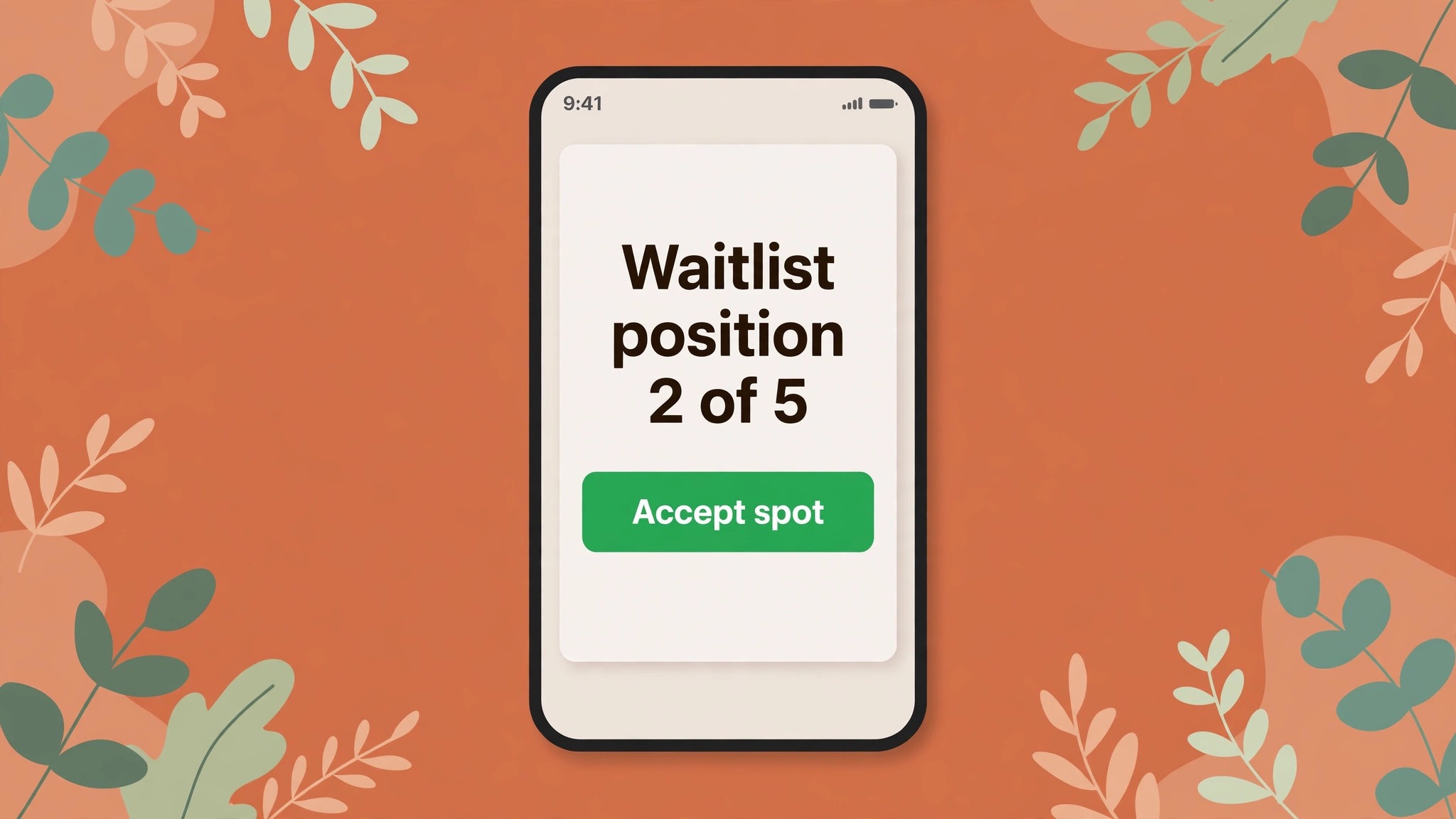
The waitlist is the clearest place to use AI for yoga studio class scheduling well, because speed and clarity matter more here than anywhere else in the system.

Waitlist offer message template.
- Subject line or first line. A spot opened in your class, and it is yours until a stated time.
- Class details. Class name, teacher, date, start time, room and what to bring, in that order.
- Offer deadline. A clear time, such as 60 minutes from the message, after which the spot moves to the next student.
- One action to accept. A single accept link that confirms the booking and, where payment applies, confirms the charge.
- One action to decline. A single decline link that releases the spot at once and removes the student from that class waitlist.
- Payment note. A plain sentence about whether accepting charges a class credit, a drop-in fee or nothing until check-in.
- Late spot note. A plain sentence about what happens if the offer arrives less than two hours before class.
- Follow up rule. If the student declines or times out, the next student receives the same message at once.
Waitlist order also needs a fairness rule, and first come first served is the fairest default for most studios. Manual priority should be rare, logged and explainable, because students notice when a queue jumps. If your tool allows it, show each waitlist student their position number, such as position 2 of 5, so they can judge whether to wait or book another class. Set the waitlist size with the same care as capacity. A waitlist of 20 students for a 15 mat class creates false hope. A waitlist of 5 to 8 students for a popular class, plus a clear note about the next similar class, gives students a real choice.
Reminders That Confirm, Not Nag
Reminder timing is where most studios either under message or over message, and both mistakes cost bookings. Under messaging means a single confirmation at booking and silence until class day. Over messaging means a confirmation, two reminders, a marketing message and a feedback request for one class, which trains students to ignore every message from the studio. Three messages per booking is enough for most classes, and each one should ask for an action or give information the student needs. This is another place where you use AI for yoga studio class scheduling in a modest, useful way, by letting the system send the right message at the right time without a staff member remembering each one.
Message one goes out at booking, within minutes. It confirms class name, date, time, room, teacher, price or credit used, cancellation window and a reschedule link, plus what to bring and arrival time. New students also receive a short welcome note with parking or entry instructions and a note about arriving 15 minutes early for a first class. Keep the subject line simple and searchable, with class name and date in it, because this is the record the student searches for later.
Message two goes out 24 to 48 hours before class, and this is the confirmation message that does the real work. It asks the student to confirm, reschedule or release the mat, and it states the cancellation deadline in plain words, such as free cancellation until 6 pm the day before class.
Studio guides report that a reminder a day before plus a short text a couple of hours before class can cut no-show rates from the 25 to 30 percent range down to the 8 to 10 percent range, and the day before message is where most of that gain comes from, because it arrives while the student can still change plans and the waitlist still has time to fill the mat.
Message three goes out 2 to 4 hours before class, and it should be short. It repeats class name, time and room, adds any change such as a cover teacher or room move, and includes a one tap check-in or cancel link. Do not add marketing to this message. A student reading a same day reminder wants to know where to go and whether anything changed, and a discount offer in that moment reads as noise.
Channel choice matters as much as timing. Email works well for the booking confirmation and the day before reminder, because students can search for it. Text messages work well for same day reminders and waitlist offers, because students read them fast, but text credits cost money, so reserve text for messages that truly need speed. Give students a choice of email or text at booking, and honour that choice. Many studios use a 4 hour cancellation window for regular classes and a 12 to 24 hour window for workshops, with a late fee or a lost class credit for drop-in and class pack students. Publish the numbers on the booking page and apply them evenly.

Measure What Matters, Then Change One Thing at a Time
After launch, five numbers tell you almost everything about scheduling health. Fill rate shows how full each class runs. No-show rate shows how many booked mats went empty. Waitlist conversion shows how many cancelled mats were refilled. Booking lead time shows how far ahead students book, which tells you whether your booking window fits real behaviour. Repeat booking rate shows how many first time students book again within 30 days, which is the closest scheduling number to retention. Review these numbers weekly by class and monthly by time slot and teacher, and change one thing at a time, because changing timetable, reminder timing and capacity together makes it impossible to tell which change worked.
| Measure | Healthy range to aim for | Action if it misses |
|---|---|---|
| Fill rate | 75 to 90 percent for peak classes | Promote the class to similar past students or move the time |
| No-show rate | Under 10 percent | Tighten reminder timing or add a confirmation step |
| Waitlist conversion | Over 50 percent of offered spots taken | Shorten the offer window or improve the offer message |
| Booking lead time | Most bookings 1 to 7 days ahead | Lengthen or shorten the booking window to match behaviour |
| Repeat booking within 30 days | Rising month on month | Check class level labels and first visit experience |
A new studio will miss these ranges in its first months, and a studio in a holiday town will miss them in low season, and neither fact means the system is broken. Compare each class with its own last month, and look for direction over four weeks rather than perfection in one week. When a number moves in the wrong direction, check the simplest cause first. A no-show rise often follows a timetable change or a reminder failure. A waitlist conversion fall often follows a longer offer window or a message that hides the accept link. Fix the simple cause and measure for two weeks before a larger change.
Related reading on this site covers the wider small business booking picture. The guide to setting up a booking system for a small salon shows how service durations, buffers and deposits transfer to a studio timetable. The roundup of best AI tools for yoga instructors puts scheduling software beside teaching and content tools. Studios that also run one to one sessions can borrow the flow in the guide to use Calendly for consultation bookings, while the guide to use AI for gym member onboarding applies directly to first visit welcome messages. The guide to use AI for pet grooming appointments covers the same empty slot problem in a different room.

Frequently Asked Questions
How far ahead should students be able to book a yoga class?
Seven to 14 days ahead works well for most regular classes, because it gives students time to plan while keeping cancellations close enough to refill. Workshops and courses can open four to eight weeks ahead. If most bookings arrive on the same day, shorten the window and promote same day booking.
What is a fair cancellation window for a yoga class?
Four hours before class is a fair starting point for regular classes, with 12 to 24 hours for workshops and courses. The window should be long enough for a waitlist student to plan travel and short enough that students do not feel punished for normal life changes. Publish it on the booking page and apply it evenly.
How large should a class waitlist be?
Five to eight students is a good waitlist size for a popular class, because it gives the studio enough names to refill two or three cancellations without creating false hope for 20 people. Close the waitlist at that size and point new students to the next similar class, so they can book a real mat instead.
Should a studio overbook popular classes to cover no-shows?
Overbooking is risky unless you have a clear overflow plan, such as a second room, a second teacher or a guaranteed next class spot. A fast waitlist with a 60 minute offer window usually fills the same cancelled mats without promising a mat that does not exist. If you test overbooking, cap it at one or two mats above the teaching cap and stop if a class ever turns a booked student away.
Do AI booking tools replace front desk staff?
No, they replace routine messages, not human judgment. Automation handles confirmations, reminders and waitlist offers, while staff handle cover changes, injured students and judgment calls a rule cannot cover. Keep a human at the desk for peak arrival times, because the personal welcome turns a first visit into a membership.
How do you handle unlimited members who book peak classes and do not arrive?
Limit advance bookings to a rolling 7 day window, limit active future bookings to around four classes per member and apply the same late cancellation rule to every student. Pair the rule with a friendly check-in after three no-shows in 30 days, asking whether the class times still fit, rather than sending a warning message.
Your Next Timetable, Built to Fill
A good yoga timetable does not need a larger room, more teachers or a bigger marketing budget to start working better. It needs honest capacity numbers, a booking window that matches how students actually book, a waitlist that offers a spot fast and clearly, reminders that ask for a decision and a weekly review that changes one thing at a time. If you use AI for yoga studio class scheduling with those rules in place, the tool will amplify a system that already works, instead of automating a timetable that already leaks.
Measure fill rate, no-show rate and waitlist conversion for 30 days and let the numbers tell you which class to move, which message to rewrite and which rule to tighten.