
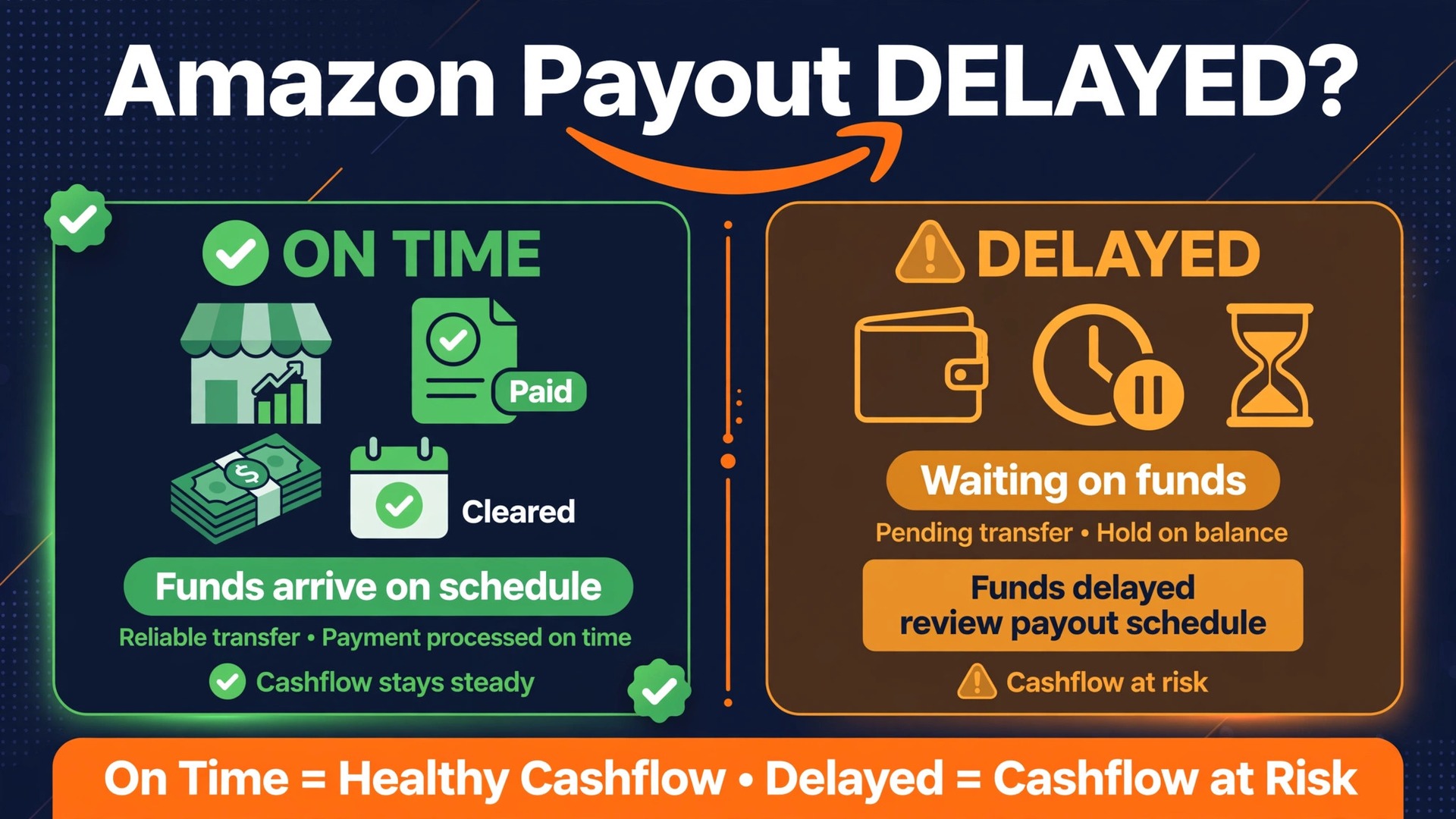
Two sellers can ship the same number of orders in the same week and receive very different payouts, and the difference is rarely luck. One seller sees money arrive on the expected settlement date, while the other sees a balance that looks healthy but a payout that is small, late, or missing entirely. The gap usually comes down to three things, which are the delivery reserve, the account level reserve, and the settlement timing itself. To fix Amazon payout delayed small business trouble, compare your own payout against those three mechanisms first, because each one has a different release trigger and a different fix.
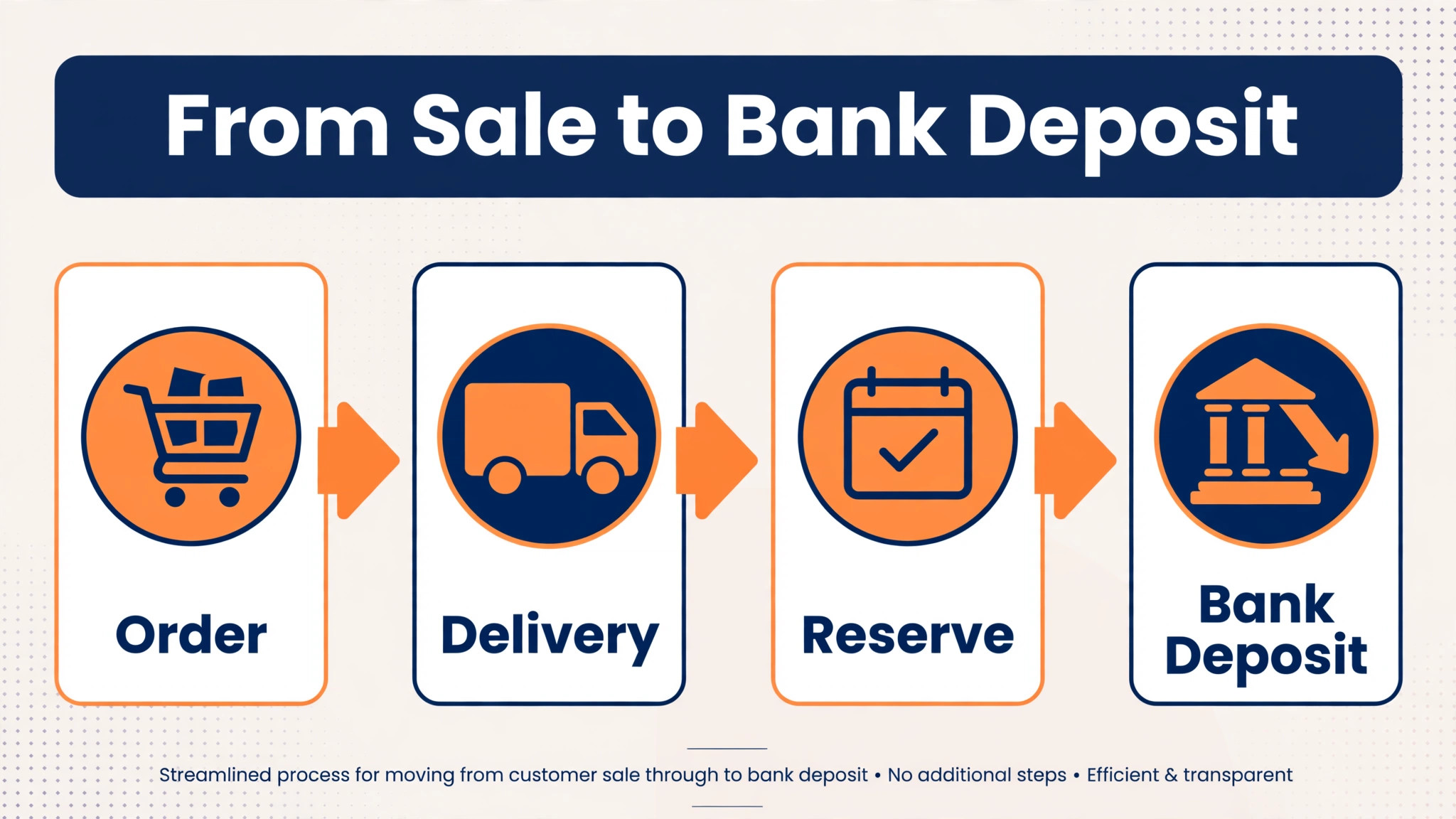
Amazon pays sellers on a settlement cycle, commonly every fourteen days, and the payout for a period covers sales fulfilled within that period after fees, refunds, and reserves are subtracted. That cycle alone creates a delay between a sale and the money reaching a bank account, and many sellers mistake that normal cycle for a problem.
On top of the cycle sit two reserve mechanisms. The delivery date reserve holds funds until a set number of days after delivery, commonly described as delivery plus seven days. The account level reserve holds back a portion of the balance while the account remains active, often after a performance flag, a spike in claims, or a rise in returns. Knowing which mechanism holds your money is the whole diagnosis.
How to Fix Amazon Payout Delayed Small Business
Open Seller Central and look at the payments area before you contact anyone. Find the current settlement period, the closing balance, the account level reserve figure if one is shown, and the next scheduled disbursement date. Note whether the payout you expected belongs to the current period or to the next one, because orders delivered within seven days of a scheduled payout date commonly roll into the following period. That rollover alone explains many reports of a missing payout, when the money is simply scheduled for the next cycle rather than lost.
Then open the settlement report for the last completed period and read it line by line. Check the sales total, the fees deducted, the refunds deducted, the reserve amount withheld, and the amount actually disbursed. Compare the disbursed amount with the bank deposit, allowing several business days for the bank transfer itself, since Amazon states that bank transfers can take up to five business days. If the report and the bank deposit match, the payout was not delayed. It was smaller than expected, which points to reserves or refunds rather than to a transfer failure.
Step Diagnosis in Order for a Delayed Payout
Work through these steps in order to fix Amazon payout delayed small business trouble. The steps move from the settlement calendar outward to reserves, account health, and bank details, because the most common causes sit in timing and reserves rather than in the bank transfer. Do not assume the payout is lost until the earlier steps are ruled out.
Step 1. Confirm the Settlement Date and the Rollover Rule
Check the settlement calendar first. Amazon settles accounts on a fourteen day cycle, with periods commonly running from the first to the fourteenth and from the fifteenth to the end of the month, producing two disbursements per month for most sellers. A sale made early in a period waits longer for its payout than a sale made late in the same period, and a sale delivered close to a payout date rolls into the next period. Work out which period your missing money belongs to before calling it delayed.

Also check the first disbursement rule for new accounts. New sellers commonly face a hold on the first disbursement until the account has been active for a set period, and early sales may sit in reserve for longer than later sales. If the account is new, or if selling has recently restarted after a long break, a longer first payout wait is often normal rather than a fault. Record the period dates, the expected disbursement date, and the actual bank posting date, so the next cycle can be judged against a real record rather than against hope.

Step 2. Separate the Delivery Reserve From the Account Level Reserve
Open the payments statement view and look for the account level reserve figure, which appears under the closing balance in the statement view. The delivery reserve is different. It holds individual sale funds until the delivery plus seven day point, and it releases automatically as each delivery passes that point, provided tracking is valid. The account level reserve holds back a portion of the balance for potential refunds, claims, and chargebacks, and it does not release on a fixed date. It releases as the underlying risk falls, which means performance improvement and time together.
To tell them apart, look at the shape of the hold. If most early sales show as deferred and then release steadily a week after delivery, the delivery reserve is the main mechanism. If a specific amount sits in the account level reserve while the account remains active, and that amount grows after a metric drops, the account level reserve is the main mechanism. That distinction decides the fix, because faster dispatch and valid tracking help the delivery reserve, while fixing the performance cause helps the account level reserve. Treating one as the other wastes weeks.
Step 3. Check Delivery, Tracking, and Dispatch Speed
For the delivery reserve, the fastest lever a seller controls is dispatch and tracking quality. Amazon advises sellers to dispatch quickly, confirm dispatch promptly, provide valid tracking, use an integrated carrier where possible, and choose faster delivery where it fits the product. With an integrated carrier, Amazon uses the actual delivery date. Without valid tracking, it uses the latest estimated delivery date, which is usually later, and that later date pushes the release point back with it.
Audit recent orders for tracking gaps. Look for orders shipped without tracking, orders where dispatch confirmation was late, and orders where the carrier is not integrated. Each gap adds days to the release of that order funds, and a pattern of gaps adds days across the whole settlement. Fix the dispatch routine so tracking is added at dispatch, not days later, and check the next settlement to confirm the release pattern improves. A seller who ships fast with valid tracking gets paid faster than a seller who ships slowly, even on identical sales.
Step 4. Check Account Health, Claims, and Returns
For the account level reserve, the cause is usually visible in account health. Check the account health rating, open claims, chargebacks, and return rates, and look for the change that coincided with the reserve growing. A spike in A to Z claims, a rise in returns, a performance flag, or a pending investigation can all trigger or increase a reserve, and the reserve commonly stays until the underlying performance or compliance issue is addressed. The reserve is a symptom, not the disease, and appealing the reserve without fixing the cause rarely helps.
Work the underlying issue directly. Respond to open claims promptly and completely, resolve customer messages before they become claims, and fix the product or listing cause behind a return spike, whether that is a sizing problem, a description gap, or a quality issue. Track the metrics weekly after the fix, because the reserve responds to sustained improvement rather than to a single good week. A seller who fixes the cause and documents the improvement is in a far stronger position for any later discussion about the reserve than a seller who only complains about it.
Step 5. Check for a Deactivation or Disbursement Hold
A deactivated account faces a different and longer hold from an active account reserve. When an account is deactivated, a disbursement hold commonly locks the balance for up to ninety days from the deactivation date, to cover the window in which buyers may file claims or chargebacks. Published 2026 guidance describes an appeal window of sixty days from deactivation for early disbursement, reduced from an earlier ninety day window, and notes that after sixty days a seller may appeal for early release of funds above the amount needed for outstanding claims. After ninety days, the remaining balance is released after deducting outstanding claims, fees, and reserves, assuming no violation that authorises permanent retention.
If the account is deactivated, the priority is the deactivation appeal itself, not the payout, because the payout follows the account decision. Gather the plan of action, the evidence, and the performance fix that the deactivation notice asks for, and submit it within the appeal window. Missing that window can remove the right to appeal for early disbursement entirely, which is a far costlier error than a late payout. Do not let a payout complaint distract from a deactivation deadline that is running at the same time.
Step 6. Check Bank Details and the Transfer Itself
Once the settlement report shows a disbursement, the bank becomes the next place to check. Confirm the bank account on file in Seller Central, including the account name, number, and routing details, and compare them with a recent bank statement. A name mismatch, a closed account, or an incorrect number can delay or return a transfer, and the return journey takes processing time of its own. Amazon uses bank to bank electronic transfers, and states that such transfers can take up to five business days to arrive.
Contact the bank with the disbursement date, the exact amount, and any reference shown in the settlement report, and ask whether a transfer matching those details has arrived, is processing, or was rejected. A bank that confirms receipt but not yet posting gives you a posting date to wait for. A bank with no record of the transfer, several business days after the disbursement date, gives you the evidence to take back to Seller Support. A bank rejection gives you a precise detail fix. In each case, the bank answer narrows the problem to a date or a detail, rather than leaving it as a vague delay.
Step 7. Decide What Is Normal, What Is Fixable, and What Needs Support
By this point you should be able to place the payout in one of three groups. Normal timing means the payout belongs to the next settlement period, is inside the delivery reserve window, or is inside the bank transfer window, and the fix is waiting with a dated record. Fixable means a tracking gap, a performance cause, a bank detail error, or a deactivation appeal is within your control, and the fix is the action for that cause. Support means the report and the bank record disagree, the disbursement date has passed by several business days with no bank record, or a reserve has no visible cause in account health.
Write that classification down with the evidence behind it. For normal timing, note the period dates and the expected posting date. For a fixable cause, note the action and the date it was taken. For a support case, note the report figure, the bank response, and the dates. That written diagnosis prevents the most common error in payout complaints, which is treating a normal cycle as a fault, or treating a reserve as a transfer failure, and chasing the wrong team for weeks.
What Each Reserve Means for Cash Flow
Reserves change cash planning more than any other payout feature, because they turn a sale into money that cannot be used yet. The delivery reserve is predictable once dispatch and tracking are clean, because each order releases about seven days after delivery. The account level reserve is less predictable, because it depends on performance and risk assessment, and it can grow when metrics worsen. A cash plan that assumes every sale becomes available on the settlement date will fail whenever either reserve applies, and that failure feels like a delayed payout even when the system is working as designed.
| Payout element | Timing | What releases it |
|---|---|---|
| Settlement cycle | Every fourteen days for most sellers | End of the settlement period |
| Delivery reserve | About seven days after delivery | Delivery plus the reserve period, with valid tracking |
| Account level reserve | No fixed maximum while active | Improved performance and falling risk over time |
| Bank transfer | Up to five business days | Bank posting after disbursement |
| Deactivation hold | Up to ninety days from deactivation | End of the hold period or a successful early appeal |
Plan purchasing and supplier payments around the longest realistic delay, not around the settlement date alone. For a new account, that means planning for the first payout to take longer than later ones. For an account with a reserve, that means planning around the reserve portion staying unavailable until performance improves. Keep a buffer for essential outgoings where possible, so a single delayed payout does not stop restocking or supplier payments. For a related account problem, see our guide to the Amazon seller account suspended fix, and for a related listing problem, see the Amazon listing suppressed fix.

Payout Diagnosis Checklist
Use this checklist every time you need to fix Amazon payout delayed small business trouble, before contacting support. It turns the diagnosis above into a routine that stops the common error of escalating a normal settlement rollover as if it were a missing transfer.
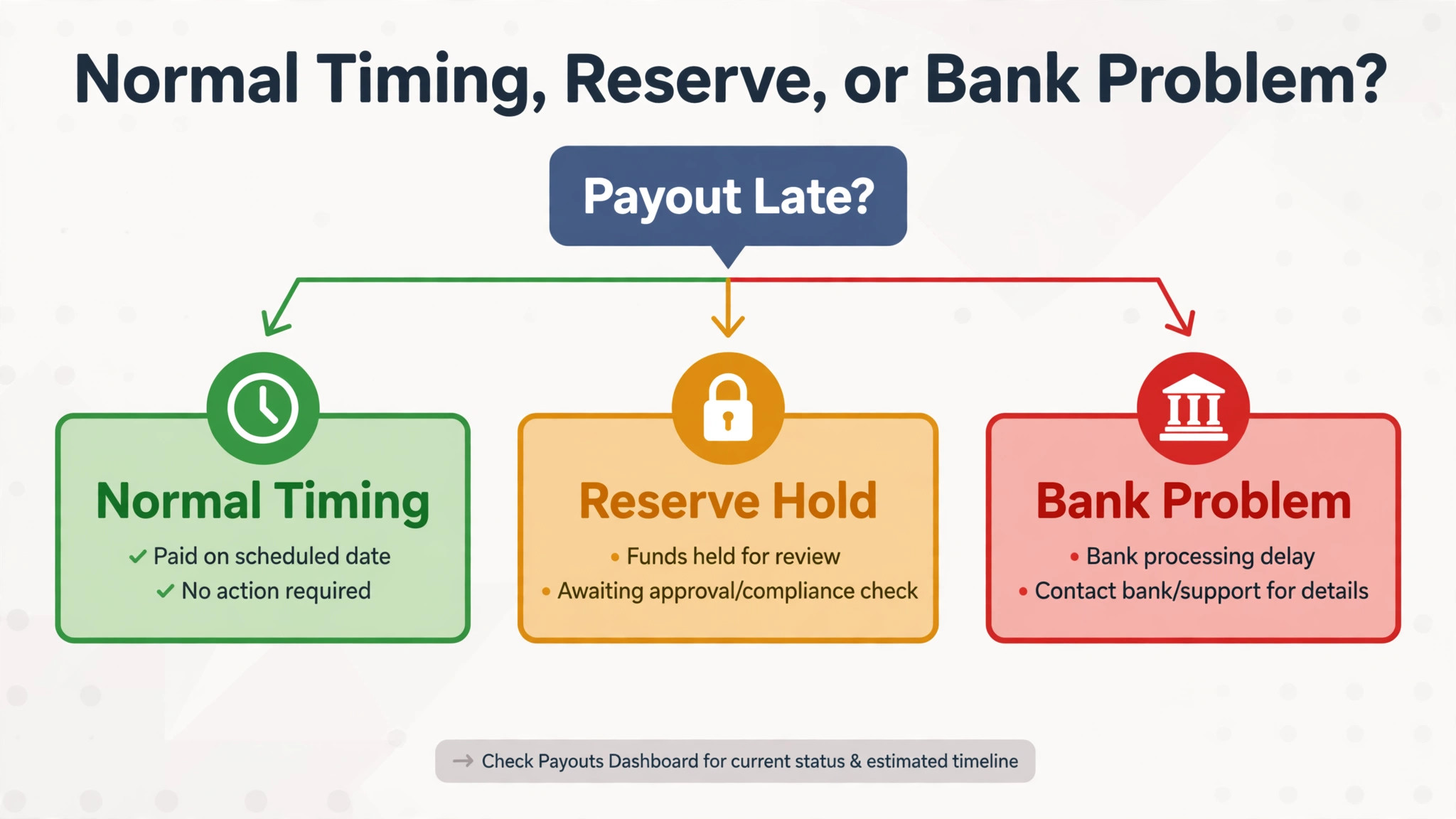
– Confirm the settlement period for the missing money, and check whether orders delivered near the payout date rolled into the next period. – Open the last settlement report and compare sales, fees, refunds, reserve withheld, and amount disbursed with the bank deposit. – Separate the delivery reserve from the account level reserve, and note which one holds the missing amount. – Audit recent orders for missing tracking, late dispatch confirmation, and non integrated carriers. – Check account health, open claims, chargebacks, and return rates for the change that coincided with any reserve growth. – Confirm whether the account is active or deactivated, and note any appeal deadline running for a deactivation. – Compare the bank account details in Seller Central with a recent bank statement, character by character. – Contact the bank with the disbursement date, amount, and reference, and ask whether the transfer arrived, is processing, or was rejected. – Count business days from the disbursement date, allowing up to five business days for the bank transfer. – Save the report, the bank response, and the classification of the delay in one note for any later support contact.

If every item on the checklist is clear and the transfer is still missing after the normal windows, you have a genuine escalation case. If one item is not clear, fix that item first, because that item is the most likely cause of the delay.
Cash Flow Planning Around the Settlement Cycle
A seller who plans around the settlement cycle rather than around sales dates avoids most payout panic. Work out the average delay from sale to bank deposit for your own account, using the last three settlements, and use that figure for purchasing decisions rather than the settlement date alone. If the average delay is twenty days, then stock bought today should be funded from cash that does not depend on sales made this week. That simple shift in planning prevents the cycle of ordering stock against money that has not yet arrived.
Build the buffer gradually. Set aside a portion of each payout for a reserve fund that covers essential outgoings during a delayed cycle, and treat that fund as untouchable except for genuine delays. Review the buffer monthly, and increase it when sales grow, because a larger business needs a larger buffer for the same delay in days. A buffer that covers two weeks of essential costs turns a delayed payout from a crisis into an inconvenience, and it gives the seller time to diagnose properly rather than making rushed decisions under cash pressure.

Mistakes That Make a Payout Delay Worse
The most common mistake is treating a normal cycle as a fault and changing settings in response. Changing bank details, pausing listings, or altering fulfilment settings during a normal settlement wait can create new problems that remain after the payout arrives. Diagnose first, and change only the thing the diagnosis points to. The second mistake is shipping without tracking to save time. That saving costs far more in delayed release than it saves in dispatch minutes, because untracked orders release on the later estimated date rather than the actual delivery date.
The third mistake is ignoring account health while complaining about the reserve. A reserve that grows after a claim spike will not shrink while the claim cause continues, no matter how many messages are sent about the payout. Fix the claim cause, document the improvement, and let the reserve respond to the improved record. The fourth mistake is missing a deactivation appeal deadline while focusing on the payout. Appeal windows are fixed, and a missed window can remove the right to early disbursement entirely. Calendar every deadline the day it arrives, and treat it as more urgent than the payout complaint itself.
When to Contact Seller Support and What to Send
Contact support when the diagnosis is complete, the settlement report and the bank record disagree, or the disbursement date has passed by several business days with no bank record and no visible reserve cause. That point usually arrives after the period, reserve, tracking, health, and bank steps have all been checked, and the money is still unaccounted for. Contacting support before that point usually produces a reply asking you to complete the same steps, and it costs days.
Send support a short, complete message to fix Amazon payout delayed small business trouble. Include the settlement period, the disbursement date, the amount disbursed, the account level reserve figure, the bank account in masked form, the bank response with the date you spoke to the bank, and the account health picture. State what you have already checked and what each check showed, so support does not ask you to repeat steps you have done.
Keep a copy of the message and the case reference, and note the reply, so any later contact starts from the full record rather than from the beginning. For fee background, see our guide to the cost of Amazon seller fees, and for listing help, see our guide to the best Amazon listing optimisation tools.
Reconcile Every Payout Like a Bookkeeper
Reconciliation is the habit that turns payout confusion into a clear monthly record, and it is the fastest way to fix Amazon payout delayed small business trouble when the same question returns each cycle. For every settlement, record the period dates, the sales total, the fees, the refunds, the reserve withheld, the amount disbursed, and the date the bank posted the deposit. Keep those seven figures in one spreadsheet row per settlement, so any month can be compared with the last without reopening reports.
That record answers the questions owners otherwise argue about from memory. It shows whether a smaller payout came from higher refunds, a larger reserve, or orders rolling into the next period, because each cause leaves a different fingerprint in the figures. It also shows whether the average delay from sale to bank deposit is improving after a tracking fix or a performance fix, which is the only honest test of whether those fixes worked.
Review the reconciliation at the end of each month, and flag any settlement where the bank deposit does not match the disbursed amount after five business days. That flag is the trigger for a support contact with evidence, rather than a vague complaint about a delay. A seller who reconciles every payout knows exactly which settlement is wrong, by how much, and why, and that precision is what gets a payout problem resolved quickly. Make reconciliation part of the monthly close, and the next time you need to fix Amazon payout delayed small business trouble, the answer will already be in your own records.
Frequently Asked Questions About Amazon Payouts
How often does Amazon pay sellers
Amazon settles seller accounts every fourteen days for most sellers, with periods commonly running from the first to the fourteenth and from the fifteenth to the end of the month. The payout for a period covers sales fulfilled within that period after fees, refunds, and reserves are subtracted. Orders delivered within seven days of a scheduled payout date commonly roll into the next period, so a sale near the end of a period may not appear until the following payout. Bank transfers after disbursement can take up to five business days to post.
What is the difference between the delivery reserve and the account level reserve
The delivery reserve holds individual sale funds until about seven days after delivery, and it releases automatically as each delivery passes that point, provided tracking is valid. The account level reserve holds back a portion of the balance while the account remains active, often after a performance flag, a spike in claims, or a rise in returns, and it has no fixed release date while the account is active. Faster dispatch and valid tracking help the delivery reserve, while fixing the performance cause helps the account level reserve. Check the statement view for the account level reserve figure under the closing balance.
Why is my Amazon payout smaller than my sales total
A payout is smaller than sales because fees, refunds, and reserves are subtracted before disbursement. Open the settlement report for the period and compare the sales total with the fees deducted, the refunds deducted, the reserve amount withheld, and the amount actually disbursed. A large reserve withholding, a refund spike, or orders rolling into the next period can each make the payout look small while the system is working as designed. If the report and the bank deposit match, the payout was not delayed. It was smaller than expected, which points to reserves or refunds.
How long does a deactivated account payout hold last
When an account is deactivated, a disbursement hold commonly locks the balance for up to ninety days from the deactivation date, to cover claims and chargebacks that buyers may still file. Published 2026 guidance describes a sixty day appeal window from deactivation for early disbursement, and notes that after sixty days a seller may appeal for early release of funds above the amount needed for outstanding claims. After ninety days, the remaining balance is released after deducting outstanding claims, fees, and reserves, assuming no violation that authorises permanent retention. Prioritise the deactivation appeal itself, because the payout follows the account decision.
Can I speed up an Amazon payout
A seller cannot change the settlement cycle, but can speed up the parts within their control. Dispatch quickly, confirm dispatch promptly, provide valid tracking, and use an integrated carrier where possible, because those steps release delivery reserve funds at the actual delivery date rather than the later estimated date. Fix the performance cause behind any account level reserve, because that reserve responds to sustained improvement. Keep bank details accurate and consistent, so a transfer is not delayed or returned for a detail error. Those three habits together shorten the average delay more than any other action.
Should I contact support as soon as a payout looks late
Contact support only after the diagnosis is complete and the normal windows have passed. Check the settlement period, the rollover rule, the reserve figures, tracking, account health, and the bank response first, and count business days from the disbursement date, allowing up to five business days for the bank transfer. A message that includes the period, the disbursement amount, the reserve figure, and the bank response can be acted on without follow up questions. Contacting support before those checks usually produces a reply asking you to complete the same steps.
The Comparison That Settles a Payout Delay
Return to the comparison this guide opened with, because it is the test for every payout delay. The seller who is paid on time and the seller who is paid late often differ only in tracking quality, in account health, or in which settlement period their orders belong to. Find which of those three differs in your case, and the delay stops being a mystery and becomes a task with a date attached to it.
Keep the checklist with the monthly settlement routine to fix Amazon payout delayed small business trouble, and run it the moment a payout looks short or late rather than after weeks of worry. Record each settlement with its period dates, reserve figures, and bank posting date, so trends are visible and the next delay can be judged against your own record. A payout managed that way is predictable enough to plan purchasing around, and a genuine delay is recognisable in an hour rather than discovered after the money was needed.