
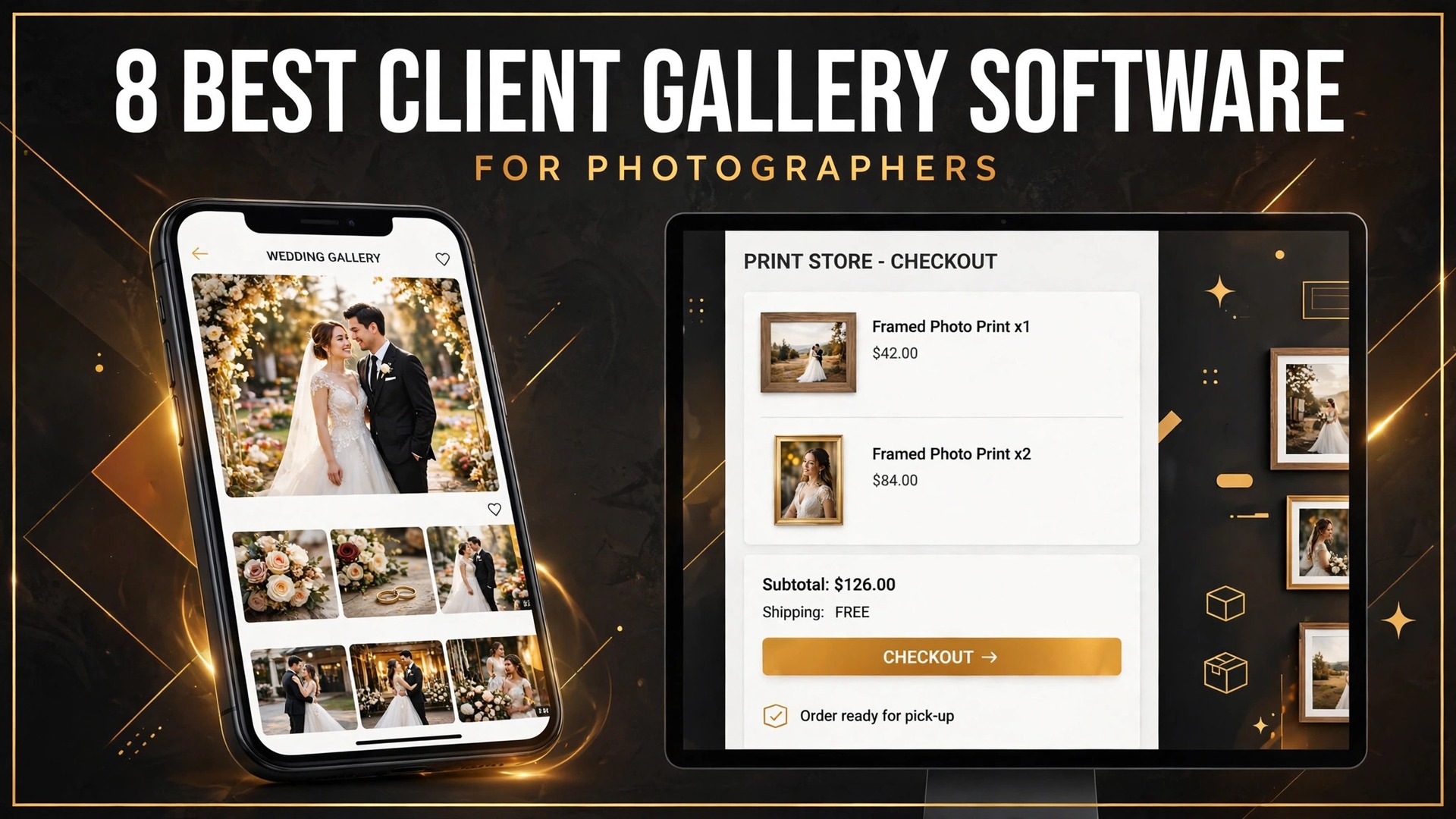
A wedding gallery that loads slowly, hides the print store, or takes 15 percent of every sale costs real money. The couple still gets their photos, but the photographer loses print orders, loses referrals, and pays a commission on the sales that do come through. That quiet loss is the problem the best client gallery software for photographers solves, and it is why the gallery choice deserves the same attention as the camera bag.
A client gallery is not a folder of files. It is the delivery room, the proofing room, and the shop, all in one link. Clients open it on a phone, pick favorites, share it with family, order prints, and decide whether to book you again. The gallery has to look beautiful on a small screen, load fast on weak signal, protect full-resolution downloads until payment, and make buying prints effortless. A tool that fails any of those jobs turns a finished shoot into a missed sale.
This guide compares 8 platforms across gallery design, storage, print sales, commissions, client experience, and total cost. Prices come from vendor pages and recent published comparisons, checked in October 2026, and they change often, so check the vendor pricing page before you sign. Test each shortlisted tool with a real wedding gallery, including a print order, a favorite selection, and a download, because those three cases reveal more than any demo.
What the best client gallery software for photographers must get right
Gallery design comes first, because the gallery is the last thing the client sees and the thing they share. It should look polished on a phone without any work from you, load quickly, and present the photos in a way that makes the work look its best. A gallery that looks dated or loads slowly makes a great shoot feel ordinary, and no amount of back-end features will fix that first impression.
Print sales come second, because the gallery is where the money is made after the shoot fee. The store should be easy to find inside the gallery, the price list should be simple to build, and the checkout should work on a phone. Commission is the number to watch. Some platforms take 15 percent of every sale on free and entry plans, which quietly taxes your first sales. Others take zero on every plan, which is worth more than a lower subscription over a busy year.
Storage and delivery complete the picture. Storage limits decide how many weddings you can keep live at once, and the download settings decide whether clients get full-resolution files, web-size files, or nothing until they pay. A platform that counts photos instead of gigabytes will suit a high-volume shooter differently from one that sells storage by the gigabyte, so check the counting method before you compare prices.
The 8 tools at a glance
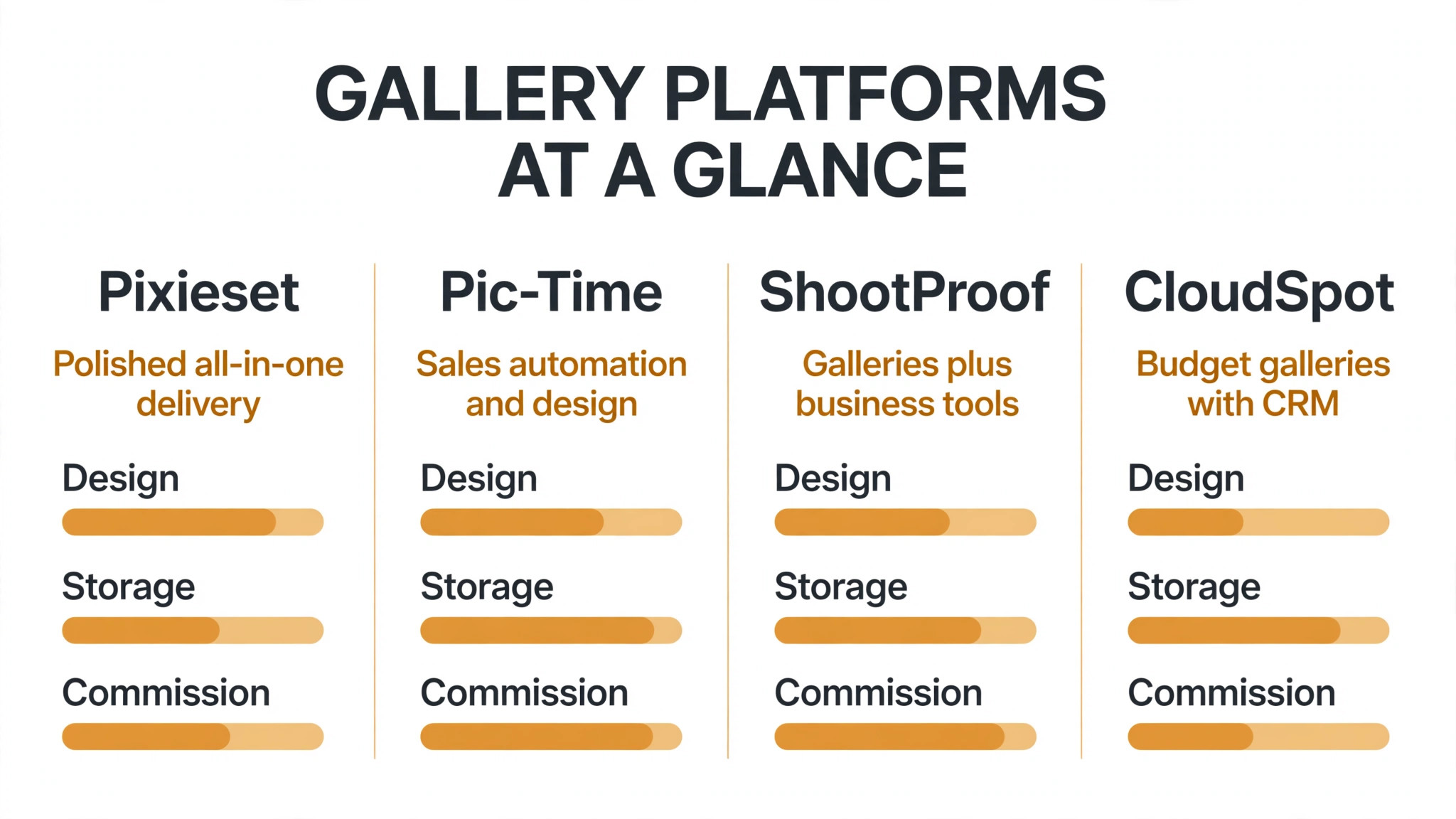
Use this table to shortlist three tools, then read only those full sections in detail. Price notes are starting points from published sources, and the vendor pricing page is the final word.
| Tool | Main job | Starting point | Watch out for |
|---|---|---|---|
| Pixieset | Polished all-in-one delivery | Free 3 GB, Basic from 8 dollars a month | 15 percent store commission on the free plan |
| Pic-Time | Sales automation and design | Free 10 GB, Beginner from 7 dollars a month | Free storage shrinks to 3 GB after six months |
| ShootProof | Galleries plus business tools | Free 100 photos, Starter from 8.33 dollars a month | Plans changed from photo counts to gigabytes in 2026 |
| CloudSpot | Budget galleries with CRM | Free 5 GB, Entry from 7 dollars a month | 15 percent commission on free and entry plans |
| SmugMug | Unlimited storage portfolios | Direct from 20 dollars a month | No free plan, 14-day trial only |
| Zenfolio | All-in-one websites and sales | Basic from 7 dollars a month | Smaller vendor, less marketing depth |
| PASS | Simple proofing and delivery | Free plan, paid from about 1 dollar a month | Fewer business tools than rivals |
| SlickPic | Budget galleries and proofing | From 4.95 dollars a month | Plainer design than the leaders |
Best pick by job
The table below names a lead pick for each segment in this guide, with a second option worth testing. Test the lead pick with a real gallery before signing.
| Segment | Lead pick | Also test | Why it fits |
|---|---|---|---|
| Wedding photographers | Pixieset | Pic-Time | Polished delivery plus a strong print store |
| Portrait photographers | ShootProof | CloudSpot | Contracts, invoices, and galleries in one place |
| Commercial photographers | SmugMug | Zenfolio | Unlimited storage suits large commercial archives |
Wedding photographers need delivery and sales together. Pixieset gives the most polished gallery and store in one system, while Pic-Time adds automated marketing campaigns that chase print orders while you shoot the next wedding. A wedding photographer who sells prints after every event will feel the difference in the first season.
Portrait photographers need a different strength. The business paperwork matters as much as the gallery, because portrait work means many small bookings, contracts, and invoices. ShootProof bundles contracts, invoicing, and booking into the same subscription, while CloudSpot adds a real CRM at a lower entry price. Neither tool forces a separate business system onto a portrait practice.
Commercial photographers need storage and archiving above all else. SmugMug gives unlimited storage on every plan, which suits large commercial archives and long client histories, while Zenfolio adds a website and sales tools at a lower price. The right choice depends on whether the archive or the store matters more for your next client.
The 8 tools in detail
Each section below judges the tool on the jobs photographers actually run, not only on gallery looks, so you can see where the best client gallery software for photographers earns its price and where it does not.

1. Pixieset
Pixieset is the default choice for most wedding and family photographers, and it earns that spot by doing most things well at a fair price. You get polished galleries, a built-in website builder, a strong print store, and light business tools, often everything a photographer needs in one platform. The galleries are hard to make look bad, the client experience is smooth on a phone, and the store is easy to find inside the gallery, which is exactly where print orders come from.

Pricing is by storage. A free plan gives 3 GB and unlimited galleries, with the catch that store sales on the free plan carry a 15 percent commission. Basic costs 8 dollars a month billed annually, or 10 dollars monthly, for 10 GB, 30 minutes of HD video, custom branding and domain, and commission-free sales. Plus costs 16 dollars a month billed annually for 100 GB, Pro costs 24 dollars for 1,000 GB and RAW uploads, and Ultimate costs 40 dollars for unlimited storage. Costs rise with storage, so a photographer who delivers many weddings a year should price the plan that holds a full year of work, not the entry plan.
The catch is the free plan commission, which quietly taxes your first sales. Any paid plan drops it to zero, so the real cost of Pixieset is the paid plan, not the free tier. Pixieset suits wedding and portrait photographers who want one polished system. A photographer who needs deep contracts and invoicing should compare ShootProof, which bundles those tools into the same subscription.
2. Pic-Time
Pic-Time is the sales machine in this list. Its galleries are editorial and beautiful, but the real strength is automated marketing. Built-in campaigns chase print orders with timed emails, gallery banners, and automated reminders while you shoot the next wedding, and that automation is the reason many photographers report higher print revenue on Pic-Time than on any other platform. Client face and selfie search, available on the Advanced plan, helps guests find themselves in a large wedding gallery.
Pricing is by storage. A free plan gives 10 GB of photos and 1 GB of video with unlimited galleries, but the photo allowance drops to 3 GB after six months, so treat it as a long trial. Beginner costs 7 dollars a month billed annually, or 8 dollars monthly, for 20 GB. Professional costs 21 dollars a month billed annually for 100 GB plus 30 GB of video, and Advanced costs 42 dollars for unlimited photos and 60 GB of video. Commission is the number to watch. Pic-Time takes 15 percent on free and Beginner plans, and zero on self-collected sales from Professional upward, so the real price of the sales automation is the Professional plan.
Pic-Time suits photographers who want print sales to run themselves. The entry price is the cheapest in this list, but the middle tier is the most expensive, so a photographer who outgrows Beginner should price Professional before committing. A photographer who rarely sells prints will get better value from Pixieset or ShootProof.
3. ShootProof
ShootProof pairs client gallery delivery with essential studio business management, and that pairing is its pitch. On paid tiers it bundles contracts, invoicing, booking, and a commission-free print store into every plan, which means a portrait or wedding photographer can run the business paperwork and the delivery in one subscription. Its homepage states zero commission taken against more than 1 billion dollars in user sales, which is the clearest differentiator in this list.
Pricing changed in September 2026, when ShootProof moved from photo-count tiers to storage tiers, so older comparisons that quote 1,500 photos for 8.33 dollars a month describe the old model. The current plans run from a free tier with 3 GB, through Starter at 8.33 dollars a month billed annually, or 9.99 dollars monthly, for 20 GB, Standard at 16.67 dollars for 100 GB, Professional at 26.67 dollars for 1 TB, Advanced at 43.33 dollars for 2 TB, and Premium at 50 dollars for unlimited storage. Every plan is commission-free on sales, including free, which is the reason to pick it over Pixieset or CloudSpot.
ShootProof suits photographers who want galleries plus contracts and invoices in one place. The 20 GB Starter plan is generous for a portrait practice, and the flat storage model is easy to budget. A photographer who needs the most polished gallery design should compare Pixieset first, and a photographer who wants automated print marketing should compare Pic-Time.
4. CloudSpot
CloudSpot is the budget pick in this list, and it bundles galleries with a real CRM, which Pixieset splits into separate products. It covers client galleries, contracts, invoices, and scheduling from 7 dollars a month, which makes it the cheapest route to a gallery plus business tools in one subscription. For a new photographer building a business on a tight budget, that combination is hard to beat.
Pricing is by storage and gallery count. A free plan gives 5 GB and up to three galleries, with a 15 percent commission on sales. Entry costs 7 dollars a month for 15 GB and 15 galleries, with the same 15 percent commission. Lite costs 17 dollars a month for 100 GB and unlimited galleries with zero commission, Pro costs 34 dollars for 500 GB, and Unlimited costs 50 dollars. The commission is the trap to watch. The free and Entry plans both take 15 percent, so the real price of commission-free selling is the Lite plan at 17 dollars a month.
CloudSpot suits new and budget-conscious photographers who want a CRM with their galleries. The Lite plan is genuinely competitive at 100 GB with zero commission. A photographer who sells high volumes of prints should compare Pic-Time, whose automation may earn more than the price difference, and a photographer who wants the most polished design should compare Pixieset.
5. SmugMug
SmugMug is the unlimited storage veteran in this list, and it suits photographers who think in archives rather than in single galleries. Every plan includes unlimited storage, which means a commercial photographer can keep years of client work live without deleting old galleries to make room. It also builds a full portfolio website with customizable galleries, password protection, and print and digital sales, so the gallery and the public portfolio live in one system.
Pricing is straightforward. Direct costs 20 dollars a month billed annually for unlimited full-resolution JPEG and video storage, with each video capped at 20 minutes and 3 GB. Portfolio costs 23.50 dollars a month and adds print and digital sales with your own margins. Pro costs 37 dollars a month and adds multiple price lists. There is no free plan, only a 14-day trial, and RAW storage is an add-on at 10 dollars a month for the first terabyte. At 20 dollars a month billed annually, SmugMug undercuts the 100 GB plans of Pixieset, PASS, and Pic-Time outright, which makes it the cheapest unlimited option in this list.
SmugMug suits commercial photographers and anyone with a large archive. The unlimited storage removes the storage math that dominates the other tools, and the portfolio site is a genuine bonus. A wedding photographer who sells prints through automated campaigns should compare Pic-Time first, and a portrait photographer who needs contracts and invoices should compare ShootProof, because SmugMug does not bundle business tools.
6. Zenfolio
Zenfolio is the all-in-one in this list, combining a portfolio website, client galleries, and print sales in one subscription. It covers gallery delivery, online sales, scheduling, and client management, which suits a photographer who wants a single login for the whole client journey. The website builder is stronger than the gallery-only tools, so a photographer who also needs a public portfolio gets more value here than from a pure gallery platform.
Pricing is by tier. Basic costs 7 dollars a month, Professional costs 11.50 dollars a month, and Advanced costs 20 dollars a month in published comparisons. At those prices Zenfolio is one of the cheapest all-in-one options, and the Professional plan at 11.50 dollars a month is a genuine bargain against the mid tiers of Pixieset and Pic-Time. Check the vendor pricing page for the current rates and for what each tier includes, because published figures differ across guides and the vendor has changed plan names before.
Zenfolio suits photographers who want a website, galleries, and sales in one cheap subscription. The value is real, but the marketing depth is thinner than Pic-Time and the gallery polish is a step behind Pixieset. A photographer who sells prints aggressively should compare Pic-Time, and a photographer who needs contracts and invoicing should compare ShootProof or CloudSpot.
7. PASS
PASS is the simple proofing and delivery tool in this list, built by the ShootProof team for photographers who want a clean gallery without the full business layer. It covers client galleries, proofing, favorites, and print sales in a straightforward package, with a focus on getting photos to clients fast and looking good on a phone. For a photographer who already has a CRM and only needs delivery, that simplicity is the point.
Pricing is the cheapest in this list. A free plan is available, and published comparisons report paid plans from about 1 dollar a month, with entry-level paid plans in the 5 to 10 dollar a month range. Check the vendor pricing page for the current rates, because PASS pricing is the least consistently reported in this list. The low price reflects the narrow scope. PASS does not bundle contracts, invoicing, or booking, so a photographer who needs those tools should look at ShootProof, its sibling product, or CloudSpot instead.
PASS suits photographers who want simple, fast delivery at the lowest price. It is a sensible choice for a second shooter, a new photographer, or anyone who delivers galleries and sells few prints. A wedding photographer who relies on print revenue should compare Pic-Time, whose automation earns more than the price difference, and a portrait photographer who needs the business paperwork should compare ShootProof.
8. SlickPic
SlickPic is the budget gallery and proofing tool in this list, covering client galleries, proofing, and print sales at the lowest published entry price among the established tools. It suits photographers who need a functional gallery and a store without paying for a website builder, a CRM, or marketing automation they will never open. The galleries are clean and fast, and the proofing tools cover favorites, comments, and download controls.
Pricing starts at 4.95 dollars a month in published comparisons, which undercuts every other paid plan in this list except PASS. Check the vendor pricing page for the current tiers and storage limits, because SlickPic pricing is reported less often than the leaders and the plan details change. The trade-off is design. SlickPic galleries are plainer than Pixieset or Pic-Time, and the marketing and sales automation is thinner, so a photographer whose brand depends on a stunning gallery should compare the leaders first.
SlickPic suits budget-conscious photographers who prioritize function over polish. It is a sensible pick for a photographer starting out, for a high-volume shooter who needs many galleries at a low price, or for anyone who already has a website and only needs delivery. A wedding photographer who sells prints aggressively should compare Pic-Time, and a photographer who wants the most polished client experience should compare Pixieset.
How to choose a gallery platform without losing print sales
Start with your storage need, because that choice filters the best client gallery software for photographers faster than any feature table. Count the weddings or shoots you deliver in a year, and estimate the gigabytes each one needs. A wedding photographer delivering thirty weddings a year needs a different plan from a portrait photographer delivering fifty small sessions, and a commercial photographer with a ten-year archive needs a different tool from both. Write those numbers down before any trial, and price the plan that holds a full year of work.
Next, separate delivery from sales and judge each on its own. Delivery covers gallery design, loading speed, favorites, and download controls. Sales covers the store, the price list, the checkout, and the commission. A tool that excels at delivery and takes 15 percent of every sale is still useful, but only if you have priced the commission into your print margins. The most common mistake in this market is choosing the prettiest gallery and discovering at year end that the commission cost more than the subscription saved.
Finally, test with a real gallery, not a demo gallery. Upload a full wedding, invite a friend to pick favorites and order a print, and check the order from your side. That one exercise shows whether the store is easy to find, whether the checkout works on a phone, and whether the commission is what you expected. Ask about data export and gallery expiry before signing, because moving hundreds of galleries to a new platform later is far harder than choosing well now.

What a client gallery really costs
The best client gallery software for photographers costs between zero and about 800 dollars a year in 2026, and most working photographers pay between 84 and 300 dollars. Entry-level paid plans run 5 to 10 dollars a month, mid tiers with 100 GB to 1 TB run 16 to 34 dollars a month, and unlimited plans top out around 40 to 60 dollars a month. Those subscription numbers are only half the story, because commission and storage overage can cost more than the subscription itself.
Commission is the number that decides the real cost. A photographer who sells 2,000 dollars of prints a year on a free Pixieset or CloudSpot plan pays 300 dollars in commission, which is more than the 96 dollar Basic plan that would have made those sales commission-free. A photographer who sells 10,000 dollars of prints a year on a 15 percent plan pays 1,500 dollars, which dwarfs any subscription saving. Price the commission at your real print revenue, not at zero, and move to a commission-free plan as soon as the math favors it.
Storage is the second hidden cost. A stills-only wedding year of about 120 GB fits on a Zenfolio Professional plan at 138 dollars a year, while the same year on Pixieset can reach about 768 dollars once video hours are added. Add a 25-minute film per wedding and the gap grows wider, because video storage is priced separately on several platforms. Count your video hours before you compare storage prices, and check whether RAW uploads cost extra.

Setup checklist for a smooth gallery launch
Use this sequence when you move to the platform you chose, and do not skip the print order test.
- Build your price list first, including prints, albums, and digital downloads, and check the margins after commission.
- Set up your gallery template next, including branding, colors, and the download settings for each gallery type.
- Upload a full past wedding and test the gallery on a phone, including favorites, sharing, and the store.
- Place a test print order with a real card, then cancel or refund it, to confirm the full checkout flow.
- Set your gallery expiry rules, so old galleries archive cleanly instead of filling your storage.
- Invite a past client to test the gallery, including the download and the print order, before a full launch.
- Keep the old galleries live on the old platform until the new ones are proven, so no client loses access during the move.
A careful launch protects the client experience. Clients forgive a new gallery design quickly if the photos load fast and the store works. They do not forgive a missing download, a failed print order, or a gallery link that stops working. Test the store and the download twice, and launch only when both are clean.
Mistakes that cost photographers money
The first mistake is staying on a free plan that takes 15 percent of every sale, and it is the most common error when photographers shop for the best client gallery software for photographers. The free plan feels free, but a busy wedding season can turn that commission into hundreds of dollars, which is more than the paid plan would have cost. Move to a commission-free plan as soon as your print revenue covers the subscription, and treat the free plan as a trial, not a business model.
The second mistake is buying storage by the cheapest headline instead of by the real year. A 10 GB plan looks cheap until the fourth wedding fills it, and the upgrade to the next tier can double the monthly bill. Price the plan that holds a full year of work, including video, and check the overage rules before you commit.
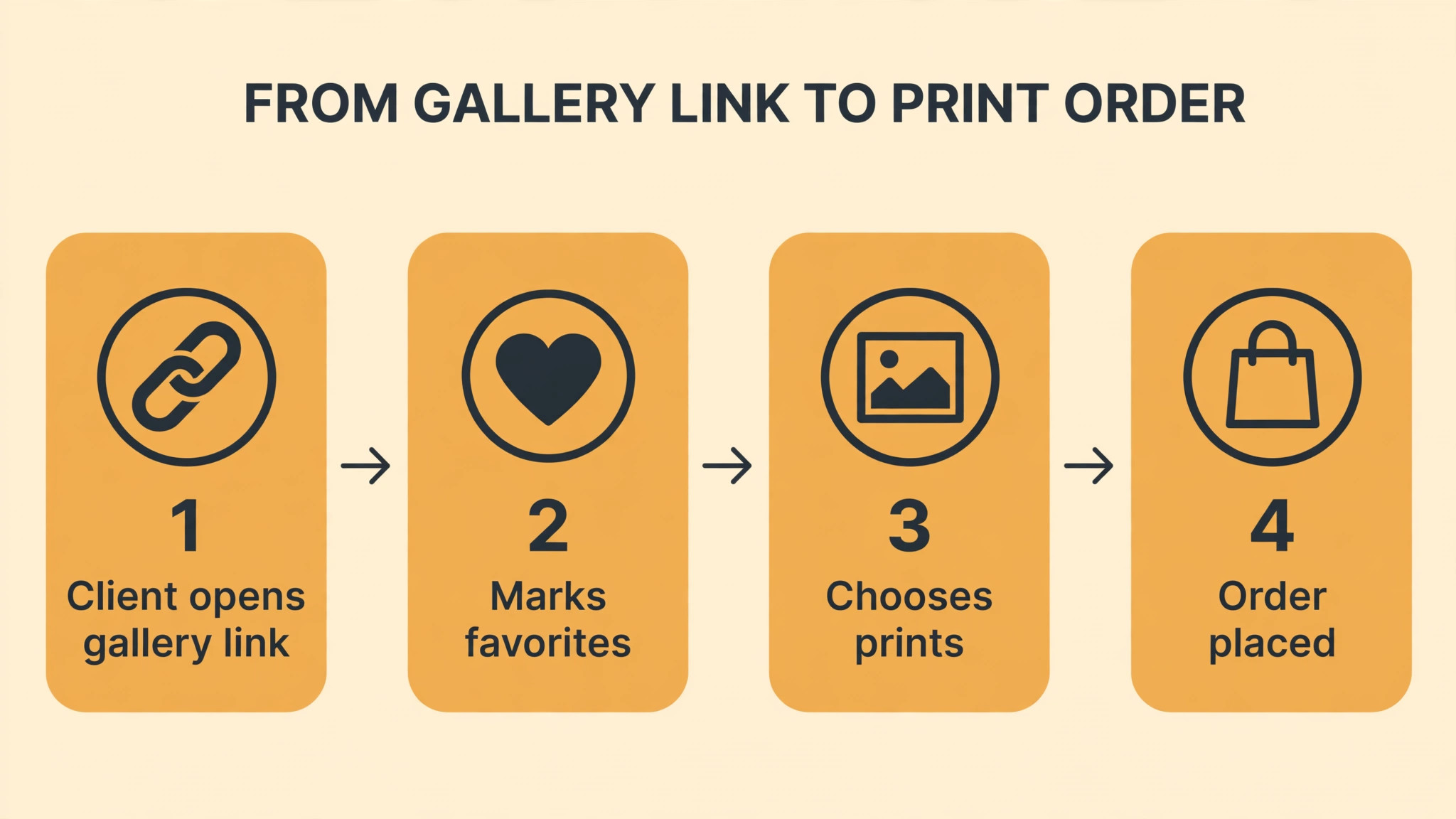
The third mistake is hiding the store. A gallery with no visible shop, no price list, and no call to buy will sell almost nothing, however good the photos are. Put the store where clients see it, set prices that make sense for your market, and send one reminder email after delivery. Pic-Time automates that reminder, but on other platforms you must send it yourself.
The fourth mistake is ignoring the mobile experience. Most clients open the gallery on a phone, pick favorites on a phone, and order prints on a phone. A gallery that looks great on a desktop and clumsy on a phone will lose sales every week. Test every gallery on a phone during the trial, and judge the platform by the phone experience, not the desktop demo.

Related Guides
Keep exploring with these guides on Stratilyze:
- Best Client Gallery Software for Photography Studios
- How to Create a Client Welcome Packet Small Business
- AI Tools for Wedding Photographers at a Small Business (12 Tools)
Frequently Asked Questions
How much does the best client gallery software for photographers cost
Most working photographers pay between 84 and 300 dollars a year. Entry plans run 5 to 10 dollars a month, mid tiers with 100 GB to 1 TB run 16 to 34 dollars a month, and unlimited plans top out around 40 to 60 dollars a month. Add the commission on your real print revenue, because a 15 percent commission on 2,000 dollars of print sales costs 300 dollars, which is more than most subscriptions.
Which client gallery takes no commission on print sales
ShootProof takes zero commission on every plan, including free, which is the clearest differentiator in this list. Pixieset and CloudSpot take zero on paid plans and 15 percent on free plans, and Pic-Time takes zero on self-collected sales from Professional upward. Check the commission on the exact plan you would buy, because the free and entry tiers are where the commission hides.
Can clients download full-resolution photos from the gallery
Yes, when the download settings allow it. Most platforms let you choose full-resolution, web-size, or no download per gallery, and some restrict full-resolution downloads to paid plans. Pixieset reserves full-resolution downloads for paid tiers, while SmugMug includes full-resolution on every plan. Test the download settings during the trial, and confirm that clients cannot download files you intended to sell.
How much storage does a wedding photographer need
A stills-only wedding year of about thirty weddings needs roughly 120 GB, which fits on a mid-tier plan. Add a 25-minute film per wedding and the need grows sharply, because video storage is priced separately on several platforms. Price the plan that holds a full year of work including video, and check whether RAW uploads cost extra before you commit.
Should a new photographer start on a free gallery plan
A free plan is a good trial, but a poor business model once you start selling prints. The 15 percent commission on free Pixieset, CloudSpot, and Pic-Time plans quietly taxes your first sales, and the storage limits fill fast. Start free to test the design, then move to the cheapest commission-free plan as soon as you deliver your first paid wedding.
What is the difference between Pixieset and Pic-Time
Pixieset is the polished all-in-one, with galleries, a website builder, and a print store that looks beautiful on a phone, and its paid plans are commission-free from 8 dollars a month. Pic-Time is the sales machine, with automated marketing campaigns that chase print orders while you shoot, and its real price is the Professional plan at 21 dollars a month, where self-collected sales become commission-free. Choose Pixieset for polish and Pic-Time for print revenue.
Choosing the gallery that sells the work
Wedding photographers looking for the best client gallery software for photographers should test Pixieset first, with Pic-Time as the sales alternative. Portrait photographers should test ShootProof first, with CloudSpot as the budget alternative. Commercial photographers should test SmugMug first, with Zenfolio as the all-in-one alternative. In every case, the deciding test is a real gallery, a real print order, and a real download, plus a year of storage priced honestly. The platform that handles that chain cleanly, at a written total cost you can defend, is the right buy for your photography business.