
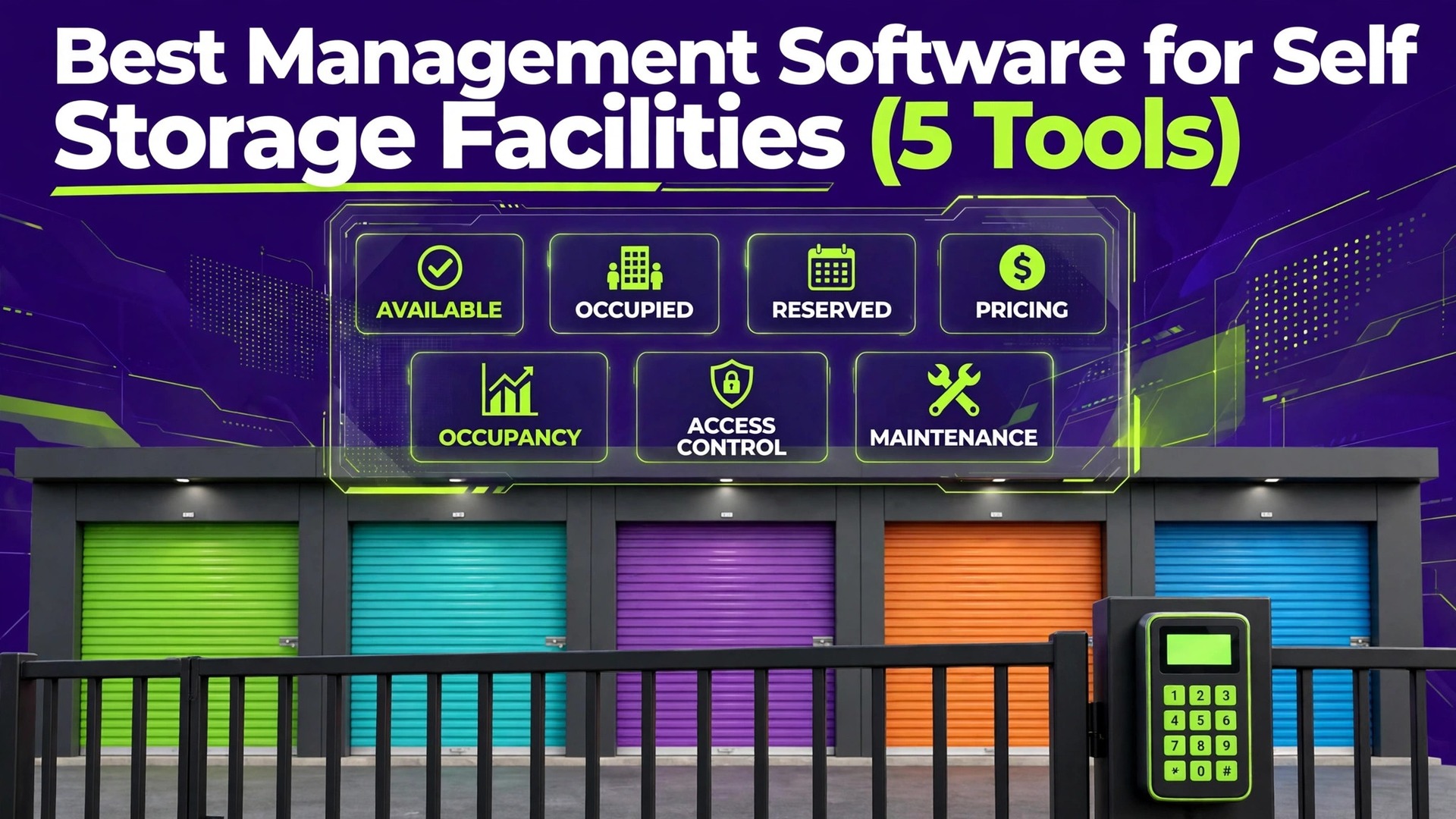
One facility fills its units with online rentals, automated billing, and a gate that opens for paying customers at midnight. Another facility, on the same street, still takes bookings by phone, chases late payments by hand, and loses rentals because nobody answers after hours. The difference is rarely the building. It is the system behind the building. That contrast is the reason to compare the best management software for self storage facilities carefully, instead of buying the first platform a sales rep recommends.
Self storage software decides how customers find you, reserve a unit, sign a lease, pay, access the site, and leave. It also decides how much of that work your staff must do by hand. A good platform automates the repeatable steps, keeps billing accurate, and gives the owner a clear view of occupancy, revenue, and collections. A weak platform creates a second job for the office, with duplicate records, missed payments, and customers who cannot rent when they are ready to pay.
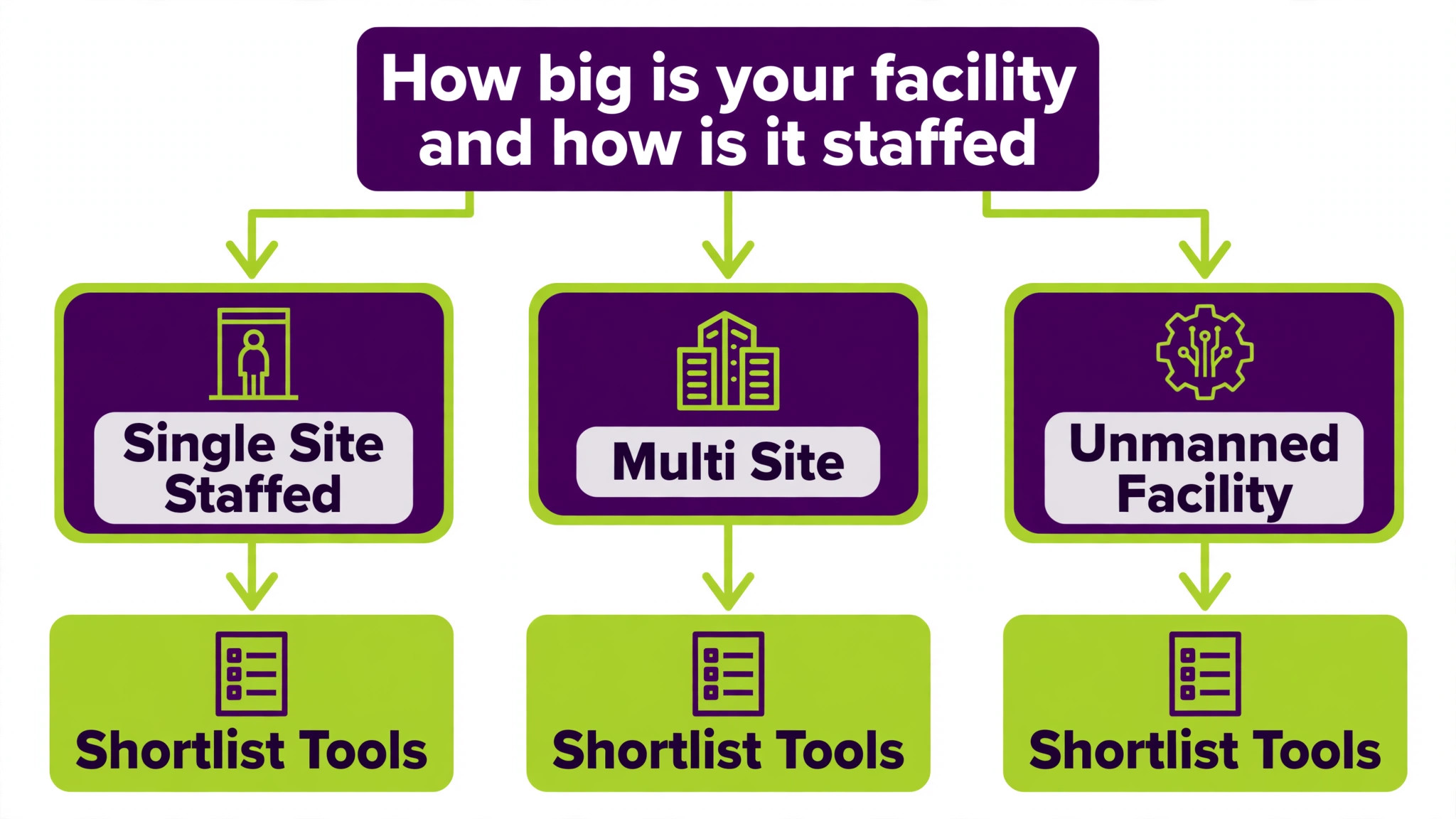
This guide compares 5 platforms across online rentals, leases, billing, gate connections, automation, unmanned operation, multi site reporting, and total cost. It is written for owners, not for software vendors. Read the comparison first, then read the tools that match your segment. A single site facility, a multi site operator, and an unmanned facility need different strengths, and the best pick changes with that mix.
How best management software for self storage facilities earns its fee
A storage platform earns its fee in three places. First, it fills units faster, through online rentals, a clear website, and instant availability. Second, it collects money reliably, through automated billing, payment reminders, and late fee handling that does not depend on staff memory. Third, it reduces staff time, through automation that lets a small team run a larger facility, or lets an unmanned facility run safely at all. Judge every platform on those three returns, not on its feature list alone.
The table below gives a fast first sort. Use it to remove tools that clearly do not fit your facility, then read the full sections for the survivors. Price notes reflect listings that disagree across sources, so check the vendor pricing page before budgeting, and ask for the total cost including gate hardware, payment processing, and any marketing services.
| Tool | Best for | Standout strength | Price note |
|---|---|---|---|
| SiteLink | Complex and multi site operations | Reporting and integrations | Quote based in current listings |
| Storable Edge | Owners wanting a fast complete start | Software plus marketing in one vendor | Quote based in current listings |
| Yardi Breeze | Small facilities | Per unit pricing that scales with size | Reported from about 1 dollar per unit per month |
| 6Storage | Independent facilities | Visual sitemaps and support | Reported from about 75 dollars per month |
| Easy Storage Solutions | Owner operators needing bookings fast | Free marketing website bundled | Reported from about 90 dollars per month |

What matters most in storage software
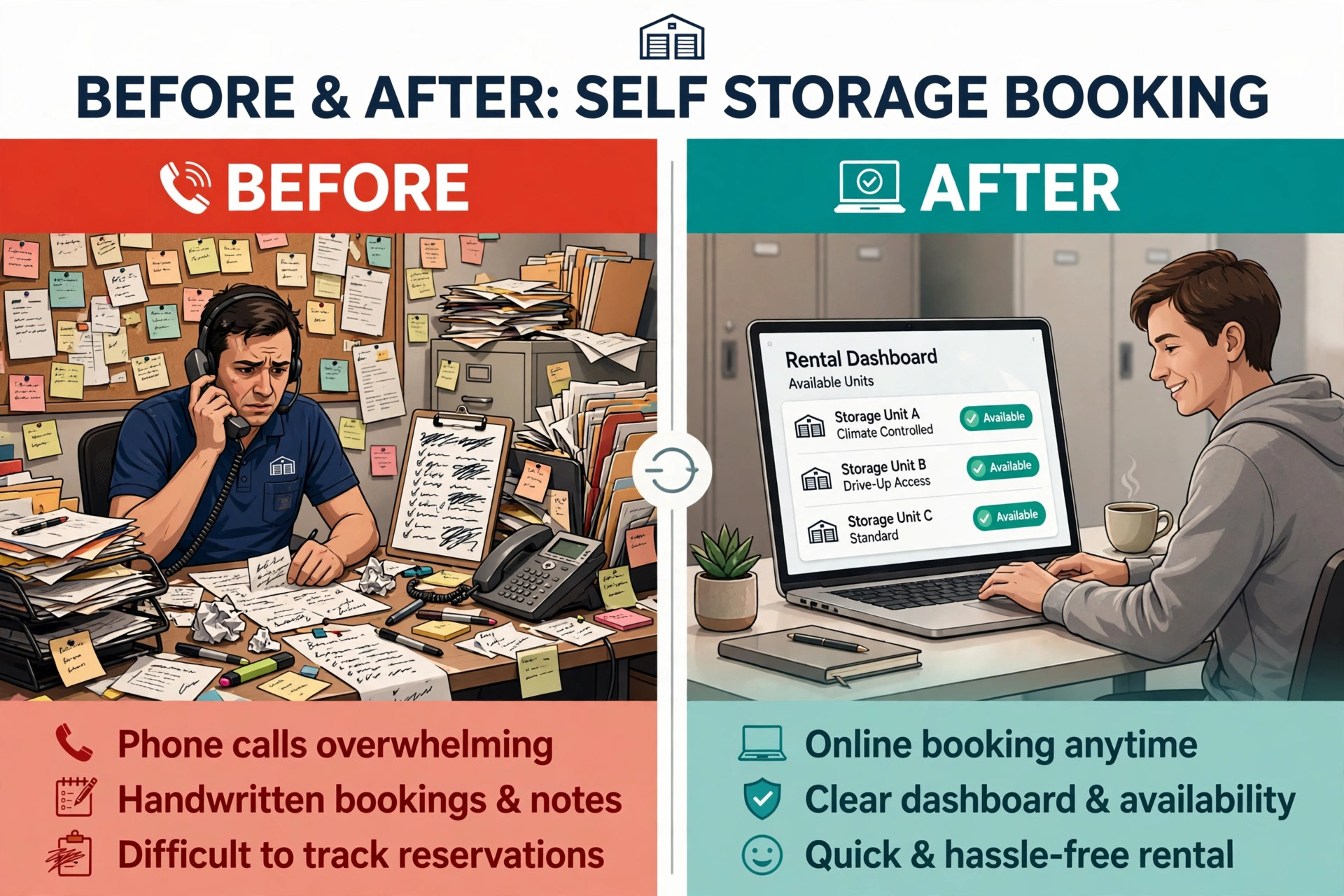
Online rentals come first, because a customer who cannot rent online will often rent elsewhere. Test the full journey from search to signed lease on a phone, not just on a desktop. Check whether the customer can see real availability, choose a unit, understand the price and promotions, sign electronically, and pay a deposit without calling the office. Any step that forces a phone call loses customers who shop after hours.
Billing accuracy comes second. Storage billing involves prorations, promotions, insurance, late fees, and payment failures, and errors in any of those areas create disputes that consume staff time. A good platform handles prorations automatically, applies promotions consistently, retries failed payments, and sends clear reminders before a late fee applies. Ask to see a full billing cycle during a trial, including a failed payment and a move out, before judging the platform.
Gate and access control comes third, especially for unmanned facilities. The platform must connect to gate hardware, grant access when payment is current, and restrict access when it is not, without staff intervention. Test the access flow for a new rental, a late payer, and a move out, and confirm which gate systems the platform supports. A platform that cannot control your existing gate may force a hardware replacement that dwarfs the software cost.
Automation and reporting complete the picture. Automation should handle move in messages, payment reminders, and move out tasks without daily staff attention. Reporting should show occupancy, economic occupancy, revenue, collections, and delinquency at a glance, and for multi site operators, across the whole portfolio. A platform that reports well helps an owner price units correctly, while a platform that reports poorly leaves pricing to guesswork.
The 5 tools in detail
1. SiteLink
SiteLink is the long standing standard for self storage operators that need depth, customisation, and scale. In the market since 1996 and now part of Storable, it handles online rentals, electronic leases, automated billing, payment processing, gate system connections, and reporting across one facility or an entire portfolio. Its integration marketplace covers accounting, marketing, insurance, and gate systems, which matters when a facility already runs several separate tools.

For multi site operators, SiteLink reporting is the deciding strength. Managers can compare occupancy, revenue, and collections across facilities, drill into a single site, and spot a site that drifts before it becomes a problem. For a complex single site with varied unit types, promotions, and insurance options, its workflow customisation helps the office match the software to the way the facility actually operates, rather than forcing the facility to match the software.

Pricing is largely quote based in current listings, with older listings reporting entry from about 50 dollars per month, so check the vendor pricing page and request a written quote for your facility count and modules. SiteLink suits operators that will use its depth daily. A small single site with fifty units will use a fraction of its capability, and should test whether a lighter platform gives the same daily result at a lower total cost.
2. Storable Edge
Storable Edge, formerly known as storEDGE, is the sibling product to SiteLink, aimed at owners who want a complete system without weeks of configuration. It covers billing, leases, online rentals, gate connections, and reporting, and it adds facility websites, search marketing, and digital marketing services through the same vendor. That combination appeals to owners who want operations and customer acquisition handled together.
For single site and small portfolio operators, the out of the box setup is the main advantage. A facility can start taking online rentals and managing leases quickly, without building custom workflows first. The marketing side helps a facility that struggles to fill units, because a good website and local search presence bring inquiries that software alone cannot create. Owners should still judge the marketing cost separately from the software cost, so the total monthly bill is clear.
Pricing is quote based in current listings, with older listings reporting entry from about 50 dollars per month, so check the vendor pricing page for a written quote. Storable Edge fits owners who want one vendor for software and marketing and who value a fast start. Operators that need deep custom reporting or a highly specific workflow may find SiteLink a better fit, and should compare both Storable products side by side.
3. Yardi Breeze
Yardi Breeze brings the Yardi name to small and mid size storage operators at a per unit price that scales with facility size. It covers rentals, leases, billing, payments, and reporting, with a focus on keeping the daily workflow simple for owner operators and small teams. A facility pays for the units it manages, which keeps the cost proportionate for a small site and predictable as the site grows.
The per unit model is the key decision point. Listings report Yardi Breeze from about 1 dollar per unit per month, with a Premier tier at about 2 dollars per unit per month for advanced features. A fifty unit facility and a five hundred unit facility therefore pay very different amounts for the same platform, which is fair in principle but must be modelled before signing. Check the vendor pricing page for the current per unit rate and for which features sit in each tier.
Yardi Breeze fits single site facilities and small portfolios that want a credible, simple system without a large fixed monthly fee. It is less suited to operators that need deep customisation or a large integration marketplace, where SiteLink may serve better. Test the online rental flow and the reporting views during any trial, because those two areas decide whether the platform earns its per unit fee every month.
4. 6Storage
6Storage is a cloud based storage management platform for small to mid size facilities that want strong support and a clear, modern workflow. It covers online rentals, leases, billing, payments, and reporting, with interactive sitemaps that help staff and customers see unit availability visually. That visual map is genuinely useful in a facility with varied unit sizes and locations, because it turns a list of unit numbers into a picture of the site.
Support is the second strength reported for 6Storage, and it matters for owner operators who cannot afford a software problem to sit unresolved. A facility that runs with a small team needs fast help when billing, gate access, or online rentals fail, because every hour of downtime can lose a rental. The platform also supports automation for rentals and payments, which helps an unmanned or lightly staffed facility keep operating outside office hours.
Listings report 6Storage from about 75 dollars per month, with a free trial available. Check the vendor pricing page for current plan details and trial terms. 6Storage fits independent facilities that want a modern system, visual sitemaps, and responsive support at a published entry price. Larger portfolios with complex reporting needs should compare it against SiteLink before deciding.
5. Easy Storage Solutions
Easy Storage Solutions is a storage management platform for owner operators that bundles a free marketing website with online rentals, leases, billing, and payments. That bundle suits a facility that needs bookings fast and does not yet have a strong website. A customer can find the facility, check availability, reserve a unit, and sign a lease online, without the office handling every step by phone.
The website bundle is the main reason to shortlist this platform. Many small facilities lose rentals because their website is outdated or lacks online booking, and fixing that separately costs time and money. Easy Storage Solutions addresses the problem in one purchase, which is valuable for an owner operator who manages the facility alongside other work. The office still needs to manage pricing, promotions, and gate access well, because a good website cannot fix a poorly priced unit mix.
Listings report Easy Storage Solutions from about 90 dollars per month on a Basic plan, with a free trial available. Check the vendor pricing page for current plan details, website terms, and any limits on units or users. It fits owner operators that need a website plus software in one package. Multi site operators with complex reporting should test its portfolio views against SiteLink and Storable Edge before committing.
Best pick by job
The table below names a lead pick for each segment in this guide for the best management software for self storage facilities, with a second option worth testing. Test the lead pick on your hardest real workflow, whether that is an after hours rental, a multi site report, or an unmanned access problem, before signing.
| Segment | Lead pick | Also test | Why it fits |
|---|---|---|---|
| Single site facilities | Easy Storage Solutions | Yardi Breeze | Website plus rentals suit a single site that needs bookings |
| Multi site operators | SiteLink | Storable Edge | Portfolio reporting suits multiple facilities |
| Unmanned facilities | 6Storage | SiteLink | Automation and support suit lightly staffed sites |
How storage pricing really works
Storage software pricing looks simple in a listing and becomes complex in a quote, because the total includes more than the monthly subscription. Gate hardware, payment processing fees, website and marketing services, support tiers, and add on modules can each add a meaningful monthly cost. A platform that looks cheap on subscription alone may cost more in total than a platform with a higher subscription and fewer add ons.
Per unit pricing, used by Yardi Breeze, scales with facility size and feels fair for a small site. Fixed monthly pricing, reported for 6Storage and Easy Storage Solutions, gives a predictable bill regardless of unit count. Quote based pricing, used by SiteLink and Storable Edge in current listings, requires a sales conversation but can reflect facility count and modules more accurately. Compare all three models on your actual unit count and facility count, not on a headline rate.
Before signing, ask for a written total that covers the subscription, gate hardware or integration fees, payment processing rates, website and marketing costs, support tier, and any per facility or per user charges. Ask how the price changes when you add a facility, add units, or move to a higher tier. A clear answer to those questions is a good sign. A vague answer is a warning that the first year bill will surprise you.
Rollout checklist for a live facility
When you switch to the best management software for self storage facilities, remember that a storage facility cannot close for a software switch, so the rollout must run alongside live rentals, billing, and gate access. Clean the data first, test billing and access on real units, and keep the old system visible until the new one proves itself. The steps below give a safe sequence.
1. Export units, customers, leases, balances, and gate codes, then check a sample by hand for duplicate customers and incorrect balances. 2. Map every unit type, price, promotion, and insurance option into the new platform, and test the online rental journey on a phone for each unit type. 3. Connect gate hardware and test access for a new rental, a current payer, a late payer, and a move out before any customer moves over.
4. Run one full billing cycle in parallel, compare every invoice against the old system, and fix differences before switching billing over. 5. Train staff on rentals, payments, move outs, and delinquency workflows, then move one facility or one building first if you operate multiple sites. 6. Switch fully only after a clean billing cycle and a clean access week, and keep old records accessible for at least a year for disputes and audits.

Hidden costs and mistakes to avoid
The first mistake is buying marketing and software as one blurred price. Storable Edge bundles marketing with software, which can be valuable, but the owner should still know what the software costs alone and what the marketing costs alone. That separation matters when you later want to change marketing vendors without changing your management platform, or vice versa.
The second mistake is underestimating gate costs. A platform that does not support your existing gate hardware may require new controllers, readers, or wiring, and that capital cost can exceed a year of software fees. Confirm gate compatibility in writing before signing, and include any hardware cost in the first year total when comparing platforms.
The third mistake is setting prices once and forgetting them. Occupancy, seasonality, and local competition change, and a platform that reports well helps an owner adjust prices, promotions, and unit mix with evidence. Review occupancy and revenue monthly, test price changes on a small set of units first, and use the platform reporting to judge the result. Software cannot set the right price on its own, but it can show you clearly when the current price is wrong.
The fourth mistake is skipping the unmanned test. A facility that plans to run unmanned must test after hours rentals, after hours access problems, payment failures, and lockouts without staff present. A workflow that works during office hours can fail at midnight, when no staff member is there to rescue it. Test the worst hour, not the best hour, before committing to unmanned operation.
Pricing and promotions that fill units
Storage pricing is not a single number. It is a mix of street rates, promotions, insurance, and fees that together decide whether a unit rents and whether it earns money. A platform should let the owner set different prices by unit size and location, run first month promotions without breaking billing, and report which promotions actually produced long stay customers. A promotion that fills a unit for one month and loses the customer in month two is not a good promotion, and reporting should make that visible.
Test pricing during any trial by building your real unit mix, applying your current promotions, and running a move in, a move out, and a price change through the system. Check that prorations calculate correctly, that the customer sees a clear price before signing, and that the office can explain the bill without calling support. The best management software for self storage facilities should make pricing transparent to the customer and to the owner at the same time, because a confusing bill creates disputes that cost more than the promotion saved.
Seasonality deserves the same attention. Many facilities see demand rise in spring and summer and soften in winter, and prices should reflect that pattern. Use occupancy reporting to judge when to raise street rates, when to promote, and when to hold. A platform that only reports total occupancy, without revenue per occupied unit, hides the difference between a full facility that earns little and a slightly less full facility that earns more. Judge pricing tools on revenue, not on occupancy alone.
Staffing models that change the software choice
A staffed facility, a lightly staffed facility, and an unmanned facility need different automation. A staffed facility can tolerate a platform that needs office help for rentals and payments, because staff are present to help. A lightly staffed facility needs online rentals and automated reminders to work flawlessly, because staff cover several roles and cannot chase every customer. An unmanned facility needs the full chain to work without people, from rental to gate access to payment failure handling.
Match the platform to the staffing model you actually run, not the model you hope to run. If you plan to move toward unmanned operation, test the unmanned workflows now, even if staff are still present. That test reveals gaps while staff can still rescue a failed rental, instead of discovering them after staff have left. The best management software for self storage facilities for an unmanned site is the one that passes the midnight test, not the one with the longest feature list.
Staff training also changes with the model. A staffed facility can train a team together and cover for each other during learning. An unmanned facility must train a smaller team to handle exceptions well, including lockouts, payment disputes, and gate failures. Choose a vendor with support hours that match your operating hours, because a problem at 9 pm cannot wait for a 9 am support queue when customers cannot access their units.
Customer experience after move in
The rental is only the start of the customer relationship in storage. A customer who pays easily, gets clear reminders, and can manage their account online is far more likely to stay for months instead of leaving after a promotion ends. A platform should offer a customer portal for payments, autopay, and account changes, so routine tasks do not require a phone call. Test the portal on a phone during any trial, because most customers will use it there.
Communication after move in matters as much as the rental itself. Payment reminders should arrive before a late fee, not after it, and move out instructions should be clear and easy to follow. A platform that sends timely, plain messages reduces disputes and keeps the office free for rentals and site work. The best management software for self storage facilities should make staying easy, not just renting easy, because retention is where storage profit is made.
Reviews and referrals complete the picture. A satisfied long stay customer is the cheapest source of new rentals, and a platform that requests reviews at the right moment, after a smooth move in or a helpful interaction, builds that pipeline. Do not automate review requests for every customer at the same time. Time them to a positive moment, and follow up personally when a customer reports a problem, because a fast human response after a bad experience often saves the relationship.
Related Guides
Keep exploring with these guides on Stratilyze:
- Use AI for Self Storage Facility Management
- How to Use AI for Inventory Management
- Best Gym Management Software for Small Gyms (15 Tools)
Frequently Asked Questions
How do I choose the best management software for self storage facilities
Start from your facility count, staffing model, and biggest pain point. The best management software for self storage facilities for a single site that needs bookings is often a website bundled platform, while a multi site operator needs portfolio reporting and an unmanned facility needs automation and gate control. Shortlist two or three tools, test each on a real rental and a real billing cycle, and choose the one your staff can run without constant vendor help.
Can storage software run an unmanned facility
Yes, when online rentals, automated billing, and gate access work together without staff intervention. The platform must grant access to current payers, restrict access to late payers, and handle move ins and move outs after hours. Test after hours scenarios explicitly, including a payment failure and a customer locked out at night, because those cases reveal whether unmanned operation is safe or merely advertised.
How much does storage software cost
Listings report entry rates from about 1 dollar per unit per month for per unit platforms to about 75 to 90 dollars per month for fixed price platforms, with larger platforms quoting based on facility count and modules. The total cost includes gate hardware, payment processing, and any marketing services, so compare the written first year total, not the headline subscription rate. Get that total in writing before signing.
Do I need a new website to rent units online
You need a website that shows real availability and lets customers reserve and sign online, but you do not necessarily need a new website from your software vendor. Some platforms bundle a website, which suits facilities without a good site. Other facilities already have a strong website and only need rental and payment integration. Choose the bundle only if your current website is actually losing rentals.
How long does a switch take for a live facility
A single site facility can switch in four to eight weeks if unit and customer data are clean and gate hardware is compatible. A multi site operator should allow eight to sixteen weeks, including parallel billing and a phased rollout by facility. Avoid switching billing at month end unless the old system has failed, because a billing error at month end affects every customer at once.
What should I check about gate compatibility
Check which gate systems the platform supports, whether your existing hardware works without replacement, and what happens when payment fails or a lease ends. Confirm access rules for new rentals, late payers, and move outs in writing, and test each case before switching. Gate compatibility is a deal breaker, not a detail, because replacing gate hardware is expensive and disruptive.
Should a small facility buy the industry standard platform
Not automatically. An industry standard platform like SiteLink offers depth that a small facility may never use, at a total cost that may exceed the benefit. A small facility should buy the platform that handles online rentals, billing, and gate access cleanly at a defensible cost, and upgrade when portfolio size or reporting needs force the change. Depth you never open is cost without return.
The decision for storage owners
Single site facilities should test Easy Storage Solutions first, with Yardi Breeze as the per unit priced alternative. Multi site operators should test SiteLink first, with Storable Edge as the faster start alternative. Unmanned facilities should test 6Storage first, with SiteLink as the deeper reporting alternative. In every case, the deciding test is a real customer journey from online search to signed lease to gate access to first payment, plus one full billing cycle. The platform that handles that journey cleanly, at a written total cost you can defend, is the right buy for your facility.