
One small restaurant fills its Friday tables a week ahead, knows every guest by name, and loses almost no covers to no-shows. Another restaurant on the same street leaves tables empty on the same Friday, takes bookings on paper and by phone, and discovers a no-show only when the table sits vacant at 7 pm. The food in the second restaurant may be just as good. The difference is the booking system behind it, and that is why the best reservation software for small restaurants deserves a careful comparison instead of a quick signup.
A reservation system decides how guests find you, book a table, confirm, pay a deposit, and arrive. It also decides how much of that work your host must do by hand, and whether you keep the guest data or hand it to a marketplace. A good platform fills tables automatically, cuts no-shows with reminders and deposits, and gives the owner a clear view of covers, revenue, and repeat guests. A weak platform creates a second job for the host stand, with double bookings, lost phone messages, and regulars who book elsewhere because your website made it hard.
This guide compares 8 platforms across online booking, table management, no-show tools, deposits, guest data ownership, integrations, and total cost. Prices come from vendor pages and recent published comparisons, and they change often, so check the vendor pricing page before you budget. Shortlist two or three tools, then test each one with your real floor plan, including a full Friday night, a large party, a cancellation, and a walk in, because those four cases expose more than any sales demo.
How the best reservation software for small restaurants earns its fee
A reservation platform earns its fee in three places. First, it fills tables faster, through online booking, a clear website widget, and discovery on Google and social channels. Second, it protects revenue, through reminders, deposits, and waitlists that turn a cancellation into a seated guest instead of an empty table. Third, it builds repeat business, through a guest database that records preferences, allergies, and visit history, so regulars feel known instead of processed. Judge every platform on those three returns, not on its feature list alone.
The table below gives a fast first sort. Use it to remove tools that clearly do not fit your restaurant, then read the full sections for the survivors. Price notes reflect listings that disagree across sources, so check the vendor pricing page before budgeting, and ask for the total cost including per cover fees, payment charges, and any add ons for messaging or Google booking.
| Tool | Best for | Standout strength | Price note |
|---|---|---|---|
| Eat App | Most independents | Free plan plus full guest CRM | Free 100 covers, Lite from 99 dollars a month |
| Resos | Very small venues | Flat fee with no per cover charges | Free 25 bookings, Basic from 45 euros a month |
| OpenTable | Discovery volume | Largest diner network | From 149 dollars a month plus per cover fees |
| Tableo | Small restaurants starting free | Simple booking with events | Free 100 covers, Bronze from 109 dollars a month |
| Resy | Upscale and fine dining | Flat fee marketplace reach | Reported from about 289 dollars a month |
| Tock | Prepaid and ticketed dining | Ticketed experiences | Reported from about 289 dollars a month |
| SevenRooms | Groups and hotels | Deep guest data and CRM | Quote only, check vendor page |
| Quandoo | European discovery | Marketplace plus booking tools | Quote based, check vendor page |

What matters most in reservation software
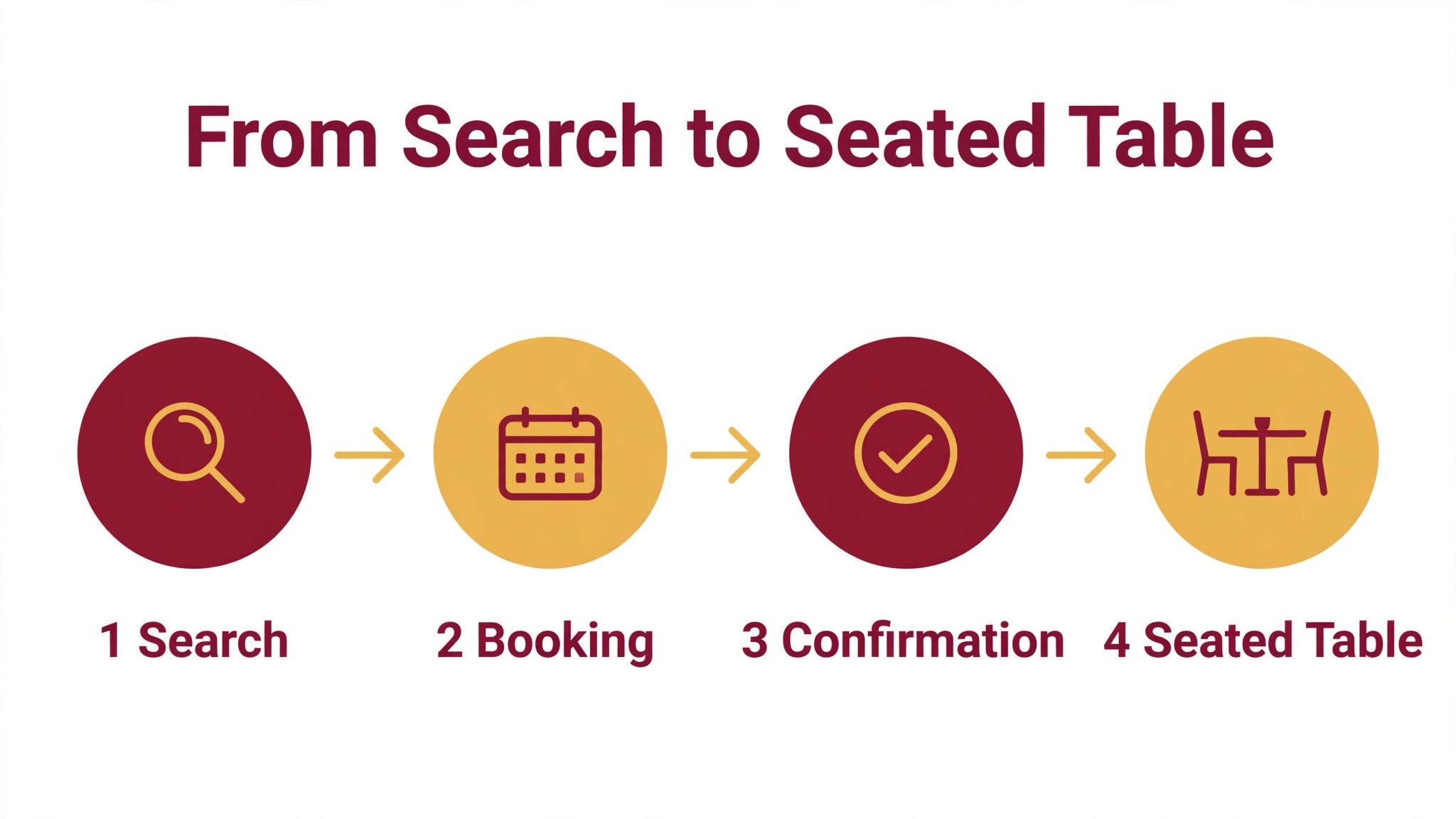
Online booking comes first, because a guest who cannot book online will often book elsewhere. Test the full journey from search to confirmed table on a phone, not just on a desktop. Check whether the guest can see real availability, choose a time, note allergies, and get a confirmation without calling the restaurant. Any step that forces a phone call loses guests who book after hours.
No-show protection comes second. Reminders, deposits, and card capture decide whether a booked table becomes a paying table. A good platform sends reminders at the right time, takes deposits for large parties and busy nights, and runs a waitlist that fills a freed table automatically. Ask to see the full cancellation flow during a trial, including a late cancellation and a no-show charge, before judging the platform.
Guest data ownership comes third, and it is the question most owners skip. Some platforms keep the guest data from marketplace bookings for themselves, which means you cannot market to guests you served. Others give you the full guest record on every booking. For a small restaurant building regulars, owning the guest list is worth more than a few extra discovery bookings, so read the data terms before signing.
Waitlists deserve the same attention as bookings. A waitlist that fills a cancelled table automatically can save several covers a week, while a waitlist that only records names and never contacts anyone saves nothing. Test the waitlist during any trial by cancelling a booking and watching how fast the next guest is offered the table, and by checking whether the offer arrives by text, email, or only inside the app.
Table management and integrations complete the picture. The floor plan must match your real room, with tables that join for large parties and turn at realistic times. Integrations with your point of sale system, Google booking, and messaging tools decide whether the host works in one place or in three. A platform that reports covers, turn times, and no-show rates helps an owner price the room correctly, while a platform that reports poorly leaves seating to guesswork. That reporting is part of what makes the best reservation software for small restaurants worth its monthly fee.
Best pick by job
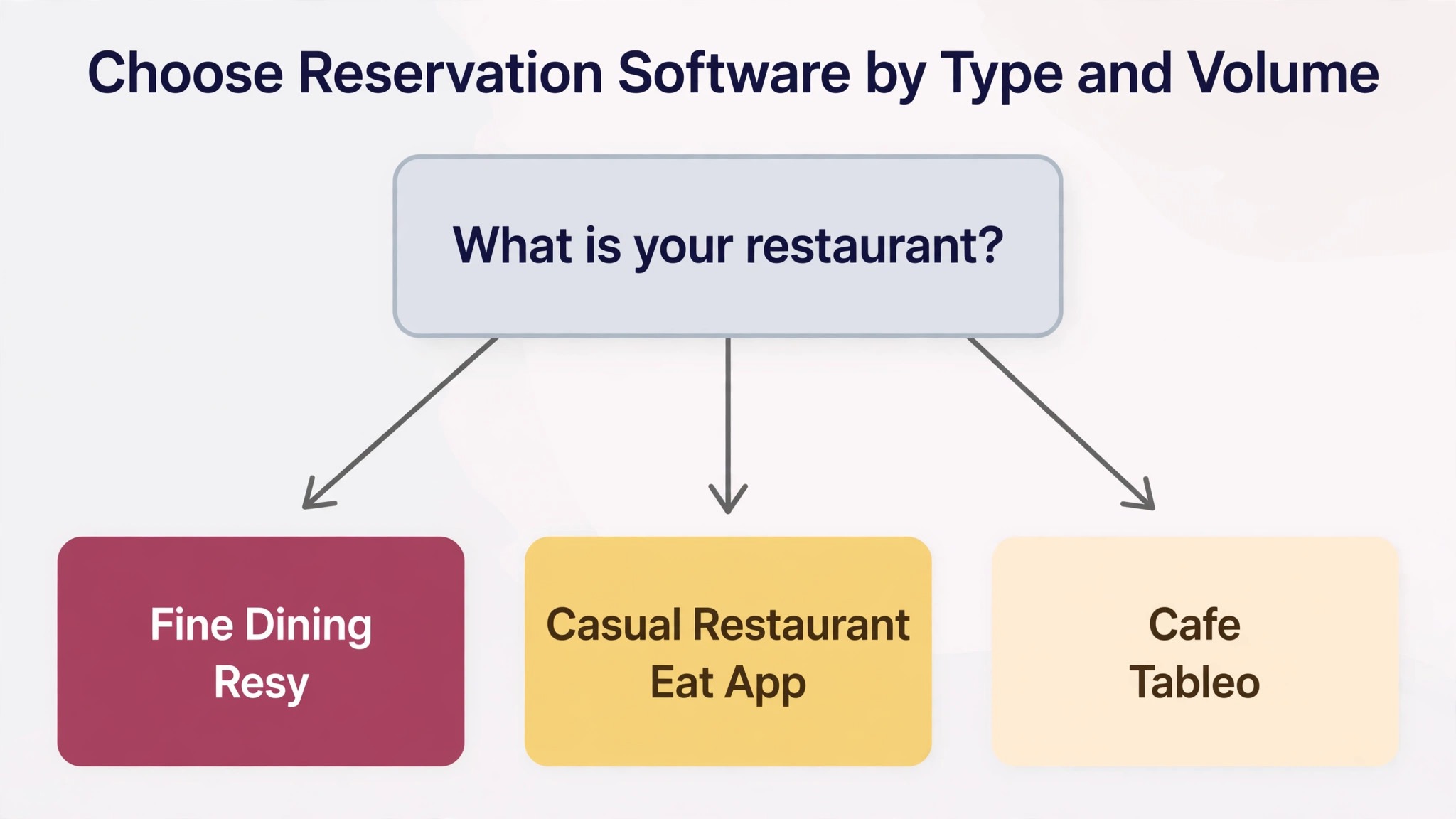
The table below names a lead pick for each segment in this guide for the best reservation software for small restaurants, with a second option worth testing. Test the lead pick on your hardest real night, whether that is a full Friday service, a tasting menu with deposits, or a cafe with fast table turns, before signing.
| Segment | Lead pick | Also test | Why it fits |
|---|---|---|---|
| Fine-dining restaurants | Resy | Tock | Flat fee marketplace plus deposit tools suit tasting menus |
| Casual restaurants | Eat App | Resos | Free plan plus CRM suit steady nightly covers |
| Cafes | Tableo | Resos | Simple booking and low cost suit fast turns |
The 8 tools in detail
1. Eat App
Eat App is the best overall pick for most independent restaurants in recent comparisons, and the reason is the combination of a real free plan, flat monthly pricing on direct bookings, and a full guest CRM. It covers online reservations, table management, waitlists, guest profiles, automated messaging including WhatsApp, and reporting, with point of sale integration available as a paid add on on lower tiers and included on the top tier. A small restaurant can start free and grow into paid plans without changing systems.
Pricing starts with a free plan covering up to 100 covers a month, with Lite from 99 dollars a month billed monthly or 69 dollars a month on annual billing, and higher Core and Pro tiers reaching toward 389 dollars a month in published comparisons. There are no per cover fees on direct bookings, which is the key difference from OpenTable, and there is no setup fee stated. Eat App suits independents and small groups that want a full CRM and WhatsApp messaging at a flat price. A restaurant that depends heavily on marketplace discovery should still compare OpenTable or Resy, since Eat App discovery is smaller.

2. Resos
Resos, written as resOS, is a Danish platform for very small venues that want a flat fee with no per cover charges and no overage fees. It covers online reservations, table management, guest management, no-show prevention, and automated communications, with Google booking available as an add on. The pricing model is the selling point. Plans are split by booking volume, from 25 bookings a month on the free tier to unlimited, and you simply upgrade when you need more capacity instead of paying overage charges.
Pricing runs from a free plan with 25 bookings a month to Basic at 45 euros a month for 350 bookings, Plus at 85 euros a month for 750 bookings, and Unlimited at 125 euros a month, with no overage fees on any plan. Some United States listings quote Basic from about 47 dollars a month, so the figure moves with currency and region, and you should check the vendor pricing page for your market. Resos suits cafes and small casual restaurants that want predictable cost and own their guest data. A venue that needs deep point of sale integration or marketplace discovery should test Eat App or OpenTable alongside it.
3. OpenTable
OpenTable is the largest reservation marketplace in this list, and its diner network is the real reason to buy it. It covers online reservations, table management, guest profiles, waitlists, marketing tools, and payment handling, with a consumer app that millions of diners already use to find tables. For a restaurant in a busy city that needs discovery volume, that network can fill seats no other tool can reach, which is why OpenTable remains the default choice for many owners despite its cost.
Pricing starts at 149 dollars a month for Basic, 299 dollars for Core, and 499 dollars for Pro, plus per cover fees of about 1.50 dollars per network cover on Basic and 1.00 dollar on Core and Pro. Website bookings cost about 0.25 dollars per cover on Basic or a 49 dollar monthly flat fee, and a service fee near 2 percent applies to deposits and takeout on some plans.
At 1,000 network covers a month, the per cover fees alone can exceed the subscription by a wide margin, so model the total on your real cover count. OpenTable suits restaurants that need discovery volume and can absorb per cover fees. A small restaurant with mostly direct bookings will usually pay less with Eat App or Resos.
4. Tableo
Tableo is a straightforward booking platform for small restaurants that want to start free and add payments and events later. It covers online reservations, table management, guest management, deposits, and event bookings, with a free plan covering 100 covers a month. The structure is simple, and that simplicity is the point. A small restaurant can take bookings online within a day, without a sales process or a long setup project.
Pricing runs from the free plan to Bronze at 109 dollars a month for 300 bookings, Silver at 129 dollars a month for 500 bookings, and Gold at 159 dollars a month for unlimited bookings, with 0.25 dollars charged per booking over the plan limit on paid plans. A 1 percent fee applies to deposit payments in some comparisons, so confirm the current deposit terms on the vendor pricing page. Tableo suits cafes and small casual restaurants that want a low cost start and a clear upgrade path. A venue that needs a deep guest CRM or marketplace discovery should compare Eat App or Resy before deciding.
5. Resy
Resy is the flat fee marketplace for upscale and fine dining restaurants, owned by American Express, and it suits venues that want discovery without per cover fees. It covers reservations, waitlists, guest profiles, table management, and marketing tools, with a diner network that skews toward high spending guests in major cities. That audience is the draw. A fine dining room gets discovered by diners who already book through Resy, and pays a flat monthly fee instead of a charge per seated guest.
Pricing is reported from about 289 dollars a month for the Platform tier, with a higher 360 tier reported near 459 dollars a month, and no per cover fees on bookings. Published figures differ across guides, with some reporting 249 dollars a month in older listings, so check the vendor pricing page for the current rate. Resy also now includes Tock, after American Express announced a merger of the two platforms in February 2026, with prepaid and ticketed dining folded into the Resy product. Resy suits upscale city restaurants that want flat rate marketplace reach. A small suburban restaurant with little Resy traffic in its area should test Eat App first.
6. Tock
Tock is the prepaid and ticketed dining platform, and it covers reservations with prepayment, ticketed experiences, tasting menus, events, and guest management. A restaurant that sells a fixed price tasting menu or a ticketed event needs payment before the guest arrives, because a no-show on a prepaid menu loses the whole table revenue, not just a cover. Tock was built for exactly that problem, and its deposit and prepayment tools are deeper than the standard reservation tools in this list.
Pricing is reported from about 289 dollars a month for Essential and 459 dollars a month for Premium, with a 3 percent fee on prepayments at Essential and 2 percent at Premium. Published figures vary, with some guides reporting lower entry prices in older listings, so check the vendor pricing page.
The important flag is the merger. American Express, which bought Tock from Squarespace for 400 million dollars in 2024, announced in February 2026 that Tock would merge into Resy, with the standalone Tock app and its consumer site being sunset and diner booking moving onto Resy. A restaurant buying Tock today should confirm in writing what the product will be called, what happens to existing bookings, and what the migration path looks like before signing.
7. SevenRooms
SevenRooms is a guest experience platform for groups and hotels rather than a simple booking widget, and its depth shows in the CRM. It covers reservations, waitlists, table management, guest profiles with rich history, marketing automation, and reporting across venues, with more than 100 integrations including point of sale systems. A group that runs several venues can see one guest across all of them, which is powerful for loyalty and marketing, and which no small tool in this list matches.
Pricing is quote only, with no public rate, and operator reports cluster around 300 to 700 dollars a month per location, sometimes with a large setup fee reported in review listings. Those figures are unverified, so treat them as a rough band and get a written quote. SevenRooms is now a DoorDash company, which adds delivery and marketplace reach for groups that want it. SevenRooms suits hotel groups and multi venue operators with a marketing person and a budget for a quote based contract. A single small restaurant will find the sales process heavy and the price hard to justify, and should test Eat App or Resy first.
8. Quandoo
Quandoo is a European reservation marketplace and booking platform that combines a consumer discovery network with restaurant booking tools. It covers online reservations, table management, guest management, and marketing, with diners discovering restaurants through the Quandoo app and website. For a restaurant in a market where Quandoo is strong, that discovery can bring new guests, much like OpenTable does in the United States, and the booking tools handle the daily host stand work.
Pricing is quote based and varies by market, with no single published United States rate, so check the vendor pricing page or request a quote for your city and cover volume. Published comparisons list Quandoo among the systems that sell by quote, alongside SevenRooms, which means a sales conversation is needed before a real number appears. Quandoo suits restaurants in European markets where its diner network is active, particularly in Germany and neighboring countries. A United States restaurant with no Quandoo diner traffic nearby should skip it and test OpenTable or Resy for discovery instead.
How to choose without an empty Friday
Start from your dining model, because that choice filters the best reservation software for small restaurants faster than any feature table. A fine dining room needs deposits, prepayment, and a waitlist that protects a tasting menu. A casual restaurant needs fast online booking, a clear floor plan, and reminders that cut no-shows. A cafe needs simple booking and fast table turns, not a deep CRM. Write that model down before any demo, and score each tool against it.
Next, run a realistic trial week. Book a full Friday night on the test floor plan, seat a large party by joining tables, cancel one booking and watch the waitlist fill it, take a deposit for a busy night, and record a walk in. Then check that the covers, the deposits, and the guest records all agree. A tool that passes that week will handle most real weeks, and a tool that fails it will fail again on your busiest night.
Finally, price the second year, not the first month. Add per cover fees, deposit charges, messaging costs, and any add ons for Google booking or point of sale integration, and model the price at your expected cover volume. Ask about contract length, notice period, and data export, because switching reservation systems later means rebuilding your guest list. A short contract with clean data export is worth more than a small first month discount.
Rollout checklist for a live dining room
When you switch reservation software, remember that a restaurant cannot close for a software switch, so the rollout must run alongside live bookings, live tables, and live guests. Clean the data first, test deposits and waitlists on real bookings, and keep the old system visible until the new one proves itself. The steps below give a safe sequence.
- Export your guest list, upcoming bookings, and table notes, then check a sample by hand for duplicate guests and incorrect party sizes.
- Build your floor plan first, including table sizes, joinable tables, turn times, and blocked times, before importing any bookings.
- Set booking rules next, including party size limits, deposit rules, cancellation windows, and reminder timing.
- Connect payments and run a test deposit with a real card, then refund it, to confirm the full payment flow before any guest is charged.
- Invite a small group of regulars to book and confirm in the new system before a full launch to every guest.
- Train the host stand on waitlists, large parties, and no-show charges, because those three jobs cause most support questions in the first month.
- Keep the old system read only for one full month, so no booking or guest record is lost in the move.
Mistakes that cost small restaurants covers
The first mistake is choosing on marketplace size alone. A large diner network looks attractive, but per cover fees grow with your success, and a busy month can turn a 149 dollar subscription into a bill several times larger. Model the total on your real cover count, and compare it against a flat fee tool before signing anything.
The second mistake is ignoring who owns the guest data. If the platform keeps marketplace guest records for itself, you cannot invite those guests back, offer them a birthday table, or win them back after a quiet month. Read the data terms before signing, and favor a platform that gives you the full guest record on every booking.
The third mistake is skipping the deposit test. A deposit flow that works in a demo can fail on a real card, a real refund, or a real cancellation, and a failed deposit on a tasting menu night costs the whole table. Test deposits, refunds, and no-show charges with real cards during the trial, not after launch.
The fourth mistake is launching without training the host stand. The host is the person who lives in the system every service, and a host who does not trust the floor plan will fall back to paper within a week. Train the host team before launch, and let them run one full service on the new system while the old one is still visible.

What reservation software really costs
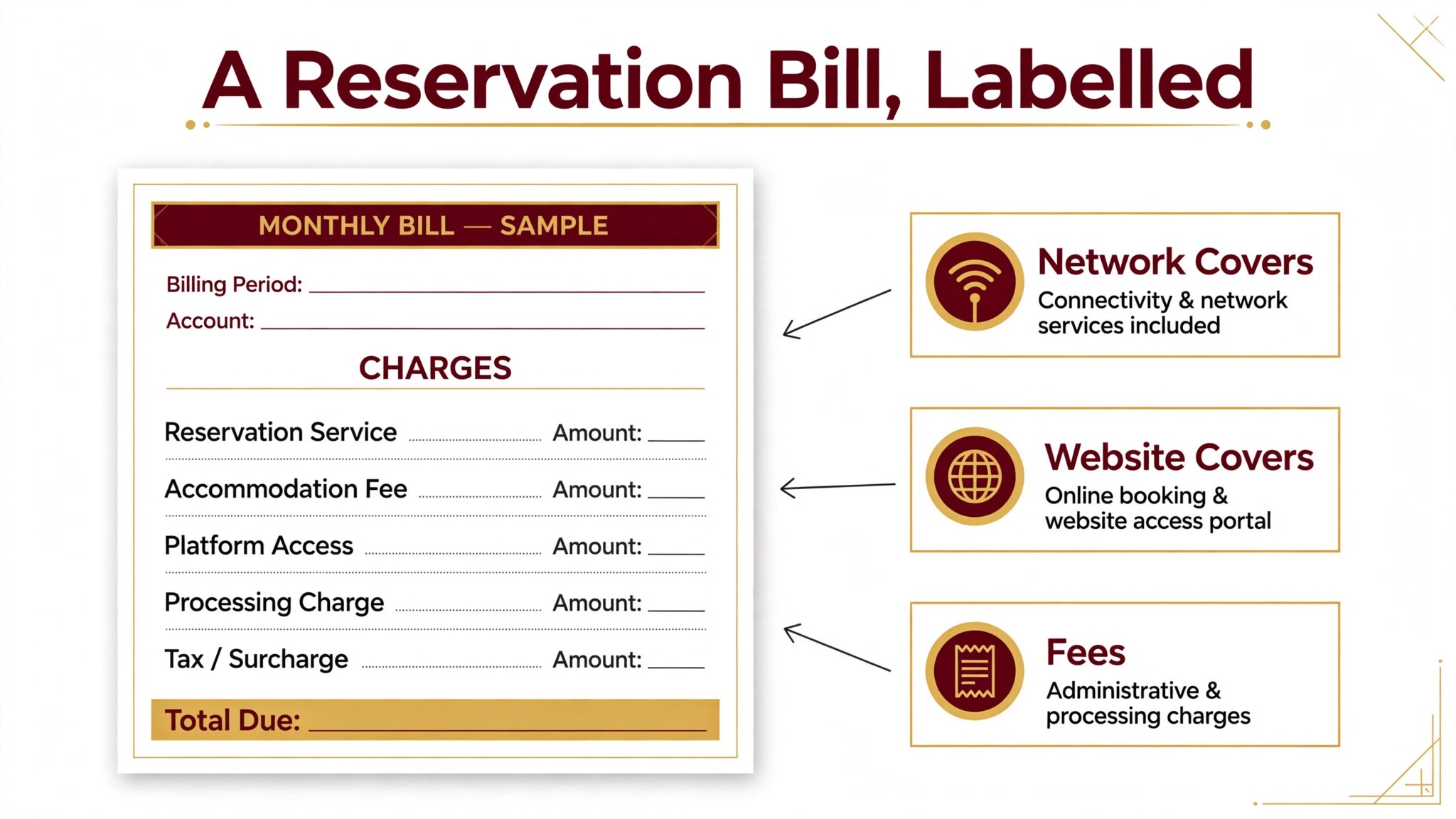
Reservation software pricing looks simple in a listing and becomes complex in a quote, because the total includes more than the monthly subscription. Per cover fees, deposit charges, messaging costs, Google booking add ons, and point of sale integration fees can each add a meaningful amount. A platform that looks cheap on subscription alone may cost more in total than a platform with a higher subscription and no per cover fees.
Flat monthly pricing, used by Eat App, Resos, Tableo, and Resy, gives a predictable bill regardless of cover volume, which suits a small restaurant that wants to budget with confidence. Per cover pricing, used by OpenTable, scales with discovery success, which feels fair until a busy month arrives. Quote based pricing, used by SevenRooms and Quandoo, requires a sales conversation but can reflect venue count and features more accurately. Compare all three models on your actual cover volume, not on a headline rate.
Before signing, ask for a written total that covers the subscription, per cover fees at your real volume, deposit and payment charges, messaging costs, and any integration fees. The best reservation software for small restaurants is the one whose total cost stays predictable as covers grow, not the one with the lowest headline subscription. Ask how the price changes when covers grow by half or when you add a second location. A clear answer to those questions is a good sign. A vague answer is a warning that the first busy month will surprise you.

Related Guides
Keep exploring with these guides on Stratilyze:
- Best Food Delivery Software for Small Restaurants (8 Tools)
- How to Switch from Salesforce to HubSpot for Small Business
- How to Switch from Monday to ClickUp for Small Teams
Frequently Asked Questions
How much should a small restaurant pay for reservation software?
Most small restaurants pay between about 45 dollars and 300 dollars a month for a solid tool at entry level, with marketplace platforms reaching 500 dollars a month before per cover fees. Free plans cover up to 25 bookings or 100 covers a month, which suits a very small venue. Model the total on your real cover count, since per cover fees can exceed the subscription on a busy month.
Does reservation software stop no-shows?
Yes, when reminders, deposits, and waitlists are all turned on. The best reservation software for small restaurants should send reminders before the booking, take deposits for large parties and busy nights, and fill a cancelled table from the waitlist automatically. Test the full cancellation flow during a trial, including a late cancellation and a no-show charge, before judging any platform.
Who owns the guest data from marketplace bookings?
It depends on the platform, and the answer matters more than the monthly price. Some marketplaces keep the guest data from bookings they send you, while direct bookings through your own website stay yours. Read the data terms before signing, and favor a platform that gives you the full guest record, including contact details and visit history, on every booking.
How long does it take to switch reservation software?
Most small restaurants can switch in one to three weeks, including floor plan setup, booking import, payment testing, and host training. A restaurant with a large guest list or complex deposit rules should allow three to four weeks. Avoid switching just before a holiday season, because a booking error then affects every table at once.
Should a small restaurant use OpenTable or a flat fee tool?
Use OpenTable when discovery volume is the bottleneck and your market has strong OpenTable traffic, and accept the per cover fees as a marketing cost. Use a flat fee tool like Eat App or Resos when most bookings already come direct and you want predictable cost plus full guest data ownership. Many small restaurants find the flat fee tool cheaper once covers pass a few hundred a month.
What should I check about deposits before signing?
Check which plans include deposits, what fee applies to each deposit payment, how refunds work, and whether no-show charges are supported on your plan. Confirm the deposit rules for large parties and busy nights, and test a deposit and a refund with a real card during the trial. A deposit tool that fails on a real card is worse than no deposit tool at all.
The reservation shortlist
Fine dining restaurants should test Resy first, with Tock as the prepaid alternative while confirming its merger path in writing. Casual restaurants should test Eat App first, with Resos as the lower cost flat fee alternative. Cafes should test Tableo first, with Resos as the simple low cost alternative. In every case, the deciding test is a real Friday service from online booking to seated guest to first payment, plus one full cancellation cycle. The best reservation software for small restaurants is the platform that handles that service cleanly, at a written total cost you can defend.