
A small private school runs admissions in one spreadsheet, grades in another, and tuition billing in a third. Parents email the office for schedules, teachers retype the same student data into three systems, and the head of school cannot answer a simple question without asking two staff members first. Nothing is broken in a dramatic way, yet the school pays for the same work three times over. That quiet waste is the problem the best school management software for small private schools is built to remove.
A school system is not a single feature. It is the record every other job reads from, so when admissions, enrollment, attendance, grades, billing, and parent messages share one student record, the office stops retyping and starts answering. When they do not, every term begins with the same cleanup, the same missing forms, and the same late tuition chase. The size of the school makes this worse, not better, because a small team has no spare hands to cover for disconnected tools.
This guide compares 10 platforms across admissions, enrollment, attendance, gradebooks, report cards, tuition billing, parent communication, and total cost. Prices come from vendor pages and recent published comparisons, and they change often, so check the vendor pricing page before you budget. Shortlist two or three tools, then test each one with your real data, including a new family enrollment, a sibling discount, and a full tuition run, because those three cases expose more than any sales demo.
How the best school management software for small private schools earns its fee
A school platform earns its fee in three places. First, it shortens enrollment, through online applications, digital forms, and an admissions pipeline that shows exactly where each family stands. Second, it keeps billing accurate, through tuition plans, automatic reminders, and payment records that match the student record without retyping. Third, it gives teachers and parents one clear view of attendance, grades, and messages, so a question gets answered from the system instead of from memory. Judge every platform on those three returns, not on its feature list alone.
The table below gives a fast first sort. Use it to remove tools that clearly do not fit your school, then read the full sections for the survivors. Price notes reflect listings that disagree across sources, so check the vendor pricing page before budgeting, and ask for the total cost including setup, training, payment processing, and any per module charges.
| Tool | Best for | Standout strength | Price note |
|---|---|---|---|
| DreamClass | Small schools wanting a fast start | Admissions plus billing in one place | Listings disagree, check vendor page |
| Gradelink | K-8 and faith based schools | Simple gradebook and parent portal | Reported from about 121 dollars a month |
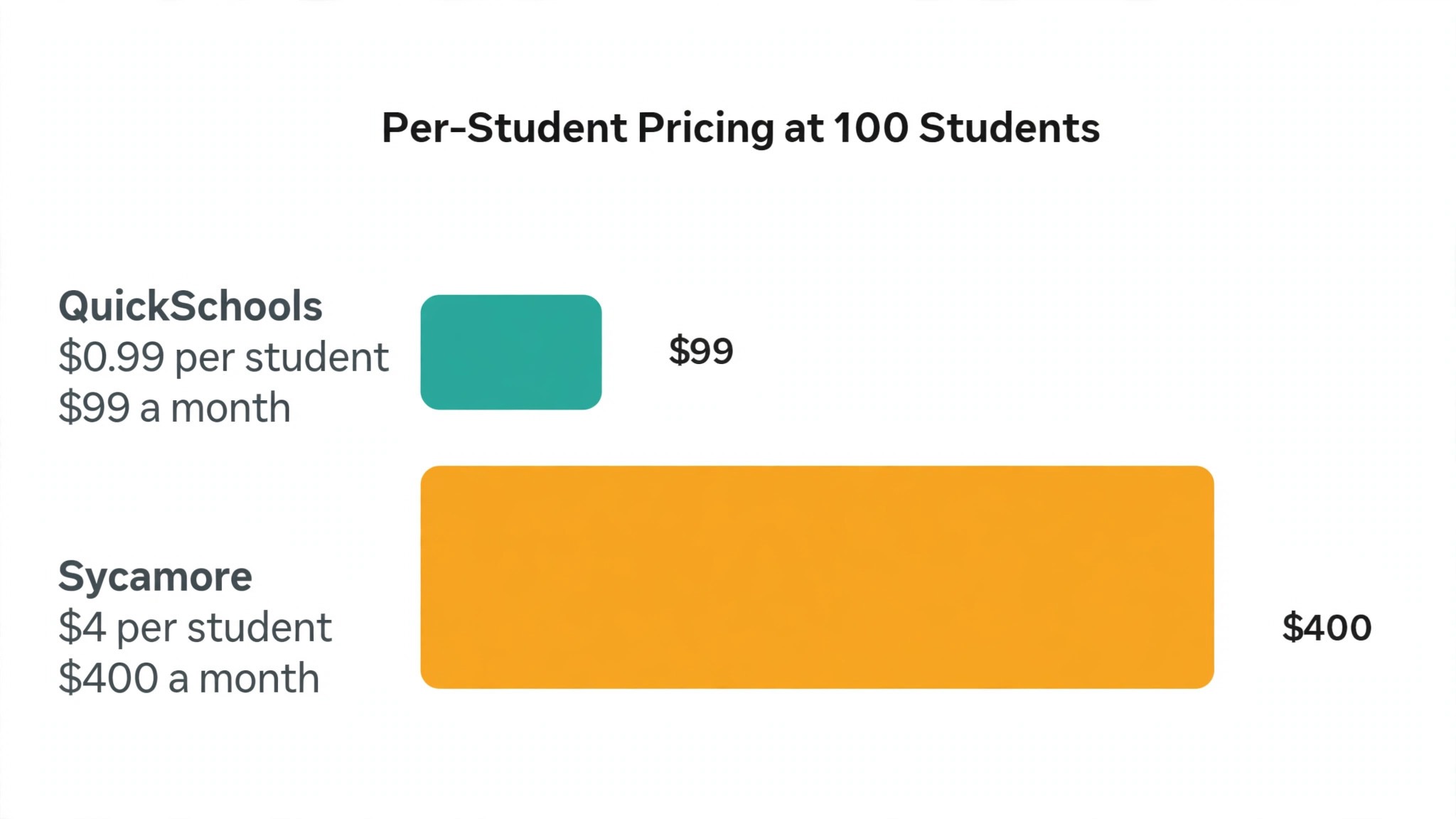
| QuickSchools | Budget conscious small schools | Transparent per student pricing | From 0.99 dollars per student a month |
| Alma | Schools replacing a legacy system | Clean modern student data tools | Quote only, check vendor page |
| FACTS | Schools already on FACTS Tuition | Mature tuition and enrollment suite | Quote only, modular pricing |
| Blackbaud | Larger independents with fundraising | SIS plus fundraising in one suite | Quote only, enterprise pricing |
| SchoolCues | Micro schools under 75 students | Low entry price with native billing | Reported from about 75 dollars a month |
| Sycamore | Independent K-12 schools | All modules at one published rate | 4 dollars per student a month |
| Veracross | Established independents | Single database across operations | Quote only, check vendor page |
| Rediker | Schools wanting deep scheduling | Master schedule and gradebook depth | Quote only, check vendor page |

What matters most in school software
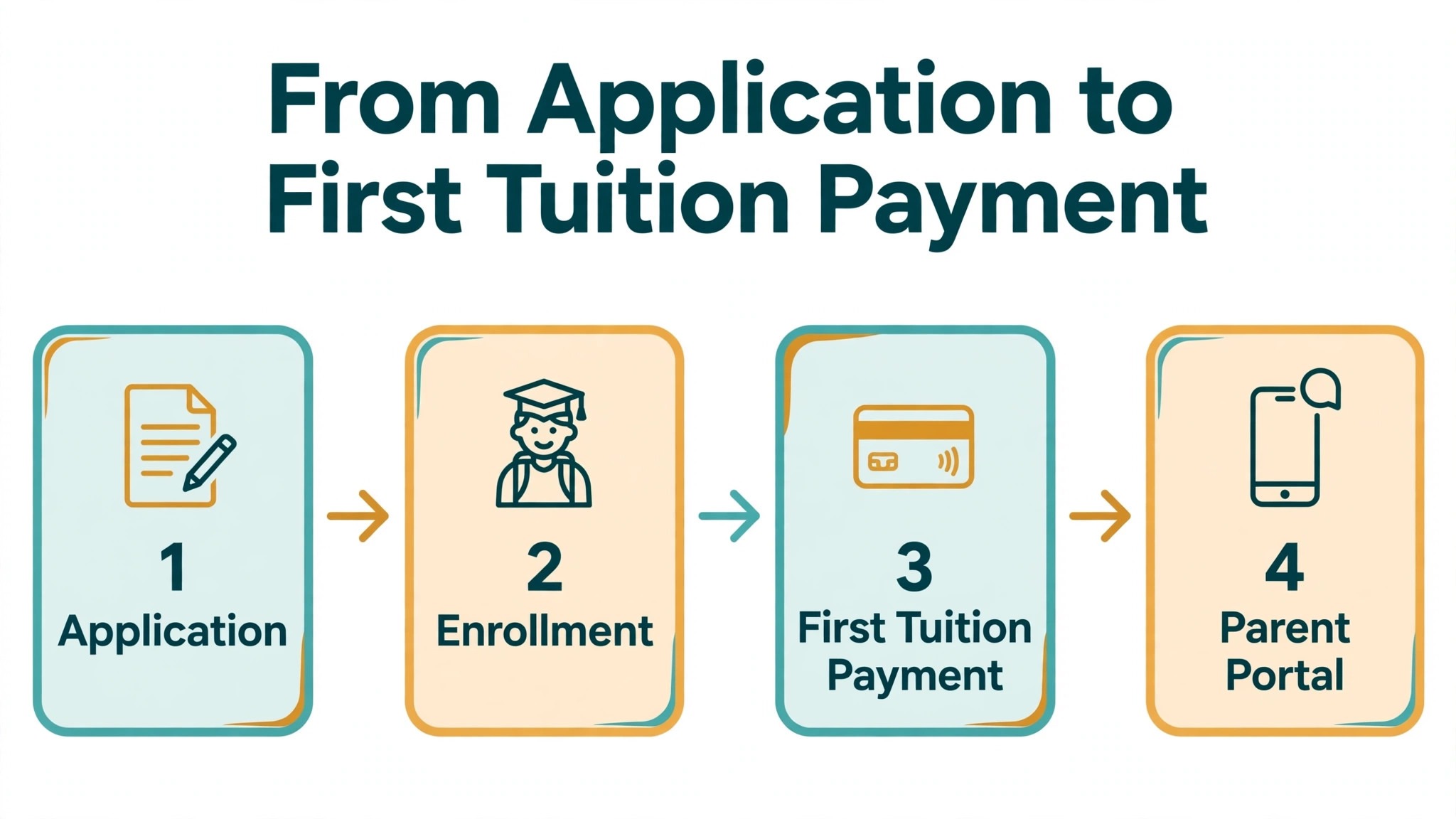
Admissions comes first, because a school that cannot enroll families smoothly loses students before the first class. Test the full journey from inquiry to application to enrollment on a phone, not just on a desktop. Check whether a parent can apply online, upload documents, sign forms digitally, and see the next step without calling the office. Any step that forces a phone call loses families who apply after hours.
Billing accuracy comes second. Tuition billing involves payment plans, sibling discounts, financial aid, late fees, and failed payments, and errors in any of those areas create disputes that consume office time. A good platform handles plans automatically, applies discounts consistently, retries failed payments, and sends clear reminders before a late fee applies. Ask to see a full billing cycle during a trial, including a failed payment and a mid year withdrawal, before judging the platform.
Teacher tools come third. The gradebook, attendance, and report cards must be fast enough for a teacher to use between classes, not a chore that waits for the weekend. If teachers avoid the system, the data goes stale and the parent portal shows old information. Test attendance and grade entry with a real teacher during any trial, because adoption by teachers decides whether the system earns its price.
Parent communication completes the picture. A parent portal with schedules, grades, billing, and messages in one place cuts office calls sharply. Look for clear mobile access, since most parents check from a phone. A platform that reports well also helps the head of school see enrollment, retention, and tuition collection at a glance, instead of assembling the picture from three spreadsheets at board meeting time.
Best pick by job
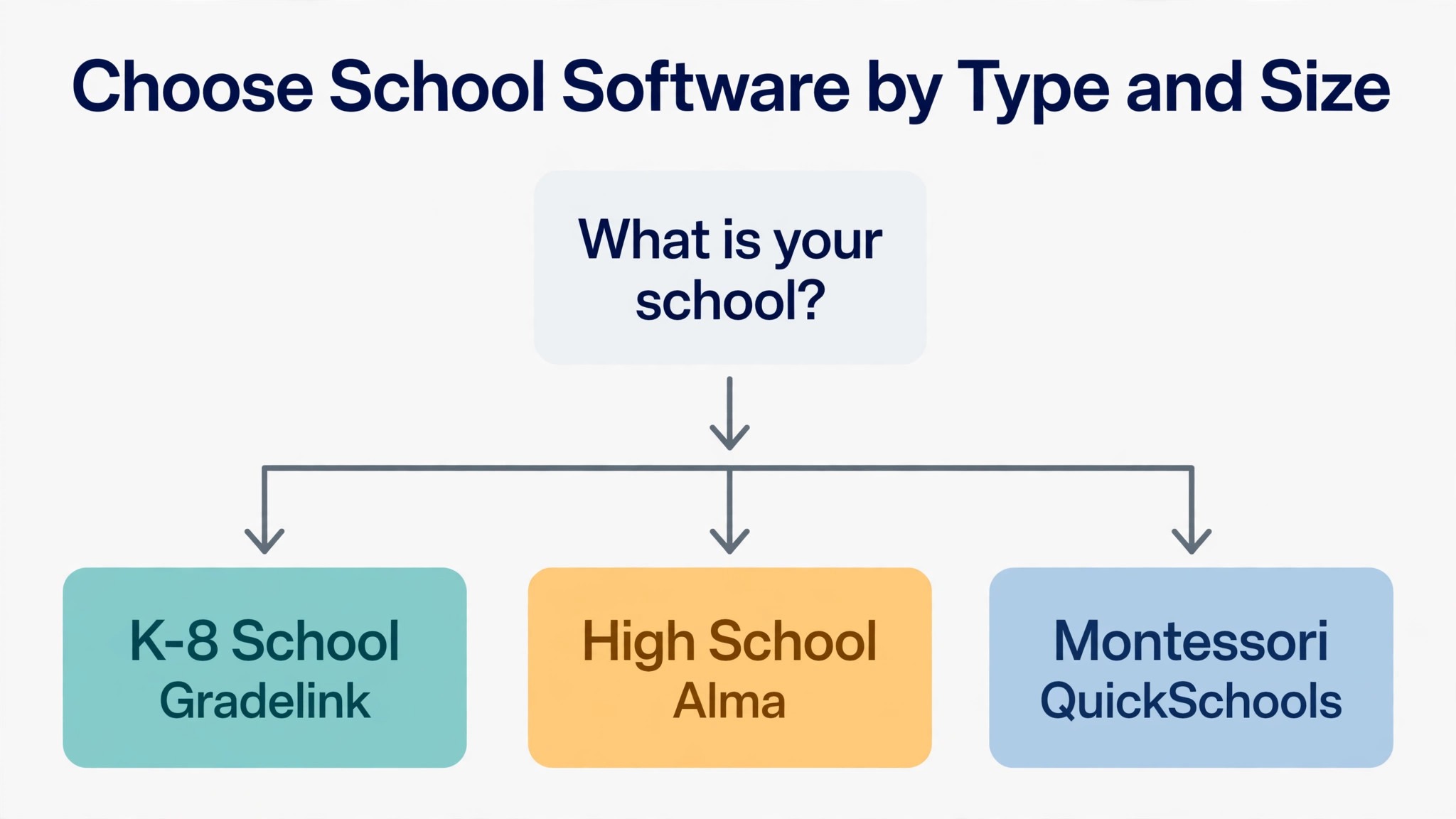
The table below names a lead pick for each segment in this guide for the best school management software for small private schools, with a second option worth testing. Test the lead pick on your hardest real workflow, whether that is a new family enrollment, a sibling tuition plan, or a Montessori progress report, before signing.
| Segment | Lead pick | Also test | Why it fits |
|---|---|---|---|
| K-8 schools | Gradelink | DreamClass | Simple gradebook and parent portal suit younger grades |
| High schools | Alma | Veracross | Transcripts and scheduling suit upper grades |
| Montessori schools | QuickSchools | SchoolCues | Flexible records suit mixed age classrooms |
The 10 tools in detail
1. DreamClass
DreamClass targets small private schools, academies, and vocational schools that want admissions, academics, billing, and parent messages in one interface without a long setup project. It covers online admissions, class scheduling, attendance, gradebooks, tuition billing, and parent notifications, which is the full daily cycle for a small school. Its review scores are strong, with users praising support in particular, and that matters for a small team that cannot afford a software problem to sit unresolved.

Pricing is where listings disagree, so treat any single figure with care. Some published comparisons report a starter plan from about 39 dollars a month on annual billing for up to 40 students, rising to about 79 dollars a month for up to 100 students, while other listings report a starting price of about 99 dollars a month. Check the vendor pricing page for the current tiers and confirm which student count band your enrollment falls in. DreamClass suits a small school that wants a fast start and a single system for admissions through billing. A school that needs deep fundraising or complex master scheduling should compare Blackbaud or Rediker first.
2. Gradelink
Gradelink is built for small private and faith based schools that want a system the office can run without a technology team. It covers enrollment, attendance, gradebooks, report cards, transcripts, and a parent portal, with admissions handled through a paid add on called EnrollMe. The gradebook is the heart of the product, and its simplicity is the reason small schools stay with it for years. Teachers enter grades and attendance quickly, parents see progress without calling the office, and the office works from one student record.
Listings report Gradelink from about 121 dollars a month, though one recent guide notes the vendor stopped publishing prices in 2026, so check the vendor pricing page and request a written quote for your enrollment size. Tuition billing is a basic ledger rather than a full billing suite, and payment processing runs through a third party, so a school that needs strong tuition management should price that gap honestly. Gradelink fits K-8 schools and small faith based schools that value simplicity and month to month terms over breadth. Larger schools with complex billing should test FACTS or Sycamore alongside it.
3. QuickSchools
QuickSchools is a lightweight cloud system for small schools that want core features without complexity or a large bill. It covers admissions basics, scheduling with an automated scheduler, attendance, gradebooks, report cards, and billing add ons, all in a system that needs no setup project. Its pricing is the most transparent in this list, which is a real advantage for a small school that wants to budget without a sales call.
Pricing runs from 0.99 dollars per student per month on the entry tier to 1.49 dollars and then 2.99 dollars per student per month on higher tiers, with a 30 day trial available and no contract advertised. A school of 80 students therefore pays under 100 dollars a month at the entry tier, which is hard to beat. The trade off is depth, since admissions and billing are lighter than the dedicated suites, and a school that needs strong tuition management will need add ons or a second tool. QuickSchools fits budget conscious small schools and Montessori schools that want flexible records at a clear per student price.
4. Alma
Alma is a modern cloud platform for K-12 schools that need clean, accessible student data after years on a legacy system. It covers the student information system, gradebooks, attendance, report cards, scheduling, and parent communication, with a design that feels current rather than inherited from an older era. Schools that switch to Alma usually do so because their old system made simple questions hard, such as finding a student record, checking a schedule, or pulling a report for the board.
Pricing is quote only, with no published rates and no free trial in current listings, so a school must contact the vendor for a number based on enrollment and modules. Some published guides estimate around 2.50 dollars per student per month, but that figure is unverified, so treat it as a rumor and get a written quote. Alma fits schools replacing a legacy system that want modern data tools and are willing to run a sales process to price them. A very small school with a tight budget should compare QuickSchools or SchoolCues first, since Alma pricing can surprise on the high side.
5. FACTS
FACTS serves private and independent pre-K through grade 12 schools, and it is strongest where a school already runs FACTS Tuition. Its suite covers admissions, enrollment, the student information system, tuition management, and payment processing, with each product sold as a separate module. That modular design lets a school buy only what it needs, but it also means the total price depends on how many modules the school actually runs, so a quote for one module tells only part of the story.
Pricing is quote only and modular by product, with annual contracts per module, so check the vendor page and request a written total for every module you plan to use. FACTS is a natural fit for faith based schools that started with FACTS Tuition and want the rest of the suite to match, since data flows between its own products without extra integration work. A school that does not already use FACTS should weigh whether the modular price beats an all included platform like Sycamore, and should test the scheduling tools carefully, since recent guides note FACTS is rebuilding its scheduling features.
6. Blackbaud
Blackbaud Education Management bundles the student information system, learning management, enrollment, tuition, and fundraising into one suite for private and independent schools. That breadth is its selling point. A school with a development office can run admissions, tuition, and donor fundraising under one vendor, with Raiser Edge NXT handling donor records and Financial Edge NXT handling the fund accounting ledger. Few competitors cover fundraising with the same depth, which is why Blackbaud is common at larger independents.
Pricing is quote only and enterprise level, with multi year contracts reported at three years and auto renewal, so a small school must go through a full sales process to learn its number. There is no free trial, and implementation can be a serious project rather than a quick start. Blackbaud fits larger private schools with a development office and a team big enough to run a full suite. A school under 200 students will likely pay for breadth it never opens, and should test Sycamore or Gradelink first and revisit Blackbaud only when fundraising and fund accounting become real daily needs.
7. SchoolCues
SchoolCues is built for micro schools, and that focus shows in both its price and its feature set. It covers admissions, the student information system, tuition billing with recurring plans, parent communication, and a parent app, all sized for a school that may have only a few dozen families. A micro school does not need enterprise scheduling or fundraising, and SchoolCues does not charge for them, which keeps the bill proportionate to the school.
Listings report SchoolCues from about 75 dollars a month, with a published per student figure near 1 dollar per user per month in some directories, so check the vendor pricing page for the current plan. The platform suits micro schools under about 75 students and Montessori programs with small mixed age classrooms, where a simple system that staff actually use beats a powerful system nobody opens. A growing school should check the price at 150 and 300 students before committing, since a tool priced for micro schools can become expensive as enrollment grows past its sweet spot.
8. Sycamore
Sycamore is an all included platform for independent and faith based schools from about 50 to 1,200 students, and its published price is unusually clear. It covers the student information system, admissions, scheduling, gradebooks, report cards, transcripts, tuition billing, parent communication, and a parent app, with every module included at one rate and unlimited support from the United States. That single rate removes the module math that complicates FACTS and Blackbaud quotes, so a school can budget the full year from one number.
Pricing is published at 4 dollars per student per month with every module included, though the contract carries an 18 month minimum, so a school should be sure before signing. A school of 200 students pays about 800 dollars a month at that rate.
That rate sits in the middle of this list once other platforms add their billing and admissions modules, so the comparison should always use the full year total. Sycamore fits independent K-12 schools that want one record for admissions through billing at a published price. A school comparing the best school management software for small private schools should still weigh the 18 month minimum against the clarity of the single rate before signing. A very small school under 50 students may find Gradelink or QuickSchools cheaper at entry level, and should compare the first year total before deciding.
9. Veracross
Veracross is a single database platform for established independent schools, covering the student information system, admissions, tuition management, accounting, and fundraising in one system. Its strength is that every department reads the same record, so a change in enrollment flows into billing and into the ledger without retyping or nightly sync jobs. Schools that run Veracross tend to be established independents with the staff to use a full platform well, and the product is built around that audience rather than around first time buyers.
Pricing is not published, so a school must request a quote, and recent guides place Veracross in the higher price band alongside Blackbaud, aimed at larger schools with bigger teams. There is no published free trial, so evaluation runs through demos and reference calls. Veracross fits established independent schools, including high schools with complex scheduling and transcripts, that want one database across operations. A small school shopping on a tight budget should test Alma or Sycamore first, since Veracross pricing and implementation effort assume a larger operation.
10. Rediker
Rediker serves schools that need deep scheduling and gradebook work, with its Administrator Plus product at the center. It covers the student information system, master scheduling with course requests and conflict reporting, gradebooks, report cards, transcripts, attendance, and parent communication. The scheduling depth is the deciding strength. A high school with singletons, doubletons, and complex course requests needs a scheduler that can run a full master schedule and report conflicts clearly, and Rediker documents that workflow in detail.
Pricing is quote only, so check the vendor page and request a written quote for your enrollment and modules. Rediker fits schools where scheduling is the hardest job, particularly high schools with varied course loads, and schools that need strong gradebook and transcript tools without buying a full fundraising suite. A small K-8 school with simple scheduling will use only a fraction of its depth and should test Gradelink or DreamClass first. A high school that has struggled with scheduling in other systems should put Rediker at the top of its shortlist.
How to choose without a wasted term
Start from your enrollment model, because that choice filters the best school management software for small private schools faster than any feature table. A K-8 school needs a simple gradebook, parent communication, and easy attendance. A high school needs transcripts, course scheduling, and college reporting. A Montessori school needs flexible progress records for mixed age classrooms rather than rigid grade levels. Write that model down before any demo, and score each tool against it.
Next, run a realistic trial week. Enroll a test family with two children, apply a sibling discount, record attendance for a full day, enter grades, generate a report card, and run a tuition invoice through to payment. Then check that the invoice, the payment, and the parent portal all agree. A tool that passes that week will handle most real weeks, and a tool that fails it will fail again at the busiest point of the term.
Finally, price the second year, not the first month. Add setup fees, training, payment processing, text message costs, and any per module charges, and model the price at your expected enrollment in two years. Ask about contract length, renewal terms, and data export, because switching school systems later is far harder than choosing well now. A short contract with clean data export is worth more than a small first month discount.
Rollout checklist for a new school year
When you switch school software, remember that a school cannot close for a software switch, so the rollout must run alongside live enrollment, billing, and classes. Clean the data first, test billing and attendance on real records, and keep the old system visible until the new one proves itself. The steps below give a safe sequence.
- Export students, families, schedules, grades, and outstanding balances, then check a sample by hand for duplicate families and incorrect balances.
- Build your academic structure first, including grade levels, class times, room capacity, and teacher assignments, before importing any student data.
- Set tuition rules next, including payment plans, sibling discounts, financial aid, late fees, and payment dates.
- Connect payments and run a test charge with a real card, then refund it, to confirm the full payment flow before any parent is billed.
- Invite a small group of parents to apply, pay, and check grades in the new portal before a full launch to every family.
- Train teachers on attendance, grade entry, and parent messages, because those three jobs cause most support questions in the first term.
- Keep the old system read only for one full term, so no payment, grade, or attendance record is lost in the move.
Mistakes that cost small schools money
The first mistake is buying modules the school never opens. A modular platform looks cheap at entry level, then the bill grows as admissions, billing, and communication each add a module. Price the full set of modules you actually need, and compare that total against an all included platform before signing anything.
The second mistake is letting teachers skip the system. If grade entry and attendance live outside the platform, the parent portal shows stale data and the office fields the calls the portal was meant to prevent. Choose a system teachers can use in under a minute between classes, and train them before launch, not after complaints begin.
The third mistake is switching at the wrong time. Recalculation of tuition, report card season, and re-enrollment are the worst moments to change systems, because billing and grade errors then affect every family at once. Plan the switch for a quiet gap between terms, and run one full billing cycle in parallel before switching billing over.
The fourth mistake is ignoring the exit terms. A three year auto renewing contract with a painful data export can trap a small school in a system it has outgrown. Read the contract before signing, confirm the notice period, and test data export during the trial, not after the relationship has soured.
What school software really costs
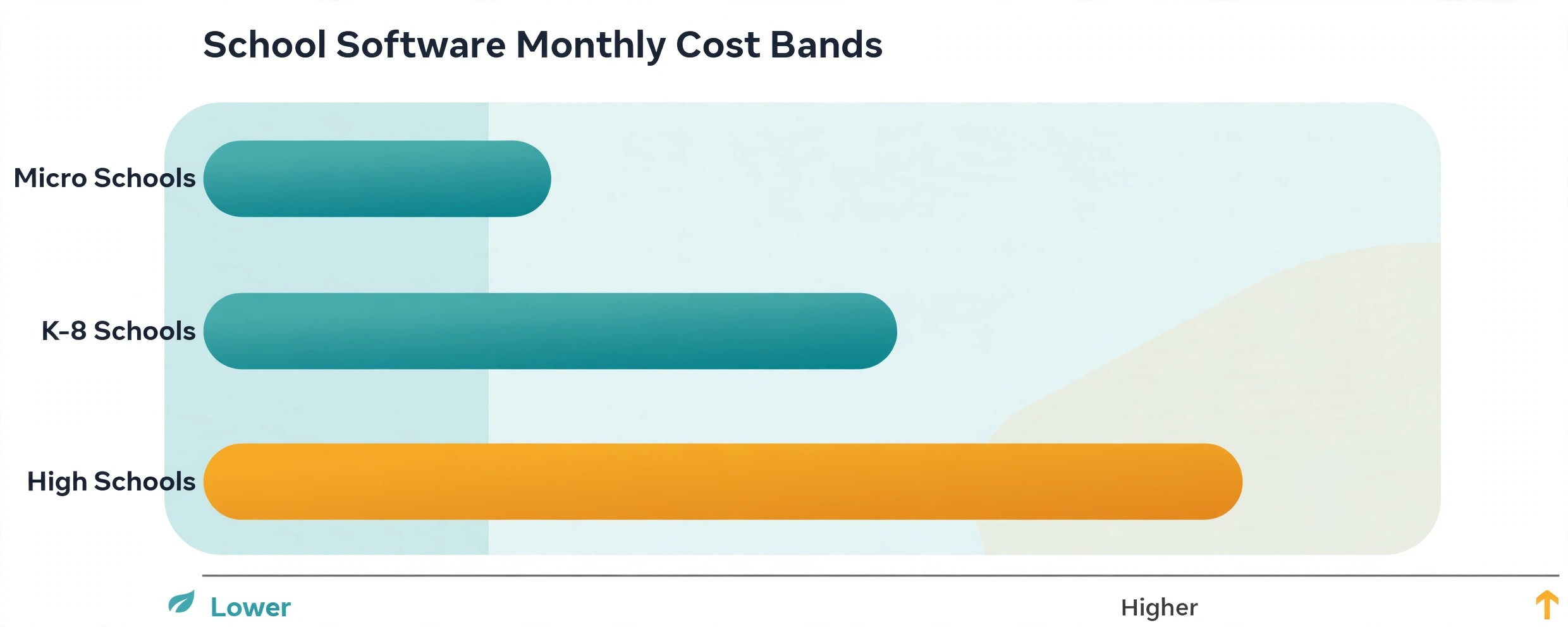
School software pricing looks simple in a listing and becomes complex in a quote, because the total includes more than the monthly subscription. Setup fees, training, data migration, payment processing rates, text message costs, and per module charges can each add a meaningful amount. A platform that looks cheap on subscription alone may cost more in total than a platform with a higher subscription and fewer add ons. That is why the best school management software for small private schools must be judged on the written first year total, not on the headline subscription rate.
Per student pricing, used by QuickSchools, SchoolCues, and Sycamore, scales with enrollment and feels fair for a small school. Fixed monthly pricing, reported for Gradelink and DreamClass, gives a predictable bill regardless of small enrollment changes. Quote based pricing, used by Alma, FACTS, Blackbaud, Veracross, and Rediker, requires a sales conversation but can reflect enrollment and modules more accurately. Compare all three models on your actual enrollment, not on a headline rate.
Before signing, ask for a written total that covers the subscription, setup and migration, training, payment processing rates, and any per module or per user charges. Ask how the price changes when enrollment grows by 50 students or when you add a module. A clear answer to those questions is a good sign. A vague answer is a warning that the first year bill will surprise you.
Related Guides
Keep exploring with these guides on Stratilyze:
- Best Gym Management Software for Small Gyms (15 Tools)
- Best Farm Management Software for Small Farms (11 Tools)
- Best Donor Management Software for Small Nonprofits (15 Tools)
Frequently Asked Questions
How much should a small private school pay for school software?
Most small private schools pay between about 75 dollars and 400 dollars a month for a solid system at entry level, with larger suites reaching well past that once modules and fundraising are added. Per student platforms run from under 1 dollar to about 4 dollars per student per month, so model the price at your real enrollment and add payment processing and text costs before comparing.
Does school software handle tuition billing and financial aid?
Yes, when the billing module is turned on and configured with your real plans. The best school management software for small private schools should handle payment plans, sibling discounts, financial aid awards, late fees, and failed payment retries without office retyping. Test a full billing cycle during a trial, including a failed payment and a mid year withdrawal, before judging any platform.
Can parents apply, pay, and check grades in one place?
Yes, when online admissions, a parent portal, and autopay are all turned on. Parents can apply, upload documents, sign forms, pay tuition, and check attendance and grades from a phone. The key is to test the full parent flow during a trial, including a two child enrollment, because a portal that looks simple in a demo can still confuse parents in real use.
How long does it take to switch school software?
Most small schools can switch in four to eight weeks, including data import, schedule setup, payment testing, and staff training. A school with complex scheduling or a large historical record should allow eight to twelve weeks. Avoid switching billing at term start unless the old system has failed, because a billing error at term start affects every family at once.
Should a small school buy the biggest platform available?
Not automatically. A large suite like Blackbaud offers depth a small school may never use, at a total cost that may exceed the benefit. A small school should buy the platform that handles admissions, grades, and billing cleanly at a defensible cost, and upgrade when enrollment or fundraising needs force the change. Depth you never open is cost without return.
What should I check about data export before signing?
Check whether you can export students, families, grades, transcripts, and billing history in a usable format, how long the vendor keeps your data after cancellation, and what the notice period is. Test an export during the trial if possible. A vendor that makes export easy is a vendor confident in its product, and a vendor that hides export terms is a risk.
Choosing the system your office can run
K-8 schools should test Gradelink first, with DreamClass as the faster start alternative. High schools should test Alma first, with Veracross as the single database alternative. Montessori schools should test QuickSchools first, with SchoolCues as the micro school alternative. In every case, the deciding test is a real family journey from application to enrollment to first tuition payment, plus one full grading cycle. The best school management software for small private schools is the platform that handles that journey cleanly, at a written total cost you can defend, and it is the right buy for your school.