
Compared with Salesforce, Insightly looks like a bargain, and compared with a simple pipeline tool, it looks expensive, and both impressions are true at different team sizes. The cost of Insightly for small business monthly use starts at $29 per user per month on Plus, but the honest bill for a team that needs automation, marketing or integrations is often double that headline figure. The gap between sticker price and real invoice is the whole story of this guide.
Insightly is a sales CRM with built in project management, and that combination is its main selling point. A business that sells a project and then delivers it can track both stages in one system, without handing scope notes from a CRM to a separate project tool. That continuity suits service businesses, agencies and firms with deal to delivery workflows, and it explains why Insightly keeps appearing in comparisons even though cheaper CRMs exist.
This guide breaks down Plus, Professional and Enterprise tiers, shows per user pricing for 3 and 10 user teams, and prices the modules that most often surprise buyers. Prices below are starting points from vendor pages and recent comparisons, and Insightly changes prices and module packaging often, so check the vendor page before you buy. Where a figure is reported rather than published, the text says so.
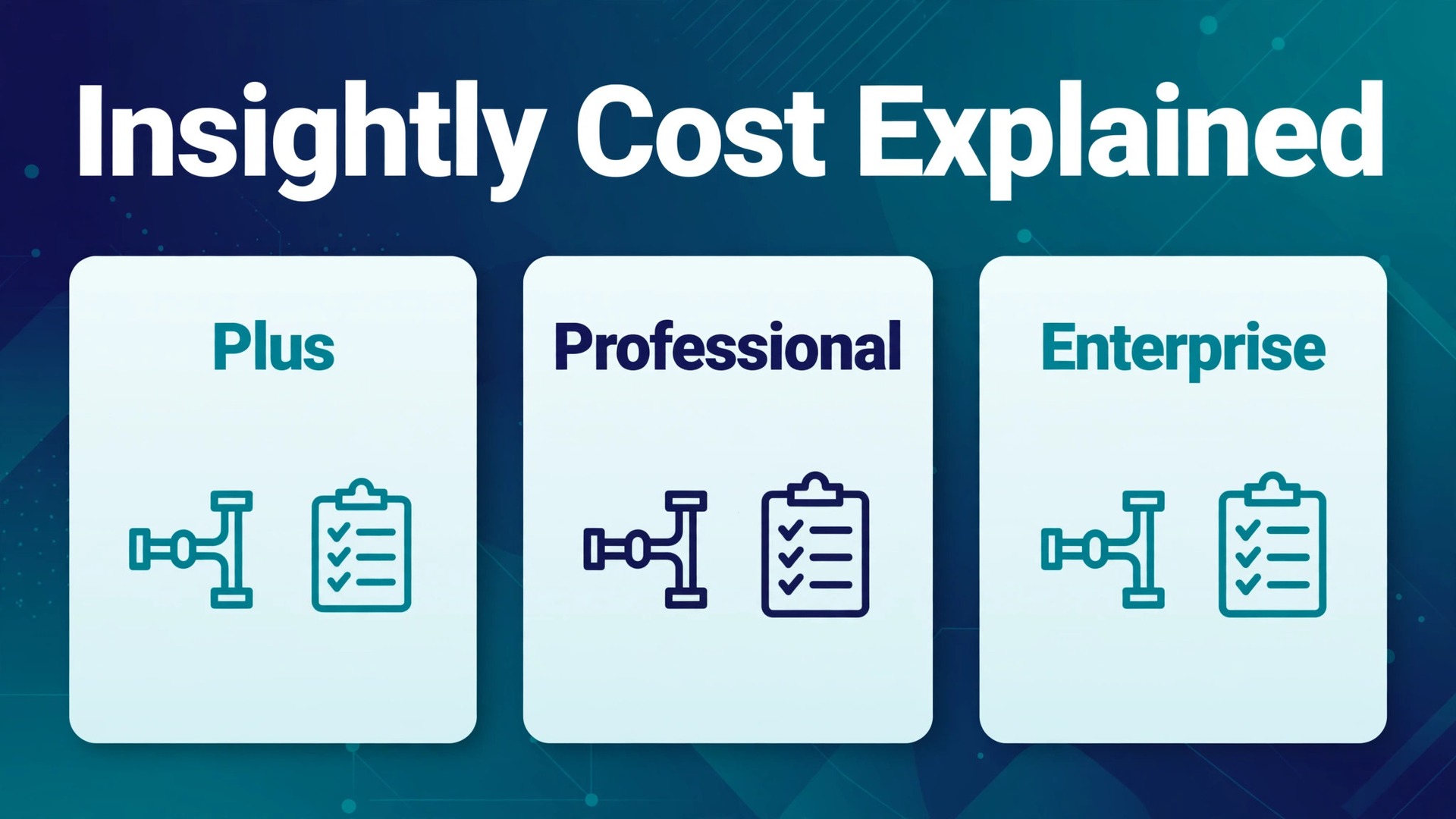
Insightly Tiers at a Glance
Use this table to shortlist a tier, then read the module section before you budget, because modules change the total more than tier choice does for many teams.
| Tier | Price per user a month, annual billing | Price per user a month, monthly billing | Key gate |
|---|---|---|---|
| Plus | $29 | $35 reported | No workflow automation, no AI Copilot |
| Professional | $49 | $59 reported | Workflow automation and AI Copilot included |
| Enterprise | $99 | $129 reported | Custom objects, advanced roles, single sign on |
The jump from Plus to Professional is the important one. Plus covers contacts, pipelines, basic project management and 100,000 records, but it lacks the workflow automation that turns Insightly from a database into a working CRM. Professional adds automation, lead routing, custom dashboards and AI Copilot queries, and most small businesses should budget for Professional even when Plus looks tempting.
What the Cost of Insightly for Small Business Monthly Really Includes
Insightly charges per user per month, so every seat counts and the bill scales directly with headcount. A three person team pays for three seats. A ten person team pays for ten seats. There is no flat team price and no free tier, though a 14 day trial with no card required lets a team test the CRM before committing. That per user model suits a small stable team and punishes fast hiring, because each new hire adds a full seat at the chosen tier price.
Records and storage are generous on every tier and rarely force an upgrade. Plus includes 100,000 records and 10 GB of storage, Professional includes 250,000 records and 100 GB, and Enterprise includes 500,000 records and 250 GB. Mass email limits also rise by tier, from 2,500 a day on Plus to 5,000 on Professional and 10,000 on Enterprise. A small business will hit an automation or feature limit long before it hits a record limit.
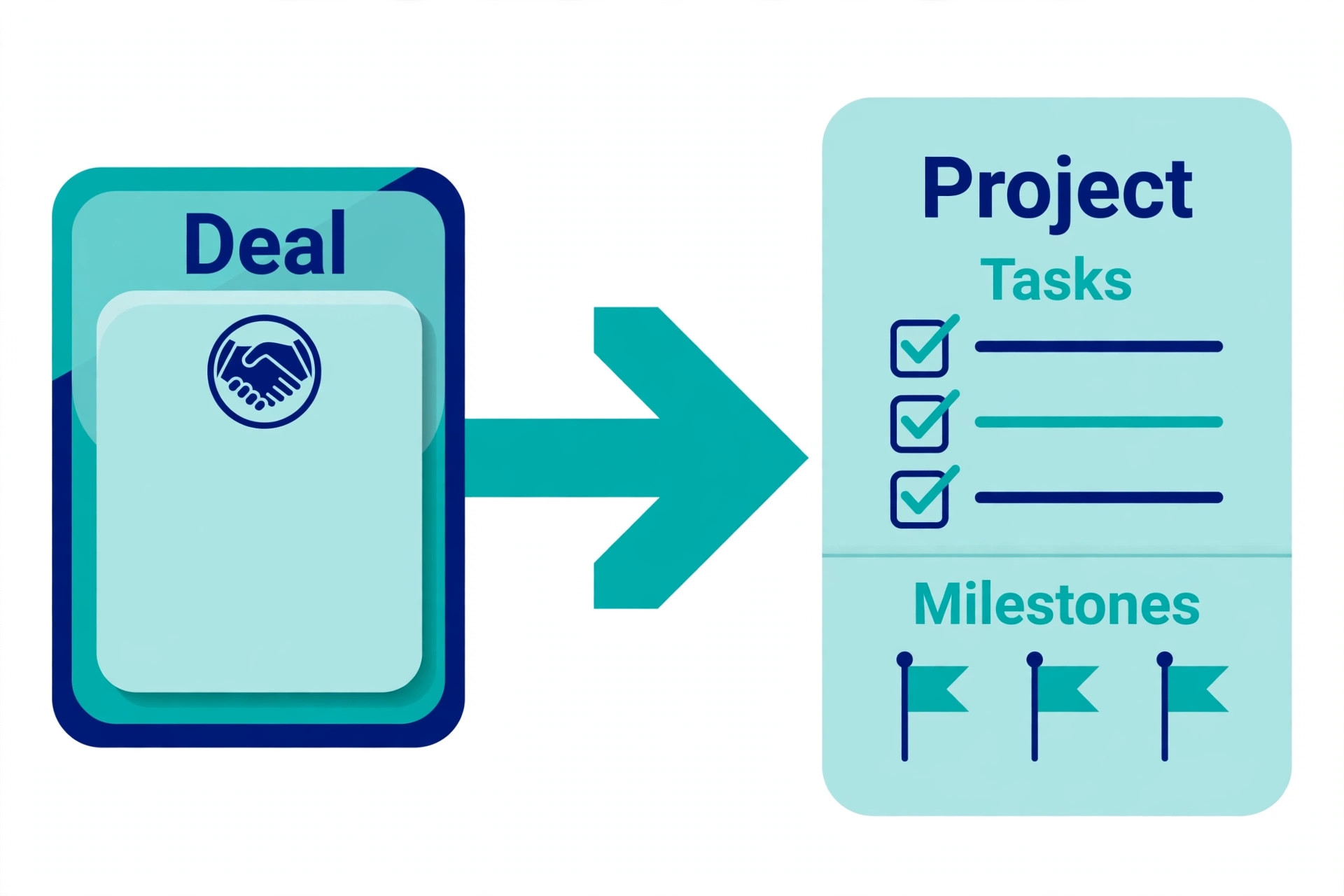
Project management is included in the CRM price, which is a real saving against buying a separate project tool. Deals convert into projects with tasks, milestones and files, and the team sees delivery progress next to the sale that created it. A service business that currently pays for a CRM and a project tool separately should compare the combined total against Insightly Professional, because one subscription may replace two.
Plus, Professional and Enterprise in Detail

Plus
Plus is the contact and pipeline tier. It covers lead and contact management, opportunity pipelines, basic project management, custom fields, email integration and reporting at a basic level, with 50 custom fields and two role based permission profiles. A very small team that mainly needs a shared contact list, a visible pipeline and simple project tracking will find Plus complete.
The limit is automation. Plus includes only limited automation rules, and it lacks AI Copilot, lead routing and advanced workflow actions that larger teams rely on. A team that needs leads assigned automatically, follow up emails triggered by pipeline movement or approvals routed by rule will find Plus frustrating, and the frustration usually ends in an upgrade to Professional within a quarter.
Choose Plus if the team is tiny, the process is simple and automation is not yet needed. Skip Plus if lead routing or triggered follow up matters, because Professional is where Insightly becomes a working CRM rather than a smart database.
Professional
Professional is the tier most small businesses should price first. It adds workflow automation with far more rules, lead assignment and routing, custom dashboards, advanced reporting, 100 custom fields and 75 AI Copilot queries a month per user. Those features turn the CRM into a system that moves work on its own, rather than a system that waits for someone to update it.
The value shows up in consistency. A new lead can be routed to the right owner, entered into the right pipeline, followed by a timed sequence and reported in a dashboard without manual steps. A service business with several concurrent projects benefits most, because automation keeps delivery milestones, client updates and renewal reminders moving while the team delivers work.
Choose Professional if the team needs automation, routing or dashboards. Skip Professional only if the team is truly tiny and manual, because the saving against Plus is small compared with the time automation returns each week.
Enterprise
Enterprise is the control and scale tier. It adds unlimited automation, custom objects, advanced roles and permissions, single sign on and dedicated support, with 100 AI Copilot queries a month per user. It suits larger small businesses, regulated firms and teams that need strict permission control or custom data models that lower tiers cannot express.
The cost only makes sense with a clear control need. A ten person team pays $990 a month on annual billing for Enterprise against $490 a month for Professional, a gap of $500 a month that must buy governance, custom objects or compliance value. A team that buys Enterprise for prestige alone wastes that gap every month, while a team that needs its controls cannot work safely without them.
Choose Enterprise if permissions, custom objects or single sign on are requirements. Skip Enterprise if Professional covers the workflow, because the extra features will sit unused and the bill will double for no gain.
Fee Breakdown by Team Size
Per user pricing makes the maths simple and unforgiving. Multiply seats by tier price, then add modules separately, because modules are billed per account rather than per user. That mix of per user and per account pricing is where Insightly budgets go wrong, so model both parts before signing.
| Team size | Plus, annual billing | Professional, annual billing | Enterprise, annual billing |
|---|---|---|---|
| 3 users | $87 a month | $147 a month | $297 a month |
| 10 users | $290 a month | $490 a month | $990 a month |
Monthly billing raises each figure. Reported monthly rates are $35 per user on Plus, $59 on Professional and $129 on Enterprise, which turns a 3 user Professional team from $147 a month into $177 a month, and a 10 user Professional team from $490 a month into $590 a month. Annual billing therefore saves roughly a fifth, but it commits cash for a full year, so a new team should prove the tool on monthly billing for a quarter first.
Seat discipline is the cheapest cost control available. Give seats only to people who work deals or projects daily, and use reporting exports or shared views for occasional viewers where the workflow allows. Every seat added casually adds $29 to $99 a month forever, and a team that grows from 3 to 10 users without reviewing seats can triple its CRM bill without changing its process at all.

Insightly Worked Monthly Totals
Worked totals turn tier prices into a real invoice. Each scenario below uses annual billing for the CRM seats and states module costs separately, so you can see exactly where the money goes and which line to cut if the total looks high.
A three person service team on Professional pays $147 a month for CRM seats, which is $1,764 a year. That team runs pipelines, projects, workflow automation and dashboards in one system, and it needs no separate project tool. If the same team adds Marketing at Plus level for $99 a month per account, the total rises to $246 a month, and if it adds AppConnect at entry level for $249 a month per account, the total rises to $495 a month before any setup fee.
A ten person team on Professional pays $490 a month for CRM seats, which is $5,880 a year. That team runs multiple pipelines, lead routing, custom dashboards and project delivery for ten people in one system. Adding Marketing at Professional level for $499 a month per account takes the total to $989 a month, and adding AppConnect entry at $249 a month takes it to $1,238 a month, which is $14,856 a year before support or setup fees.
The cost of Insightly for small business monthly planning must therefore include modules from the start, because a team that budgets only for seats will be surprised by the first invoice that includes marketing or integrations. Price the CRM seats, price each module the workflow actually needs, and price support separately, then compare that system total against competitors rather than comparing seat prices alone.
Marketing is the largest module surprise. Insightly Marketing is billed per account, not per user, starting at $99 a month for 2,000 prospects on Plus level, rising to $499 a month for 10,000 prospects on Professional level and $999 a month for 20,000 prospects on Enterprise level in recent comparisons. A business that adds marketing automation to a small CRM team can therefore double or triple its bill in one decision, and should compare standalone email tools before adding the module.
AppConnect is the second module surprise. It starts at $249 a month per account for 25,000 tasks, rises to $799 a month for 100,000 tasks and higher for larger volumes, and reported setup includes a $3,000 technical setup fee at entry level. A business that needs deep integrations or cross system workflows should price AppConnect and its setup fee in year one, because the CRM alone does not include that integration depth.
Support is the third cost to model. Premier support and success services are reported at 20 percent of licence cost with a $3,000 a year minimum, which adds $250 a month to a small deployment and more to a larger one. Standard support suits many small teams, but a team that cannot afford downtime during a migration or a busy sales period should budget for premier support rather than discovering its value during an outage.
All in one bundles simplify the maths for teams that want everything. Reported bundle prices are $349 a month per account on Plus level, $899 a month on Professional level and $2,599 a month on Enterprise level, covering CRM, marketing, service and a task allowance. A team that wants the full platform should price the bundle first, because assembling the same pieces separately usually costs more than the bundle price.

Insightly Against Cheaper and Larger Rivals
Against a simple pipeline tool, Insightly Professional costs more per seat and delivers project management that the simple tool lacks. A boutique firm that only needs a pipeline should buy the simple tool and save the difference. A firm that needs pipeline plus delivery in one system should buy Insightly, because the saving from dropping a separate project tool closes much of the price gap.
Against Salesforce, Insightly Professional costs about half the per seat price of Salesforce Pro Suite at $100 per user per month, and the gap widens once implementation is counted. Salesforce implementation often runs into five figures, while Insightly setup is lighter and faster for a small team. A business that does not need Salesforce scale, marketplace depth or enterprise governance should take the Insightly saving and invest it in marketing or hiring instead.
Against HubSpot, the comparison turns on marketing. HubSpot free and Starter tiers undercut Insightly for a tiny team that mainly needs contacts and email, while Insightly wins for a team that needs project delivery inside the CRM. The cost of Insightly for small business monthly buyers should be weighed against the companion tools each rival requires, because HubSpot plus a project tool and Insightly alone can land at similar system totals.
How to Choose in One Quarter
Choosing Insightly should take a quarter of testing, not a day of demos. Month one, run the 14 day trial with real deals and real projects, and test deal to project conversion with a live engagement. Month two, build one automation end to end, from lead routing to follow up to dashboard reporting, and confirm it works without manual rescue. Month three, price seats plus modules plus support, and compare that system total against two rivals on the same basis.
Trial discipline matters more than feature lists. A trial that only imports contacts proves nothing about automation, project conversion or reporting, and it leaves the tier decision to guesswork. A trial that runs a real engagement through every stage proves whether Insightly fits the workflow or merely looks good in a demo.

Downgrading is possible but should be planned. A team that buys Professional, then finds automation unused, can drop to Plus at renewal and save $20 per user per month, but it will lose automation rules and dashboards in the move. Export automation logic and dashboard definitions before downgrading, so the team can rebuild quickly if the downgrade proves premature.
Insightly Mistakes That Inflate the Bill
The most expensive mistake is buying Plus for a team that needs automation, then upgrading mid year after weeks of manual workarounds. The team pays twice in time, once building manual processes and once rebuilding them as automations, and the saving against Professional evaporates. Budget for Professional from the start if routing or triggered follow up appears anywhere in the workflow.
The second mistake is adding modules before the CRM is fully adopted. Marketing and AppConnect add hundreds of dollars a month to an account whose team still updates deals sporadically, and the modules cannot fix adoption. Prove daily CRM use for a quarter, then add one module at a time and measure its return before adding the next.
The third mistake is giving every employee a seat. Finance, operations and occasional managers may only need reports, and a seat for each of them adds $29 to $99 a month with no pipeline value. Review seats quarterly, remove seats for leavers immediately, and keep the seat count tied to people who work deals or projects daily.
The fourth mistake is skipping the trial with real data. A team that buys after watching demos often discovers during week one that its pipeline stages, project templates or reporting needs do not fit the default setup, and rebuilding under live pressure costs far more time than a careful trial would have taken. Run one real engagement through the trial, from lead to project to invoice handoff, before any money changes hands.
A Full Year on Insightly
Annual totals make the commitment concrete. A three person team on Professional pays $1,764 a year for seats alone, and $2,952 a year with Marketing at Plus level added. A ten person team on Professional pays $5,880 a year for seats alone, and $11,868 a year with Marketing at Professional level added. Add AppConnect entry at $2,988 a year plus a reported $3,000 setup fee, and year one totals climb sharply for integration heavy teams.
Renewal review should happen thirty days before the annual date. Confirm headcount, confirm which modules were actually used, clean up inactive users and unused automations, and renegotiate support before auto renewal locks the same configuration for another year. A team that reviews at renewal can cut a tier, drop a module or remove seats in one afternoon and save thousands over the next year.
Cash flow also matters for seasonal businesses. Annual billing saves about a fifth but takes a full year of fees up front, which can strain a business that earns unevenly. A seasonal team should weigh the annual saving against cash reserves, and consider monthly billing during a growth phase when headcount changes often, switching to annual billing once the team size stabilises. That timing choice is part of the cost of Insightly for small business monthly planning, because the cheapest annual rate is only cheap if the team size and module mix stay stable enough to use what was prepaid.

When Insightly Is the Wrong Buy
Insightly is the wrong buy for a business that only needs a contact list and a simple pipeline. A solo consultant, a tiny shop with two staff or a business with no project delivery will pay $29 to $49 per user per month for project and automation depth that goes unused, while a simpler tool delivers the same pipeline for less. In that case the honest choice is a lighter CRM, and the saving can fund marketing or a better website instead.
Insightly is also the wrong buy for a business that needs heavy marketing automation as its main job. The Marketing module is powerful but expensive per account, and a standalone email platform often delivers better automation, templates and deliverability tools for less money at the same prospect count. A business whose main workflow is email campaigns should buy the best email tool first and add a simple CRM beside it, rather than buying a CRM and an expensive marketing module to match it.
A third wrong fit is a business with very high seat growth and no delivery need. Per user pricing means a team growing from 10 to 30 users triples its Insightly bill even if the new staff only view reports occasionally. Flat priced tools or tools with free viewer roles suit that shape better, and the cost of Insightly for small business monthly planning should always include a hiring forecast, not just today’s headcount. If hiring is fast and delivery is light, choose a pricing model that does not punish growth.
Cutting the Insightly Bill Without Losing Value
Seat hygiene is the fastest saving. Review seats every quarter, remove leavers the week they leave, and downgrade occasional users to report based access where the workflow allows. A team that cuts three unused Professional seats saves $147 a month on annual billing, which is $1,764 a year recovered without losing any feature that anyone actually used.
Module staging is the second saving. Add one module at a time, prove its return for a quarter, and only then add the next. A team that adds Marketing and AppConnect together pays $748 a month extra before knowing which module earned its keep, while a staged team learns the return of each module separately and drops the loser before it becomes a habit. Staging also spreads setup work, which improves adoption of each module in turn.
Bundle comparison is the third saving. Before renewing separate modules, price the all in one bundle for the same tier and compare totals honestly, including task allowances and prospect limits. A team that assembled CRM plus Marketing plus Service separately often finds the bundle cheaper, while a team that only uses one module finds separate pricing cheaper. The bundle wins only when at least two modules are genuinely used, so audit module use before assuming the bundle saves money.
Finally, use the trial and the quarterly review as cost controls, not formalities. A trial that tests real projects and real automations prevents a year on the wrong tier, and a quarterly review that checks seats, modules and support prevents a year of paying for last year team shape. Both reviews take an afternoon, and both routinely save more than any discount a vendor offers unprompted at renewal.
More Reading on Stratilyze
Readers pricing CRM tools usually check the neighbouring guides next. The guide to CRM software for small business covers the wider small business decision, the guide to CRM for a 3 person sales team helps with small team structure, and the guide to project management software covers delivery tools for teams that prefer a separate system.
Frequently Asked Questions
How much does Insightly cost per user per month
Insightly CRM costs $29 per user per month on Plus, $49 on Professional and $99 on Enterprise with annual billing. Reported monthly billing rates are $35, $59 and $129 per user per month. Modules are billed per account on top of seats, so the system total is higher than the seat price whenever marketing or integrations are added.
Is Insightly Plus enough for a small business
Plus is enough if the team needs contacts, pipelines, basic projects and simple reporting without automation. It is not enough if the team needs lead routing, triggered follow ups, custom dashboards or AI Copilot, because those features require Professional. Most small businesses that test both tiers end up on Professional, so budget for it unless the workflow is truly manual.
What do Insightly modules cost on top of CRM seats
Marketing starts at $99 a month per account for 2,000 prospects on Plus level and rises to $499 a month for 10,000 prospects on Professional level in recent comparisons. AppConnect starts at $249 a month per account for 25,000 tasks, with a reported $3,000 setup fee at entry level. All in one bundles start at a reported $349 a month per account on Plus level and $899 a month on Professional level.
Does Insightly offer a free plan
No, Insightly does not offer a permanent free plan. It offers a 14 day free trial with no card required, which is the right way to test deal to project conversion and automation before buying. A team that needs a free CRM should compare HubSpot free or Capsule free instead, and accept their limits on projects and automation.
How does Insightly pricing compare with Salesforce
Insightly Professional at $49 per user per month costs about half the $100 per user per month of Salesforce Pro Suite at licence level, and Insightly implementation is usually lighter and cheaper. Salesforce wins on scale, marketplace depth and enterprise governance, while Insightly wins on total cost and speed of setup for a small team that does not need enterprise scale.
What is the real cost of Insightly for small business monthly use for a 10 user team
A 10 user team on Professional pays $490 a month for seats on annual billing, or $590 a month on monthly billing. Adding Marketing at Professional level takes the total to $989 a month on annual billing, and adding AppConnect entry takes it to $1,238 a month. Premier support, where needed, adds a reported minimum of $3,000 a year. Compare that system total, not the seat price, against rivals.
Final Verdict on Insightly Costs
For most small businesses, the right Insightly spend is Professional seats for people who work deals or projects daily, plus only the modules the workflow already proves it needs. Start on monthly billing for a quarter, prove deal to project conversion and automation value, then switch to annual billing for the saving and review seats and modules at every renewal.
Before you buy, model the full system total including marketing, integrations and support, and compare it against a simple pipeline tool plus a project tool and against Salesforce on the same basis. The cost of Insightly for small business monthly use is fair when delivery lives in the CRM and automation runs daily, and wasteful when seats sit idle or modules go unused, so let proven workflow decide the tier and the add ons.