

Asana lets a two person team pay for two seats, while Monday makes that same team pay for three, and that single difference sets the tone for the whole comparison. Monday is a visual board platform that many small businesses love for its flexibility, but its seat buckets, automation caps and AI credit model all change the bill in ways the headline per seat rate does not show. The cost of Monday for small business monthly therefore depends less on the advertised rate and more on billed seats, tier choice and automation volume.
Monday sells five tiers for work management, and four carry a published price. Free covers up to two seats and three boards. Basic, Standard and Pro carry published per seat rates on annual and monthly billing. Enterprise is quoted. This guide prices the published tiers exactly, explains the three seat minimum and the bucket jumps, and flags the add ons and limits that commonly surprise a small buyer.
Prices in this guide come from the Monday pricing page as reported in reputable pricing guides checked at writing time. Monday adjusts pricing by region and over time, so treat every figure as a starting point and confirm the current price on the vendor page before buying. Where a price is reported rather than published, the text says so plainly.
Monday Prices at a Glance
| Tier | Annual billing per seat | Monthly billing per seat | Minimum seats |
|---|---|---|---|
| Free | $0 | $0 | Up to 2 seats |
| Basic | $9 | $12 | 3 seats |
| Standard | $12 | $14 | 3 seats |
| Pro | $19 | $24 | 3 seats |
| Enterprise | Quoted | Quoted | Typically 40 plus |
Read the table as a starting point, not a budget. The per seat rate only becomes a monthly bill once it is multiplied by billed seats, and Monday bills paid seats in buckets that start at three and then step up in fives. A team of four pays for five seats, a team of six pays for ten, and a team of eleven pays for fifteen, under the bucket rules reported in pricing guides. The real cost table below prices that effect at the team sizes a small business actually runs, and that table is the heart of any honest view of the cost of Monday for small business monthly.

Why the Advertised Rate Is Never the Whole Bill
The advertised rate is a per seat rate on annual billing, which means the business commits for a year to get that rate. Monthly billing costs more on every paid tier, with Basic rising from $9 to $12, Standard from $12 to $14, and Pro from $19 to $24 per seat a month. Annual billing is reported as saving about 18 percent against monthly billing, but annual plans are also reported as non refundable, with downgrades and cancellations taking effect only at term end. Flexibility therefore has a price, and commitment has a risk.
The second surprise is the seat bucket. Paid plans start at three seats, then step up in fives, so the buckets run 3, 5, 10, 15, 20 and 25 seats. A solo operator pays for three seats, which makes Basic $27 a month on annual billing for one person, and Standard $36 a month for one person. A team of seven pays for ten seats, which makes the advertised $12 Standard rate cost $120 a month, or $17.14 per actual person. That gap between advertised rate and real per person cost is the most important number in Monday pricing.
The third surprise is automation. Basic includes no automations or integrations at all, so a team that buys Basic for board tracking alone will hit a wall the first time it wants a status change to send a notification automatically. Standard includes only 250 automation actions and 250 integration actions a month, which a busy team can exhaust in days. Pro raises both caps to 25,000 actions a month, which is the realistic floor for an automated workflow. The tier choice is therefore an automation choice, not just a price choice.
Free, a Two Seat Trial Rather Than a Team Plan
Free costs nothing, covers up to two seats and three boards, and includes unlimited documents, more than 200 templates and mobile apps. It suits a solo operator testing board layouts, or a pair trying Monday for a single project before committing. It includes no automations, no integrations and no timeline or Gantt view, which are the features most teams need within weeks of adopting a work platform.
The limits make Free a trial, not a team plan. A three person team cannot use it, a team with more than three boards cannot use it, and a team that wants automated notifications cannot use it. Building a real workflow on Free and expecting a frictionless upgrade is risky, because the upgrade adds the very features the workflow was built without, and the board structure may need rework to use them well.
Choose Free only to test the board concept with one or two people. Do not present it to a team as the long term plan, because the seat cap, board cap and automation gap will force a paid move at exactly the moment the team starts to rely on the tool.
Basic, the Cheapest Paid Tier and a Common Trap
Basic costs $9 per seat a month on annual billing and $12 on monthly billing, with a three seat minimum. It adds unlimited items, unlimited free viewers, 5GB of storage and a dashboard based on one board, plus 1,000 AI credits a month and three AI tools under the newer AI credit model. It does not add automations or integrations, which is the detail that decides whether Basic is a bargain or a trap.
Basic suits a very small team that needs shared boards, task tracking and file storage, and that is happy to update statuses by hand. A team tracking simple tasks, a content calendar, or a job list without automation will find Basic adequate and cheap, at $27 a month on annual billing for the three seat minimum. A team that expects Monday to chase deadlines, notify owners and sync with other tools will be disappointed within a week.
The trap is the upgrade path. A team that starts on Basic, builds boards around manual updates, and then discovers it needs automation must move to Standard at $12 per seat a month on annual billing, or to Pro for serious automation. That move is easy, but the time spent building manual workarounds is not recovered. If automation is likely within three months, start on Standard and skip Basic entirely, because the cost of Monday for small business monthly on Basic plus rework is higher than Standard alone.
Standard, Where Monday Starts to Make Sense
Standard costs $12 per seat a month on annual billing and $14 on monthly billing, with a three seat minimum. It adds timeline and Gantt views, calendar view, guest access, a dashboard combining up to five boards, and 250 automation actions and 250 integration actions a month. It also includes 20GB of storage and 2,000 AI credits a month with five AI tools under the newer model, with larger credit bundles available.
Standard is the realistic starting point for most small businesses, because it includes the three features that make Monday worth adopting over a spreadsheet. Timeline planning shows overlapping work, guest access lets clients view progress without a paid seat, and automations remove the manual chasing that eats a manager day. A team of five on Standard pays $60 a month on annual billing, which is a defensible price for a shared planning system.
The limit is the automation cap. Two hundred and fifty actions a month sounds generous until a team counts its rules, and a single rule that notifies three people on every status change can consume dozens of actions a day. A team with several active boards, client updates and deadline reminders should measure its automation volume during the trial, because crossing the cap means either paying for Pro or turning rules off, and neither outcome is pleasant mid project. That cap check belongs in every estimate of the cost of Monday for small business monthly.

Pro, the Tier for Automated and Billable Work
Pro costs $19 per seat a month on annual billing and $24 on monthly billing, with a three seat minimum. It adds private boards and documents, chart view, time tracking, formula columns, dependency columns and a dashboard combining up to ten boards. Automation and integration caps rise to 25,000 actions a month each, storage rises to 100GB, and AI credits rise to 3,000 a month with six AI tools under the newer model.
Pro suits a team that automates client updates, tracks time for billing, or reports across many boards. Time tracking matters for a services business that bills by the hour, because it connects work on a board to a billable record without a separate tool. Formula columns matter for a team that calculates costs, margins or scores inside Monday rather than exporting to a spreadsheet. Private boards matter once sensitive client or staff information sits in the system.
The jump from Standard to Pro costs $7 per seat a month on annual billing, or $84 a month for a twelve person team billed at fifteen seats. That jump is worth paying when automation volume, time tracking or private boards are daily needs, and it is wasteful when the team only wants a higher automation cap it rarely approaches. Measure automation use on Standard first, then upgrade on evidence rather than on a demo promise, since the cost of Monday for small business monthly should follow measured use, not a demo.
Enterprise, the Quoted Tier for Larger Buyers
Enterprise carries no published price and is typically quoted for teams of forty or more, with a self serve calculator reported as topping out at forty seats. It adds enterprise scale automations and integrations at 250,000 actions a month each, enterprise grade security and governance, advanced reporting and analytics, multi level permissions, tailored onboarding, enterprise support and a dashboard combining up to fifty boards. Storage rises to 1,000GB, and AI credits are customised by sales.
For most small businesses, Enterprise is not a buying decision but a boundary. If the business needs single sign on, HIPAA compliance, audit logs or multi level permissions at enterprise depth, it has outgrown a small team budget and should expect a sales process and a price well above Pro. If it does not need those controls, paying for them through a quoted tier wastes money that could fund staff or marketing.
The practical rule is to stay on Pro until a client, a regulator or an IT policy forces an enterprise control, then get a written quote and compare it with a full year of Pro plus the cost of meeting the control another way. Many small businesses find the control can be met with a simpler process, and the enterprise quote is never needed.
The Cost of Monday for Small Business Monthly at 2, 5, 10 and 25 Seats
| Team size | Billed seats | Basic annual | Basic monthly | Standard annual | Standard monthly | Pro annual | Pro monthly |
|---|---|---|---|---|---|---|---|
| 2 people | 3 | $27 | $36 | $36 | $42 | $57 | $72 |
| 5 people | 5 | $45 | $60 | $60 | $70 | $95 | $120 |
| 10 people | 10 | $90 | $120 | $120 | $140 | $190 | $240 |
| 25 people | 25 | $225 | $300 | $300 | $350 | $475 | $600 |
The table shows the monthly amount at each billing choice, with annual figures shown as the monthly equivalent of the annual rate. A five person team on Standard therefore pays $60 a month in annual billing terms, or $720 over a year, against $70 a month or $840 over a year on monthly billing. The annual saving for that team is $120 a year, which is worth taking once the team is stable, and worth skipping while headcount is still changing.
A ten person team on Pro pays $190 a month on annual billing, or $2,280 over a year, against $240 a month or $2,880 on monthly billing, a saving of $600 a year. That saving requires committing to ten seats for a year, and annual plans are reported as non refundable, so a team that shrinks mid term does not get money back for unused seats. The minimum seat cost is the figure a solo or two person buyer should remember most, since a two person team pays the three seat price on every paid tier, whatever the per seat rate says.
A twenty five person team should also check the next bucket boundary. Twenty five seats is a bucket step, so the twenty sixth person pushes the billed count to thirty seats, raising the Standard annual monthly equivalent from $300 to $360 and the Pro figure from $475 to $570. That step should be in every growth budget before the hire is made, because it raises the bill for the whole team, not just for the new person.

When the Jump From Standard to Pro Pays for Itself
The jump from Standard to Pro costs $7 per seat a month on annual billing, or $70 a month for a ten person team. That jump buys three things that matter at scale, and the team should be able to name which one it needs before paying. The first is automation headroom, from 250 actions to 25,000 actions a month, which is a hundredfold increase. The second is time tracking, which turns a board into a billing record. The third is private boards, formula columns and dependency columns, which turn a shared board into a controlled system.
A useful test is to run Standard for a month and count automation actions used, time tracking workarounds, and private board requests. If automation actions approach the cap, or if time is tracked in a separate tool that must be reconciled by hand, Pro will pay for itself in saved staff time. If none of those pressures appear, Pro is a luxury, and the $70 a month for a ten person team is better spent elsewhere. The upgrade is instant, while the downgrade refund is not, so the safe direction is up, not down.
A second test is storage and reporting. Standard includes 20GB of storage and a five board dashboard, while Pro includes 100GB and a ten board dashboard. A design or media team attaching files to every item can approach 20GB faster than expected, at roughly a gigabyte a month for a team attaching one five megabyte file per item across two hundred items a month. If storage or dashboard breadth is the constraint, Pro solves it directly, and the team should cost that need rather than guessing.

AI Credits, Guests and Other Add Ons
AI credits are the newest add on to understand, because they change how Monday bills AI features. Under the model reported for new work platform accounts from May 2026, paid plans include a monthly credit bundle, with 1,000 credits on Basic, 2,000 on Standard and 3,000 on Pro, and larger bundles available on Standard and Pro. Credits cost a reported one cent each when bought separately, and unused credits do not roll over to the next cycle, so the bundle should match real use, not a hope.
Credit consumption varies by task, with simple tasks costing far fewer credits than complex agent tasks, and a meeting notetaker reported at 120 credits per meeting hour. A team that uses AI for a few summaries a week will fit inside the included bundle, while a team running AI agents across many boards will need a larger bundle and should budget for it from the start. Older accounts may sit on different AI terms, so confirm which model applies to the account before budgeting, because the pricing page and older blog posts do not always agree on the cost of Monday for small business monthly for AI use.
Guests and viewers change the seat maths in a helpful direction. Unlimited free viewers are included on paid plans, and Standard adds guest access, so clients and occasional collaborators who only view progress need not consume a paid seat. Anyone who needs to edit boards, run automations or manage items counts as a paid member, so set a rule that viewers stay viewers unless they truly need member rights. That rule can save a bucket jump, especially for a team that works closely with clients.

Seat buckets are the largest hidden cost, and they are not hidden in the fine print so much as absent from the pricing card. A team of four pays for five seats, a team of six pays for ten, and a team of eleven pays for fifteen, under the bucket rules reported in pricing guides. Budget at the billed count, and check the count before every hire, because a hire that crosses a bucket boundary raises the bill for the whole team, not just for the new person.
Annual commitment is the second trap. Annual plans are reported as non refundable, and downgrades or cancellations only take effect at term end, so a team that signs in January cannot drop tiers in June even if usage falls. That policy makes a monthly billing start sensible for a team whose size is uncertain, even though the monthly rate is higher. Set a calendar reminder to review billing at day sixty, and switch to annual only when headcount has been stable for a full month.
Storage and automation overages are the third trap. A team that exceeds its automation cap must upgrade or turn rules off, and a team that exceeds storage must upgrade or clean up files, and neither choice is free in staff time. AI credit overages work the same way, with a larger bundle needed once the included pool runs out mid month. The common thread is that caps, not seat rates, decide the real upgrade point in the cost of Monday for small business monthly, so measure cap use during the trial rather than discovering it after purchase.

Trial Mistakes That Inflate the First Year Bill
The most common mistake is trialling the Pro plan and then buying Standard on price, or vice versa. The fourteen day trial runs on Pro, so a team that builds boards around Pro features such as time tracking and private boards will find those features missing on Standard after purchase. Trial the tier the team intends to buy, not the tier the trial offers by default, and build the trial boards around that tier features alone.
The second mistake is building boards on Free and expecting a frictionless upgrade. Free caps boards at three and seats at two, with no automations and no timeline view, so a workflow built on Free will need rework once the team upgrades. Start the trial on the intended paid tier, even if that means a shorter free period, because the rework cost after a Free build often exceeds the trial saving.
The third mistake is inviting everyone as a member. Clients, contractors and occasional collaborators often only need viewer or guest access, but a team that invites them as members pays for seats that add little value and can push the account into the next bucket. Audit the member list monthly, move viewers to guest or viewer access, and check the billed seat count against the real team size before each renewal. That audit takes ten minutes and can save a full bucket step.
The fourth mistake is ignoring automation volume during the trial. A team that tests one board with one rule will not learn whether Standard 250 action cap fits a real workload across many boards. Run the trial with the real number of boards, rules and client updates, count the actions used in a week, and multiply by four before choosing between Standard and Pro. That single calculation prevents the most common Monday upgrade surprise.
Which Tier Fits Which Small Business
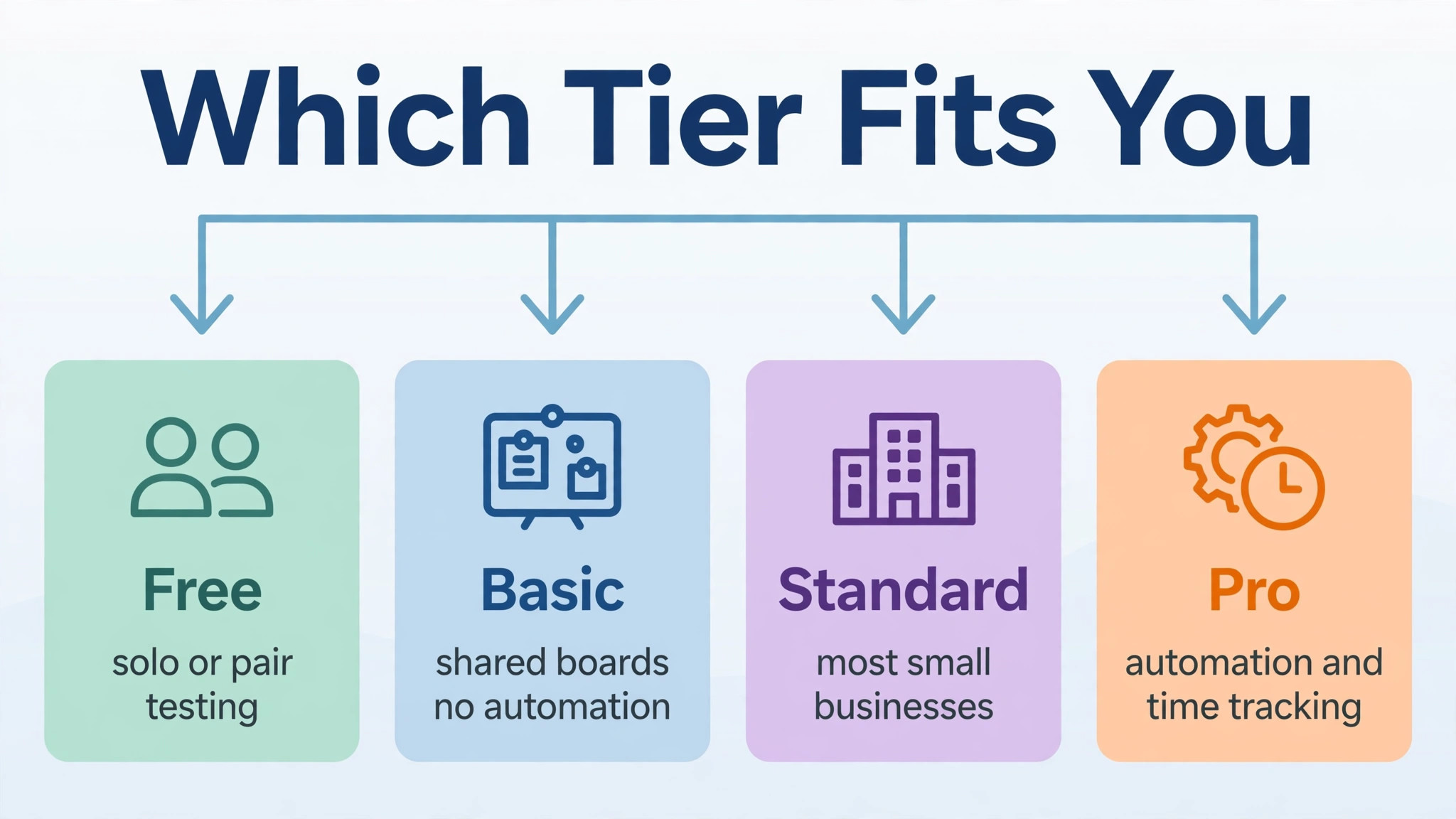
Free fits a solo operator or a pair testing board layouts for a single project, and nothing more. It costs nothing, but its board cap, seat cap and automation gap mean it cannot run a real team workflow, and any business that relies on it should plan the paid budget from the start rather than treating free as a permanent stage.
Basic fits a very small team that needs shared boards and task tracking without automation, and that is happy to update statuses by hand. It is the cheapest paid tier, at $27 a month on annual billing for the three seat minimum, but it should only be chosen when automation is genuinely not needed. If automation is likely within three months, skip Basic and start on Standard.
Standard fits most small businesses with three to twenty five people running projects, client work or internal operations with timeline planning and light automation. It is the best value tier in the range for a team that needs guest access, timeline views and a few hundred automation actions a month. A team that outgrows the automation cap or needs time tracking should move to Pro on evidence, not on a guess, and that evidence based move keeps the cost of Monday for small business monthly honest.
Pro fits a team that automates client updates, tracks time for billing, or reports across many boards with private boards and formula columns. It is worth the higher rate when automation volume, time tracking or board privacy are daily needs, and it is wasteful when the team only wants a higher cap it rarely approaches. Enterprise fits a larger buyer that must meet enterprise security or compliance requirements and can accept a quoted price and a sales process.
More Reading on Stratilyze
For a related project tool comparison, read Asana alternatives and Asana versus Monday. For a different project system for a niche team, see project management software for interior designers.
Frequently Asked Questions
How much does Monday cost for a team of 5
A five person team on Basic costs $45 a month on annual billing, or $60 a month on monthly billing. The same team on Standard costs $60 a month on annual billing, or $70 a month on monthly billing, and on Pro it costs $95 a month on annual billing, or $120 a month on monthly billing. Add a larger AI credit bundle if AI use exceeds the included monthly allowance.
Why does Monday charge a 2 person team for 3 seats
Monday paid plans enforce a three seat minimum, and seats are then sold in buckets that step up in fives, so a two person team pays the three seat price on every paid tier. That minimum makes Basic $27 a month, Standard $36 a month and Pro $57 a month on annual billing for a two person team, whatever the per seat rate says.
Is Monday free for small teams
Monday Free is free, but only for up to two seats and three boards, with no automations, no integrations and no timeline view. A team of three or more, or a team that needs automation or timeline planning, must pay for a paid tier, so Free suits a trial rather than a real team workflow.
What is the cheapest way to use Monday as a small business
The cheapest realistic route is Standard on annual billing, once the team is stable, with viewers and guests used for clients who only need to view progress, and no larger AI bundle until real AI use demands it. Start on monthly billing only while headcount is uncertain, then switch to annual billing once the team size has been stable for a month.
Does Monday Basic include automations
No, Basic includes no automations or integrations at all, which is why many teams find it a trap. Standard includes 250 automation actions and 250 integration actions a month, while Pro raises both caps to 25,000 actions a month, so a team that needs automation should start on Standard at the lowest.
When should a small business move from Standard to Pro
Move to Pro when automation actions approach the Standard cap, when time tracking for billing becomes a daily need, or when private boards and formula columns are required for client or staff information. If none of those pressures appear in a real month of use, Standard remains the better value, and the upgrade can wait until the next renewal.