

Knowing how to start a blog with AI in 2026 changes the economics of blogging completely. The tools compress weeks of work — niche research, outlines, first drafts, image briefs, internal linking — into days. But they also flood the internet with shallow copy, and Google and readers can both smell it. The blogs winning right now are the ones using AI as an accelerator on top of real knowledge, not as a replacement for having any.
This guide walks the full path I recommend (and used, building an AI tools blog): pick a niche with paying intent, choose hosting and set up WordPress properly, build an AI-assisted writing workflow you can repeat every week, ship your first 5 posts, and line up monetization realistically — with a real cost table and a 90-day timeline you can hold yourself to.
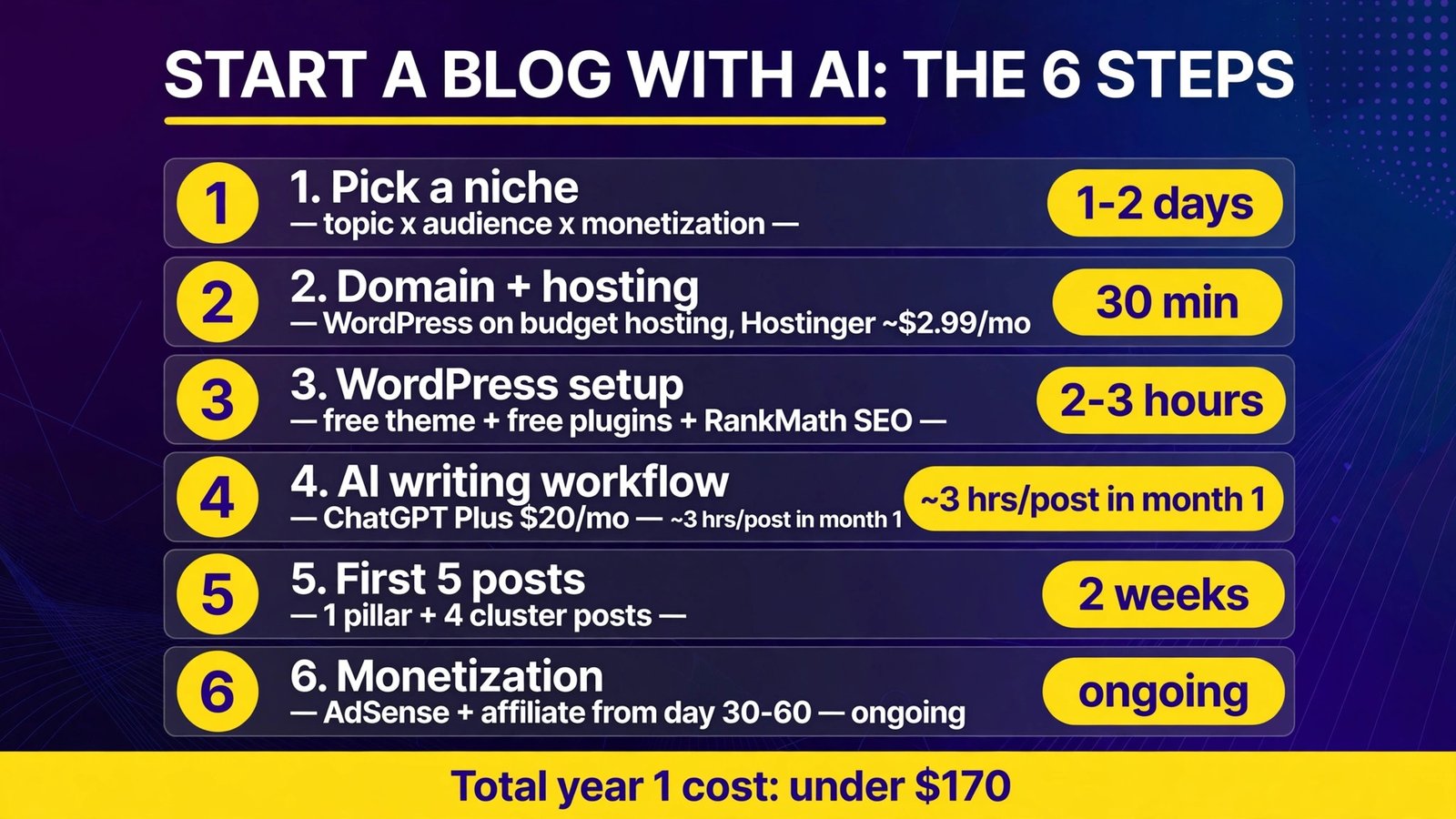
The Launch Plan at a Glance
| Step | Key choice | Budget option | Time (realistic) |
|---|---|---|---|
| 1. Pick a niche | Topic × audience × monetization | Free (AI research prompts below) | 1–2 days |
| 2. Domain + hosting | WordPress on budget shared hosting | Hostinger ~$2.99/mo intro | 30 min |
| 3. WordPress setup | Theme, essential plugins, RankMath SEO | Free theme + free plugins | 2–3 hours |
| 4. AI writing workflow | Brief → draft → human edit → SEO pass | ChatGPT Plus $20/mo | ~3 hrs/post in month 1 |
| 5. First 5 posts | 1 pillar + 4 cluster posts | Your time | 2 weeks |
| 6. Monetization | AdSense + affiliate from day 30–60 | Free to apply | Ongoing |
Bottom line: You can be live with five solid posts for under $170 in year one (hosting + domain + ChatGPT Plus for a couple of months). The scarce resource is not money — it’s publishing consistently with a workflow where AI drafts and you add the experience, opinions, and facts. Plan 90 days: month 1 is setup and your first 5 posts, month 2 is volume and internal linking, month 3 is monetization applications and doubling down on what ranks.
1. Pick a Niche You Can Actually Win
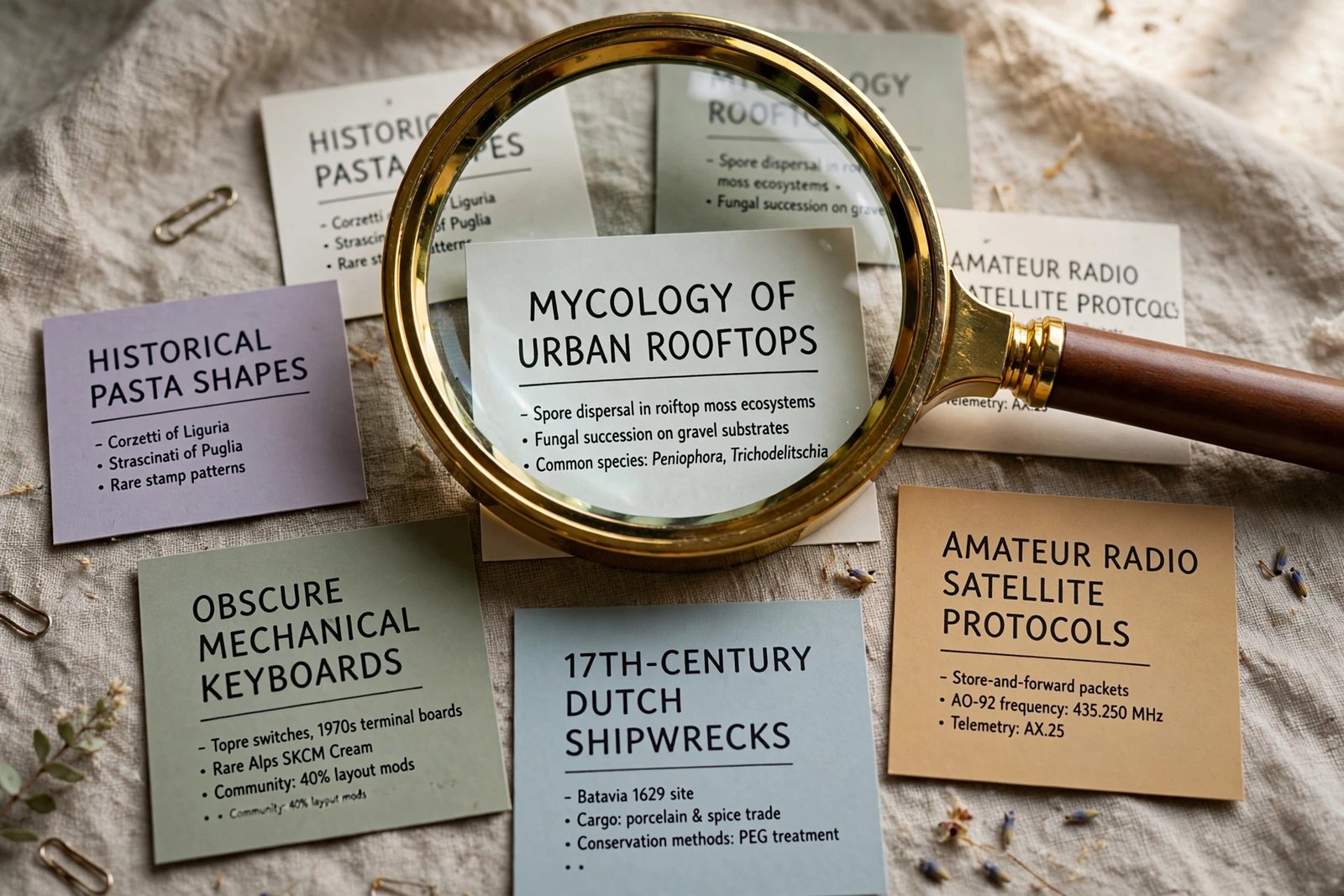
The niche decision decides everything downstream. “AI tools” worked for us because it’s (a) exploding in search demand, (b) naturally monetizable through software affiliate programs, and (c) something we could test hands-on daily. Apply the same three-part filter to your candidates:
- Demand: people search for it with buying or problem-solving intent — “best X”, “how to X”, “X vs Y” queries.
- Monetization: are there products to review/recommend (affiliate), courses to sell, or advertisers who want this audience (AdSense rates)?
- Sustainable interest: can you write 100 posts here without hating your life by post 40?
Use AI to stress-test candidates before committing. Copy-paste prompt:
Act as a niche research analyst. For the niche "[your niche]" aimed at
[audience], give me: (1) 20 long-tail article topics beginners search for,
grouped by intent (learn / compare / buy); (2) the top 5 affiliate programs
and their rough commission structures; (3) 3 signs this niche is too
competitive for a new blog; (4) 3 underserved angles a small blog could own.
Be specific; flag anything you're unsure about so I can verify it.
Verify the output yourself — check search demand in Google itself (autocomplete, “People also ask”) and confirm affiliate programs exist on the vendors’ own pages. AI happily invents commission rates; the niche framework is the value, the numbers need your verification.
2. Choose Your Platform and Hosting (Real Costs)
For a monetizable blog you own, self-hosted WordPress remains the default answer: it’s what AdSense, affiliate networks, and every SEO tool assume, and it’s portable if you ever change hosts. Hosted builders (Wix, Squarespace) are fine for portfolios but limit SEO control and monetization flexibility; free platforms (Medium, Substack) don’t give you a property you own.
Hosting — what beginners actually pay (verified October 2026):
- Hostinger Premium: from $2.99/month on introductory multi-year terms (renewing around $10.99/month) — cheapest credible start, free domain for year one, easy WordPress installer.
- Bluehost Starter: from $3.99/month introductory (renewing around $9.99/month) — WordPress.org-recommended since 2005, phone support, guided setup that beginners rate highly.
- Quote both renewal prices to yourself before checkout. The intro term is a loan you’ll repay at renewal; multi-year intro terms are still usually the right deal if you’ll blog for 2+ years.
Domain: ~$10–15/year if bought separately, but both hosts above bundle year one free. Pick a short, brandable .com if you can; avoid hyphens and keyword-stuffed domains (“best-cheap-ai-tools-2026.com” is a spam signal, not an SEO trick).
3. Set Up WordPress Properly (2–3 Hours, Once)
- Install WordPress via your host’s one-click installer; enable the free SSL certificate immediately (the padlock matters for trust and rankings).
- Pick a fast, plain theme. A free lightweight theme (GeneratePress, Astra, or WordPress’s default) beats a gorgeous page-builder theme that takes 4 seconds to load. Speed is an SEO input; decoration is not.
- Install only the essential plugins: an SEO plugin (RankMath free is what we use — it handles titles, meta, sitemaps, schema), a caching plugin, an image optimizer, a backup plugin, and a security plugin. Every extra plugin is load time and breakage risk.
- Set permalinks to “Post name” (yoursite.com/post-title) before publishing anything.
- Create the four legal/trust pages: About, Contact, Privacy Policy, Affiliate Disclosure. AdSense requires a privacy policy, and the About page is your E-E-A-T anchor — write it like a human, with your name and why you’re qualified to cover this niche.
- Connect the measurement stack: Google Analytics and Google Search Console. Search Console is non-negotiable — it’s where you’ll see what Google actually thinks of your posts.

4. Build Your AI-Assisted Writing Workflow
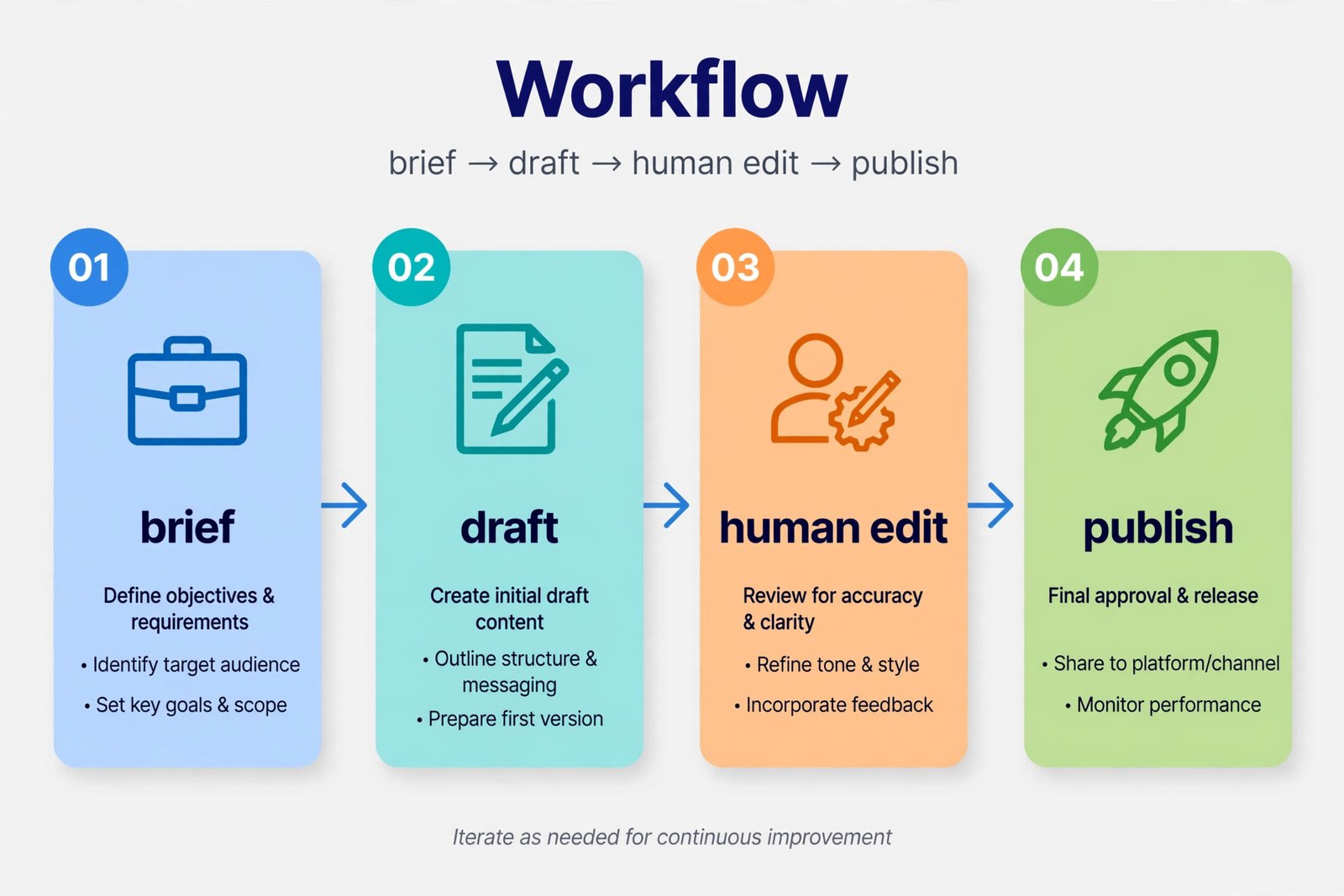
This is the engine of the whole blog. The workflow below is the one we run on our own site: AI accelerates every stage, but a human owns the facts, the opinions, and the final edit. Blogging fully with AI is detectable (samey phrasing, confident-but-vague claims) and punishable (thin-content ranking demotions). Blogging with AI and a real editorial pass is how small teams now out-publish teams three times their size.
The 5-stage workflow (per post):
Stage 1 — Brief (15 min, you + AI). Don’t ask AI to “write about X.” Give it a brief first:
Create a detailed outline for a 3,000-word blog post targeting "[keyword]".
Audience: [description]. Angle: hands-on tested, with real numbers. Include:
H1 options, H2 structure with word-count targets per section, a FAQ section of
5 questions, what original element (test, dataset, screenshot, quote) this
post needs to not be generic, and 3 things competitor articles miss.
Stage 2 — Draft (30 min, AI). Feed the outline back section by section — one section per message produces better writing than one mega-prompt:
Write the "[H2 title]" section (~600 words) for this post. Tone: practical,
test-driven, no fluff. Include the focus keyword "[...]" naturally in the
first 100 words. Do NOT write generic filler; if a fact can't be sourced,
mark it [VERIFY] instead of inventing it.
Stage 3 — Human edit (60–90 min, you). This is the non-delegable part: verify every price, stat, and claim against a primary source (we verify every number with a fresh search before publishing); add your own test results, screenshots, opinions, and examples; cut the AI verbal tics (“in today’s fast-paced digital landscape”, “delve”, “game-changer”); rewrite the intro and conclusion in your own voice.
Stage 4 — SEO pass (20 min, AI + RankMath). Generate title variants, a 150–160-character meta description, FAQ schema-friendly Q&As, image alt texts with the keyword naturally included — then check off RankMath’s checklist (keyword in title/URL/intro/H2s, internal links, alt text).
Stage 5 — Images (20 min, AI image generation). One featured image plus 3–4 in-content visuals per post: prompts, alt texts, and filenames from a plan like the ones we use (see any of our post files). Images lift time-on-page and give posts a visual signature that stock photos don’t.
Realistic time per post: ~3 hours in month 1, shrinking to ~2 hours as the workflow becomes muscle memory. Two posts a week is a serious but sustainable pace for one person.
5. Publish Your First 5 Posts (The Cluster Strategy)
Don’t publish five random posts. Publish one pillar + four cluster posts — a hub article on a broad topic, linked from four detailed articles on its subtopics. Internal linking between them tells Google the cluster is a coherent authority block, and it gives early readers somewhere to go.
For an AI tools blog, our actual first cluster was: pillar “Best AI tools for X” + clusters on writing tools, meeting tools, SEO tools, and video tools. Map yours with this prompt, then edit ruthlessly:
Map a topic cluster for my blog about [niche]: one pillar post targeting
"[broad keyword]" and 6 cluster post topics targeting long-tail keywords
under it. For each cluster topic give: target keyword, search intent, and the
specific reader question it must answer better than competitors.
Publishing checklist per post: H1 with keyword, intro with keyword in first 100 words, one original element (a mini-test, a real screenshot, a verified data point — the thing AI-only blogs don’t have), 2–4 internal links to your other posts, FAQ section, featured image + alt text, meta description filled. Then submit the URL in Search Console’s inspection tool.
6. Monetize: AdSense, Affiliates, and What to Expect
Monetization is where AI-start blogs die of impatience. The honest sequence:
AdSense (display ads): Apply once you have 10–20 substantial, original posts and the About/Privacy/Contact pages live. Google’s reviewers reject thin, AI-slop sites — the workflow in Step 4 is your defense. Approval typically takes days to a few weeks. Expect RPMs of roughly $5–25 depending on niche (tech/business skews high); that’s $5–25 per 1,000 pageviews, so your first $100 months need tens of thousands of monthly views. Set expectations accordingly.
Affiliate programs (the bigger lever for most niches): Software affiliates (Amazon Associates, vendor programs, networks like Impact) often pay 10–50% recurring commissions — a single “best X” post ranking for buyer-intent keywords can out-earn a year of AdSense. Disclosure is legally required; put it at the top of every affiliate post, not just in the footer.
Realistic revenue timeline: months 1–2, $0 (you’re building). Months 3–4, first affiliate commissions and possibly AdSense approval. Months 5–12, compounding if you publish consistently. Anyone selling you passive income in 30 days is selling you a course.
What the first year actually costs:
| Item | Typical cost | Notes |
|---|---|---|
| Hosting (Hostinger Premium, 1 yr intro) | ~$36/year | Renews higher — check the rate before checkout |
| Domain | $0–15/year | Free year one with most hosts |
| Theme + plugins | $0 | Free theme + free SEO/cache/backup plugins are enough to start |
| ChatGPT Plus | $20/month | Only while drafting actively; can pause months |
| Image generation | $0–10/month | Many generators have free tiers sufficient for a blog |
| Total year 1 | ~$80–170 |
That’s the real math: a serious blog costs less than a decent dinner per month. The investment is the ~8 hours/week of publishing time for the first 90 days.
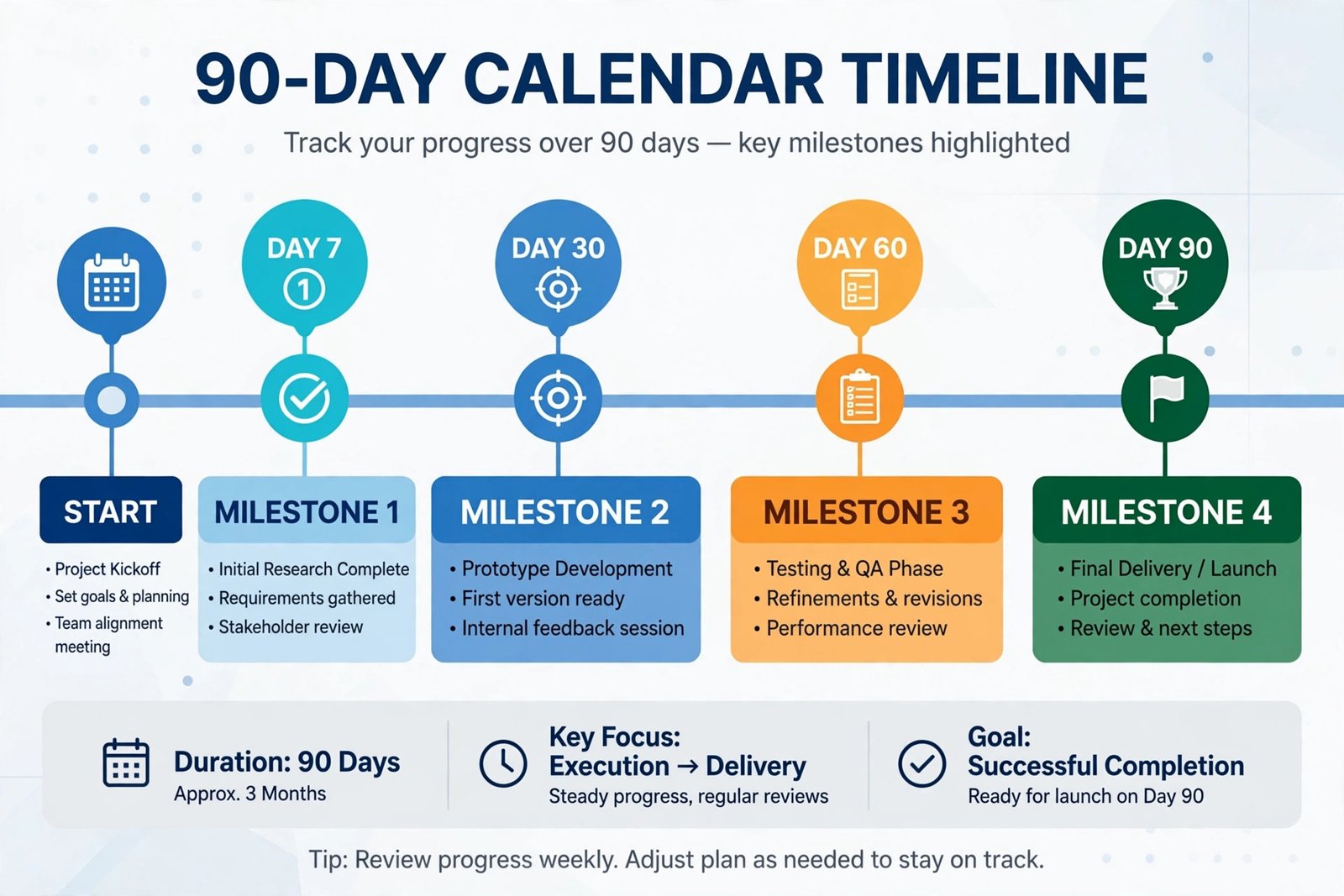
Your 90-Day Timeline
| Days | Focus | Milestone |
|---|---|---|
| 1–7 | Niche validation, domain + hosting, WordPress setup, About/Privacy/Contact pages | Site live, measurement connected |
| 8–21 | Workflow rehearsal; publish first 5 posts (pillar + cluster) | 5 posts indexed in Search Console |
| 22–45 | Publish 2 posts/week; interlink every new post to the cluster | 13 posts live; first search impressions |
| 46–60 | Fix underperformers (titles, intros); apply for AdSense; join 2–3 affiliate programs | Monetization pipeline open |
| 61–90 | Double down on whatever gets impressions in Search Console; refresh the pillar | 20+ posts; first clicks converting; first payout horizon visible |

Full Checklist Summary
| # | Step | Done when… |
|---|---|---|
| 1 | Niche | Passes demand × monetization × interest; 20 topics mapped |
| 2 | Hosting | WordPress live with SSL; renewal price known |
| 3 | WordPress setup | Theme, 5 plugins, permalinks, 4 trust pages, Analytics + Search Console |
| 4 | Workflow | 5-stage process documented; first post took ≤3 hours |
| 5 | First 5 posts | Pillar + cluster published, interlinked, submitted to Search Console |
| 6 | Monetization | AdSense applied; affiliate disclosures in place |
How to Get Started
- Tonight (30 min): run the niche stress-test prompt on your top 3 ideas and pick one using the three-part filter.
- Tomorrow (1 hr): buy the domain + hosting, install WordPress with SSL, and publish the About page in your own voice.
- This week: run the 5-stage workflow on post #1. Time yourself — you’ll beat the 3-hour target by post #3.
- Days 8–21: ship the first 5-post cluster before you touch monetization, design tweaks, or social media. Posts are the product.
- Day 90 review: check Search Console, not your feelings. Whatever got impressions gets more posts like it.
Frequently Asked Questions
Is AI-generated content against Google’s policies?
No — Google has said repeatedly it rewards helpful content regardless of how it’s produced, and penalizes unhelpful content regardless of authorship. The risk is not “AI content”; it’s thin, inaccurate, or copy-paste content. Our workflow’s human edit, fact-verification, and original-test elements are specifically designed to keep you on the right side of that line.
How much does it cost to start a blog with AI?
Under $170 for year one is realistic: ~$36 for introductory hosting, a free first-year domain, free theme and plugins, and ChatGPT Plus at $20/month only in the months you’re drafting heavily. The real cost is time — budget ~8 hours a week for the first 90 days of publishing.
How long before a new blog makes money?
Months 1–2: expect $0. AdSense approval realistically needs 10–20 solid posts. First revenue typically appears in months 3–4 via affiliate commissions or early ad income. Blogs that publish 2 quality posts a week with a real editorial pass commonly see meaningful revenue in months 5–12. There is no 30-day shortcut that survives contact with Google.
Do I need to be a writer to start a blog with AI?
You need judgment, not prose skills. AI drafts the sentences; your job is the brief, the fact-checking, the opinions, and the original testing — the parts readers and search engines actually value. If you can explain something clearly to a friend, the workflow in this guide turns that into a publishable post.
WordPress vs Medium/Substack for a blog with AI?
WordPress (self-hosted) if you want to own the asset: full SEO control, AdSense, affiliate flexibility, and portability. Medium/Substack if you want distribution without setup — but you rent the audience and the monetization terms are theirs, not yours. For the monetizable-blog goal in this guide, self-hosted WordPress is the answer.
Can I start a blog with AI for free?
Almost: WordPress.com’s free tier or a $0 plan at some hosts gets a site live, free ChatGPT tier drafts the words, free image generators cover visuals. But free tiers add friction (branded subdomains, limits, no real AdSense control) that kills most blogs before post 10. The ~$3/month for real hosting is the cheapest motivation device in blogging.
Conclusion
Starting a blog with AI in 2026 isn’t about letting software write for you — it’s about removing the mechanical bottlenecks so your judgment reaches readers faster. Validate a niche with the three-part filter, get WordPress live on budget hosting for a few dollars a month, run every post through brief → draft → human edit → SEO, ship the first 5-post cluster before touching monetization, and hold the 90-day timeline: setup and first posts in month one, volume and linking in month two, monetization and doubling down in month three.
Ninety days and ~20 posts from now, you’ll own an asset that compounds — and the workflow that built it.
Next step: tonight, run the niche stress-test prompt on your best idea, and tomorrow get hosting + WordPress live. For the per-post craft, read our guide on how to write a blog post with AI — and when your posts need traffic, how to rank in AI search.