

Move, and move in stages, not in one dramatic shutdown. That is the verdict for almost every community weighing this change. When you switch Slack to Discord community migration works best as a four week parallel run, with the new server built and tested before anyone is asked to leave the old one, a clear map of where every channel and role lands, and a read only archive left behind for late arrivals. Communities that flip a switch overnight lose the quiet members first, the readers who post rarely and only notice the move when a bookmarked link stops working.
This guide covers the move in practical order, from costs and channel mapping to history, announcements, and closure. Prices here were checked against vendor pages in October 2026, and you should check checkout before paying for anything, because Slack promotions and Discord regional pricing change often. Discord is free to run as a community server, which changes the maths for most groups, but free does not mean effortless.
Why Communities Leave Slack
Slack was built for workplace teams, and its pricing and limits show it. A workplace has a known headcount and a budget owner. A community has a long tail of occasional readers, former regulars, and newcomers who may post twice and then read for a year. Charging per active person suits the first group and punishes the second.
The history limit is usually the first complaint. On the free Slack plan, only the most recent 90 days of messages stay searchable, and older material is hidden and eventually deleted. Voice and discovery push in the same direction. Discord offers always on voice rooms and stage events at no extra cost, while Slack workspaces are closed by invitation only and Discord servers can be shared with a permanent invite. For a public community that wants to grow, that openness is often decisive.
What You Lose in the Move
Honesty about the losses comes before any planning, because a migration that pretends nothing is lost will be judged harshly when members find the gaps themselves. The largest loss is history. There is no official one click importer that pulls Slack messages, threads, reactions, and files into Discord. Whatever lives in Slack stays in Slack unless you export it yourself, and Discord has no equivalent admin export. Tell members plainly what will and will not carry over.
Direct messages do not migrate, and private channel history is harder to export than public channel history. Threads, reactions, and file links also degrade, because a long troubleshooting thread becomes a flat file in an export and a Slack file link breaks when the workspace closes. Integrations are the loss that surprises teams most. A bot that posts new articles or a feed that mirrors project activity will each need a Discord equivalent, and some will need a different design entirely. Test every integration replacement during the parallel run. Expect some member loss however well you run the move.
The Cost Comparison That Decides Most Moves
Slack charges per active user, while Discord charges nothing for the server itself and sells optional premium features to individuals. That structural difference is why a community of 500 readers can cost thousands a year on one platform and nothing on the other. Slack list pricing checked in October 2026 puts the free plan at $0, with 90 days of searchable history and up to 10 app integrations. Pro costs $7.25 per user per month on annual billing, or $8.75 on monthly billing. Business+ costs $15 per user per month on annual billing, or $18 on monthly billing. Enterprise+ is priced by quote. Slack fair billing means you pay only for members who are actually active.
Discord community servers are free, with unlimited message history on the free tier, voice channels, events, and moderation tools included. Discord Nitro costs $9.99 per month or $99.99 per year at standard United States pricing, and Nitro Basic costs $2.99 per month or $29.99 per year, with regional pricing varying by country. Neither plan is required to run a community. Work the maths for your own group. A Slack workspace with 500 active members on Pro at $7.25 per user per month on annual billing costs about $3,625 per month, or about $43,500 per year, before taxes and promotions.
The same group with 100 active members costs about $725 per month. A Discord server for the same group costs $0 for the server itself. Check the official Slack pricing page and the official Discord Nitro guide before you finalise a budget, and check checkout for the final figure in your currency.
| Cost or limit | Slack | Discord |
|---|---|---|
| Server cost | Free plan limited, paid per active user | Free for community servers |
| Pro level price | About $7.25 per user per month on annual billing | Not applicable, Nitro is per person and optional |
| Business level price | About $15 per user per month on annual billing | Not applicable |
| Nitro price | Not applicable | Full Nitro about $9.99 per month, Basic about $2.99 per month |
| History on free tier | Most recent 90 days searchable | Unlimited on free tier |
| Voice rooms | Huddles, group huddles on paid plans | Always on voice channels and stage events free |
| Discovery | Invitation only, closed by design | Invite links plus server discovery for public servers |
| Admin export | Available on higher plans with approval | No server wide admin export |

How to switch Slack to Discord community step by step
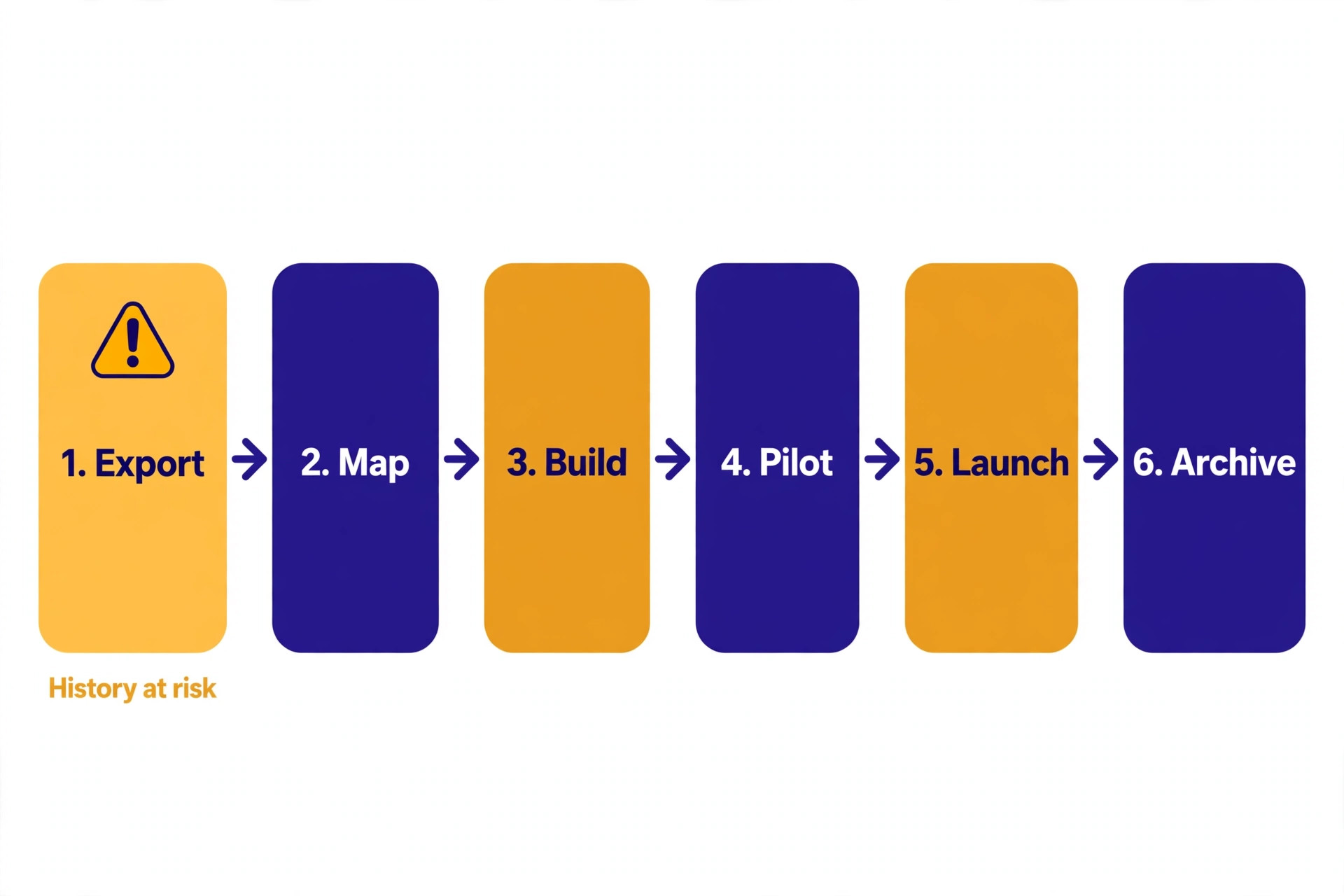
A migration that works follows a fixed sequence, and the sequence matters more than speed. Build first, invite a small test group second, run both spaces in parallel third, and close Slack last. Each stage has a clear exit test, and you do not move on until the current stage passes.
Week one is inventory and design. Export a member list from Slack, list every channel with its purpose and its last month of activity, list every integration and bot, and note which pinned messages and files are still referenced regularly. Then design the Discord structure on paper before creating a single channel, using the mapping table in the next section. Most communities find a third of their Slack channels are dead or duplicated.
Week two is build and test. Create the server, set up categories, channels, roles, and permissions, install the bots you need, and write the rules, welcome message, and start here guide. Then invite 10 to 20 trusted members, including a moderator, a newcomer, and a person who is not confident with new software. Ask them to join, pick up their role, post in the right channel, join a voice room, and find a pinned resource. Fix every point where they hesitate before the wider launch.
Week three is the public launch and parallel run. Announce the move in Slack, by email if you hold a list, and on every other channel where members follow you. Keep Slack fully open, and post daily with a single clear invitation plus a new reason to visit Discord that day, such as a live event or a new resource. Week four is the taper and the read only switch.
Move announcements, events, and new discussions to Discord only, and leave Slack open for questions about the move itself. At the end of week four, switch Slack to read only, and keep that archive for at least three months. Only delete Slack when the export is stored safely and no live link still points to it.

Channel and Role Mapping
This mapping prevents the most common migration failure, which is a Discord server that technically exists but does not match how members used Slack. Discord adds categories that group channels, voice channels beside text, and a role system that controls who sees what. Map on paper first, then build once, because rebuilding permissions after 500 people have joined is far messier than editing a spreadsheet before launch.
Start with channels. List every Slack channel, count its messages in the last 30 days, and assign it one of four fates, which are keep, merge, split, or retire. Keep means a clear purpose and regular activity. Merge means quiet channels covering the same topic should become one Discord channel. Split means one busy channel mixing two topics deserves two channels. Retire means almost no activity for months, and its best posts should be copied into a resource channel before it closes. Roles need the same discipline. Discord caps a server at 250 roles, so keep the list short and document each role in a staff channel.
| Slack item | Discord destination | What changes for members |
|---|---|---|
| General channel | Welcome category, start here plus introductions | New members land in a guided start area |
| Announcements channel | Announcements category, announcements text channel | Only staff can post, members follow for updates |
| Random or off topic channel | Community category, off topic text plus lounge voice | Off topic chat gains a voice lounge |
| Help or support channel | Support category, ask for help plus solved answers | Questions stay in one place, solved threads linked |
| Resources or links channel | Resources category, resource library plus pinned guides | Links move into a searchable curated library |
| Events channel | Events category, events text plus stage channel | Events gain a stage room for live talks |
| Staff channel | Staff category, moderators private text and voice | Staff discussion stays private, gains voice |
| Private project channels | Private categories with role gated channels | Access is granted by role, not by invitation |
| Slack admin role | Server owner plus administrator role | Ownership stays with one person |
| Slack moderator role | Moderator role with manage messages and timeout | Moderators gain timeout and slowmode tools |
| Regular member role | Member role with basic posting and voice | Members keep posting rights, gain voice access |
| Newcomer role | Newcomer role with limited channels until verified | New members see fewer channels until verified |
| Bot accounts | Bots with scoped permissions per bot | Each bot gets only the permissions it needs |
When you switch Slack to Discord community members will ask where their favourite channel went, and this table is your answer. Publish a simplified version of it in the Discord start here channel on launch day, so members can find their old home in one glance. Keep the full version in a staff document.

Member Migration Checklist
A checklist turns a vague hope that members will follow into tasks with owners and dates. Do not mark an item complete until you have evidence, such as a screenshot or a count, rather than a feeling that it was probably done. Before launch, export the Slack member list and save it outside Slack. Create a permanent Discord invite link that does not expire, and test it from a fresh account. Set up a verification step that is easy for real members and hard for spam accounts, such as a reaction role or moderator approval for the first week. Prepare short, email, and social versions of the invitation, plus a welcome message pointing to introductions, help, and rules.
During launch week, work the invitation list actively. Post in Slack daily with a new reason to visit, email members who have not joined after three days, and ask your most active members to personally invite two people each, because a personal invitation converts far better than a broadcast. Track joins daily, and welcome every new arrival in introductions for two weeks. After launch, run the recovery pass that most migrations skip. At the end of week two, send a personal follow up to active Slack members who have not yet joined, offering help with setup.
At the end of week four, send a final notice with a clear date for the read only switch and a contact email for help after that date. At month three, compare Discord weekly activity against the Slack baseline, and run a re engagement event for silent joiners. Migration is not complete when the server opens. It is complete when Discord weekly activity matches or exceeds the Slack baseline.
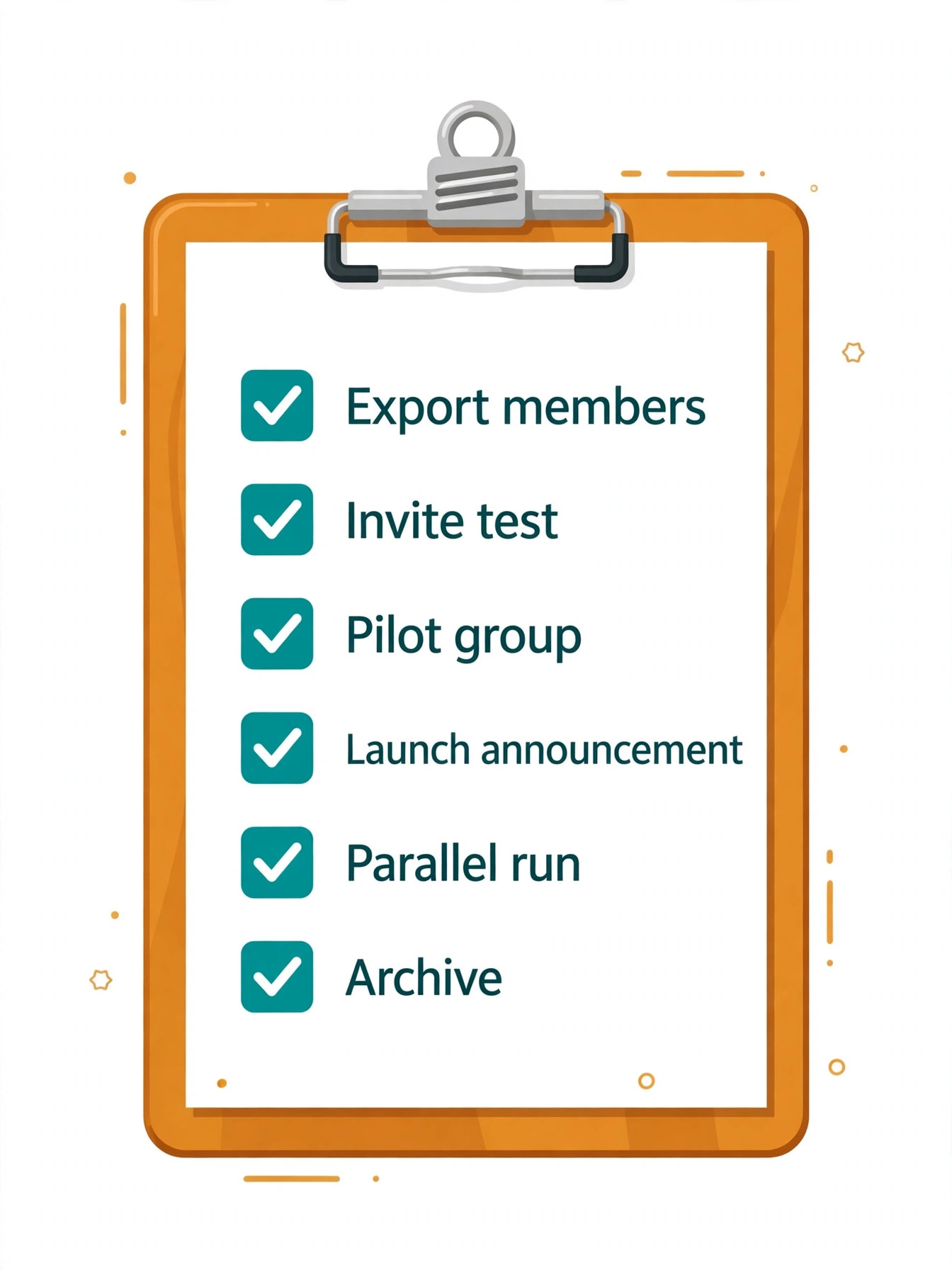
Checklist by stage
– Preparation stage. Slack member list exported and stored safely. Discord invite link created, never expiring, tested from a fresh account. Roles and permissions tested by the pilot group. Welcome, rules, and start here messages written and proofread. Invitation copy prepared for Slack, email, and social posts. – Launch stage. Announcement posted in Slack and pinned in every active channel. Email sent to the member list where you hold addresses. Daily Slack posts give a new reason to visit Discord. Pilot members welcome newcomers and answer setup questions. Join numbers tracked daily against the Slack baseline. – Parallel run stage.
New discussions start in Discord only. Events and live sessions run in Discord voice or stage rooms. Slack kept open for move questions and nothing else. Moderators log setup problems and fix the start here guide each evening. – Closure stage. Final closure notice posted in Slack with the Discord invite and a help contact. Slack switched to read only for at least three months. Export stored in a shared drive with a named owner. All website links, documents, and onboarding emails updated to Discord. A month three review compares Discord activity against the Slack baseline.
Building the Discord Server Properly
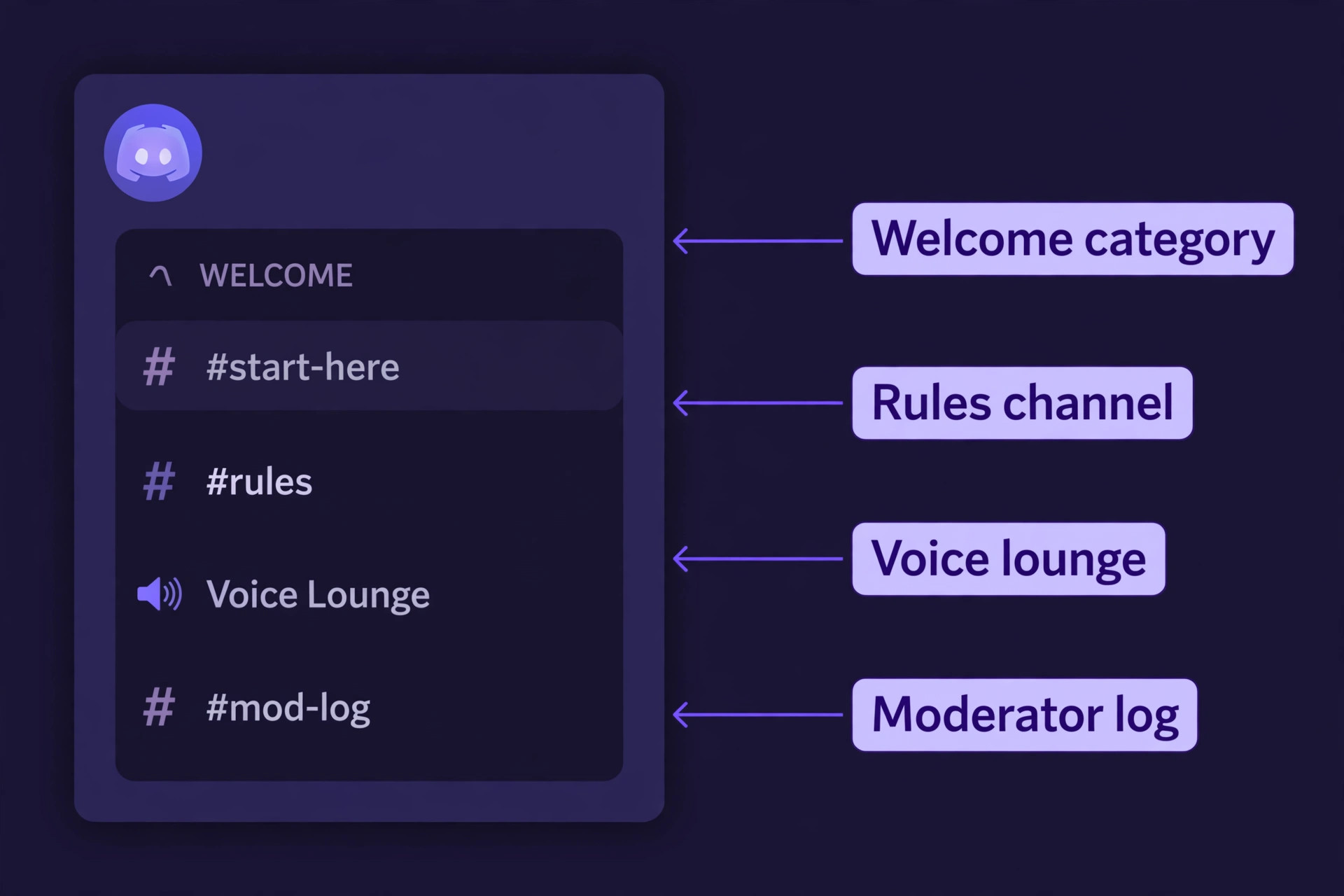
Use categories as the skeleton. A typical community needs five or six categories, not fifteen. Start with a welcome category holding rules, announcements, start here, and introductions. Add a community category for general chat, a support category for questions and resources, an events category for event news and stage rooms, a voice category for lounges, and a staff category that only moderators can see. New channels should fit inside an existing category, because too many empty categories feel like a maze.
Permissions should follow a simple rule, which is that roles grant access, channels restrict it, and nobody gets a permission they do not need for their job. Give members reading, posting, voice, reaction, and image rights in public channels. Give moderators message management, timeouts, and voice moves, but not server settings or control of roles above their own. Keep administrator rights to two or three trusted people, and keep ownership with one person using two factor authentication. Test permissions with the view as role feature before launch.
Bots should be chosen for jobs, not collected for novelty. This guide keeps the helper set small, with three well established bots covering the jobs most communities actually need. Carl-bot handles reaction roles, welcome messages, and moderation logging. MEE6 handles levelling, welcome messages, and basic moderation, with a paid tier for advanced features. Dyno handles moderation, announcements, and auto roles, also with a paid tier for heavier use. Most communities should pick one main moderation bot plus one utility bot. Check bot pricing and checkout before you pay, because free tiers cover small communities well. Schedule the first Discord event for launch week, such as a live voice Q and A.
Preserving History and Files Without False Promises
History work starts with a decision, not a tool, because you cannot preserve everything and should not try. The material worth rebuilding is small, usually under five percent of total messages, and it consists of answers that are still referenced, resource lists that are still current, onboarding guides, event notes, and decisions that explain why the community does things a certain way. Everything else can live in the export and read only archive.
Export early, and export twice. A Slack workspace owner can export public channel data through workspace settings, and the export arrives as a compressed file containing message records and file references. Store one copy in a community shared drive, and a second copy elsewhere. If your community needs a full export covering private channels and direct messages, check whether your plan allows it and whether the request needs approval, and start that request in week one. Rebuild the best material by hand as an editing pass. Rewrite common answer threads as pinned guides, clean resource channels down to live links grouped by topic, and turn buried decisions into short notes.
Files need a separate plan, because Slack file links break when the workspace closes. Download templates, slide decks, and worksheets that are still referenced, and re upload them to Discord resource channels or to a linked shared drive with stable links. When you switch Slack to Discord community file links are one of the first things members report as broken, so test every link in your rebuilt guides from a fresh member account before launch day.
Announcing the Move So Members Actually See It
Most migration announcements fail on reach, not wording, because the announcement is posted once in the busiest channel and then buried under a day of chat. Weekly visitors and members who muted the announcement channel never see it. Treat the announcement as a campaign across every channel you already own, repeated with new information each time, rather than as a single post.
Write the announcement in three parts, which are the reason, the action, and the help. The reason should be honest and specific, such as cost, history limits, or better voice events, not a vague claim that Discord is better. The action should be one link and one step, which is to click the invite, use or create a Discord account, and introduce yourself in the introductions channel. The help should be a named contact and a time when help is available, such as a moderator in a voice lounge during launch week.
Sequence the announcement across two weeks, with a heads up in week one, the launch invitation in week two, then daily Slack posts during the parallel run. Update the website, social profiles, and onboarding documents on launch day, not a month later. Handle objections directly and in public, because a public answer helps fifty members while a private reassurance helps one. Explain that Discord runs in a browser with no install required, show sceptics the professional server design, and point history questions to the archive plan.
Moderation and Safety in a More Open Space
Discord openness changes moderation work, because a Slack workspace that was invitation only now sits behind a public invite link that anyone can share. That openness brings growth, and it also brings spam accounts and members who test boundaries in a larger room. Set moderation up before you open the public invite, not after the first spam wave, because a server that is spammed in its first week loses the trust of members who just arrived.
Start with verification and slowmode. Require new members to pass a simple verification step before posting in main channels, such as reacting to a rules message or waiting for a moderator to grant the member role during the first weeks. Use slowmode in busy channels during launch week, and enable explicit content filtering for media. Set up a private moderator log channel for bot actions and timeouts. Staffing matters more than settings. A community of a few hundred active members needs at least three moderators in different time zones if it aims to be active around the clock.
Write a short moderator guide covering spam, off topic arguments, personal attacks, self promotion, and private help requests that should be public, and give moderators a clear escalation path to an admin. Tell members what not to share in public channels, such as phone numbers or private work material. When you switch Slack to Discord community safety settings are not a one time setup, so review moderation at month one and month three, and tell members what changed.
How to Choose Whether to Move at All
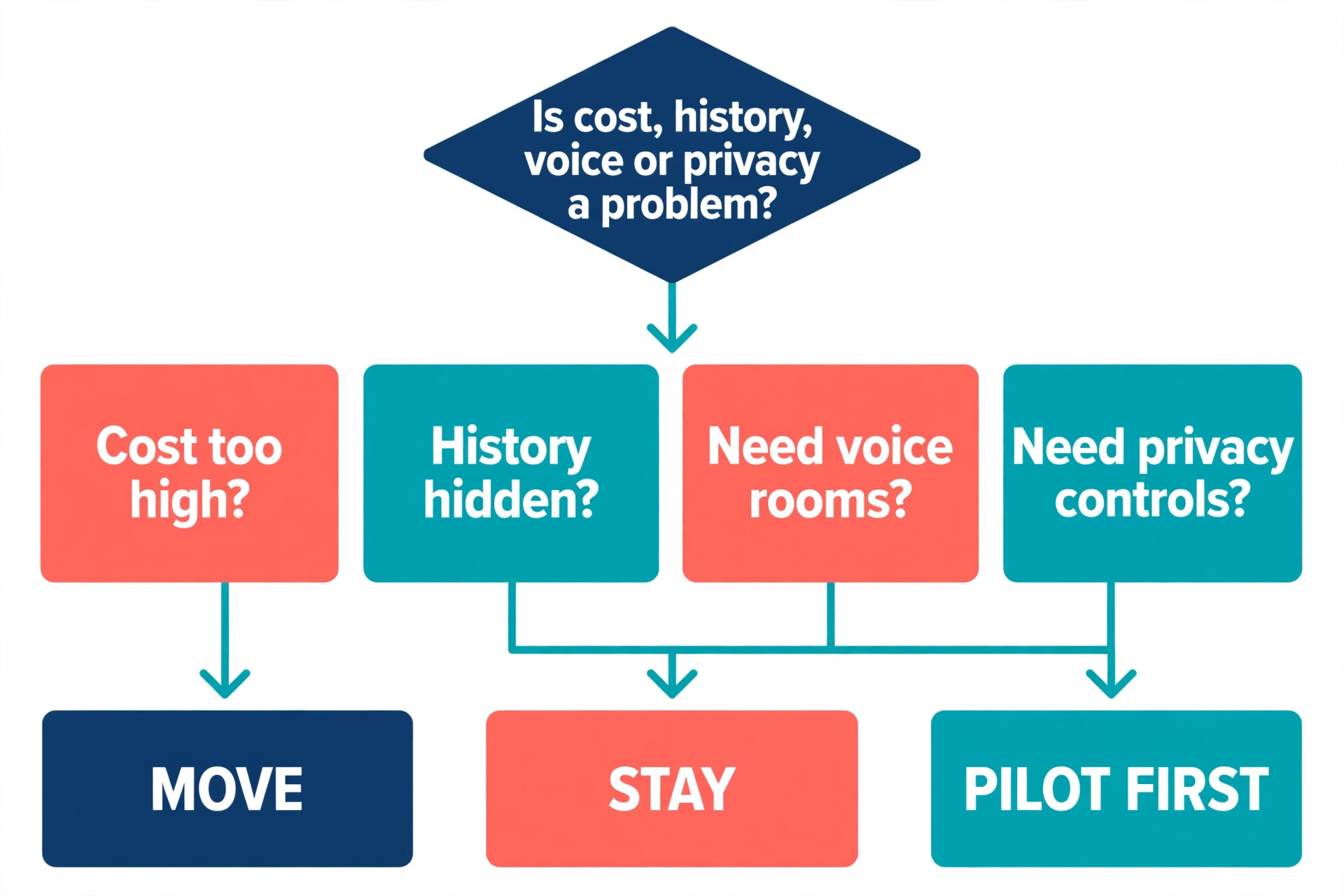
Not every community should move, and a guide that only argues for migration would be dishonest. Move if your Slack bill is rising with member count while your budget is flat, if your best answers keep disappearing behind the 90 day history limit, if members ask for voice rooms and live events that Slack handles poorly, or if growth matters and new members already use Discord. Move if your community is public, informal, or event led, and moderators will learn Discord permissions and bots.
Stay if your community is a closed professional network that values privacy over growth, if members use Slack at work all day and would resist a second app, if you rely on Slack integrations that have no good Discord equivalent, or if you need compliance exports and admin controls that Discord does not offer in the same form. Stay if your moderation team is already stretched. Stay also if your community is small and active, with under fifty regular members and no cost pressure.
A middle path suits many communities, which is to keep Slack for staff coordination while building Discord as the public home, provided you name one space as the home in every announcement. If you are unsure, run a pilot with fifty active members and two events over three weeks before committing the whole community.
Mistakes That Cost Communities Their Members
Closing Slack too early strands members who were on holiday or on a work deadline that week, so keep Slack read only for months, not days, and keep the invite link visible in the final Slack message. Copying the Slack structure without editing it is equally damaging, because a Discord server with forty channels, most of them empty, feels abandoned. Merge ruthlessly, retire dead channels, and let a smaller set of active channels prove the community is alive. You can always add a channel later when demand is clear.
Under staffing launch week is the third mistake. Founders often build the server alone, announce it, and then disappear, leaving new members to greet each other in an empty introductions channel. Staff launch week heavily, with moderators online at peak times and fast answers to setup questions. Ignoring lurkers is the fourth mistake, because lurkers read, share links outside the community, and sometimes become active members months later, yet nobody notices when they never join. Invite lurkers personally, and offer low pressure participation, such as reactions, polls, and event attendance.
The fifth mistake is promising a history transfer that cannot be delivered, which costs trust in the team, not just in the platform. Promise only the archive and the rebuilt guides, and deliver those well. The sixth mistake is letting Discord culture overwrite community culture. Keep your tone, rules, and event style, and let Discord provide the rooms, not the personality. When you switch Slack to Discord community culture should travel with the members, not be replaced by the platform.
For related reading, the comparison in slack alternatives helps if you are still weighing other platforms, slack vs microsoft teams is useful if a workplace tool is also in the running, and best team communication software puts Slack and Discord in the wider field of team chat options. If your community also sells memberships, how to create a membership site with ai covers the membership side.
Frequently Asked Questions
Will members need to pay to join our Discord server?
No. Joining a Discord community server is free, and members do not need Nitro to read, post, join voice rooms, or attend events. Nitro is an optional individual subscription that adds personal perks such as larger uploads and higher quality streaming, and a server can run fully on the free tier. Check current boost options inside Discord before budgeting for extra server perks.
Can we move our Slack message history to Discord?
There is no official one click importer, so a full history transfer is not realistic for most communities. Export Slack public channel data as an archive, rebuild the most valuable guides by hand, and keep Slack read only for three months. When you switch Slack to Discord community history work should be promised as an archive plus rebuilt guides, not as a complete transfer, because that honest promise is one members will actually see kept.
How long should we run Slack and Discord in parallel?
Run both spaces for three to four weeks for most communities, with new discussions moving to Discord in week three and Slack switching to read only at the end of week four. A shorter parallel run strands late arrivals, while a much longer parallel run splits conversation and trains members to stay in Slack. With seasonal members, keep the read only archive for three to six months after the parallel run.
Do we need bots to run a Discord community?
You need at least one moderation bot for a community of any size, because Discord free moderation tools alone do not cover reaction roles, welcome automation, and logging at scale. You do not need a large bot collection. Pick one main moderation bot, learn it during the pilot week, and add a second only when a specific job needs it. When you switch Slack to Discord community bot setup is a week two job, tested with the pilot group, not a launch day scramble.
What happens to members who do not use Discord at work?
Discord runs in a web browser with no install required, so many members who cannot install an app can still join from a personal device or a browser tab. For members whose workplace blocks Discord entirely, offer a lightweight alternative for essential announcements, such as an email summary, and state how long that alternative will run.
Should we delete the Slack workspace after the move?
Do not delete it until three conditions are met, which are that the export is stored in two places outside Slack, that every website link, document, and onboarding email points to Discord, and that at least three months have passed since the read only switch. Deleting early saves nothing, because a read only workspace costs nothing on the free plan. When you delete, announce the date in Discord first.
Keep the Community, Change the Room
A platform move succeeds when members feel that the community moved with them, not that they were asked to rebuild their social life from scratch. That feeling comes from unglamorous work, which is a clean channel map, a tested server, a rebuilt set of guides, a personal invitation, a lively first event, and a read only archive that respects the years members spent in Slack. Members stay because familiar people, familiar topics, and familiar help are waiting in the new room on the day they arrive.
Start with the inventory this week, even if the launch is a month away, because the inventory will tell you whether the move is worth it and how large it really is. Build the server, test it with a small group, and fix the problems they find. Then announce with a reason, a link, and a helper, run both spaces in parallel, and close Slack slowly. When you switch Slack to Discord community success looks quiet, which is a server where old members greet new members, questions get answered, events fill up, and nobody asks where the old workspace went, because the new one already feels like home.