
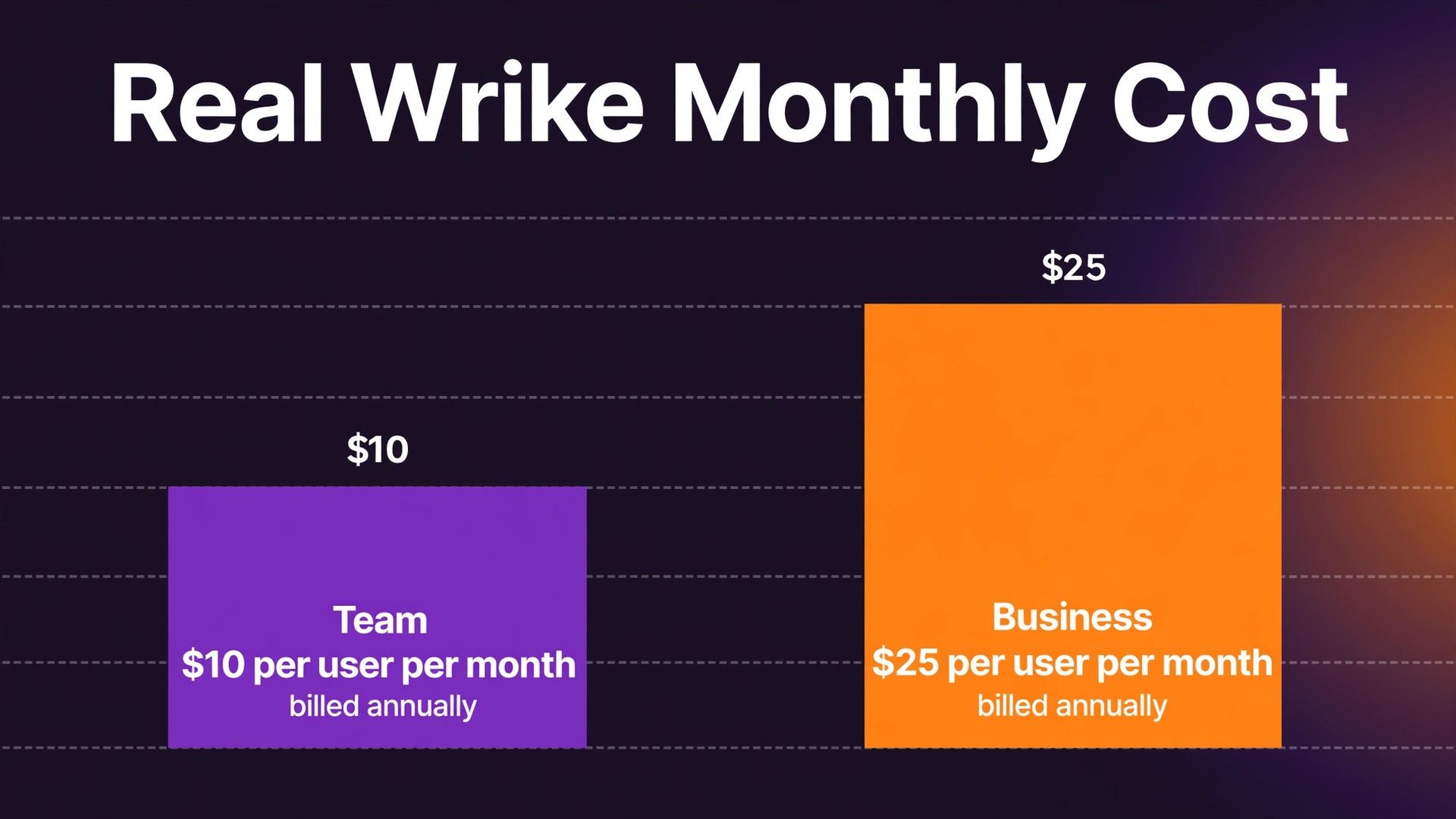
Compare two numbers before anything else, because the cost of Wrike for small business monthly use turns on a gap that looks small and is not. Team costs 10 dollars per user per month billed annually. Business costs 25 dollars per user per month billed annually. That gap looks like a simple upgrade step, but it hides the real decision, because the features that most teams buy Wrike for, including time tracking, workload views, and resource planning, only appear at the Business level. A team that budgets for Team and then discovers that it needs Business has not saved 15 dollars per user.
It has under-budgeted by 150 percent, and it will either pay the higher price or work around a missing feature every week.
This guide prices the cost of Wrike for small business monthly use in full, with the published per-user prices, the seat limits that force tier changes, and the add-on charges that sit outside the tier price. It is written for a small team that already manages work in spreadsheets or in a simpler tool, and that is considering Wrike because projects, approvals, and client work have grown beyond what a task list can handle. Prices below are the annual billing figures published in pricing guides checked in October 2026, and month-to-month figures are not published for these tiers, so you should check the vendor’s current pricing page for any monthly option before you commit.
Wrike is a work management platform, not a simple to-do app, and that distinction explains both its price and its learning curve. It organises work in folders, projects, tasks, and dashboards, with Gantt views, custom fields, workflows, and approvals. A team that needs that structure will find the price reasonable. A team that only needs shared task lists will find Wrike expensive and complicated, and a cheaper tool will serve it better. The first budgeting question is therefore not which tier to buy, but whether the team needs work management at all.
How to Budget Cost of Wrike for Small Business Monthly
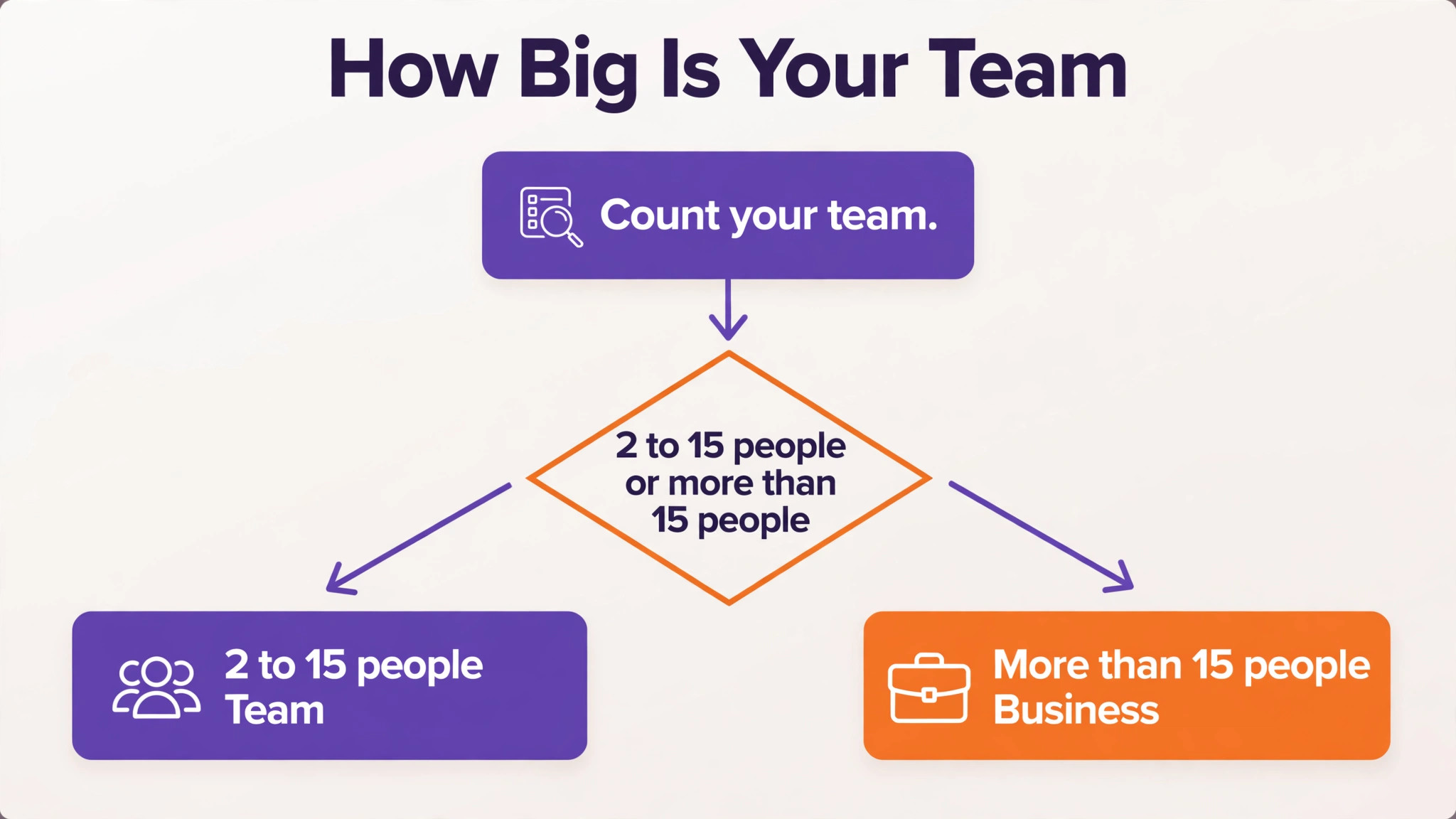
Wrike offers a free plan, plus paid tiers named Team, Business, Pinnacle, and Apex. A small business will normally choose between Team and Business, because Pinnacle and Apex are priced by quote for larger or more complex needs. Team is limited to between 2 and 15 users, while Business covers between 5 and 200 users, according to pricing guides checked in October 2026. Those seat ranges matter, because a team that grows past 15 users cannot stay on Team at any price, and a team smaller than 5 users cannot start on Business without meeting its minimum.
| Tier | Monthly price | What it includes | Best for |
|---|---|---|---|
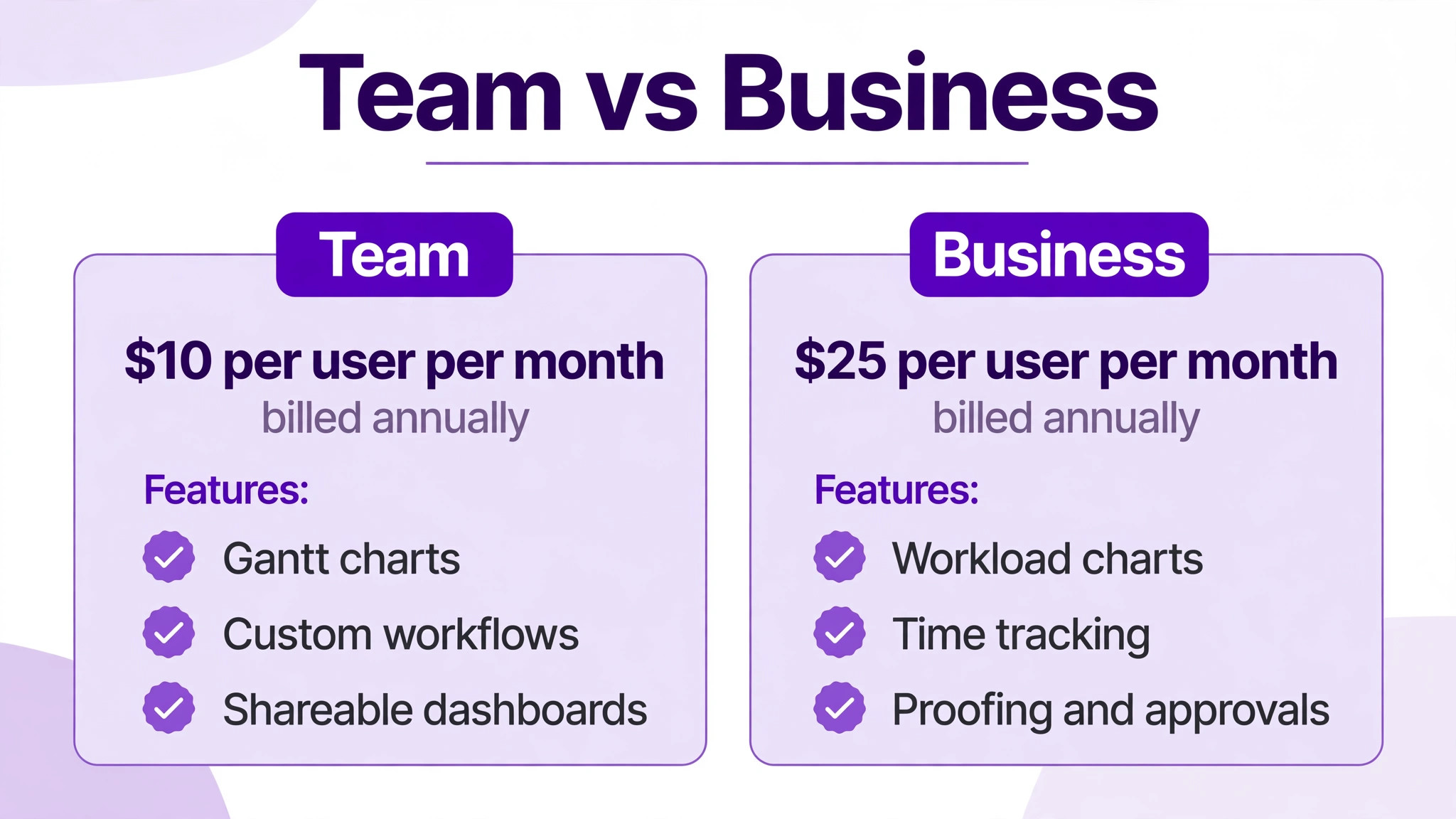
| Team | 10 dollars per user per month billed annually | Custom fields and workflows, interactive Gantt charts, shareable dashboards, basic automations, AI essentials | A small team of 2 to 15 people |
| Business | 25 dollars per user per month billed annually | Everything in Team plus time tracking, workload charts, resource and capacity planning, proofing and approvals, standard integrations | A team of 5 to 200 people that needs planning depth |
| Enterprise | Priced by quote | Advanced security, admin controls, and enterprise integrations, with unlimited users on the top tiers | A larger organisation with compliance needs |
No month-to-month price is published for Team or Business in the guides checked, and Wrike states that Business plans and above are only available as annual subscriptions. That means the annual figures above are the prices to budget for, and a team that wants monthly flexibility should ask sales directly whether a monthly option exists for its seat count, rather than assuming that a monthly price will appear at checkout. Annual billing also means the full year is committed up front, so a pilot on a smaller seat count is wise before buying for the whole team.
Annual totals show the scale of the decision. Five users on Team cost 50 dollars per month billed annually, or 600 dollars for a year. Five users on Business cost 125 dollars per month billed annually, or 1,500 dollars for a year. Fifteen users on Team, the maximum for that tier, cost 150 dollars per month, or 1,800 dollars for a year. Fifteen users on Business cost 375 dollars per month, or 4,500 dollars for a year. The Business premium for a fifteen person team is therefore 225 dollars per month, or 2,700 dollars per year, which must be justified by features that the team uses weekly, not by features that look useful in a demo.
Per-user billing is the first hidden cost, because every person who needs a seat costs the same, whether that person manages projects all day or checks status once a week. A client contact who opens Wrike to approve a deliverable costs the same 10 dollars or 25 dollars per month as a project manager who lives in the tool. A team that gives seats to clients, contractors, and occasional viewers without thinking will see its bill grow with every collaborator, even though most of those collaborators need only limited access.
Before buying, list every person who will log in, separate daily users from occasional viewers, and ask sales which viewer or collaborator options exist for your tier. That judgement belongs at the centre of any honest account of cost of Wrike for small business monthly, because a price that looks small on a plan card can grow quickly once seats, usage, and add-ons are counted.
Storage is the second cost to check, and it comes with a warning about sources. Third-party tier tables put storage at 2 gigabytes per user on Team and 5 gigabytes per user on Business, while noting that Wrike publishes no storage figures on its own pricing page. That means storage limits should be treated as a question to confirm with sales, not as a guaranteed allowance. A team that stores large design files, video, or high-resolution images directly in Wrike may hit a storage limit that a team storing documents alone will never notice, and the remedy may be external storage linked to Wrike rather than a larger Wrike tier.
Request forms are the third area to verify, because guides disagree about what Team includes. Some guides list request forms as a Team feature, while others list them as a feature that only becomes fully useful at Business, alongside approvals and proofing. That disagreement is itself useful information, because it shows that the boundary between tiers has moved over time. A team that buys Wrike mainly for intake, meaning clients or colleagues submitting work requests through a form, should test request forms and approval routing during a trial, and should confirm in writing which tier covers the exact intake workflow it needs.
Add-ons are the fourth hidden cost, and they are where a Business bill can grow beyond the per-user price. Guides checked in October 2026 list Whiteboard, Integrate, and Sync as paid add-ons below the top tier, and Lock, which provides customer-managed encryption keys, as a paid extra at every tier. That means a team that needs advanced integrations, two-way sync, or stronger encryption will pay on top of the 25 dollar per user Business price. The only way to budget accurately is to list every add-on the team expects to use, and to ask sales for a written price for each one before signing, because add-on prices are not published on the pricing page.
What the Price Buys at Team and Business Levels
Team buys a solid project system for a small group. Custom fields let a team track the data that matters to its work, rather than forcing work into generic task fields, and workflows let a team define how work moves from one stage to the next. Interactive Gantt charts show timelines in a form that managers and clients can read at a glance, and shareable dashboards give a team a single view of progress without building a separate report. For a team of five to ten people managing projects with clear stages, Team covers the daily job well, and its 10 dollar per user price is competitive with other project tools at the same level.
That judgement belongs at the centre of any honest account of cost of Wrike for small business monthly, because a price that looks small on a plan card can grow quickly once seats, usage, and add-ons are counted.
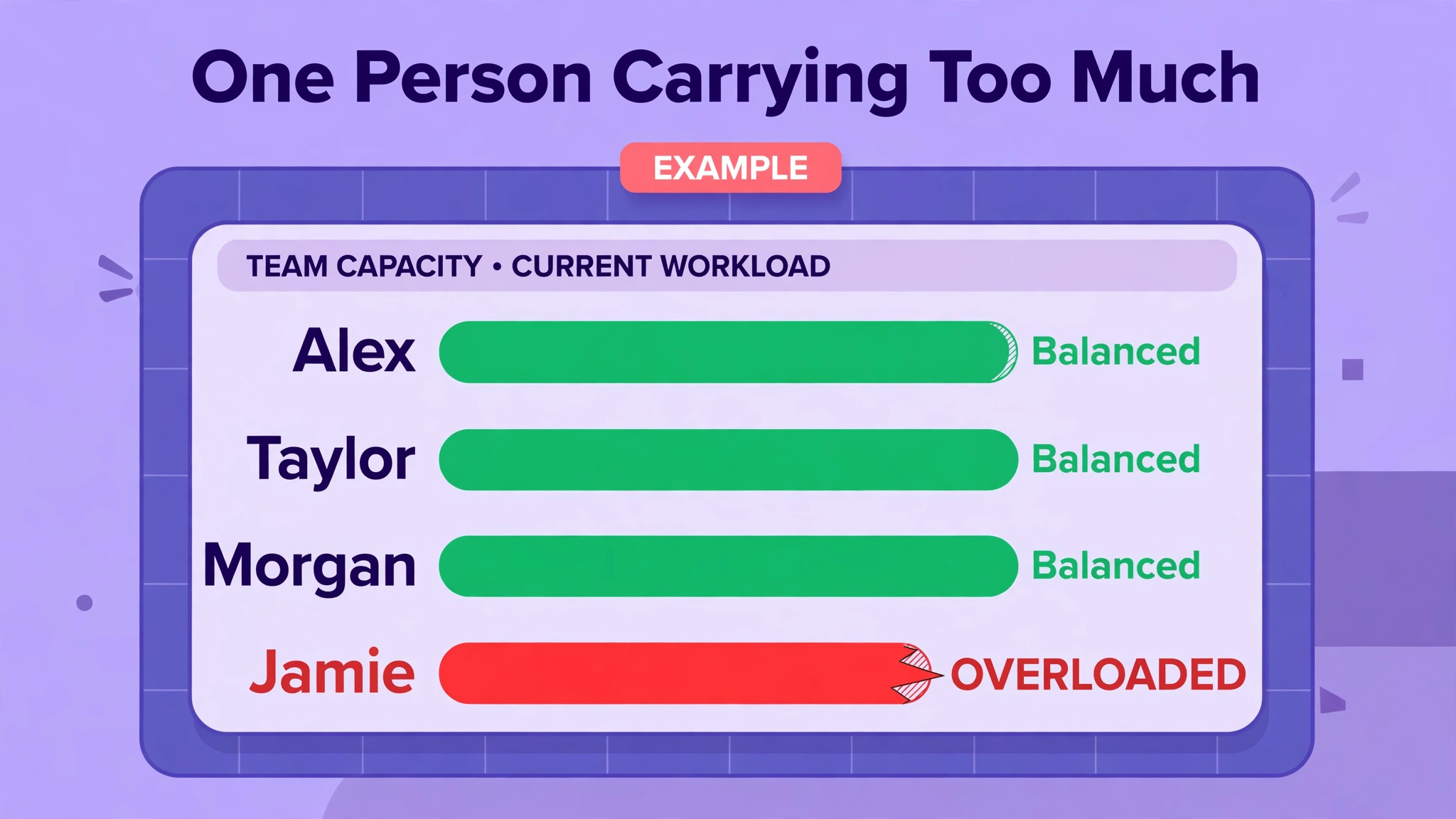
Business buys the planning and control layer that Team lacks. Time tracking lets a team record hours against tasks and projects, which matters for billing, for estimating future work, and for spotting projects that consume more time than their budget allows. Workload charts show who is overloaded and who has capacity, which is the view a manager needs when several projects run in parallel and the same people appear on all of them. Resource and capacity planning extends that view across teams and time, so a manager can see whether a new project can actually be staffed before promising a delivery date.
Business also buys proofing and approvals, which matter for creative and client-facing work. A team that produces designs, documents, or marketing material can route deliverables through review inside Wrike, with comments tied to the work itself, rather than chasing approval through email threads. Standard integrations sit at Business as well, which means a team that needs to connect Wrike to a customer system or a finance system should budget for Business rather than assuming that Team integrations will cover the connection. Those three groups, time, workload, and approvals, are the practical reasons to pay the Business premium.
Pinnacle and Apex, the quote-only tiers, add advanced resource planning, budgeting, advanced security including single sign-on, and deeper automation and AI features. A small business rarely needs those tiers, and the useful lesson from them is about timing. If a compliance requirement, such as single sign-on, appears in a client contract or a security review, that requirement alone can push a team from Business toward a quote-only tier, with no published price to budget against. Teams that expect such a requirement should raise it with sales early, rather than discovering it after a Business contract is signed.
Three Team Sizes, Priced in Full
A five person creative team on Team pays 50 dollars per month billed annually, which is 600 dollars for a year. The same team on Business pays 125 dollars per month, or 1,500 dollars for a year. The difference is 75 dollars per month, or 900 dollars per year. For that difference, the team gains time tracking, workload views, proofing, and approvals. A creative team that bills by the hour, or that routes client work through approval, will usually recover that difference quickly, because time tracking alone improves billing accuracy.
A team that does not bill by the hour and does not route approvals may find Team ample, and the saving can fund training or templates instead. That judgement belongs at the centre of any honest account of cost of Wrike for small business monthly, because a price that looks small on a plan card can grow quickly once seats, usage, and add-ons are counted.
A ten person operations team on Team pays 100 dollars per month billed annually, or 1,200 dollars for a year. The same team on Business pays 250 dollars per month, or 3,000 dollars for a year. The difference is 150 dollars per month, or 1,800 dollars per year. At ten people, workload visibility becomes the deciding feature, because a manager can no longer keep every person’s load in mind without a chart. If the team runs several projects at once, and if the same specialists appear on multiple projects, Business is usually the right tier, and the premium should be judged against the cost of a missed deadline or an overloaded specialist leaving.
A fifteen person team sits at the edge of Team, and the pricing decision changes character at that edge. Fifteen users on Team cost 150 dollars per month billed annually, while fifteen users on Business cost 375 dollars per month. A team that expects to grow to sixteen users within the year should price Business from the start, because Team cannot grow past fifteen users, and a forced tier change mid-contract is disruptive. A team that is stable at fifteen users can stay on Team, but should still check whether workload or time tracking needs will force a move to Business anyway, since either growth or feature need leads to the same tier.
When It Is Worth It and When It Is Not
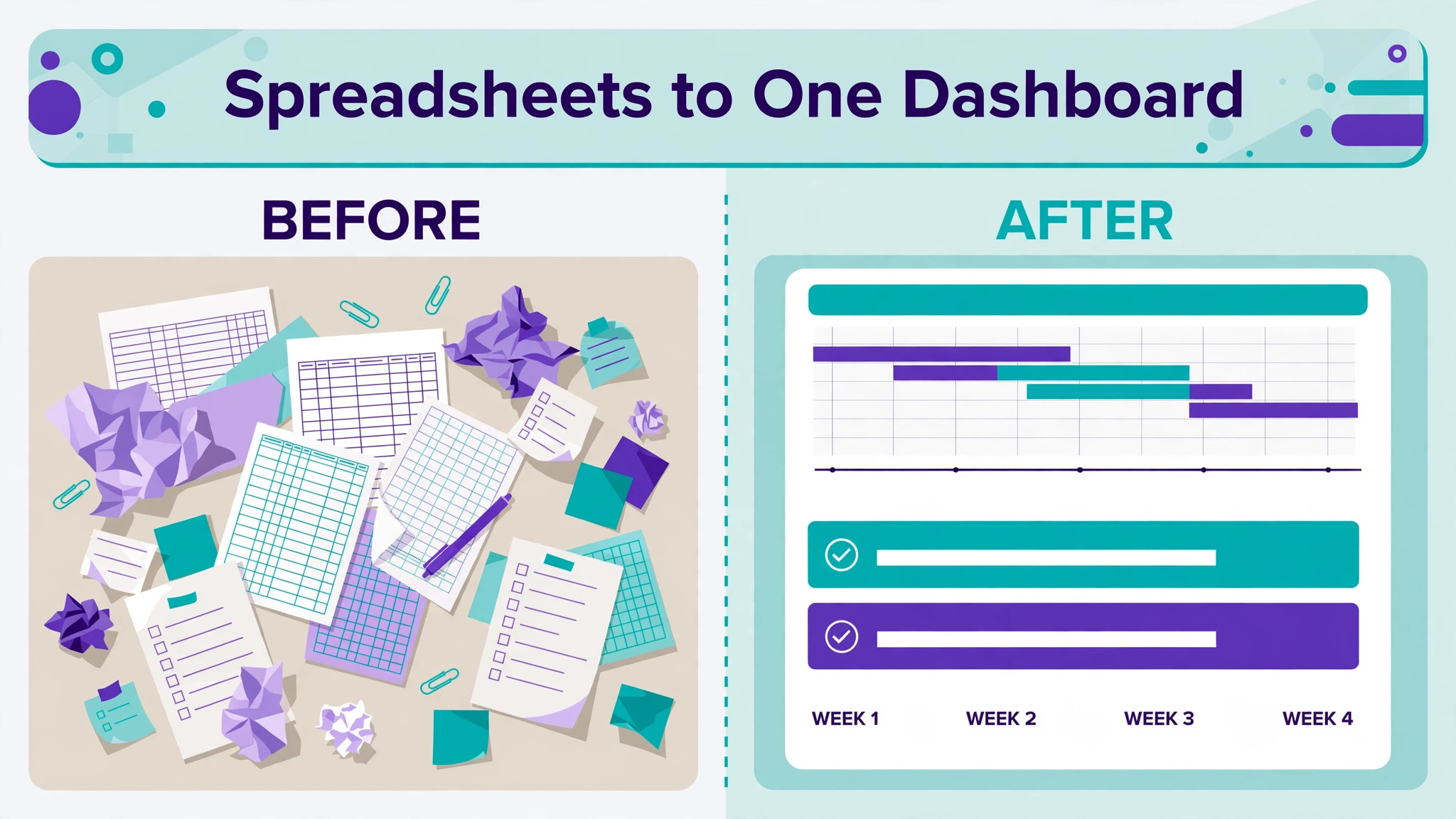
Wrike is worth the price when a team manages many projects at once, when work passes through approvals, and when managers need to see workload across people and projects. Those three needs are the ones that cheaper task tools handle poorly, and they are the needs that justify a work management price rather than a task list price. A marketing team with intake, production, and approval stages, or an operations team with projects across several clients, will usually find that Wrike replaces spreadsheets, email approvals, and status meetings, and that replacement is where the saving sits.
That judgement belongs at the centre of any honest account of cost of Wrike for small business monthly, because a price that looks small on a plan card can grow quickly once seats, usage, and add-ons are counted.
Wrike is not worth the price when work is simple, when the team is small and co-located, or when the team only needs shared lists and deadlines. A three person team that manages a handful of projects with clear owners can often work well in a simpler tool at a lower per-user price, or even on a free plan, without losing anything that matters. Wrike also loses value when the team will not invest time in setup, because a work management tool with poorly designed folders, fields, and workflows becomes a confusing system that people avoid, and an avoided system is a monthly charge with no return.
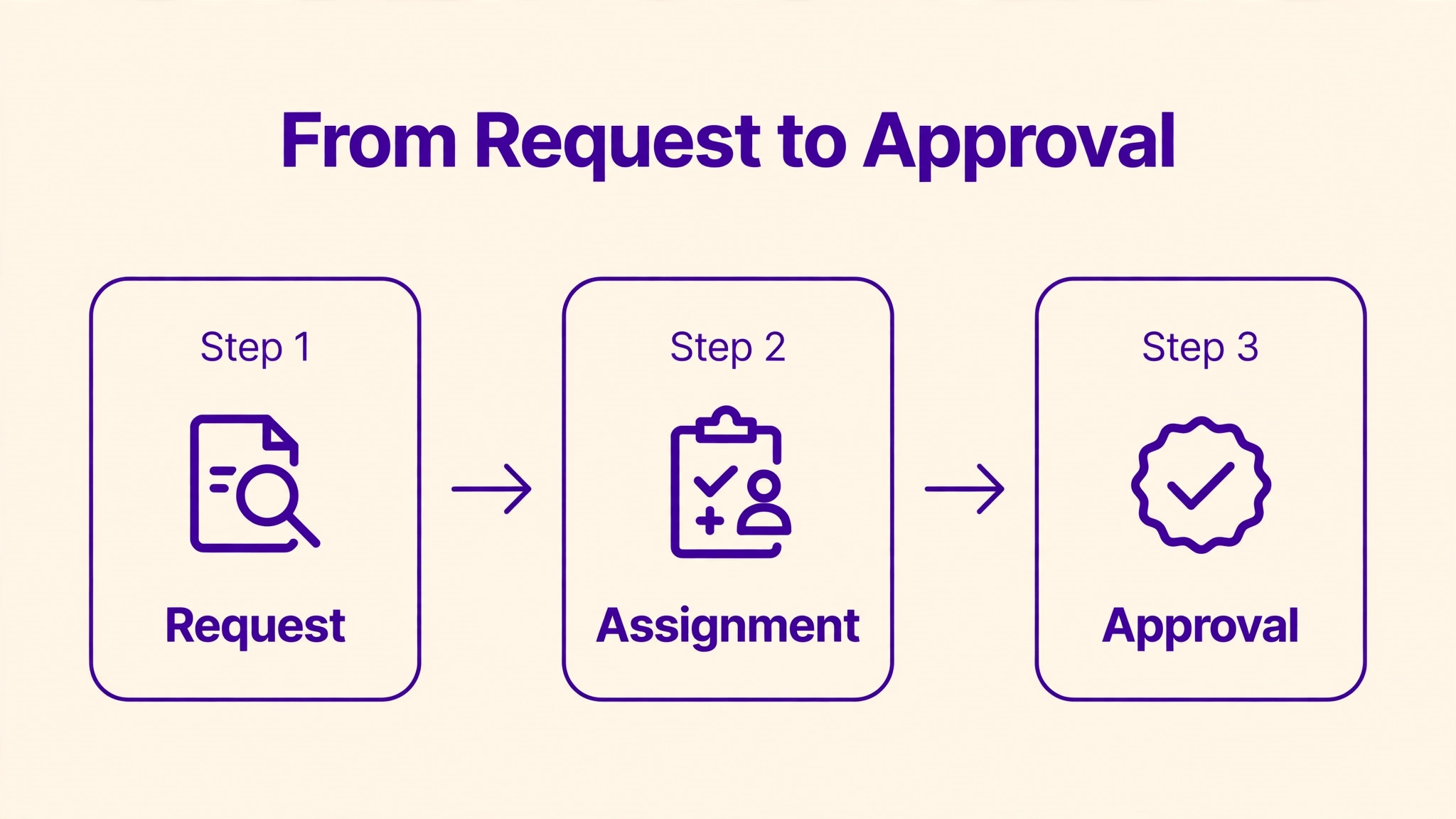
A useful test is to run a pilot with one real project, including intake, assignment, approval, and reporting, and to measure how often the team checks Wrike without being reminded. If the pilot project runs smoothly, and if the team opens Wrike voluntarily to check workload and deadlines, the tool has earned its price. If the pilot requires constant reminders, and if work still happens in email and spreadsheets alongside Wrike, the problem is adoption rather than tier choice, and buying a higher tier will not fix it. Fix adoption first, then choose a tier.

How to Cut the Bill Without Losing Control
Start by counting seats honestly, because per-user billing rewards seat discipline more than any discount. Give paid seats only to people who create, assign, and manage work daily, and check whether occasional viewers, clients, and contractors can be handled through a cheaper access option for your tier. A team that removes five unused Business seats saves 125 dollars per month, or 1,500 dollars per year, which is a larger saving than most teams will achieve by negotiating a discount on the per-user price itself.
That judgement belongs at the centre of any honest account of cost of Wrike for small business monthly, because a price that looks small on a plan card can grow quickly once seats, usage, and add-ons are counted.
Choose Team deliberately when it fits, because the largest single saving in Wrike is avoiding Business when Team covers the work. A team that does not need time tracking, workload charts, or proofing should stay on Team and invest the saving in training, templates, and workflow design, which will improve results more than a higher tier would. The time to move to Business is when a specific gap appears repeatedly in meetings, such as a manager asking who is overloaded and nobody being able to answer, rather than when a demo shows a feature that looks interesting.
Negotiate add-ons before signing, because add-on prices are not published and therefore cannot be budgeted from the pricing page alone. List every integration, sync, whiteboard, and security feature the team expects to use, and ask sales for a written total that includes those add-ons for the full contract term. A Business quote that excludes a needed add-on is not a complete price, and a team that discovers the add-on cost after signing will either pay it or work without a feature it planned around.
Finally, pilot before committing to annual billing for the whole team, because annual billing is the default for Business and the committed year is long. Run a trial with a small group, test intake, approvals, workload, and reporting on real work, and confirm seat count, storage, automation limits, and add-on needs in writing. A pilot that reveals a missing feature or a seat overcount before the contract is signed saves far more than a pilot that merely confirms that the tool looks good in a demo.
A renewal check belongs in every Wrike budget, because a team that was fifteen people at signup may be twenty people at renewal, and that growth alone forces a tier change. Set a reminder for a month before renewal, review seat count, add-on use, and storage, and compare the renewal total with the current tier price rather than with the price remembered from signup. A renewal that arrives as a surprise is a budgeting failure, not a vendor surprise, since seat growth is visible months in advance.
Migration deserves its own plan, because moving projects from spreadsheets or a simpler tool into Wrike is where structure mistakes hide. Define folders, custom fields, and workflow stages before moving any live work, move one real project as a test, and only then move the remaining projects in batches. That test project will reveal field mistakes, approval gaps, and dashboard errors while they are still cheap to fix, instead of revealing them across dozens of live projects at once.
Adoption is the risk that most often decides whether Wrike succeeds, and it deserves a measure rather than a hope. Track how often team members open Wrike without a reminder, how often status updates happen inside Wrike rather than by email, and how often managers check workload views before assigning work. If those measures rise over the first month, adoption is working. If they stay flat, training and template fixes are needed before any tier upgrade is considered.
Reporting is the feature that most often justifies Business, and it deserves a test with real project data. Build one dashboard that answers the questions managers ask weekly, such as which projects are late, who is overloaded, and which approvals are waiting, and check whether that dashboard can be built on the tier being considered. If the dashboard requires a higher tier or a paid add-on, that requirement should appear in the budget before signing, not after the team has come to rely on the report.
Security and access rules should be reviewed before a rollout grows, because a system that everyone can edit becomes a system that nobody trusts. Define who can create projects, who can change workflows, and who can see client work, and document those rules in one place. A small team can manage access informally, but a team approaching twenty users needs written rules, since an informal system breaks silently when new people join and old people leave.
Finally, keep a simple record of what Wrike replaces, because that record is the evidence for renewal. Note the spreadsheets retired, the status meetings shortened, and the approval delays avoided, and review that record at renewal time. If the record shows clear savings, renewal is easy to justify. If it shows only a new place to check tasks, the business can downgrade or switch with confidence, knowing that the decision rests on evidence rather than on habit.

Frequently Asked Questions
How much does Wrike cost per month for a small business?
Team costs 10 dollars per user per month billed annually, for teams of 2 to 15 users, and Business costs 25 dollars per user per month billed annually, for teams of 5 to 200 users, according to pricing guides checked in October 2026. Enterprise, Pinnacle, and Apex are priced by quote, so no published monthly figure applies to those tiers. Month-to-month prices are not published for Team or Business, so check the vendor’s current pricing page for any monthly option. That judgement belongs at the centre of any honest account of cost of Wrike for small business monthly, because a price that looks small on a plan card can grow quickly once seats, usage, and add-ons are counted.
What is the difference between Team and Business?
Team covers custom fields, workflows, Gantt charts, and dashboards for a small team, while Business adds time tracking, workload charts, resource and capacity planning, proofing and approvals, and standard integrations. The practical difference is planning depth, not project count, since both tiers handle projects well. A team that needs to see who is overloaded, to track time, or to route approvals should price Business.
Does Wrike have a free plan?
Yes, Wrike offers a free plan for teams getting started, with basic task management and limited features. The free plan is useful for testing whether the team likes the way Wrike organises work, but it lacks the custom fields, workflows, and planning features that most small businesses buy Wrike for, so budget for a paid tier from the first month of real use.
How many users can be on the Team plan?
Team covers between 2 and 15 users, according to pricing guides checked in October 2026. A team that grows past 15 users must move to Business or a higher tier, which changes the per-user price from 10 dollars to 25 dollars billed annually, plus any add-ons. Teams expecting growth past fifteen users should price Business from the start.
Are integrations included in the Wrike price?
Standard integrations sit at Business and above, while some add-ons, including Integrate, Sync, and Whiteboard, are sold separately below the top tier, and Lock is a paid extra at every tier, according to guides checked in October 2026. That means the per-user price alone is not a complete budget for a team that needs advanced integrations. Ask sales for a written add-on total before signing.
What are the automation limits on Wrike?
Wrike publishes no automation ceiling on its pricing page, according to guides checked in October 2026, while third-party tier tables put automation at 50 actions per user per month on Team and 200 actions per user per month on Business. Treat those third-party figures as a planning guide, not as a vendor guarantee, and confirm the current allowance for your tier with sales, especially if intake forms drive many automated actions.
Is Wrike worth the price for a five person team?
It depends on whether the team needs workload views, time tracking, or approvals. Five users on Team cost 50 dollars per month billed annually, while five users on Business cost 125 dollars per month. A team that bills by the hour, routes client work through approval, or manages several projects at once will usually justify Business, while a team with simple task lists may find Team ample or a cheaper tool sufficient.
Can a team pay Wrike monthly instead of annually?
Wrike states that Business plans and above are only available as annual subscriptions, and no month-to-month price is published for Team or Business in the guides checked. A team that needs monthly flexibility should ask sales directly whether a monthly option exists for its seat count, and should not assume that monthly billing will be offered at checkout.
Verdict
Team is the right tier for a small team that needs structured projects, custom fields, and Gantt views without paying for planning depth it will not use, at 10 dollars per user per month billed annually. Business becomes the right tier the moment time tracking, workload charts, or approvals enter daily work, at 25 dollars per user per month billed annually, and a team that expects to pass fifteen users should price Business from the start rather than treating Team as a permanent home. Count seats, confirm add-ons and storage in writing, and pilot intake and approvals on real work, and the monthly total will stay close to the figures in this guide.
That judgement belongs at the centre of any honest account of cost of Wrike for small business monthly, because a price that looks small on a plan card can grow quickly once seats, usage, and add-ons are counted.
More Reading on Stratilyze
– Switch Trello to Asana for a Small Team – Switch Trello to Smartsheet for a Small Team – Best Project Management Software for Construction Teams – How to Write a Scope of Work for a Small Business – Cost of Insightly for Small Business Monthly