
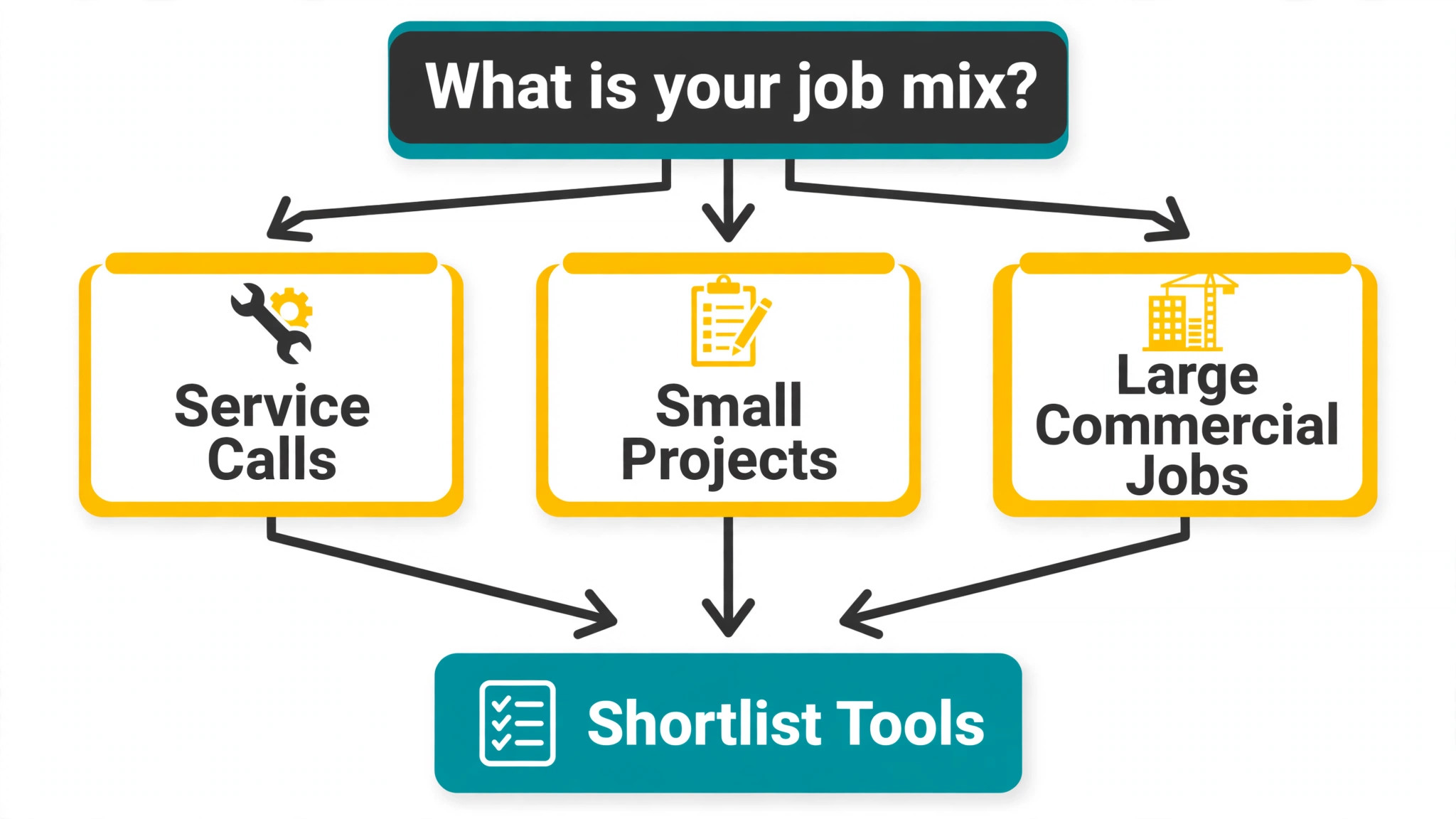
Verdict first. If you run a residential electrical firm, start with Fergus or Jobber. If you run a commercial firm with multi stage projects, simPRO is the benchmark to beat. If you run a service and repair shop where parts and variations decide profit, Fergus deserves the first demo. The best job management software for electrical contractors is not the platform with the longest feature list. It is the one that matches your job mix, your team size, and the way your office actually works.
Electrical work punishes vague job management more than most trades. A quote that omits materials, a variation that never gets billed, a certificate that sits unsigned, or a commercial project that drifts over budget can erase the profit on an otherwise good job. Good software attacks those leaks directly. It ties the quote to materials and labour, records variations on site, tracks certificates with the job, and shows job margin while the work is still open.
This guide compares 13 platforms across quoting, job costing, scheduling, certificates and forms, project depth, commercial capability, and price transparency. Read the comparison first, then read the tools that match your segment. A residential contractor, a commercial contractor, and a service and repair shop face different risks, and the lead pick changes with each segment.
The short answer on best job management software for electrical contractors
The table below sorts the 13 tools by fit for the best job management software for electrical contractors, not by marketing claims. Use it to build a shortlist of three, then test each finalist on a real job from your own book. A demo job built by a vendor will always look smooth. A real job, with a variation, a parts run, and a customer who changes the scope, reveals the truth.
| Tool | Best for | Standout strength | Price note |
|---|---|---|---|
| simPRO | Commercial projects | Project costing and stock | Quote based |
| Fergus | Materials heavy work | Job costing and purchase orders | Check the vendor pricing page |
| Tradify | Small residential firms | Simple job management | Reported from about 34 pounds per user per month |
| Jobber | Residential service firms | Fast setup and quoting | Check the vendor pricing page |
| Housecall Pro | Residential service firms | Booking and estimate presentation | Reported from about 59 dollars per month |
| ServiceTitan | Large service firms | Dispatch and reporting depth | Quote based |
| ServiceM8 | Small teams | Mobile first simplicity | Check the vendor pricing page |
| FieldEdge | Pricebook led service firms | Flat rate pricebook | Quote based |
| Service Fusion | Growing service firms | Unlimited users on flat tiers | Reported Starter from about 208 dollars per month |
| Workiz | Phone heavy firms | Automation and phone tools | Quote based |
| Commusoft | Contract led firms | Service contracts and assets | Quote based |
| Joblogic | Planned maintenance firms | Assets and compliance | Reported from about 45 pounds per user per month |
| Powered Now | Small firms needing forms | Form library and simplicity | Check the vendor pricing page |

What electrical work demands that generic job tools miss
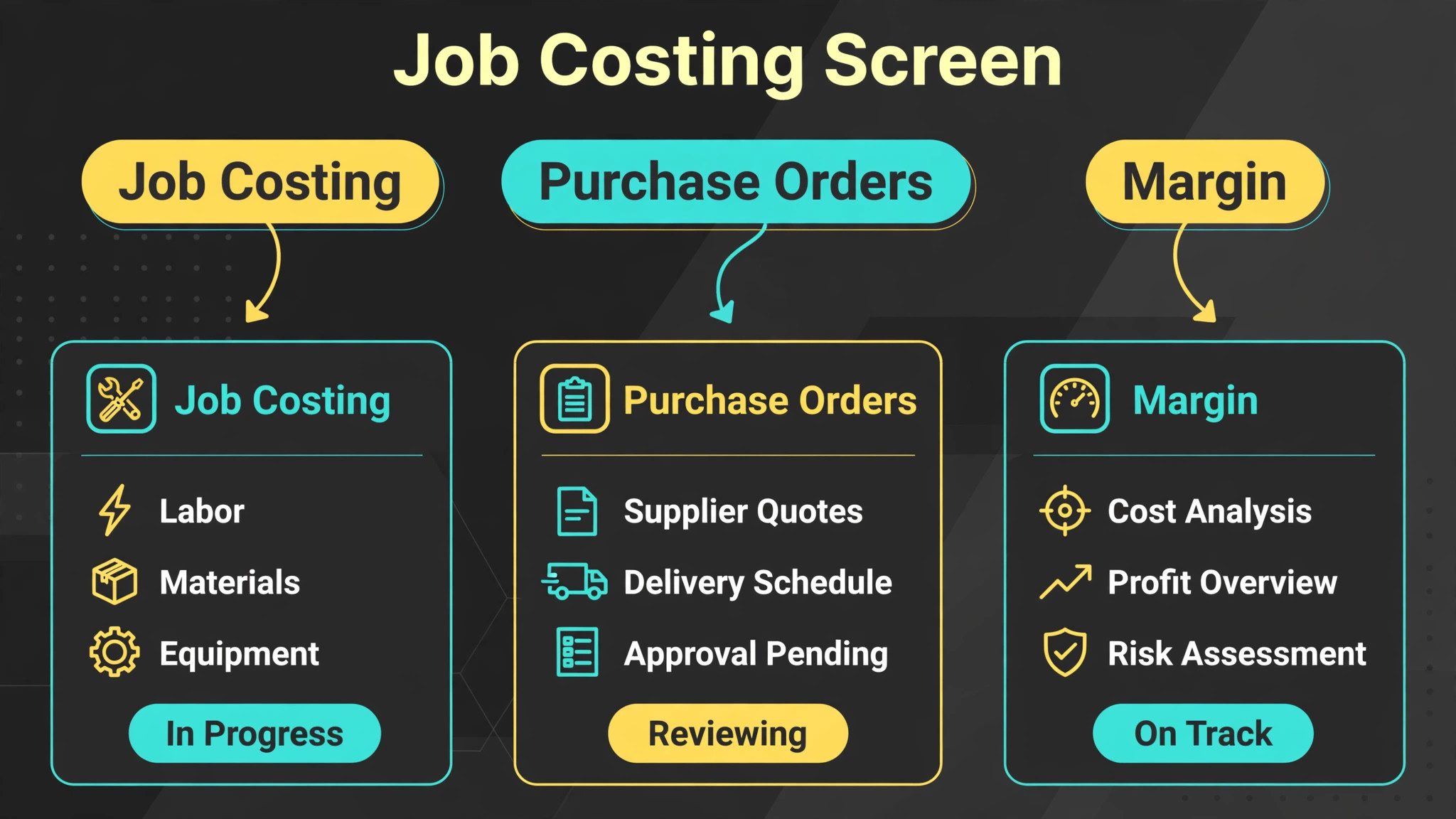
A generic scheduler can book a visit and send an invoice. It cannot track the margin on a job that includes cable, boards, labour, and a variation agreed on site. Electrical contractors need job costing that separates labour, materials, and variations, and shows the result before the job closes. Without that view, a firm can stay busy for a year and still lose money on its largest jobs.
Certificates and forms are the second gap. Electrical work often requires documented testing, sign off, and customer records that stay with the job. A platform that stores certificates and forms against the job, rather than in a separate folder, saves the office from chasing paperwork when a customer or inspector asks for evidence. Check certificate coverage by plan, because several vendors reserve forms for higher tiers.
Commercial work adds a third demand, which is project control. A commercial job may span weeks, involve purchase orders, variations, progress billing, and multiple sites. A service tool that treats every job as a single visit will force the office to manage the project in spreadsheets, which reintroduces the errors the software was meant to remove. Match project depth to your commercial share, and do not buy project depth you will never use.
The 13 tools in detail
1. simPRO
simPRO is the heavyweight option for electrical contractors that run complex, multi stage projects alongside service work. It handles quoting with labour and materials breakdowns, project tracking, stock control, recurring maintenance, and detailed reporting in one system. For a firm that manages large commercial projects, that depth replaces several separate tools and gives managers a single view of job cost.

Commercial contractors gain most from its project and asset features. A project manager can track variations, purchase orders, and progress billing without rebuilding the job in a spreadsheet. Service teams gain from scheduled maintenance and asset histories, though the setup effort is real. simPRO rewards firms that invest in configuration and training, and it frustrates firms that want a tool running on day one.
Pricing is quote based in most regions, so check the vendor pricing page and ask for the full module cost in writing. Third party listings disagree on entry rates, which is a sign to get a quote for your exact user count and modules rather than budgeting from a listing. Choose simPRO when project complexity is daily reality, not when you only need scheduling and invoicing.
2. Fergus
Fergus is built around job costing and cash flow visibility for trades firms, and electrical contractors with materials heavy work feel that focus immediately. Quoting, scheduling, invoicing, and purchase orders sit together, so the office can see the margin on a job while it is still in progress, not weeks later when the accounts are closed. Supplier price lists and materials tracking help estimators quote from real costs.
For service and repair shops, Fergus helps most where parts and variations decide profit. A technician can record materials used on site, the office can bill variations promptly, and the manager can spot jobs that drifted over budget before they finish. The interface is clean enough for field staff to adopt without a long training programme, which matters when the team is busy.
Third party listings report Fergus pricing from about 39 pounds per month on entry plans in the UK and from about 48 dollars per user per month in US listings, so check the vendor pricing page for your region. The regional difference is a reminder to confirm currency, user count, and included modules before comparing Fergus against a rival. Fergus fits firms that want stronger costing than a light scheduler without the weight of an enterprise project system.
3. Tradify
Tradify is a light, friendly job management tool for small electrical firms that want quoting, scheduling, timesheets, and invoicing without complexity. The office can create a job, assign it, track its status, and invoice from the same record, and field staff can update jobs from a phone. Accounting connections keep invoices in sync with the bookkeeping system, which saves the office from double entry.
Residential contractors gain most from its simplicity. A small team can adopt Tradify in days, not weeks, and the low learning curve means technicians actually update jobs instead of reporting by phone at day end. Certificates and forms are available on higher plans, so firms that need electrical certificates should check which plan includes them before choosing the entry tier.
UK listings report Tradify from about 34 pounds per user per month on the entry plan, with higher plans adding certificates and features. Check the vendor pricing page for your region and for the current plan details. Tradify fits firms that value speed and simplicity over deep project control. Larger commercial firms with multi stage projects will likely need a heavier platform.
4. Jobber
Jobber gives electrical contractors a clean system for scheduling, quoting, invoicing, payments, and customer communication. The office can book a job, send a quote, dispatch an electrician, and collect payment without switching tools, and automated reminders reduce no shows. The client hub lets customers approve work and pay online, which shortens the gap between job completion and payment.
For residential contractors, Jobber works well on service calls, panel upgrades, and small installs that follow a repeatable pattern. The quoting flow is fast, the mobile app is easy for field staff, and the system looks professional to homeowners. Commercial contractors with long projects and complex billing may find its project depth thinner than simPRO or Fergus, so test a real commercial job during any trial.
Check the vendor pricing page for the current tier and user limits, because Jobber prices by team size bundle. Jobber fits firms that want a fast, low friction switch from spreadsheets and phone messages. It is less suited to firms whose core problem is multi stage project costing, where a project led platform will serve better.
5. Housecall Pro
Housecall Pro suits residential electrical firms that win work on fast response and a smooth customer experience. Online booking, clear estimates, automated reminders, and a customer portal help a homeowner request service, approve a price, and pay without a long phone call. Dispatch and GPS tools help the office manage the day when emergency calls interrupt planned work.
For service and repair shops, the estimate presentation is a real advantage. An electrician can show options with clear pricing on site, which helps a homeowner approve work immediately instead of waiting for a callback. The platform also supports review requests and follow up campaigns, which help a small firm build repeat work from past customers.
Third party comparisons report entry pricing from about 59 dollars per month, but plans change over time, so check the vendor pricing page. Housecall Pro fits residential and light commercial service work. Firms that live on large commercial projects, stock control, and progress billing should compare it against simPRO and Fergus before deciding.
6. ServiceTitan
ServiceTitan is the enterprise grade option for large electrical firms that need dispatch depth, marketing attribution, pricebook control, and financial reporting in one place. It handles high volume service work, multi technician dispatch, and performance reporting at a level small shop tools cannot match. For a firm with a dedicated dispatcher and a large service book, that reporting reveals which jobs, technicians, and marketing sources actually earn money.
Commercial contractors benefit from its capacity planning and agreement tracking, while residential service firms benefit from multi option proposals and technician scorecards. The trade off is cost and implementation effort. ServiceTitan needs real onboarding, a maintained pricebook, and managers who actually use its reports, or the firm pays enterprise money for basic scheduling.
Pricing is quote based, so check the vendor pricing page and request a written total including onboarding and add ons. Choose ServiceTitan when scale and reporting depth are daily needs. A small residential firm will usually get better value from Jobber, Housecall Pro, or Fergus, and should only move up when growth makes the reporting gap expensive.
7. ServiceM8
ServiceM8 is a job management tool for small trade firms that want scheduling, quoting, invoicing, and customer communication in a simple mobile first system. Field staff can view jobs, record time and materials, capture signatures, and update status from a phone, while the office tracks the day from a dispatch board. Accounting connections keep invoices aligned with bookkeeping.
For a small residential contractor or a service and repair shop, ServiceM8 offers a gentle entry point. Some listings report a free tier for a single user on a limited number of jobs per month, which lets a sole operator test the workflow before paying. That low risk start suits firms that are unsure whether they will use a platform daily.
Check the vendor pricing page for current job limits and tier details, because free and paid limits change over time. ServiceM8 fits small teams that need clarity without project depth. Firms with complex commercial projects, stock warehouses, or multi stage billing will outgrow it and should look at simPRO, Fergus, or Commusoft instead.
8. FieldEdge
FieldEdge is a field service platform for trade firms that want dispatch, a flat rate pricebook, agreements, and invoicing in one system. Technicians quote from a structured pricebook, present options to the customer, and record the agreed scope before work starts. That discipline protects margin on repeatable service work and helps new electricians quote consistently.
Electrical contractors with a strong service book gain from its agreement tracking and dispatch board. Maintenance agreements, repeat customers, and warranty history stay attached to the customer record, so a technician arriving at a site can see what was done before. The platform also offers accounting connections that matter if the office already runs a desktop accounting system.
Pricing is quote based, so check the vendor pricing page and ask for a quote covering office users, field users, and setup. FieldEdge rewards firms that maintain their pricebook and use its dispatch tools daily. A firm that only needs basic scheduling will find it heavier than necessary, while a service led firm that quotes the same jobs repeatedly will feel the benefit quickly.
9. Service Fusion
Service Fusion gives electrical contractors scheduling, dispatch, invoicing, payments, and customer management on flat tiers with unlimited users. That pricing model helps firms with seasonal hiring, because adding a technician does not raise the software bill in the same way a per seat platform would. GPS tracking is available as an add on, and the platform covers the daily workflow without a large stack of separate tools.
For service and repair shops, the flat price makes budgeting simple. A firm can plan its annual software cost with confidence, even when headcount changes across the year. The office gets a clear dispatch board, the field gets job details on a phone, and invoices flow from the same record, which reduces retyping and missed billing.
Third party comparisons report Starter pricing from about 208 dollars per month on annual billing. Confirm the current tier on the vendor pricing page, including which features sit in each tier. Service Fusion fits growing service firms that want predictable cost. Firms that need deep project costing or advanced commercial reporting should test those areas against simPRO before committing.
10. Workiz
Workiz is a field service platform for growing trade teams that want scheduling, dispatch, invoicing, estimates, payments, and automation in one system. Automation rules can trigger reminders, follow ups, and status messages as a job moves through stages, which saves office time on repeatable communication. Phone tools help firms that miss calls during busy periods.
Electrical contractors with a phone heavy service book gain from a system that captures inquiries directly into the job record. A missed call becomes a booked job instead of a lost lead, and the office can see the full conversation history when the customer calls back. Higher tiers add inventory and equipment tracking, which helps firms that manage parts and installed equipment.
Pricing is quote based, so check the vendor pricing page and ask which automation and phone features sit in each tier. Workiz fits firms moving from basic scheduling to a fuller operation. Firms that need very deep project control or a highly custom commercial billing workflow should run a trial on those exact jobs before deciding.
11. Commusoft
Commusoft is a job management platform built for larger trade firms, with scheduling, quoting, service contracts, stock control, and fleet tracking in its scope. It suits firms with six or more staff that run planned maintenance alongside reactive service work, because it treats contracts, assets, and recurring visits as core workflows rather than add ons.
Commercial contractors gain from its contract and asset handling. A firm can manage service agreements, schedule planned visits, track assets across sites, and report on contract performance without rebuilding the picture in spreadsheets. That structure helps when a commercial client asks for evidence of completed visits and outstanding actions.
Pricing is quote based, with third party listings reporting rates around 59 pounds per user per month in the UK. Check the vendor pricing page for your region and for a written quote. Commusoft fits established firms that need contract depth. Small residential firms will find it heavier and more expensive than a light tool, and should only consider it when contract work becomes a major revenue line.
12. Joblogic
Joblogic is a job management platform for trade contractors that emphasises assets, planned maintenance, and compliance alongside scheduling and invoicing. It handles job tracking, quoting, timesheets, and reporting, with asset records that suit firms maintaining equipment across multiple sites. That asset focus separates it from lighter schedulers that treat every job as a one off visit.
For commercial contractors and service firms with maintenance contracts, Joblogic helps keep planned work on schedule and documented. A manager can see which assets are due a visit, which jobs are overdue, and which sites need attention, rather than relying on memory or a spreadsheet. Compliance forms and certificates support firms that must evidence completed work.
Third party listings report Joblogic from about 45 pounds per user per month on annual billing in the UK. Check the vendor pricing page for your region and current plan details. Joblogic fits firms where planned maintenance and asset tracking are central. Residential firms with mostly one off repair calls will get less value from its asset depth.
13. Powered Now
Powered Now is a job management tool for small trade firms that want quoting, scheduling, invoicing, and a large library of forms in a simple system. The office can build a job, assign it, track progress, and invoice from one record, while field staff update jobs from a phone. Forms support the paperwork that electrical work often requires, from job sheets to customer sign off.
Residential contractors and small service shops gain from its ease of use and form coverage. A firm that still relies on paper job sheets can move to digital forms without a complex implementation, and the customer record stays consistent across jobs. That simplicity helps adoption, because a tool technicians avoid is worse than no tool at all.
Check the vendor pricing page for current plans, since Powered Now tiers and form availability vary by plan. It fits small firms that need solid job management and forms without project depth. Larger commercial firms with multi stage projects, stock warehouses, and progress billing should compare it against simPRO or Commusoft before deciding.
Best pick by job
The table below names a lead pick for each segment in this guide for the best job management software for electrical contractors. Test the lead pick on your hardest job type, and keep the second option in reserve if the trial exposes a gap in costing, certificates, or project tracking.
| Segment | Lead pick | Also test | Why it fits |
|---|---|---|---|
| Residential contractors | Fergus | Jobber | Costing plus simple scheduling suits residential work |
| Commercial contractors | simPRO | Commusoft | Project and contract depth suits commercial jobs |
| Service and repair shops | Fergus | Housecall Pro | Materials tracking and fast booking suit repair work |
Setup checklist for a live switch
When you switch to the best job management software for electrical contractors, remember that a switch fails when data moves badly, not when software looks bad. Clean the data first, test on real jobs, and keep the old system visible until the new one earns trust. The steps below give a safe sequence for a firm that cannot afford a lost week.
1. Export customers, open jobs, and supplier price lists, then check a sample by hand for duplicates and missing materials prices. 2. Build quote templates for your three most common job types, and test them against three past jobs to catch missing labour or materials lines. 3. Confirm which certificates and forms sit in your chosen plan, and test one full certificate workflow from site capture to customer delivery.
4. Train one office user and two electricians first, run live jobs for a week, and fix their complaints before wider training. 5. Move scheduling to the new platform on a light week, keep the old board visible for two weeks, and review job margin weekly for the first month. 6. Turn on automated reminders and invoice follow ups one at a time, so a faulty template does not reach every customer at once.

Where contractors lose money after buying
When firms buy the best job management software for electrical contractors and still lose money, the first loss comes from unbilled variations. A technician agrees extra work on site, nobody records it, and the invoice goes out at the quoted price. A platform only prevents that loss if technicians record variations on site as a habit, so train that habit explicitly and review variations weekly until it sticks.

The second loss comes from stale materials prices. Supplier prices move, and a quote built from last year price list quietly gives away margin on every job. Assign one person to update supplier lists monthly, and check the margin on completed jobs against the quoted margin. A growing gap means the price list, not the technicians, is the problem.

The third loss comes from paying for modules nobody opens. Enterprise platforms sell add ons for forms, fleet tracking, and advanced reporting that look useful in a demo and sit unused in practice. Review module usage after ninety days, cancel what the team does not use, and reinvest the saving in training for the features that actually move profit.
Related Guides
Keep exploring with these guides on Stratilyze:
- Use AI for Electrical Contractor Job Scheduling
- Best Job Management Software for Junk Removal Companies
- How to Use AI for Inventory Management
Frequently Asked Questions
How do I choose the best job management software for electrical contractors
Start from your job mix, not from a feature list. The best job management software for electrical contractors for a residential firm is usually a costing led tool like Fergus or a fast scheduler like Jobber, while a commercial firm needs project depth from simPRO or Commusoft. Shortlist three tools, test each on a real job with a variation and a materials run, and choose the one your team actually updates daily.
Do I need certificates built into the platform
You need certificates stored with the job if your work requires testing records or customer sign off. Several platforms reserve certificates for higher plans, so confirm coverage before choosing an entry tier. A platform that forces you to store certificates elsewhere creates a second system to maintain, and paperwork will eventually go missing.
Is per user pricing or flat pricing better for an electrical firm
Per user pricing suits a stable team, because the cost is predictable and scales with headcount. Flat pricing suits a firm with seasonal hiring or many occasional users, because the bill does not jump when you add staff. Compare the total annual cost for your peak team size, not for your smallest team, and include add ons in the total.
How long should a trial last
A trial should last long enough to run at least ten real jobs, including a commercial job if you do commercial work, a variation, and a certificate workflow. A one week trial on demo data proves nothing. A three to four week trial on live jobs reveals adoption problems, costing gaps, and training needs before you sign.
Can I switch later if I choose wrong
You can switch, but data migration is the cost. Customer records, job histories, and certificate archives must move cleanly, and a messy export can lose history. Choose a platform with a clear export path, keep your own backups of job and certificate data, and avoid locking critical records into a format only one vendor can read.
What should I check before signing a contract
Check the total written cost, including onboarding, modules, add ons, and payment processing fees. Check the contract length, the exit terms, and the data export process. Check support hours and response times, because a dispatch problem on a Friday afternoon cannot wait until Monday. Get every promise that influenced your decision in writing.
Closing judgment for electrical contractors
Residential firms should test Fergus first, with Jobber as the faster, simpler alternative. Commercial firms should test simPRO first, with Commusoft as the contract led alternative. Service and repair shops should test Fergus first, with Housecall Pro as the booking led alternative. In every case, when choosing the best job management software for electrical contractors, the deciding test is a real job with materials, a variation, and a certificate, run end to end by your own team. The platform that handles that job cleanly, at a total cost you can defend, is the right buy, even if it is not the platform with the longest feature list.