
A parent tries to book a Tuesday lesson at 6 pm and finds the class full, the waitlist hidden, and the makeup policy buried in an email from last term. A coach walks onto the pool deck with a paper roster that does not show which child moved up a level yesterday. The front desk spends the morning answering the same three questions by phone. Nothing here is a disaster on its own, yet together these small failures decide whether a swim school keeps its families or loses them to the school across town. That is the problem the best scheduling software for swim schools has to solve.
Swim schools are not generic class businesses. Children move through levels, siblings share one family account, lanes and instructors limit every class, and a missed lesson needs a makeup that fits the right level at the right pool. Billing runs by term or by month, skill tracking matters to parents, and safety records cannot sit in a drawer. A general booking tool can sell a time slot, but it rarely handles level progression, lane capacity, and makeup credits as one connected system.
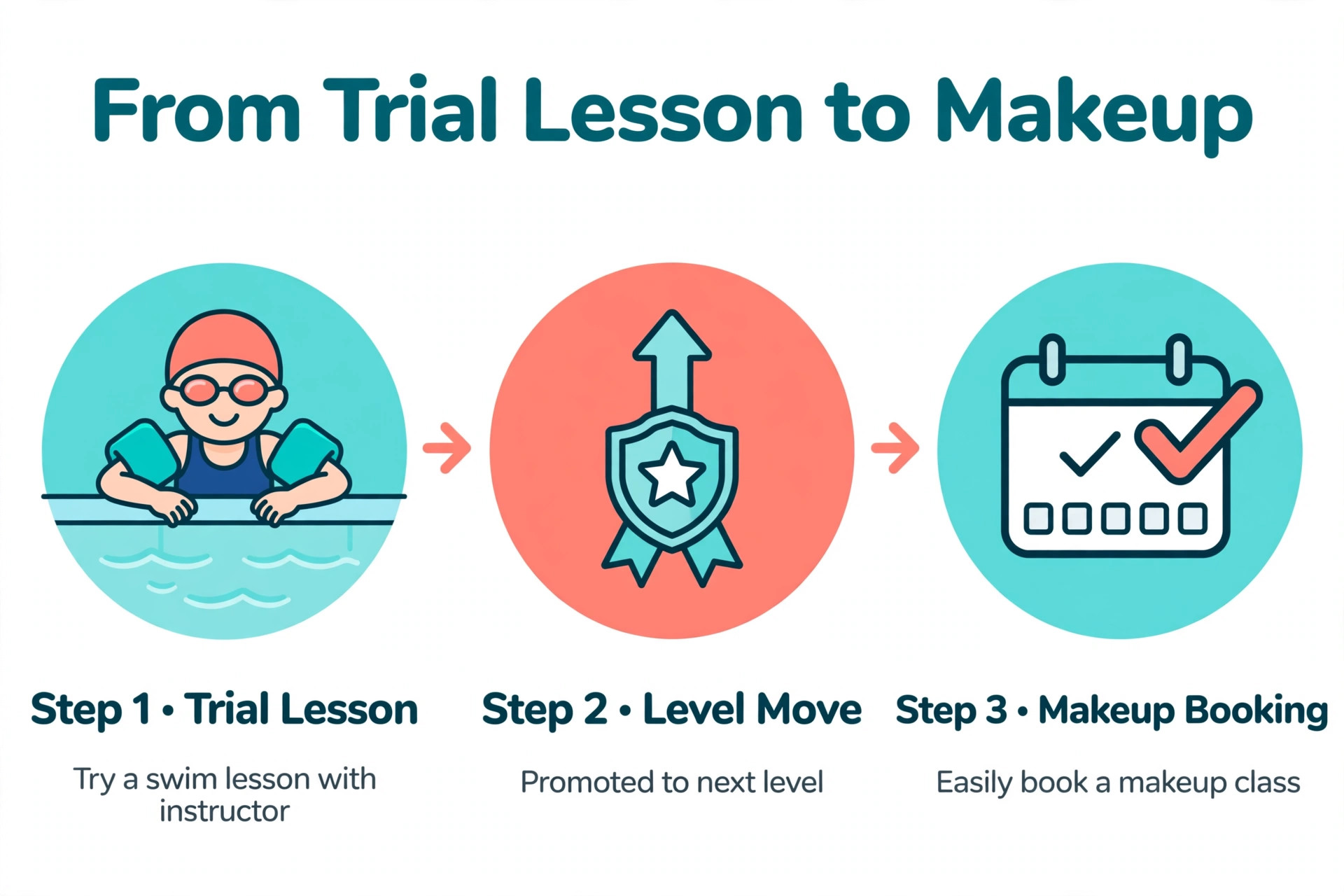
This guide compares 8 platforms across scheduling, level tracking, family billing, makeup workflows, parent communication, and total cost. Prices come from vendor pages and recent published comparisons checked in late 2026, and they move often, so check the vendor pricing page before you sign. Shortlist three tools, test each one with your real timetable, and judge the winner on a full class, a level move, and a makeup booking, not on a sales demo.
Why level based scheduling changes everything
A swim lesson is not a seat in a room. It is a place in a level, at a time, in a lane, with an instructor who can teach that level. When a child passes a level, the schedule has to change. When a class fills, the waitlist has to know which level the waiting child needs. When a lesson is missed, the makeup has to match the level, not just any open slot. Software that treats all of that as one system saves hours every week. Software that treats it as separate jobs creates work for the front desk.
The table below gives a fast first sort for the best scheduling software for swim schools. Use it to remove tools that clearly do not fit your school, then read the full sections for the survivors. Where a vendor hides its price behind a sales call, this guide says so plainly instead of inventing a number.
| Tool | Best for | Standout strength | Price note |
|---|---|---|---|
| iClassPro | Multi program activity schools | Skill tracking and flat per location pricing | Signature 139 dollars a month per location |
| Jackrabbit Swim | Swim only schools | Proven class management and makeups | From 49 dollars a month by student count |
| WellnessLiving | Schools that also sell wellness services | Marketing and loyalty depth | Starter 69 dollars a month |
| eSoft Planner | Facility scheduling | Flexible scheduling and facility tools | Quote only, check the vendor page |
| SwimTopia | Competitive swim teams | Team management and meet tools | Quote only, check the vendor page |
| ClassJuggler | Small schools wanting low cost | Simple class management | Reported from about 45 dollars a month |
| Pike13 | Class businesses with families | Family accounts and scheduling depth | Essential 139 dollars a month billed annually |
| Amilia SmartRec | Community and municipal aquatics | Recreation wide registration | From 99 dollars a month plus setup from 899 dollars |

What a swim school schedule must handle
Lane capacity comes first, because a pool cannot hold one more child than the lane allows. The platform must cap each class by lane and instructor, show real availability to parents, and stop double bookings before they happen. Test the booking flow on a phone during a trial, with a full class, a waitlist, and a sibling booking at the same time. Any step that forces a phone call loses families who book after hours.
Level progression comes second. Parents want to see what their child can do, what comes next, and when the move happens. Skill tracking with evaluations parents can see in the portal turns a vague promise into visible progress, and visible progress is what keeps a family enrolled for years. A platform that hides skill data from parents leaves the front desk answering the same question every week.
Makeup credits come third. A missed lesson without a clear makeup path becomes a refund request, and a refund request becomes a lost family. The platform should issue makeup credits automatically, show parents the lessons that match their child level, and let them book without calling. Check how credits expire, because a policy that is fair on paper and confusing in practice still creates complaints.
Best pick by job
The table below names a lead pick for each segment in this guide to the best scheduling software for swim schools, with a second option worth testing. Test the lead pick on your hardest real workflow, whether that is a level move, a full class with a waitlist, or a makeup booking at a different pool, before signing.
| Segment | Lead pick | Also test | Why it fits |
|---|---|---|---|
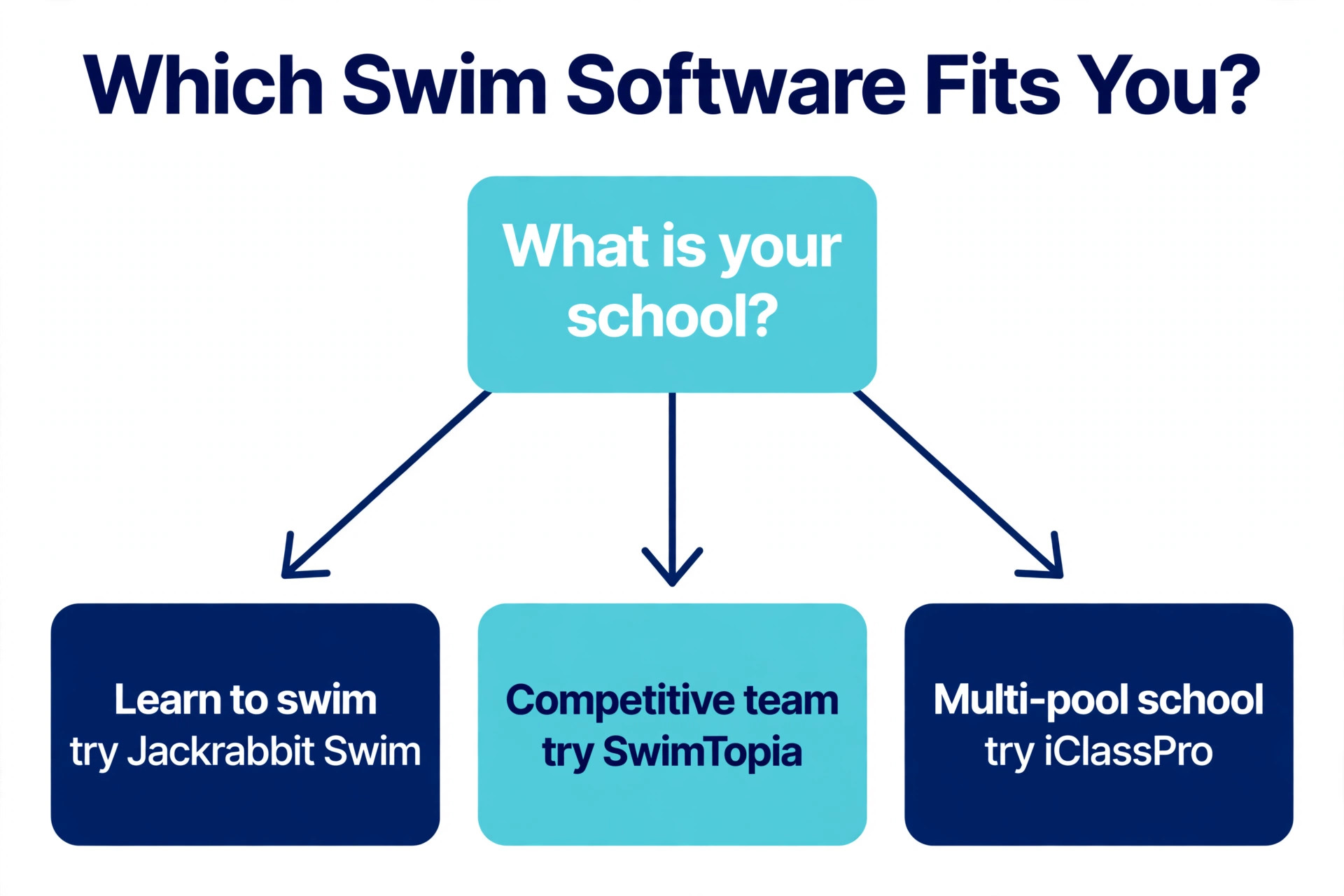
| Learn to swim schools | Jackrabbit Swim | iClassPro | Swim focused enrollment and makeups suit beginners |
| Competitive programs | SwimTopia | Pike13 | Team and meet tools suit competitive squads |
| Multi pool schools | iClassPro | Amilia SmartRec | Flat per location pricing suits several pools |
Learn to swim schools live on enrollment, levels, and parent trust. Jackrabbit Swim covers registration, billing, makeups, and skill tracking in one swim built flow, while iClassPro adds depth for a school that also runs gymnastics, dance, or camps. A school that only teaches swimming will feel the difference in the first enrollment season.
Competitive programs need a different strength. Squad management, meet entries, volunteer coordination, and communication with competitive families matter more than trial class pipelines. SwimTopia is built for teams, while Pike13 covers class scheduling and family billing for a program that mixes lessons and squads. Test the meet workflow, not only the lesson timetable.
Multi pool schools need control across sites without losing local detail. iClassPro charges per location with no student cap, which suits a large school with several pools, while Amilia SmartRec covers registration across a whole recreation department. The right choice depends on whether swim depth or recreation breadth matters more for your next pool.
The 8 tools in detail
1. iClassPro
iClassPro is class management software for gymnastics, swim, dance, martial arts, and cheer schools, and its flat per location pricing is the deciding feature for a busy swim school. Signature costs 139 dollars a month per location, Elite costs 199 dollars a month, and Premium costs 299 dollars a month, with no cap on families or students. A large single pool school pays the same as a small one, which rewards growth instead of taxing it.

The feature set covers class and camp booking, private lessons, skill tracking and evaluations, staff scheduling and time clock, check in kiosk, waivers, makeup tokens, punch passes, two way texting, and a parent portal app. Premium adds an integrated website and requires a twelve month contract, while a branded parent app costs 150 dollars a month plus a 499 dollar setup fee. Payment processing runs near 2.9 percent plus 50 cents on Visa and Mastercard, with a 10 dollar monthly gateway fee.

iClassPro suits a swim school that also runs other youth programs, or a large school that wants unlimited students at a flat price. A small single pool school may find the entry price high compared with Jackrabbit Swim, so model the cost at your real student count and pool count before deciding.
2. Jackrabbit Swim
Jackrabbit Swim applies the long established Jackrabbit class engine to aquatics, and it is the most proven swim only option in this list. Online registration, tuition billing, class scheduling, attendance, staff management, and student skill tracking cover the full enrollment cycle. Makeup workflows, family billing, and a parent portal handle the daily jobs that fill a front desk inbox.
Pricing starts at 49 dollars a month for up to 100 students, rising with student count, with Jackrabbit Plus from 93 dollars a month adding a custom branded mobile app, and Enterprise from 245 dollars a month adding business intelligence reporting. That student count model is kind to a small school and harder on a growing one, so model the price at your roster size in twelve months, not today. A school with strong level progression and makeup work will get more value here than a school that only needs a timetable.
The main weakness is breadth outside swim and class management. Jackrabbit Swim does not try to be a general recreation system, so a school that also runs teams, leagues, and facility rentals may need extra tools. For a pure swim school, that focus is a strength, because every feature maps to a real swim job, from trial lessons to level moves to makeup credits.
3. WellnessLiving
WellnessLiving is a broad wellness platform covering fitness studios, spas, salons, and swim schools. That breadth gives a swim school a large feature set, including online booking, waitlists, recurring classes, livestream, a client app, loyalty tools, and reputation management. A school that also sells fitness or wellness classes can run everything in one system.
Pricing starts at 69 dollars a month for the Starter tier, which covers one staff member, with Business at 199 dollars a month and Business Pro at 349 dollars a month in published comparisons. Annual billing reduces each tier by roughly ten percent. The Starter limit matters, because a school with several instructors will need a higher tier sooner than the headline price suggests.
WellnessLiving suits established schools with room in the budget and a need for marketing and loyalty depth. Smaller swim only schools may find the swim specific tools thinner than Jackrabbit Swim or iClassPro, and level tracking is less central here than in the swim built platforms. Shortlist it when breadth and marketing matter more than pure swim depth.
4. eSoft Planner
eSoft Planner is flexible scheduling software built from decades of experience running sports facilities, including swim clubs. It covers scheduling, registration, billing, point of sale, and messaging, with facility management tools that suit a school sharing a pool with other programs. Customers can book online in real time, and the system is designed to remove double bookings from a shared facility calendar.
Pricing is not published, so a swim school cannot model the cost without a sales conversation. That is the honest limit of this entry, and it should push eSoft Planner down the shortlist for a small school that needs a fast decision. A facility that shares lanes across swim, water polo, and aqua fitness will get more value from its scheduling depth than a single program school.
The platform suits scheduling led operations where the calendar is the hard problem. A school whose main pain is enrollment, levels, and parent billing will find Jackrabbit Swim or iClassPro a better fit. Test eSoft Planner on your shared facility calendar, with two programs competing for the same lane at the same hour, before judging it.
5. SwimTopia
SwimTopia is built for competitive swim teams, and it is the only tool in this list that treats meets as a core job rather than an add on. Team registration, meet entries, volunteer coordination, results, and parent communication sit together, which matters when a season builds toward championship meets. A competitive program that runs its team on spreadsheets will feel the difference in the first meet.
Pricing is quote only, so a team cannot model the cost from a published page. Ask for a written quote for your team size and meet schedule, and confirm what is included for registration, meets, and communication before budgeting. SwimTopia fits a competitive program first and a learn to swim school second, so a school that mainly teaches beginners should test Jackrabbit Swim before it.
The trade off is lesson depth. SwimTopia handles team life well, but a school that needs term enrollment, level progression, and makeup credits for hundreds of beginners will find the swim built class platforms stronger. Many competitive programs run both, with SwimTopia for the team and a class platform for lessons, and that split is worth costing honestly before choosing.
6. ClassJuggler
ClassJuggler is a simple class management platform for dance, swim, and other activity schools, with registration, scheduling, attendance, and billing in a straightforward package. It suits a small school that has outgrown spreadsheets but is not ready for a large platform price. Parents can register online, staff can manage classes and rosters, and billing runs without a complex setup.
Pricing is reported from about 45 dollars a month, with some listings showing a higher monthly figure near 61 dollars a month, so sources differ and the vendor page is the final word. Check how many students, classes, and staff the entry tier covers, and whether text reminders and reporting are included or paid extras. Low headline prices often hide paid add ons, and ClassJuggler is no exception to that rule.
ClassJuggler fits small schools and new schools that need structure without complexity. It is less suited to multi pool operators or competitive programs that need team and meet depth. Use it as a stepping stone, and revisit the choice when enrollment or level work grows beyond its reporting.
7. Pike13
Pike13 is built for class based businesses, including swim schools, fitness studios, and martial arts schools, with scheduling depth that shows in family accounts. Parents can manage several children under one account, staff can manage complex timetables across pools, and billing follows the family rather than the individual. That structure suits a swim school that runs kids classes alongside adult and squad sessions.
Pricing is published in tiers. Essential costs 139 dollars a month billed annually, or 159 dollars a month billed monthly, with Advanced and Premium tiers higher. Every plan includes unlimited staff seats and client profiles, which removes the per staff anxiety that other platforms create. Pike13 fits a class business with family billing and a complex schedule, and it is more platform than a simple single pool school needs.
The main weakness is swim specific depth. Level tracking and makeup workflows are covered, but not with the same swim first detail as Jackrabbit Swim. A school that needs deep skill progression should compare both side by side, with a real level move and a real makeup booking as the deciding test.
8. Amilia SmartRec
Amilia SmartRec is registration and recreation management software for parks and recreation departments, YMCAs, JCCs, and nonprofits, where swim is one of many activity types. It covers program registration, memberships, facility bookings, payments, and scheduling across a whole department, which suits a community aquatics center that runs swim alongside camps, sports, and classes.
Pricing starts at 99 dollars a month, with setup fees reported from 899 dollars, so the first year cost is higher than the monthly headline suggests. Ask for the full setup and onboarding quote in writing, and confirm payment processing rates, because stacked fees can change the total quickly. Amilia suits a city or community aquatics operation that needs recreation wide registration, while a private swim school will usually find a swim built platform simpler and cheaper.
The breadth is also the limit. A private school that only teaches swimming will pay for recreation features it never opens, and its parents will use a portal built for many programs rather than one built for swim levels. Shortlist Amilia when swim sits inside a larger recreation operation, and test the parent flow for a single swim lesson before committing.
How to choose a swim scheduling tool
Start with your program model, because that choice filters the best scheduling software for swim schools faster than any feature table. A learn to swim school needs level progression, sibling billing, and makeup workflows. A competitive program needs team management, meet entries, and volunteer coordination. A multi pool school needs per location control and reporting across pools. Write that model down before any demo, and score each tool against it.
Next, run a realistic trial week. Enrol a test family with two children at different levels, apply a sibling discount, book a trial lesson, move a child up a level, fill a freed spot from the waitlist, and issue a makeup credit. Then run billing and check that the invoice, the payment, and the parent portal all agree. A tool that passes that week will handle most real weeks.
Finally, price the second year, not the first month. Add processing fees, text costs, extra staff seats, a branded app fee, and any per student or per location charge, and model the price at your expected roster size. Ask about contract length, notice period, and data export, because switching tools later is far harder than choosing well now.
What the best scheduling software for swim schools really costs
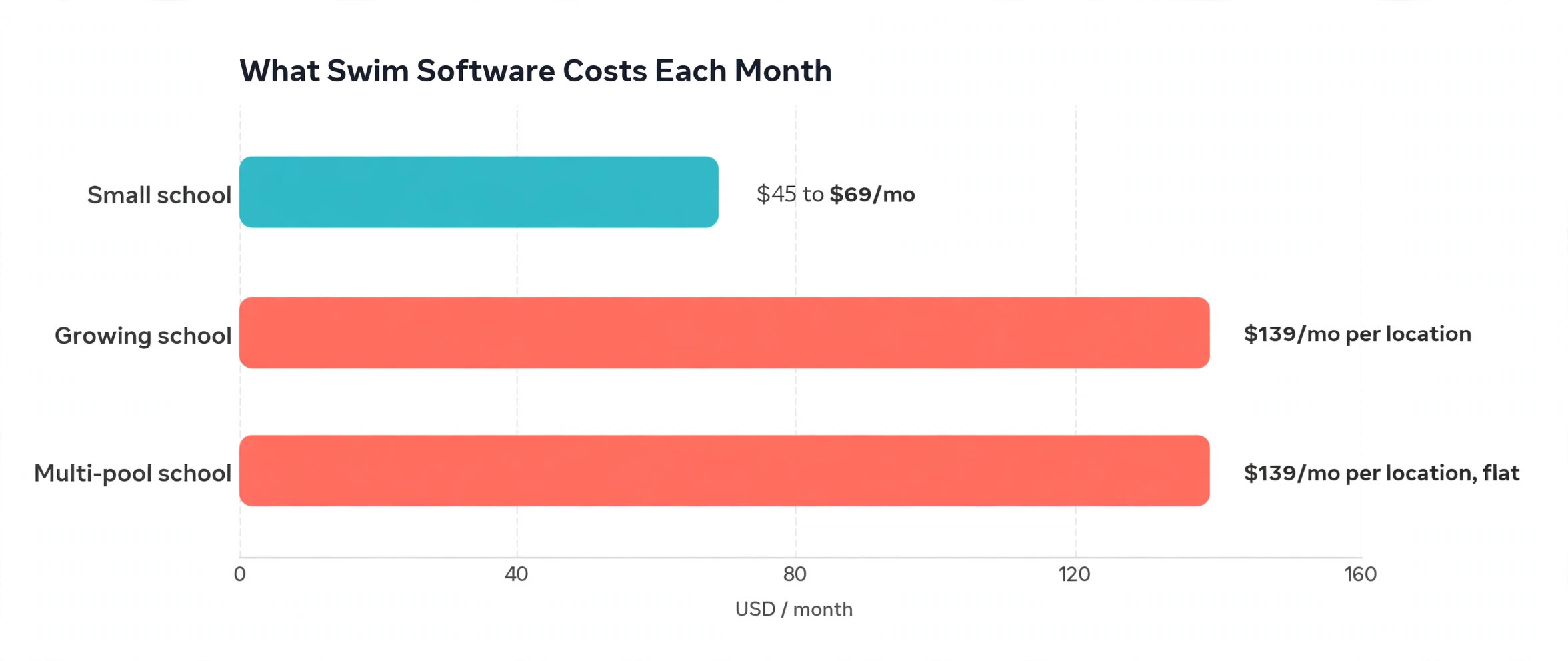
Most swim schools pay between 49 and 199 dollars a month for the best scheduling software for swim schools, before processing. Jackrabbit Swim starts at 49 dollars a month, ClassJuggler is reported near 45 dollars a month, WellnessLiving starts at 69 dollars a month, and iClassPro and Pike13 start at 139 dollars a month. Amilia starts at 99 dollars a month plus setup, while eSoft Planner and SwimTopia are quote only. The subscription is only the first line of the bill.
Processing is the second line, and it deserves the same attention as the subscription. iClassPro lists processing near 2.9 percent plus 50 cents on Visa and Mastercard, with a 10 dollar monthly gateway fee, and other platforms use Stripe or their own processor at similar rates. A school taking 20,000 dollars a month in tuition pays roughly 580 dollars a month in processing at 2.9 percent, which dwarfs most subscription differences. Compare processing rates with the same care as subscription prices.
The third line is add ons. Branded apps run roughly 99 to 150 dollars a month across vendors, text messaging is often metered by credit, and websites are often billed separately. iClassPro charges 3 cents per text credit, and its branded app adds 150 dollars a month plus setup. Add those lines before comparing two tools, because a 49 dollar platform with 200 dollars of add ons costs more than a 139 dollar platform with everything included.
The parent experience that keeps families enrolled
Parents judge a swim school on the portal, not on the admin dashboard. They want to see their children levels, book a lesson, pay tuition, and arrange a makeup from a phone, without calling the front desk. A portal that makes those four jobs easy keeps families enrolled. A portal that hides them behind menus creates phone calls, and phone calls create work for staff who should be coaching.
Communication after enrollment matters as much as the booking itself. Reminders should arrive before a lesson, not after a missed one, and level move messages should explain what changed and what comes next. A platform that sends timely, plain messages reduces disputes and keeps the office free for enrollment and pool work. Test the parent flow during any trial, including a sibling enrollment and a waitlist booking, because a portal that looks simple in a demo can still confuse parents in real use.
Reviews and referrals complete the picture. A satisfied family whose child moved up a level is the cheapest source of new enrollments, and a platform that requests reviews at the right moment, after a smooth level move or a helpful makeup, builds that pipeline. Do not automate review requests for every family at the same time. Time them to a positive moment, and follow up personally when a parent reports a problem, because a fast human response after a bad experience often saves the relationship.
Rollout checklist for a swim school
Use this sequence when you move to the best scheduling software for swim schools you chose, and do not skip the payment test. A swim school cannot close for a software switch, so the rollout must run alongside live lessons, billing, and pool time.
- Export students, families, levels, rosters, and outstanding balances, and clean duplicate family records before import.
- Build your level structure first, including level names, skills, lane capacity, and instructor assignments.
- Set billing rules next, including term dates, sibling discounts, late fees, payment dates, and makeup policies.
- Connect payments and run a test charge with a real card, then refund it, to confirm the full payment flow.
- Invite a small group of parents to book, pay, and check levels in the new portal before a full launch.
- Train front desk staff on waitlists, makeup credits, and level moves, because those three jobs cause most support questions.
- Keep the old system read only for one full term, so no payment or attendance record is lost in the move.
A careful switch protects trust. Parents forgive a new portal quickly if payments are correct and lessons are easy to book. They do not forgive a lost payment, a double charge, or a child marked absent who attended. Test payment and attendance twice, and launch only when both are clean.
Mistakes that cost swim schools families
The first mistake is buying on subscription price alone. A 49 dollar platform that charges per student can cost more than a 139 dollar flat per location platform once the roster grows past a few hundred children. Model the price at your roster size in twelve months, not today, and include processing, texting, and any branded app fee in the total.
The second mistake is hiding level progress from parents. A parent who cannot see what their child learned will assume nothing was learned, and will shop for another school at term end. Publish skill evaluations in the portal, celebrate level moves promptly, and make the next level visible. Progress parents can see is the strongest retention tool a swim school owns.
The third mistake is making makeups hard to book. A missed lesson is already a disappointment for a family, and a makeup process that needs a phone call turns it into a complaint. Show parents the matching lessons for their child level, let them book online, and set a clear expiry policy in plain language. A makeup that is easy to use turns a missed lesson into a reason to return.
The fourth mistake is switching during a busy term. Enrollment season and the weeks before a big meet are the worst times to change software, because level moves, billing, and communication all peak at once. Plan the switch for a quiet gap between terms, and keep the old system read only until the first tuition run is clean.

Related Guides
Keep exploring with these guides on Stratilyze:
- Best Class Management Software for Swim Schools
- Swim School Lesson Scheduling with AI Tools
- Best School Management Software for Small Private Schools (10 Tools)
Frequently Asked Questions
How much should a small swim school pay for scheduling software
Most small swim schools pay between 49 and 139 dollars a month for the best scheduling software for swim schools, plus processing near 2.9 percent per card transaction. A flat per location platform can be cheaper at scale, while a per student platform can be cheaper for a small roster. Price the tier you need at your real student and pool counts, and add processing and text costs.
Does swim scheduling software handle level progression
Swim built tools such as Jackrabbit Swim and iClassPro handle skill tracking, evaluations, and level moves as core features, with progress visible to parents in the portal. General booking tools may handle levels through custom fields or a separate process, which adds work. If level moves are a weekly job, put skill tracking on the shortlist criteria before price.
Can parents book makeups without calling the school
Yes, when makeup credits, level matched availability, and a parent portal are all turned on. Parents can see the lessons that fit their child level and book a makeup from a phone. The key is to test the full makeup flow during a trial, including a child who moved up a level since the missed lesson, because that case reveals whether the system truly understands levels.
What is the difference between per student and per location pricing
Per student pricing rises as your roster grows, which is fair when revenue grows with it. Per location pricing stays flat as students grow, which rewards a busy single pool school. iClassPro charges per location with no student cap, while Jackrabbit Swim charges by student count. Model each model at your roster size in twelve months, because the cheapest model today can become the most expensive model next year.
Should a competitive team use the same software as lessons
Not always. A competitive team needs meet entries, volunteer coordination, and squad communication, while lessons need level progression and makeups. Some programs run SwimTopia for the team and a class platform for lessons, and that split can work if the cost and the data flow are planned. A program that tries to force one tool to do both jobs often ends up with a weak version of each.
How long does it take to switch swim scheduling software
Most swim schools can switch in two to four weeks, including data import, level setup, payment testing, and staff training. Plan the switch for a quiet gap between terms, and keep the old system read only until the first tuition run is clean. Avoid switching during enrollment season or before a major meet.
A clear pick for swim schools
Learn to swim schools should test Jackrabbit Swim first, with iClassPro as the flat priced alternative for larger rosters. Competitive programs should test SwimTopia first, with Pike13 as the class scheduling alternative. Multi pool schools should test iClassPro first, with Amilia SmartRec as the recreation wide alternative. In every case, the deciding test is a real family journey from online enrollment to level move to makeup booking to first payment, plus one full billing cycle. The best scheduling software for swim schools for your school is the platform that handles that journey cleanly, at a written total cost you can defend.