
If your boutique already sells on Shopify, buy Shopify POS Pro. If it does not, start with Square and upgrade only when inventory outgrows it. If your stock is deep, with sizes, colors, and hundreds of variants, buy Lightspeed Retail. That is the short verdict on the best pos system for boutiques, and the rest of this guide explains why it holds, where it breaks, and which of the other twelve tools in this list fits a boutique that does not match those three cases.
The best pos system for boutiques is not the one with the longest feature list. It is the one that keeps one stock count across the shop floor and the website, rings a sale in seconds, and costs a defensible amount at your real volume.
A boutique till has a different job from a cafe till. It must track sizes and colors, handle exchanges without losing the sale history, run clienteling so staff remember regulars, and sync stock with an online store so a dress sold in the shop does not sell again on the website an hour later. A generic till can ring a sale, but it often struggles with variants and omnichannel stock, which are the daily realities of a boutique. The right system handles those jobs as core features, not as workarounds.
This guide compares 15 platforms across variant inventory, online sync, clienteling, exchanges, staff tools, hardware, and total cost. Prices come from vendor pages and recent published comparisons, and they change often, so check the vendor pricing page before you budget. Shortlist two or three tools, then test each one with your real stock before signing.
How the best pos system for boutiques earns its fee
A boutique system earns its fee in three places. First, it prevents overselling, through one stock count that updates the moment a sale happens in the shop or online. Second, it sells more per customer, through clienteling, purchase history, and loyalty that help staff suggest the right piece to the right regular. Third, it saves staff hours, through purchase orders, stock counts, and reports that replace spreadsheets and end of day recounts. Judge every platform on those three returns, not on its feature list alone.
The table below gives a fast first sort. Use it to remove tools that clearly do not fit your boutique, then read the full sections for the survivors. Price notes reflect listings that disagree across sources, so check the vendor pricing page before budgeting, and ask for the total cost including software, processing, hardware, and any add ons for loyalty or accounting.
| Tool | Best for | Standout strength | Price note |
|---|---|---|---|
| Shopify POS | Shopify sellers | One stock count online and in store | Lite free, Pro 89 dollars a location |
| Square | New single shops | Free start with no contract | Free, Plus from 49 dollars a location |
| Lightspeed Retail | Deep inventory | Variants and multi store control | From 89 dollars a month |
| Clover | Hardware bundles | App marketplace and hardware choice | Quote via resellers, check vendor page |
| ConnectPOS | Multi store retail | Real time multi location sync | From 49 dollars a register a month |
| Epos Now | Bundled hardware | Hardware plus software in one buy | Software from 39 dollars a month |
| KORONA POS | Inventory heavy shops | Strong stock and reporting tools | Quote based, check vendor page |
| Rain POS | Specialty retail | Built for niche retail categories | Quote based, check vendor page |
| NCR Counterpoint | Larger specialty retail | Enterprise inventory and buying | Quote based, check vendor page |
| Heartland Retail | Growing chains | Multi store inventory and buying | Quote based, check vendor page |
| Hike | Small multi store shops | Simple multi outlet inventory | Reported from about 99 dollars a month |
| Erply | Chains needing control | Central stock and head office tools | Quote based, check vendor page |
| Talech | Simple counter selling | Fast setup with basic inventory | Quote based, check vendor page |
| PayPal Zettle | Markets and pop ups | No monthly fee, pay per sale | No monthly fee, 2.29 percent plus 9 cents |
| Ascend | Specialty retail | Built for specialty shop workflows | Quote based, check vendor page |

Best pick by job
The table below names a lead pick for each segment in this guide for the best pos system for boutiques, with a second option worth testing. Test the lead pick on your hardest real week, whether that is a new season drop, a multi location transfer, or a gift season with heavy exchanges, before signing.
| Segment | Lead pick | Also test | Why it fits |
|---|---|---|---|
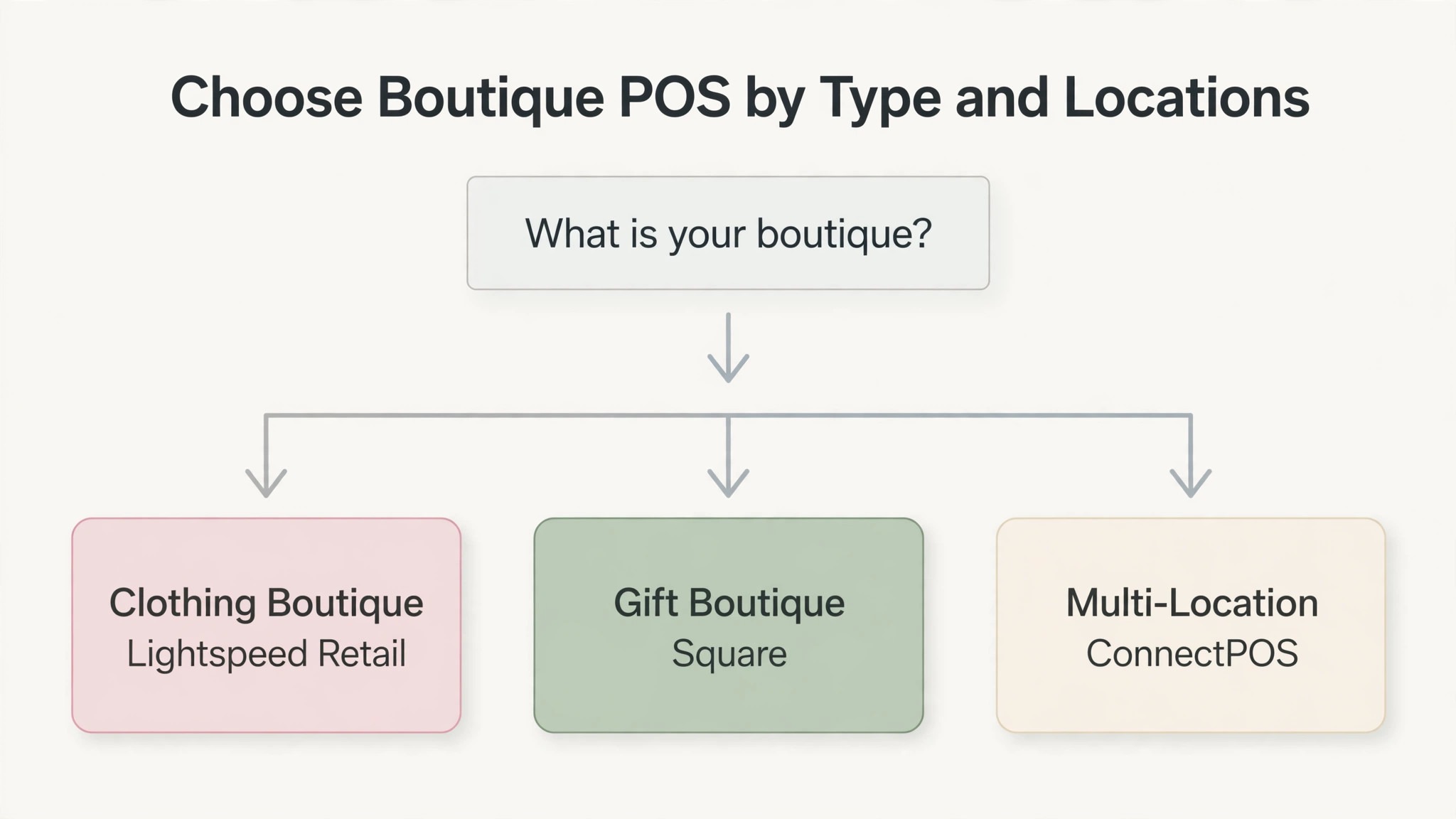
| Clothing boutiques | Lightspeed Retail | Shopify POS | Variant matrices suit sizes and colors |
| Gift boutiques | Square | Shopify POS | Low cost and fast selling suit small baskets |
| Multi-location boutiques | ConnectPOS | Lightspeed Retail | Real time sync suits several shops |
The 15 tools in detail
1. Shopify POS
Shopify POS is the obvious pick for any boutique that already sells on Shopify, because the online store and the till share one stock count, one customer record, and one order history. POS Lite is included with every Shopify plan, and POS Pro adds staff permissions, smart inventory management, omnichannel selling, and advanced reporting. A dress sold in the shop updates the website instantly, and an online order can be collected in store without a second system. That single stock count is the whole argument, and no other tool in this list matches it for a Shopify seller.
Pricing runs from POS Lite included free with a Shopify plan to POS Pro at 89 dollars a month per location, or 79 dollars a month per location on annual billing, with in person processing from 2.6 percent plus 10 cents on Basic. Hardware starts at 49 dollars for a card reader, with a terminal near 349 dollars. Shopify POS suits online first boutiques and any shop already on Shopify. A boutique that does not sell on Shopify gets little of this value and should test Square or Lightspeed first.

2. Square
Square is the lowest risk starting point for a new boutique, because the free plan costs nothing per month and there is no contract. It covers real time inventory, a built in online store, customer profiles, and sales reporting, with a first card reader free and a terminal near 299 dollars. A boutique can open with Square, learn what it actually needs from a till, and upgrade or switch later without breaking a contract. That freedom is worth real money for a shop that is still finding its feet.
Pricing starts at 0 dollars a month for the free plan, with Plus reported from 49 dollars a month per location in published comparisons and retail plans reported up to 89 dollars a month, so check the vendor pricing page for the current retail rate. In person processing runs 2.6 percent plus 15 cents on the free plan, dropping to 2.5 percent on Plus. Square suits new single location boutiques, gift shops, and pop ups that want to start with no software fee.
3. Lightspeed Retail
Lightspeed Retail is the pick for a boutique with deep inventory, because its variant handling goes further than any other tool in this list. It covers multi store management, variant matrices for sizes and colors, vendor catalogs, purchase orders, more than 40 reports, loyalty, and integrations with accounting and online selling.
Pricing runs from Basic at 89 dollars a month on annual billing, or 109 dollars month to month, through Core at 149 dollars a month and Plus at 289 dollars a month, with monthly rates reported higher. Card present processing is reported at 2.6 percent plus 10 cents, with some guides reporting a lower published Lightspeed Payments rate, so confirm the current rate on the vendor pricing page. Lightspeed suits clothing boutiques and multi location shops with complex stock. A small gift boutique with simple stock will pay for depth it never opens, and should test Square first.
4. Clover
Clover is the hardware first option, sold through resellers and banks with bundled hardware, software, and processing in one deal. It covers counter sales, inventory basics, customer profiles, loyalty, gift cards, and a large app marketplace that adds features a boutique needs later, from accounting to email marketing.
Pricing is quote based through resellers, with basic software reported from about 15 dollars a month and restaurant and retail plans reported far higher, so get a written quote before assuming any published range applies to you. Processing is set by the reseller, reported near 2.3 to 2.6 percent plus 10 cents. The key warning is lock in. Clover hardware is usually tied to the processor that sold it, which makes switching expensive later. Clover suits boutiques that want a bundled hardware deal and an app marketplace. A boutique that wants transparent pricing and an easy exit should test Square first.
5. ConnectPOS
ConnectPOS is a cloud platform for omnichannel and multi store retail, and its strength is real time sync across locations and sales channels. It covers multi location inventory, offline mode, order management, loyalty, gift cards, and integrations with Shopify, Magento, WooCommerce, and accounting tools, with stock that updates the moment a sale happens anywhere.
Pricing runs from Standard at 49 dollars a month per register, or 39 dollars on annual billing, through Advanced at 79 dollars a month and Premium at 99 dollars a month, with enterprise deployments quoted. The per register model matters, since a shop with three registers pays three times the headline rate, so model the price on your real register count. ConnectPOS suits growing multi store boutiques and omnichannel sellers that need real time sync. A single shop with simple stock should test Square or Shopify POS first.
6. Epos Now
Epos Now prices around a hardware bundle, which suits a boutique that wants a complete till in one purchase. It covers counter sales, inventory, customer profiles, staff scheduling, reporting, and third party integrations, with hardware, software, and card processing arriving together.
Pricing varies by region, so treat any single figure with care. United States listings report software only from 39 dollars a month, with a Complete System at 349 dollars upfront plus 79 dollars a month including hardware, and processing at 2.6 percent plus 10 cents. United Kingdom listings report different bundle figures, so check the vendor pricing page for your market. Epos Now suits small boutiques that want a bundled system and local support. A boutique comparing on software depth alone should test Lightspeed or Shopify POS first, since the Epos Now strength is the bundle, not the feature list.
7. KORONA POS
KORONA POS is a cloud system for inventory heavy retail, with strong stock control, reporting, and multi location tools at a moderate price. It covers variant inventory, purchase orders, stock transfers, customer profiles, loyalty, and franchise management, with an offline mode that keeps the till ringing when the internet drops. A boutique with deep stock and several suppliers benefits from purchase orders that track what was ordered, what arrived, and what is still missing, which is a job many simpler tills handle poorly.
Pricing is quote based, with no single published rate, so check the vendor pricing page and request a written quote for your register count and locations. Some published comparisons report entry prices near 49 dollars a month per register, but that figure is unverified, so treat it as a rumor and get a written number. KORONA POS suits inventory heavy boutiques and small chains that want strong stock tools without enterprise pricing. A single shop with simple stock should test Square first.
8. Rain POS
Rain POS is built for specialty retail, including gift shops, toy stores, and hobby shops, and that niche focus shows in its feature set. It covers point of sale, inventory with variants, purchase orders, customer profiles, loyalty, gift cards, and an integrated online store, with reporting designed around specialty categories rather than generic retail. A gift boutique that sells across many small categories benefits from a system that understands its product mix, rather than a generic till that treats every item the same.
Pricing is quote based, with no published rate, so check the vendor pricing page and request a written quote for your shop size and register count. Rain POS suits gift boutiques and specialty shops that want a system built for their category. A clothing boutique with deep size matrices should test Lightspeed first, since Rain POS is stronger on specialty breadth than on apparel depth.
9. NCR Counterpoint
NCR Counterpoint is an enterprise retail system for larger specialty retailers, with inventory and buying tools that go far beyond a counter till. It covers multi store inventory, purchasing and replenishment, customer profiles, loyalty, gift cards, and detailed reporting, with a long history in specialty retail.
Pricing is quote based and enterprise level, with implementation that can be a serious project rather than a quick start, so check the vendor page and request a written quote. NCR Counterpoint suits larger specialty chains with central buying and several locations. A single boutique or a two shop business will pay for enterprise depth it never opens, and should test Lightspeed or ConnectPOS first.
10. Heartland Retail
Heartland Retail, formerly known as Springboard Retail, is a cloud system for growing retail chains that need multi store inventory and buying tools. It covers point of sale, inventory with variants, purchase orders, stock transfers, customer profiles, loyalty, and head office reporting, with a focus on chains that are adding locations. A boutique opening its second and third shop needs central stock visibility, so a transfer from one shop to another updates both counts instantly, and Heartland Retail is built for exactly that job.
Pricing is quote based, with no published rate, so check the vendor pricing page and request a written quote for your location count. Heartland Retail suits growing boutique chains with several locations and central buying. A single shop should test Square or Shopify POS first, since Heartland Retail pricing and setup assume a multi store operation.
11. Hike
Hike is a cloud point of sale system for small multi store retailers, with a simple approach to inventory across outlets. It covers point of sale, inventory with variants, purchase orders, stock transfers, customer profiles, loyalty, and an integrated online store, with a clean interface that staff learn quickly. A boutique with two or three shops benefits from seeing stock across all outlets in one place, without the enterprise complexity of NCR Counterpoint.
Pricing is reported from about 99 dollars a month for a single outlet in published comparisons, with higher tiers for more outlets and features, so check the vendor pricing page for the current rate. Hike suits small multi store boutiques that want simple multi outlet inventory at a moderate price. A single shop with simple stock should test Square first, and a deep inventory clothing boutique should test Lightspeed first.
12. Erply
Erply is a cloud retail platform for chains that need central control, with head office tools for stock, pricing, and reporting across locations. It covers point of sale, central inventory, purchase orders, stock transfers, customer profiles, loyalty, and an integrated online store, with pricing and promotions managed centrally and pushed to every shop. A boutique chain that wants every location to sell at the same price, with the same promotions, benefits from that central control.
Pricing is quote based, with no single published rate, so check the vendor pricing page and request a written quote for your location count. Erply suits boutique chains that need central stock and pricing control across many shops. A single boutique should test Square or Shopify POS first, since Erply pricing and setup assume a chain operation.
13. Talech
Talech is a straightforward point of sale system for simple counter selling, with fast setup and basic inventory tools. It covers counter sales, inventory basics, customer profiles, reporting, and integrations with accounting and online selling, with a clean interface that suits a small team.
Pricing is quote based, with no published rate, so check the vendor pricing page and request a written quote. Talech suits small boutiques that want a simple till with fast setup and no complexity. A boutique with deep variants or several locations should test Lightspeed or ConnectPOS first, since Talech is stronger on simplicity than on depth.
14. PayPal Zettle
PayPal Zettle is the no monthly fee option, built for markets, pop ups, and small shops that sell in bursts rather than every day. It covers card payments, a simple point of sale app, inventory basics, sales reporting, and invoicing, with a card reader that pairs with a phone or tablet. A boutique that sells at weekend markets, seasonal fairs, or a pop up shop pays only when it sells, which is the right math for intermittent trading.
Pricing has no monthly fee, with processing at 2.29 percent plus 9 cents per transaction in published comparisons, and a card reader reported from about 29 dollars. There is no charge for months with no sales, which no subscription tool in this list can match. PayPal Zettle suits markets, pop ups, and very small boutiques with low volume. A full time shop with deep inventory should test Square or Lightspeed first, since Zettle inventory tools are basic.
15. Ascend
Ascend is a retail system built for specialty shops, including bike shops, outdoor stores, and other niche retailers, and it is now part of the Lightspeed family. It covers point of sale, inventory with serial numbers and variants, service and repair tracking, customer profiles, loyalty, and supplier integrations, with workflows designed around specialty products rather than generic retail.
Pricing is quote based, with no published rate, so check the vendor pricing page and request a written quote. Ascend suits specialty boutiques with service, repair, or rental work alongside retail sales. A standard clothing or gift boutique should test Lightspeed Retail or Square first, since Ascend is stronger on specialty workflows than on general boutique selling.
Inventory sizes, variants, and matrices
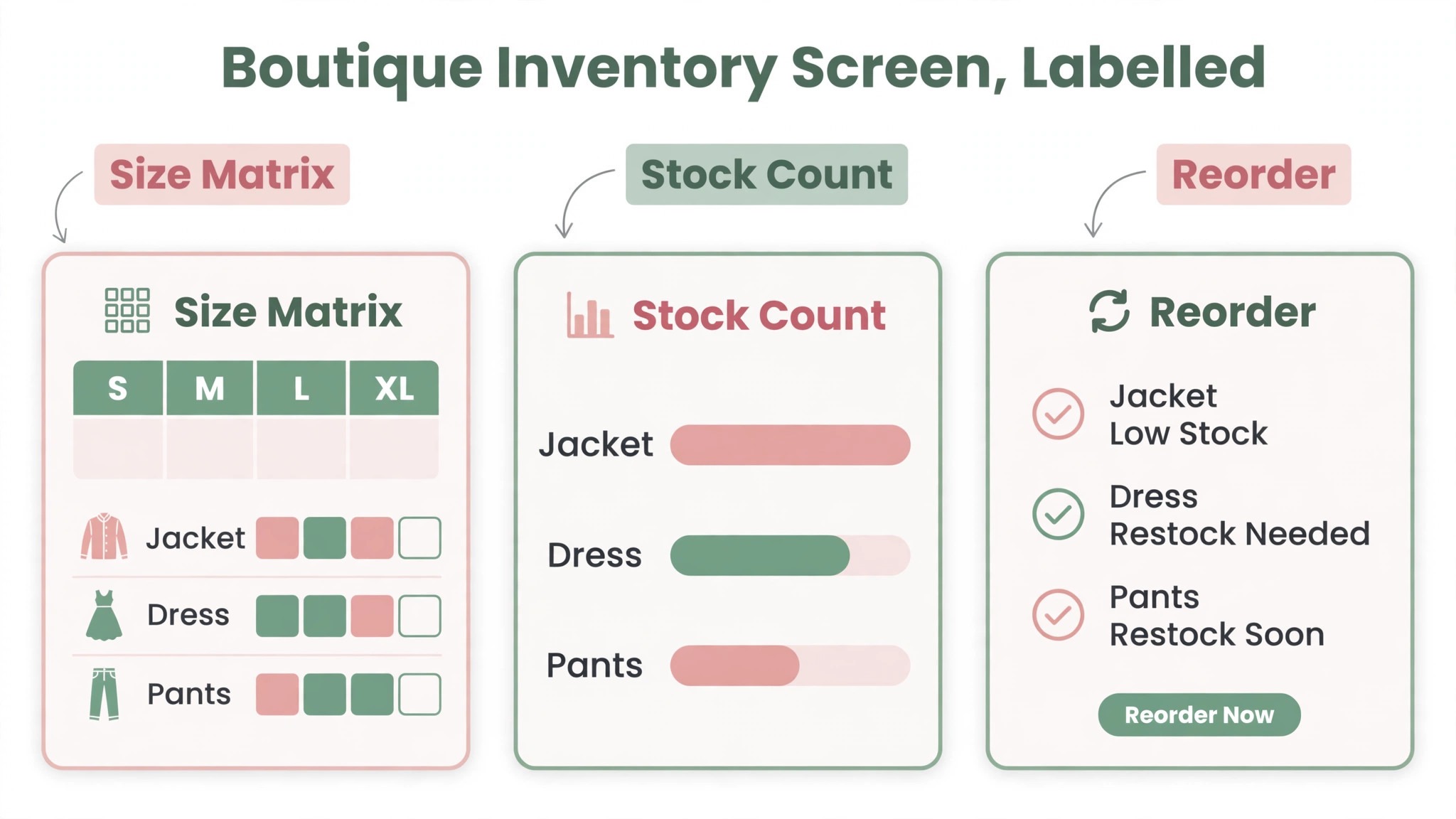
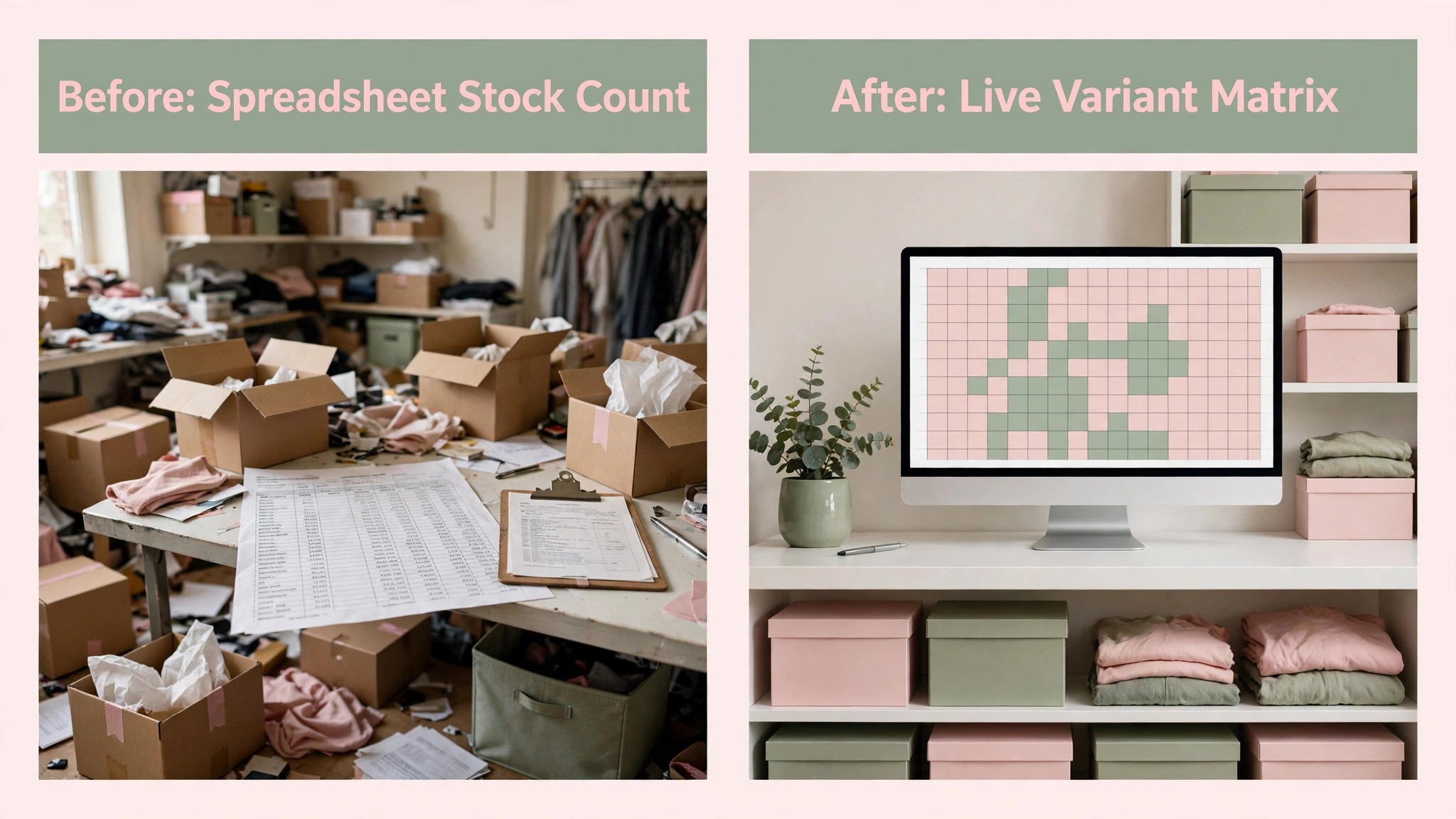
Variants are where a boutique till earns its keep or fails quietly. A clothing boutique sells one dress in five sizes and four colors, which is twenty stock lines for one product, and the till must track each line separately. A matrix view shows the whole grid at a glance, so staff can see which sizes are missing and which colors sit. Lightspeed Retail leads here for the best pos system for boutiques, with Shopify POS and ConnectPOS close behind, while Square and Zettle cover variants at a basic level that suits a gift shop better than a clothing boutique.
Purchase orders matter for the same reason. A good system tracks what was ordered, what arrived, and what is still missing, so a late delivery is visible before the shelf empties.
Online and in store, one stock count
One stock count is the single most valuable feature a boutique system can offer. A dress sold in the shop must leave the website instantly, or the boutique will sell the same dress twice and disappoint an online customer. Shopify POS does this natively for Shopify sellers, ConnectPOS does it across several platforms, and Lightspeed Retail does it through integrations. A till that syncs nightly instead of instantly will oversell on a busy weekend, and the cost of those failed orders is larger than any monthly saving.
Click and collect is the second half of the same job. An online order collected in store should appear on the till, ready to hand over, with the payment already recorded.
How to choose without overspending
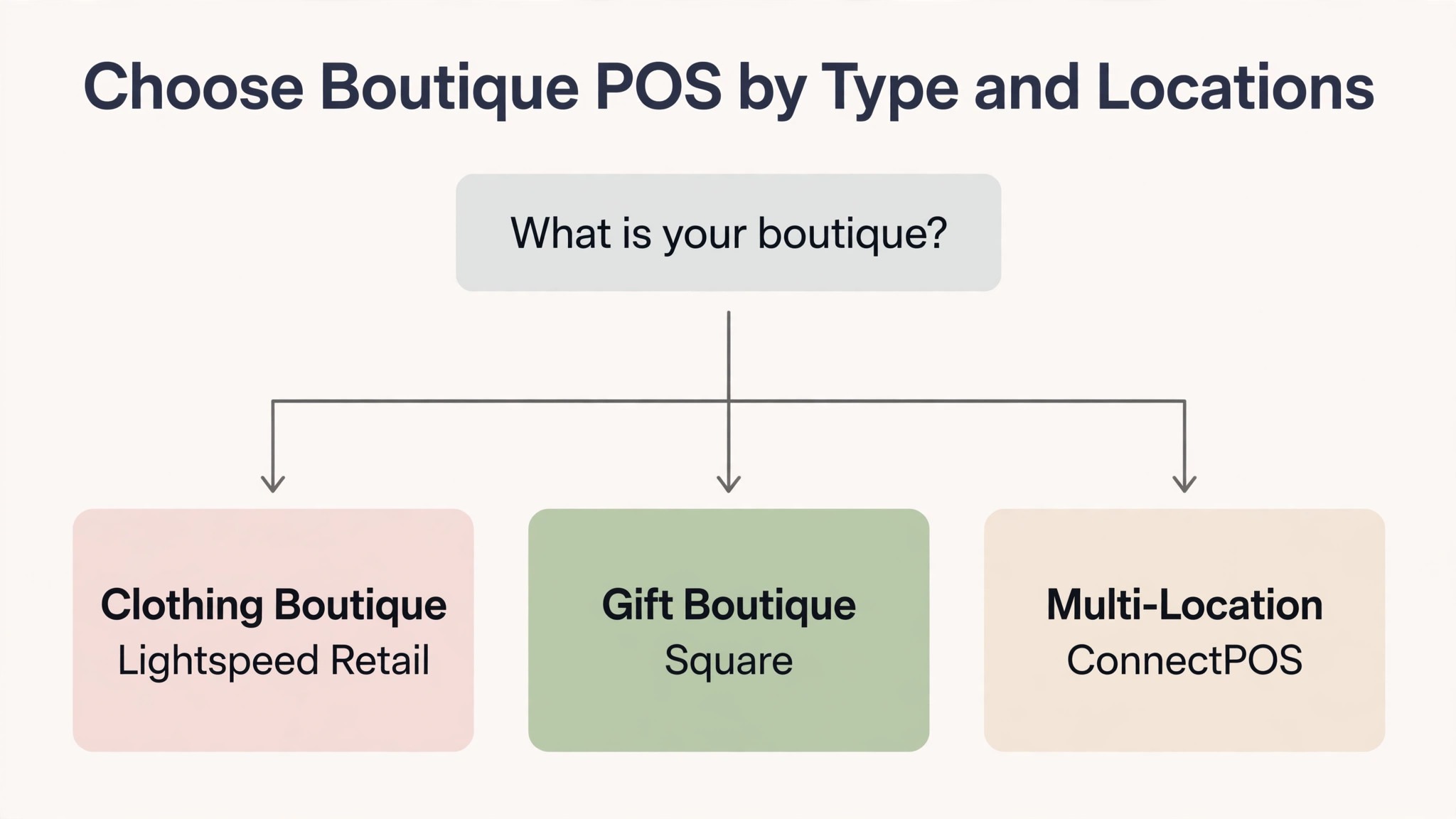
Start from your selling model, because that choice filters the best pos system for boutiques faster than any feature table. An online first boutique needs Shopify POS or ConnectPOS. A clothing boutique with deep variants needs Lightspeed Retail. A gift boutique with simple stock needs Square. A multi location boutique needs ConnectPOS or Lightspeed Retail. Write that model down before any demo, and score each tool against it.
Next, run a realistic trial week. Sell a dress in three sizes, exchange one for a different size, return one without a receipt, transfer stock between two locations, and sell the same item online. Then check that the stock count, the sales, and the website all agree. A tool that passes that week will handle most real weeks.
Finally, price the second year, not the first month. Add software, processing at your real volume, hardware, and any add ons for loyalty or accounting, and model the price at your expected sales. Ask about contract length and data export, because switching tills later means rebuilding your product catalog. A short contract with clean export is worth more than a small first month discount.
Rollout checklist for a live boutique
When you switch till systems, remember that a boutique cannot close for a software switch, so the rollout must run alongside live sales and live stock. Clean the data first, test exchanges and transfers on real products, and keep the old till visible until the new one proves itself. The steps below give a safe sequence.
- Export your product list, variants, prices, and stock counts, then check a sample by hand for duplicate products and incorrect counts.
- Build your catalog first, including variants, sizes, colors, and barcodes, before importing any stock data.
- Set tax, discount, and exchange rules next, including who can approve a return without a receipt.
- Connect payments and run a test sale with a real card, then refund it, to confirm the full payment flow.
- Run one quiet day on the new till with the old till still visible, so staff can compare totals and catch errors.
- Train the whole team on exchanges, transfers, and stock counts, because those three jobs cause most support questions.
Mistakes that cost boutiques margin
The first mistake is buying depth the boutique never opens. An enterprise system looks impressive in a demo, then the monthly bill arrives and the variant matrix sits unused. Buy the system that matches the stock you actually carry, and upgrade only when the stock forces it.
The second mistake is ignoring the exit terms. Hardware tied to one processor, a long contract, and a painful product export can trap a boutique in a system it has outgrown. Read the contract before signing, confirm the notice period, and test data export during the trial.
The third mistake is skipping the stock count. A boutique that never counts stock against sales cannot tell whether a missing dress is theft, a data error, or a website oversell. Run a full stock count before launch and a cycle count every month after it.
What boutique POS really costs
Boutique till pricing looks simple in a listing and becomes complex in a quote, because the total includes more than the monthly subscription. Software, processing, hardware, and add ons for loyalty or accounting can each add a meaningful amount. A platform that looks cheap on software alone may cost more in total than a platform with a higher subscription and free hardware.
Free and low fee plans, used by Square, Shopify POS Lite, and Zettle, keep the monthly cost near zero, which suits a new boutique with low volume. Tiered plans, used by Lightspeed Retail and ConnectPOS, add depth as the price rises, which suits a boutique that will actually use variant matrices and multi store sync. Quote based pricing, used by Clover, NCR Counterpoint, Heartland Retail, and several others, requires a sales conversation but can reflect location count more accurately. Compare all three models on your actual sales volume, not on a headline rate. The best pos system for boutiques is the one whose total cost stays defensible as sales grow, not the one with the lowest headline subscription.
Before signing, ask for a written total that covers the software, processing at your real volume, hardware, and any add ons. Ask how the price changes when sales grow by half or when you add a second location.

Related Guides
Keep exploring with these guides on Stratilyze:
- Best POS System for Pet Stores (14 Tools)
- Best POS System for Bars and Pubs (5 Tools)
- Best POS System for Farmers Market Vendors (8 Tools)
Frequently Asked Questions
How much should a small boutique pay for a POS system?
Most small boutiques pay between 0 dollars and 90 dollars a month for software at entry level, with processing adding more once volume grows. A boutique doing 20,000 dollars a month in card sales pays roughly 500 dollars a month in processing at typical rates, so compare the full year cost, not the monthly software fee.
Does boutique POS handle sizes and colors?
Yes, when variant inventory is turned on and built with your real catalog. The best pos system for boutiques should track each size and color as a separate stock line, show a matrix view, and sync every line with the website. Test one product with five sizes and four colors during a trial, because a till that struggles with variants will miscount stock every week.
Can a boutique sell online and in store from one stock count?
Yes, when the till and the website share one inventory record. Shopify POS does this natively for Shopify sellers, and ConnectPOS and Lightspeed Retail do it through sync and integrations. Test a sale in store and an order online for the same item during a trial, since a nightly sync will oversell on a busy weekend.
How long does it take to switch boutique POS?
Most small boutiques can switch in one to two weeks, including catalog setup, payment testing, and staff training. A boutique with a large catalog, deep variants, or several locations should allow two to four weeks. Avoid switching just before a holiday season, because a stock error then affects every sale.
Should a boutique on Shopify use Shopify POS?
Yes, in most cases. The shared stock count, customer record, and order history are worth more than any feature advantage a rival till offers, and POS Pro at 89 dollars a month per location is competitive once the sync value is counted. A boutique that does not sell on Shopify should test Square or Lightspeed first.
What should I check about exchanges before signing?
Check whether exchanges keep the original sale history, whether a return without a receipt is possible, and how an online return in store is handled. Confirm that exchange stock returns to the right variant line, and test a size exchange with a real product during the trial. An exchange flow that loses the sale history will corrupt your reports within a month.
What boutiques should buy first
Clothing boutiques should test Lightspeed Retail first, with Shopify POS as the online first alternative. Gift boutiques should test Square first, with Shopify POS as the online selling alternative. Multi-location boutiques should test ConnectPOS first, with Lightspeed Retail as the deep inventory alternative. In every case, the deciding test is a real week of sales, exchanges, and transfers, plus one full stock count. The best pos system for boutiques is the platform that handles that week cleanly, at a written total cost you can defend.