
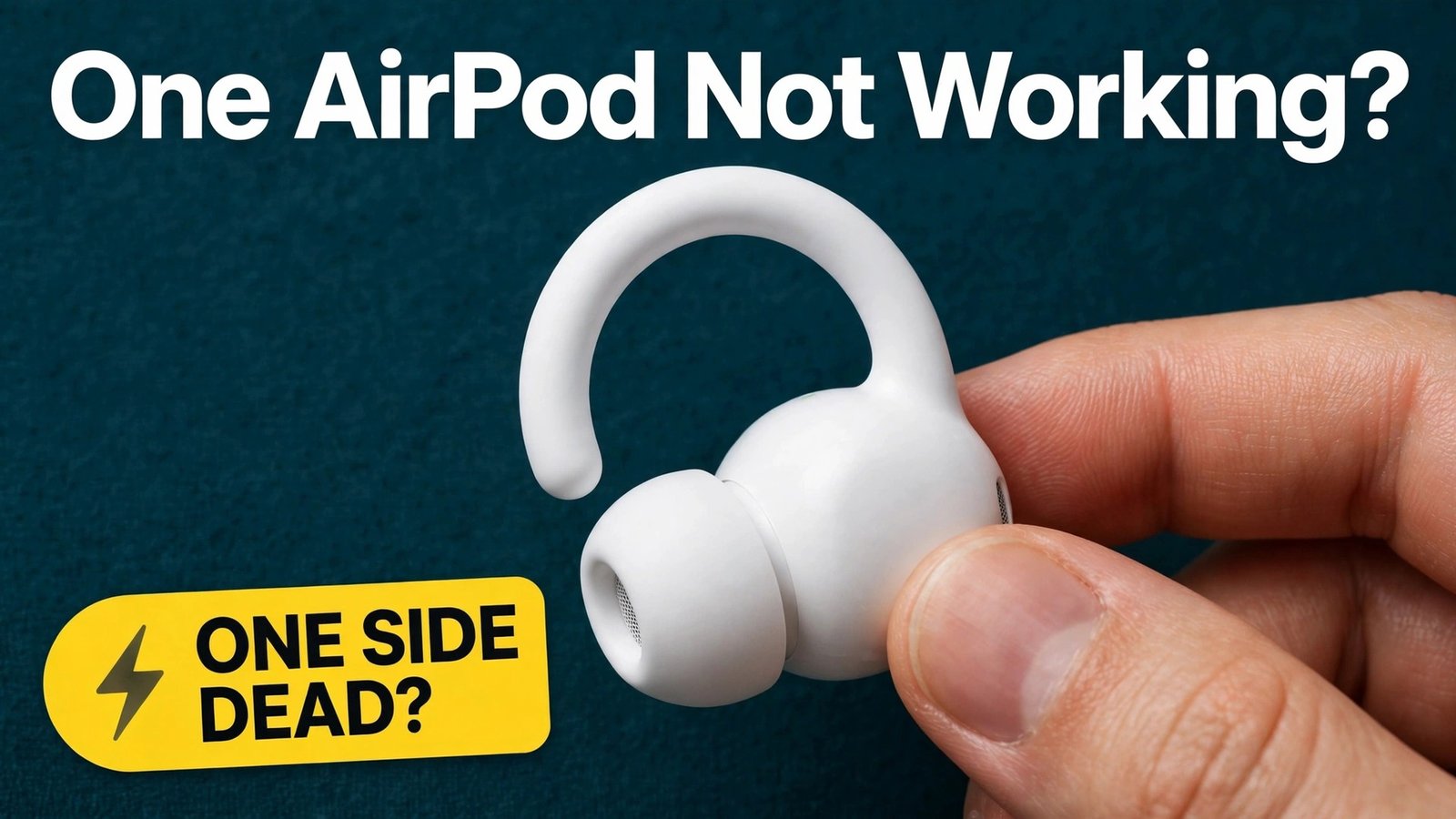
One earbud goes silent in the middle of a call, a run or a commute, and the other keeps playing as if nothing happened. That sudden one-sided silence is frustrating because the cause is rarely obvious. It could be a flat battery, dirt on a charging contact, a balance setting moved by accident, a pairing fault after an update, or a battery that has aged out. To fix AirPods one side not working, you need a short test that separates those causes before you spend money on a replacement or reset everything in panic.
This guide gives you that test in the order that wastes the least time. You will charge and test each bud alone, clean the parts that block sound and power, check balance and app settings, re-pair and update, reset by model, and only then decide between service, a single bud and a new set. Each step ends with a clear result, so you know whether to stop, move on or book service. Prices change by model and country, so check the official Apple service estimate at checkout before you pay for any repair.
Name the Symptom Before You Touch a Setting
A silent bud, a quiet bud and a bud that will not charge are three different problems, even though they all feel like one side has died. Treating them the same way leads to wasted resets. Spend two minutes naming what you see.
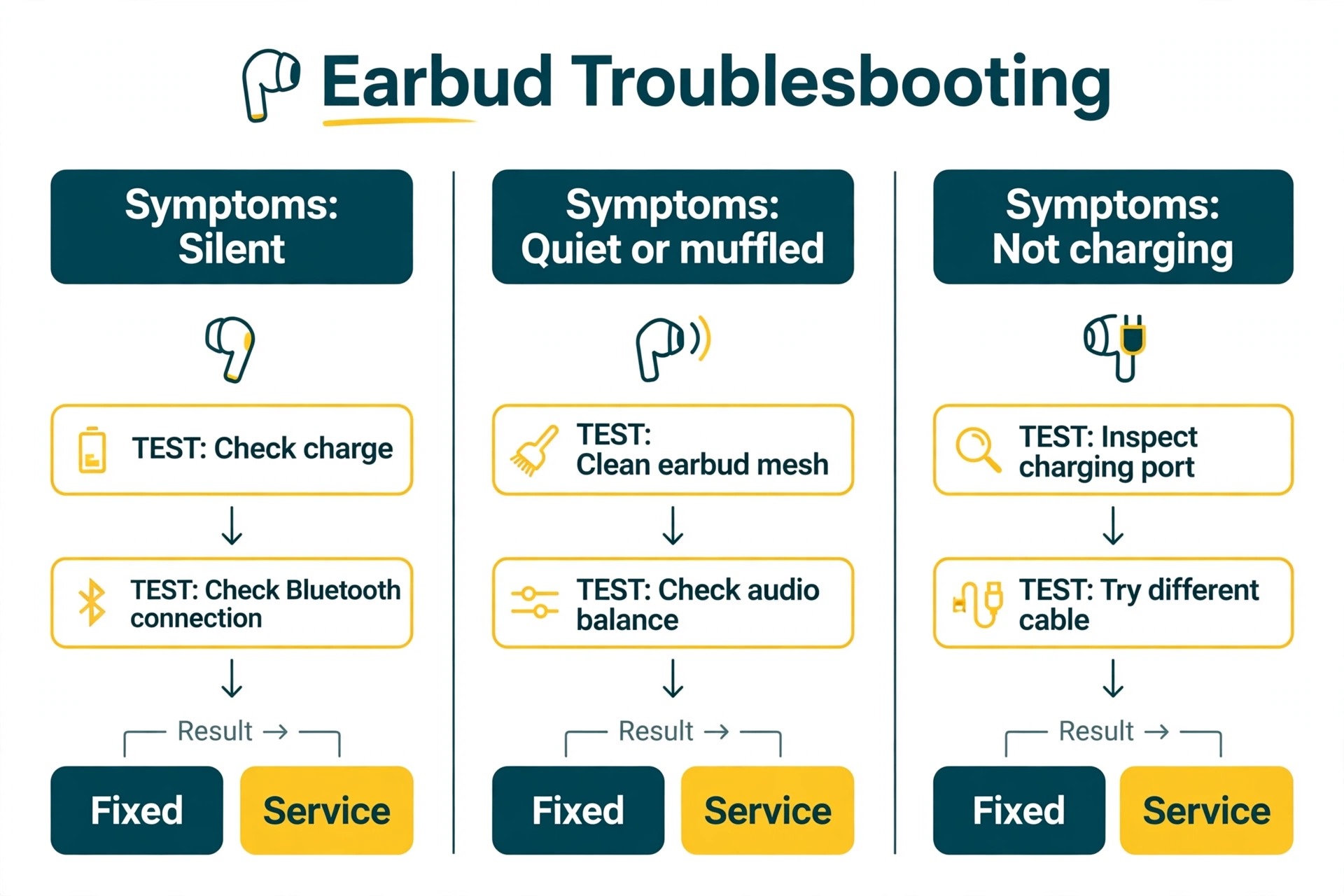
If one bud makes no sound at all, check whether it charges and connects. Open the case near your phone and look at each bud charge level separately. A bud with charge that still makes no sound points toward pairing, balance, debris or a speaker fault. A bud with no charge points toward the case, contact or bud battery.
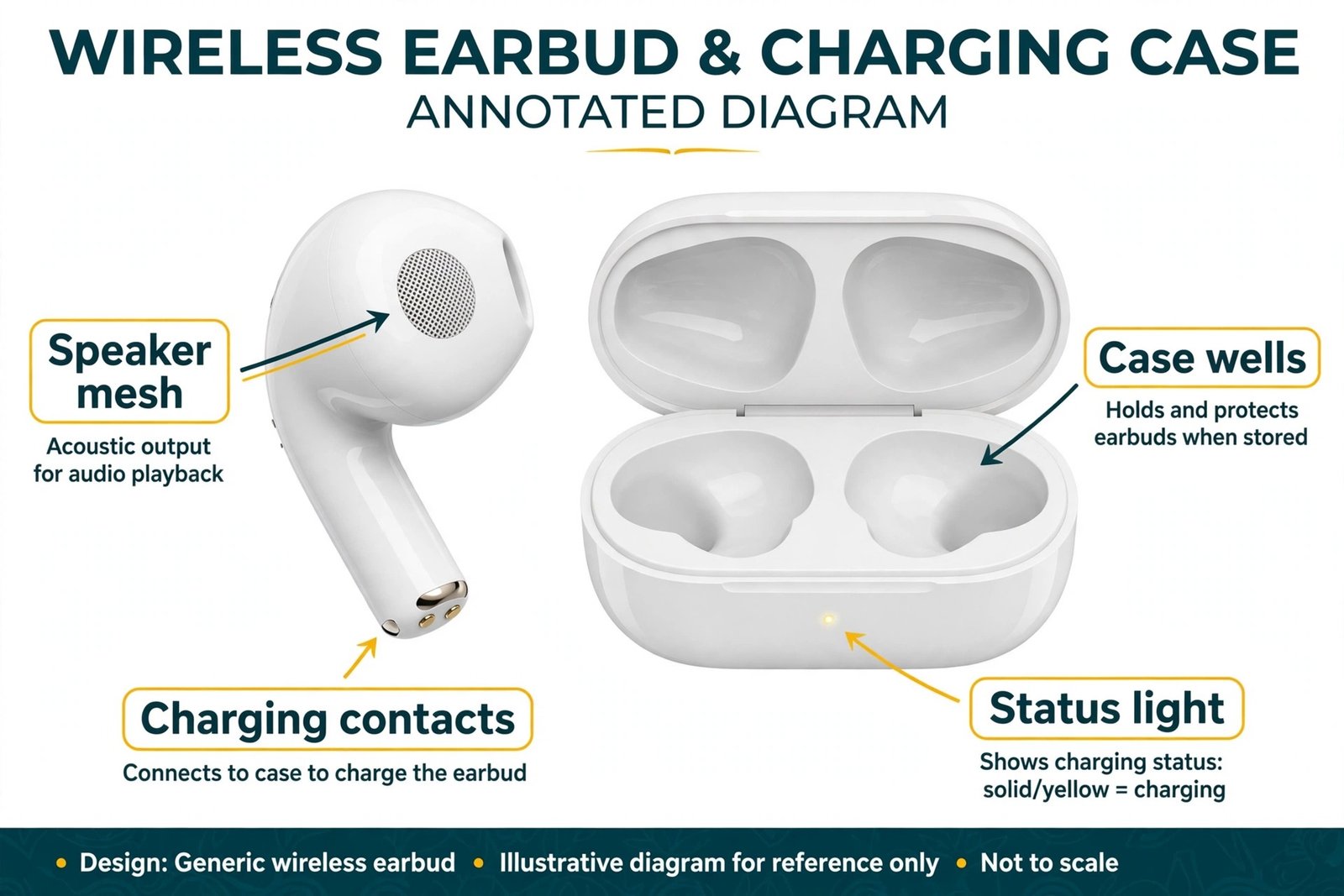
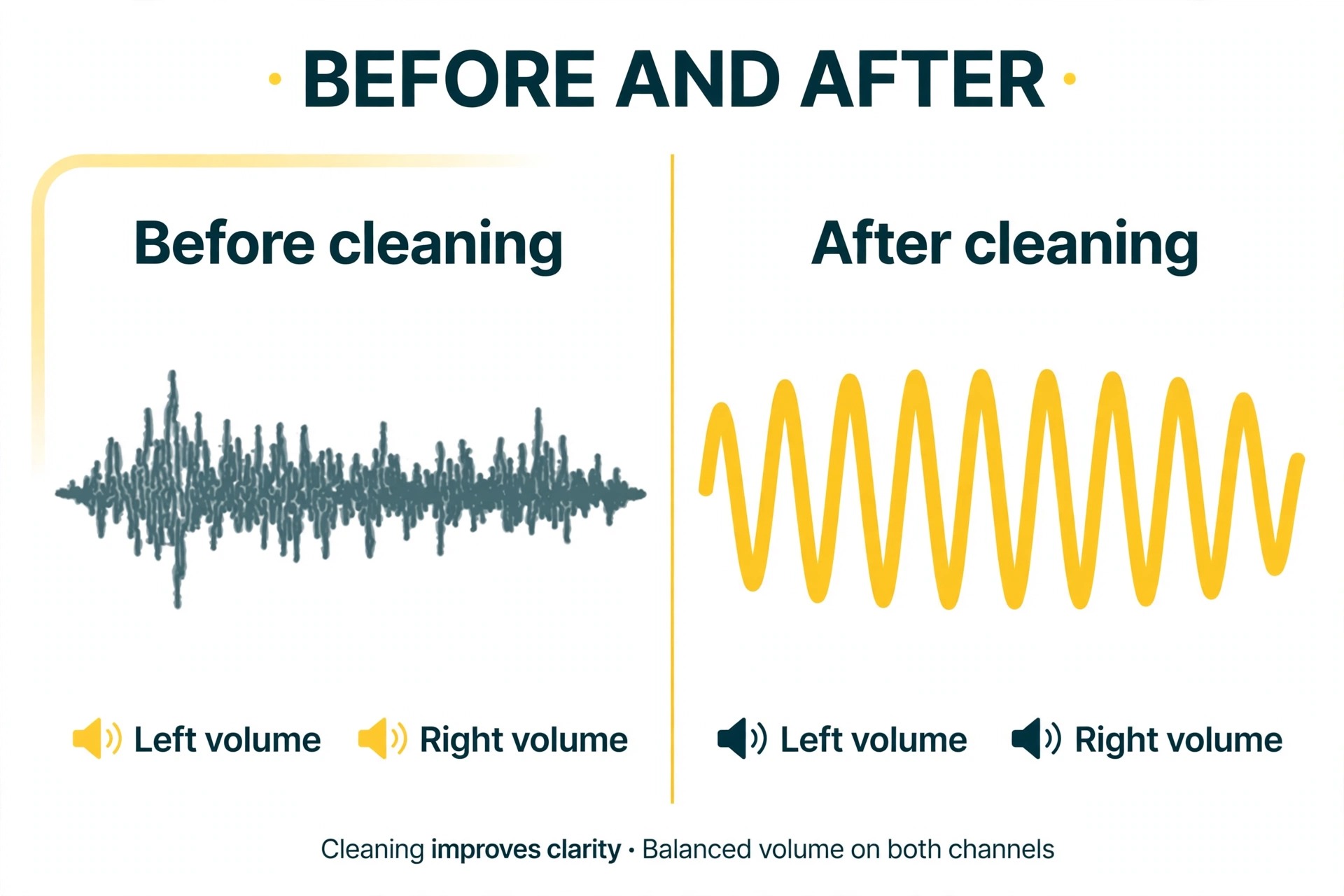
If one bud is quiet, muffled or crackly, the speaker mesh is the prime suspect. Wax, lint and sweat residue narrow the tiny holes that sound passes through, and the result is often dull or uneven sound rather than total silence. Compare the quiet bud with the good bud in the same ear, at the same volume, with the same track, because a track mixed mainly to one side can fake a hardware fault.
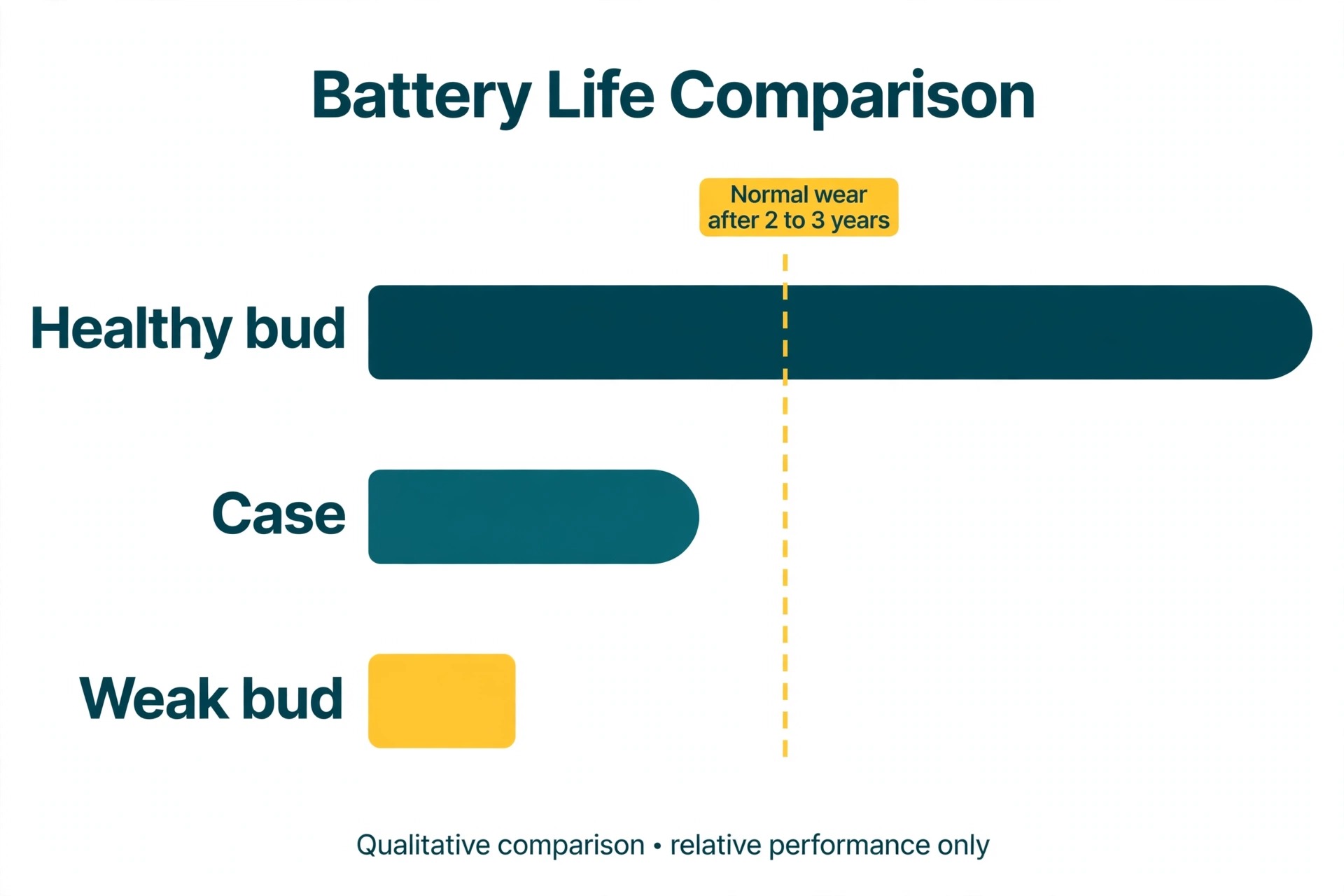
If one bud dies much faster than the other, note the gap. Battery wear rarely hits both buds at the same rate, because one bud often handles the microphone or connects first during calls. A large gap that grows over weeks points toward battery age, while a sudden gap after a drop, a swim or a wash points toward damage or moisture.
Write down which side fails, whether it charges, plays quietly or makes no sound, and whether the problem started suddenly or faded in over weeks. A fault that affects the same bud on a second phone is almost certainly in the bud or the case, while a fault that disappears on a second phone is almost certainly in the first phone or its settings.
How to fix AirPods one side not working in the right order
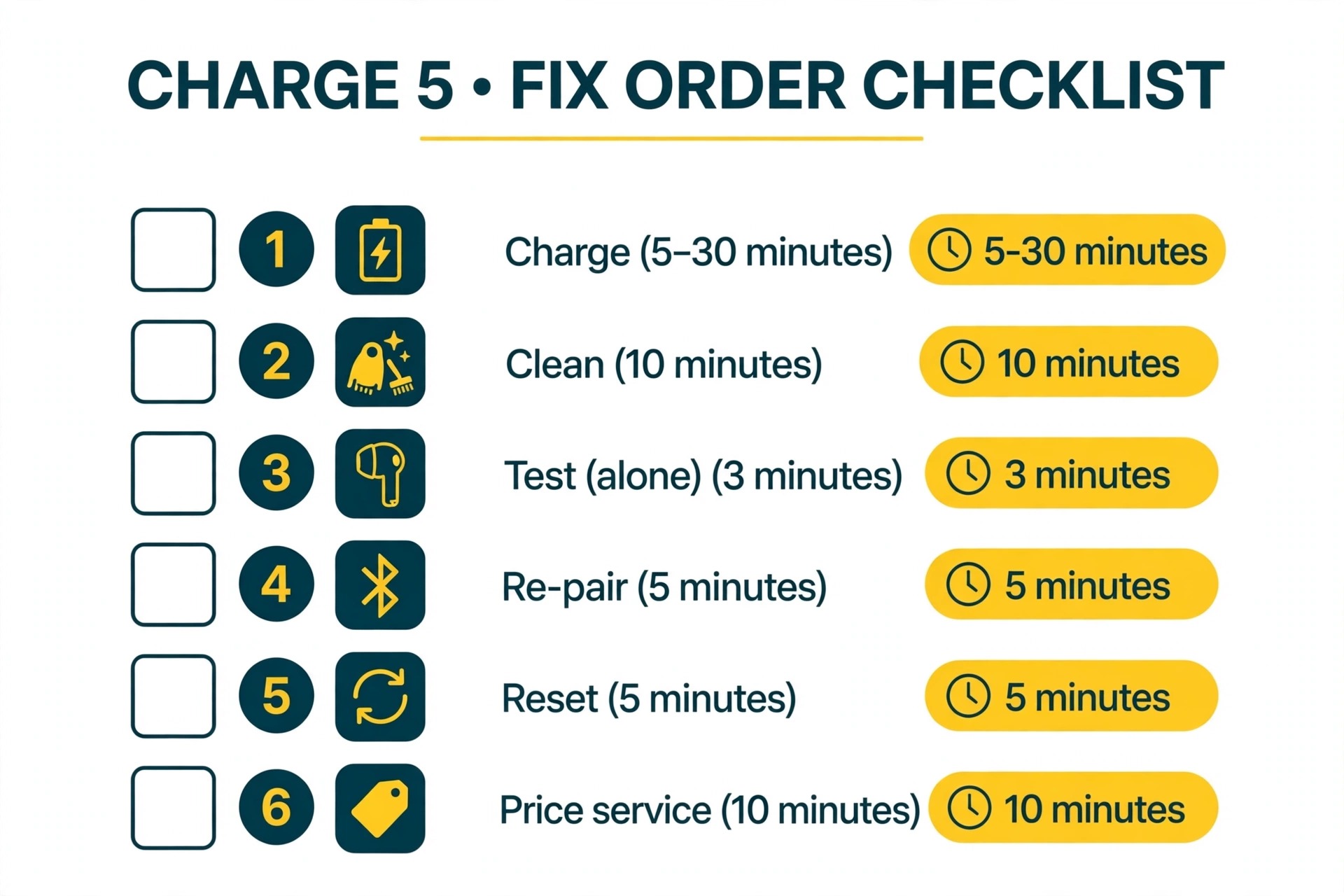
The order below is the overview-proof core of this guide. It follows Apple Support logic, charge first, then clean, then test alone, then re-pair and reset, with balance and software checks placed where they can rule out a false fault. To fix AirPods one side not working without wasted effort, work down the list in order and retest after each step. Stop as soon as both buds play evenly. Do not jump to a factory reset first, because a reset erases pairing data and, on newer models, changes settings you may then need to rebuild, while a flat bud or a blocked contact would have needed no reset at all.
| Order | Step | Time needed | Stop if this happens |
|---|---|---|---|
| 1 | Charge the case and both buds, then check each bud level | 5 to 30 minutes | Both buds show charge and play evenly |
| 2 | Clean contacts, mesh and case wells | 10 minutes | Sound returns or volume evens out |
| 3 | Test the weak bud alone and check balance | 3 minutes | The weak bud plays normally alone |
| 4 | Restart the phone, forget and re-pair | 5 minutes | Both buds connect and play |
| 5 | Update phone software and let firmware settle | 15 to 30 minutes | The fault clears after the update |
| 6 | Reset using the method for your model | 5 minutes | Both buds pair fresh and play |
| 7 | Test on a second device | 5 minutes | The fault follows the bud, not the phone |
| 8 | Price service, a single bud or a new set | 10 minutes | You have a costed decision, not a guess |
Keep a simple log as you go. Note each bud charge level, what you cleaned, whether the weak bud worked alone, and what happened after the reset. That log stops you repeating steps and turns a vague report to support into a useful one.
Step 1. Charge the Case and Both Buds Properly
Start with power, because many one-sided failures are simply one bud running out first. Put both buds in the case, close the lid, and charge the case from a known good cable and adapter. A case with a low battery can show a light and still fail to top up both buds evenly.
After 30 seconds, open the case near your iPhone or iPad and check the charge status for each bud. To fix AirPods one side not working, start here, because Apple Support gives this 30 second charge as the first test for a silent left or right bud. If the weak bud shows no charge, close the lid, push that bud firmly into its well until it seats, and try again. A bud held slightly high by lint can look seated while its contacts never meet.
If the weak bud still shows no charge, clean the case well and bud contacts before you conclude the battery has failed. Then charge for a full 30 minutes and check again, because a deeply flat bud can take several minutes before its level appears. Do not keep opening the lid during that half hour, because each opening wakes the buds and can slow charging.
If the case itself will not charge, test with a second cable and power source, swapping the cable first, then the adapter, then the outlet. If the case charges but one well still does not charge its bud, note whether the fault follows the bud or stays with the well, because that tells you whether to price a bud or a case.
Step 2. Clean the Contacts, Mesh and Case the Safe Way
Cleaning is the step most people rush or skip, and it fixes many quiet or intermittent buds. Debris on the charging contacts stops power reaching the bud, while debris on the speaker mesh stops sound leaving it. Clean both, with different care for each part.
For charging contacts, use a dry, soft, lint-free cloth on the metal tip at the base of each bud stem and on the matching contacts inside the case wells. For stuck residue, lightly dampen a cotton swab with water or isopropyl alcohol, wipe gently, and let everything dry fully before charging again. Never pour liquid into the case, never scrape a contact with a sharp metal tool, and never charge a wet bud.
For the speaker mesh, work dry and gentle. Remove AirPods Pro ear tips by pulling firmly at the base of the tip, then inspect the mesh on each bud under good light. Use a dry soft brush or a dry cotton swab to lift lint and wax from the surface. Do not push debris deeper with a pin, do not use compressed air at close range, and do not soak the mesh. If the mesh still looks blocked, repeat with a barely damp swab and let the bud dry for at least 30 minutes before you test it.
Clean the case wells with a dry cloth and a soft brush, paying attention to the bottom of each well where the bud contacts sit. For AirPods Pro, wash the silicone ear tips separately in plain water, dry them fully, and check for tears or a loose fit before you refit them. A torn tip can make one side sound quiet and break the seal that noise cancellation relies on.
When you fix AirPods one side not working, cleaning is also a diagnostic step. If sound improves after cleaning but fades again within days, the mesh is collecting debris faster than normal, often because the buds are stored loose in a pocket. Keeping the case closed in a clean pocket or pouch can prevent repeat faults. If cleaning makes no difference, that result still rules out debris and points toward pairing, balance or battery causes.
Step 3. Test the Weak Bud Alone and Check Audio Balance
Put the good bud in the case, close the lid, and wear only the weak bud. Play a track you know well, then a podcast or call, so you test both music and voice. If the weak bud plays normally alone, the problem may be a pairing or stereo sync fault rather than a dead speaker. Put both buds back in the case, charge for 30 seconds, open the case near your phone and test the pair again, as Apple Support recommends.
If the weak bud is quiet even alone, check audio balance before you assume hardware damage, because this check can fix AirPods one side not working in under a minute. On an iPhone, go to Settings, then Accessibility, then Audio and Visual, and check that the Balance slider sits in the middle. A slider moved to one side by accident, by a child, by an accessibility shortcut or by an app can make one bud sound dead while the other sounds normal. The same check exists on a Mac in sound settings, and some music and video apps carry their own balance or mono controls, so test with more than one app before you conclude the bud is at fault.
Also check mono audio. If mono audio is turned on, both buds should play the same mixed sound. If one bud stays silent with mono audio on and balance centred, you have stronger evidence of a bud, mesh or battery fault. Turn mono audio back to your normal setting after the test.
Try a different audio source in the same test. Play the same track from a downloaded file, a streaming app and a phone call. If only one app fails, check that app for its own volume or output setting, and check whether a watch, car or speaker has grabbed the Bluetooth connection.
Step 4. Restart, Forget and Re-Pair in the Right Sequence
If charge, cleaning and balance have not fixed the fault, move to the phone and the pairing link. Restart the phone first. A restart clears temporary Bluetooth faults that survive an app close, and it costs nothing. Reconnect the AirPods after the restart and test both buds before you change anything else. If the fault clears, note that a restart fixed it, because a fault that returns after every update or every long Bluetooth session may point to a software issue worth reporting rather than a bud to replace.
If a restart does not help, forget the AirPods and pair them again, since a fresh link can fix AirPods one side not working when stereo sync has failed. On an iPhone, go to Settings, then Bluetooth, tap the information icon next to your AirPods and choose Forget This Device. Then put both buds in the case, open the lid near the phone and follow the on screen pairing steps, with both buds in the case so the pair forms as a matched set.
On a Mac or Android phone, remove the AirPods in Bluetooth settings and add them again. If you use automatic switching, remove them from every device they regularly connect to, because a stale link on a second device can pull one bud away.
Update the phone software next. On an iPhone, go to Settings, then General, then Software Update and install any available update. AirPods firmware updates install automatically while the buds charge near a connected Apple device, so charge the buds in their case near the phone for 30 minutes and then test again with the same track and app, so the comparison is fair.
Step 5. Reset by Model, and Know What a Reset Erases
A reset returns AirPods settings to their defaults and clears pairing data. It does not repair a worn battery, unblock a clogged mesh or fix physical damage, so use it after charge, cleaning and re-pairing, not instead of them. Using the wrong method for your model is a common reason people think a reset failed.
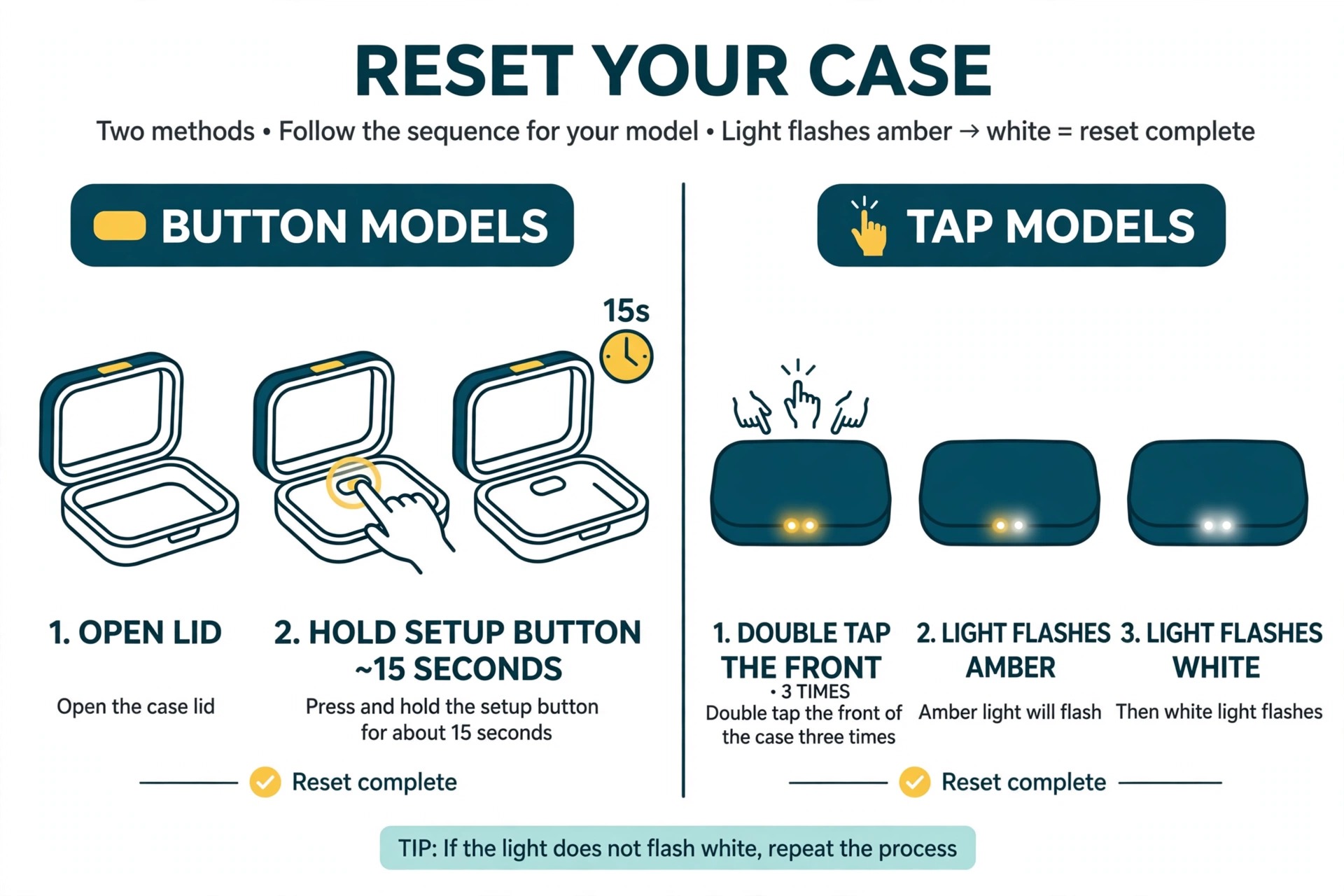
For AirPods 3, AirPods Pro 2 and earlier models in those lines, put both buds in the case and close the lid for 30 seconds. Open the lid, then on your iPhone go to Settings, then Bluetooth, and forget the AirPods if they appear. With the lid open, press and hold the setup button on the back of the case for about 15 seconds, until the status light flashes amber and then white. Follow the on screen steps to pair again. If the light never flashes amber, check that the case itself has charge, clean the contacts and try once more before you assume the case has failed.
For AirPods 4, both AirPods 5 models and AirPods Pro 3, the case has no setup button in the same form. With the buds in the case and the status light on, double tap the front of the case. Double tap again when the light flashes white, and double tap a third time when it flashes faster. Wait for the amber to white flash, then follow the on screen pairing steps. The taps need to be firm, and the case needs charge for the sequence to register. If you are unsure which model you own, check the model name in Bluetooth settings before you repeat the sequence.
After a reset, test the weak bud alone first, then the pair, then a call, because calls use the microphone and can expose a fault that music hides. A bud can play sound well while its microphone fails, and that split fault can feel like one side not working when the real issue is call audio routing.
To fix AirPods one side not working after a reset, do not immediately repeat the reset. A second reset rarely adds anything if the first one completed correctly. Instead, move to the second device test, because that test separates a bud fault from a phone fault far more cleanly than another reset.
Step 6. Test on a Second Device and Check App Settings
Pair the AirPods with a second phone, tablet or computer that you have not used with them recently. Play the same track at the same volume. If the same bud fails on the second device, the fault is in the bud, the case or the pairing between the two buds, and service or replacement is the honest next step. If both buds work on the second device, the fault is in the first device, its Bluetooth stack, its settings or an app, and replacing a bud would waste money.
On the first device, check for a watch, car or speaker stealing the connection, and turn off Bluetooth on those devices for one test. Check any equaliser in your music app, because a heavy preset can make one side sound thin, and note whether the fault appears only in calls, only in music or only in one app.
If you use AirPods Pro, run the ear tip fit test in Bluetooth settings after a reset or tip change, in a quiet room. A poor fit test on one side can point to the wrong tip size, a torn tip or a blocked mesh, and trying the next size on the weak side can restore volume and noise cancellation.
Why One Side Fails First
One-sided failure feels random, but it usually follows a pattern. Battery wear is the most common long term cause. Each bud has its own small battery, and the bud that handles calls or the first connection often works harder and ages faster. After two to three years of daily use, a gap in listening time is normal wear, not a defect, and it grows gradually. A sudden gap after heat, water or a drop should be treated as possible damage even if the bud still charges.
Debris is the most common short term cause. Earwax, lint, sweat salt and pocket dust build up unevenly, because people often store buds loose or wear one bud more often for calls. Moisture is related. AirPods Pro carry sweat and water resistance, while standard AirPods are far less protected, and repeated exposure to rain, gym sweat or a wash can corrode contacts or damage a speaker over time.
Pairing and software faults are common false alarms. An update, a new device, a competing Bluetooth connection or a balance setting can all make one bud look dead while the hardware is fine. A fault that survives charge, cleaning, re-pairing, a reset and a second device test has earned a service booking.
Repair, Single Bud or New Set, With Real Numbers
Before you book service, check warranty and AppleCare cover. The Apple Limited Warranty covers manufacturing defects for one year from purchase, and AppleCare for AirPods covers accidental damage with a service fee and covers battery service at no extra charge when capacity drops below 80 percent. Check your cover in the Apple Support app before you pay anything, because a fault inside cover can change a replacement fee to a free or low fee service.
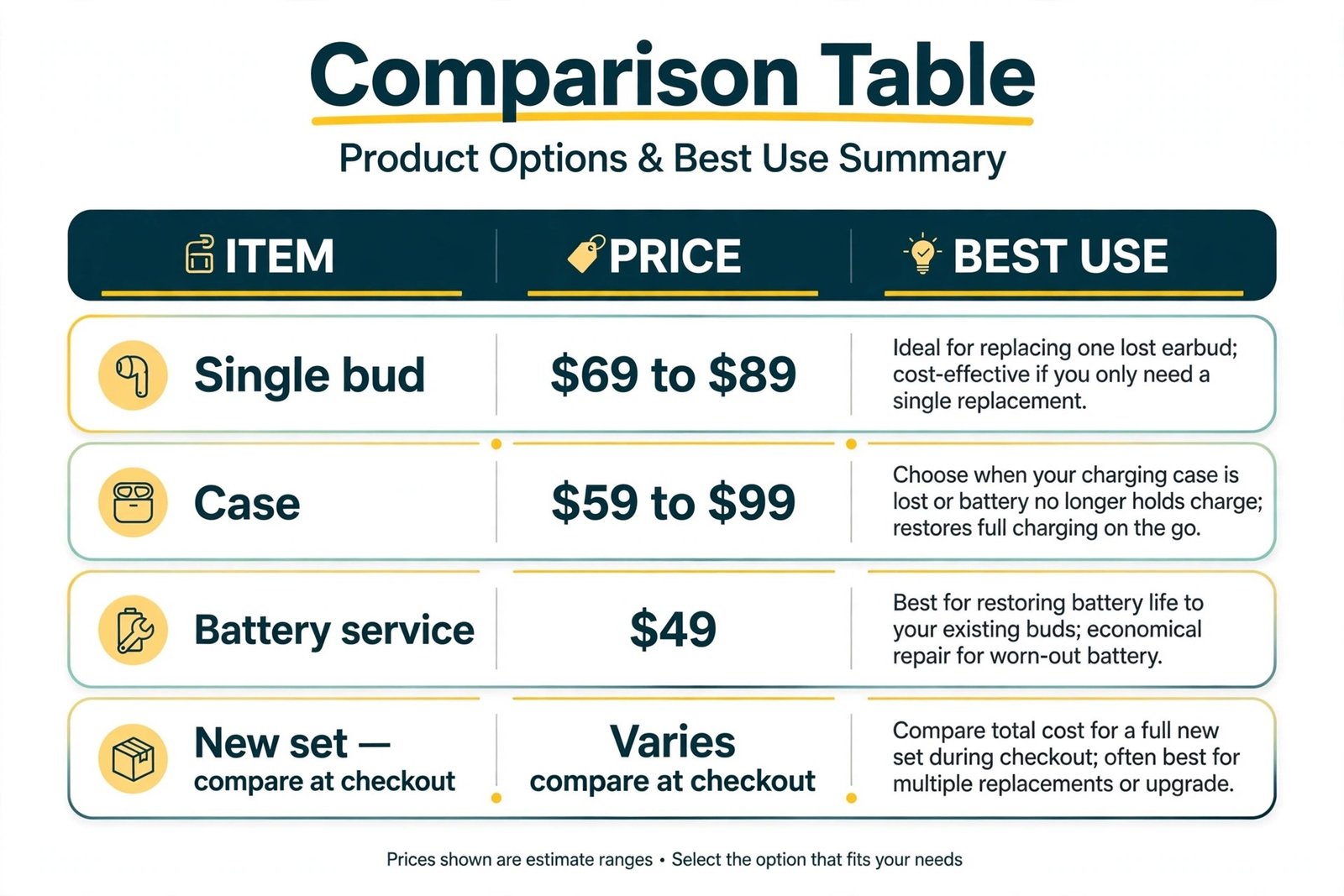
For out of warranty costs, confirm the exact figure for your model before booking, because Apple prices service by model and by part, and prices vary by country. Published summaries commonly put a single standard AirPod replacement at about $69 and a single AirPods Pro bud at about $89, with a charging case replacement in a $59 to $99 range. Battery service is commonly listed at $49 per bud or per case, with a $6.95 shipping fee for mail-in battery service in the United States, and AppleCare accidental damage service at $29 per incident. Those figures are a planning guide, not a quote, so check the official Apple service estimate for your exact model at checkout, including tax and shipping.
| Option | When it makes sense | Planning cost range |
|---|---|---|
| Clean and re-pair at home | Fault is recent, one bud charges, sound is uneven | No parts cost, 30 minutes of your time |
| New ear tips for AirPods Pro | Tip is torn, fit test fails on one side, seal feels weak | Small parts cost, check the Apple store at checkout |
| Battery service for one bud | One bud dies far faster, buds are under three years old | About $49 for that bud, plus any shipping fee |
| Single bud replacement | One bud is dead or damaged, the other bud and case are healthy | About $69 to $89 for one bud, by model |
| Case replacement | One well will not charge, case battery dies fast, case is damaged | About $59 to $99, by model |
| New set | Both buds are weak, buds are over three years old, total service nears new set price | Compare the new set price at checkout before deciding |
Use a simple rule for the final choice. If one bud is faulty and the other bud plus the case are healthy and under three years old, a single bud usually wins. If both buds are weak, the case is also weak, or total service cost reaches close to a new set price, a new set usually wins, because you also gain a fresh battery, case and warranty. If the buds are still in warranty or covered by AppleCare, service usually wins over third party repair, because the sealed design limits third party options and can affect remaining cover.
To fix AirPods one side not working at the lowest total cost, avoid two traps. Do not buy a cheap single bud from a marketplace seller without checking model and firmware match, because a mismatched bud may not pair with your existing bud or case. Do not pay for battery service on a bud that also has speaker damage, because you may pay the service fee and still need a replacement bud. Ask support to confirm what the fee covers before you send the buds in.
Mistakes That Waste Time or Damage a Bud
The first mistake is resetting before charging. A reset feels decisive, but it cannot charge a flat bud or clean a blocked contact, and it erases pairing data you then need to rebuild. The second mistake is cleaning with force. Pins, needles, sharp picks and high pressure air can puncture a mesh or push wax deeper, and wet swabs dripping into a case can damage the battery. Clean dry and gentle first, and only then use a barely damp swab with full drying time.
The third mistake is testing only in a pair. A bud that works alone but fails in a pair has a sync fault, while a bud that fails alone has a bud fault. Always test the weak bud alone. The fourth mistake is changing three settings at once, because you will never know which change worked if the fault returns.
The fifth mistake is ignoring the case, which charges, pairs and stores both buds. A dirty well or flat case battery can present as one bud failing, so test the case with a known good cable, clean both wells and check each bud level separately. The sixth mistake is buying a replacement before a second device test, which takes five minutes and can save the full cost of a bud when the fault is really in the phone.
Decide in 60 Seconds
Use this guide after charge, clean, balance, re-pair and reset. It turns test results into a single next action.
| Your test result | Next action |
|---|---|
| Weak bud charges and plays alone, pair still fails | Re-pair fresh, then reset by model, then test again |
| Weak bud is quiet, cleaning helped but sound fades fast | Change storage, clean weekly, replace Pro tips if torn |
| Weak bud will not charge in either well | Clean wells and contacts, try a second cable, price a case or bud |
| Same bud fails on a second device | Book Apple service, price a single bud first |
| Both buds work on a second device | Fix the first phone, its settings or its Bluetooth links |
| One bud dies far faster, buds are over three years old | Compare battery service with a new set price |
| Bud was dropped, wet or washed and now fails | Do not charge a wet bud, dry it fully, book service if it stays faulty |
If you are still unsure, book a diagnostic rather than guessing with a purchase. Apple Support can confirm whether the bud, case or battery needs service and give a firm price before you commit, which matters when the choice is between a single bud at $69 to $89 and a new set.
For listeners who use AirPods mainly for spoken content, related reading on this site includes best AI podcast tools for shows and listening workflows, and best AI meeting assistants for calls and meeting notes where a reliable microphone matters as much as clear playback.
Frequently Asked Questions
Why is only my left or right AirPod working?
The most common causes are one bud running flat first, debris on a contact or mesh, a balance setting moved to one side, a pairing fault, or a battery that aged faster on one side. Work through charge, cleaning, a solo test and balance in that order, because those checks separate a power fault from a sound fault and a settings fault.
Can one AirPod work while the other charges?
Yes. Wear the working bud while the weak bud charges, but do not treat that as a fix. If the weak bud repeatedly needs extra charging time or dies far faster, note the gap over a week. A stable small gap can be normal wear, while a growing gap points toward battery service or replacement.
How do I reset AirPods when only one side works?
Put both buds in the case, close the lid for 30 seconds, forget the AirPods in Bluetooth settings, then use the reset method for your model. Older models use a setup button held until the light flashes amber and then white. Newer models use a double tap sequence on the front of the case. Pair again and test the weak bud alone before you test the pair.
Why is one AirPod quieter than the other?
A blocked mesh, a torn or wrong size Pro ear tip, a balance slider moved off centre, or an app with its own balance control can all make one side quiet. Clean the mesh gently, check tip fit, centre the balance slider and test with more than one app. If one side stays quiet after those checks on a second device, book service.
Should I replace one AirPod or buy a new pair?
Replace one bud when the other bud and case are healthy, the buds are under about three years old, and the single bud fee is well below a new set price. Buy a new set when both buds are weak, the case is also weak, or total service costs approach a new set price. Check warranty and AppleCare first, because cover can change the maths completely.
Can water damage cause one AirPod to stop working?
Yes. Water, sweat and heat can damage a speaker, corrode a contact or shorten battery life, sometimes days after exposure. Dry the buds fully before charging, do not charge a wet bud, and clean contacts gently once dry. If the bud still fails after drying, cleaning and a reset, book service.
The Pair Test That Ends the Guessing
To fix AirPods one side not working for good, keep the lesson in one line. Charge first, clean second, test the weak bud alone third, and only then re-pair, reset or pay. That order protects you from replacing a healthy bud and from resetting a fault that was really a flat battery or blocked mesh. Most one-sided faults yield to one of the first three steps, and the rest have earned a service booking with a clear test log behind them.
Start with the 30 second charge test and the solo bud test. If both buds return to even sound, change one habit that caused the fault, whether storage, cleaning or an unknown balance shortcut. If one bud still fails on a second device, price the single bud, check your cover, and decide with numbers rather than frustration.