

Wix and Shopify both let you sell online, but they were built for different jobs, and that difference shows up the moment a store starts to grow. Wix is a general website builder with a store added on top, so it is fast to start and easy to shape by hand. Shopify is a commerce platform first, so its checkout, inventory, discount engine, app market and reporting are built around selling at volume. When you switch Wix to Shopify store operations, you are not just changing a template.
You are moving your catalogue, your customers, your order history and your search rankings onto a system with different rules, and the move only pays off if each of those pieces lands intact.
This guide works through the move in the order that protects revenue. It starts with the decision and the real costs, then maps every product and order field, then covers the redirect work that protects rankings, and ends with a launch plan you can run in about four weeks. Prices quoted here reflect US listings checked in October 2026, and you should check checkout before you pay, because both vendors change prices and promotions often.
Wix or Shopify for a Store That Has Outgrown Its First Platform
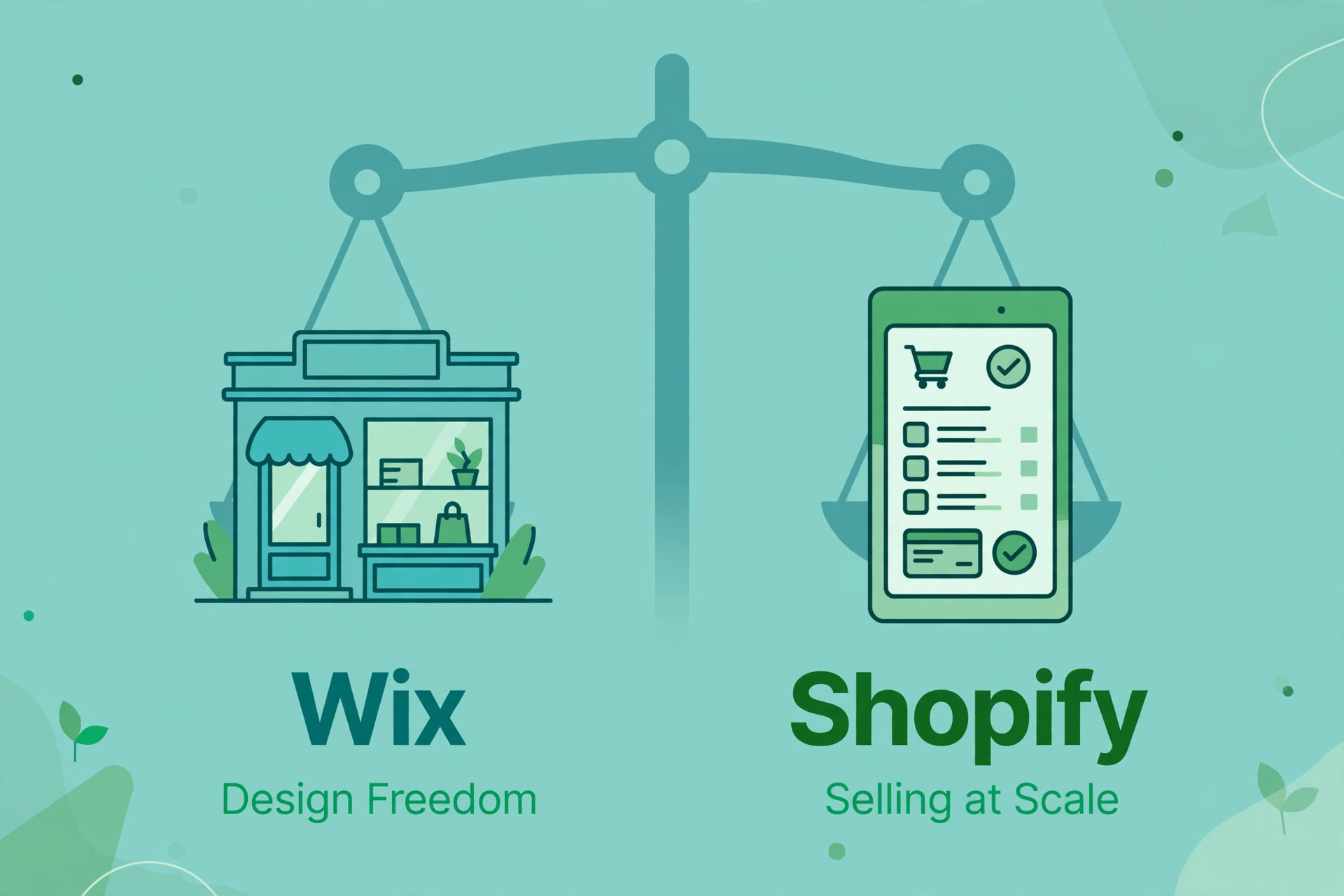
The honest comparison starts with what each platform does well. Wix wins on design freedom for a small site. You can drag almost anything anywhere, publish a brochure site and a small store from one account, and keep the monthly bill low while order volume is modest. Shopify wins on commerce depth. Its checkout is tested at very large scale, its app market is far deeper for selling tasks like subscriptions, bundles and wholesale, and its inventory and order tools are built for a team rather than a single owner.
| Question to ask | Wix fits better when | Shopify fits better when |
|---|---|---|
| How many products and variants do you carry | Under about 100 products with simple options | Hundreds of products, or variants with size, colour and material |
| Who runs the store day to day | One owner doing everything | A small team with set roles |
| What matters most at checkout | A simple card checkout | Discounts, bundles, subscriptions and multi-channel selling |
Do not move because a rival store looks better on Shopify. Move because a specific job, such as managing 400 variants or running a subscription offer, is painful on Wix today. Write that job down before you start. It becomes the test for the new store later, and it stops the project drifting into a redesign that never launches.
What Actually Moves, What Gets Rebuilt, and What Gets Left Behind
A migration has three buckets, and confusing them is how stores lose data. The first bucket moves with an export or an app. Products, product images, prices, inventory counts, customer names and email addresses, and order records can all move, though orders need a paid app in most cases. The second bucket gets rebuilt by hand. Your theme, your page layouts, your navigation, your blog posts and your custom Wix features do not transfer, because Wix has no full site export and Shopify uses a different theme system. The third bucket gets left behind on purpose.
Old test products, duplicate listings, dead discount codes, retired categories and years of completed orders that nobody opens can stay in Wix as an archive instead of cluttering the new store.
Customer passwords never move. This is a security rule on both platforms, not a bug in your chosen tool, so every customer will need to set a new password or use a password reset link on the new store. Plan the email for that moment early, because a surprise login failure on launch day reads to a customer like a broken store. Product reviews also do not export from Wix, so reviews must be rebuilt through a Shopify review app, either by re-inviting past buyers or by importing review text you already hold with the buyer’s permission.
| Wix item | What happens in the move | Action before import |
|---|---|---|
| Products and variants | Moves by CSV export or migration app | Clean titles, SKUs and duplicate variants first |
| Product images | Moves with the product export in most methods | Replace low resolution images now, not after launch |
| Prices and inventory | Moves, with location prices defaulting to the highest price in the free app | Check every price against your live Wix store after import |
| Customers | Moves by CSV export or migration app | Remove test accounts and duplicate contacts |
| Customer passwords | Does not move | Prepare a password reset email for launch week |
| Order history | Moves only with a paid migration app, or stays in Wix as archive | Decide which years of orders you actually need in Shopify |
| Collections and categories | Moves with a paid app, or is rebuilt by hand | Map each Wix category to a Shopify collection first |
| Blog posts and pages | Moves by manual copy | Copy text, headings and links, then rebuild layouts in Shopify |
| Reviews | Does not export from Wix | Rebuild with a review app and past buyer invitations |
Adding Up the True Price of Switching
The subscription comparison is the smallest part of the bill, but it still surprises people, because the two vendors price different things. On Wix, the plans that can sell online start with Core at $29 per month on annual billing, with basic ecommerce, and Business at $36 to $39 per month on annual billing in US listings checked in October 2026, with standard ecommerce. The range for Business reflects listings that disagree, so check the price Wix shows for your region before you budget. Business Elite sits at $159 per month on annual billing for high volume stores.
Wix Payments card processing in the US is commonly listed at 2.9 percent plus 30 cents per online card transaction, on top of the plan price.
On Shopify, the monthly billed prices are consistent across October 2026 listings. Basic costs $39 per month, Grow costs $105 per month, and Advanced costs $399 per month, with Plus starting from $2,300 per month on a longer term. Annual billing lowers the first three plans, with Basic at $29 per month in every listing checked, while Grow and Advanced annual figures vary between listings after a mid October change, so treat annual Grow and Advanced prices as approximate until checkout confirms them. With Shopify Payments, online card rates run 2.9 percent plus 30 cents on Basic, 2.7 percent plus 30 cents on Grow, and 2.5 percent plus 30 cents on Advanced.
If you use a third party payment provider instead, Shopify adds a further fee of 2 percent on Basic, 1 percent on Grow and 0.6 percent on Advanced, on top of what that provider charges. When you switch Wix to Shopify store billing, that third party fee is the line most owners miss, because it applies even when the headline plan price looks close to the old Wix bill.
| Cost item | Typical figure | What to check at checkout |
|---|---|---|
| Shopify Basic, monthly billing | $39 per month | Annual billing drops this to $29 per month in listings checked |
| Shopify Grow, monthly billing | $105 per month | Annual billing figure varies between October listings |
| Shopify Advanced, monthly billing | $399 per month | Annual billing figure varies between October listings |
| Shopify card rate on Basic | 2.9 percent plus 30 cents per online order | International and currency conversion fees add more |
| Third party provider fee on Basic | 2 percent on top of the provider rate | Drops to 1 percent on Grow and 0.6 percent on Advanced |
| Wix Core, annual billing | $29 per month | Basic ecommerce only, check storage and feature limits |
| Wix Business, annual billing | $36 to $39 per month | Listings disagree, so confirm the price for your region |
| Migration app, small store | Free to about $500 one off or monthly | Price scales with product, customer and order counts |
| New Shopify theme | Free to about $350 one off for a paid theme | Free themes cover most small stores at launch |
Work a quick example before you choose a plan. A store doing $10,000 a month in online sales through Shopify Payments on Basic pays $39 for the plan plus about $320 in card fees, since 2.9 percent of $10,000 is $290 and 30 cents per order adds roughly $30 on 100 orders. The same store on Grow pays $105 plus about $300 in card fees, so Grow costs about $46 a month more at that volume, and only starts to pay for itself when the lower card rate and the extra staff accounts and reports are worth more than the plan gap.
At $50,000 a month, the 0.2 percent rate saving on Grow is worth $100 a month against a $66 plan gap on monthly billing, so Grow pulls ahead on fees alone. Run your own numbers with your real average order value, because the 30 cent fixed fee hits small orders harder than large ones. A $15 order loses 2 percent to the fixed fee alone on top of the percentage rate, while a $150 order barely notices it.
Choose Your Migration Method
Three migration helper tools cover almost every Wix to Shopify move, The right pick depends on catalog size, whether order history must live in Shopify, and how much spreadsheet work you are willing to do. Tool count for this guide is three helper tools, not counting the manual CSV route.
The first tool is Shopify’s own Store Migration app, which is free and lists Wix as a supported source. It imports products and customers from a Wix CSV export, and Shopify’s own Wix migration guide recommends the CSV route through this app. Its limits matter. It does not move order history, collections, navigation, SEO metadata, blogs or integrations, and products with more than three options lose the extra options. Location based prices default to the highest price. For a small store with under about 200 products and no need for old orders inside Shopify, this app plus manual rebuilding of pages and collections is often enough, and it costs nothing beyond your time.
The second tool is Matrixify, a spreadsheet driven import and export app priced at $20, $50 or $200 per month across its tiers in listings checked, with a free tier for small jobs. Matrixify suits owners who want full control of the data before it lands, because you can edit product details, inventory values and metafields in a spreadsheet, check every row, and reimport only the rows that failed. The trade is skill. You need to be comfortable in spreadsheets and willing to read an import report row by row, and the monthly price only makes sense if you cancel after the migration or keep using it for bulk edits.
The third tool is LitExtension, a paid migration app that is free to install with charges that apply based on the data moved. Third party listings put its migration cost in a range of about $59 to $499 depending on volume, so treat that as a planning range and get an exact quote from its demo migration before paying. LitExtension suits stores that need products, customers and orders moved together with less spreadsheet work, and it offers redirect and collection migration options that the free app does not. Run its free demo migration on a sample first.
A demo that shows broken HTML in descriptions, missing images or wrong variant counts tells you what to fix before the paid run, and that preview is worth more than any feature list.
Your Four Week Plan to Switch Wix to Shopify Store
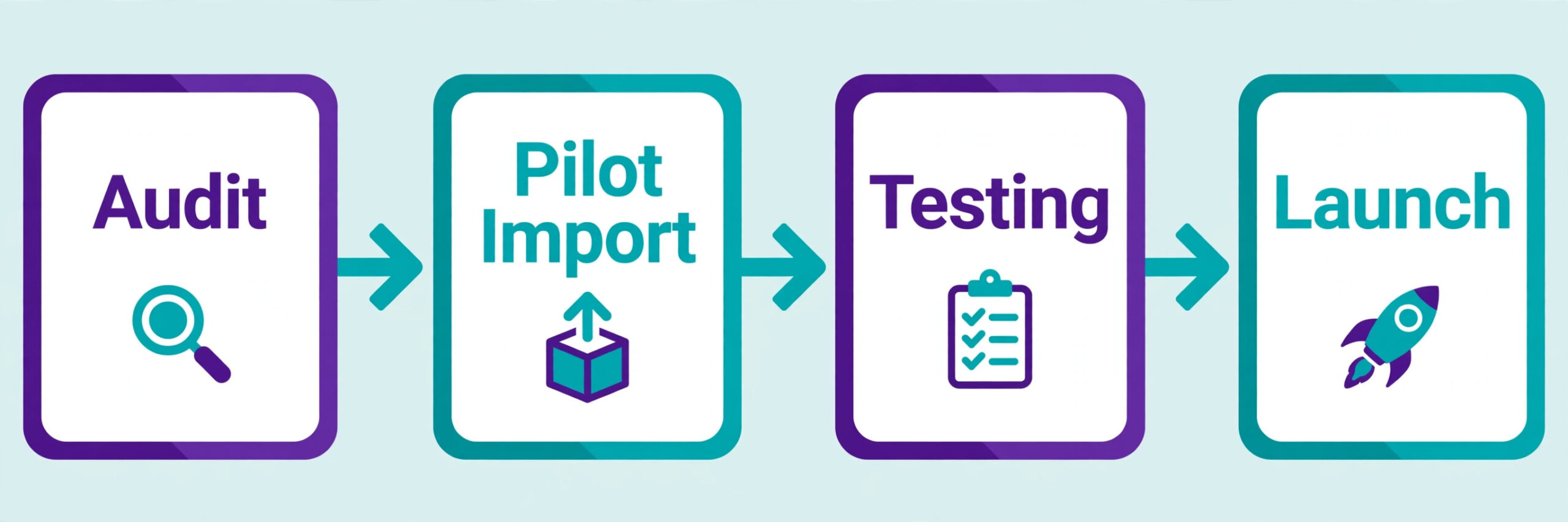
A four week plan fits most stores up to a few hundred products. Larger catalogs should stretch the audit and pilot weeks rather than compress testing, because a rushed import creates weeks of cleanup after launch. The plan below assumes you switch Wix to Shopify store work in stages, with Wix still taking orders until launch day, so revenue never stops while you build.
Week one is audit and freeze. Record your baseline before anything changes. Note your top 50 pages by traffic, your top 20 products by revenue, your conversion rate, your average order value and your current search rankings for your money pages. Export everything from Wix and store the exports somewhere safe, including products, customers, orders and a full list of URLs. List every live discount code, every app you pay for, and every integration, such as email, accounting and shipping tools, with a note on whether Shopify has an equivalent. Freeze the catalogue at the end of week one.
No new product launches, no category renames and no URL changes on Wix after that point, because every change after the freeze is a change you must repeat by hand in Shopify.
Week two is build and pilot. Set up Shopify, pick a theme, rebuild navigation and collections, and import a pilot set of about 20 products spanning your hardest cases, including a product with variants, a product with options, a sale product and a product with a long description. Test the pilot the way a customer would, from search to checkout to confirmation email. Fix the mapping problems the pilot exposes, then import the full catalogue. Rebuild pages and blog posts for your top pages only in week two. Lower traffic pages can follow after launch, but your top pages must be live and redirected on day one.
Week four is redirect, domain and launch. Build the redirect file, import it, and test every top URL before the domain moves. Point the domain at Shopify during a quiet traffic period, submit the new sitemap to Google Search Console, and watch orders, checkout errors and 404 reports for the first 72 hours. Keep Wix paid and untouched for at least 30 days after launch. That overlap is your safety net for old orders, missed content and any redirect you forgot, and it costs far less than rebuilding a lost record.
Build the Product and Order Mapping Table
The mapping table is the document that stops a migration turning into guesswork, and it is the single most useful artefact in this guide. Build it in a spreadsheet before any import, with one row per field, not per product. Each row names the Wix field, the Shopify field it becomes, the rule for cleaning it, and the person who checks it. A table built at field level catches problems a product by product check misses, such as a Wix field with no Shopify equivalent, or two Wix fields that both want to land in one Shopify field.
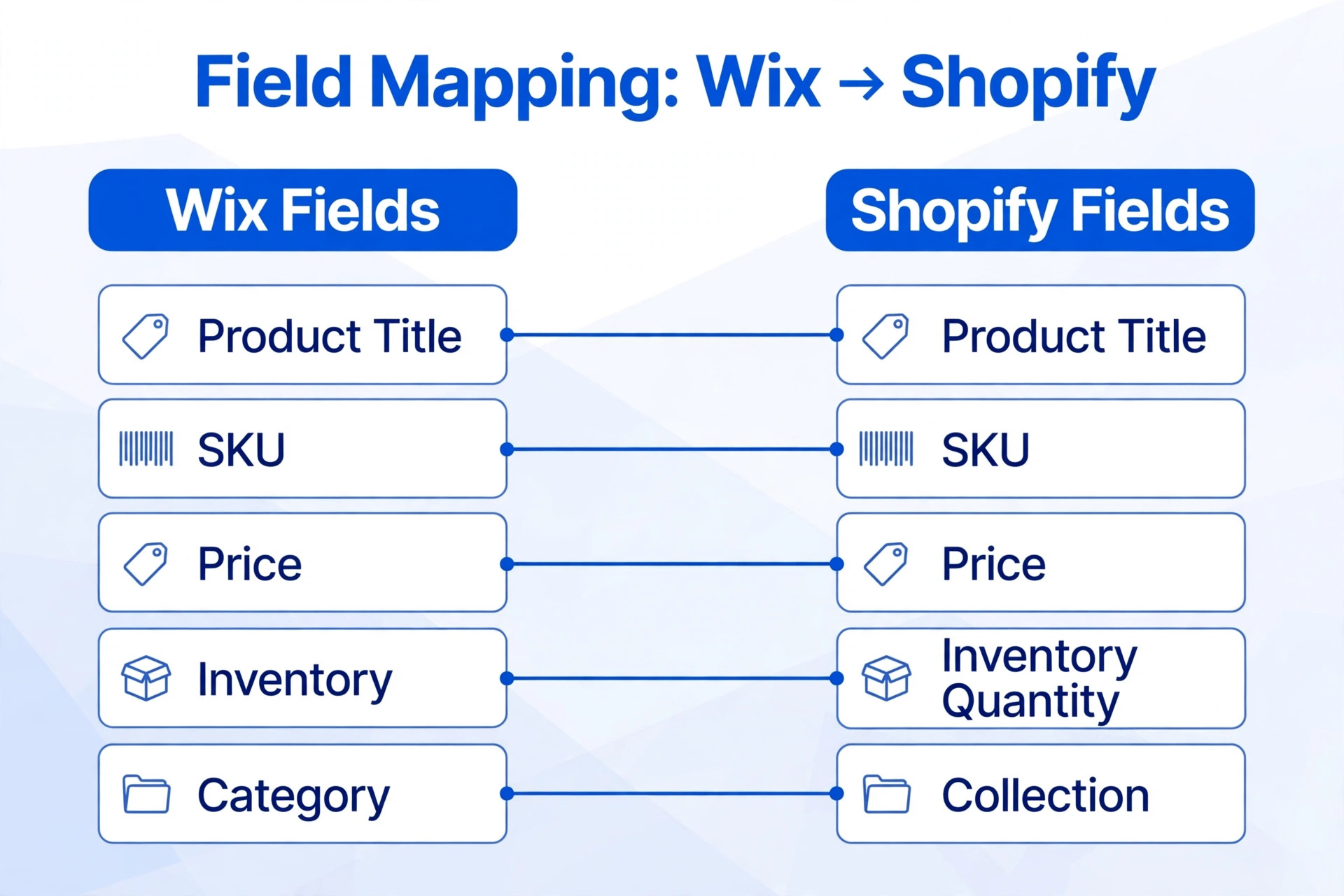
Start with products. Wix product names, descriptions, SKUs, prices, compare at prices, weights, inventory counts and image URLs each need a named Shopify destination. Decide how to handle product options beyond three, how to handle products with no SKU, and how to handle duplicate SKUs, because the importer will decide for you if you do not. Decide your handle rules too. Shopify builds product URLs from handles, so a handle change after launch breaks links and redirects, and handles should be set once, checked, and then left alone. If you switch Wix to Shopify store data without a mapping table, you will discover the missing fields only when customers do.

| Wix field or record | Shopify destination | Rule to apply before import |
|---|---|---|
| Product title | Product title | Trim extra spaces, keep the ranking title where it earns traffic |
| Product description | Product description | Strip Wix only formatting, keep headings and links intact |
| SKU | SKU | Fill blanks with a set pattern, never leave two products sharing one SKU |
| Price | Price | Check against the live Wix price, not an old export |
| Compare at price | Compare at price | Only set where a real prior price existed |
| Variant options | Variant options, maximum three | Split products with more than three options, or hold extras in metafields |
| Inventory count | Inventory quantity | Reconcile against a system count on import day |
| Product image | Product image | Reupload any image that imports below its original resolution |
| Category | Collection | Map each category to one collection, and list orphans for a decision |
| Customer name and email | Customer record | Merge duplicates by email before import |
| Order number and date | Order record, paid app only | Import in date order so order numbers stay readable |
| Order items and totals | Order line items and totals | Reconcile a sample of 20 orders against Wix totals |
| Product meta title and description | Product SEO title and description | Copy the exact text for pages that already rank |
| Page URL | New Shopify URL plus a redirect row | Every changed URL gets a redirect row, no exceptions for top pages |
Protect Your Rankings with the Redirect Checklist
Shopify forces a fixed URL structure that Wix does not use, so almost every URL changes in the move. A Wix product page that lived under a product page path becomes a Shopify product under the products path. A Wix category becomes a collection. A Wix blog post under a post path becomes a Shopify blog article under a blogs path. A Wix information page becomes a page under the pages path. Search engines and old links still point at the old addresses, so every changed URL that earned traffic, backlinks or rankings needs a 301 redirect to its new equivalent.
A 301 redirect is a permanent move notice, and it passes most of the old page ranking value to the new page. If you switch Wix to Shopify store URLs without this step, rankings fall even when the new store itself is better.
Shopify handles redirects in the admin under the URL redirects tool, where you can add them one by one or import a CSV file for bulk work. Standard Shopify plans allow up to 100,000 URL redirects, and Plus allows up to 20,000,000, so the limit is not a practical problem for most stores. The real limits are subtler. A redirect only works from a URL that returns a 404 error, so a redirect for a page that still loads will be ignored. Certain Shopify paths are reserved and cannot be used as redirect sources, including paths that start with apps, cart, orders and shop, and fixed paths such as products and collections.
Shopify does not support wildcard or pattern redirects in its built in tool, so each old URL needs its own row. That is tedious and it is exactly why the redirect file must be built from a crawl of the real Wix site, not from memory.
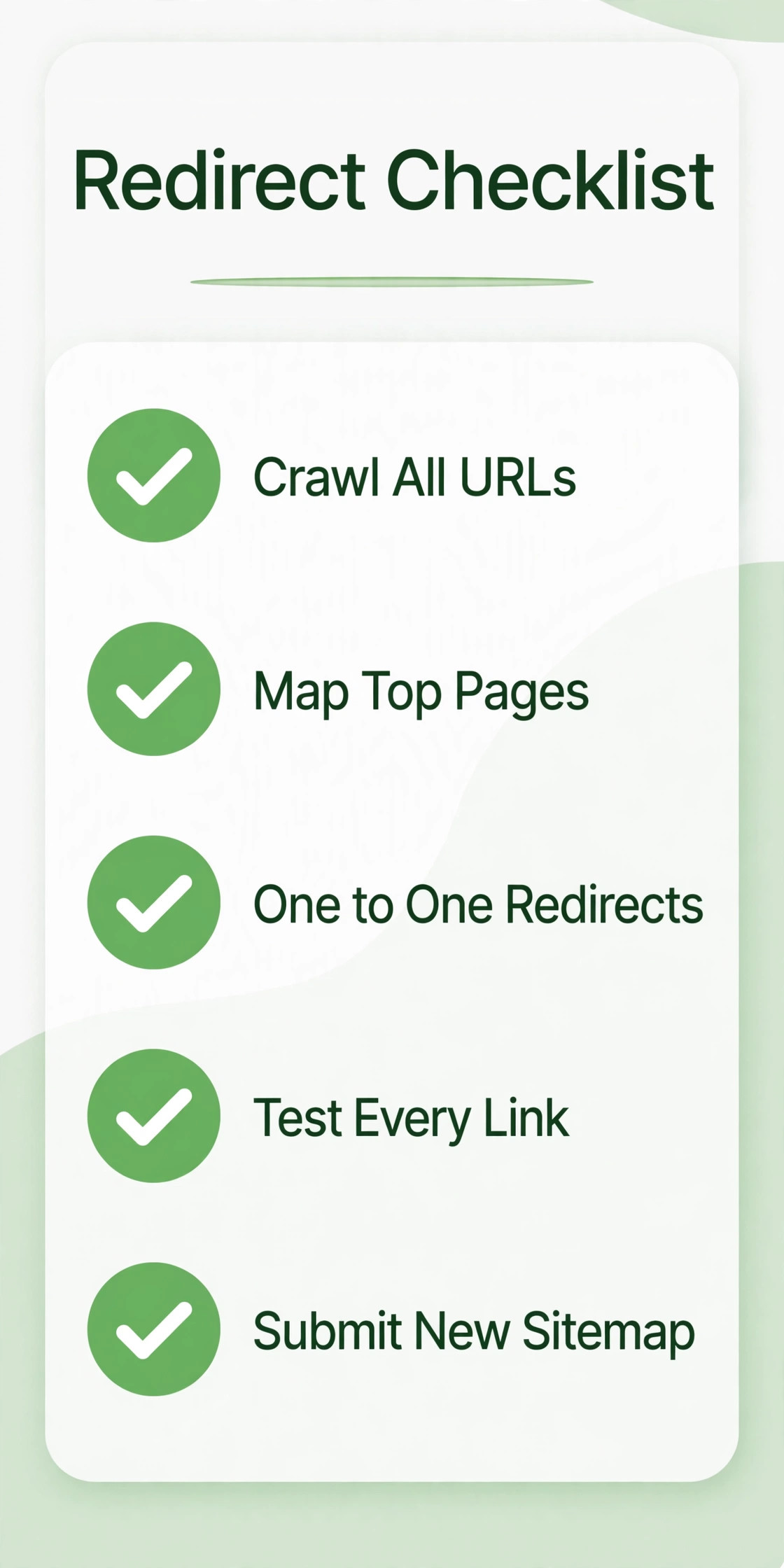
| Redirect checklist item | Done when | Common failure it prevents |
|---|---|---|
| Crawl of all live Wix URLs exported | The file holds every indexed page, not just products | Forgotten pages that still earn traffic |
| Top pages by traffic and backlinks mapped first | Every top 50 page has a one to one redirect | Ranking pages falling to a 404 error |
| One to one mapping, no homepage dumping | No live page redirects to the homepage unless it truly closed | Soft 404 signals and lost ranking value |
| Redirect chains resolved | Every destination is a final live page, not another redirect | Slow chains that waste crawl budget |
| Reserved Shopify paths checked | No redirect source uses a reserved path | Redirects that save but never fire |
| CSV imported into Shopify redirects | Import report shows the expected row count | A partial import mistaken for a full import |
| Top 50 redirects clicked and tested | Each old URL lands on the right new page | Wrong destination pages confusing buyers |
| New sitemap submitted to Search Console | Shopify sitemap is accepted and key pages requested | Slow reindexing of the new store |
Test Before You Point the Domain
Testing should feel boring and thorough. Run a test order for each payment method you offer, including card, PayPal and any buy now pay later option, and confirm the money flow, the order confirmation email and the order record all match. Run test orders to each shipping zone, including an international zone if you serve one, and check that rates, taxes and delivery estimates match what Wix showed. Test a discount code, a free shipping threshold and a sold out variant, because each one touches a different part of the checkout.
Launch Day and the First 30 Days After
Launch day has a short sequence, and order matters. Confirm redirects are imported, confirm the new sitemap is ready, and confirm the test store passes its full checklist. Then connect the domain. If the domain is registered through Wix, point its DNS records at Shopify, with the A record pointed at 23.227.38.65 and the CNAME record pointed at shops.myshopify.com, or transfer the domain to Shopify or another registrar if you prefer one home for it. A DNS change usually propagates within hours, while a full registrar transfer takes several business days, so choose the connection method that fits your launch window and never start a transfer on launch morning.
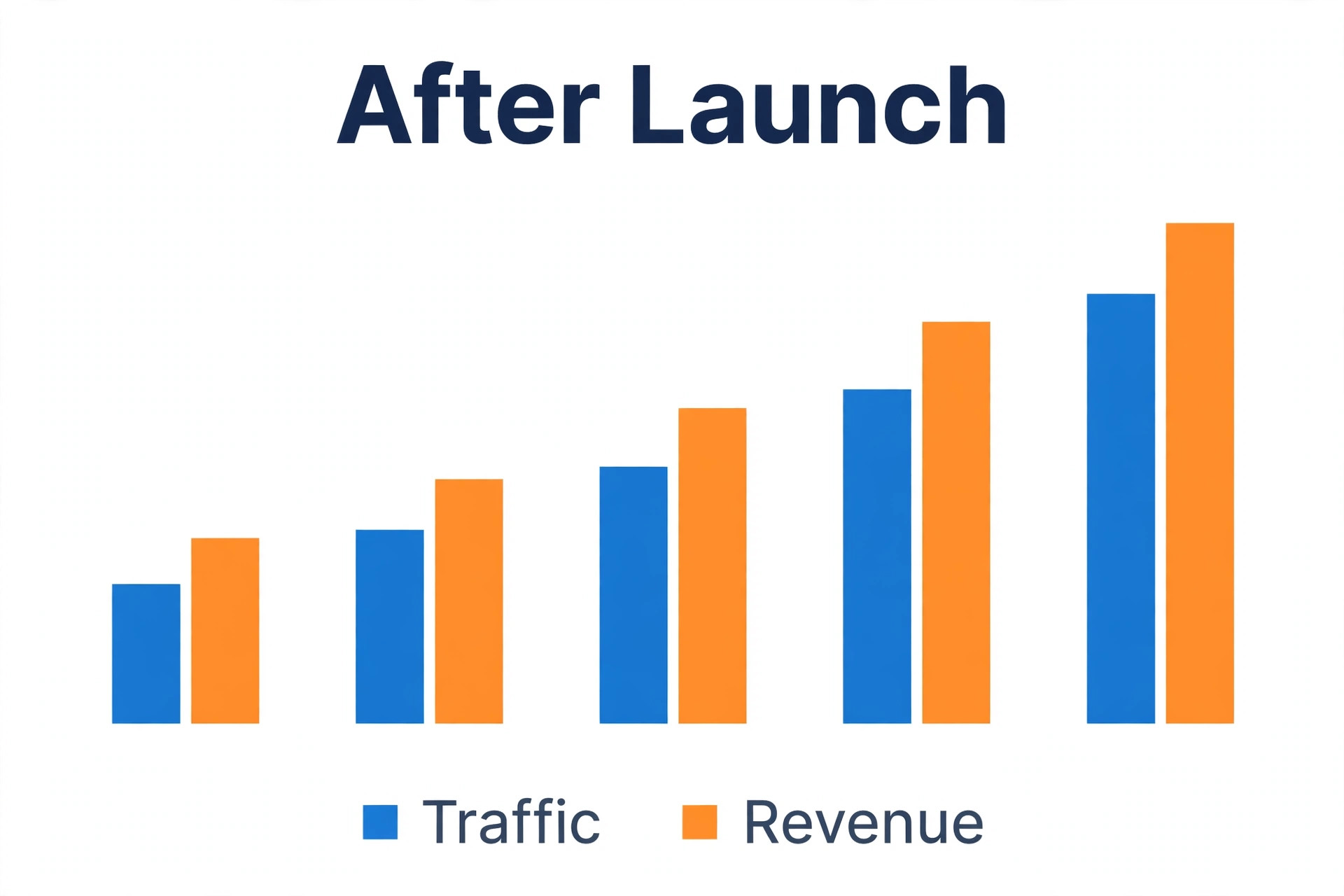
The first 30 days are a watch period, not a rest period. Check Search Console daily for 404 errors and add redirects for any missed URL within a day. Compare traffic, conversion rate and revenue against the week one baseline each week, and investigate any page that lost more than a small share of its traffic. Keep Wix paid for the full 30 days, and only cancel it once the 404 report is quiet, the order archive is saved, and every top page is live and redirected. If you switch Wix to Shopify store operations and then cancel Wix on day two, you have thrown away your fallback before you know whether you need it.
Mistakes That Cost Rankings and Revenue
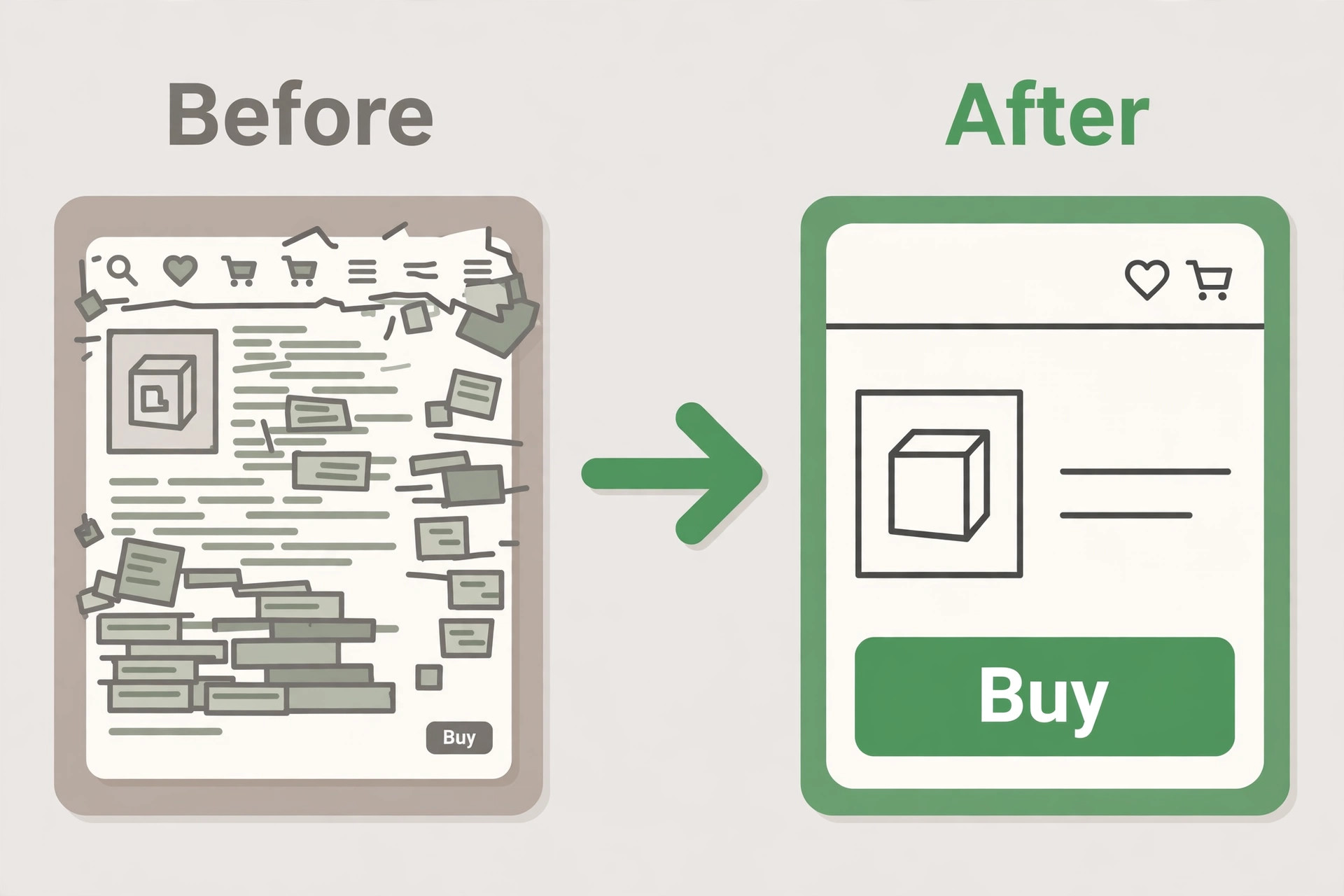
The most expensive mistake is redirecting everything to the homepage. It feels tidy and it destroys ranking value, because search engines read a homepage redirect as content removed, not content moved. The second mistake is launching without the redirect file, on the theory that redirects can follow later. They can, but every day without them is a day of 404 errors, lost sales and ranking signals pointing at dead pages, and recovery takes longer than the delay you saved.
More Reading for Your Store Move
If you are still weighing platforms before you commit, this site’s comparison of Shopify vs WooCommerce and Shopify vs Etsy puts Shopify’s commerce depth against two very different selling models, while Shopify alternatives widens the field for stores that want a different trade. For the Wix side of the decision, Wix vs WordPress shows where a general builder fits and where it starts to strain. Once the store is live, best AI tools for ecommerce and best AI SEO tools cover the marketing and search work that fills a new Shopify store with traffic. Official vendor pages worth checking are the Shopify pricing page and the Wix site.
Frequently Asked Questions
Can I switch Wix to Shopify store data without losing my products?
Yes, products move by CSV export or by a migration app, and the free Store Migration app handles products and customers from Wix. The risk is not the export itself. It is dirty data, products with more than three options, and prices that default to the highest location price, so clean the catalogue, pilot 20 hard products first, and reconcile counts after import before you call the catalogue done.
Do customer passwords transfer from Wix to Shopify?
No. Passwords cannot transfer for security reasons, so customers must set a new password on the new store. Send a clear launch email that explains the step, links to the password reset page, and reassures buyers that their order history and account details are safe. Expect a short rise in support messages in launch week, and staff the inbox for it.
Will my Google rankings survive the move?
They can, but only with a full redirect file, copied meta titles and descriptions for ranking pages, and a new sitemap submitted to Search Console. Expect a short wobble for two to four weeks while search engines reindex the new URLs. A longer drop usually points at missing redirects, missing meta text or a sitemap that was never submitted, so check Search Console daily in the first month.
How long does a Wix to Shopify migration take?
A small store with under 200 products fits a four week plan, with one week each for audit, pilot build, commerce testing and launch. Larger catalogs, complex variants, many blog posts or custom features stretch the audit and pilot weeks, and should never be squeezed by cutting testing. An agency quote that promises a large migration in a few days is usually skipping the redirect and testing work that protects revenue.
Do I need a paid migration app, or is the free app enough?
The free Store Migration app is enough when your store is small, your products have three options or fewer, and you do not need old orders inside Shopify. A paid app earns its price when you need order history moved, collections and redirects migrated together, or a large catalogue handled without spreadsheet work. Run a demo migration before paying, and compare its import report against your cleaned Wix counts.
Should I cancel Wix on launch day?
No. Keep Wix paid for at least 30 days after launch, as an archive for old orders, a fallback for missed content, and a reference for any redirect you forgot. Cancel only once the 404 report is quiet, the top pages are live and redirected, and the order archive is saved somewhere safe. The overlap month costs one extra plan payment and removes the worst launch risk.
Launch on Shopify Without Losing the Store You Built
A migration succeeds when a returning customer finds the same products, the same prices and the same trust, on a platform that handles the next stage of growth better than the last one did. That outcome comes from unglamorous work done in the right order. Audit and freeze, map every field, pilot the hard products, build the redirect file from a real crawl, test the awkward checkout cases, and launch during a quiet period with Wix still paid as a safety net.
When you switch Wix to Shopify store systems on that basis, the new store starts with its catalogue intact, its customers able to log in with a fresh password, its orders visible to staff, and its rankings carried across by redirects rather than rebuilt from zero. Start this week with the baseline and the export, pick the migration method that fits your catalogue size, and set a launch date that leaves testing uncompressed. The platform change is the easy part to announce. The mapping, the redirects and the testing are the work that makes it true.