
An editor who works with AI in 2026 does not hand the manuscript to a machine, and the best ai tools for editors are the ones that respect that line. They use one tool to catch the errors, a second tool to test the structure, a third tool to cut the audio, and a fourth tool to draft the passages that need rewriting.
The skill is knowing which tool does which job. The market is crowded with writing assistants that all claim to do everything, and the honest truth is that none of them does.
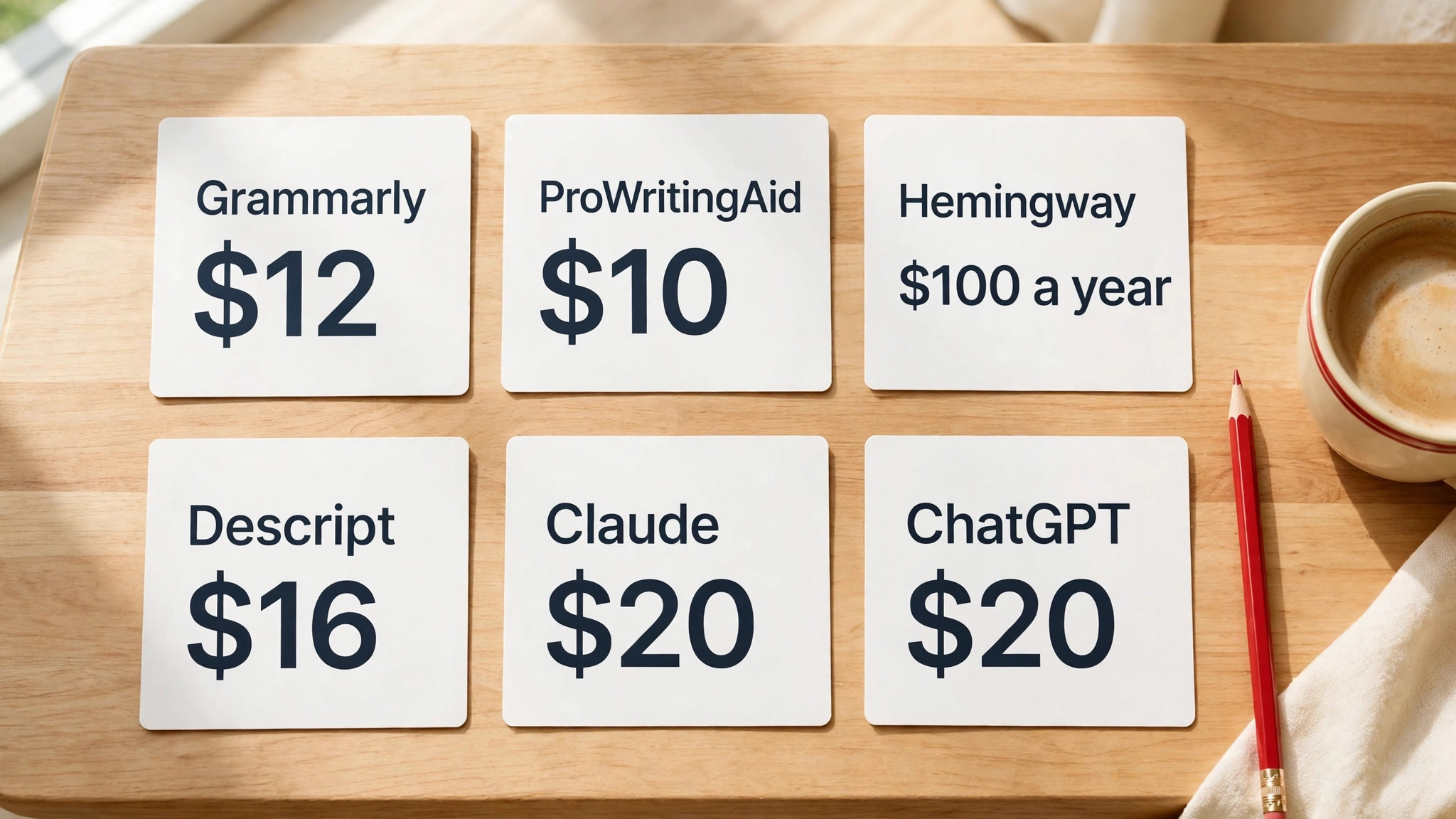
The best ai tools for editors are therefore a small kit, not a single purchase, and this guide compares six of them on price, on the job each one does best, and on the limits that matter when the deadline arrives. Grammarly polishes text wherever you type. ProWritingAid reports on a manuscript in depth. Hemingway grades readability. Descript edits audio and video by editing words. Claude drafts long passages with a steady voice. ChatGPT does a bit of everything at a flat 20 dollars a month. Prices in this guide were checked against vendor pages and independent comparisons in late 2026, so check the vendor pricing page before you pay.
Before the tools, one distinction matters more than any feature list. Editors and generators are different kinds of tool, and most professionals need both. An editor fixes text you wrote, checking grammar, tightening sentences and adjusting tone. A generator writes text from a prompt, drafting passages you have not written yet. Grammarly, ProWritingAid and Hemingway are editors. Claude and ChatGPT are generators that can also edit. Descript is neither, it is a transcript editor for audio and video. Buy the editor first, then add a generator, and the kit will cover the whole job.
The 6 Tools at a Glance
The table below is the whole comparison in one place, with the job each tool does best and the price that decides whether it belongs in your kit. Every tool on this list offers a free tier or a free trial, so you can test each one on real work before spending anything, and you should, because an editor tool that does not fit your workflow will sit unused whatever it costs.
| Tool | Best job | Paid from | Free tier |
|---|---|---|---|
| Grammarly | Everyday grammar and tone | 12 dollars a month | Yes |
| ProWritingAid | Deep manuscript reports | 10 dollars a month | Yes |
| Hemingway Editor Plus | Readability grading | 100 dollars a year | Trial |
| Descript | Transcript audio and video editing | 16 dollars a month | Yes |
| Claude | Long-form drafting | 20 dollars a month | Yes |
| ChatGPT | General drafting and editing | 20 dollars a month | Yes |
The prices are annual billing rates unless stated otherwise, and they are per person, not per team, which matters when an editing desk has five people. Grammarly Pro at 12 dollars a month is the cheapest paid plan on the list, and ProWritingAid Premium at 10 dollars a month is cheaper still on annual billing, while Claude and ChatGPT both charge a flat 20 dollars a month.
Descript Hobbyist at 16 dollars a month covers a solo editor, and Hemingway Plus at 100 dollars a year works out to about 8 dollars and 33 cents a month. A full kit of all six paid plans costs about 86 dollars a month, which is less than one hour of freelance editing time in most markets.
The free tiers are genuinely useful on this list, which is not true of every AI category. Grammarly free catches basic grammar and spelling in every app you type in. ProWritingAid free covers 500 words per check with two runs of each report per day. Hemingway free web version grades readability without AI. Descript free gives one media hour a month with a watermark. Claude free and ChatGPT free both offer limited access to current models. Test the free tier on a real assignment before you pay, because the free tier will show you the tool limits faster than any review.
Best Pick by Job
| Job type | First pick | Second tool | Why this pair works |
|---|---|---|---|
| Everyday editing | Grammarly | ProWritingAid | Speed plus depth when needed |
| Book manuscripts | ProWritingAid | Claude | Reports plus long-form drafting |
| Web and marketing copy | Hemingway | Grammarly | Readability plus grammar |
| Podcasts and video | Descript | ChatGPT | Transcript editing plus scripting |
| Long-form drafting | Claude | ChatGPT | Steady voice plus general help |
An editor who polishes client copy all day needs Grammarly first, because it works inside Google Docs, Word, Gmail and Slack, and it catches errors in the moment, before they reach the client. ProWritingAid sits beside it for the deep work, with reports on pacing, repeated words and sentence variety that Grammarly never attempts. Together they cover speed and depth, and the pair costs 22 dollars a month on annual billing, which is the best value in this guide.
A book editor needs the opposite order. ProWritingAid first, because its 25 plus reports on consistency, pacing, dialogue and overused words are built for manuscripts, and its Scrivener integration fits the way novelists actually work. Claude second, because its long context and steady tone make it the best drafting partner for chapters, summaries and rewrites. A web editor needs Hemingway first, because readability is the job, and a podcast editor needs Descript first, because no other tool on this list edits audio by editing words.

How to Judge the Best AI Tools for Editors
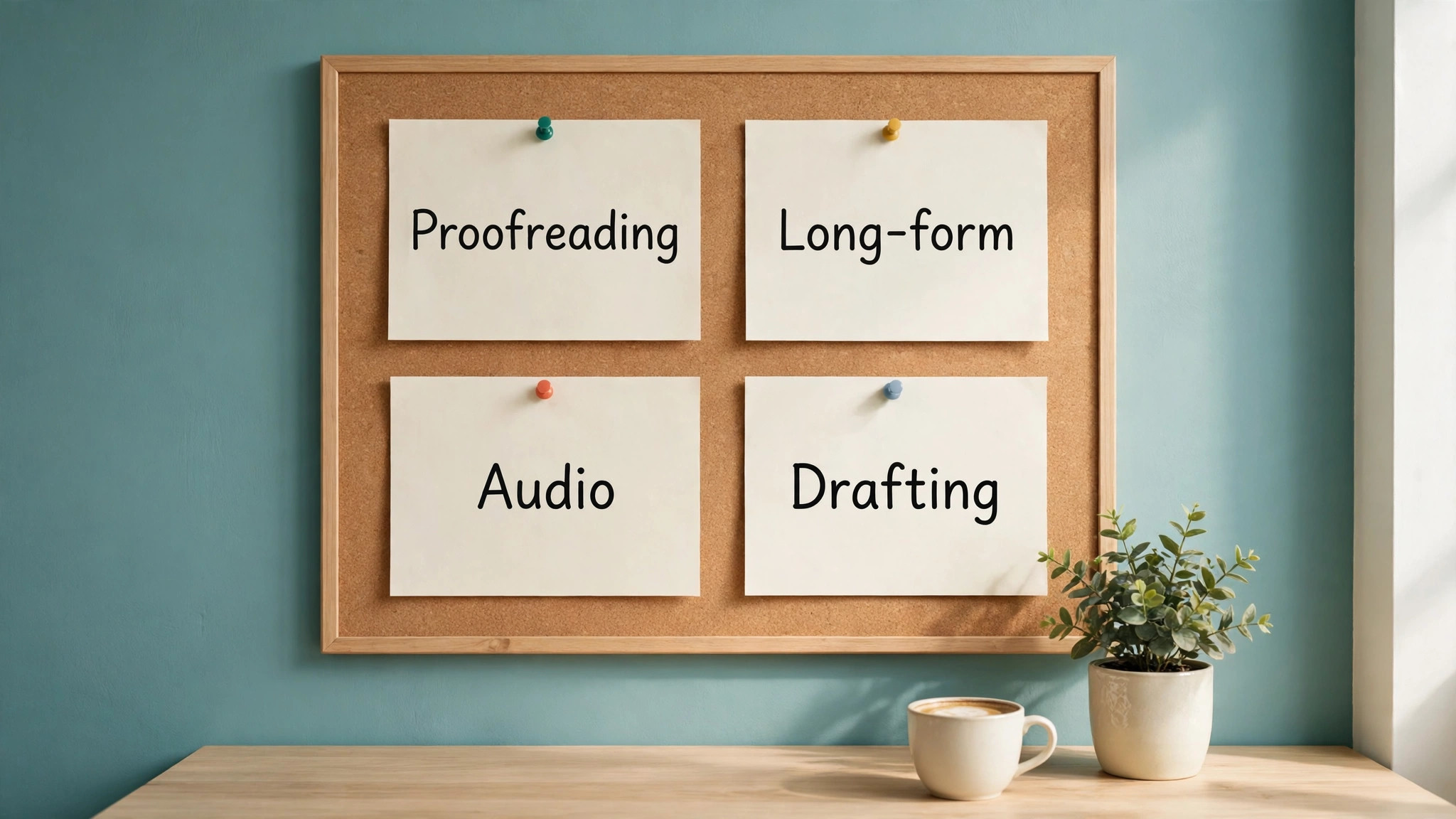
Start with the work you actually do, not with a feature tour, because that is the first rule for judging the best ai tools for editors. Count how many hours a week you spend on each kind of editing, grammar and proofreading, structural editing, readability work, audio or video, and drafting, and buy the tool that serves the biggest block of hours first. An editor who spends 20 hours a week proofreading client copy and two hours a week on audio should buy Grammarly before Descript, whatever the reviews say. The tool that serves your largest block of work is the tool that earns its price first.
Next, test each tool on a real assignment, not on a sample paragraph. Take a page from a current project, run it through the tool, and judge three things, how many real errors it caught, how many false alarms it raised, and how much time it saved against editing by hand. A tool that catches ten errors and raises twenty false alarms costs more time than it saves, and an editor who tests on a sample paragraph will never discover that. Real work is the only honest test, and it takes an hour per tool, which is a fair price for a decision that lasts a year.
Then check the integration that matters to you, because an editor tool that does not work where you type is a tool you will not open. Grammarly works almost everywhere, with browser extensions, desktop apps and a mobile keyboard. ProWritingAid works in Word, Google Docs, Scrivener and a browser. Hemingway works on the web and as a desktop app. Descript is a standalone app for audio and video. Claude and ChatGPT work in the browser, with desktop apps for chat. If you live in Google Docs, Grammarly and ProWritingAid will serve you best. If you live in Scrivener, ProWritingAid is the only tool on this list built for you.
The 6 Tools in Detail
1. Grammarly
Grammarly is the everyday editor on this list, and it is the tool most editors should buy first. It checks grammar, clarity and tone wherever you type, through browser extensions, Windows and Mac apps, phones, Microsoft Office and Google Docs, and it rewrites sentences, adjusts tone and checks for plagiarism and AI-generated text on the Pro plan. The free plan catches basic grammar and spelling, and it is genuinely useful, but the Pro plan at 12 dollars a month billed annually, or 15 dollars monthly, adds style suggestions, tone detection, clarity improvements and 2,000 AI prompt credits a month for paragraph-level rewrites.
The strength of Grammarly is that it is always present, and the weakness is that it is shallow. It will catch a misplaced comma, a vague sentence and a tone that sounds too blunt for a client email, and it will do so in the moment, inside the app where you are already typing. It will not tell you that your third chapter drags, that your dialogue repeats the same sentence openings, or that your argument structure is weak, because those are manuscript problems, and Grammarly is a sentence tool. An editor who needs depth should pair it with ProWritingAid, and an editor who needs only sentences should buy Grammarly alone and stop there.
Grammarly fits editors who polish text all day in many apps, from client emails to web copy to reports, and it fits poorly for editors who work on long manuscripts, because the tool has no manuscript view, no pacing report and no chapter-level analysis. Test it on a week of real client work, and count the errors it catches that you would have missed, because that count is the value of the subscription. A Grammarly subscription that catches three real errors a week is worth 12 dollars a month. A subscription that catches none is not.
2. ProWritingAid
ProWritingAid is the deep editor on this list, and it is the tool for editors who work on long documents and want to understand why a passage fails, not just that it fails. It runs more than 25 reports on a manuscript, covering overused words, pacing, dialogue, repeated sentence openings, consistency, readability and style, and it integrates with Scrivener, Word and Google Docs, which makes it the only tool here built for novelists and long-form writers. The free plan covers 500 words per check, with 10 rephrases and two runs of each report per day, which is enough to test the tool properly.
Pricing is the most flexible on this list, and it rewards a buyer who reads the page carefully. Premium costs 10 dollars a month billed annually, or 30 dollars monthly, and a lifetime licence costs 399 dollars, which pays for itself in about three years against the annual rate. Premium Pro adds more, and the lifetime option is unique among AI editors, because no other tool on this list lets you buy once and own it forever. An editor who plans to use the tool for years should do the lifetime math before choosing a monthly plan, because 399 dollars once is cheaper than 120 dollars a year for four years.
ProWritingAid fits book editors, long-form journalists and anyone who revises their own drafts and wants to know why a chapter feels slow. It fits poorly for editors who need instant corrections in every app, because it works on documents you open in it, not on every text field you type in, and it is slower than Grammarly for quick proofreading. Pair it with Grammarly for the full kit, with ProWritingAid for the deep work and Grammarly for the daily polish, and the pair covers the whole editing job for 22 dollars a month.
3. Hemingway Editor Plus
Hemingway is the readability editor on this list, and it does one thing differently from every other tool here. It grades your writing for readability rather than grammar, highlighting long sentences, passive voice, hard words and adverbs, and assigning a grade level that tells you how hard the text is to read. The free web version does that grading without AI, and it is excellent for a quick check. Hemingway Editor Plus adds AI fixes for the issues it flags, plus grammar and tone checking, from 100 dollars a year for 5,000 AI sentences a month, with a two-week trial.
The pricing deserves a careful read, because the plan names and the sentence allowances changed during 2025, and older reviews quote different numbers. The current Plus structure starts at 100 dollars a year for the Individual 5,000 plan, or about 8 dollars and 33 cents a month, with a 10,000 sentence plan at 150 dollars a year and a monthly option at 10 dollars.
The Classic desktop app costs 19 dollars and 99 cents once, exports to Word, PDF, HTML and Markdown, and has no AI features. A buyer who only needs readability grading should use the free web version and pay nothing. A buyer who wants AI fixes should buy Plus, and should check the sentence allowance against their monthly volume first.
Hemingway fits web editors, marketers and anyone who writes for a general audience, because readability is the job, and a grade level is a clearer target than a vague instruction to write plainly. It fits poorly for editors who need grammar correction, because the free version does not check grammar, and the Plus AI fixes are narrower than Grammarly or ProWritingAid. Use Hemingway after a draft is written, to make it clearer, and use Grammarly before it is sent, to make it correct, and the two together cost about 20 dollars a month.
4. Descript
Descript is the transcript editor on this list, and it is the tool for editors who work with audio and video rather than text alone. It transcribes a recording, and you edit the audio or the video by deleting words in the transcript, which turns a two-hour audio edit into a thirty-minute text edit. It adds Studio Sound, eye contact correction, green screen, filler word removal and an AI assistant called Underlord, and it exports in 4K on paid plans. No other tool on this list does this job, which makes Descript a category of one for podcast and video editors.
Pricing is per person, per month, and it is measured in two meters, media hours and AI credits. Free costs nothing, with one media hour a month, 100 one-time AI credits, 720p export and a watermark. Hobbyist costs 16 dollars a month billed annually, or 24 dollars monthly, with 10 media hours, 400 AI credits a month, 1080p export and no watermark.
Creator costs 24 dollars annual or 35 dollars monthly, with 30 media hours, 800 AI credits and 4K export. Business costs 50 dollars annual or 65 dollars monthly, with 40 media hours, 1,500 AI credits and 4K export. Seats on Creator and Business are billed separately, up to three and five editors respectively.
Descript fits podcast editors, video editors and any editor who produces spoken content, because transcript editing is faster than waveform editing by an order of magnitude, and the AI features remove the tedious parts of the job. It fits poorly for text-only editors, because the media hour meter means nothing to them, and a text editor who buys Descript for its AI writing will be disappointed. Buy Hobbyist for a solo show, Creator for a weekly show with a small team, and Business only when the team passes three editors or needs brand features.
5. Claude
Claude is the long-form drafting partner on this list, and it is the tool editors reach for when a passage needs writing, not just fixing. It handles up to a million tokens of context on Pro, which means it can hold a whole chapter, a research file or a long brief in memory while it drafts, and it keeps tone and structure steady across long passages in a way that shorter-context tools cannot. It is the best tool here for non-fiction drafting, chapter rewrites, summaries and structured documents, and it is the tool most editors name when asked which AI writes most like a careful human.
Pricing is simple and it matches ChatGPT at the entry level. Free offers limited access to current models, and Pro costs 20 dollars a month, with higher usage limits, access to the strongest models and longer sessions. There is no annual discount on Pro at the time of writing, and the Team plan for small groups costs 20 dollars a seat a month on annual billing. A solo editor pays 20 dollars a month for Pro, and an editing desk of three pays 60 dollars a month for Team, which is the same per-seat price as ChatGPT Business.
Claude fits editors who draft, rewrite and summarize long documents, and it fits poorly for editors who need instant grammar checks in every app, because Claude works in its own window, not inside Google Docs or Word, and the editor must copy text in and out. Use Claude for the drafting pass, then Grammarly for the polish pass, and the pair covers the two halves of the job. An editor who buys Claude and expects it to proofread emails will be disappointed, and an editor who buys it to draft chapters will be pleased.
6. ChatGPT
ChatGPT is the generalist on this list, and it is the tool editors reach for when the job does not fit a specialist. It drafts, rewrites, summarizes, brainstorms, plans, researches and edits, all in one window, at a flat 20 dollars a month for Plus, with no annual billing option. It offers GPT models with reasoning, deep research, projects, scheduled tasks, custom GPTs, Codex and ChatGPT Work, and it is the most versatile tool here by a wide margin. A small business owner who needs one AI subscription for everything should buy ChatGPT before any other tool on this list.
The weakness of ChatGPT as an editor is that it is a generalist, and generalists are rarely the best at any single job. Its grammar checking is good but not as integrated as Grammarly, its long-form drafting is strong but not as steady as Claude, and its readability grading is absent, because it does not grade text the way Hemingway does. An editor who needs the best grammar tool should buy Grammarly. An editor who needs the best drafting tool should buy Claude. An editor who needs one tool that does both jobs adequately should buy ChatGPT, and should accept that adequate is the trade for versatility.
ChatGPT fits solo editors, small business owners and anyone who needs AI for many different jobs in one day, because the 20 dollar flat price covers writing, planning, research and editing without a per-feature charge. It fits poorly for editors who need deep manuscript reports, because it has no equivalent to ProWritingAid reports, and for audio editors, because it cannot edit a transcript the way Descript can. Pair it with Grammarly for the polish pass, and the pair costs 32 dollars a month, which is the most versatile editing kit in this guide.
What the Full Kit Costs, and What to Skip
A full kit of all six tools at their cheapest paid tier costs about 86 dollars a month on annual billing, and that number surprises editors who expected a larger bill, yet it is the honest total for the best ai tools for editors bought together. Grammarly Pro at 12 dollars, ProWritingAid Premium at 10 dollars, Hemingway Plus at about 8 dollars and 33 cents, Descript Hobbyist at 16 dollars, Claude Pro at 20 dollars and ChatGPT Plus at 20 dollars together come to 86 dollars and 33 cents a month, or about 1,036 dollars a year.
Most editors should not buy all six at once, because the kit is worth more than the sum of its parts only when every tool is used weekly. A text-only editor should skip Descript entirely, and save 16 dollars a month, because a tool for audio editing earns nothing on a text desk. An editor who never writes long-form should skip Claude and keep ChatGPT, and save 20 dollars a month, because the two generators overlap heavily. An editor who writes for a specialist audience should skip Hemingway, because readability grading matters less when the reader is an expert.
The smartest buying order is therefore a sequence, not a shopping list. Buy Grammarly first, because it serves the most hours. Add ChatGPT second, because it serves the most jobs. Add ProWritingAid third, when a manuscript arrives that needs depth. Add Hemingway fourth, when web copy becomes a regular job. Add Claude fifth, when long-form drafting becomes a regular job. Add Descript last, when audio or video becomes a regular job. Each addition should follow a real assignment, not a review, and the kit should grow with the work, not ahead of it.
Mistakes Editors Make When Buying AI Tools
The first mistake is buying a generator and expecting it to be an editor, because a tool that drafts well will still miss the errors that matter, and that confusion is common among buyers of the best ai tools for editors. ChatGPT and Claude both write fluent prose, and both will happily produce a paragraph with a factual error, a wrong date or a misquoted price, because they predict likely words rather than checking facts. An editor who publishes AI text without checking it is not using AI. They are outsourcing judgment to a machine that has none. Always run AI text through Grammarly or ProWritingAid, and always check numbers against a source.
The second mistake is buying on price alone, because the cheapest plan is rarely the cheapest year. ProWritingAid Premium at 10 dollars a month on annual billing costs 30 dollars monthly, so a buyer who pays monthly for a year spends 360 dollars instead of 120 dollars, and a buyer who chooses the lifetime licence at 399 dollars spends less than three years of annual billing. Read the billing options on every tool before you pay, because the monthly price is often three times the annual price, and the lifetime option, where it exists, is often the cheapest of all.
The third mistake is buying a tool that does not work where you type, because an editor tool that lives in a separate window will be opened twice and then forgotten. Grammarly works in every app, ProWritingAid works in Word and Scrivener, and Claude and ChatGPT work in the browser, which means the editor must copy text in and out. Test the integration on a real day of work, not on a demo, and count how many times you actually open the tool. A tool opened twice a day is a tool that earns its price. A tool opened twice a month is a tool to cancel.
Related Guides
Keep exploring with these guides on Stratilyze:
- CapCut Alternatives: 12 Best AI Video Editors in 2026
- Descript Alternatives: 12 Best AI Audio and Video Editors in 2026
- Cursor Alternatives: 12 Best AI Code Editors in 2026
Frequently Asked Questions
Which AI tool is best for editing a book manuscript?
ProWritingAid is the best tool for a book manuscript, because its 25 plus reports cover pacing, dialogue, overused words, consistency and sentence variety, and it integrates with Scrivener, which is where most novelists work. Claude is the best second tool, because its long context handles chapters and rewrites with a steady voice. Grammarly helps with sentence-level polish, but it has no manuscript view, so a book editor should buy ProWritingAid first and add Claude second.
Is Grammarly or ProWritingAid better for everyday editing?
Grammarly is better for everyday editing, because it works inside every app you type in and catches errors in the moment, while ProWritingAid works on documents you open in it and is slower for quick proofreading. ProWritingAid is better for deep editing, because its reports explain why a passage fails, while Grammarly only flags the sentence. An editor who does both should buy both, at 22 dollars a month combined on annual billing, and use Grammarly for daily polish and ProWritingAid for deep revision.
Can AI tools replace a human editor?
No, and the tools on this list do not claim to. AI tools catch grammar errors, grade readability, draft passages and edit transcripts, but they cannot judge whether an argument is sound, whether a story earns its ending, or whether a fact is true. A human editor brings judgment, taste and accountability, and the AI brings speed. The best ai tools for editors are therefore assistants, not replacements, and an editor who treats them as replacements will publish errors a human would have caught.
How much should an editor spend on AI tools per month?
A solo editor should budget 20 to 40 dollars a month for the tools they use weekly, starting with Grammarly Pro at 12 dollars and adding ChatGPT Plus at 20 dollars when drafting becomes a regular job. A full kit of all six tools costs about 86 dollars a month, but most editors should not buy all six at once, and should add tools only when a real assignment demands them. The test is hours saved per week, not features owned, and a tool that saves two hours a week is worth 20 dollars a month.
Is Descript worth it for a text-only editor?
No, Descript is built for audio and video editing, and a text-only editor will not use its media hours, its transcript editing or its Studio Sound features. A text editor should spend the 16 dollars a month on ProWritingAid or Hemingway instead, and should only buy Descript when podcast or video editing becomes a regular job. The tool is excellent at its job, and its job is not text editing, so the purchase should follow the work, not the review.
Do I need both Claude and ChatGPT?
Most editors do not, because the two generators overlap heavily, and both cost 20 dollars a month for their individual plans. Claude is stronger for long-form drafting with a steady voice, and ChatGPT is stronger for general work, research, agents and integrations, so an editor should pick the one that matches their largest block of work and add the other only when a specific job demands it. A small business owner who needs one AI subscription should buy ChatGPT first, and an editor who drafts long documents should buy Claude first.
A Final Word Before You Buy
The best ai tools for editors are a kit, not a single purchase, and the kit should grow with the work. Start with Grammarly, because it serves the most hours and costs 12 dollars a month. Add ChatGPT, because it serves the most jobs and costs 20 dollars a month. Add ProWritingAid when a manuscript arrives, Hemingway when web copy becomes regular, Claude when long-form drafting becomes regular, and Descript when audio becomes regular. Each addition should follow a real assignment, and each tool should earn its price in hours saved every week.
Test every tool on real work before you pay, check the annual price against the monthly price before you commit, and remember that no tool on this list replaces judgment. An editor who uses AI well will produce more work, of higher quality, in less time, and will still be the person who decides what is true, what is clear and what is worth publishing. That decision is the job, and the tools are only the instruments.